logo
0

KI-Prompts

KI-Prompts für Bilder und Videos, direkt nutzbar

Entdecke KI-Prompts mit Bild- und Videovorschauen. Wähle eine visuelle Richtung, kopiere den Text oder öffne den passenden SuperMaker-Generator und passe ihn an deine Idee an.

Nach Modell durchsuchen

Neueste KI-Bild-Prompts

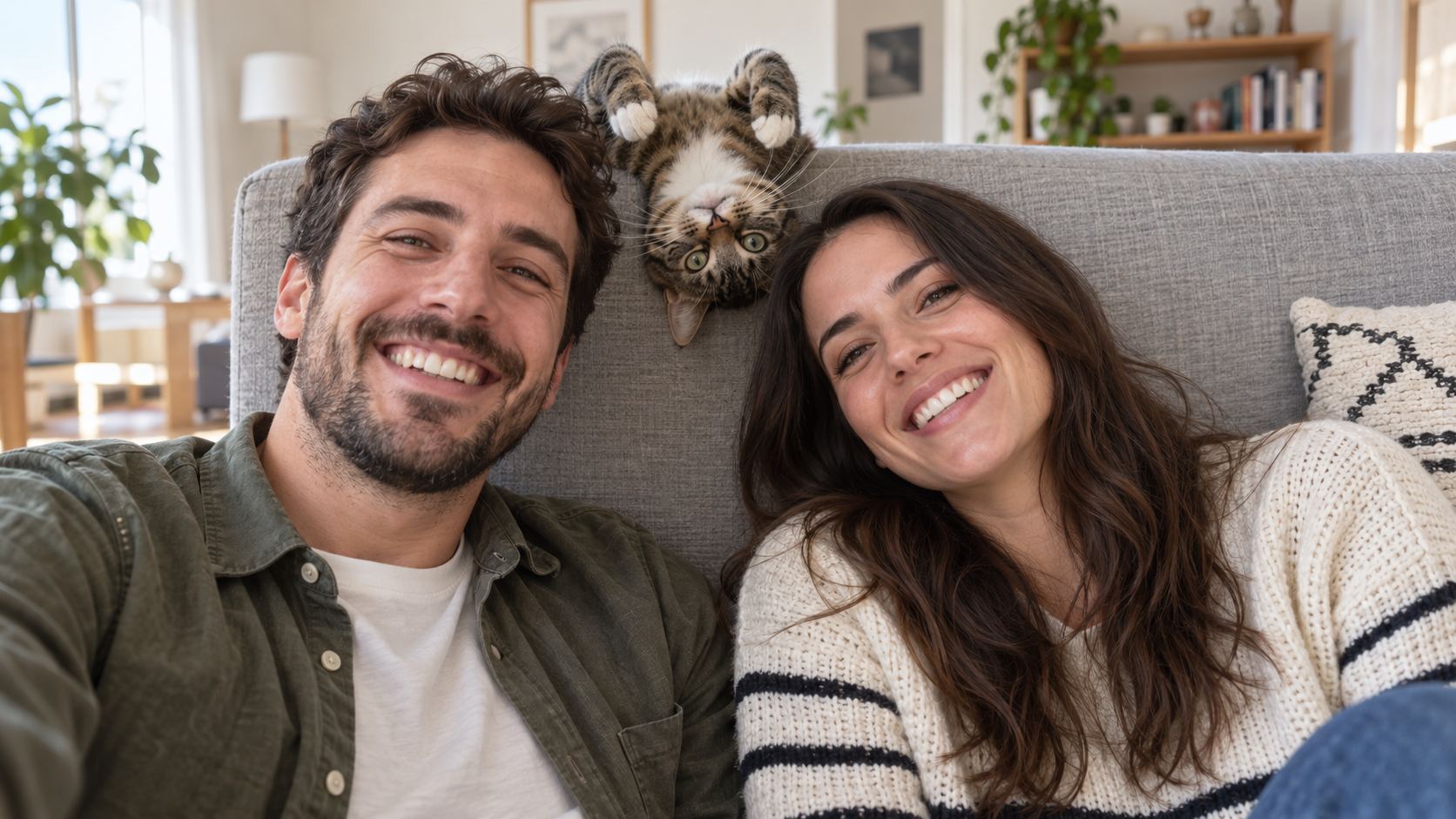
Edit the uploaded photo into a bright living-room selfie. Preserve both friends' facial identities,
Lustige KI Prompts
Edit the uploaded photo into a bright living-room selfie. Preserve both friends' facial identities,

Edit the uploaded photo into a bright living-room selfie. Preserve both friends' facial identities, hair, clothes, and smiles, plus the cat's exact coat markings. Seat the friends on either side of the frame. Add the cat safely leaning over the high sofa back between them, its head upside down and front paws visible above the cushion, as if it interrupted a normal portrait. Keep all three faces sharp and readable. Use natural window light, plausible body positions, and realistic fur and skin. The cat's photobomb should feel spontaneous. One complete 16:9 photograph, no text or watermark.
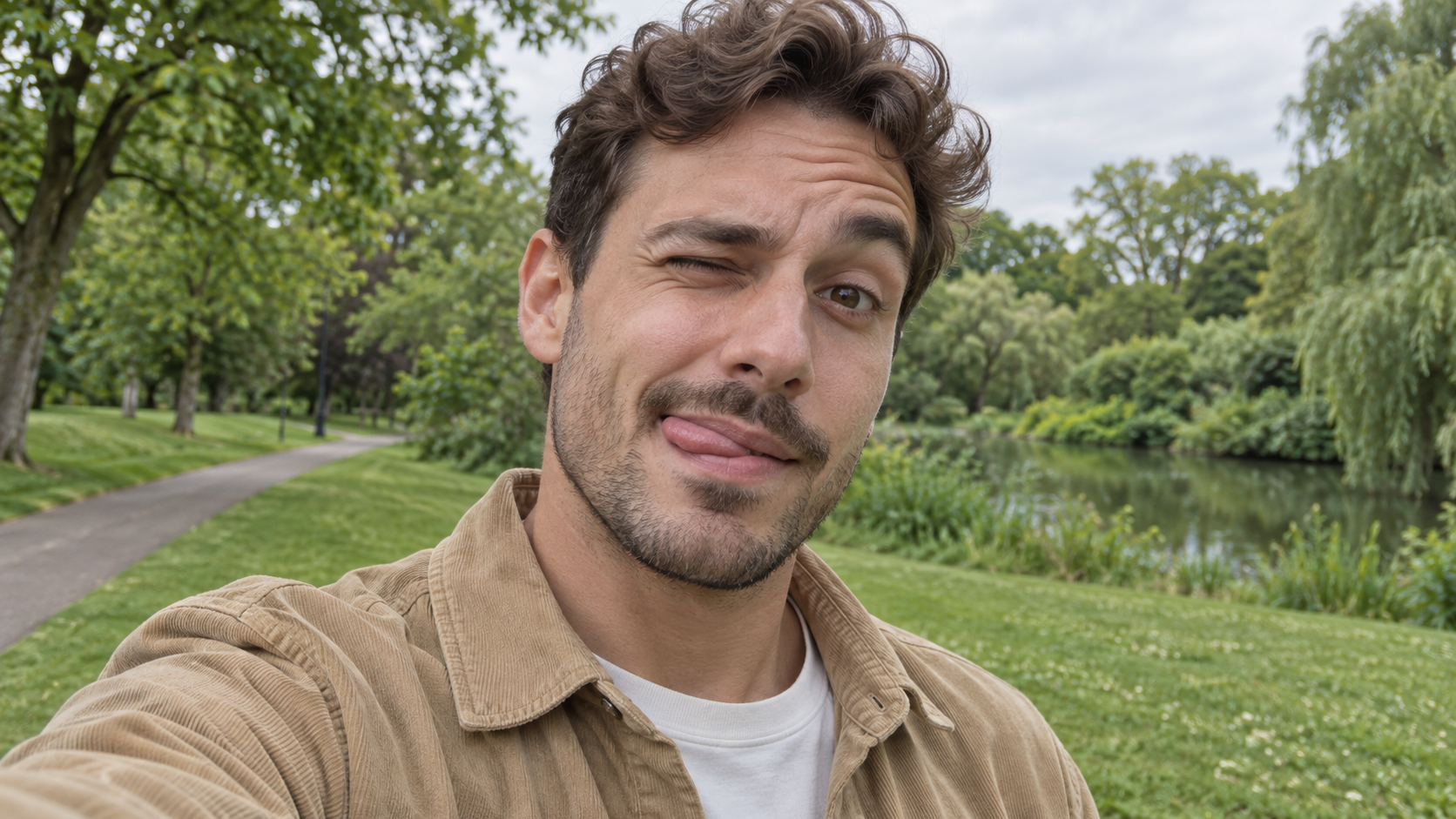

Edit the uploaded photo of one person into a playful outdoor selfie. Preserve their facial identity,
Lustige KI Prompts
Edit the uploaded photo of one person into a playful outdoor selfie. Preserve their facial identity,

Edit the uploaded photo of one person into a playful outdoor selfie. Preserve their facial identity, hairstyle, age, clothing, and the original outdoor background. Have them tilt the head slightly, wink one eye, raise the eyebrow over the open eye, and touch the tongue to one corner of the mouth in a cheeky sideways expression. Keep the tongue subtle, as in a spontaneous candid photo. Use soft overcast daylight, natural skin texture, correct eye shape, and a believable phone-camera perspective. Exactly one person, photorealistic 16:9 composition, no text or watermark.

Edit the uploaded photo of one person into a close, funny kitchen portrait. Preserve the person's ex
Lustige KI Prompts
Edit the uploaded photo of one person into a close, funny kitchen portrait. Preserve the person's ex

Edit the uploaded photo of one person into a close, funny kitchen portrait. Preserve the person's exact face, hair as shown in the source, skin tone, clothes, and background features. Make them puff both cheeks as if holding air, seal the lips tightly, open both eyes very wide, and raise both eyebrows. Keep the expression playful and deadpan rather than frightened. Match the original daylight and camera angle, with believable cheek volume and realistic skin texture. One person only, photorealistic 16:9 frame, no props over the face, extra people, text, or watermark.

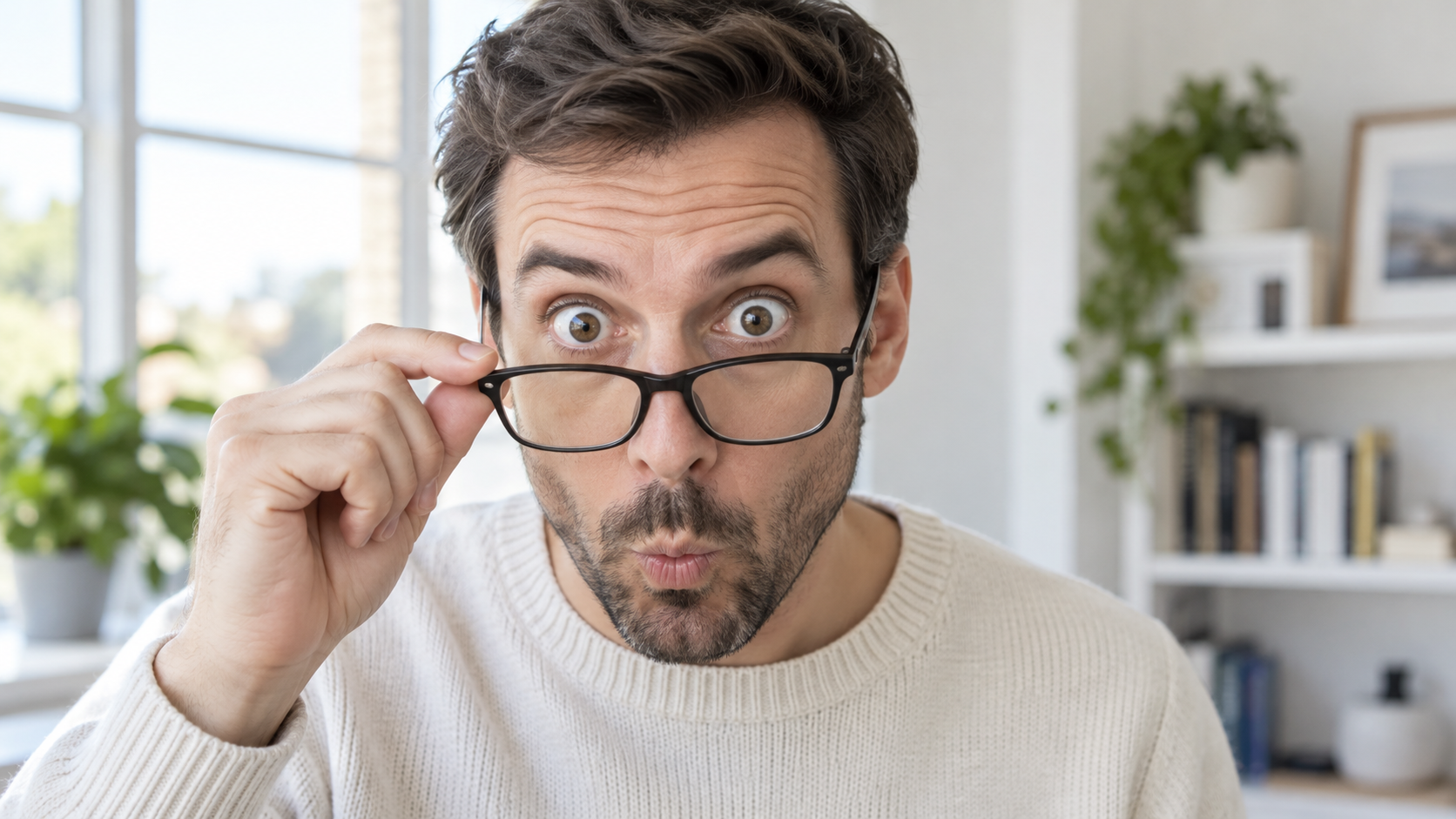
Edit the uploaded portrait of one glasses-wearing person. Preserve their facial identity, hairstyle,
Lustige KI Prompts
Edit the uploaded portrait of one glasses-wearing person. Preserve their facial identity, hairstyle,

Edit the uploaded portrait of one glasses-wearing person. Preserve their facial identity, hairstyle, facial hair if present, glasses frame, sweater or shirt, and room background. Have them use one hand to pull the glasses a little way down the nose, then stare over the top edge with both eyes comically wide, eyebrows raised, and lips puckered into a tiny O. Keep the glasses aligned with the face, the hand anatomically correct, and reflections consistent with the room's daylight. Exactly one photorealistic person, close 16:9 frame, no duplicate face, text, or watermark.

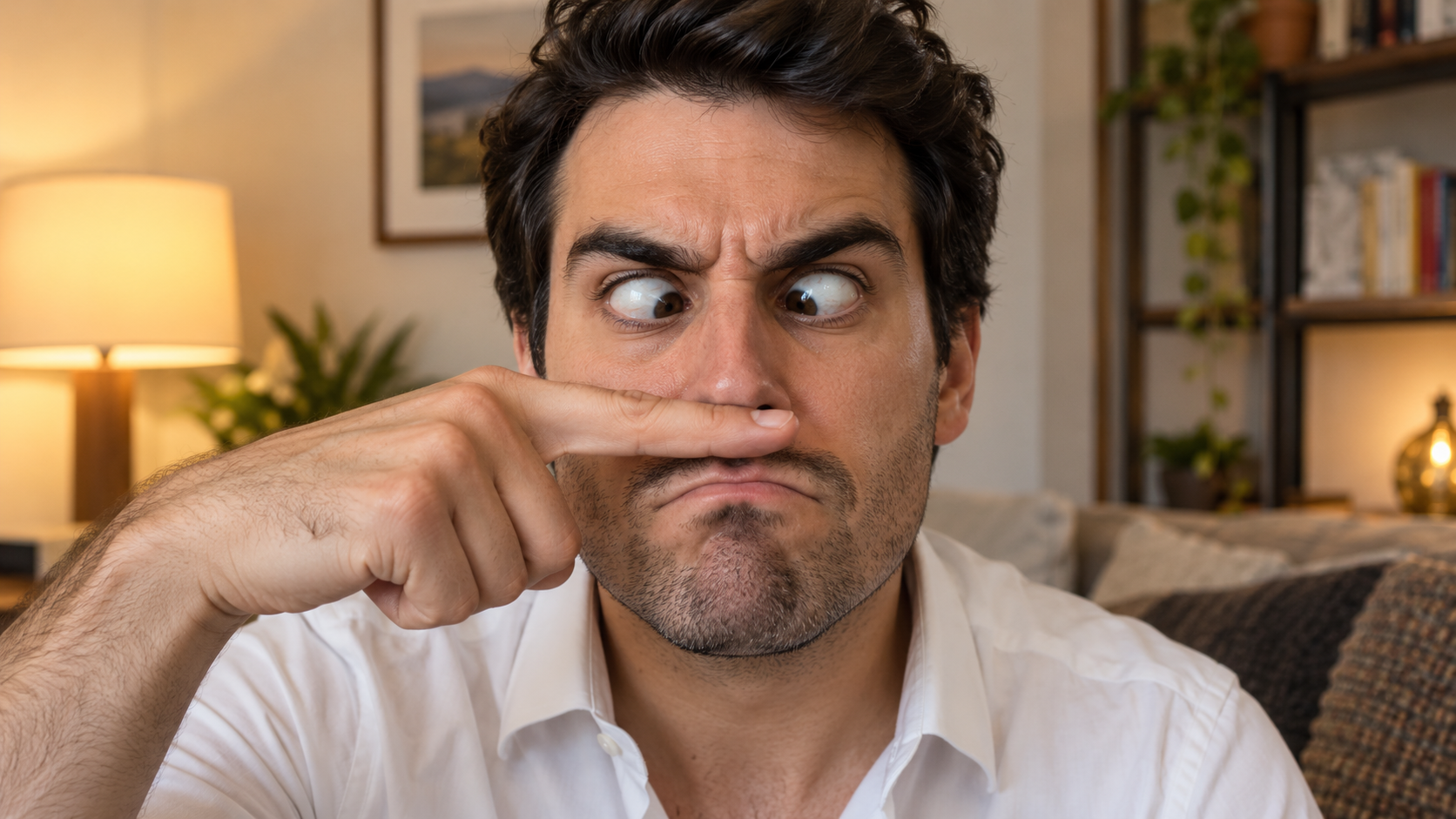
Edit the uploaded solo portrait, preserving the person's exact facial identity, hair, facial hair if
Lustige KI Prompts
Edit the uploaded solo portrait, preserving the person's exact facial identity, hair, facial hair if

Edit the uploaded solo portrait, preserving the person's exact facial identity, hair, facial hair if any, clothing, and home setting. Place one of their own index fingers horizontally under the nose like a deliberately bad fake mustache. Make their eyes cross down toward the finger, eyebrows tense, and mouth form an exaggerated serious frown. Keep the finger above the upper lip, not inside the mouth, and make the hand anatomically correct. Match warm interior light and believable skin texture. One person only, photorealistic complete 16:9 image, no text or watermark.

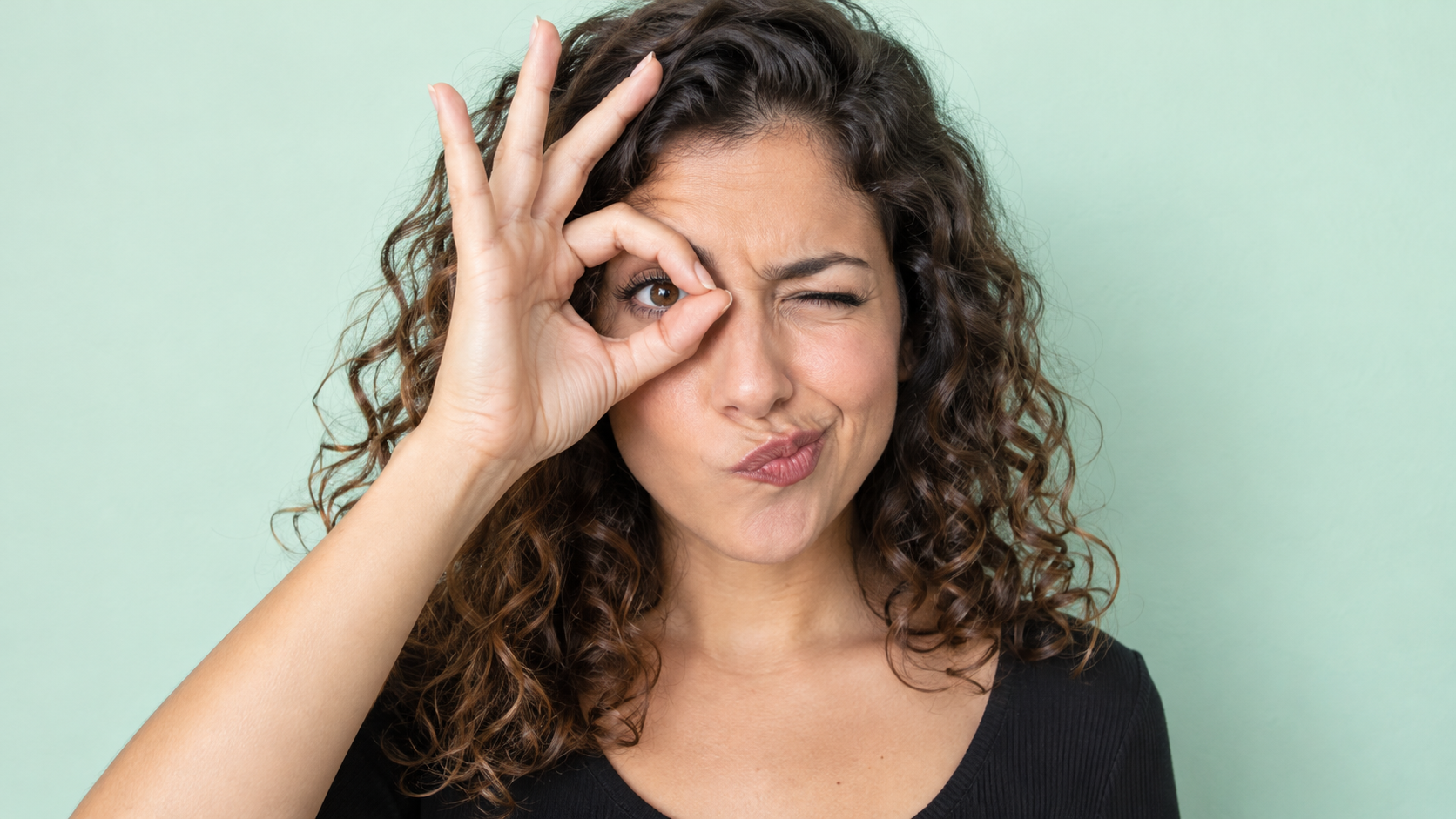
Edit the uploaded photo of one person into a playful portrait. Preserve the person's facial identity
Lustige KI Prompts
Edit the uploaded photo of one person into a playful portrait. Preserve the person's facial identity

Edit the uploaded photo of one person into a playful portrait. Preserve the person's facial identity, hair, skin tone, clothing, and overall camera angle. Have them form a small circle with thumb and index finger around one open eye like a pretend monocle, squint the other eye, arch one eyebrow, and purse the lips to one side. Show the whole hand with plausible finger joints; do not obscure the open eye. Keep a clean softly colored background and bright even light. One photorealistic person only, 16:9 frame, no added accessories, text, or watermark.

Edit the uploaded portrait of one person. Preserve their facial identity, age, skin tone, hairstyle,
Lustige KI Prompts
Edit the uploaded portrait of one person. Preserve their facial identity, age, skin tone, hairstyle,

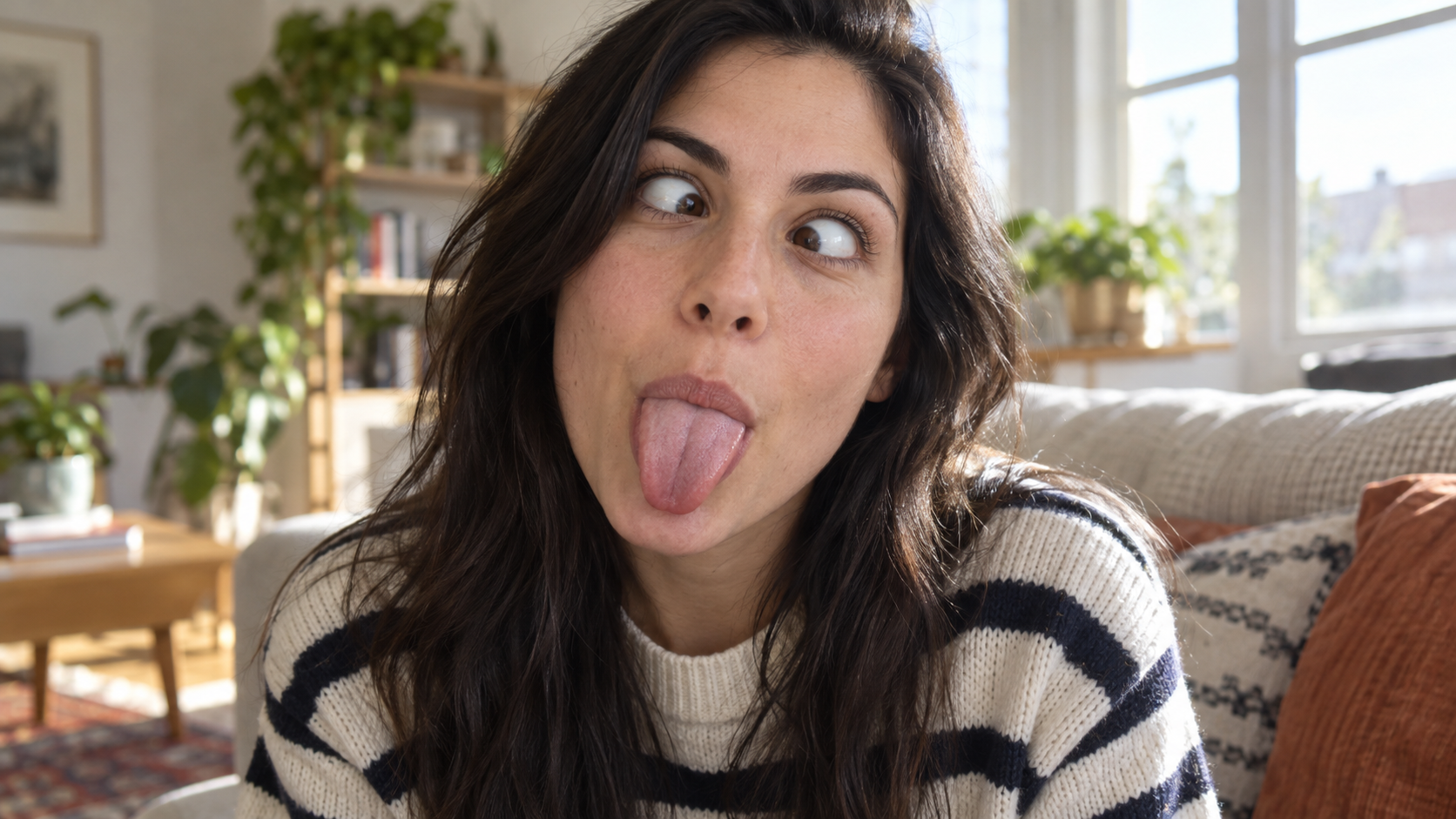
Edit the uploaded portrait of one person. Preserve their facial identity, age, skin tone, hairstyle, clothing, and the character of the original room. Turn the expression into a deliberately silly close-up: both eyes cross toward the center, eyebrows lift slightly, and the tongue sticks straight out. Keep the face large in frame with no hands covering it. Use natural window light, realistic facial muscles, skin texture, teeth and tongue, and a candid selfie feel. One photorealistic person only, complete 16:9 image, no duplicate face, text, or watermark.

Edit the uploaded solo portrait while preserving the person's facial identity, hair, clothing, skin
Lustige KI Prompts
Edit the uploaded solo portrait while preserving the person's facial identity, hair, clothing, skin

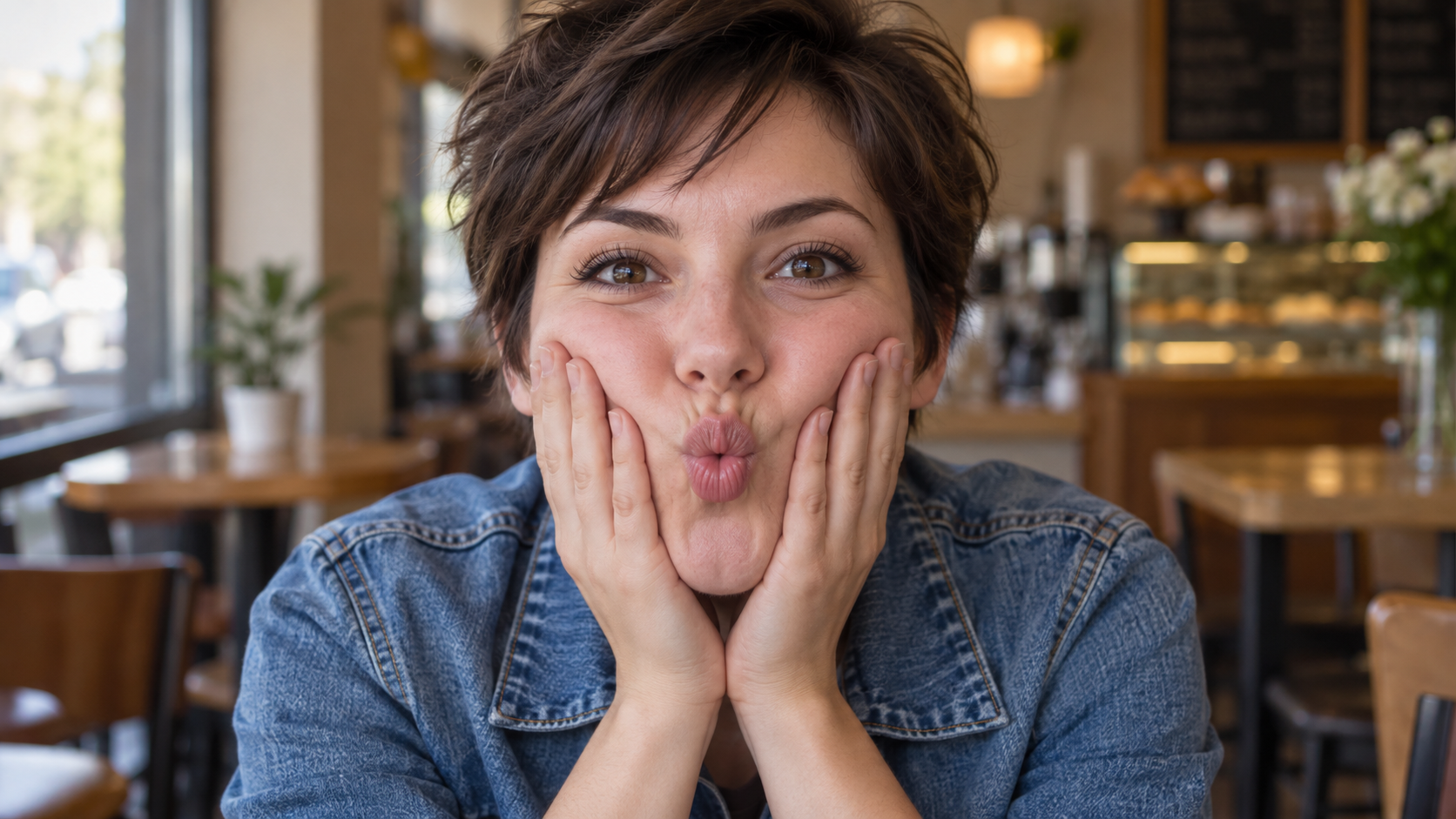
Edit the uploaded solo portrait while preserving the person's facial identity, hair, clothing, skin tone, and recognizable setting. Bring both of their own hands to the cheeks and gently press inward so the lips form a small puckered fish face. Keep both eyes directed toward the camera and the entire face visible. Make the fingers, wrists, and cheek pressure anatomically believable. Use a close portrait crop, soft natural light, and shallow background blur similar to a casual café snapshot. One photorealistic person only, complete 16:9 image, no extra hands, text, or watermark.

Neueste Video-Prompts

[Style]: Ultimate Girlfriend POV, Handheld Selfie VLOG, Vertical Aspect Ratio (9:16), Film Grain Fil
Seedance 2 Prompts
[Style]: Ultimate Girlfriend POV, Handheld Selfie VLOG, Vertical Aspect Ratio (9:16), Film Grain Fil

[Style]: Ultimate Girlfriend POV, Handheld Selfie VLOG, Vertical Aspect Ratio (9:16), Film Grain Filter, Natural Light (Golden Hour), camera includes natural shake and adjustments. [Duration]: 15 seconds [Protagonist]: Taiwanese girl, long slightly curled hair, wearing a gentle knit cardigan, clean/sheer makeup, speaking tone is soft, slightly spoiled/coquettish with a complaining accent (Taiwanese accent). [Scene]: Taipei Tamsui riverbank, background is the golden sunset, shimmering river surface, and the Lover's Bridge in the distance. Shot 1: The Rushed Intro. Visual: The camera shakes significantly because she is walking fast. She looks back at the camera (looking at you) while walking, brows slightly furrowed, pretending to be angry. Action: One hand holds the phone, while the other hand holds down her hair which is being blown by the wind. [Line/Mouth] (Soft complaining voice): "Hey, walk faster! The sun is about to set! It's all your fault for dragging your feet. If I can't get good photos later, I'm going to get mad!" Shot 2: Sharing the View. Visual: She stops walking, moves the camera away from her face, and turns it towards the stunning golden sunset across the river (Golden Hour). Action: The camera displays the scenery for 2 seconds, then immediately turns back to focus on her face. Her face is illuminated golden by the sunset, showing a super happy smile, eyes narrowed into slits from smiling. [Line/Mouth] (Exclamation voice): "Wow~ Look quick! Isn't it super beautiful! This lighting is absolutely amazing, everything looks good no matter how you shoot!" Shot 3: The Interaction. Visual: Suddenly, she is holding a super tall soft-serve ice cream unique to Tamsui. Action: She first holds the ice cream up to the camera (as if feeding you), then quickly takes a lick herself. A bit of ice cream accidentally gets on the tip of her nose. She giggles foolishly at the camera. [Line/Mouth] (Playful voice): "Here, you get the first bite. Hurry up, it's melting! Heehee, I'll give you a passing grade for today's date!"

Style: Hollywood Professional Racing Movie (Le Mans Style), Cinematic Night, Rain, High Stakes Sport
Seedance 2 Prompts
Style: Hollywood Professional Racing Movie (Le Mans Style), Cinematic Night, Rain, High Stakes Sport

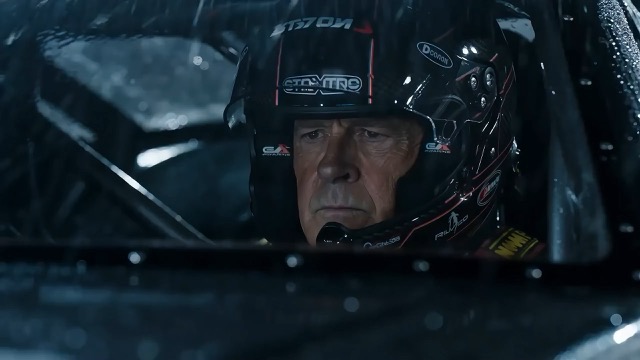
Style: Hollywood Professional Racing Movie (Le Mans Style), Cinematic Night, Rain, High Stakes Sport. Duration: 15s. [00-05s] Shot 1: The Veteran (Interior/Close-up). Rain lashes the windshield of a high-tech race car on a track. The Veteran driver (in helmet) looks over, calm and focused. Dashboard lights reflect on his visor. Dialogue Cue: He gives a subtle nod and mouths "Let's go." [05-10s] Shot 2: The Challenger (Interior/Close-up). Cut to the rival car next to him. The younger driver grips the wheel tight, breathing heavily. Eyes wide with adrenaline. Dialogue Cue: He whispers "Focus" to himself. [10-15s] Shot 3: The Green Light (Wide Action). The starting lights turn Green. Both cars accelerate in perfect sync on the wet asphalt. Water sprays massively into the camera lens. Motion blur turns the stadium lights into long streaks of color.

[Style]: Eastern Wuxia pinnacle duel, Extreme Kinetic Energy, aesthetics of environmental destructio
Seedance 2 Prompts
[Style]: Eastern Wuxia pinnacle duel, Extreme Kinetic Energy, aesthetics of environmental destructio

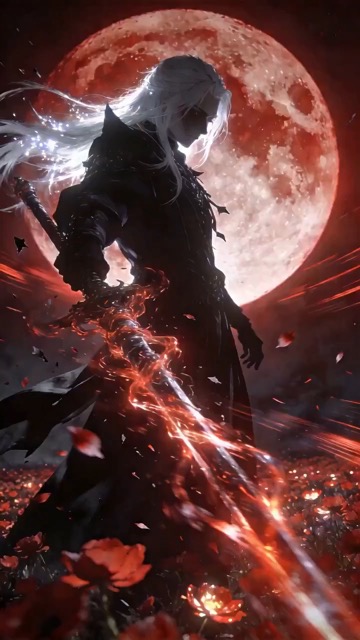
[Style]: Eastern Wuxia pinnacle duel, Extreme Kinetic Energy, aesthetics of environmental destruction, fast-paced editing, cinematic particle effects, epic score atmosphere. [Duration]: 15 seconds [Characters]: Grandmaster in white VS Grandmaster in black. Shot 1: High-speed Collision. Both the white and black figures transform into afterimages, colliding violently in the center of an ancient stone platform. At the moment of weapon contact, blinding sparks and a visible ring-shaped high-pressure Shockwave burst out. The surrounding flagstone ground instantly cracks, blasting up debris and rubble. Shot 2: Mid-air Combat & Destruction. Both soar into the air, weaving and clashing at high speed amidst falling boulders, moving too fast for moves to be seen clearly. Every block triggers a visual sense of air distortion. They crash through a massive stone pillar; the pillar collapses and shatters into powder, dust filling the air, showcasing extreme destructive power. Shot 3: Ultimate Climax. Both land and simultaneously release their ultimate moves, causing two massive energy orbs (one cyan, one red) to clash against each other. This triggers an earth-shattering explosion of dust and energy. Mushroom-cloud-like smoke rises to obscure everything, and the entire base of the stone platform begins to collapse and sink.

The man from reference image 1 as the protagonist, agile and athletic, running through a battlefield
Seedance 2 Prompts
The man from reference image 1 as the protagonist, agile and athletic, running through a battlefield

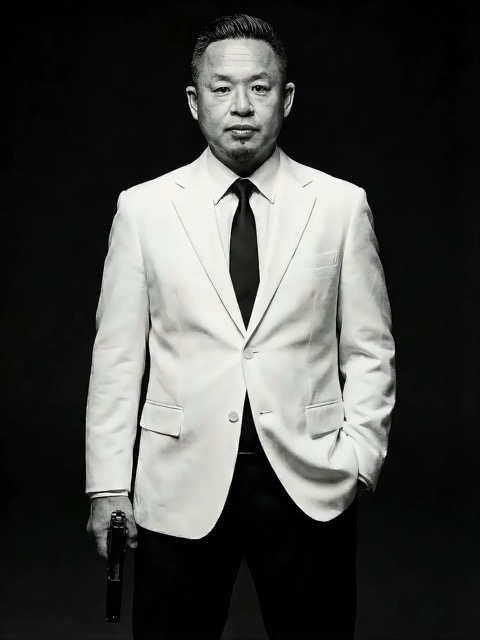
The man from reference image 1 as the protagonist, agile and athletic, running through a battlefield under a hail of bullets while engaging in intense tactical shooting. Visual Style: Cinematic quality with strong Orange and Teal color grading, high contrast, and visible film grain. Dynamic Details: Distinct muzzle flashes from the gun. Bullets striking surrounding objects create flying rubble and sparks. Smoke and shockwaves from explosions fill the background. Camera Movement: Handheld Camera style tracking shot, shaking violently alongside the character, with occasional snap zooms to create extreme tension and a chaotic sense of presence. Character Performance: The protagonist has determined eyes; his actions are filled with power and speed, perfectly replicating the vibe of a Hollywood action superstar.

[Style]: Eastern classical Xianxia aesthetics, aestheticism, cinematic quality, fluid cloth simulati
Seedance 2 Prompts
[Style]: Eastern classical Xianxia aesthetics, aestheticism, cinematic quality, fluid cloth simulati

[Style]: Eastern classical Xianxia aesthetics, aestheticism, cinematic quality, fluid cloth simulation, glowing particle effects, dreamy lighting. [Duration]: 15 seconds [Protagonist]: Exquisite fairy, wearing multi-layered plain white ethereal feather-clothing, extra-long floating ribbons. Shot 1: Epic Wide Shot. Location is an ancient platform on a floating immortal island above a sea of clouds. The fairy stands still, backed by immense rays of morning glow (Tyndall effect). The focus is on the countless long silk ribbons on her body dancing extremely smoothly in the wind, spreading across the screen like water ripples, showcasing the ultimate elegance of floating fabric. Shot 2: Slow-motion Medium Shot. The fairy begins the classical "Jinghong Dance" (Frightened Swan Dance). She rises into the air (anti-gravity Qinggong feel), spinning and throwing out wide water sleeves. The lens focuses on the form of the silk sleeves blooming in the air and her elegant body language. Shot 3: Close-up & Interaction. Camera zooms in to a facial close-up. She lightly parts her red lips to begin singing (natural singing mouth shape). Accompanying the song, countless glowing pink flower petals appear out of thin air, forming a dazzling particle storm vortex around her, her eyes filled with divine radiance.

They meet in the dead of night and engage in a fight. The fighting style is incredibly flashy, the a
Seedance 2 Prompts
They meet in the dead of night and engage in a fight. The fighting style is incredibly flashy, the a

They meet in the dead of night and engage in a fight. The fighting style is incredibly flashy, the atmosphere is tense, and the camera work is cinematic. It's like a promotional trailer for a AAA game, featuring CG and Unreal Engine 5.

Please help me generate a promotional video about the MUJI brand.
Seedance 2 Prompts
Please help me generate a promotional video about the MUJI brand.

Please help me generate a promotional video about the MUJI brand.

[Film Style]: 90s Hong Kong Art Cinema style, retro film look, High ISO Grain, ambiguous Yellow-Gree
Seedance 2 Prompts
[Film Style]: 90s Hong Kong Art Cinema style, retro film look, High ISO Grain, ambiguous Yellow-Gree

[Film Style]: 90s Hong Kong Art Cinema style, retro film look, High ISO Grain, ambiguous Yellow-Green Tint, Step-printing effect, melancholic atmosphere. [Core Line (for mood control)]: "If memory were a can, I hope it would never expire." [Video Duration]: 10 seconds [Storyboard Script]: Shot 1: Through the Glass. Visual: A red public phone booth covered in rain. Character: A man (or woman) in a khaki trench coat, clutching the receiver, not speaking, just listening. Emotional Performance: Through the refraction of the glass, seeing his/her eyes hollow yet affectionate. Rain flows on the glass, distorting his face like an oil painting. Subtitle/Voiceover feel: The scene seems frozen, only the sound of rain. Shot 2: Extreme Close-up & Micro-expression. Visual: Focus on the character's lips and half of the face. Action: He/she whispers softly into the mouthpiece. Lips tremble slightly, as if wanting to say something but swallowing it back. Lighting: Neon bokeh from the roadside flows on his face, flickering. Line/Mood Mapping: Expressing an extreme restraint and loneliness of "wanting to touch but pulling the hand back". Shot 3: Signature Smeary Slow Motion. Visual: The character hangs up, turns, and walks into the rainy night crowd. Visual FX: Using step-printing effect (Stop-motion feel), the character's back becomes blurry with motion trails (Motion Blur), as if the soul remained behind while only the body walks away. Environment: Background is flowing city car lights, forming elongated light trails. [Technical Parameters]: Handheld Camera simulation, shallow depth of field, color shift, rich emotion.

KI-Prompts, die Inspiration zum Ausgangspunkt machen

Sieh dir das Ergebnis an, lies die Anweisungen und erstelle deine eigene Version

Finde KI-Prompts für Bilder zusammen mit visuellen Beispielen und entdecke Videoideen, wenn deine Szene Bewegung braucht. SuperMaker verbindet Vorschau, Text und passendes Modell. Nutze die Anweisungen, um eine Komposition zu verstehen, Motiv oder Umgebung auszutauschen und im passenden Generator weiterzuarbeiten. Jedes Beispiel bietet eine Richtung für dein eigenes Projekt.

Wähle KI-Prompts für dein gewünschtes Ergebnis

Vergleiche visuelle Beispiele, bevor du einen Ausgangspunkt auswählst. Durchsuche KI-Prompts nach Medium und Modell und konzentriere dich auf die Details, die das Ergebnis prägen.

KI-Bild-Prompts für eine klare visuelle Richtung

KI-Bild-Prompts für eine klare visuelle Richtung

Entdecke KI-Bild-Prompts für Porträts, Produkte, Illustrationen und Alltagsszenen. Suche nach einer Vorschau mit dem gewünschten Bildausschnitt, Licht oder Stil. Lies, wie der Text Motiv und Umgebung beschreibt, und ersetze diese Angaben durch deine eigenen. Eine gezielte Beschreibung gibt dem gewählten Modell einen klareren Auftrag.

KI-Prompts für Bewegung und Kameraführung in Videos

KI-Prompts für Bewegung und Kameraführung in Videos

Bei Videos müssen KI-Prompts beschreiben, was sich während der Aufnahme verändert. Definiere Hauptaktion, Kamerabewegung, Tempo und Ende. Vergleiche Vorschau und Anweisungen und halte die Abfolge einfach genug für die gewählte Dauer. Beginne mit einer zusammenhängenden Szene, bevor du komplexere Bewegungen ergänzt.

Kopiere KI-Prompts und passe sie an deine Idee an

Kopiere KI-Prompts und passe sie an deine Idee an

Kopiere ein hilfreiches Beispiel oder wähle Prompt verwenden, um den passenden Generator zu öffnen. Passe KI-Bild-Prompts an, indem du Motiv, Hintergrund, Farben oder Format änderst. Überarbeite bei Videos Aktion und zeitlichen Ablauf. Prüfe, ob das Beispiel Referenzmaterial nutzt, und füge eigene Dateien hinzu, wenn der gewählte Ablauf sie erfordert.

Visueller Kontext erleichtert die Wiederverwendung von KI-Prompts

KI-Prompts lassen sich besser beurteilen, wenn du ein Beispielergebnis und das zugehörige Modell siehst. Entscheide anhand dieses Kontexts, welche Details in deinen nächsten Auftrag gehören.

Ordne KI-Prompts dem passenden Modell zu

Ordne KI-Prompts dem passenden Modell zu

Das Modell eines Beispiels hilft dir bei der Wahl des Ausgangspunkts. KI-Prompts für Bearbeitungen können festlegen, welche Details erhalten bleiben sollen; Videoanweisungen können ein Startbild voraussetzen. Prüfe verfügbare Einstellungen und erforderliche Eingaben vor der Generierung. Eine Vorschau zeigt ein Ergebnis, während deine Einstellungen und Referenzen die Ausgabe verändern können.

So nutzt du KI-Prompts in SuperMaker

Gelange in vier Schritten vom Stöbern zu einem gezielten kreativen Auftrag. KI-Prompts liefern die Ausgangsstruktur; dein Motiv, deine Referenzen und Einstellungen geben ihr eine Richtung.

1

Lege ein Bild- oder Videoziel fest

Nutze KI-Bild-Prompts für eine statische Szene, ein Porträt, ein Produktfoto oder eine Illustration. Wähle Videobeispiele, wenn Bewegung Teil des Ergebnisses sein soll. Beginne mit Bildern, wenn du zuerst die Komposition festlegen möchtest, und plane die Aktion separat. Entscheide dich vor der Modellwahl für Format und wichtige Details.

2

Vergleiche KI-Prompts mit den Vorschauen

Durchsuche die Bereiche mit beliebten und neuesten Beispielen oder folge einem Modelllink. Vergleiche KI-Prompts mit ihren Vorschauen und achte auf Motiv, Bildausschnitt, Licht und Bewegung. Prüfe erforderliche Referenzen, statt anzunehmen, dass der Text allein jedes sichtbare Detail erklärt.

3

Formuliere die Details für dein Projekt um

Kopiere KI-Prompts und ändere Motiv, Umgebung oder Aktion. Entferne Anweisungen, die deinem Ziel widersprechen. Behalte bei KI-Bild-Prompts wichtige Vorgaben bei, etwa die Form eines Produkts zu bewahren oder Platz für eine Überschrift zu lassen. Nimm jeweils eine wesentliche Änderung vor, damit du ihre Wirkung beurteilen kannst.

4

Generiere, prüfe und verfeinere

Öffne den passenden Generator, prüfe die Einstellungen und stelle erforderliche Dateien bereit. Vergleiche das Ergebnis mit deinem Auftrag. Verfeinere KI-Prompts durch Anpassungen an Komposition, Licht oder Bewegung. Bewahre hilfreiche Formulierungen in deinen eigenen Notizen auf, um sie für spätere Projekte anzupassen.

KI-Prompts für alltägliche kreative Projekte

Wähle ein Beispiel für dein gewünschtes Ergebnis und passe Szene und Vorgaben an den geplanten Einsatz an.

Produktfotos und Kampagnenmotive

Plane mit KI-Bild-Prompts eine klare Produktansicht oder eine Lifestyle-Szene. Beschreibe Winkel, Untergrund, Licht und Hintergrund. Lege bei einer Produktreferenz fest, welche Beschriftungen, Farben und Formen erhalten bleiben sollen, und prüfe diese Details im generierten Ergebnis.

Porträts, Mode und Illustrationen

Passe KI-Bild-Prompts an Ausdruck, Pose, Kleidung, Umgebung und visuellen Stil an. Behalte eine einheitliche Richtung, statt unpassende Looks zu vermischen. Unterscheide bei einer Figurenreferenz zwischen Merkmalen, die erhalten bleiben sollen, und gewünschten Änderungen.

Social-Media-Beiträge und Marketingkonzepte

Nutze KI-Prompts für Vorschaubilder, Grafiken zur Produkteinführung und Kampagnenideen. Beschreibe Zielgruppe, Motiv, Anordnung und den Platz für deine Botschaft. Wähle ein Format für den vorgesehenen Kanal und prüfe Lesbarkeit und wichtige Markendetails vor der Verwendung.

Kurze Videos und bewegte Szenen

Baue KI-Prompts um eine klare Aktion auf: Eine Kamera nähert sich dem Motiv, ein Produkt dreht sich oder eine Figur bewegt sich durch die Szene. Beschreibe Anfang, Hauptbewegung und Ende. Plane für längere Sequenzen getrennte Aufnahmen mit passenden visuellen Richtungen.

KI-Prompts: Fragen und praktische Antworten

Hilfe bei der Auswahl von Beispielen, der Anpassung von Anweisungen und dem nächsten Schritt im richtigen Generator.

KI-Prompts sind schriftliche Anweisungen, die ein Modell zu einem Ergebnis führen. Beschreibe bei KI-Bild-Prompts Motiv, Umgebung, Bildausschnitt, Licht und Stil. Ergänze bei Videos Bewegung und zeitlichen Ablauf. Nenne die für dein Ziel wichtigen Details und entferne widersprüchliche Anforderungen.

Durchsuche die Bereiche mit beliebten und neuesten Bildern oder öffne eine Modellseite für weitere Beispiele. Vergleiche KI-Bild-Prompts mit ihren Vorschauen, lies den vollständigen Text und wähle ein Beispiel für dein Motiv oder deine visuelle Richtung.

Ersetze Motiv und Umgebung und passe anschließend Bildausschnitt, Licht, Farben und Stil an. Behalte nur die für dein Ziel relevanten Anweisungen. Lade bei erforderlichen Referenzen eigenes Material hoch und erkläre, welche Merkmale unverändert bleiben sollen.

Nutze das zugehörige Modell als Ausgangspunkt für die Anpassung der KI-Prompts. Andere Modelle können Anweisungen anders interpretieren oder andere Referenzen und Einstellungen erfordern. Verwende das Konzept erneut, passe aber Text und Eingaben an den gewählten Generator an.

Beschreibe Ausgangsszene, Aktion des Motivs, Kamerapfad, Tempo und gewünschtes Ende. Die Bewegung sollte innerhalb der gewählten Dauer umsetzbar sein. Ergänze Referenzbilder, wenn der Ablauf sie erfordert, und vermeide mehrere konkurrierende Aktionen in einer kurzen Aufnahme.

Du kannst veröffentlichte KI-Prompts ansehen und ihren Text kopieren. Die Generierung eines Bildes oder Videos ist ein separater Vorgang und richtet sich nach Modell, Einstellungen, Kontozugriff und erforderlichen Credits. Prüfe den Generator vor dem Absenden; das Kopieren eines Beispiels beinhaltet keine kostenlose Generierung.

Mache KI-Prompts zu deinem nächsten kreativen Auftrag

Wähle KI-Bild-Prompts oder ein Videobeispiel, vergleiche die Vorschau und passe den Text an deine Idee an. Öffne den passenden SuperMaker-Generator, wenn Motiv, Referenzen und Einstellungen bereit sind.

KI-Prompts entdecken
Video cover