
Master 3D Camera Control for Qwen-Style Multi-Angle Generation
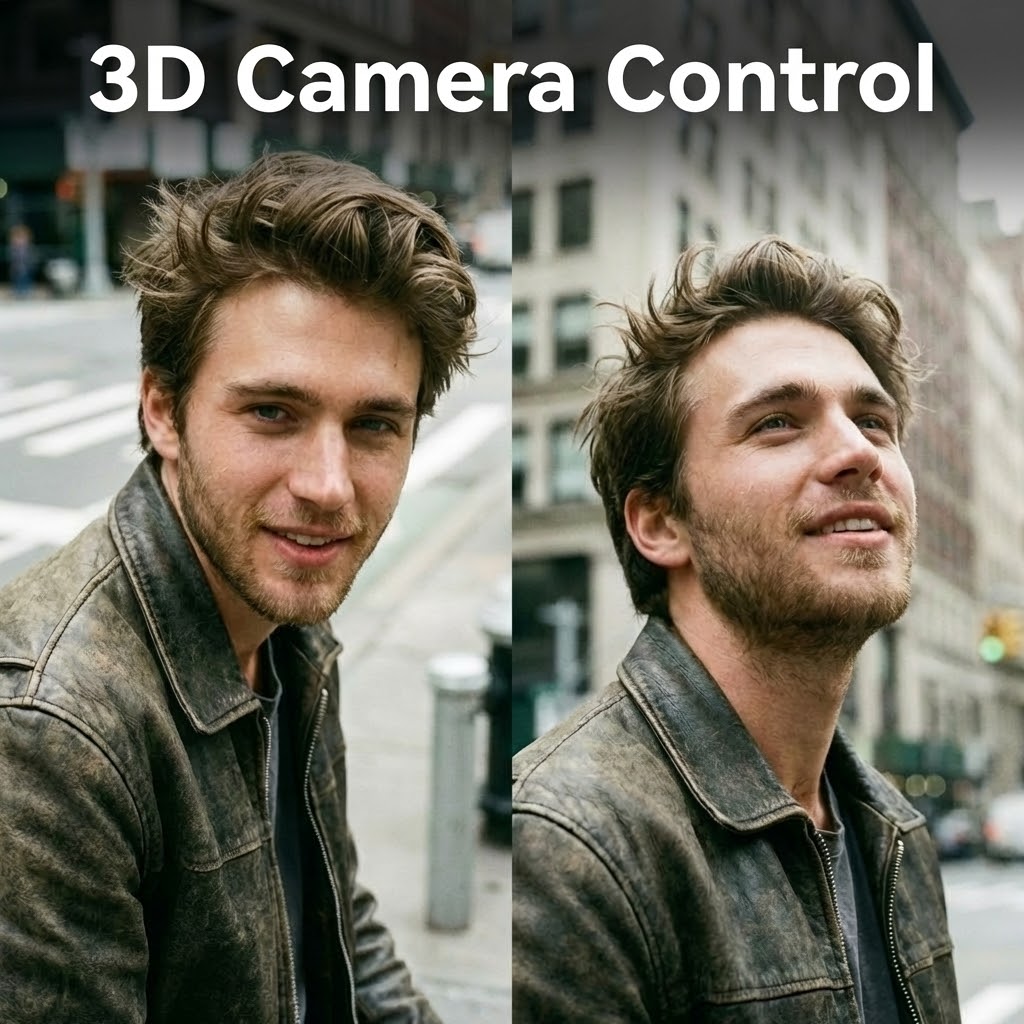
The End of "Morphing": Why Stable Angles Matter
If you’ve been following the latest trends in AI-driven image editing, you’ve likely seen the buzz around Qwen image edit 2511 3D camera control or the impressive spatial capabilities of Hunyuan 3D 2.5. For a long time, the biggest "headache" for digital artists and game developers has been consistency—how do you take a character or product you love and see it from a different side without it "morphing" into something else?
While popular tools like Luma, Kling, or Runway AI camera control have made waves in video, many of us just need a clean, static multi-view image for a character sheet or a product mockup. This is where mastering camera angle control becomes a game-changer.
Moving Beyond "Guesswork" with Angle Groups
Most people struggle with AI camera control because it often feels like a guessing game with coordinates or sliders. However, the most efficient workflow I’ve found lately involves using Angle Groups. Instead of manually trying to find the perfect "X" or "Y" axis, you can simply select a predefined perspective that fits professional standards.
For instance, if you’re building a character reference in SuperMaker, you can jump straight to:
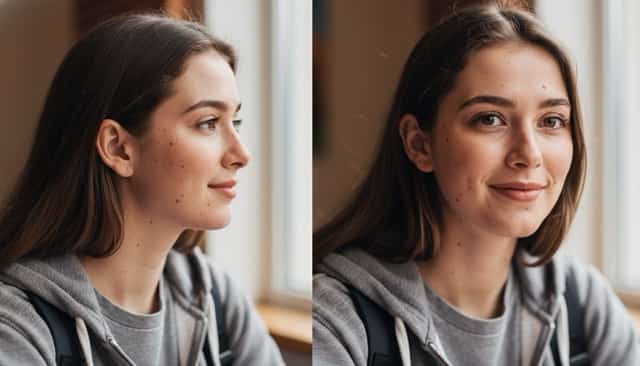
- Left-Side & Right-Side Groups: Essential for capturing the profile of your subject.
- Front & Back Groups: The foundation for any turnaround sheet.
- Right Three-Quarter View: That "sweet spot" angle that concept artists use to show both depth and detail.
This level of 3D camera control ensures that whether you're working on an iPhone or a desktop, your subject stays identical across every generated frame.
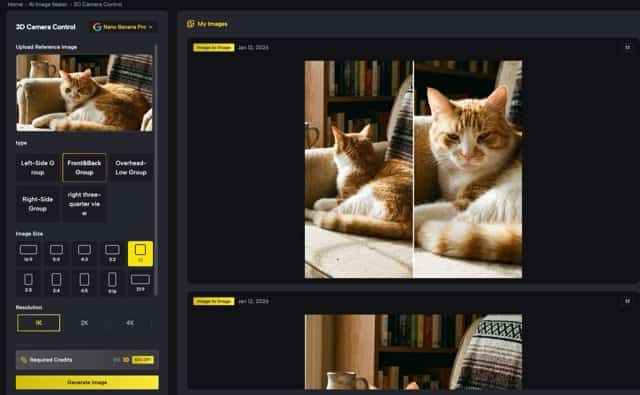
How to Use SuperMaker AI Camera Control
You don't need to be a 3D modeling expert to achieve these results. The process is surprisingly straightforward:
- Start with a Strong Reference: Upload your 2D photo. The AI creates a smart depth map to understand the 3D geometry of your image.
- Pick Your Presets: Instead of fighting with a slider, choose a group like Overhead-Low for a unique architectural view or a standard profile view for characters.
- Generate in Batches: You can generate multiple multi-view images at once, ensuring you have enough high-fidelity options for your final project.
Final Thoughts
We are seeing a shift where AI camera control is no longer just a niche feature for tech enthusiasts—it’s becoming a core tool for e-commerce, indie game dev, and digital illustration. Whether you’re looking for the high-fidelity results of Stability AI or the intuitive control of Hailuo AI, the goal remains the same: total creative freedom over your 2D assets.
If you're tired of the "randomness" of traditional image generators, exploring specialized camera angle control in SuperMaker is definitely the next step for your toolkit.
Frequently Asked Questions (FAQ)
-
How does this tool compare to Qwen image edit 2511?
While the Qwen image edit 2511 3D camera control has recently surged in popularity, this tool offers a more specialized interface focused on professional Angle Groups. Instead of relying on unpredictable conversational prompts, you can directly select standardized views like Left-Side or Front & Back to ensure technical precision.
-
Can I achieve the same multi-view consistency as Hunyuan 3D 2.5?
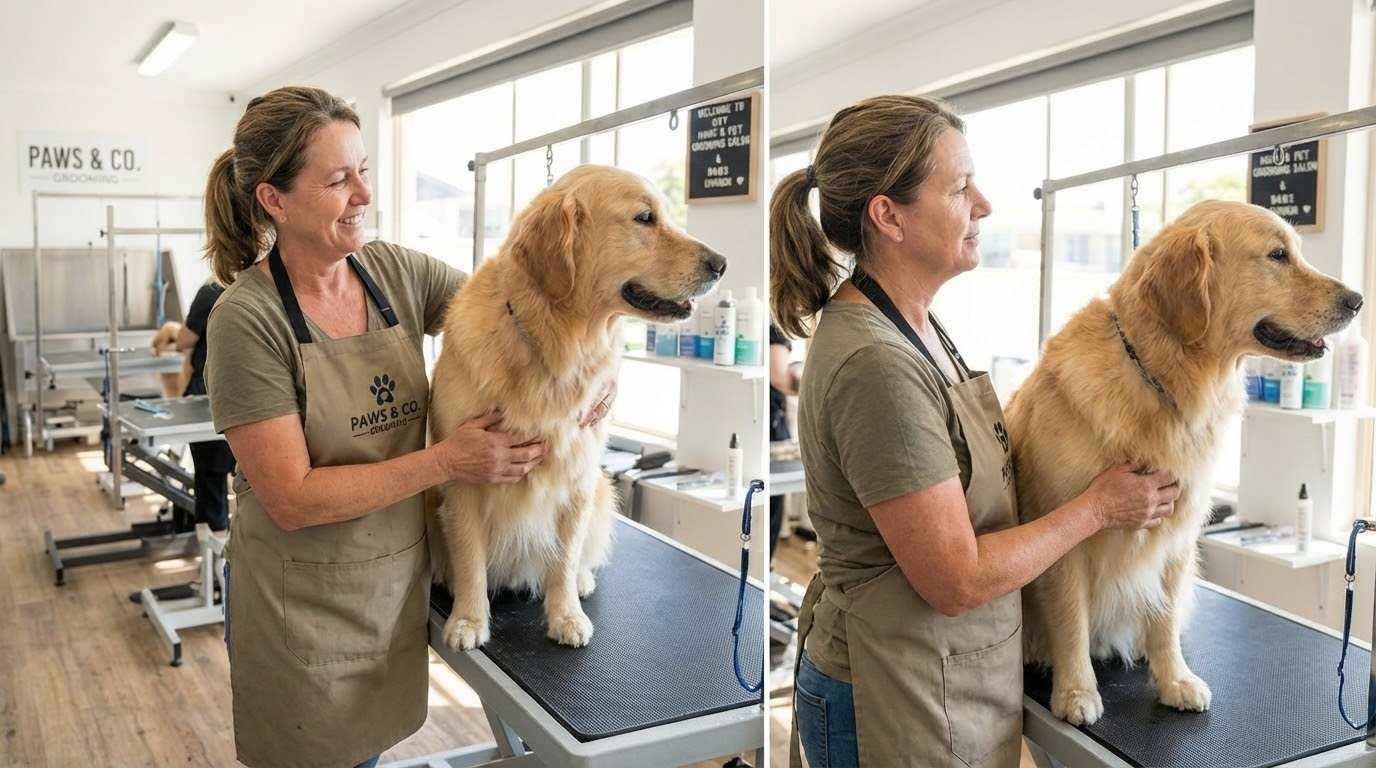
Yes. Similar to high-end models like Hunyuan 3D 2.5, our AI uses advanced depth mapping to maintain character and texture consistency across different perspectives. It effectively solves the "morphing" issue often encountered when trying to generate multi-angle assets from a single 2D source.
-
Is there an AI camera control solution for iPhone or mobile devices?
The demand for AI camera control iPhone solutions is rapidly growing. This web-based interface is fully optimized for mobile browsers, allowing you to upload photos and generate professional right three-quarter views or overhead shots directly from your smartphone without needing heavy standalone apps.
-
How do I choose the best angle for my project?
It depends on your goal. For character design, the Left-Side or Right-Side Groups are essential for profile references. For product showcases or cinematic shots, the right three-quarter view or Overhead-Low Group provides a more dynamic and professional feel.
-
How does this compare to video tools like Luma or Kling AI?
Tools like Luma AI and Kling AI camera control are fantastic for video motion. However, if your goal is high-fidelity static assets for game sprites or e-commerce, this 3D Camera Control is designed to deliver crisp, high-resolution still images from specific, repeatable angles that are difficult to "freeze" accurately from a video stream.


