
Grok Imagine 1.0 Video Generator is Available in SuperMaker Now (2026 Release)
Elon Musk announced the release of Grok Imagine 1.0. Read on for a complete guide to its features, how to use it, real-world applications, and free access through SuperMaker.
On February 2, 2026, Elon Musk announced a groundbreaking advancement in AI technology: the official release of the Grok Imagine 1.0.
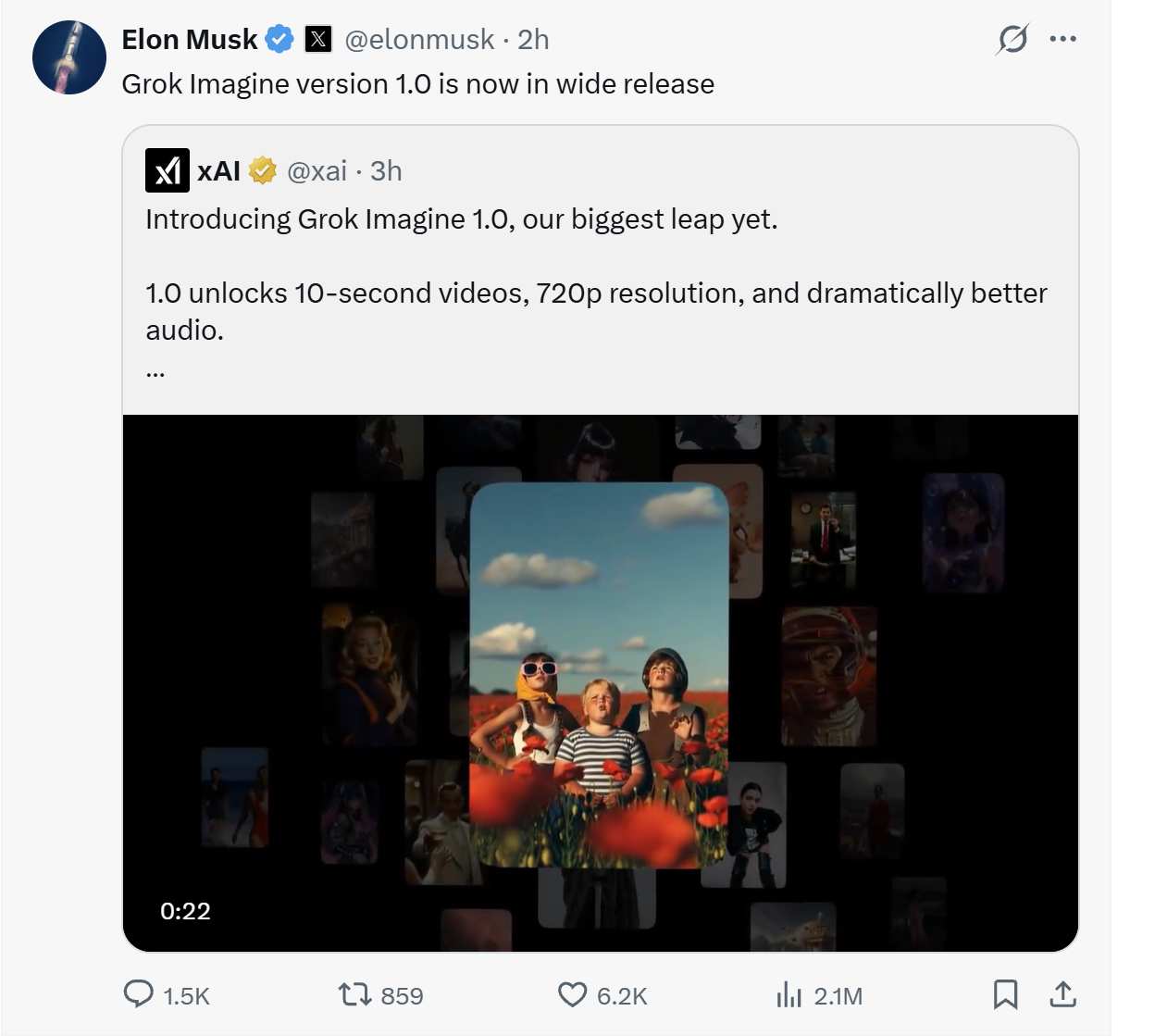
This production-grade multi-modal video generation service from xAI represents a significant leap forward in AI-powered content creation, offering developers, creators, and businesses unprecedented capabilities in transforming text and images into high-quality videos.
The Grok Imagine 1.0 video generator isn't just an incremental update—it's a complete reimagining of what AI video generation can achieve, combining longer video duration, higher resolution output, and native audio synthesis in one powerful package.
What is Grok Imagine 1.0 Video Generator?
Grok Imagine 1.0 video generator is one of xAI's flagship AI tools for generating videos, powered by the cutting-edge Aurora engine. It allows users to create stunning, cinematic-quality videos from simple text prompts, reference images, or a combination of both.
The results are photo-realistic (or styled in various artistic modes), with smooth motion, coherent storytelling, and native synchronized audio—all generated in seconds. What sets it apart is its blazing-fast performance: xAI claims Grok Imagine 1.0 is the quickest video generation experience available today. In the 30 days leading up to the Grok Imagine launch, users generated over 1.245 billion videos, proving its popularity and reliability.
Key Features of the Grok Imagine 1.0 Video Generator
1. Extended Video Duration
The Grok Imagine 1.0 video generator supports up to 10-second in length—a significant leap from earlier versions (which topped out around 6–8 seconds in beta). This longer runtime enables more complete storytelling and complex scenes.
2. High-Resolution Output
The Grok Imagine 1.0 now can produce videos in 720p resolution. This ensures that generated videos are crisp, clear, and suitable for professional use across various platforms.
3. Dramatically Improved Native Audio Synthesis
One of the standout upgrades: Grok Imagine 1.0 generates highly synchronized, context-aware audio automatically. This includes:
- Expressive character dialogue with emotional tone
- Immersive background music that matches the scene
- Realistic sound effects (footsteps, wind, ambient noise, etc.)
No manual post-production needed—the audio is baked in and feels natural.
4. Superior Prompt Following and Creativity
The Grok Imagine 1.0 video generator better understands nuanced instructions, even in follow-up prompts. It excels at multi-shot compositions, everyday scenarios (like animating family photos or pets), memes, news clips, and cinematic sequences.
Why Grok Imagine 1.0 Matters
Grok Imagine 1.0 video generator isn't just another AI video tool—it's democratizing high-quality creation.
Whether you're a content creator, marketer, educator, or just having fun, it turns ideas into polished videos instantly. The combination of visual realism, fluid motion, and intelligent audio puts it among the leaders in the current AI video generation landscape.
How to Access the Grok Imagine 1.0 Video Generator
Follow the simple steps to use Grok Imagine 1.0 video generator free.
Step 1: Head over to Grok Imagine 1.0
Click Grok Imagine 1.0 to land the video generator.
Step 2: Select the Mode
Grok Imagine 1.0 supports two main ways to generate videos:
- Text-to-Video: Simply type a detailed text prompt describing the scene you want.
- Image-to-Video: Upload or paste a reference image and combine it with a text prompt to guide motion, style, or animation.
Step 3: Choose Your Mode
Before generating, select one of the available modes to control the style and tone of your video:
- Normal Mode (default): Produces balanced, realistic, and professional-looking results. Perfect for everyday scenes, marketing clips, educational content, or anything you want to keep polished and safe-for-all-audiences.
- Fun Mode: Adds playful, exaggerated, humorous, or whimsical elements—think cartoonish movements, silly surprises, or meme-style flair. Great for entertaining short clips and lighthearted creations.
- Spicy Mode: Unlocks bolder, more dramatic, sensual, or uncensored content with minimal guardrails. This mode allows creative freedom that other AI tools often restrict (including suggestive themes or intense scenarios). Use responsibly and in compliance with SuperMaker platform rules.
Real-World Applications of the Grok Imagine 1.0 Video Generator
1. Social Media Marketing
Brands can use the Grok Imagine 1.0 video generator to transform static product images into engaging video advertisements complete with background music and motion effects, ready for immediate posting on Instagram, TikTok, or Facebook.
2. Film and Video Pre-visualization
Directors and creative teams can leverage the Grok Imagine 1.0 to quickly convert script descriptions into dynamic storyboard videos, allowing teams to visualize shot composition and scene atmosphere before production begins.
3. Educational Content Creation
Educators can use the Grok Imagine 1.0 video generator to bring complex historical events or scientific phenomena to life, creating engaging visual content that enhances learning and retention.
4. Game Development Prototyping
Game developers can rapidly generate concept demonstration videos showcasing character movements, environmental atmospheres, and gameplay mechanics using the video generator.
5. E-commerce Product Showcasing
Convert static product photography into 360-degree dynamic showcase videos with the Grok Imagine 1.0 video generator, significantly improving conversion rates for online stores.
The Future of Video Creation with Grok Imagine 1.0
The Grok Imagine 1.0 represents a trans-formative video tool in the content creation landscape. By combining exceptional generation speed, high-quality output, native audio synthesis, and flexible customization options, xAI has created a video generator that democratizes professional video production.
As AI video generation technology continues to evolve, the Grok Imagine 1.0 video generator is positioned at the forefront, offering creators, businesses, and developers an accessible, powerful, and cost-effective solution for bringing their visual ideas to life.
As an all-in-one video generation agent, SuperMaker has built Grok Imagine 1.0 into its worflow. Come to try Grok Imagine 1.0 video generator free in SuperMaker.


