
How to Make AI Snow Trend Photos for TikTok (Free Tutorial)
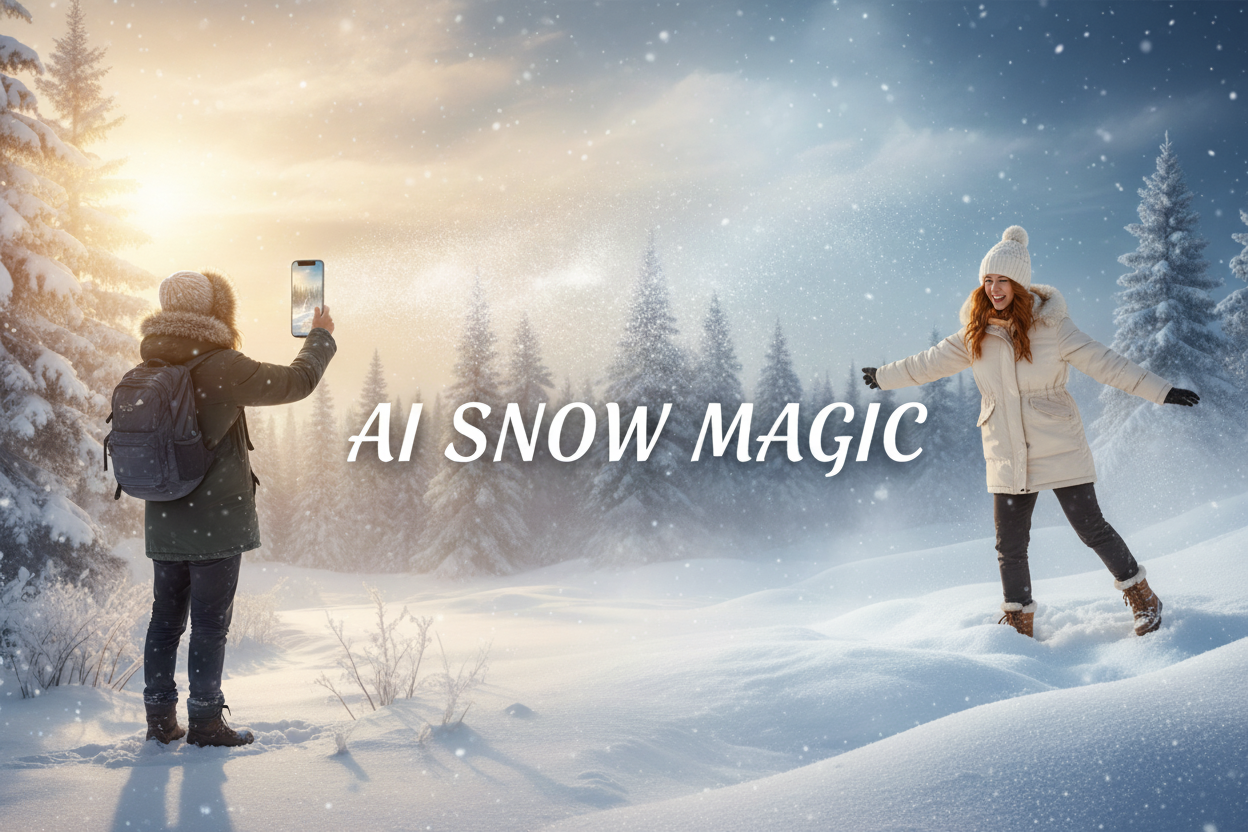
The AI snow trend is currently dominating TikTok, Instagram Reels, and Xiaohongshu, with users transforming ordinary photos into cozy winter portraits, dreamy snowfall scenes, and holiday Christmas postcards. In this guide, you’ll learn how to create your own AI snow photo, what tools to use, and how to join the viral AI snow trend with just a few clicks.
Join the AI snow trend using free AI image generator.
What Is the TikTok AI Snow Photo Trend?
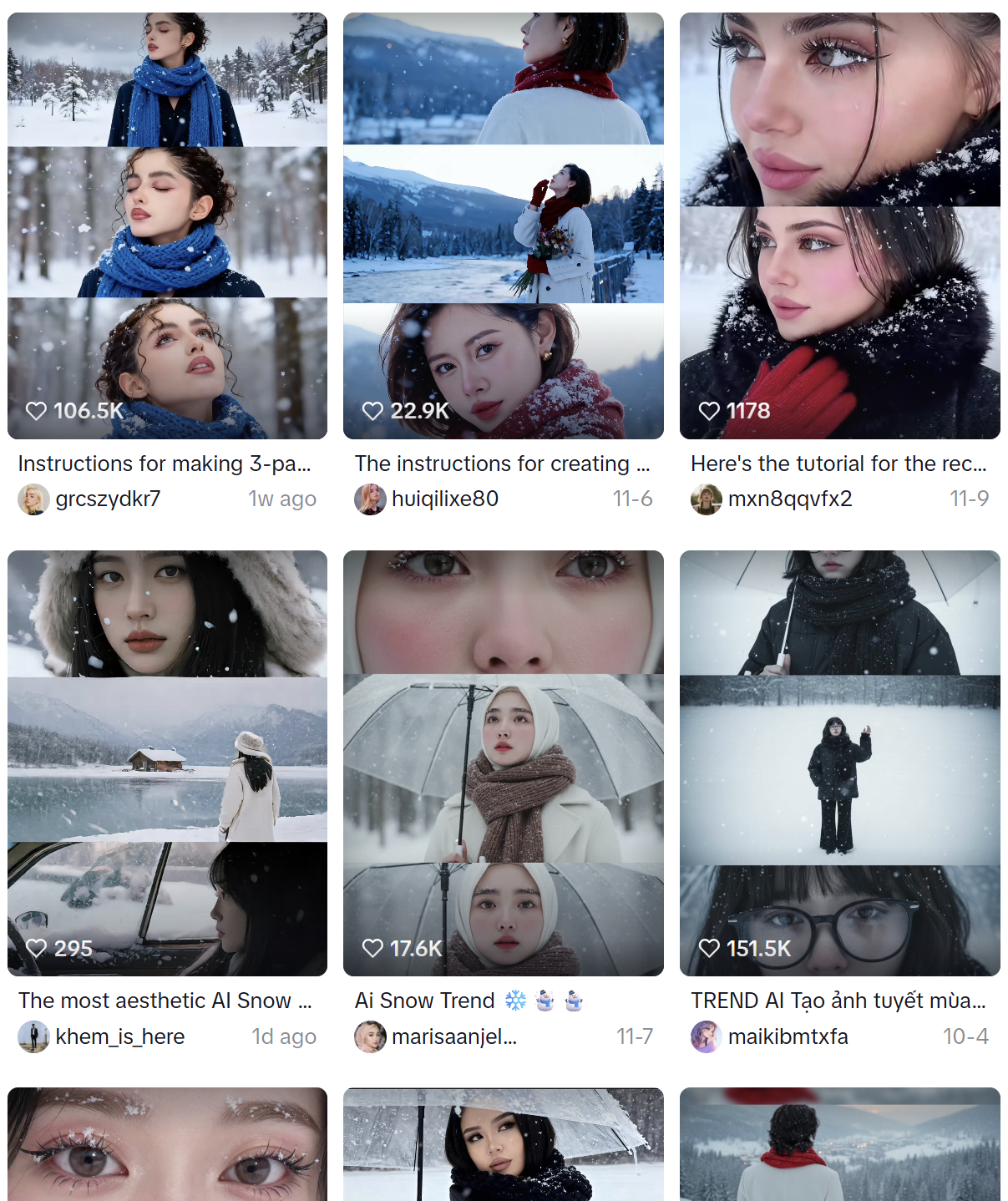 The AI snow trend is a viral effect where users turn regular pictures—selfies, couple photos, travel portraits, or even pet shots—into magical snow landscapes.
Instead of using basic filters, creators are now using AI to:
- Add realistic falling snow
- Change clothing into winter coats or Christmas outfits
- Transform backgrounds into snowy forests, ski resorts, or cozy holiday streets
- Create cinematic, fairytale-like visuals
Because the AI snow trend is flexible, users can choose different artistic styles: realistic, cinematic, fantasy, anime-inspired, or Christmas-themed.
This AI snow trend continues growing because it’s:
✔ Easy ✔ Highly aesthetic ✔ Shareable ✔ Seasonal and emotional
The Best Tool to Follow AI Snow Trend — SuperMaker AI Image Generator
To create high-quality AI snow images, you need an AI image generator that understands detail, facial structure, lighting, and atmosphere—not just a simple filter.
SuperMaker AI Image Generator, powered by the Google Nano Banana model, offers:
- Realistic snow atmosphere & lighting
- Face consistency
- Cinematic and aesthetic winter effects
- Free online access
- Multiple styles & formats
How to Make AI Snow Photo (Step-by-Step Tutorial)
Follow these quick steps to join the AI snow trend instantly:
Step 1 — Open SuperMaker AI Image Generator
Head over to the free AI image maker and prepare the photo you want to transform into snow scene.
Step 2 — Choose Image to Image Mode
Click image to image mode and upload your prepared photo, such as: Selfie, Couple picture, Pet photo, or Travel portrait.
Step 3 — Paste a Prompt
You don’t need to write anything complicated.
Scroll to the next section and copy-paste the AI snow photo prompts provided.
You can change elements you want in [ ].
Step 4 — Adjust Options (Optional)
You may tweak:
- Style: realistic, cinematic, cute, or Christmas
- Dress: black jacket, brown coat
- Accessories: scarf, gloves
Details like snow intensity or background
Step 5 — Generate & Save
Wait a few seconds and download your AI snow photo.
AI Snow Photo Tend You Can Try (With Copy-Paste Prompts)
Below are three ready-to-use prompt templates. Simply copy, paste, and generate AI snow trend photo using SuperMaker AI image maker.
Classic AI Snow Trend
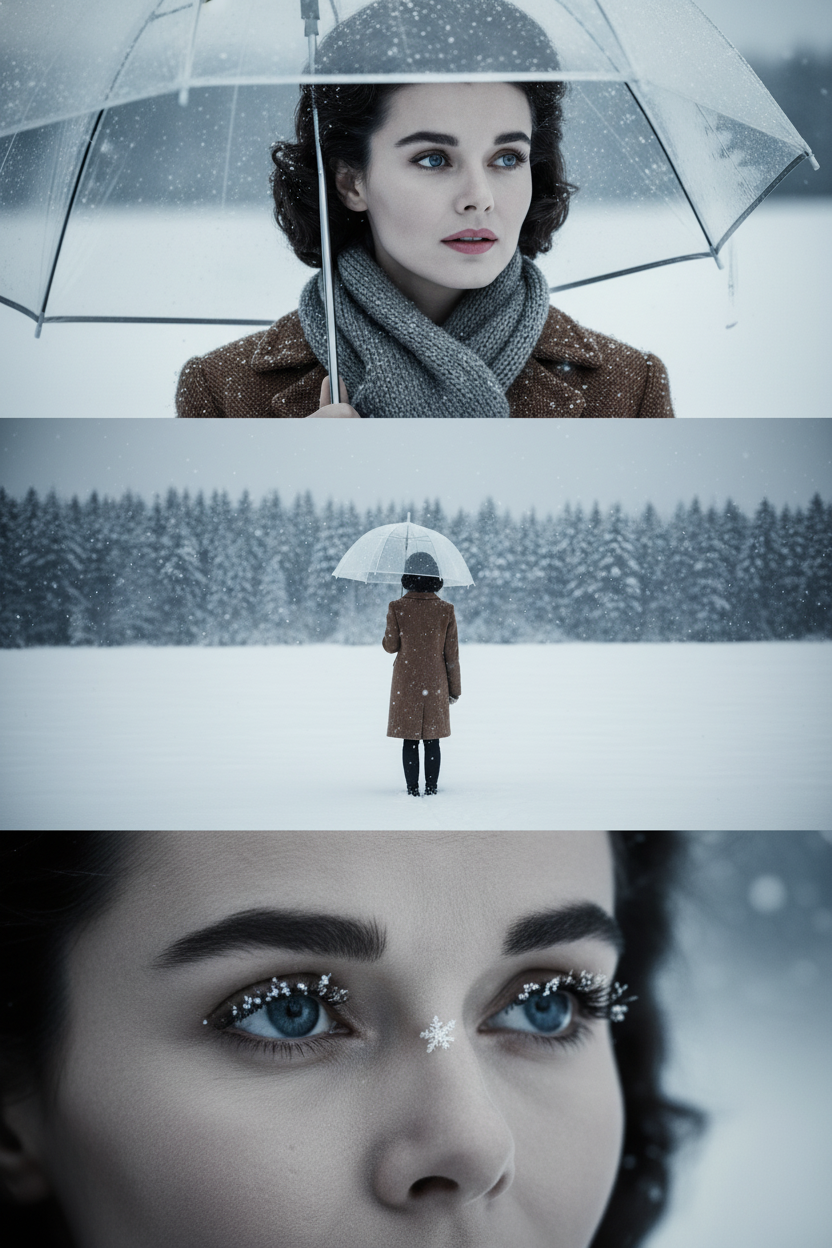 Prompt:
1. Create a three-panel collage with a [cinematic[ winter narrative aesthetic based on the character in the uploaded photo. The overall scene depicts a cold, desolate winter landscape blanketed in heavy snow, rendered in [cool gray tones] with delicate snowflakes drifting down, achieving a cinematic quality. 2. The eyes convey a sense of narrative, while the edges of the transparent umbrella appear faintly visible. Soft lighting and shadows are present. 3. Each panel must maintain a fixed 4:3 aspect ratio. The three images are combined into a three-panel collage: - Top panel: Close-up of the subject holding a transparent umbrella, wearing a [brown jacket and gray scarf], snowflakes adorning the scene. Eyes gaze dreamily to the right. - Middle panel: Full-body shot of the character standing alone in a vast snowy field, facing away. Background features a snow-covered forest. Transparent umbrella in hand, [brown jacket]. The open space emphasizes solitude. - Bottom panel: Close-up of the character's eyes, showing eye color and snowflake on eyelash.
Romantic AI Snow Trend (Group Photo)
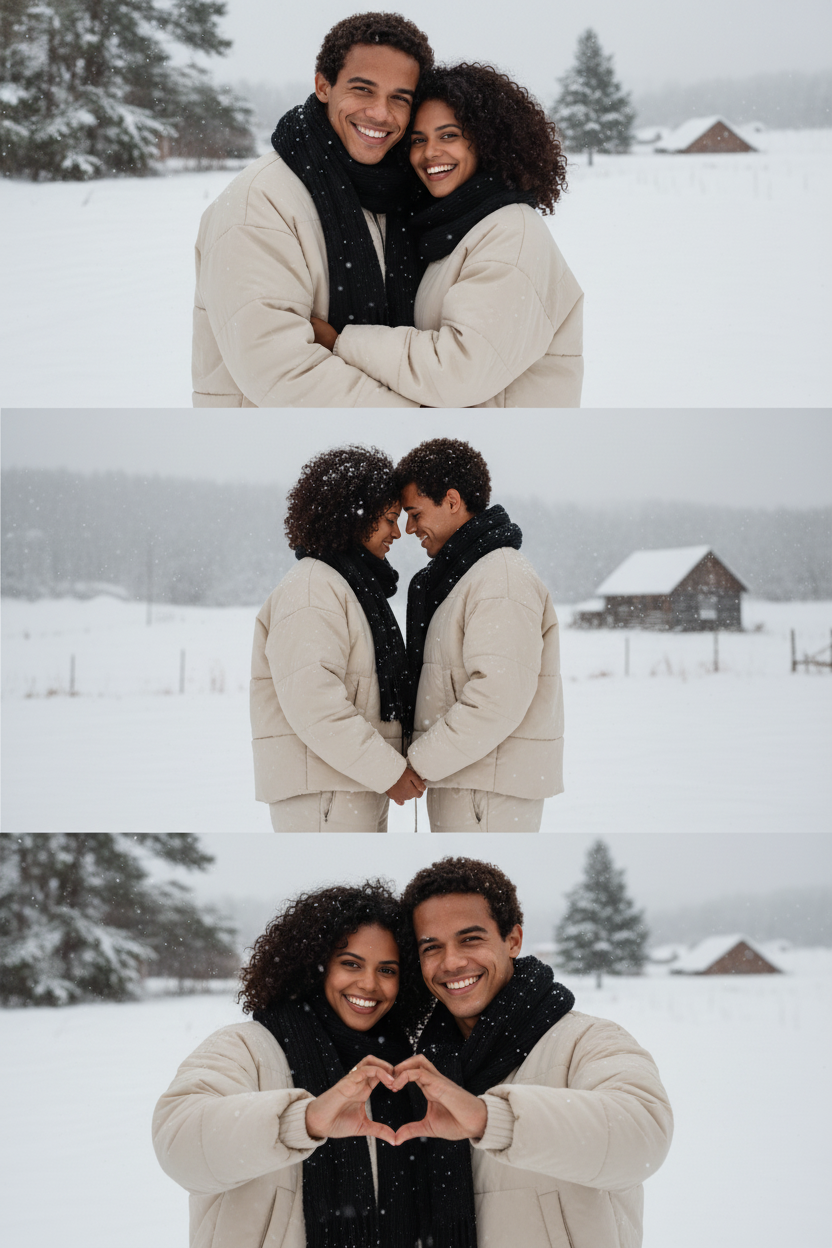 Prompt:
Create a vertical frame - size 2160x3840 pixels (4K quality) - divided into three equal sized horizontal images placed together. The main characters are based on the referent face, hairstyle and body: figure with an expression of happiness and positive mood, showing their love. Their outfit is [loose winter puffer set with wide- leg pants and a black scarf]. The overall atmosphere is covered in white snow with a cow color palette that evokes melancholy and solitude. Image 1 (portrait): The girl leaned against the boy's chest, the two of them cuddling happily and facing the camera. Image 2: (full body): The camera zooms in on their faces, the two facing each other with their foreheads pressed together. Snowflakes are scattered on their hair, clothing, and accessories. Image 3 (close up): The two faced the camera and made heart shapes with their hands, their faces beaming with happiness.
Energetic AI Snow Effect
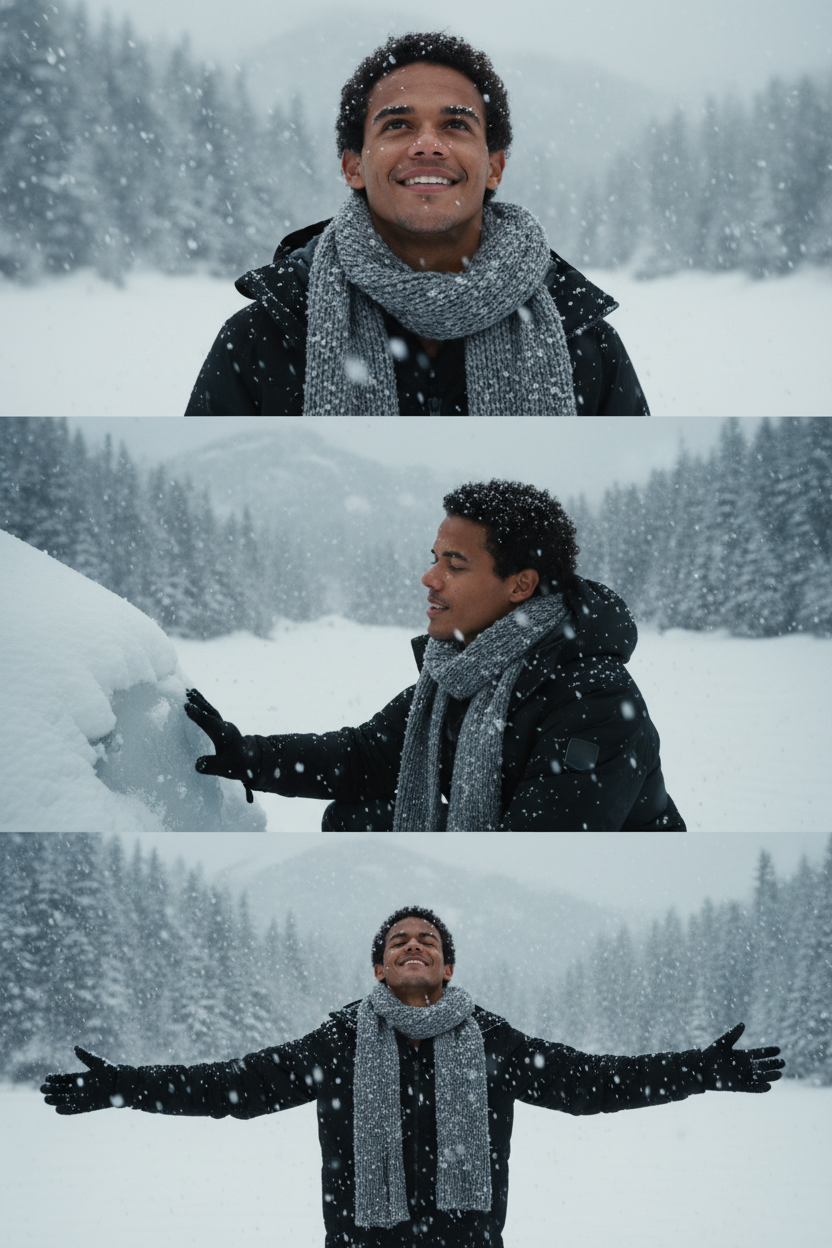 Prompt:
Create a Close-up, ultra-realistic 8K film scene depicting the character in [black jacket and gray scarf] (use uploaded photo don't alter the face) admiring the snow in a heavy snowfall. Use three shots from top to bottom, all within the same frame: the first shot shows the character admiring the snow; the second shows the character kneeling and touching the frozen lake; and the third shows the character opening its arms to welcome the show.
Pro Tips to Get a Better AI Snow Photo
To maximize the final result, follow these tips and test it in the free AI image creator.
- Use a clean, well-lit photo
- Avoid busy backgrounds
- Keep the face visible and clear
- Experiment with different snow intensities and expressions
With the right settings, your AI snow photo will look authentic and aesthetic—not just like a simple AI snow filter.
Best Hashtags to Use When Posting on TikTok
If you're sharing your AI snow trend photo online, these hashtags can boost visibility.
Suggested Hashtags:
#snow #AISnowPhoto #AISnowITrend #AISnowEffect #SnowEffect #SuperMakerAI #AISnow #snowfilter #ai #aiphoto
You can also send your snow photo to friends and family—it makes a perfect playful holiday surprise.
#3 Start Your Viral Snow Photo Now The AI snow trend is still growing—and now it’s your turn to join. Create your AI snow trend in the free AI image generator, share it, and watch the reactions roll in.


