The Truth About Kling 3.0 Omni Edit: Do You Actually Need It?
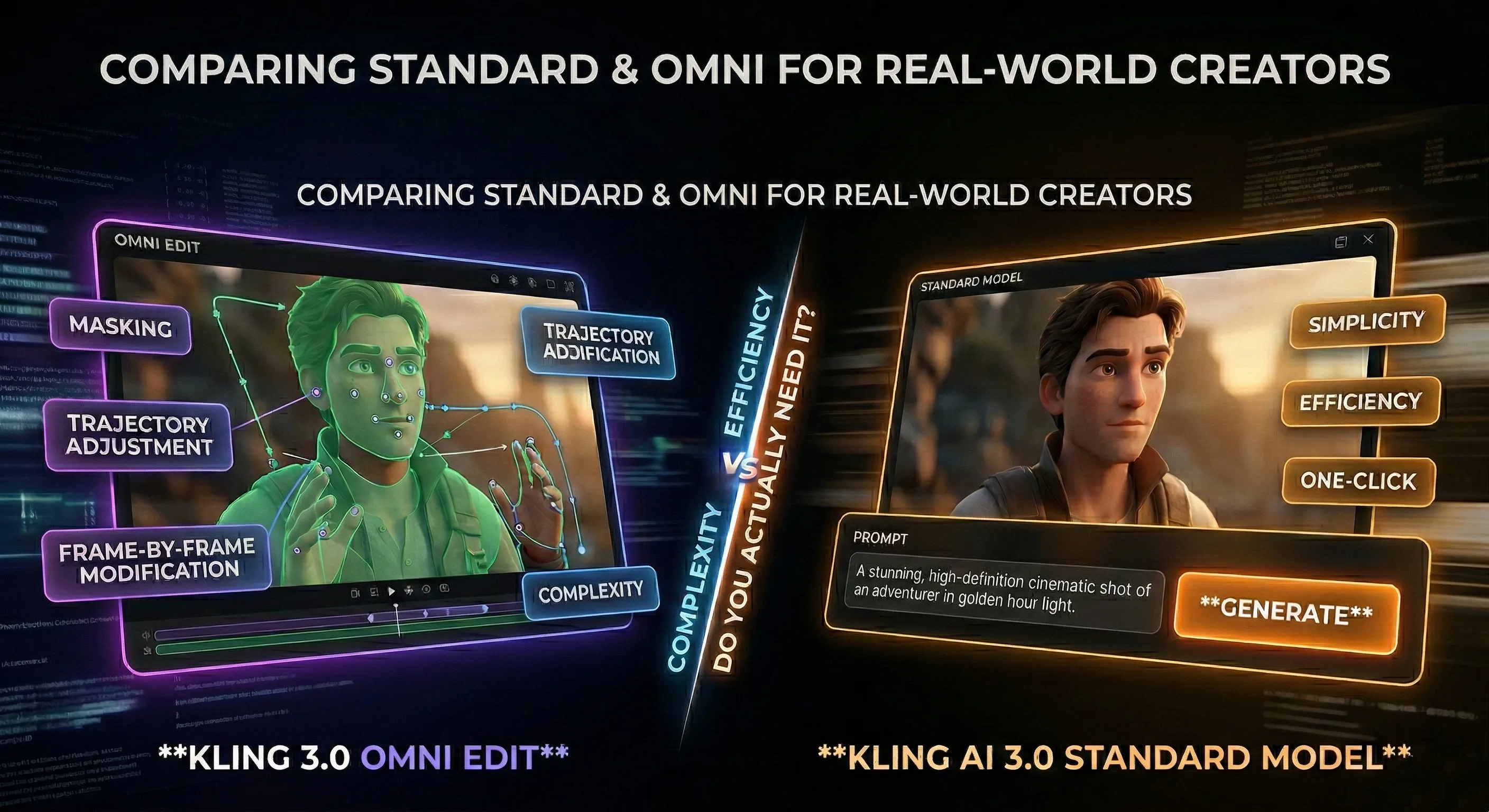
Ever since the Kling 3.0 release date, creators have been heavily searching for information about the omni edit tools. The update brought massive attention to Kling AI 3.0, specifically because of its localized video modification capabilities. But before spending time trying to configure access to these specific editing controls, it helps to understand what the feature actually does and whether it is strictly necessary for your creative workflow.
What the Omni Features Actually Do
The core advantage of the Omni version is targeted modification. In standard video creation, if a character's hand looks slightly off or the background lighting is incorrect, you have to run the entire prompt again and hope for a better outcome. The new editing features allow you to mask a specific area in the video and change only that element. You can adjust the movement path of a vehicle, alter the weather in the background, or change a character's clothing while keeping the main subject intact. It functions as a motion-tracking correction tool for your video outputs, which is highly sought after in advanced Kling 3.0 AI video generation.
The Reality of Localized Video Editing
While localized editing sounds ideal, it comes with a much steeper learning curve and can actually slow down production. Masking moving objects accurately across multiple frames requires extreme precision. For many users, spending time fine-tuning small details with these controls takes much longer than simply generating a few variations with a well-structured prompt.
When the Standard Model is the Better Choice
If your goal is straightforward Kling 3.0 AI video creation for social media clips, promotional content, or cinematic b-roll, the standard model already provides excellent visual fidelity, strong character consistency, and accurate physics. You do not always need a surgical editing tool. Most narrative storytelling relies on good pacing and clear initial generations rather than microscopic frame-by-frame corrections.
Practical Prompting Tips to Avoid Post-Editing
Instead of relying on the Omni suite to fix mistakes, you can achieve highly accurate results by improving your initial text inputs.
- First, define the camera movement clearly. Using terms like slow pan, tracking shot, or close up reduces unwanted random motion.
- Second, specify the lighting conditions directly. Describing the scene with terms like cinematic lighting, golden hour, or studio lighting ensures the engine sets the correct mood from the start.
- Finally, keep character actions simple and singular per scene to avoid physics glitches. Mastering these inputs drastically reduces the need for the Omni edit functions.
Step-by-Step Guide: How to Generate Video Now
Another significant hurdle for creators is the actual technical access. Many developers and studios look for the kling 3.0 api to build custom workflows, which requires backend coding.
You do not need to wait for complex editing suites or configure code repositories. You can generate standard AI videos directly through our Kling 3.0 interface. The workflow is designed to be straightforward and visual:
- Choose Your Generation Type: Start by selecting either the Image to Video or Text to Video tab at the top, depending on your source material.
- Enter Your Prompt: Type your detailed scene description into the main text box. Apply the prompting tips mentioned above for the best results.
- Configure the Settings: Select your required Mode (Standard or Pro). Then, choose your preferred aspect Ratio (such as 16:9 for YouTube or 9:16 for TikTok) and set the video Duration (3s or 15s).
- Generate: Simply click the Generate button at the bottom to start rendering your video.
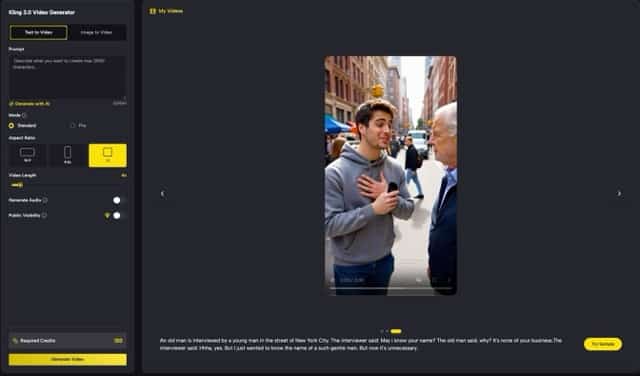 (The straightforward web interface for generating Kling 3.0 videos on SuperMaker.)
Final Thoughts
The new editing tools offer precise control for highly complex projects, but the standard model Kling 3.0 handles the majority of creative tasks efficiently. Testing the base version through a straightforward web interface is the most logical step to determine if it meets your needs before worrying about localized editing techniques.