
Mastering Nano Banana Image: The Ultimate Gameplay Guide & Pro Comparison
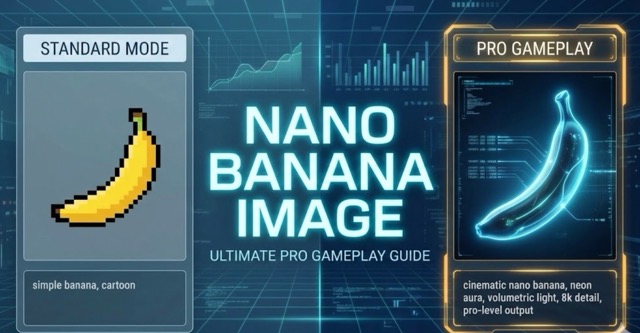
In this ultimate guide, we dive deep into the advanced gameplay of Nano Banana Image. We break down the essential differences between the standard and Pro versions, providing step-by-step tutorials and optimized prompt strategies to maximize your creative output.
Nano Banana Image: Ultimate Pro Gameplay Guide
The world of AI image generation is moving lightning-fast. Just when you think you’ve mastered the basics, a new wave of capabilities emerges that redefines what's possible. Enter the Nano Banana Image Model—a tool that has quickly become a favorite for creators seeking speed and quality.
While the standard version of Nano Banana is fantastic for quick concepts and getting started, power users know that the real magic happens in the Pro tier. If you are ready to move beyond simple prompts and into the realm of professional design, complex compositions, and hyper-realistic edits, this guide is for you.
In this post, we will explore the key differences between the Basic and Pro versions, highlight the standout features of Pro, and—most importantly—share the latest and hottest gameplay techniques complete with the exact prompts you need.
Nano Banana: Basic vs. Pro
Before we get into the advanced techniques, it's crucial to understand the foundation.
The Basic Model
The Basic model is like having a talented sketch artist on speed dial. It is perfect for:
- Rapid Ideation: Getting ideas out of your head quickly.
- Simple Concepts: "A cat sitting on a mat" type prompts.
- Abstract Art: Creating stylized images where precision isn't critical.
The Pro Model
Nano Banana Pro is like hiring a full-service creative studio. It is designed for:
- Complex Instruction Following: It understands intricate, multi-step prompts.
- Text & Layout Precision: It can render legible text (like calendars) and rigid structures (like grids).
- Advanced Editing: Features like removing backgrounds, upscaling, or fixing specific facial expressions.
- Consistency: Keeping characters or styles identical across multiple images.
The Pro Gameplay Guide & Prompts
Here are the trending ways pros are using Nano Banana right now. We have organized them by category. Simply copy the prompts below to try them yourself!
1. Professional UI/UX Design
The Modern UI Icon Generator Creating clean, app-ready icons requires strict adherence to flat design principles.
Prompt: You are a professional UI / Icon Designer. Please generate a [Flat, Modern UI Style] icon based on the following requirements:
Icon Subject: {Insert Icon Meaning/Object Here} Usage: App / Web / System Icon Style Requirements:
- Simple, clear, and easy to recognize.
- Flat Design.
- Clean lines, no overly complex details.
- Modern tech/product aesthetic. Visual Specs:
- Centered composition.
- Single subject.
- No text, no watermarks.
- Transparent background (or pure white).
- High contrast, suitable for small displays. Color: Use 1 main color; avoid color clutter. Background unified to white. Output: 1:1 Square aspect ratio, HD icon illustration suitable for direct App use.
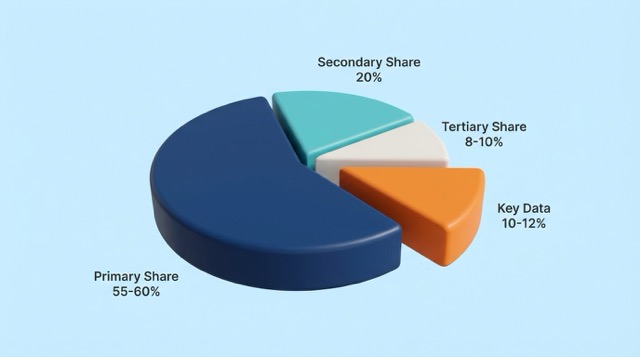
 3D Pie Chart Visualization
Perfect for business presentations where data accuracy matters.
3D Pie Chart Visualization
Perfect for business presentations where data accuracy matters.
Prompt: Based on the following user description, generate a high-quality 3D pie chart. Strictly adhere to the requested data proportions and colors. Style Requirements: Minimalist style (similar to Pixelcut app), clean transparent white background, 3D rendering texture, soft lighting. User Data: {Insert your data percentages here}
2. Advanced Photo Editing & Restoration
**4K Image Upscaler ** Turn low-res images into print-ready assets.
Prompt: Increase image resolution to 4K while keeping facial features and their details completely unaltered. Enhance other details as follows: optimize edge sharpness (eliminating blurred lines), restore surface textures (such as fabric, metal, and paper), eliminate noise and color discontinuities. Ensure natural color transitions and distinct light and shadow gradations (no loss of detail in dark areas and no overexposure in highlights), resulting in a clear, pristine image.
Background Remover Isolate subjects perfectly.
Prompt: Remove the original background, keeping the main subject of the photo.
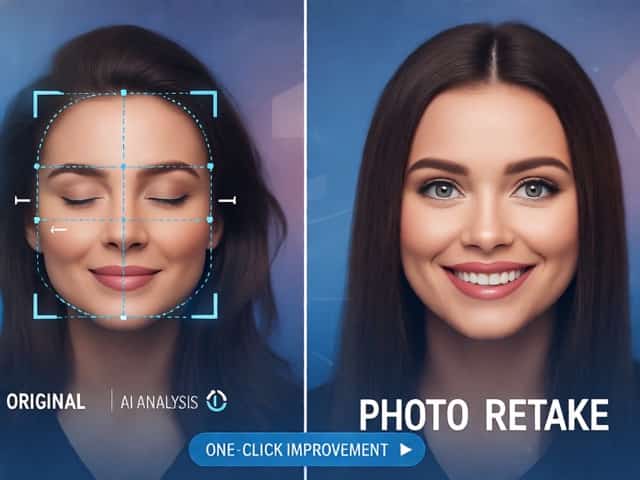
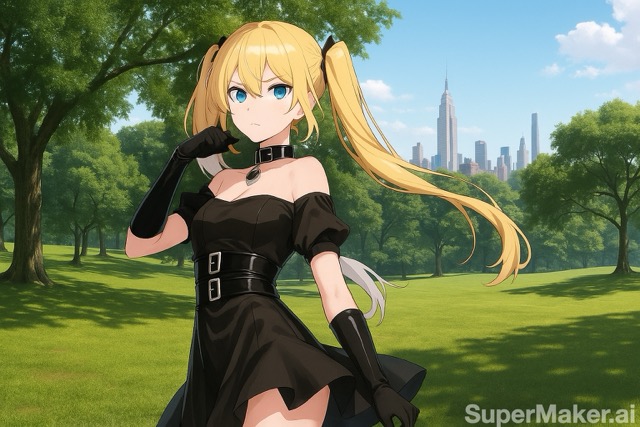 Photo Retake AI (Expression Fixer)
Fix a bad take without losing the photo.
Photo Retake AI (Expression Fixer)
Fix a bad take without losing the photo.
Prompt: Their expression or posture are not good, retake this photo into a normal one. Ensure the lighting and environment remain consistent, but correct the subject to have a natural, pleasant pose and expression.
3. Graphic Design & Typography
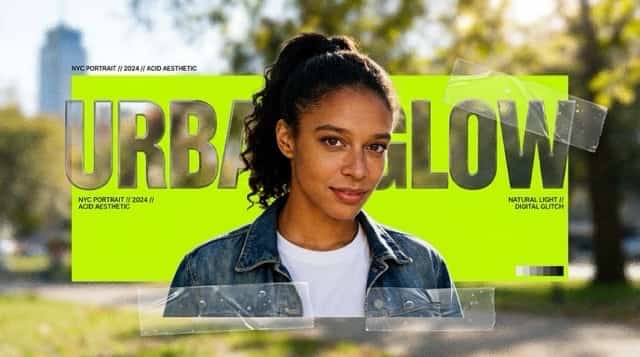
The Y2K Aesthetic Poster Turn a photo into a trendy "Acid Design" poster with complex layers.
Prompt: Analyze the uploaded photo and convert it into a modern graphic design poster. Follow these steps:
- Subject Processing: Accurately cut out the main subject from the original background.
- Background Transformation: Replace the background with an abstract, frosted glass texture. Keep the original color tones (e.g., greens/browns) but blur all details.
- Core Composition: Add a bold, solid rectangular color block behind the subject (pick the brightest color from the photo).
- Typography: Add a main title using a thick, designer sans-serif font. Crucial: Place the text layer BEHIND the subject to create depth (subject covers part of the text).
- Details: Add small informational text in corners for visual hierarchy. Add "transparent tape" effects at the bottom of the subject to make it look like a collage.
- Style: Y2K aesthetic / Acid design. Rich textures, layers, and a cohesive blend between the glass background and the bold typography.
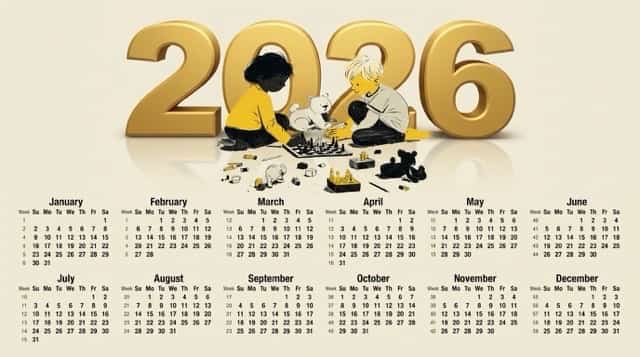
 2026 Professional Calendar
A stress test for layout and text rendering.
2026 Professional Calendar
A stress test for layout and text rendering.
Prompt: Design a professional "2026 Calendar" poster.
Top Header Section:
- Background & Subject Source: The upper section MUST use the EXACT subject and background environment from the provided reference image (the person, the gaming setup, monitors, and ambient room lighting). DO NOT replace the background.
- Title: Large, elegant text "2026" prominent in the header, styled to match the lighting.
Bottom Calendar Section: The 12-month calendar grid on a clean, light cream (off-white) background.
CRITICAL TYPOGRAPHY & GRID RULES:
- FONT: Use a strict MONOSPACED font for perfect vertical alignment.
- ALIGNMENT: Numbers must align precisely under their day headers: SUN MON TUE WED THU FRI SAT.
- THE PLACEHOLDER: Render underscores "_" as pure, invisible transparent space.
Grid Data Structure: [Paste the full 12-month grid structure provided in your prompt here]
Style: High resolution, sharp text, authentic background from reference image, perfect alignment.
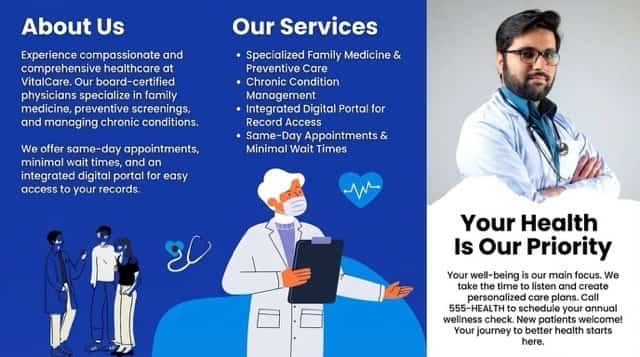
Brochure Text Editor Change the text, keep the design.
Prompt: Please modify the copy in this brochure image, but keep the poster style exactly unchanged. Change the text to the following content: {Insert New Text Here}
4. Character & Identity Consistency
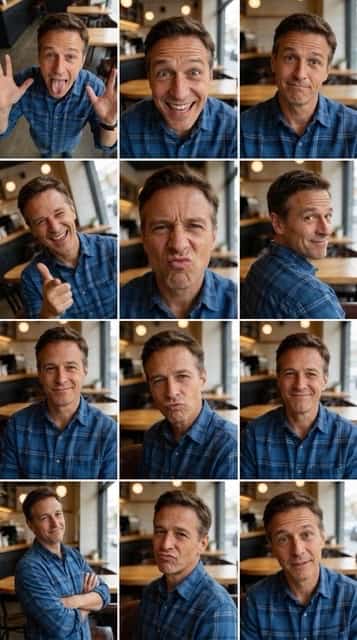
The 3x3 Dynamic Selfie Grid Generate 9 angles of the same person in one go.
Prompt: Generate a 3×3 photo grid. Fully preserve the face, hairstyle, and outfit from the uploaded image in all panels. The person should make a cute, funny, and slightly weird expression and pose.
Each panel should use a different camera angle:
- High angle (top-down)
- Low angle (from below)
- Eye-level straight-on
- Dutch angle (slightly tilted)
- Close-up low angle
- Over-the-shoulder angle
- Wide shot from the side
- 45-degree angle from the front
- Slight bird’s-eye angle
Style Requirements: Photorealistic, clean lighting, Real camera lens rendering, No illustration or cartoon look, Same outfit and hairstyle across all images, Modern, minimal aesthetic.
Character Consistency (Coordinate Based) Essential for storyboards. This ensures your character looks the same in every shot.
Prompt: Reference: Use the uploaded character image as the strict anchor for facial features, body type, and clothing style. Action: Generate a full-body shot of this character walking down a busy futuristic street. Constraint: Maintain 100% character consistency. The facial structure, hair color, and outfit details must match the reference image exactly. Do not alter the identity. Style: Cinematic lighting, 85mm lens, high fidelity.
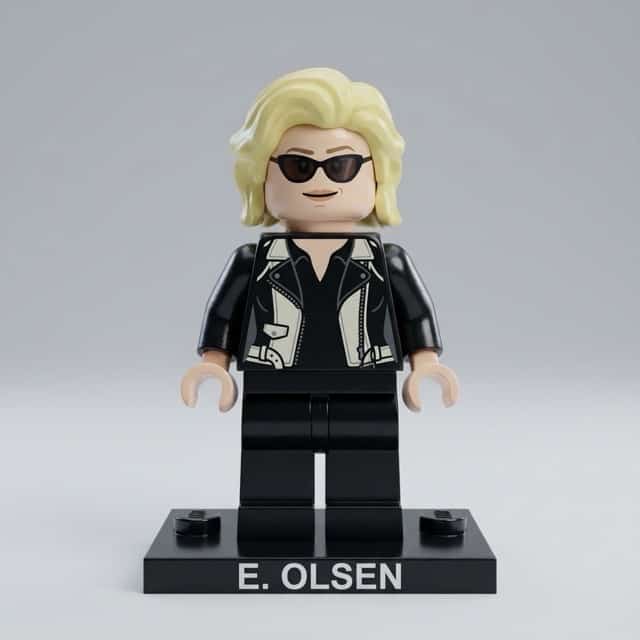
LEGO Minifigure Generator Turn anyone into a toy.
Prompt: Create a highly detailed, miniature LEGO-style 3D figure of {Insert Name/Description}, preserving their iconic colors and features. Use soft diffused lighting and realistic materials. Set the figure against a neutral light gray background. Place the character on a LEGO base block in a color that matches their identity, with the name clearly printed on the base in the same color. Ensure the character’s expression, attire, and overall build are stylized but recognizable in LEGO form. Centered composition. 1080x1080 resolution.
5. AI Analysis Overlays
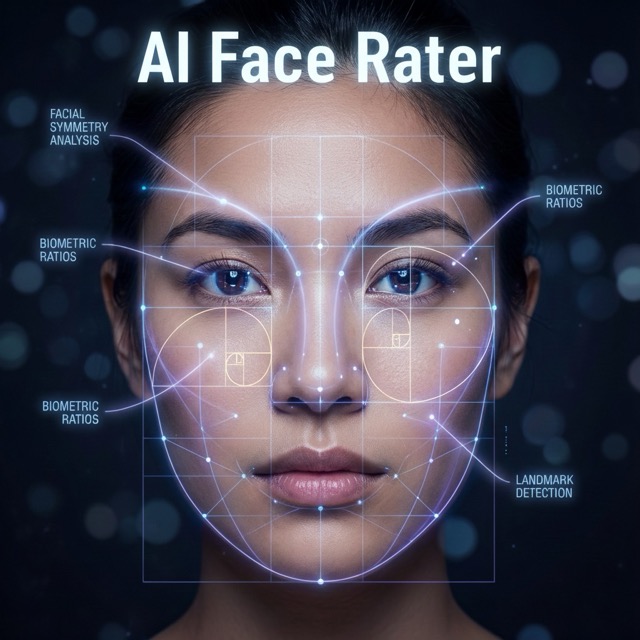
AI Face Aesthetic Rater Overlay medical-grade graphics on a portrait.
Prompt: Use the provided portrait photo as the base. Do NOT change the person’s face, expression, age, skin tone or gender. Just overlay a clean, minimal infographic on top. Create a high-resolution vertical “FACIAL AESTHETIC REPORT” poster, studio lighting, soft beige background, premium beauty clinic style. Add thin white lines and labels pointing to each area of the REAL face, with percentage scores:
- Eyes Beauty – [Score]%
- Cheeks Harmony – [Score]%
- Lips Shape – [Score]%
- Eyebrows Design – [Score]%
- Jaw & Chin Definition – [Score]%
- Overall Facial Symmetry – [Score]% At the bottom center, add a BIG, bold number inside a circle: “OVERALL SCORE: XX%”. Design style: clean, medical-grade, aesthetic-clinic infographic, modern thin sans-serif typography, white text and lines.
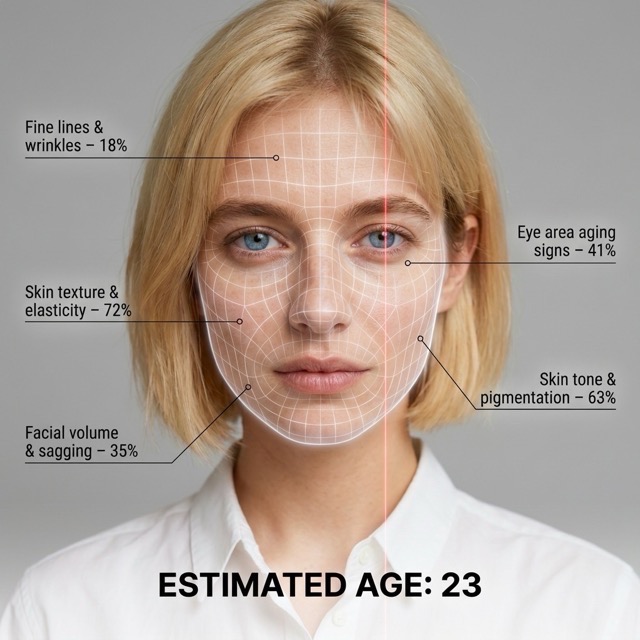
AI Age & Skin Checker Futuristic skin analysis.
Prompt: A hyper-realistic, high-resolution portrait infographic based on (your photo). Keep the same person, identity, hairstyle, clothing and natural skin tone. Overlay a subtle, semi-transparent facial analysis grid on the entire face (similar to a 3D mesh). Add one clean vertical red laser line running down one side.
Create a clean medical–aesthetic infographic that evaluates 5 aging factors:
- Fine lines and wrinkles
- Skin texture and elasticity
- Facial volume and sagging
- Eye area aging signs
- Skin tone and pigmentation
For each, place a label with a realistic percentage score (0-100%). At the bottom, write large bold text: “ESTIMATED AGE: (random number)”. Overall style: futuristic AI-guided skincare analysis, minimalistic, premium editorial lighting.
6. Creative Arts & Education
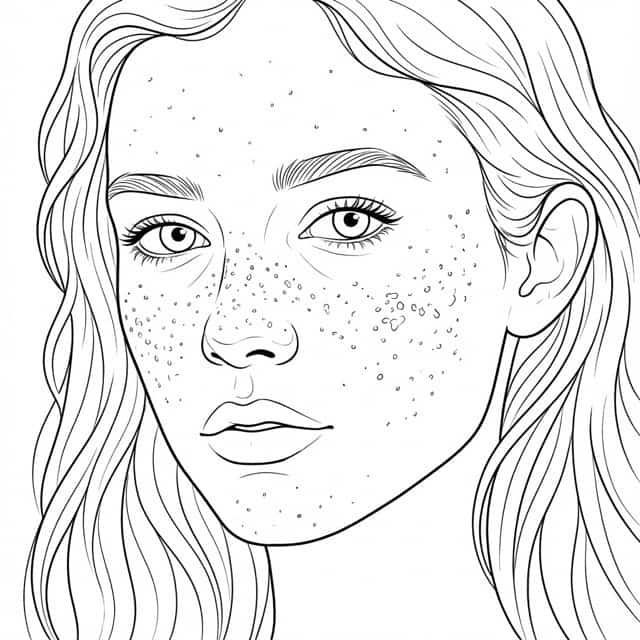
** AI Coloring Page Generator ** Create clean line art for printing.
Prompt: You are an AI coloring page generator. Base rules:
- Always generate a printable black-and-white coloring page.
- Use only pure black outlines on a white background.
- Never use colors, grayscale, shading, shadows, gradients, or textures.
- Lines must be clear, smooth, and closed.
- The main subject must be centered and fully visible.
- No text or watermarks.
- If a photo is uploaded, convert it into clean line art suitable for coloring.
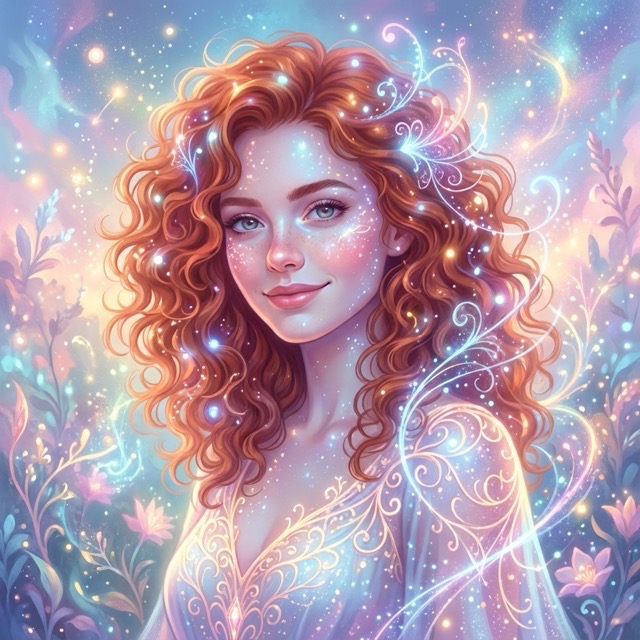
** High-Fidelity Fantasy Art ** Pushing the limits of detail.
Prompt: (masterpiece, best quality, high resolution), [Insert Fantasy Scene Description], highly detailed, 8k resolution, cinematic lighting, intricate details.
 AI Homework Helper
Generating handwritten solutions.
AI Homework Helper
Generating handwritten solutions.
Prompt: Generate an image of the solution to the following problem, written on a piece of scratch paper. The paper should look used/textured. The handwriting must be natural (hand-written style, not digital font), showing the step-by-step solution for: {Insert Problem Here}.
AI Styling (Style Transfer) Changing the artistic vibe of a photo.
Prompt: Please modify the style of this image. Transform it into [Insert Style, e.g., a Cyberpunk Illustration / a Renaissance Oil Painting / a Sketch]. Keep the main composition but completely change the artistic rendering.
Conclusion
Nano Banana Pro provides the tools necessary for professional-grade creation. From generating complex 2026 Calendars with perfect text alignment to creating consistent 3x3 Selfie Grids and Medical Infographics, the possibilities are endless.
By using the specific prompts provided above, you can unlock the full potential of this model. Copy them, experiment with them, and elevate your AI image generation game today!


