Nano Banana 2 vs Nano Banana Pro vs Nano Banana: Which Should You Use?
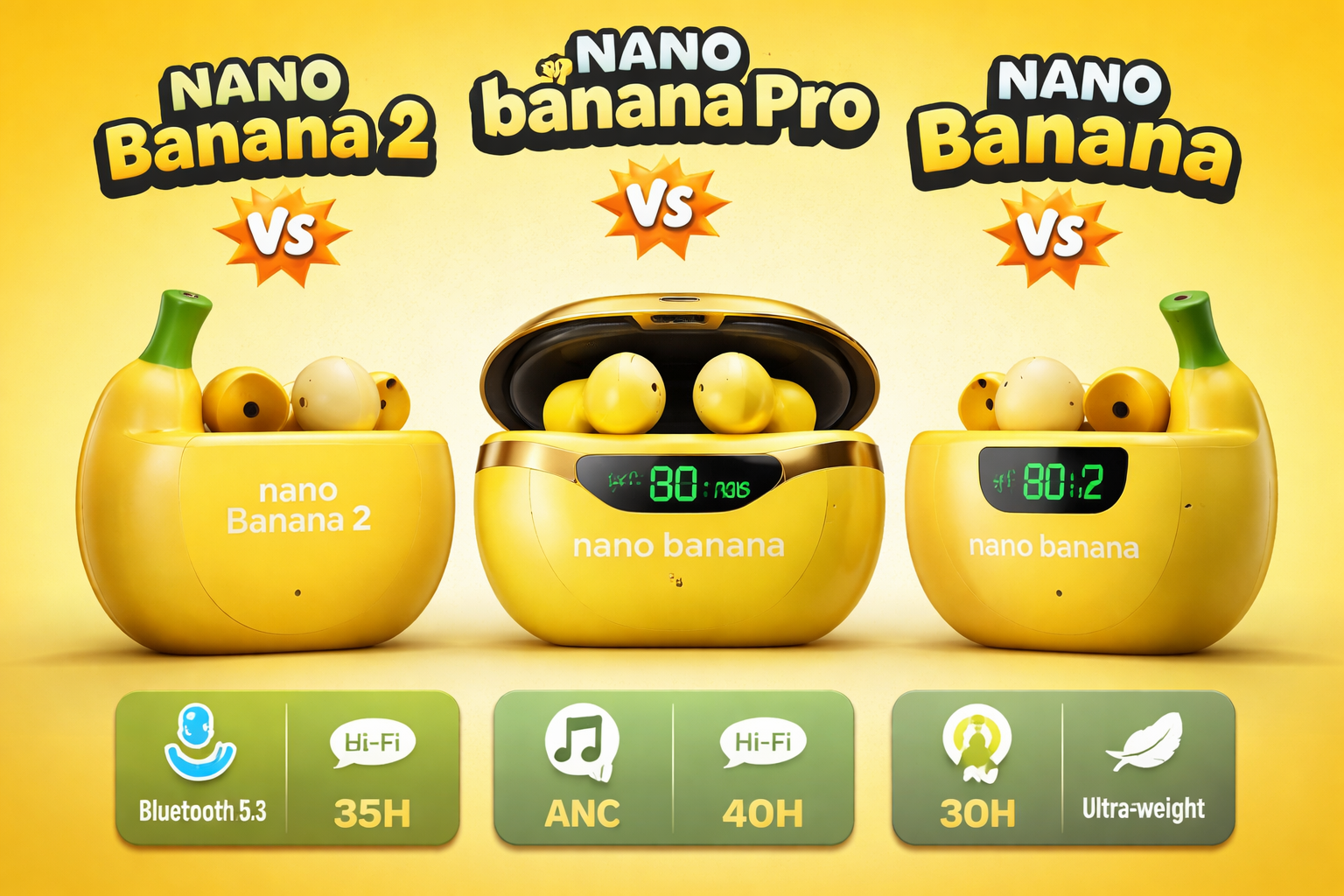
Google just dropped Nano Banana 2, and the Nano Banana lineup on SuperMaker just got a serious upgrade. Powered by Gemini 3.1 Flash, the new model brings Pro-level intelligence at Flash speed — with a major leap in multi-language text rendering and instruction following. Here's how all three generations stack up, and how to pick the right one for your workflow.
Google just dropped Nano Banana 2 — and if you've been using any of the Nano Banana models on SuperMaker, you're probably wondering what changed, what's worth upgrading to, and whether your current go-to model still makes sense.
Nano Banana 2 — The new default. Pro-level intelligence at Flash speed, with a major leap in text rendering and instruction following.
Nano Banana Pro — The powerhouse. Studio-quality output, high resolution, built for serious creative work.
Nano Banana — The original. Fast, lightweight, great for casual use and quick experiments.
Google Just Released Nano Banana 2 — Here's What's New
On February 26, 2026, Google officially introduced Nano Banana 2 (powered by Gemini 3.1 Flash Image). Take everything that made Nano Banana Pro great — the advanced world knowledge, the visual quality, the creative control — and run it at the speed of Flash.
That's not just a marketing line. Under the hood, the upgrade from Gemini 3 Pro (which powers Nano Banana Pro) to Gemini 3.1 Flash brings real, measurable changes:
1. Advanced world knowledge with real-time grounding.
Nano Banana 2 pulls from Gemini's knowledge base and can draw on real-time information and images from web search. This means Nano Banana 2 can accurately render specific real-world subjects, generate infographics, turn handwritten notes into diagrams, and produce data visualizations — not just pretty pictures.
2. Precision text rendering and translation.
This is the headline feature. Nano Banana 2 can generate accurate, legible text inside images — think marketing mockups, greeting cards, signage. Even more impressive: Nano Banana 2 can translate and localize text within an image, so your visuals can travel across languages without needing a redesign.
3. Subject consistency at scale.
Nano Banana 2 can maintain character resemblance for up to five characters and the fidelity of up to 14 objects in a single workflow. If you're storyboarding or building a visual narrative, your characters stay your characters from frame to frame.
4. Sharper instruction following.
Nano Banana 2 adheres more strictly to complex, layered requests. The gap between "what you asked for" and "what you got" gets noticeably smaller.
5. Production-ready specs.
Full resolution range from 512px to 4K, with support for various aspect ratios — vertical social posts to wide-screen backdrops, all sharp.
Head-to-Head: How the Three Models Actually Compare
Let's get into the details that matter for your workflow.
Multi-Language Text Rendering
This is where the generational gap is most visible. The original Nano Banana was never really designed with text-in-image as a core strength — it handles English reasonably well at lower resolutions, but ask it to render Arabic calligraphy in a poster layout or Japanese characters in a stylized scene, and results get inconsistent fast. Letters blur, spacing breaks, or the model just substitutes similar-looking gibberish.
Nano Banana Pro improved on this meaningfully. Higher resolution output (up to 4K) helps, and the Gemini 3 Pro backbone brings stronger language understanding. You can get usable results with clean, simple text in many non-Latin scripts — but complex layouts, right-to-left rendering, and mixed-script compositions still require careful prompting and multiple attempts.
Nano Banana 2 is a different story. Google explicitly built precision text rendering as a flagship feature, and it shows. Arabic text renders with correct right-to-left flow and proper letterform connections. Japanese renders with accurate kanji, kana spacing, and vertical text options. Mixed-script images — say, an English headline with an Arabic subhead on a single poster — come out legible and well-composed. If you're creating content for global audiences, this alone is a reason to switch.
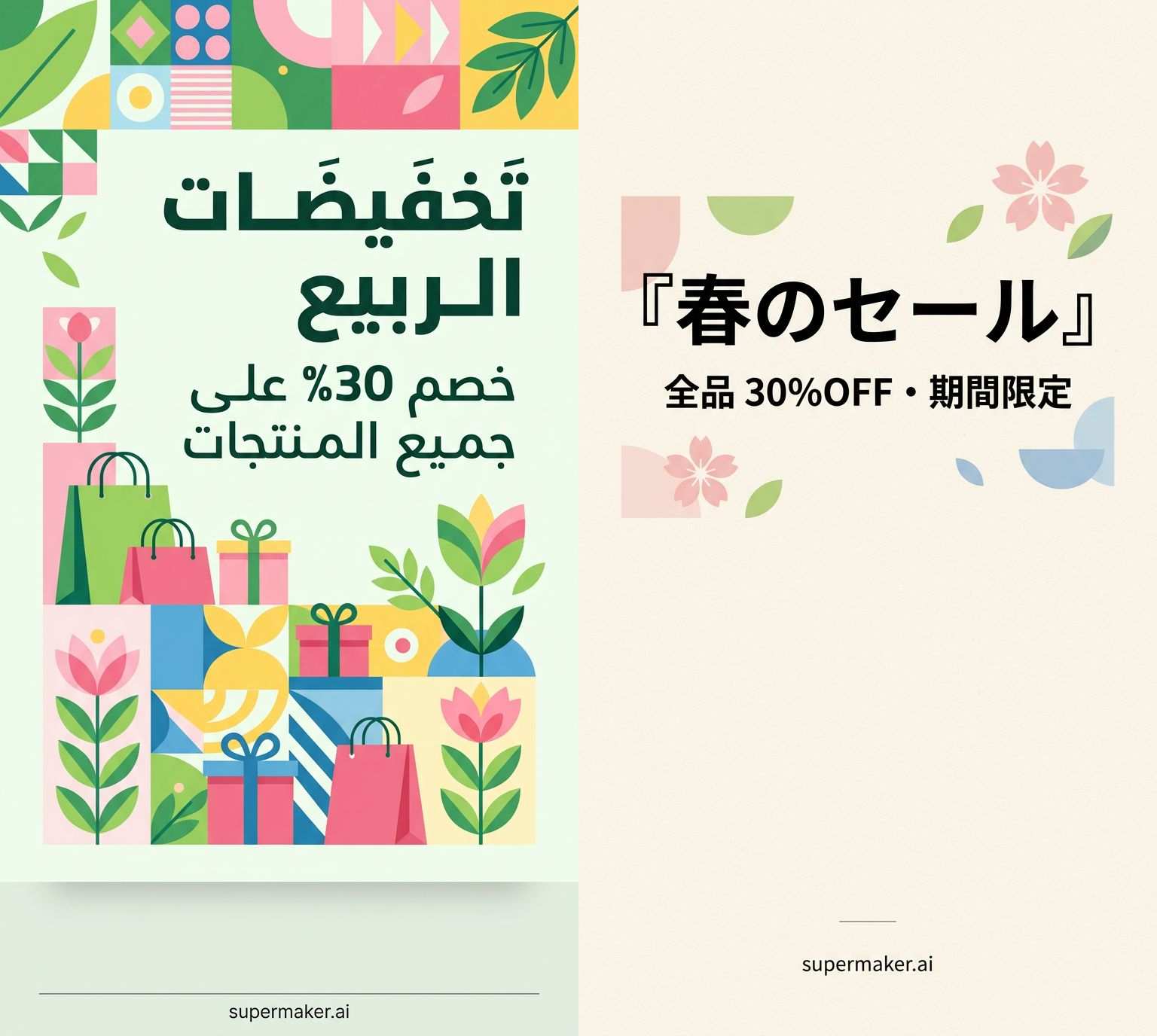 <Both of the images are generated by Nano Banana 2>
Instruction Following and Complex Combinations
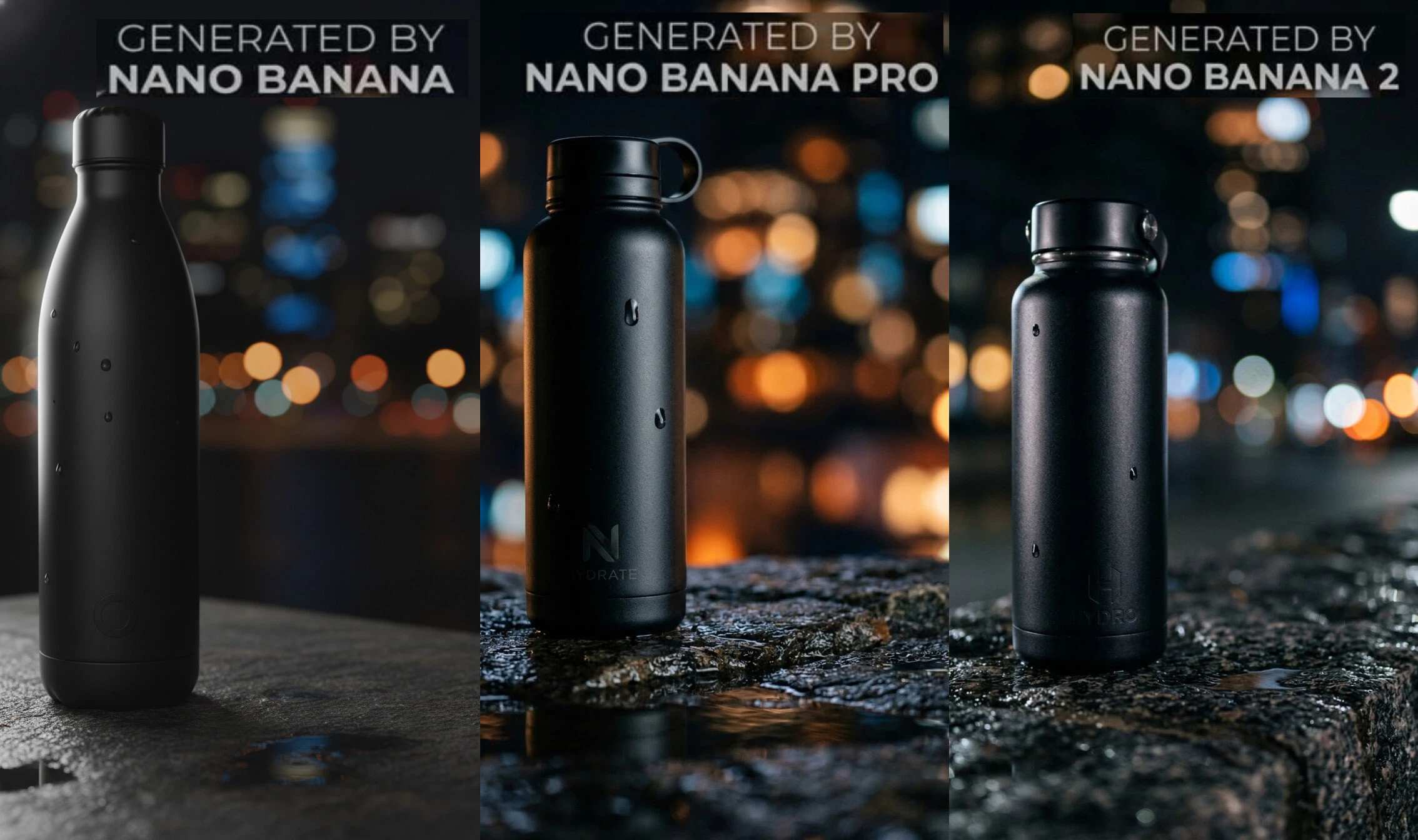
The original Nano Banana is solid for straightforward prompts. "A cat sitting on a red chair in a sunny room" — done. But when prompts get layered — specific lighting condition, particular composition, a character doing something specific while wearing something specific in a specific setting — the model starts dropping details. It prioritizes some parts of the request and quietly ignores others.
Nano Banana Pro handles complexity much better. The Gemini 3 Pro backbone means the model genuinely understands nuanced instructions, and you can stack multiple requirements more reliably. It's not perfect, but it's the tool most professional users gravitated toward for precisely this reason.
Nano Banana 2 takes instruction following further, and the subject consistency feature adds a new dimension. Try a prompt like: "A product flat lay with a skincare bottle, a sprig of lavender, a ceramic dish with sea salt, and a folded linen cloth, lit with warm afternoon light from the left, minimal shadow, white background, shot from directly above" — that's a 6-element composition with specific lighting, shadow, angle, and backdrop requirements. Nano Banana 2 keeps all of those requirements in play simultaneously. Earlier models would nail some and lose others.
The same applies to iterative workflows: make an edit, maintain consistency, make another edit. With subject consistency supporting up to 14 objects, Nano Banana 2 is the first model in this lineup that genuinely supports a storyboarding or multi-image production workflow without your characters and props subtly shape-shifting between shots.
By the Numbers
| Nano Banana | Nano Banana Pro | Nano Banana 2 | |
|---|---|---|---|
| Powered by | Gemini 2.5 Flash | Gemini 3 Pro | Gemini 3.1 Flash |
| Max resolution | Up to 1024px | Up to 4K | 512px–4K |
| Reference images | Up to 4 | Up to 8 | Up to 13 |
| Cost on SuperMaker | 2 credits | 10 credits | 10 credits+ |
| Multi-language text | Basic | Improved | Advanced |
| Instruction following | Good | Strong | Best-in-class |
| Subject consistency | Moderate | Up to 6 chars / 14 objects | Up to 5 chars / 14 objects |
| Speed | Fast | Moderate | Fast |
Which One Should You Actually Use?
Here's the honest breakdown by use case:
Go with Nano Banana if:
You're exploring, experimenting, or just having fun with image generation. At 2 credits per image, it's the most accessible entry point on SuperMaker. If your prompts are straightforward, your text is in English, and you don't need 4K output, the original Nano Banana delivers solid results without burning through your credits. Great for brainstorming sessions, quick mockups, and personal projects where good-enough is genuinely good enough.
Go with Nano Banana Pro if:
You have a specific use case where maximum factual accuracy and absolute visual fidelity are non-negotiable — think highly detailed commercial photography, complex brand assets, or scenarios where you need the full deliberate reasoning of Gemini 3 Pro applied to your image. Nano Banana Pro remains the choice when you want to slow down and get something exactly right, with no corners cut.
Go with Nano Banana 2 if:
You want the best balance of quality, speed, and capability available right now — which, for most workflows, means Nano Banana 2 is simply the new default. It's the clear choice if you're generating content for non-English markets (Arabic, Japanese, Korean, and other scripts), working with complex multi-element compositions, building visual narratives that need consistency across multiple images, or iterating quickly without sacrificing output quality. At the same price as Pro, there's no performance cost to choosing it — just a meaningful upgrade in what it can do.
Try Nano Banana 2 on SuperMaker
Nano Banana 2 is available now on SuperMaker. If you've been using Nano Banana Pro and haven't tried it yet, the fastest way to understand the difference is to run the same prompt through both and compare. The gap in text rendering and instruction following is immediately visible.
Ready to see what it can do? Try Nano Banana 2 →
And if you're still getting started, Nano Banana is always there at 2 credits a run — a low-stakes way to get a feel for AI image generation before diving deeper.