
Is This Real? The AI Tool That Does Your Homework and Fakes Your Handwriting Perfectly
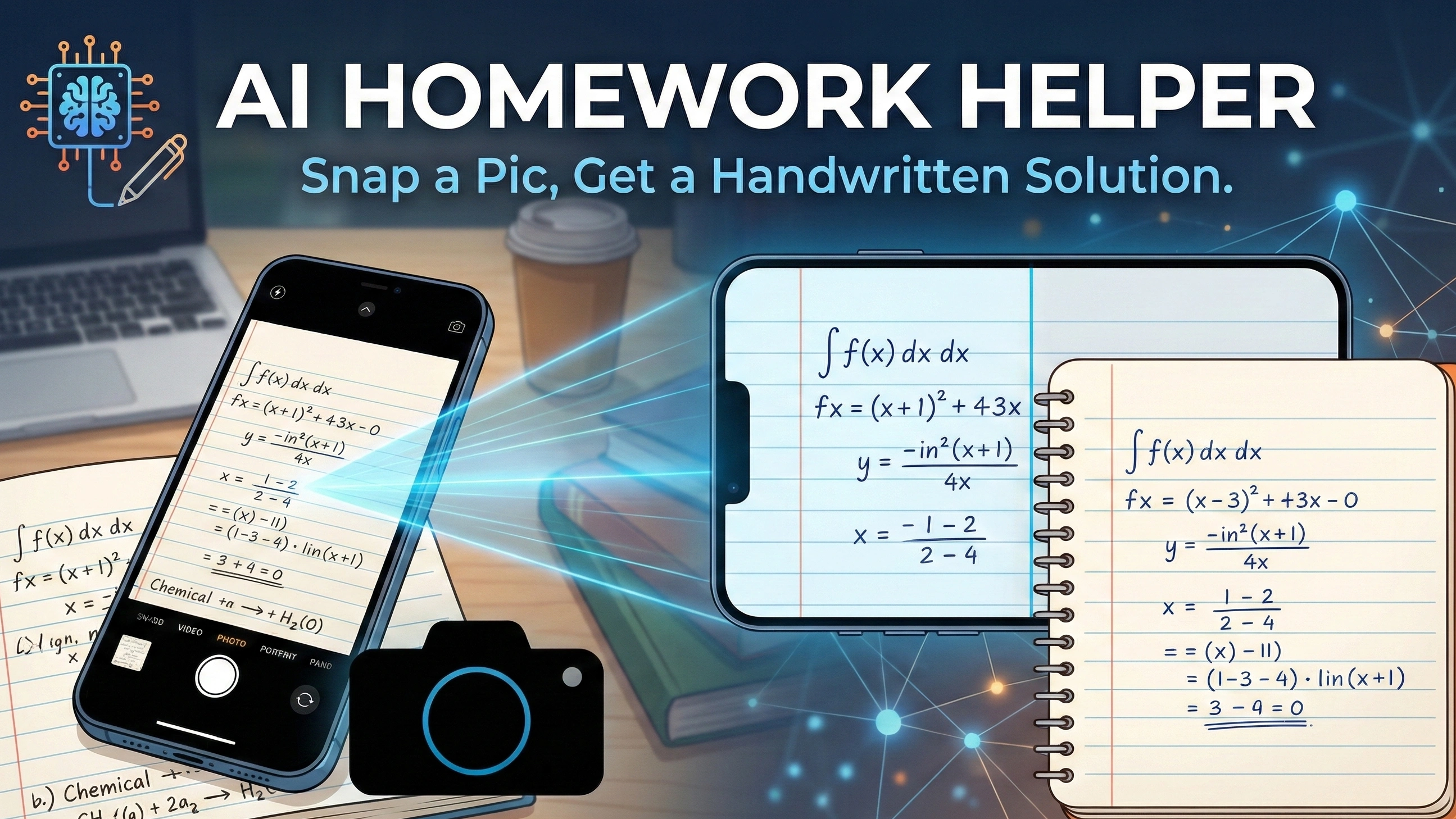
We’ve all been there. You just used an AI tool to crack a difficult calculus problem, but now comes the tedious part: spending the next 20 minutes manually copying the answer onto paper because your teacher won't accept typed printouts.
Standard tools are great for getting the answer, but they fail the "visual test." They look like computers, not students.
Enter the next generation of studying: an AI homework helper that doesn't just give you the text—it gives you the look. In this post, we’re exploring a game-changing tool that lets you upload a math solver picture and instantly generates a realistic handwritten solution. Whether you are looking to scan, solve, or simply get a reference that looks like it belongs on real draft paper, this is the technology that finally bridges the gap between digital smarts and analog homework. Ready to see how AI can transform a digital screenshot into a perfect handwritten draft in seconds?
What is AI Homework Helper?
AI homework helper is an intelligent study assistant powered by large language models (LLMs) and computer vision technology. Think of it as a 24/7 personal tutor that fits in your pocket.
Unlike the simple calculators of the past, these modern tools are designed to understand context. Whether you type in a history question or upload a math solver picture, the AI analyzes the problem, breaks it down, and provides a step-by-step explanation rather than just a final number.
Generally, these tools fall into two categories:
- Text-Based Solvers: Tools where you must manually type out the question (great for essays, terrible for complex math).
- Visual Solvers: Tools that allow you to scan, solve, and process problems simply by uploading an image.
However, the industry is evolving. It is no longer just about finding the answer; it is about presenting it. This is where the demand for a realistic handwritten solution—one that mimics human nuances—starts to outpace standard digital text.
Why Standard AI Solvers Aren't Enough
Let's face it: ChatGPT and other text-based models are incredibly powerful. They can solve complex integrals or balance chemical equations in milliseconds. But they have a major limitation for students: the output format.
When you get a solution in plain text or neatly typeset LaTeX, it screams "AI-generated."
- It’s rigid: The fonts are perfect, the spacing is exact, and it lacks the human touch.
- It’s suspicious: Teachers can spot a digital printout from a mile away.
- It’s inconvenient: If your assignment requires a physical submission or a photo of your work, you are stuck acting as a human printer, mindlessly transcribing lines of code onto paper.
This is where a visual AI homework helper changes the game. By focusing on generating realistic handwritten solutions, it solves the "last mile" problem of homework assistance. It doesn't just tell you what the answer is; it shows you how it should look on your actual notepad.
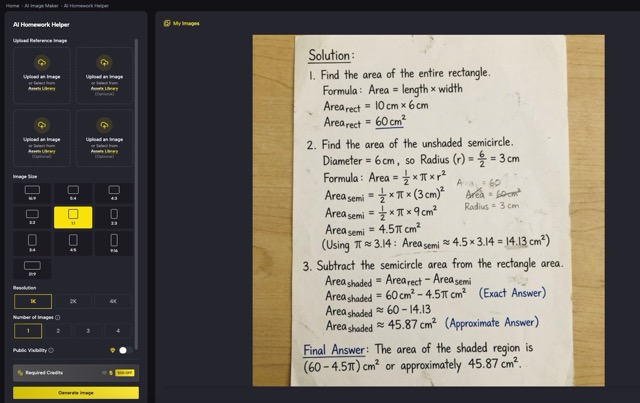 A screenshot of the SuperMaker AI Homework Helper interface showing the "Upload Image" area.
How to Generate Handwritten Solutions in 3 Simple Steps
Using a visual AI homework helper is different from chatting with a bot. To get the most realistic result—where the handwriting looks natural and the math is accurate—follow this optimized workflow.
Step 1: Snap a Clear "Scan"
The quality of your output starts with the input. You don't need a professional scanner, but clarity matters.
- For physical textbooks: Snap a photo in good lighting. Ensure the text is flat to avoid distortion.
- For digital assignments: Simply take a screenshot of the problem.
- Pro Tip: Crop the image so it only focuses on the specific problem you want to scan, solve, and convert. This helps the AI focus strictly on the math notation.
Step 2: Upload to SuperMaker
Instead of typing out complex formulas like integrals or chemical bonds (which takes forever), just head to the tool and hit "Upload Image."
- The AI will analyze the visual data.
- It interprets not just the numbers, but the intent—whether it is a geometry proof or a calculus equation.
Step 3: Generate the "Draft Paper" Look
This is the magic moment. The tool processes the solution and renders it onto a virtual canvas.
- The Result: You get a high-resolution image containing the step-by-step solution.
- The Difference: Notice the natural handwriting. The lines might vary slightly in thickness, and the alignment mimics how a human hand moves across a page. It’s a realistic handwritten solution that is ready to be saved or printed.
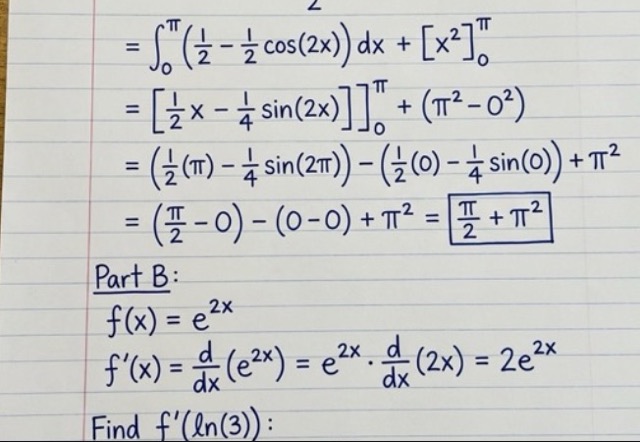 A high-quality close-up image of the final output: complex math equations written in "handwriting" on grid or lined paper background.
Tips for Getting the Most Out of Your AI Tutor
To truly benefit from this tool (and not just use it as a shortcut), here is how top students are using it effectively on SuperMaker AI Homework Helper:
- Use It as a "Reverse Check": Do the problem yourself first on a scratchpad. Then, use the math solver picture function to generate the correct steps. Compare your handwritten work with the AI's. Did you miss a negative sign? Did you skip a step? This "Spot the Difference" method is one of the fastest ways to learn.
- Create Perfect Study Notes: Sometimes you understand the concept, but your own notes are messy and illegible. Use the tool to generate neat, organized, yet handwritten-style notes for difficult problems. Print them out and stick them in your notebook as a "Gold Standard" reference for exam revision.
- Handle Complex Notation: Typing out matrices, limits, or organic chemistry structures in Word is a nightmare. If your teacher accepts digital submissions but prefers handwriting, this tool saves you hours of formatting time. You get the professional look of a digital document with the personal feel of a handwritten assignment.
Conclusion
The days of choosing between "fast digital answers" and "slow manual copying" are over.
As AI technology matures, tools like SuperMaker are redefining what an AI homework helper can be. By combining powerful problem-solving capabilities with the ability to generate a realistic handwritten solution, students now have a tool that truly fits their workflow.
Whether you need to check your work, format complex equations, or simply save time on transcription, the power to scan, solve, and write is now just a click away.
Ready to try it? Upload your first homework picture on SuperMaker AI Homework Helper now!


