
Unlock Perfect Poses: The Ultimate Guide to AI Pose Generators
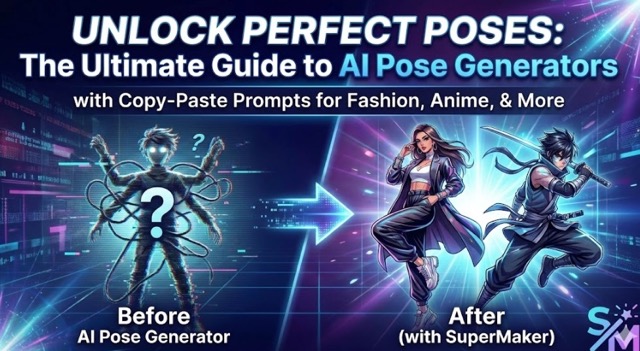
A comprehensive guide on utilizing AI Pose Generators for photography, illustration, and design. Learn how to eliminate distortion, ensure consistency, and access our curated library of copy-paste prompts for fashion models, anime characters, and 360° product views.
What is AI Pose Generator?
AI Pose Generator is a tool that lets creators quickly create human poses for photography, illustration, or design. It can produce realistic or stylized gestures, and users can adjust angles and posture to fit any scene. This tool saves time and provides clear pose references for creative projects.
What Can AI Pose Generator Do?
AI Pose Generator supports photographers, illustrators, and designers by providing flexible, realistic, and consistent pose references. Here is how it transforms different creative workflows:
Photography Reference and Composition
Photographers can generate multiple model poses, including standing, sitting, or dynamic actions. AI Pose Generator allows them to plan shots, adjust camera angles, and compose scenes before shooting. Using AI for pose reference reduces repeated on-set direction, making sessions faster and more efficient.
Illustration and Concept Art Support
Illustrators, comic artists, and concept designers can create static and dynamic human poses for character drawing, storyboard planning, and scene composition. AI Pose Generator helps artists explore gestures, body positions, and perspectives quickly, providing accurate references that enhance creativity.
Design and Marketing Visuals
Designers can generate multi-angle model poses with consistent lighting and style for advertising graphics, banners, social media posts, or promotional visuals. AI Pose Generator ensures uniformity across materials and speeds up content production, saving time and resources.
Why Choose AI Pose Generator?
Beyond the use cases above, why should you choose a specialized tool over standard text-to-image prompting?
- Zero Distortion: The AI locks the bone structure, ensuring hands, knees, and elbows are anatomically correct. No more "noodle arms."
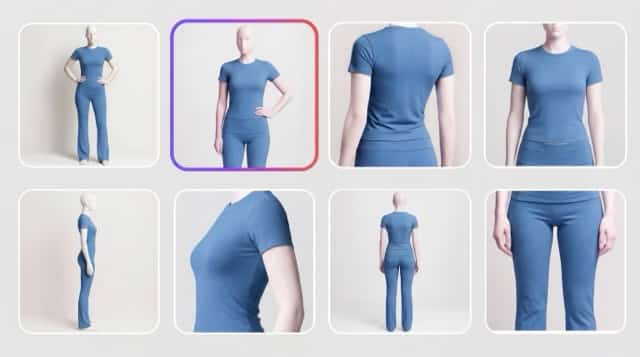
- Consistency for Sellers: Showcase the same outfit from multiple angles (Front, Side, Back) to give customers a 360° view of your product.
- Complex Action Made Easy: Whether it's hyper-realistic sports or stylized anime combat, the pose remains stable even in dynamic scenes.
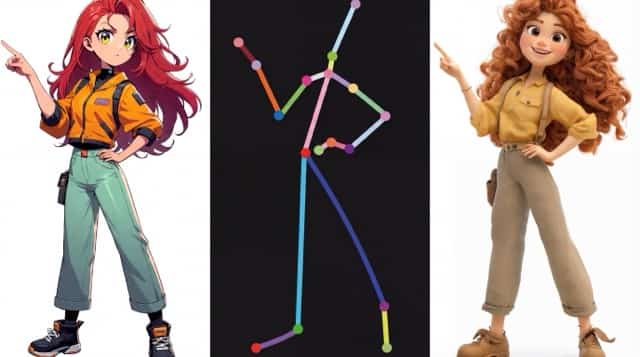
- Turn Any Photo into a Template: Found a cool pose? Extract the skeleton and use it for your own model instantly.
Prompts for Creating Charm AI Poses
To help you get the best results, we have analyzed the most effective poses from our library—including fashion grids, 360° product views, and anime action shots—to give you these ready-to-use prompts.
** Instructions:** Select a category, COPY the prompt, and PASTE it directly into our tool.
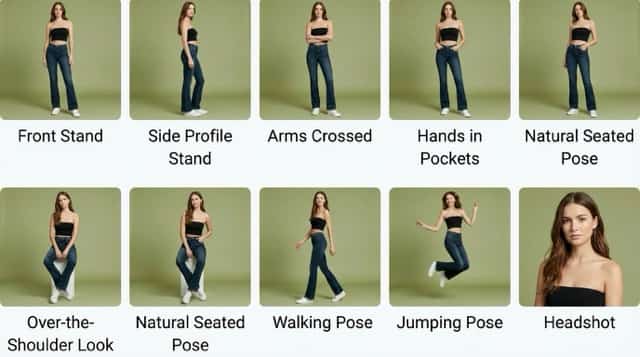
Category 1: Essential Model Poses (The 9-Grid Collection)
Based on the classic studio poses perfect for fashion and catalogs.
1. Front Stand
full body shot, model standing facing camera, symmetrical pose, arms relaxed at sides, neutral expression, feet shoulder width apart, studio lighting, solid background
2. Side Profile Stand
full body side profile, model standing sideways, body turned 90 degrees to camera, looking forward, straight posture, arms relaxed at sides, minimalist background
3. Arms Crossed (Power Pose)
medium-full shot, model standing with arms crossed over chest, confident expression, direct eye contact, feet planted firmly, boss vibe, studio lighting
4. Hands in Pockets
full body shot, standing pose, both hands in front pockets, weight shifted to one leg, relaxed shoulders, casual lean, denim fashion style
5. Natural Seated Pose
full body shot, sitting on a simple white cube, hands resting gently on knees, legs crossed at ankles, leaning slightly forward, soft natural lighting
6. Over-the-Shoulder Look
view from behind, model turning head back to look over shoulder, 3/4 turn, hand gently touching thigh, hair falling over back, elegant pose
7. Walking Motion Pose
full body shot, model walking sideways across frame, mid-stride, arms swinging naturally, dynamic movement, clothes flowing, fashion runway style
8. Jump Pose
full body shot, model jumping in the air, knees bent, arms raised joyfully, floating hair, frozen in time, dynamic action shot, zero gravity feel
9. Close-Up
close up headshot, cropped at shoulders, model looking away, hand touching chin, soft smile, beauty lighting, shallow depth of field, sharp focus on eyes
Category 2: 360° Product Views
Perfect for e-commerce listings where you need to show the fit from every angle.
1. Front View
3D render style, female model wearing pink t-shirt and trousers, front view, standing straight, arms slightly away from body, clean studio background
2. Side View
3D render style, side profile shot, female model in pink outfit, body turned 90 degrees, standing straight, showcasing the side cut of the trousers
3. Back View
3D render style, view from behind, back of model facing camera, showcasing back design of the pink t-shirt, arms relaxed at sides
4. 3/4 Angle View
3D render style, three-quarter view, body turned 45 degrees, one leg slightly forward, showcasing the fit and texture of the fabric
Category 3: Anime & Action Poses
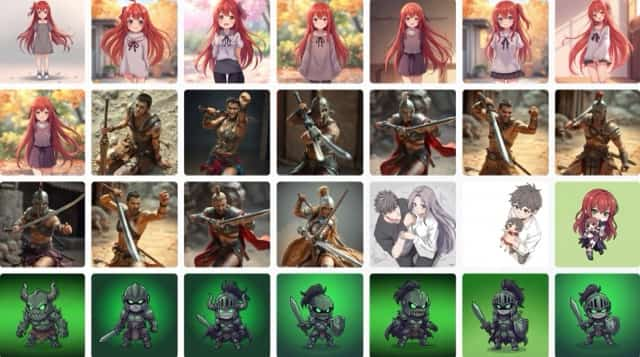
From cute daily life to intense combat scenes.
1. Cute Daily Life
anime style, cute girl with long pink hair, wearing oversized sweater, standing straight, smiling sweetly, soft sunlight, slice of life vibe
2. Fantasy Warrior (Weapon Stance)
anime digital art, female warrior holding a spear behind her back, confident smirk, standing tall, detailed armor, magical fantasy background
3. Dual-Wielding Action
dynamic anime action shot, female fighter holding dual swords, body twisted in motion, slashing effect, intense expression, sparks flying, cinematic lighting
Category 4: Skeleton Extraction & Modifiers
Use these prompts to transform static photos into new styles.
1. OpenPose
minimalist graphical representation of a human skeleton pose, black background, colorful stick figure lines, simple geometry, joint nodes highlighted as colored dots, openpose style, computer vision visualization
2. Fashion Accessory (Holding Hat)
medium shot, female model wearing a summer dress, one hand holding the brim of a straw hat, smiling, sunny outdoor lighting, vacation vibe
How to Use the AI Pose Prompts
You are just one click away from professional results. Follow these simple steps:
- Choose: Pick one of the prompts above that fits your goal.
- Copy: Highlight the text in the grey box and copy it.
- Click: Go to our tool page here: SuperMaker AI Pose Generator
- Paste: Paste the text into the prompt box on the page.
- Generate: Click the button and watch the magic happen!
Conclusion
Whether you are an e-commerce seller needing a "Back View" for a t-shirt, or an artist creating a "Katana Stance" for a comic, the right pose makes all the difference.
Don't let bad anatomy ruin your creativity. Use the prompts above and experience the precision of AI Pose Generation today.


