logo
0

Prompts IA

Prompts IA pour images et vidéos, prêts à utiliser

Explorez des prompts IA avec des aperçus d’images et de vidéos. Choisissez une direction visuelle, copiez le texte ou ouvrez le générateur SuperMaker approprié pour l’adapter à votre idée.

Parcourir par modèle

Derniers prompts d’images IA

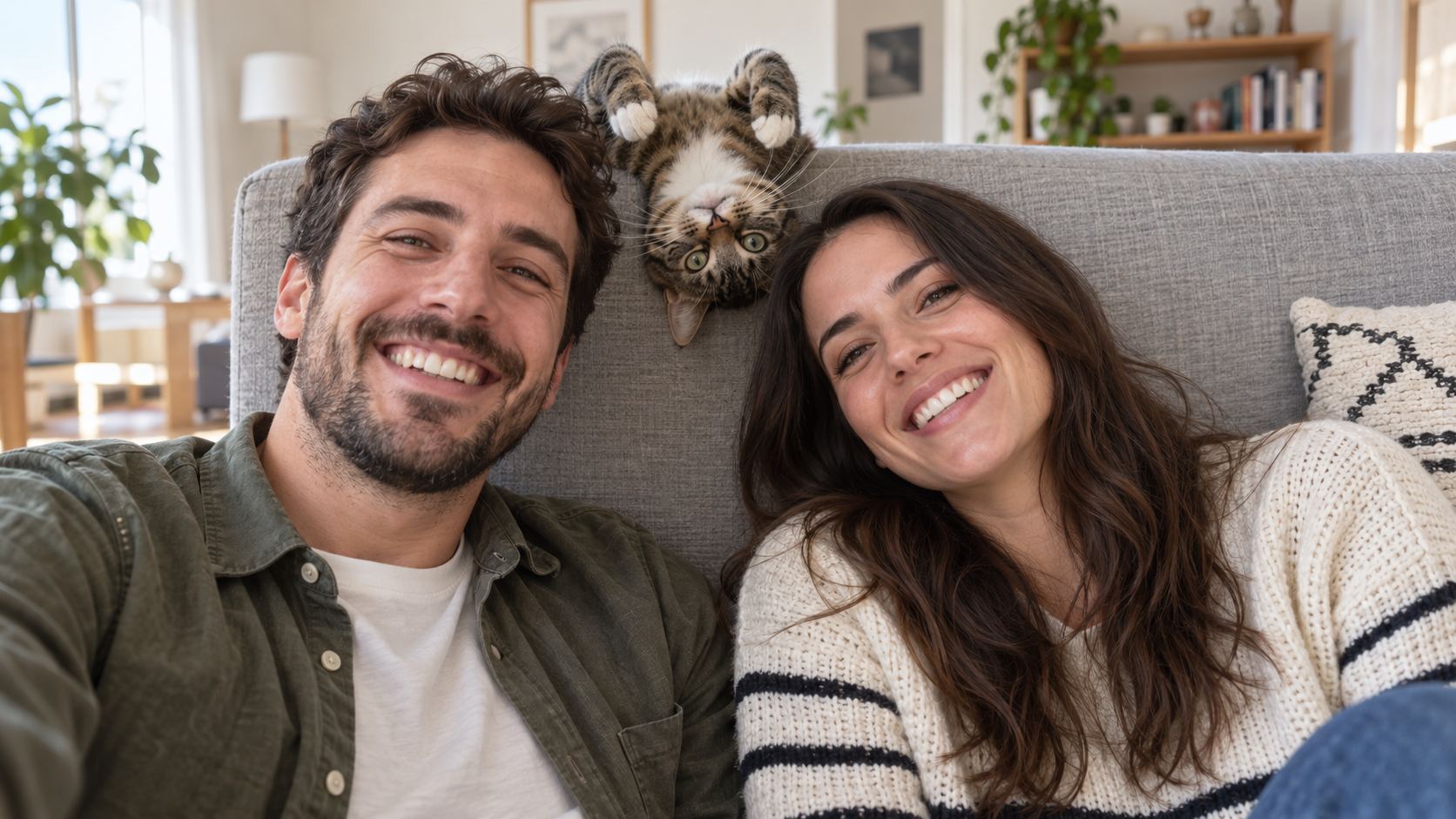
Edit the uploaded photo into a bright living-room selfie. Preserve both friends' facial identities,
Prompts Drôles Avec IA
Edit the uploaded photo into a bright living-room selfie. Preserve both friends' facial identities,

Edit the uploaded photo into a bright living-room selfie. Preserve both friends' facial identities, hair, clothes, and smiles, plus the cat's exact coat markings. Seat the friends on either side of the frame. Add the cat safely leaning over the high sofa back between them, its head upside down and front paws visible above the cushion, as if it interrupted a normal portrait. Keep all three faces sharp and readable. Use natural window light, plausible body positions, and realistic fur and skin. The cat's photobomb should feel spontaneous. One complete 16:9 photograph, no text or watermark.
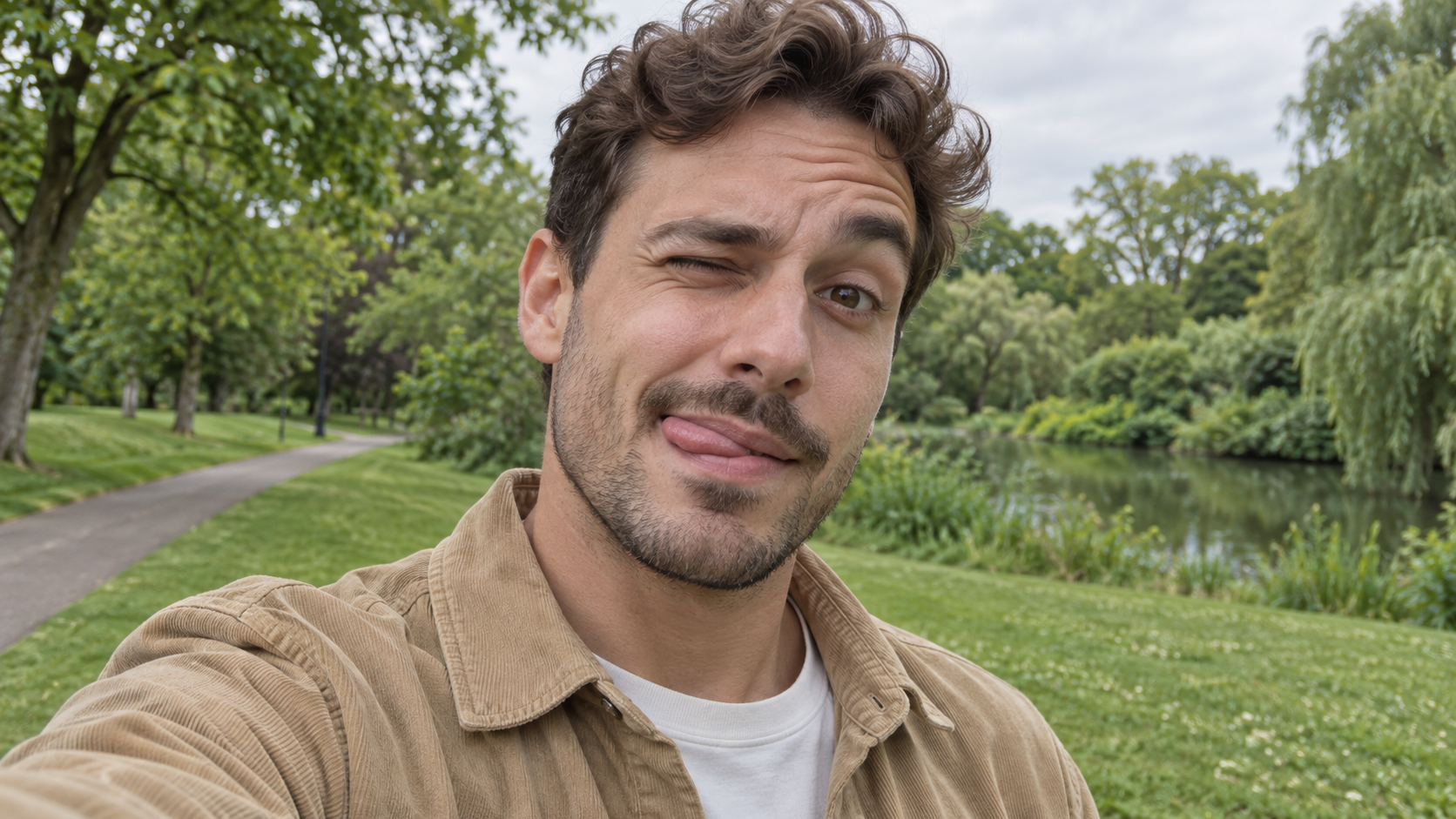
Edit the uploaded photo of one person into a playful outdoor selfie. Preserve their facial identity,
Prompts Drôles Avec IA
Edit the uploaded photo of one person into a playful outdoor selfie. Preserve their facial identity,

Edit the uploaded photo of one person into a playful outdoor selfie. Preserve their facial identity, hairstyle, age, clothing, and the original outdoor background. Have them tilt the head slightly, wink one eye, raise the eyebrow over the open eye, and touch the tongue to one corner of the mouth in a cheeky sideways expression. Keep the tongue subtle, as in a spontaneous candid photo. Use soft overcast daylight, natural skin texture, correct eye shape, and a believable phone-camera perspective. Exactly one person, photorealistic 16:9 composition, no text or watermark.

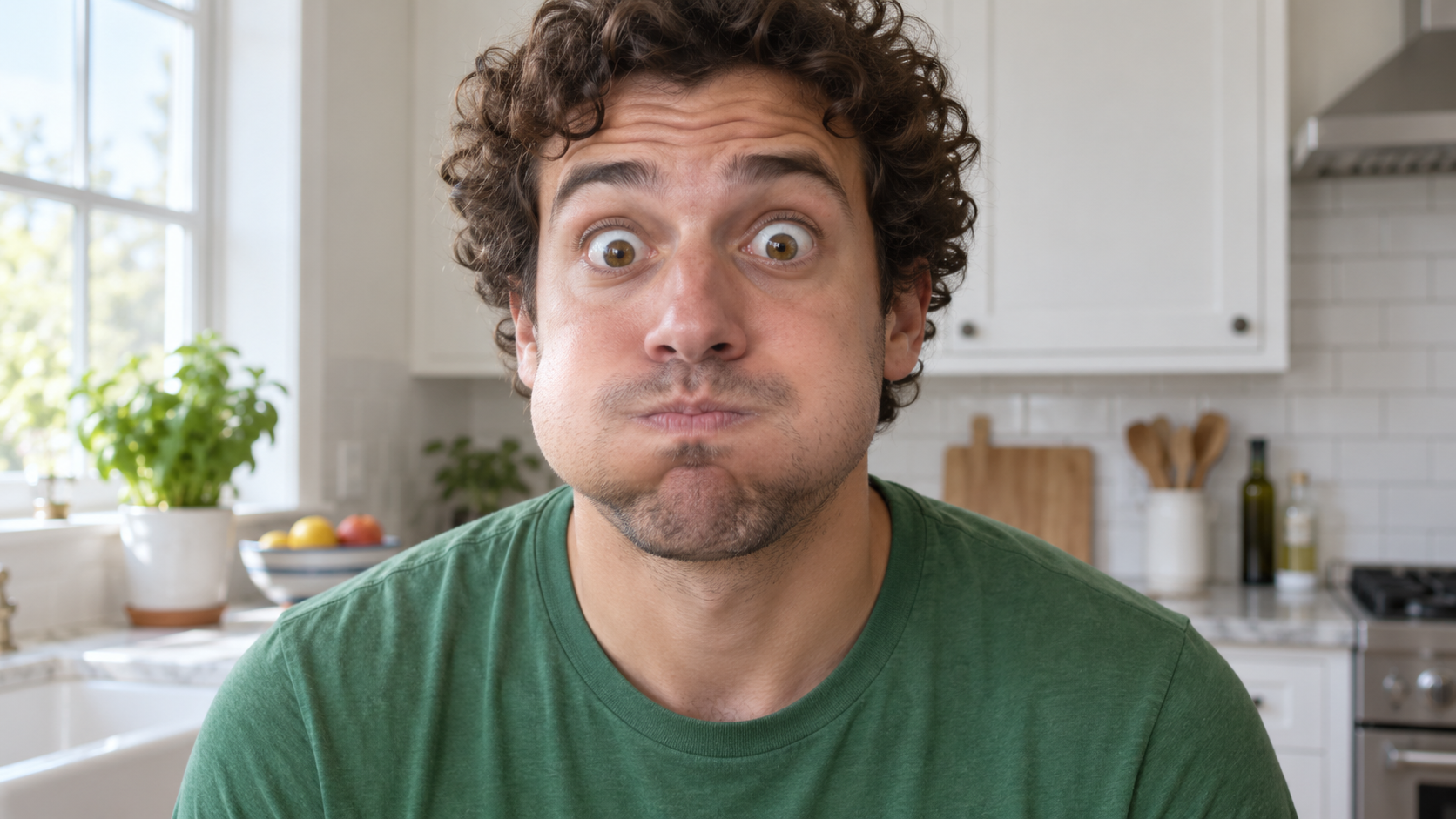
Edit the uploaded photo of one person into a close, funny kitchen portrait. Preserve the person's ex
Prompts Drôles Avec IA
Edit the uploaded photo of one person into a close, funny kitchen portrait. Preserve the person's ex

Edit the uploaded photo of one person into a close, funny kitchen portrait. Preserve the person's exact face, hair as shown in the source, skin tone, clothes, and background features. Make them puff both cheeks as if holding air, seal the lips tightly, open both eyes very wide, and raise both eyebrows. Keep the expression playful and deadpan rather than frightened. Match the original daylight and camera angle, with believable cheek volume and realistic skin texture. One person only, photorealistic 16:9 frame, no props over the face, extra people, text, or watermark.

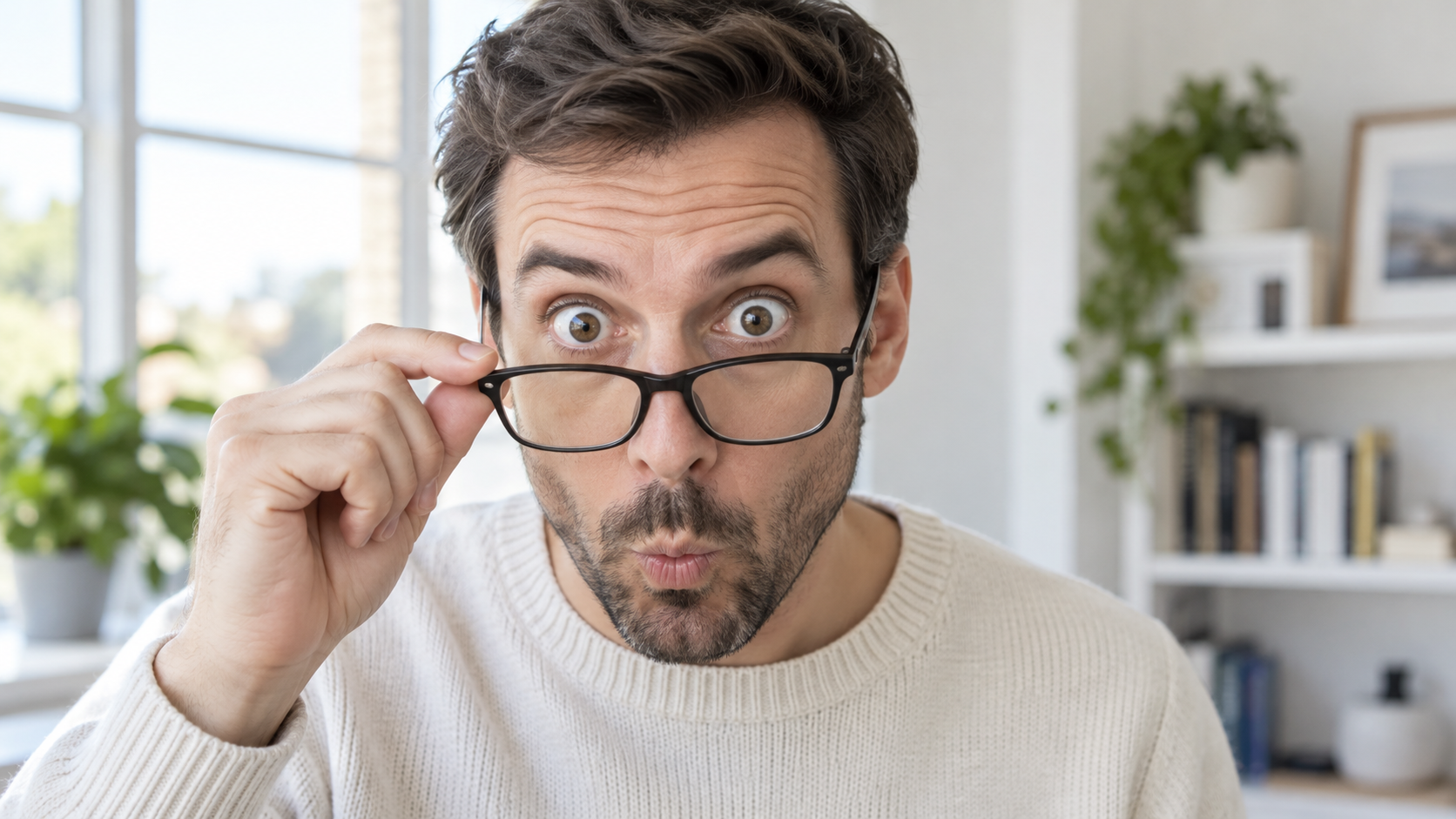
Edit the uploaded portrait of one glasses-wearing person. Preserve their facial identity, hairstyle,
Prompts Drôles Avec IA
Edit the uploaded portrait of one glasses-wearing person. Preserve their facial identity, hairstyle,

Edit the uploaded portrait of one glasses-wearing person. Preserve their facial identity, hairstyle, facial hair if present, glasses frame, sweater or shirt, and room background. Have them use one hand to pull the glasses a little way down the nose, then stare over the top edge with both eyes comically wide, eyebrows raised, and lips puckered into a tiny O. Keep the glasses aligned with the face, the hand anatomically correct, and reflections consistent with the room's daylight. Exactly one photorealistic person, close 16:9 frame, no duplicate face, text, or watermark.

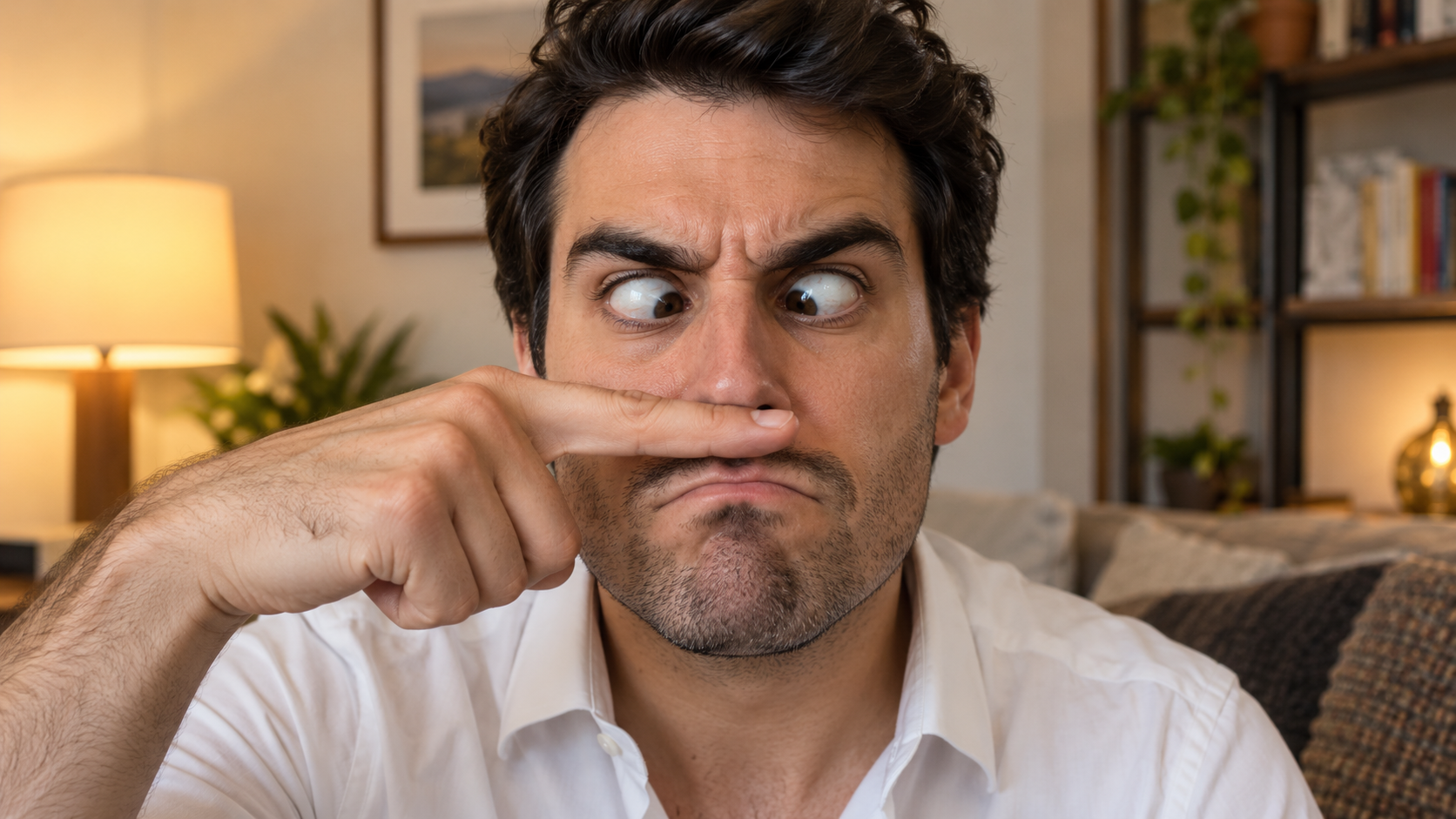
Edit the uploaded solo portrait, preserving the person's exact facial identity, hair, facial hair if
Prompts Drôles Avec IA
Edit the uploaded solo portrait, preserving the person's exact facial identity, hair, facial hair if

Edit the uploaded solo portrait, preserving the person's exact facial identity, hair, facial hair if any, clothing, and home setting. Place one of their own index fingers horizontally under the nose like a deliberately bad fake mustache. Make their eyes cross down toward the finger, eyebrows tense, and mouth form an exaggerated serious frown. Keep the finger above the upper lip, not inside the mouth, and make the hand anatomically correct. Match warm interior light and believable skin texture. One person only, photorealistic complete 16:9 image, no text or watermark.

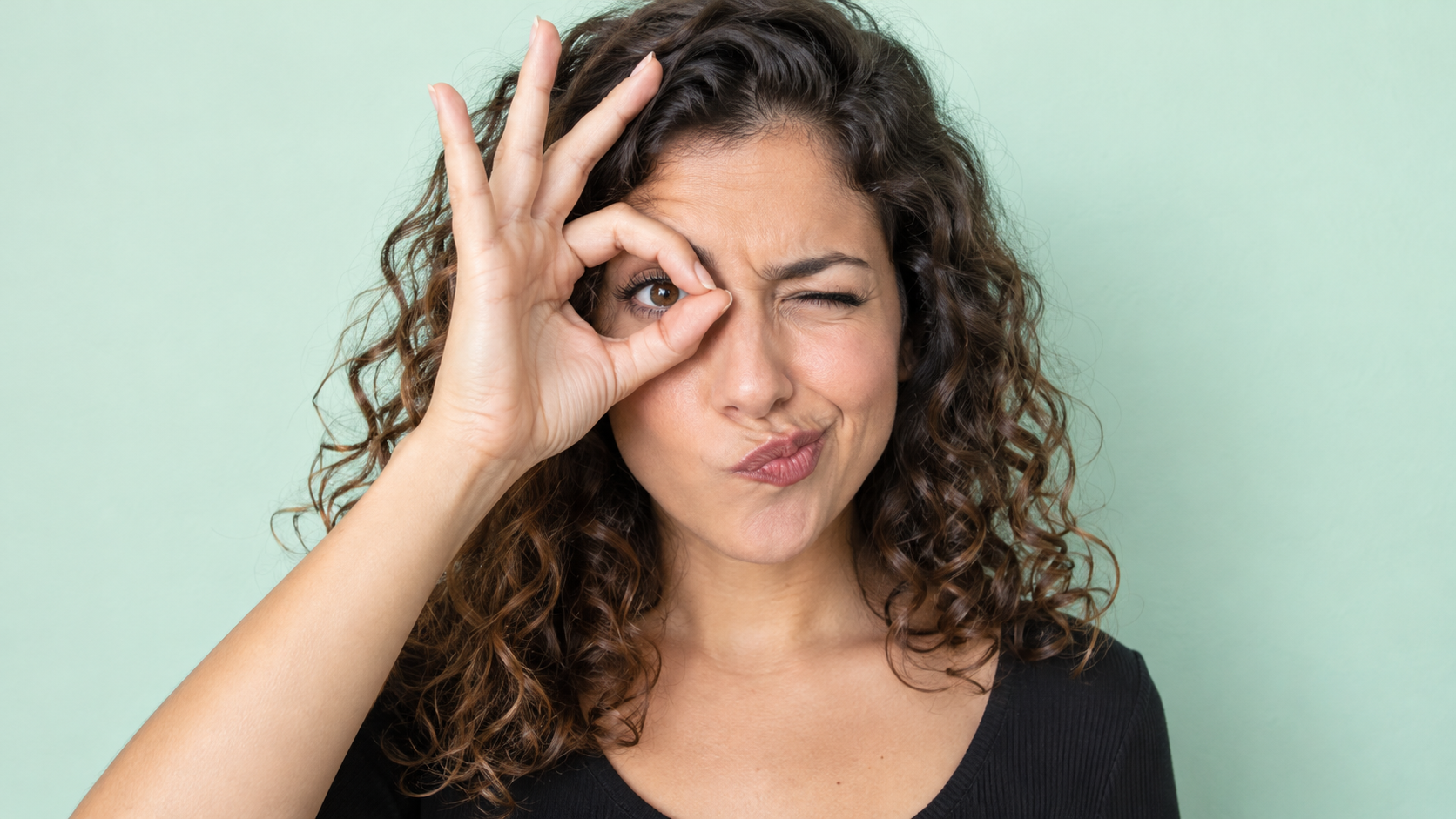
Edit the uploaded photo of one person into a playful portrait. Preserve the person's facial identity
Prompts Drôles Avec IA
Edit the uploaded photo of one person into a playful portrait. Preserve the person's facial identity

Edit the uploaded photo of one person into a playful portrait. Preserve the person's facial identity, hair, skin tone, clothing, and overall camera angle. Have them form a small circle with thumb and index finger around one open eye like a pretend monocle, squint the other eye, arch one eyebrow, and purse the lips to one side. Show the whole hand with plausible finger joints; do not obscure the open eye. Keep a clean softly colored background and bright even light. One photorealistic person only, 16:9 frame, no added accessories, text, or watermark.

Edit the uploaded portrait of one person. Preserve their facial identity, age, skin tone, hairstyle,
Prompts Drôles Avec IA
Edit the uploaded portrait of one person. Preserve their facial identity, age, skin tone, hairstyle,

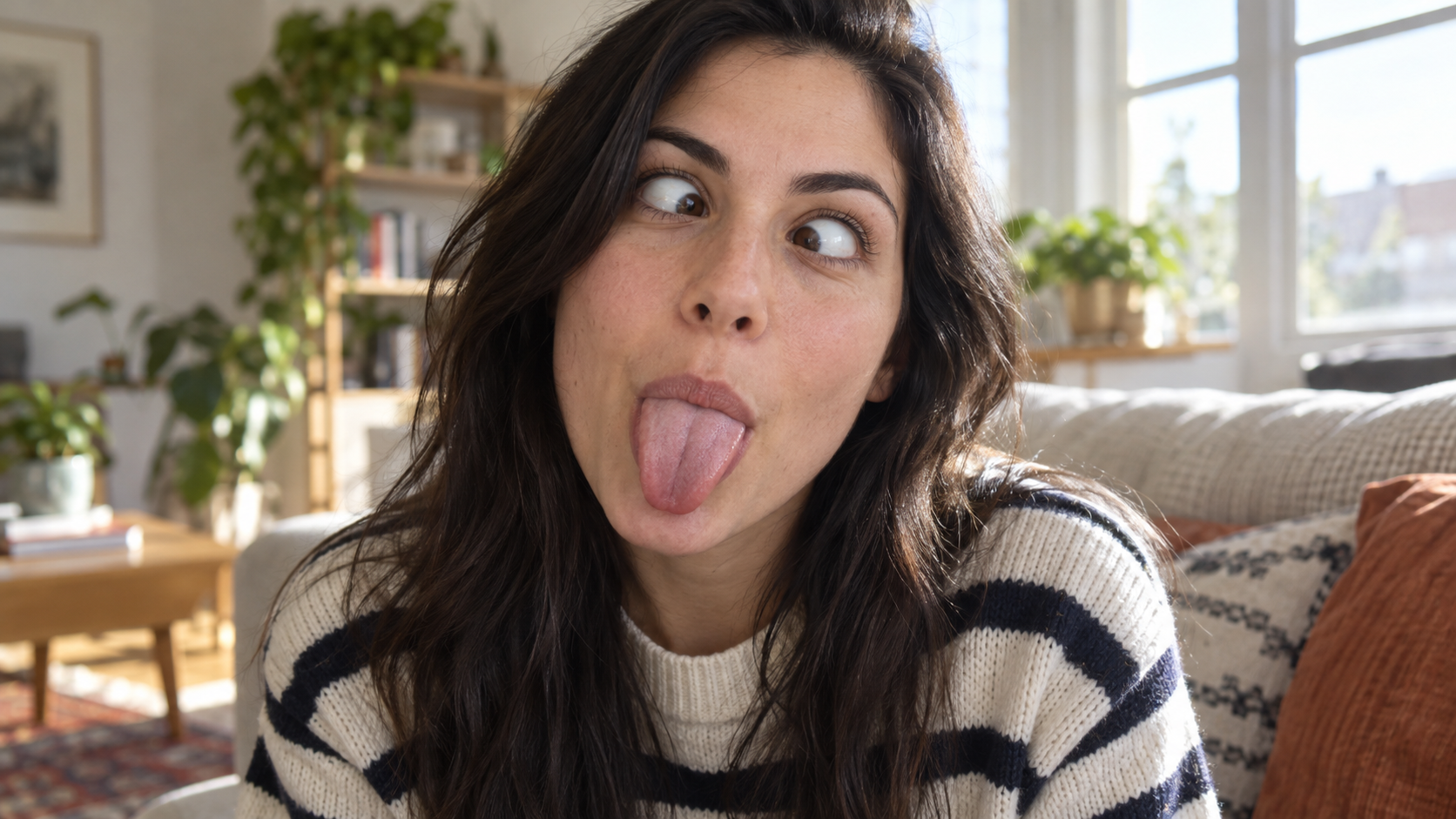
Edit the uploaded portrait of one person. Preserve their facial identity, age, skin tone, hairstyle, clothing, and the character of the original room. Turn the expression into a deliberately silly close-up: both eyes cross toward the center, eyebrows lift slightly, and the tongue sticks straight out. Keep the face large in frame with no hands covering it. Use natural window light, realistic facial muscles, skin texture, teeth and tongue, and a candid selfie feel. One photorealistic person only, complete 16:9 image, no duplicate face, text, or watermark.

Edit the uploaded solo portrait while preserving the person's facial identity, hair, clothing, skin
Prompts Drôles Avec IA
Edit the uploaded solo portrait while preserving the person's facial identity, hair, clothing, skin

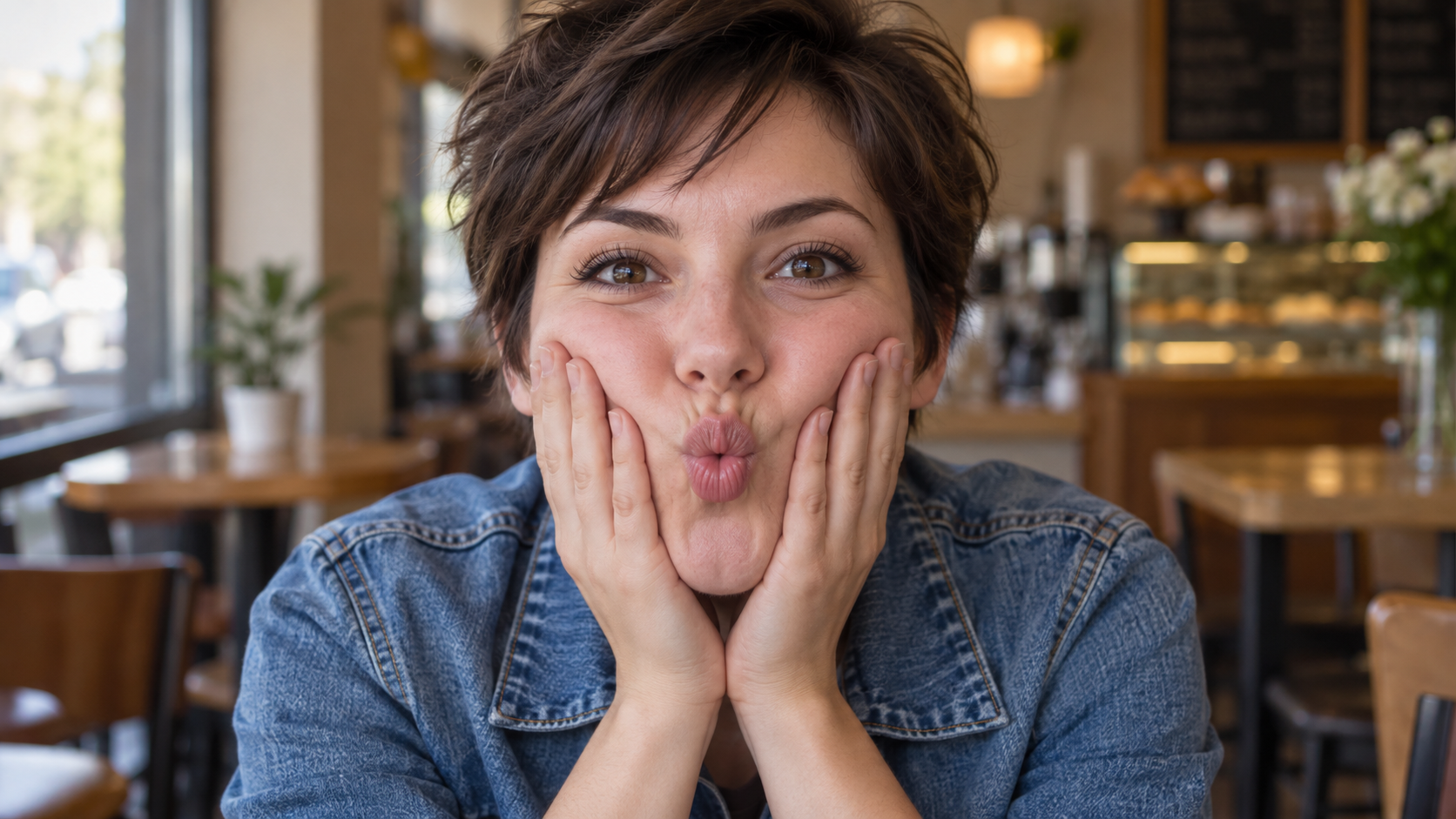
Edit the uploaded solo portrait while preserving the person's facial identity, hair, clothing, skin tone, and recognizable setting. Bring both of their own hands to the cheeks and gently press inward so the lips form a small puckered fish face. Keep both eyes directed toward the camera and the entire face visible. Make the fingers, wrists, and cheek pressure anatomically believable. Use a close portrait crop, soft natural light, and shallow background blur similar to a casual café snapshot. One photorealistic person only, complete 16:9 image, no extra hands, text, or watermark.

Derniers prompts vidéo

[Style]: Ultimate Girlfriend POV, Handheld Selfie VLOG, Vertical Aspect Ratio (9:16), Film Grain Fil
Seedance 2 Prompts
[Style]: Ultimate Girlfriend POV, Handheld Selfie VLOG, Vertical Aspect Ratio (9:16), Film Grain Fil

[Style]: Ultimate Girlfriend POV, Handheld Selfie VLOG, Vertical Aspect Ratio (9:16), Film Grain Filter, Natural Light (Golden Hour), camera includes natural shake and adjustments. [Duration]: 15 seconds [Protagonist]: Taiwanese girl, long slightly curled hair, wearing a gentle knit cardigan, clean/sheer makeup, speaking tone is soft, slightly spoiled/coquettish with a complaining accent (Taiwanese accent). [Scene]: Taipei Tamsui riverbank, background is the golden sunset, shimmering river surface, and the Lover's Bridge in the distance. Shot 1: The Rushed Intro. Visual: The camera shakes significantly because she is walking fast. She looks back at the camera (looking at you) while walking, brows slightly furrowed, pretending to be angry. Action: One hand holds the phone, while the other hand holds down her hair which is being blown by the wind. [Line/Mouth] (Soft complaining voice): "Hey, walk faster! The sun is about to set! It's all your fault for dragging your feet. If I can't get good photos later, I'm going to get mad!" Shot 2: Sharing the View. Visual: She stops walking, moves the camera away from her face, and turns it towards the stunning golden sunset across the river (Golden Hour). Action: The camera displays the scenery for 2 seconds, then immediately turns back to focus on her face. Her face is illuminated golden by the sunset, showing a super happy smile, eyes narrowed into slits from smiling. [Line/Mouth] (Exclamation voice): "Wow~ Look quick! Isn't it super beautiful! This lighting is absolutely amazing, everything looks good no matter how you shoot!" Shot 3: The Interaction. Visual: Suddenly, she is holding a super tall soft-serve ice cream unique to Tamsui. Action: She first holds the ice cream up to the camera (as if feeding you), then quickly takes a lick herself. A bit of ice cream accidentally gets on the tip of her nose. She giggles foolishly at the camera. [Line/Mouth] (Playful voice): "Here, you get the first bite. Hurry up, it's melting! Heehee, I'll give you a passing grade for today's date!"

Style: Hollywood Professional Racing Movie (Le Mans Style), Cinematic Night, Rain, High Stakes Sport
Seedance 2 Prompts
Style: Hollywood Professional Racing Movie (Le Mans Style), Cinematic Night, Rain, High Stakes Sport

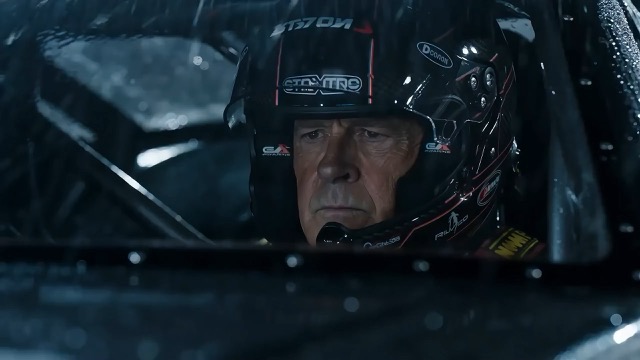
Style: Hollywood Professional Racing Movie (Le Mans Style), Cinematic Night, Rain, High Stakes Sport. Duration: 15s. [00-05s] Shot 1: The Veteran (Interior/Close-up). Rain lashes the windshield of a high-tech race car on a track. The Veteran driver (in helmet) looks over, calm and focused. Dashboard lights reflect on his visor. Dialogue Cue: He gives a subtle nod and mouths "Let's go." [05-10s] Shot 2: The Challenger (Interior/Close-up). Cut to the rival car next to him. The younger driver grips the wheel tight, breathing heavily. Eyes wide with adrenaline. Dialogue Cue: He whispers "Focus" to himself. [10-15s] Shot 3: The Green Light (Wide Action). The starting lights turn Green. Both cars accelerate in perfect sync on the wet asphalt. Water sprays massively into the camera lens. Motion blur turns the stadium lights into long streaks of color.

[Style]: Eastern Wuxia pinnacle duel, Extreme Kinetic Energy, aesthetics of environmental destructio
Seedance 2 Prompts
[Style]: Eastern Wuxia pinnacle duel, Extreme Kinetic Energy, aesthetics of environmental destructio

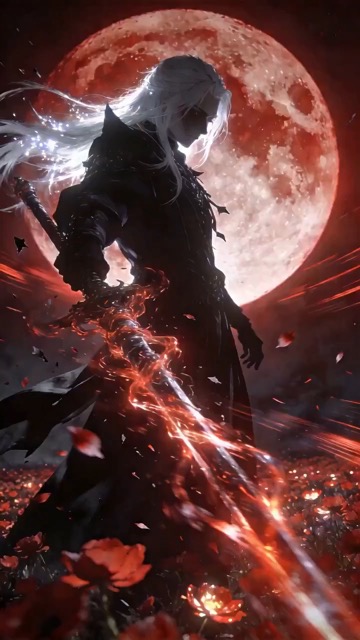
[Style]: Eastern Wuxia pinnacle duel, Extreme Kinetic Energy, aesthetics of environmental destruction, fast-paced editing, cinematic particle effects, epic score atmosphere. [Duration]: 15 seconds [Characters]: Grandmaster in white VS Grandmaster in black. Shot 1: High-speed Collision. Both the white and black figures transform into afterimages, colliding violently in the center of an ancient stone platform. At the moment of weapon contact, blinding sparks and a visible ring-shaped high-pressure Shockwave burst out. The surrounding flagstone ground instantly cracks, blasting up debris and rubble. Shot 2: Mid-air Combat & Destruction. Both soar into the air, weaving and clashing at high speed amidst falling boulders, moving too fast for moves to be seen clearly. Every block triggers a visual sense of air distortion. They crash through a massive stone pillar; the pillar collapses and shatters into powder, dust filling the air, showcasing extreme destructive power. Shot 3: Ultimate Climax. Both land and simultaneously release their ultimate moves, causing two massive energy orbs (one cyan, one red) to clash against each other. This triggers an earth-shattering explosion of dust and energy. Mushroom-cloud-like smoke rises to obscure everything, and the entire base of the stone platform begins to collapse and sink.

The man from reference image 1 as the protagonist, agile and athletic, running through a battlefield
Seedance 2 Prompts
The man from reference image 1 as the protagonist, agile and athletic, running through a battlefield

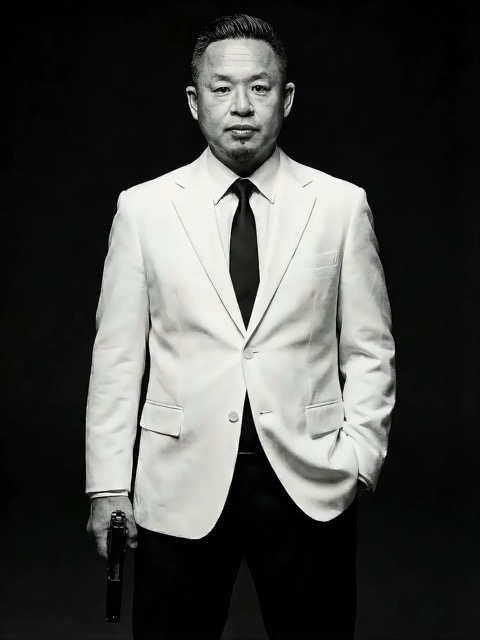
The man from reference image 1 as the protagonist, agile and athletic, running through a battlefield under a hail of bullets while engaging in intense tactical shooting. Visual Style: Cinematic quality with strong Orange and Teal color grading, high contrast, and visible film grain. Dynamic Details: Distinct muzzle flashes from the gun. Bullets striking surrounding objects create flying rubble and sparks. Smoke and shockwaves from explosions fill the background. Camera Movement: Handheld Camera style tracking shot, shaking violently alongside the character, with occasional snap zooms to create extreme tension and a chaotic sense of presence. Character Performance: The protagonist has determined eyes; his actions are filled with power and speed, perfectly replicating the vibe of a Hollywood action superstar.

[Style]: Eastern classical Xianxia aesthetics, aestheticism, cinematic quality, fluid cloth simulati
Seedance 2 Prompts
[Style]: Eastern classical Xianxia aesthetics, aestheticism, cinematic quality, fluid cloth simulati

[Style]: Eastern classical Xianxia aesthetics, aestheticism, cinematic quality, fluid cloth simulation, glowing particle effects, dreamy lighting. [Duration]: 15 seconds [Protagonist]: Exquisite fairy, wearing multi-layered plain white ethereal feather-clothing, extra-long floating ribbons. Shot 1: Epic Wide Shot. Location is an ancient platform on a floating immortal island above a sea of clouds. The fairy stands still, backed by immense rays of morning glow (Tyndall effect). The focus is on the countless long silk ribbons on her body dancing extremely smoothly in the wind, spreading across the screen like water ripples, showcasing the ultimate elegance of floating fabric. Shot 2: Slow-motion Medium Shot. The fairy begins the classical "Jinghong Dance" (Frightened Swan Dance). She rises into the air (anti-gravity Qinggong feel), spinning and throwing out wide water sleeves. The lens focuses on the form of the silk sleeves blooming in the air and her elegant body language. Shot 3: Close-up & Interaction. Camera zooms in to a facial close-up. She lightly parts her red lips to begin singing (natural singing mouth shape). Accompanying the song, countless glowing pink flower petals appear out of thin air, forming a dazzling particle storm vortex around her, her eyes filled with divine radiance.

They meet in the dead of night and engage in a fight. The fighting style is incredibly flashy, the a
Seedance 2 Prompts
They meet in the dead of night and engage in a fight. The fighting style is incredibly flashy, the a

They meet in the dead of night and engage in a fight. The fighting style is incredibly flashy, the atmosphere is tense, and the camera work is cinematic. It's like a promotional trailer for a AAA game, featuring CG and Unreal Engine 5.

Please help me generate a promotional video about the MUJI brand.
Seedance 2 Prompts
Please help me generate a promotional video about the MUJI brand.

Please help me generate a promotional video about the MUJI brand.

[Film Style]: 90s Hong Kong Art Cinema style, retro film look, High ISO Grain, ambiguous Yellow-Gree
Seedance 2 Prompts
[Film Style]: 90s Hong Kong Art Cinema style, retro film look, High ISO Grain, ambiguous Yellow-Gree

[Film Style]: 90s Hong Kong Art Cinema style, retro film look, High ISO Grain, ambiguous Yellow-Green Tint, Step-printing effect, melancholic atmosphere. [Core Line (for mood control)]: "If memory were a can, I hope it would never expire." [Video Duration]: 10 seconds [Storyboard Script]: Shot 1: Through the Glass. Visual: A red public phone booth covered in rain. Character: A man (or woman) in a khaki trench coat, clutching the receiver, not speaking, just listening. Emotional Performance: Through the refraction of the glass, seeing his/her eyes hollow yet affectionate. Rain flows on the glass, distorting his face like an oil painting. Subtitle/Voiceover feel: The scene seems frozen, only the sound of rain. Shot 2: Extreme Close-up & Micro-expression. Visual: Focus on the character's lips and half of the face. Action: He/she whispers softly into the mouthpiece. Lips tremble slightly, as if wanting to say something but swallowing it back. Lighting: Neon bokeh from the roadside flows on his face, flickering. Line/Mood Mapping: Expressing an extreme restraint and loneliness of "wanting to touch but pulling the hand back". Shot 3: Signature Smeary Slow Motion. Visual: The character hangs up, turns, and walks into the rainy night crowd. Visual FX: Using step-printing effect (Stop-motion feel), the character's back becomes blurry with motion trails (Motion Blur), as if the soul remained behind while only the body walks away. Environment: Background is flowing city car lights, forming elongated light trails. [Technical Parameters]: Handheld Camera simulation, shallow depth of field, color shift, rich emotion.

Des prompts IA pour transformer l’inspiration en point de départ

Voyez le résultat, lisez les instructions et créez votre propre version

Trouvez des prompts IA pour images accompagnés d’exemples visuels, puis explorez les idées vidéo quand votre scène nécessite du mouvement. SuperMaker réunit l’aperçu, le texte et le modèle compatible. Utilisez ces instructions pour comprendre une composition, remplacer le sujet ou le décor, puis poursuivre dans le générateur approprié. Chaque exemple vous donne une direction à adapter à votre projet.

Choisissez des prompts IA selon le résultat souhaité

Comparez les exemples visuels avant de choisir votre point de départ. Explorez les prompts IA par type de média et par modèle, puis concentrez-vous sur les détails qui façonnent le résultat.

Des prompts IA pour images avec une direction visuelle claire

Des prompts IA pour images avec une direction visuelle claire

Parcourez des prompts IA pour images adaptés aux portraits, produits, illustrations et scènes du quotidien. Cherchez un aperçu dont le cadrage, la lumière ou le style correspond à votre idée. Lisez comment le texte décrit le sujet et son environnement, puis remplacez ces détails par les vôtres. Une description ciblée donne au modèle choisi un brief plus clair.

Des prompts IA pour les mouvements et la caméra en vidéo

Des prompts IA pour les mouvements et la caméra en vidéo

En vidéo, les prompts IA doivent décrire ce qui change pendant le plan. Précisez l’action principale, le mouvement de caméra, le rythme et la fin. Comparez l’aperçu aux instructions et gardez une séquence assez simple pour la durée choisie. Commencez par une scène cohérente avant d’ajouter des mouvements plus complexes.

Copiez les prompts IA et adaptez-les à votre idée

Copiez les prompts IA et adaptez-les à votre idée

Copiez un exemple utile ou choisissez Utiliser le prompt pour ouvrir son générateur compatible. Adaptez les prompts IA pour images en modifiant le sujet, le fond, les couleurs ou le format souhaité. En vidéo, revoyez l’action et le déroulement. Vérifiez si l’exemple utilise des références et ajoutez vos propres fichiers lorsque le processus choisi les exige.

Le contexte visuel facilite la réutilisation des prompts IA

Les prompts IA sont plus faciles à évaluer lorsque vous voyez un résultat d’exemple et le modèle associé. Utilisez ce contexte pour décider quels détails intégrer à votre prochain brief.

Associez les prompts IA au bon modèle

Associez les prompts IA au bon modèle

Le modèle associé à un exemple vous aide à choisir où commencer. Les prompts IA de retouche peuvent préciser des détails à préserver ; les instructions vidéo peuvent dépendre d’une image de départ. Consultez les réglages disponibles et les entrées requises avant de générer. Un aperçu montre un résultat, tandis que vos paramètres et références peuvent modifier la sortie.

Comment utiliser les prompts IA dans SuperMaker

Passez de la découverte à un brief créatif précis en quatre étapes. Les prompts IA fournissent la structure initiale ; votre sujet, vos références et vos réglages lui donnent une direction.

1

Choisissez un objectif image ou vidéo

Utilisez des prompts IA pour images pour une scène fixe, un portrait, une photo de produit ou une illustration. Choisissez des exemples vidéo lorsque le mouvement fait partie du livrable. Commencez par l’image si vous devez d’abord définir la composition, puis planifiez l’action séparément. Déterminez le format et les détails essentiels avant de choisir un modèle.

2

Comparez les prompts IA aux aperçus

Parcourez les sections populaires et récentes, ou suivez un lien vers un modèle. Comparez les prompts IA à leurs aperçus en observant le sujet, le cadrage, la lumière et le mouvement. Vérifiez les références requises au lieu de supposer que le texte seul explique chaque détail visible.

3

Réécrivez les détails pour votre projet

Copiez les prompts IA et changez le sujet, le décor ou l’action. Retirez les instructions qui contredisent votre objectif. En adaptant des prompts IA pour images, conservez les contraintes importantes, comme préserver la forme d’un produit ou laisser de la place pour un titre. Faites une modification significative à la fois pour en évaluer l’effet.

4

Générez, examinez et affinez

Ouvrez le générateur compatible, vérifiez ses réglages et fournissez les fichiers requis. Évaluez le résultat par rapport à votre brief. Affinez les prompts IA en ajustant la composition, la lumière ou le mouvement à améliorer. Conservez les formulations utiles dans vos notes pour les adapter à de futurs projets.

Des prompts IA pour les projets créatifs du quotidien

Choisissez un exemple selon le livrable recherché, puis adaptez la scène et les contraintes à son utilisation prévue.

Photos de produits et visuels de campagne

Utilisez des prompts IA pour images afin de préparer une vue de produit épurée ou une scène de vie. Précisez l’angle, la surface, la lumière et le fond. Avec une référence produit, indiquez les étiquettes, couleurs et formes à préserver, puis vérifiez ces détails dans le résultat généré.

Portraits, mode et illustrations

Adaptez les prompts IA pour images à l’expression, la pose, les vêtements, le décor et le style visuel. Gardez une direction cohérente plutôt que de mélanger des looks sans rapport. Avec une référence de personnage, distinguez les caractéristiques à préserver des changements souhaités.

Publications sociales et concepts marketing

Utilisez les prompts IA pour explorer des miniatures, des visuels de lancement et des pistes de campagne. Décrivez le public, le sujet, la disposition et l’espace nécessaire au message. Choisissez un format adapté à la destination, puis vérifiez la lisibilité et les détails importants de la marque avant utilisation.

Vidéos courtes et scènes en mouvement

Construisez les prompts IA autour d’une action claire : une caméra qui approche du sujet, un produit qui tourne ou un personnage traversant une scène. Décrivez le début, le mouvement principal et la fin. Pour une séquence plus longue, préparez des plans distincts avec des directions visuelles compatibles.

Prompts IA : questions et réponses pratiques

Des conseils pour choisir des exemples, adapter les instructions et poursuivre dans le bon générateur.

Les prompts IA sont des instructions écrites qui orientent un modèle vers un résultat. Pour les images, décrivez le sujet, le décor, le cadrage, la lumière et le style. Pour la vidéo, ajoutez le mouvement et le déroulement temporel. Incluez les détails utiles à votre objectif et retirez les demandes contradictoires.

Parcourez les sections d’images populaires et récentes, ou ouvrez une page de modèle pour voir d’autres exemples. Comparez les prompts IA pour images à leurs aperçus, lisez le texte complet et choisissez un exemple adapté à votre sujet ou direction visuelle.

Remplacez le sujet et le décor, puis ajustez le cadrage, la lumière, les couleurs et le style. Gardez seulement les instructions utiles à votre objectif. Si une référence est requise, ajoutez vos propres fichiers et expliquez les caractéristiques qui doivent rester cohérentes.

Prenez le modèle associé à l’exemple comme point de départ pour adapter les prompts IA. Les autres modèles peuvent interpréter les instructions différemment ou exiger d’autres références et réglages. Réutilisez le concept, puis adaptez le texte et les entrées au générateur choisi.

Décrivez la scène de départ, l’action du sujet, le trajet de caméra, le rythme et la fin souhaitée. Gardez un mouvement réalisable dans la durée choisie. Ajoutez des images de référence si le processus le demande et évitez plusieurs actions concurrentes dans un plan court.

Vous pouvez parcourir les prompts IA publiés et copier leur texte. Générer une image ou une vidéo est une action distincte, soumise au modèle, aux réglages, aux droits du compte et aux crédits requis. Vérifiez le générateur avant l’envoi : copier un exemple n’inclut pas une génération gratuite.

Transformez les prompts IA en votre prochain brief créatif

Choisissez des prompts IA pour images ou un exemple vidéo, comparez l’aperçu et adaptez le texte à votre idée. Ouvrez le générateur SuperMaker approprié lorsque votre sujet, vos références et vos réglages sont prêts.

Explorer les prompts IA
Video cover