logo
0

AI-prompts

AI-prompts voor afbeeldingen en video’s, klaar voor gebruik

Ontdek AI-prompts met beeld- en videovoorbeelden. Kies een visuele richting, kopieer de tekst of open de passende SuperMaker-generator om de instructies naar je eigen idee aan te passen.

Bladeren op model

Nieuwste AI-beeldprompts

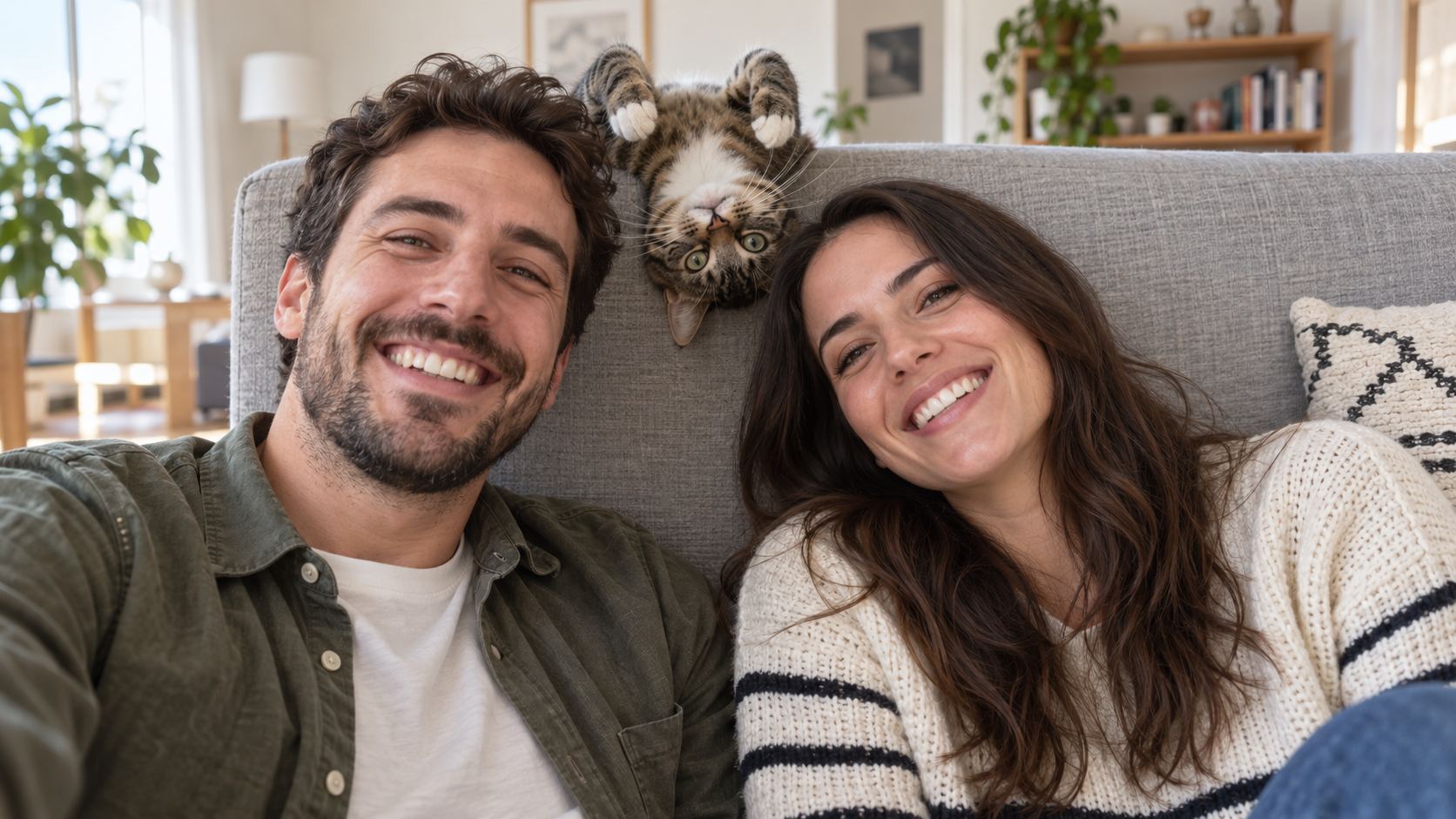
Edit the uploaded photo into a bright living-room selfie. Preserve both friends' facial identities,
Grappige AI Prompts
Edit the uploaded photo into a bright living-room selfie. Preserve both friends' facial identities,

Edit the uploaded photo into a bright living-room selfie. Preserve both friends' facial identities, hair, clothes, and smiles, plus the cat's exact coat markings. Seat the friends on either side of the frame. Add the cat safely leaning over the high sofa back between them, its head upside down and front paws visible above the cushion, as if it interrupted a normal portrait. Keep all three faces sharp and readable. Use natural window light, plausible body positions, and realistic fur and skin. The cat's photobomb should feel spontaneous. One complete 16:9 photograph, no text or watermark.
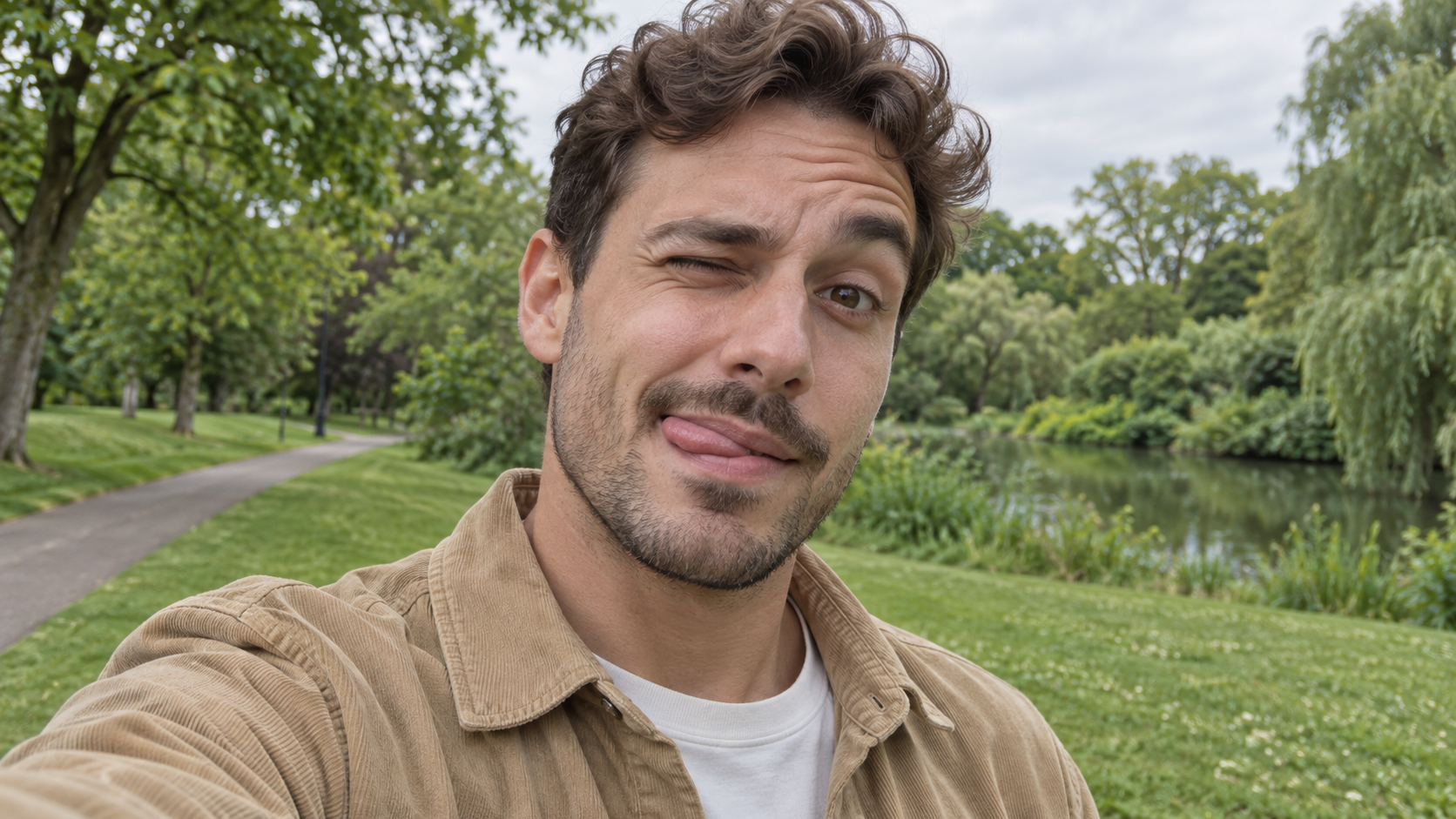
Edit the uploaded photo of one person into a playful outdoor selfie. Preserve their facial identity,
Grappige AI Prompts
Edit the uploaded photo of one person into a playful outdoor selfie. Preserve their facial identity,

Edit the uploaded photo of one person into a playful outdoor selfie. Preserve their facial identity, hairstyle, age, clothing, and the original outdoor background. Have them tilt the head slightly, wink one eye, raise the eyebrow over the open eye, and touch the tongue to one corner of the mouth in a cheeky sideways expression. Keep the tongue subtle, as in a spontaneous candid photo. Use soft overcast daylight, natural skin texture, correct eye shape, and a believable phone-camera perspective. Exactly one person, photorealistic 16:9 composition, no text or watermark.

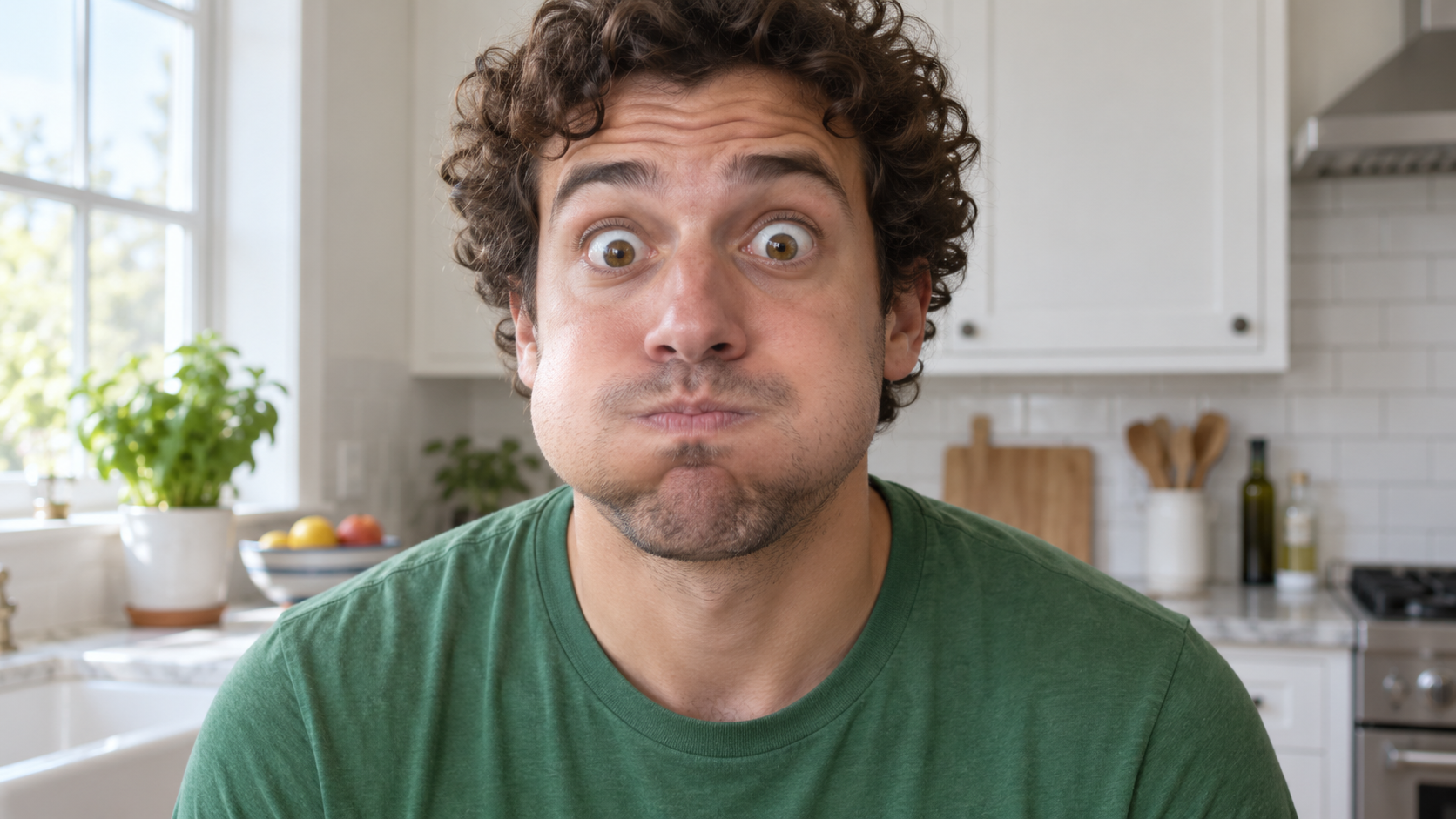
Edit the uploaded photo of one person into a close, funny kitchen portrait. Preserve the person's ex
Grappige AI Prompts
Edit the uploaded photo of one person into a close, funny kitchen portrait. Preserve the person's ex

Edit the uploaded photo of one person into a close, funny kitchen portrait. Preserve the person's exact face, hair as shown in the source, skin tone, clothes, and background features. Make them puff both cheeks as if holding air, seal the lips tightly, open both eyes very wide, and raise both eyebrows. Keep the expression playful and deadpan rather than frightened. Match the original daylight and camera angle, with believable cheek volume and realistic skin texture. One person only, photorealistic 16:9 frame, no props over the face, extra people, text, or watermark.

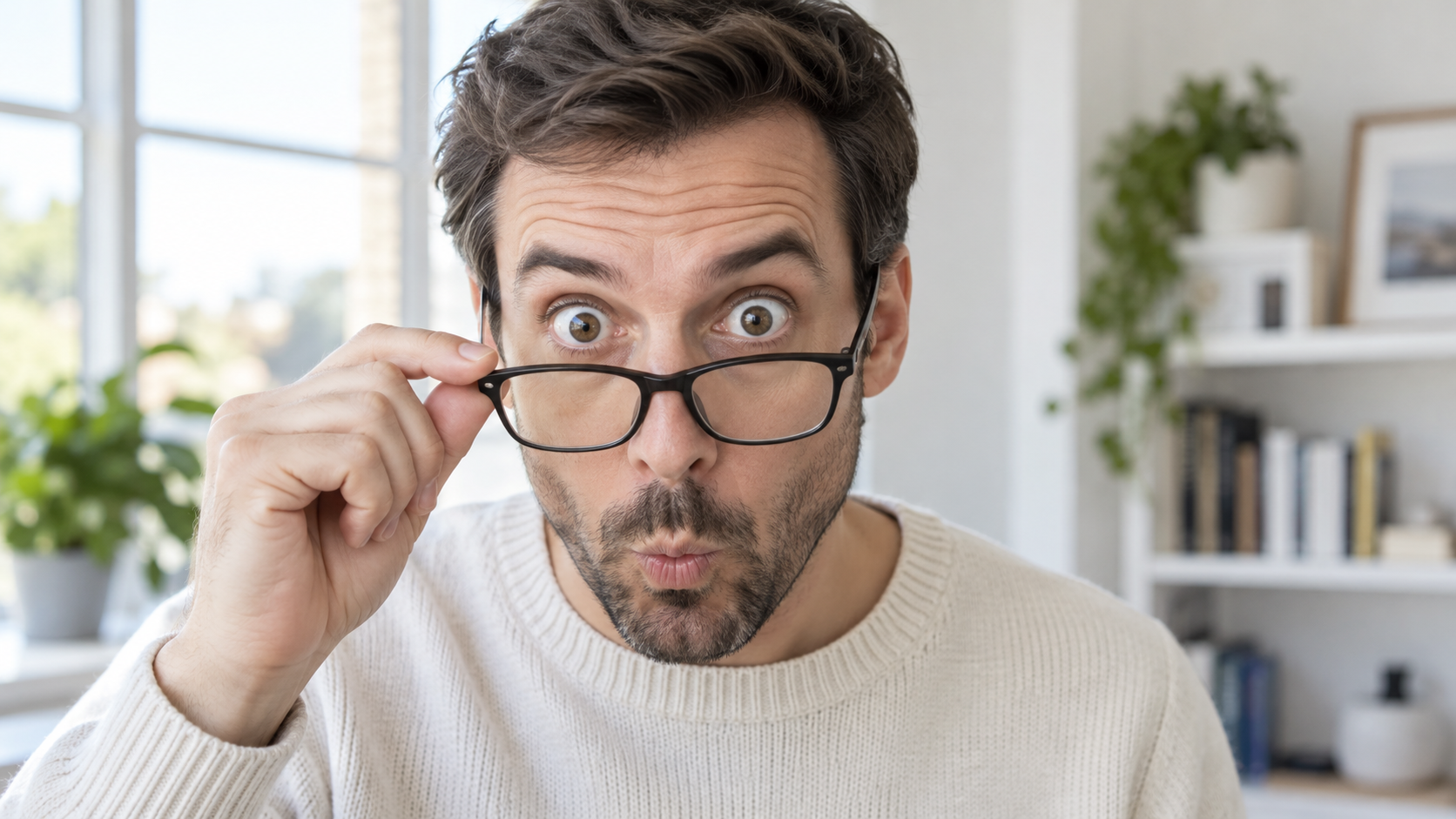
Edit the uploaded portrait of one glasses-wearing person. Preserve their facial identity, hairstyle,
Grappige AI Prompts
Edit the uploaded portrait of one glasses-wearing person. Preserve their facial identity, hairstyle,

Edit the uploaded portrait of one glasses-wearing person. Preserve their facial identity, hairstyle, facial hair if present, glasses frame, sweater or shirt, and room background. Have them use one hand to pull the glasses a little way down the nose, then stare over the top edge with both eyes comically wide, eyebrows raised, and lips puckered into a tiny O. Keep the glasses aligned with the face, the hand anatomically correct, and reflections consistent with the room's daylight. Exactly one photorealistic person, close 16:9 frame, no duplicate face, text, or watermark.

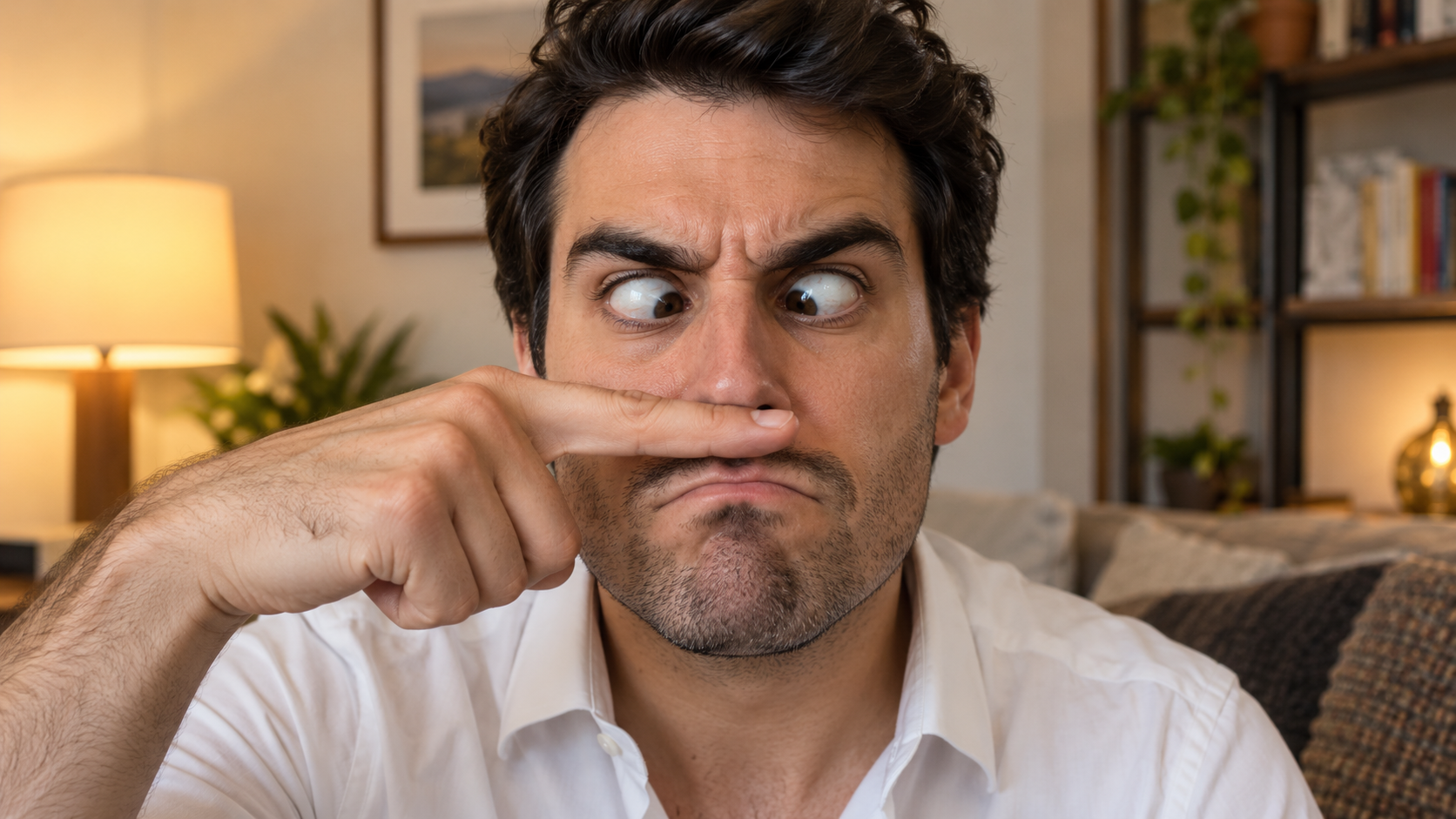
Edit the uploaded solo portrait, preserving the person's exact facial identity, hair, facial hair if
Grappige AI Prompts
Edit the uploaded solo portrait, preserving the person's exact facial identity, hair, facial hair if

Edit the uploaded solo portrait, preserving the person's exact facial identity, hair, facial hair if any, clothing, and home setting. Place one of their own index fingers horizontally under the nose like a deliberately bad fake mustache. Make their eyes cross down toward the finger, eyebrows tense, and mouth form an exaggerated serious frown. Keep the finger above the upper lip, not inside the mouth, and make the hand anatomically correct. Match warm interior light and believable skin texture. One person only, photorealistic complete 16:9 image, no text or watermark.

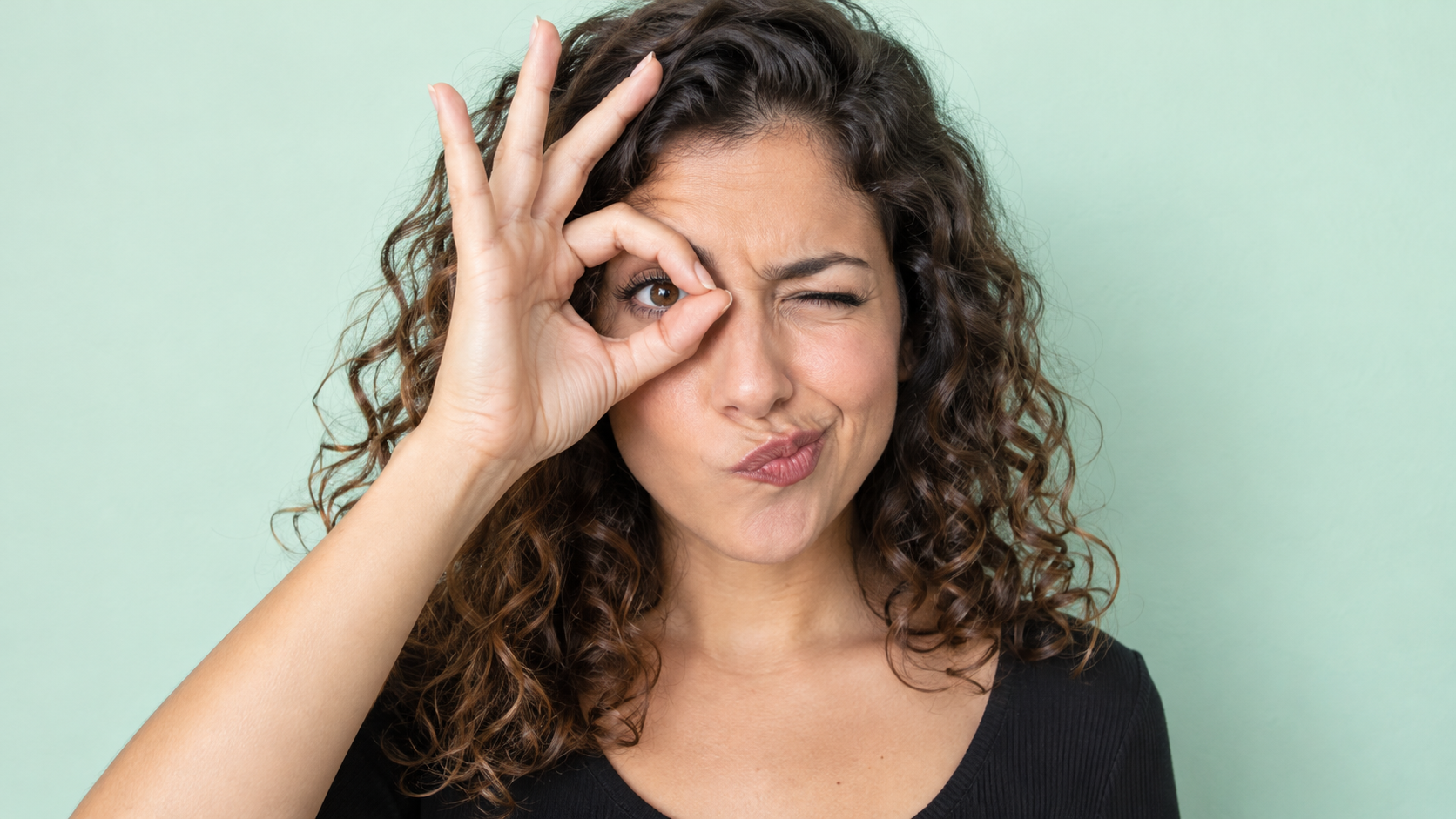
Edit the uploaded photo of one person into a playful portrait. Preserve the person's facial identity
Grappige AI Prompts
Edit the uploaded photo of one person into a playful portrait. Preserve the person's facial identity

Edit the uploaded photo of one person into a playful portrait. Preserve the person's facial identity, hair, skin tone, clothing, and overall camera angle. Have them form a small circle with thumb and index finger around one open eye like a pretend monocle, squint the other eye, arch one eyebrow, and purse the lips to one side. Show the whole hand with plausible finger joints; do not obscure the open eye. Keep a clean softly colored background and bright even light. One photorealistic person only, 16:9 frame, no added accessories, text, or watermark.

Edit the uploaded portrait of one person. Preserve their facial identity, age, skin tone, hairstyle,
Grappige AI Prompts
Edit the uploaded portrait of one person. Preserve their facial identity, age, skin tone, hairstyle,

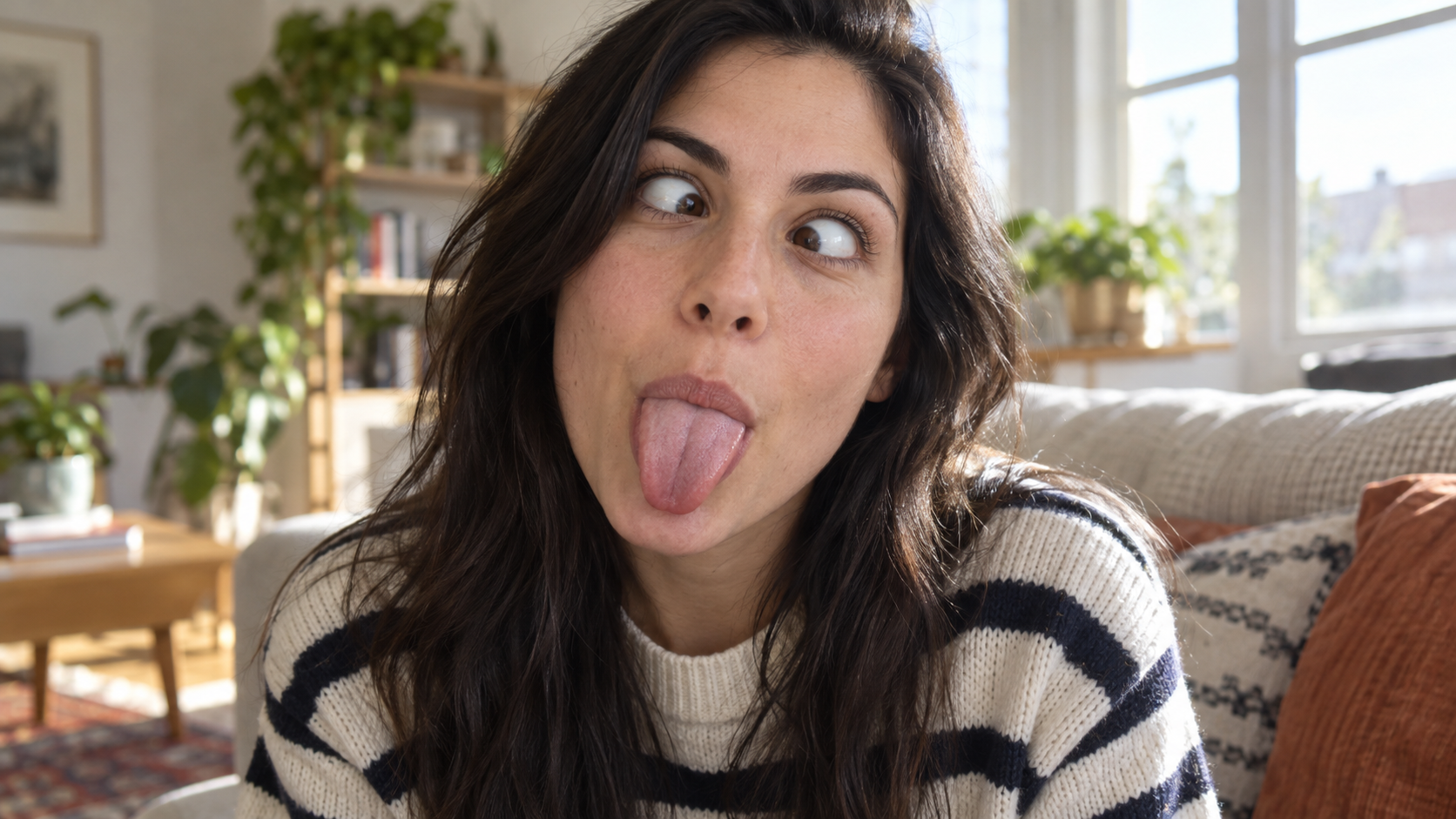
Edit the uploaded portrait of one person. Preserve their facial identity, age, skin tone, hairstyle, clothing, and the character of the original room. Turn the expression into a deliberately silly close-up: both eyes cross toward the center, eyebrows lift slightly, and the tongue sticks straight out. Keep the face large in frame with no hands covering it. Use natural window light, realistic facial muscles, skin texture, teeth and tongue, and a candid selfie feel. One photorealistic person only, complete 16:9 image, no duplicate face, text, or watermark.

Edit the uploaded solo portrait while preserving the person's facial identity, hair, clothing, skin
Grappige AI Prompts
Edit the uploaded solo portrait while preserving the person's facial identity, hair, clothing, skin

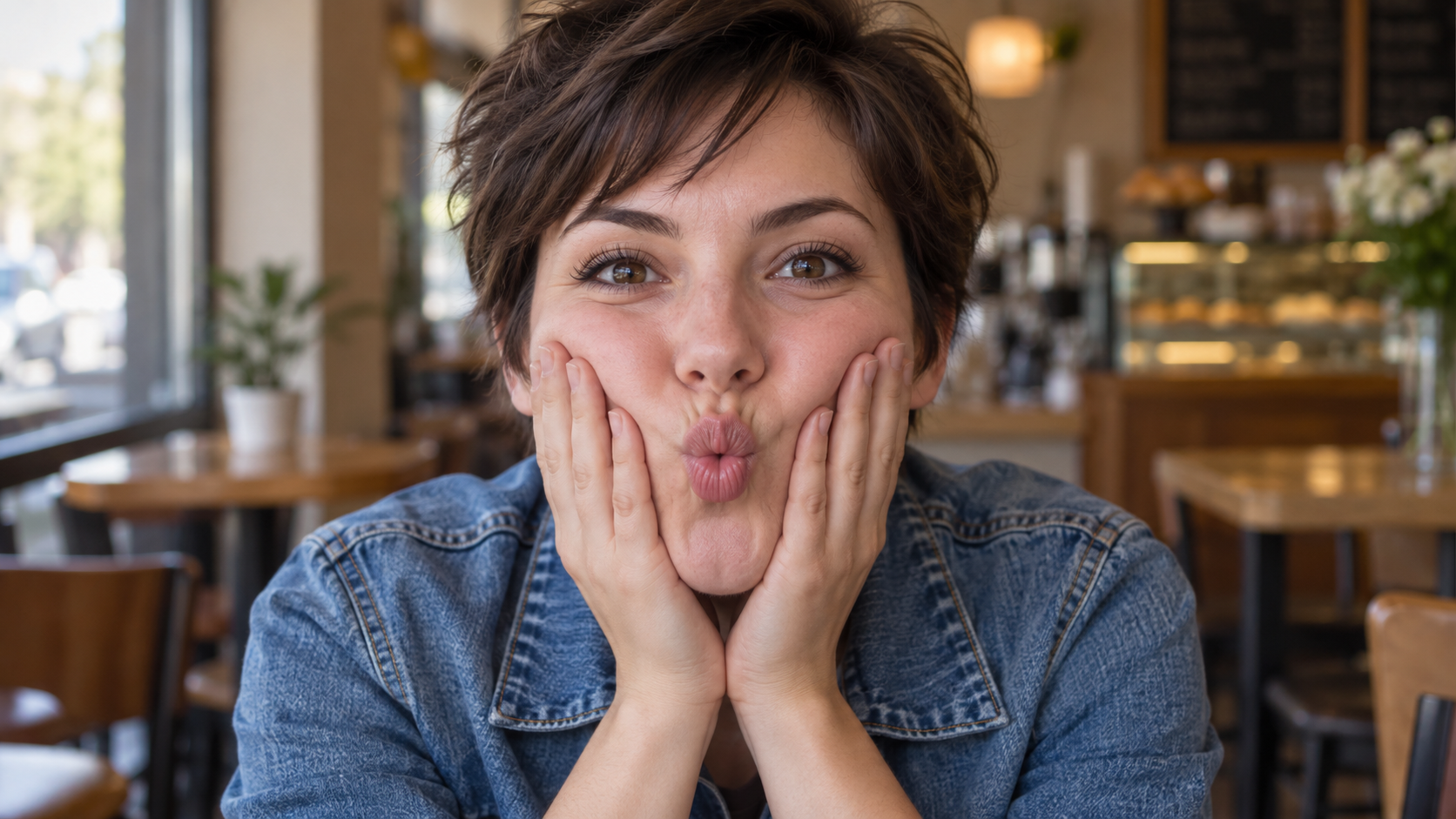
Edit the uploaded solo portrait while preserving the person's facial identity, hair, clothing, skin tone, and recognizable setting. Bring both of their own hands to the cheeks and gently press inward so the lips form a small puckered fish face. Keep both eyes directed toward the camera and the entire face visible. Make the fingers, wrists, and cheek pressure anatomically believable. Use a close portrait crop, soft natural light, and shallow background blur similar to a casual café snapshot. One photorealistic person only, complete 16:9 image, no extra hands, text, or watermark.

Nieuwste videoprompts

[Style]: Ultimate Girlfriend POV, Handheld Selfie VLOG, Vertical Aspect Ratio (9:16), Film Grain Fil
Seedance 2 Prompts
[Style]: Ultimate Girlfriend POV, Handheld Selfie VLOG, Vertical Aspect Ratio (9:16), Film Grain Fil

[Style]: Ultimate Girlfriend POV, Handheld Selfie VLOG, Vertical Aspect Ratio (9:16), Film Grain Filter, Natural Light (Golden Hour), camera includes natural shake and adjustments. [Duration]: 15 seconds [Protagonist]: Taiwanese girl, long slightly curled hair, wearing a gentle knit cardigan, clean/sheer makeup, speaking tone is soft, slightly spoiled/coquettish with a complaining accent (Taiwanese accent). [Scene]: Taipei Tamsui riverbank, background is the golden sunset, shimmering river surface, and the Lover's Bridge in the distance. Shot 1: The Rushed Intro. Visual: The camera shakes significantly because she is walking fast. She looks back at the camera (looking at you) while walking, brows slightly furrowed, pretending to be angry. Action: One hand holds the phone, while the other hand holds down her hair which is being blown by the wind. [Line/Mouth] (Soft complaining voice): "Hey, walk faster! The sun is about to set! It's all your fault for dragging your feet. If I can't get good photos later, I'm going to get mad!" Shot 2: Sharing the View. Visual: She stops walking, moves the camera away from her face, and turns it towards the stunning golden sunset across the river (Golden Hour). Action: The camera displays the scenery for 2 seconds, then immediately turns back to focus on her face. Her face is illuminated golden by the sunset, showing a super happy smile, eyes narrowed into slits from smiling. [Line/Mouth] (Exclamation voice): "Wow~ Look quick! Isn't it super beautiful! This lighting is absolutely amazing, everything looks good no matter how you shoot!" Shot 3: The Interaction. Visual: Suddenly, she is holding a super tall soft-serve ice cream unique to Tamsui. Action: She first holds the ice cream up to the camera (as if feeding you), then quickly takes a lick herself. A bit of ice cream accidentally gets on the tip of her nose. She giggles foolishly at the camera. [Line/Mouth] (Playful voice): "Here, you get the first bite. Hurry up, it's melting! Heehee, I'll give you a passing grade for today's date!"

Style: Hollywood Professional Racing Movie (Le Mans Style), Cinematic Night, Rain, High Stakes Sport
Seedance 2 Prompts
Style: Hollywood Professional Racing Movie (Le Mans Style), Cinematic Night, Rain, High Stakes Sport

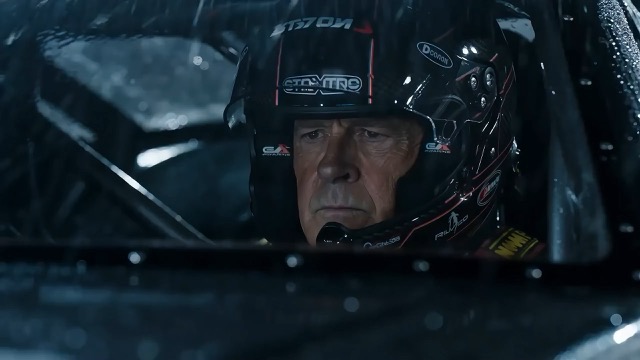
Style: Hollywood Professional Racing Movie (Le Mans Style), Cinematic Night, Rain, High Stakes Sport. Duration: 15s. [00-05s] Shot 1: The Veteran (Interior/Close-up). Rain lashes the windshield of a high-tech race car on a track. The Veteran driver (in helmet) looks over, calm and focused. Dashboard lights reflect on his visor. Dialogue Cue: He gives a subtle nod and mouths "Let's go." [05-10s] Shot 2: The Challenger (Interior/Close-up). Cut to the rival car next to him. The younger driver grips the wheel tight, breathing heavily. Eyes wide with adrenaline. Dialogue Cue: He whispers "Focus" to himself. [10-15s] Shot 3: The Green Light (Wide Action). The starting lights turn Green. Both cars accelerate in perfect sync on the wet asphalt. Water sprays massively into the camera lens. Motion blur turns the stadium lights into long streaks of color.

[Style]: Eastern Wuxia pinnacle duel, Extreme Kinetic Energy, aesthetics of environmental destructio
Seedance 2 Prompts
[Style]: Eastern Wuxia pinnacle duel, Extreme Kinetic Energy, aesthetics of environmental destructio

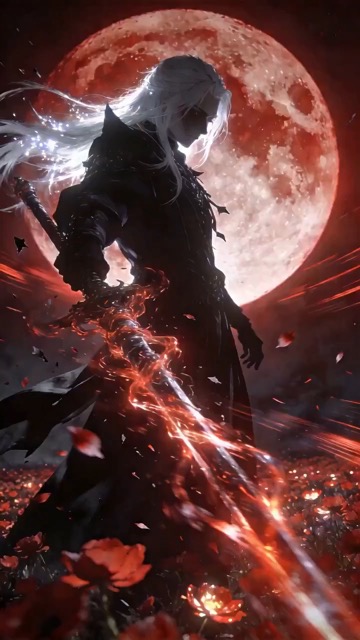
[Style]: Eastern Wuxia pinnacle duel, Extreme Kinetic Energy, aesthetics of environmental destruction, fast-paced editing, cinematic particle effects, epic score atmosphere. [Duration]: 15 seconds [Characters]: Grandmaster in white VS Grandmaster in black. Shot 1: High-speed Collision. Both the white and black figures transform into afterimages, colliding violently in the center of an ancient stone platform. At the moment of weapon contact, blinding sparks and a visible ring-shaped high-pressure Shockwave burst out. The surrounding flagstone ground instantly cracks, blasting up debris and rubble. Shot 2: Mid-air Combat & Destruction. Both soar into the air, weaving and clashing at high speed amidst falling boulders, moving too fast for moves to be seen clearly. Every block triggers a visual sense of air distortion. They crash through a massive stone pillar; the pillar collapses and shatters into powder, dust filling the air, showcasing extreme destructive power. Shot 3: Ultimate Climax. Both land and simultaneously release their ultimate moves, causing two massive energy orbs (one cyan, one red) to clash against each other. This triggers an earth-shattering explosion of dust and energy. Mushroom-cloud-like smoke rises to obscure everything, and the entire base of the stone platform begins to collapse and sink.

The man from reference image 1 as the protagonist, agile and athletic, running through a battlefield
Seedance 2 Prompts
The man from reference image 1 as the protagonist, agile and athletic, running through a battlefield

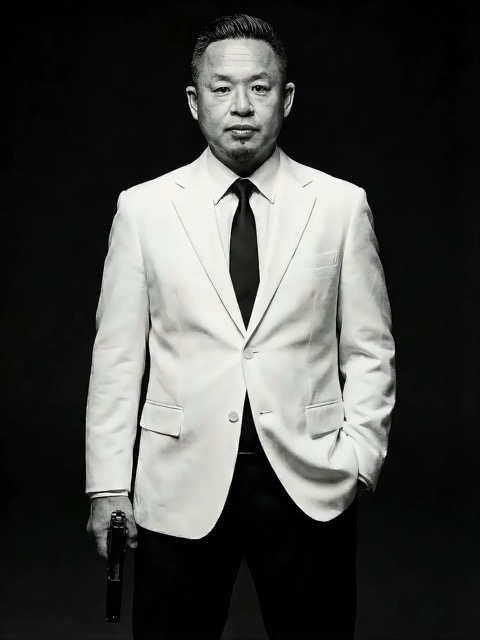
The man from reference image 1 as the protagonist, agile and athletic, running through a battlefield under a hail of bullets while engaging in intense tactical shooting. Visual Style: Cinematic quality with strong Orange and Teal color grading, high contrast, and visible film grain. Dynamic Details: Distinct muzzle flashes from the gun. Bullets striking surrounding objects create flying rubble and sparks. Smoke and shockwaves from explosions fill the background. Camera Movement: Handheld Camera style tracking shot, shaking violently alongside the character, with occasional snap zooms to create extreme tension and a chaotic sense of presence. Character Performance: The protagonist has determined eyes; his actions are filled with power and speed, perfectly replicating the vibe of a Hollywood action superstar.

[Style]: Eastern classical Xianxia aesthetics, aestheticism, cinematic quality, fluid cloth simulati
Seedance 2 Prompts
[Style]: Eastern classical Xianxia aesthetics, aestheticism, cinematic quality, fluid cloth simulati

[Style]: Eastern classical Xianxia aesthetics, aestheticism, cinematic quality, fluid cloth simulation, glowing particle effects, dreamy lighting. [Duration]: 15 seconds [Protagonist]: Exquisite fairy, wearing multi-layered plain white ethereal feather-clothing, extra-long floating ribbons. Shot 1: Epic Wide Shot. Location is an ancient platform on a floating immortal island above a sea of clouds. The fairy stands still, backed by immense rays of morning glow (Tyndall effect). The focus is on the countless long silk ribbons on her body dancing extremely smoothly in the wind, spreading across the screen like water ripples, showcasing the ultimate elegance of floating fabric. Shot 2: Slow-motion Medium Shot. The fairy begins the classical "Jinghong Dance" (Frightened Swan Dance). She rises into the air (anti-gravity Qinggong feel), spinning and throwing out wide water sleeves. The lens focuses on the form of the silk sleeves blooming in the air and her elegant body language. Shot 3: Close-up & Interaction. Camera zooms in to a facial close-up. She lightly parts her red lips to begin singing (natural singing mouth shape). Accompanying the song, countless glowing pink flower petals appear out of thin air, forming a dazzling particle storm vortex around her, her eyes filled with divine radiance.

They meet in the dead of night and engage in a fight. The fighting style is incredibly flashy, the a
Seedance 2 Prompts
They meet in the dead of night and engage in a fight. The fighting style is incredibly flashy, the a

They meet in the dead of night and engage in a fight. The fighting style is incredibly flashy, the atmosphere is tense, and the camera work is cinematic. It's like a promotional trailer for a AAA game, featuring CG and Unreal Engine 5.

Please help me generate a promotional video about the MUJI brand.
Seedance 2 Prompts
Please help me generate a promotional video about the MUJI brand.

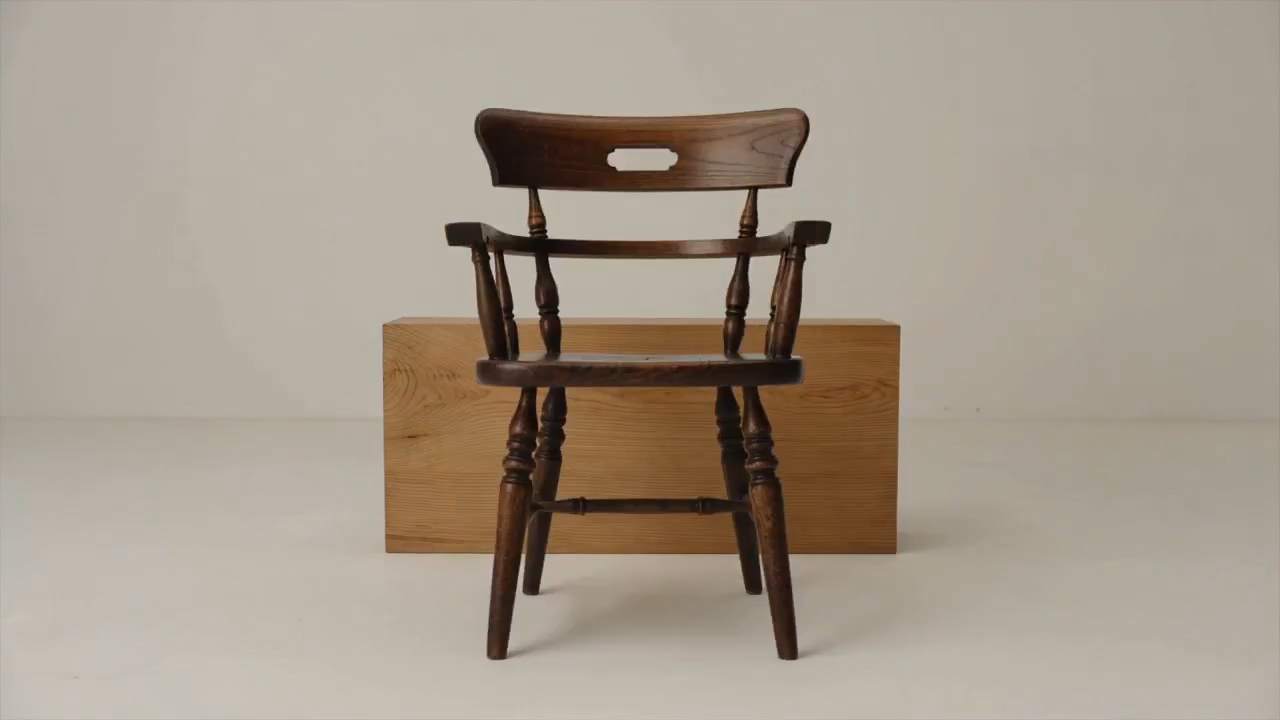
Please help me generate a promotional video about the MUJI brand.

[Film Style]: 90s Hong Kong Art Cinema style, retro film look, High ISO Grain, ambiguous Yellow-Gree
Seedance 2 Prompts
[Film Style]: 90s Hong Kong Art Cinema style, retro film look, High ISO Grain, ambiguous Yellow-Gree

[Film Style]: 90s Hong Kong Art Cinema style, retro film look, High ISO Grain, ambiguous Yellow-Green Tint, Step-printing effect, melancholic atmosphere. [Core Line (for mood control)]: "If memory were a can, I hope it would never expire." [Video Duration]: 10 seconds [Storyboard Script]: Shot 1: Through the Glass. Visual: A red public phone booth covered in rain. Character: A man (or woman) in a khaki trench coat, clutching the receiver, not speaking, just listening. Emotional Performance: Through the refraction of the glass, seeing his/her eyes hollow yet affectionate. Rain flows on the glass, distorting his face like an oil painting. Subtitle/Voiceover feel: The scene seems frozen, only the sound of rain. Shot 2: Extreme Close-up & Micro-expression. Visual: Focus on the character's lips and half of the face. Action: He/she whispers softly into the mouthpiece. Lips tremble slightly, as if wanting to say something but swallowing it back. Lighting: Neon bokeh from the roadside flows on his face, flickering. Line/Mood Mapping: Expressing an extreme restraint and loneliness of "wanting to touch but pulling the hand back". Shot 3: Signature Smeary Slow Motion. Visual: The character hangs up, turns, and walks into the rainy night crowd. Visual FX: Using step-printing effect (Stop-motion feel), the character's back becomes blurry with motion trails (Motion Blur), as if the soul remained behind while only the body walks away. Environment: Background is flowing city car lights, forming elongated light trails. [Technical Parameters]: Handheld Camera simulation, shallow depth of field, color shift, rich emotion.

AI-prompts die inspiratie omzetten in een startpunt

Bekijk het resultaat, lees de instructies en maak je eigen versie

Vind AI-prompts voor afbeeldingen met visuele voorbeelden en ontdek video-ideeën wanneer je scène beweging nodig heeft. SuperMaker brengt de preview, de tekst en het passende model samen. Gebruik de instructies om een compositie te begrijpen, het onderwerp of de omgeving te vervangen en verder te werken in de juiste generator. Elk voorbeeld biedt een richting voor je eigen project.

Kies AI-prompts voor het gewenste resultaat

Vergelijk visuele voorbeelden voordat je een startpunt kiest. Verken AI-prompts op mediatype en model en richt je op de details die het resultaat bepalen.

AI-beeldprompts voor een duidelijke visuele richting

AI-beeldprompts voor een duidelijke visuele richting

Bekijk AI-beeldprompts voor portretten, producten, illustraties en alledaagse scènes. Zoek een preview met de gewenste kadrering, belichting of stijl. Lees hoe de tekst het onderwerp en de omgeving beschrijft en vervang die details door je eigen keuzes. Een gerichte beschrijving geeft het gekozen model een duidelijkere opdracht.

AI-prompts voor videobeweging en cameraregie

AI-prompts voor videobeweging en cameraregie

Bij video moeten AI-prompts beschrijven wat er tijdens de opname verandert. Benoem de hoofdactie, camerabeweging, het tempo en het einde. Vergelijk de preview met de instructies en houd de reeks eenvoudig genoeg voor de gekozen duur. Begin met één samenhangende scène voordat je complexere beweging toevoegt.

Kopieer AI-prompts en maak ze eigen

Kopieer AI-prompts en maak ze eigen

Kopieer een bruikbaar voorbeeld of kies Prompt gebruiken om de passende generator te openen. Pas AI-beeldprompts aan door het onderwerp, de achtergrond, kleuren of het gewenste formaat te veranderen. Wijzig voor video de actie en timing. Controleer of het voorbeeld referentiemateriaal gebruikt en voeg je eigen bestanden toe wanneer de gekozen werkwijze die nodig heeft.

Visuele context maakt AI-prompts makkelijker herbruikbaar

AI-prompts zijn makkelijker te beoordelen als je een voorbeeldresultaat en het bijbehorende model ziet. Gebruik die context om te bepalen welke details in je volgende creatieve opdracht thuishoren.

Koppel AI-prompts aan het juiste model

Koppel AI-prompts aan het juiste model

Het model bij een voorbeeld helpt je een startpunt te kiezen. AI-prompts voor bewerking kunnen aangeven welke details behouden moeten blijven; video-instructies kunnen een startafbeelding nodig hebben. Bekijk de beschikbare instellingen en vereiste invoer voordat je genereert. Een preview toont één resultaat; je instellingen en referenties kunnen de uitvoer veranderen.

AI-prompts gebruiken in SuperMaker

Ga in vier stappen van bladeren naar een gerichte creatieve opdracht. AI-prompts leveren de basisstructuur; je onderwerp, referenties en instellingen geven richting.

1

Kies een beeld- of videodoel

Gebruik AI-beeldprompts voor een stilstaand beeld, portret, productfoto of illustratie. Kies videovoorbeelden wanneer beweging onderdeel van het resultaat is. Begin met afbeeldingen als je eerst de compositie wilt bepalen en plan de actie apart. Bepaal het formaat en de belangrijkste details voordat je een model kiest.

2

Vergelijk AI-prompts met previews

Bekijk de populaire en nieuwste voorbeelden of volg een modellink. Vergelijk AI-prompts met hun previews en let op onderwerp, kadrering, licht en beweging. Controleer benodigde referenties in plaats van aan te nemen dat de tekst elk zichtbaar detail verklaart.

3

Herschrijf de details voor je project

Kopieer AI-prompts en verander het onderwerp, de omgeving of de actie. Verwijder instructies die botsen met je doel. Behoud bij AI-beeldprompts belangrijke voorwaarden, zoals de vorm van een product of ruimte voor een kop. Maak steeds één betekenisvolle wijziging om het effect te kunnen beoordelen.

4

Genereer, beoordeel en verfijn

Open de passende generator, controleer de instellingen en voeg de vereiste bestanden toe. Beoordeel het resultaat aan de hand van je opdracht. Verfijn AI-prompts door compositie, licht of beweging aan te passen waar dat nodig is. Bewaar bruikbare formuleringen in je eigen notities voor latere projecten.

AI-prompts voor dagelijkse creatieve projecten

Kies een voorbeeld op basis van wat je wilt maken en stem de scène en voorwaarden af op het beoogde gebruik.

Productfoto’s en campagnebeelden

Gebruik AI-beeldprompts voor een heldere productweergave of een lifestylescène. Benoem de hoek, ondergrond, belichting en achtergrond. Geef bij een productreferentie aan welke labels, kleuren en vormen behouden moeten blijven en controleer die details in het gegenereerde resultaat.

Portretten, mode en illustraties

Pas AI-beeldprompts aan op uitdrukking, pose, kleding, omgeving en visuele stijl. Houd een consistente richting aan in plaats van ongerelateerde stijlen te mengen. Maak bij een karakterreferentie onderscheid tussen kenmerken die behouden moeten blijven en gewenste veranderingen.

Sociale posts en marketingconcepten

Gebruik AI-prompts voor thumbnails, introductiebeelden en campagnerichtingen. Beschrijf de doelgroep, het onderwerp, de indeling en de ruimte voor je boodschap. Kies een formaat dat past bij de bestemming en controleer leesbaarheid en belangrijke merkdetails voordat je het resultaat gebruikt.

Korte video’s en bewegende scènes

Bouw AI-prompts rond één duidelijke actie: een camera nadert het onderwerp, een product draait of een personage beweegt door een scène. Beschrijf het begin, de hoofdbeweging en het einde. Plan voor een langere reeks aparte shots met passende visuele richtingen.

AI-prompts: vragen en praktische antwoorden

Hulp bij het kiezen van voorbeelden, aanpassen van instructies en doorgaan in de juiste generator.

AI-prompts zijn geschreven instructies die een model naar een resultaat sturen. Beschrijf voor AI-beeldprompts het onderwerp, de omgeving, kadrering, belichting en stijl. Voeg voor video beweging en timing toe. Neem de details op die belangrijk zijn voor je doel en verwijder tegenstrijdige verzoeken.

Bekijk de populaire en nieuwste beeldvoorbeelden of open een modelpagina voor meer voorbeelden. Vergelijk AI-beeldprompts met hun previews, lees de volledige tekst en kies een voorbeeld dat bij je onderwerp of visuele richting past.

Vervang het onderwerp en de omgeving en pas daarna kadrering, licht, kleuren en stijl aan. Behoud alleen instructies die relevant zijn voor je doel. Upload je eigen materiaal als een referentie nodig is en leg uit welke kenmerken consistent moeten blijven.

Neem het model bij het voorbeeld als startpunt voor het aanpassen van AI-prompts. Andere modellen kunnen instructies anders interpreteren of andere referenties en instellingen vereisen. Hergebruik het concept, maar stem tekst en invoer af op de gekozen generator.

Beschrijf de beginscène, actie van het onderwerp, het camerapad, tempo en gewenste einde. Houd de beweging haalbaar binnen de gekozen duur. Voeg referentiebeelden toe als de werkwijze dat vereist en vermijd meerdere concurrerende acties in één kort shot.

Je kunt gepubliceerde AI-prompts bekijken en de tekst kopiëren. Een afbeelding of video genereren is een aparte handeling, afhankelijk van het gekozen model, instellingen, accounttoegang en benodigde credits. Controleer de generator voordat je de opdracht verstuurt; het kopiëren van een voorbeeld omvat geen gratis generatie.

Maak van AI-prompts je volgende creatieve opdracht

Kies AI-beeldprompts of een videovoorbeeld, vergelijk de preview en maak de tekst eigen. Open de passende SuperMaker-generator wanneer je onderwerp, referenties en instellingen klaar zijn.

AI-prompts ontdekken
Video cover