logo
0

AI 提示詞

可直接參考的 AI 圖片與影片提示詞

結合圖片與影片預覽挑選 AI 提示詞。找到合適的視覺方向後,複製文字,或開啟對應的 SuperMaker 產生器,依你的創意調整。

依模型瀏覽

最新 AI 圖片提示詞

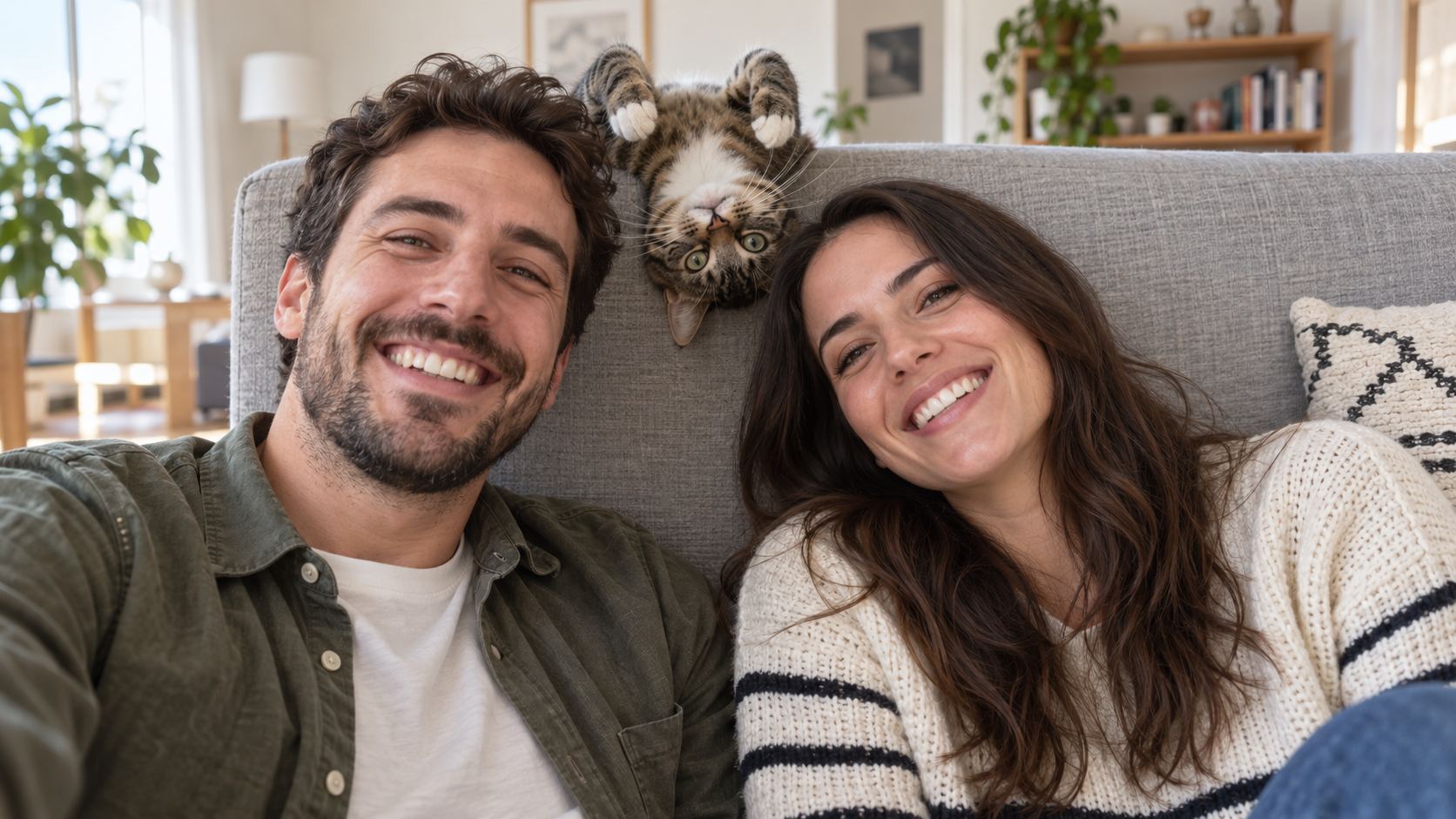
Edit the uploaded photo into a bright living-room selfie. Preserve both friends' facial identities,
趣味 AI 提示詞
Edit the uploaded photo into a bright living-room selfie. Preserve both friends' facial identities,

Edit the uploaded photo into a bright living-room selfie. Preserve both friends' facial identities, hair, clothes, and smiles, plus the cat's exact coat markings. Seat the friends on either side of the frame. Add the cat safely leaning over the high sofa back between them, its head upside down and front paws visible above the cushion, as if it interrupted a normal portrait. Keep all three faces sharp and readable. Use natural window light, plausible body positions, and realistic fur and skin. The cat's photobomb should feel spontaneous. One complete 16:9 photograph, no text or watermark.

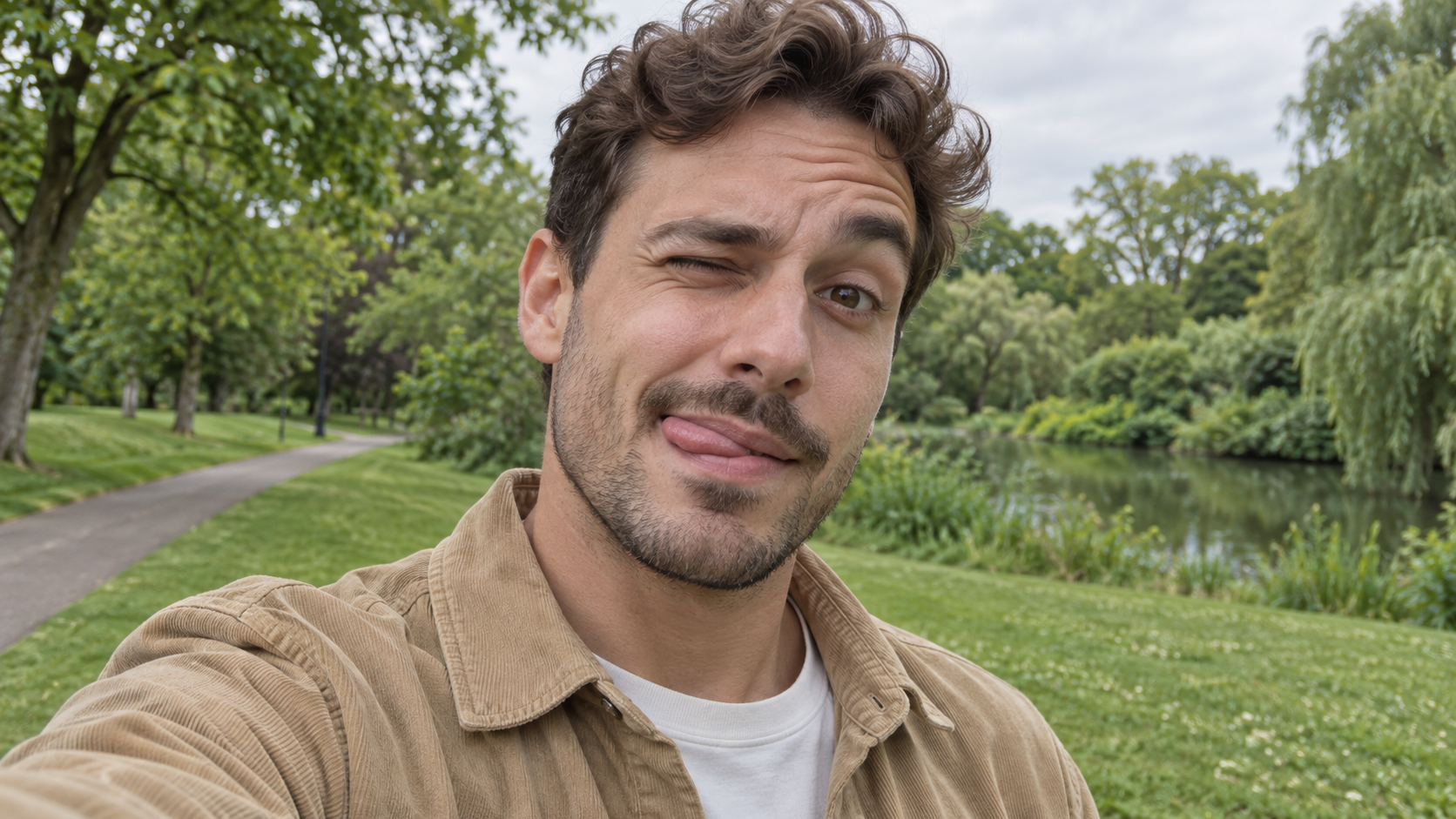
Edit the uploaded photo of one person into a playful outdoor selfie. Preserve their facial identity,
趣味 AI 提示詞
Edit the uploaded photo of one person into a playful outdoor selfie. Preserve their facial identity,

Edit the uploaded photo of one person into a playful outdoor selfie. Preserve their facial identity, hairstyle, age, clothing, and the original outdoor background. Have them tilt the head slightly, wink one eye, raise the eyebrow over the open eye, and touch the tongue to one corner of the mouth in a cheeky sideways expression. Keep the tongue subtle, as in a spontaneous candid photo. Use soft overcast daylight, natural skin texture, correct eye shape, and a believable phone-camera perspective. Exactly one person, photorealistic 16:9 composition, no text or watermark.

Edit the uploaded photo of one person into a close, funny kitchen portrait. Preserve the person's ex
趣味 AI 提示詞
Edit the uploaded photo of one person into a close, funny kitchen portrait. Preserve the person's ex

Edit the uploaded photo of one person into a close, funny kitchen portrait. Preserve the person's exact face, hair as shown in the source, skin tone, clothes, and background features. Make them puff both cheeks as if holding air, seal the lips tightly, open both eyes very wide, and raise both eyebrows. Keep the expression playful and deadpan rather than frightened. Match the original daylight and camera angle, with believable cheek volume and realistic skin texture. One person only, photorealistic 16:9 frame, no props over the face, extra people, text, or watermark.

Edit the uploaded portrait of one glasses-wearing person. Preserve their facial identity, hairstyle,
趣味 AI 提示詞
Edit the uploaded portrait of one glasses-wearing person. Preserve their facial identity, hairstyle,

Edit the uploaded portrait of one glasses-wearing person. Preserve their facial identity, hairstyle, facial hair if present, glasses frame, sweater or shirt, and room background. Have them use one hand to pull the glasses a little way down the nose, then stare over the top edge with both eyes comically wide, eyebrows raised, and lips puckered into a tiny O. Keep the glasses aligned with the face, the hand anatomically correct, and reflections consistent with the room's daylight. Exactly one photorealistic person, close 16:9 frame, no duplicate face, text, or watermark.

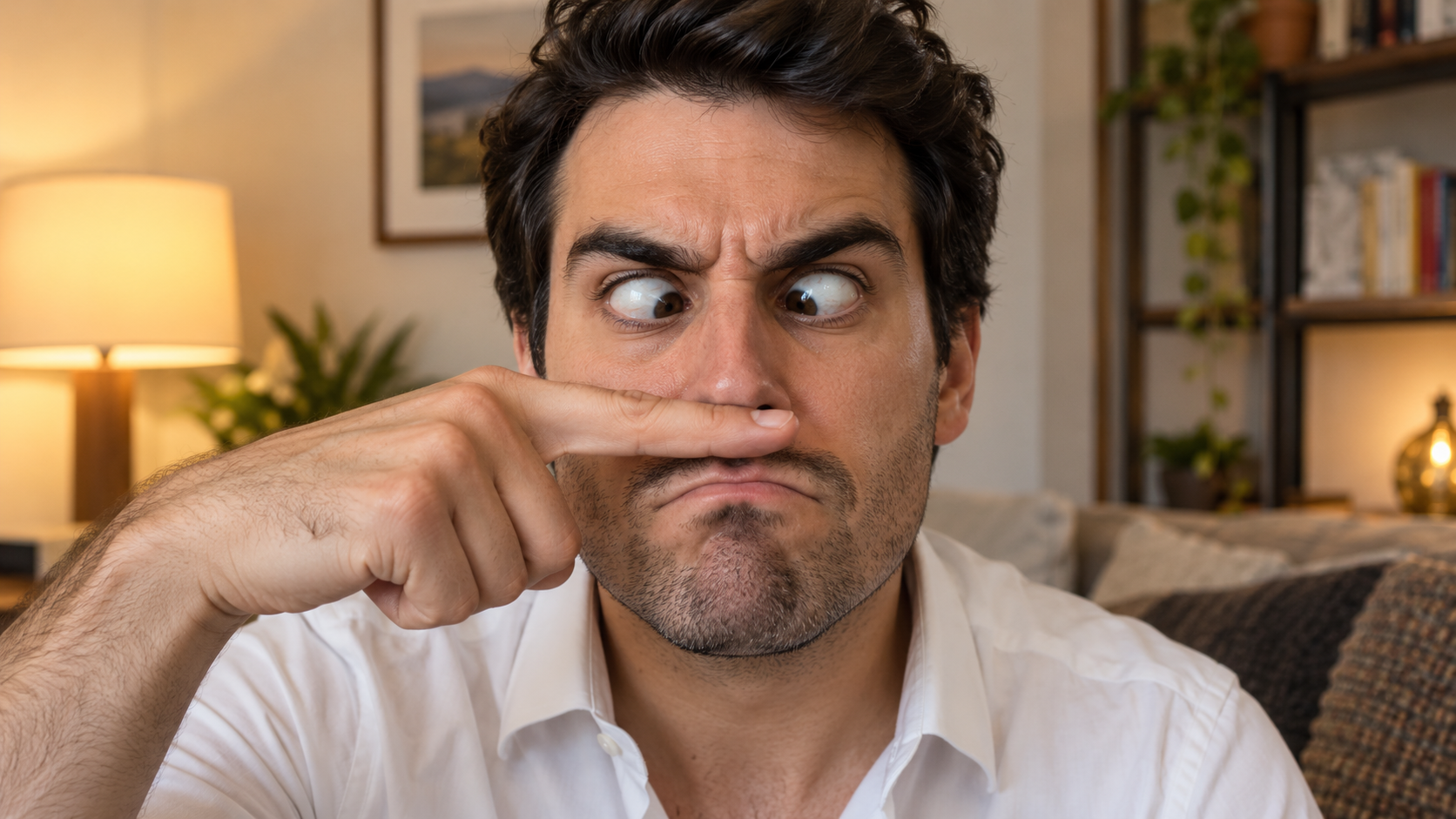
Edit the uploaded solo portrait, preserving the person's exact facial identity, hair, facial hair if
趣味 AI 提示詞
Edit the uploaded solo portrait, preserving the person's exact facial identity, hair, facial hair if

Edit the uploaded solo portrait, preserving the person's exact facial identity, hair, facial hair if any, clothing, and home setting. Place one of their own index fingers horizontally under the nose like a deliberately bad fake mustache. Make their eyes cross down toward the finger, eyebrows tense, and mouth form an exaggerated serious frown. Keep the finger above the upper lip, not inside the mouth, and make the hand anatomically correct. Match warm interior light and believable skin texture. One person only, photorealistic complete 16:9 image, no text or watermark.

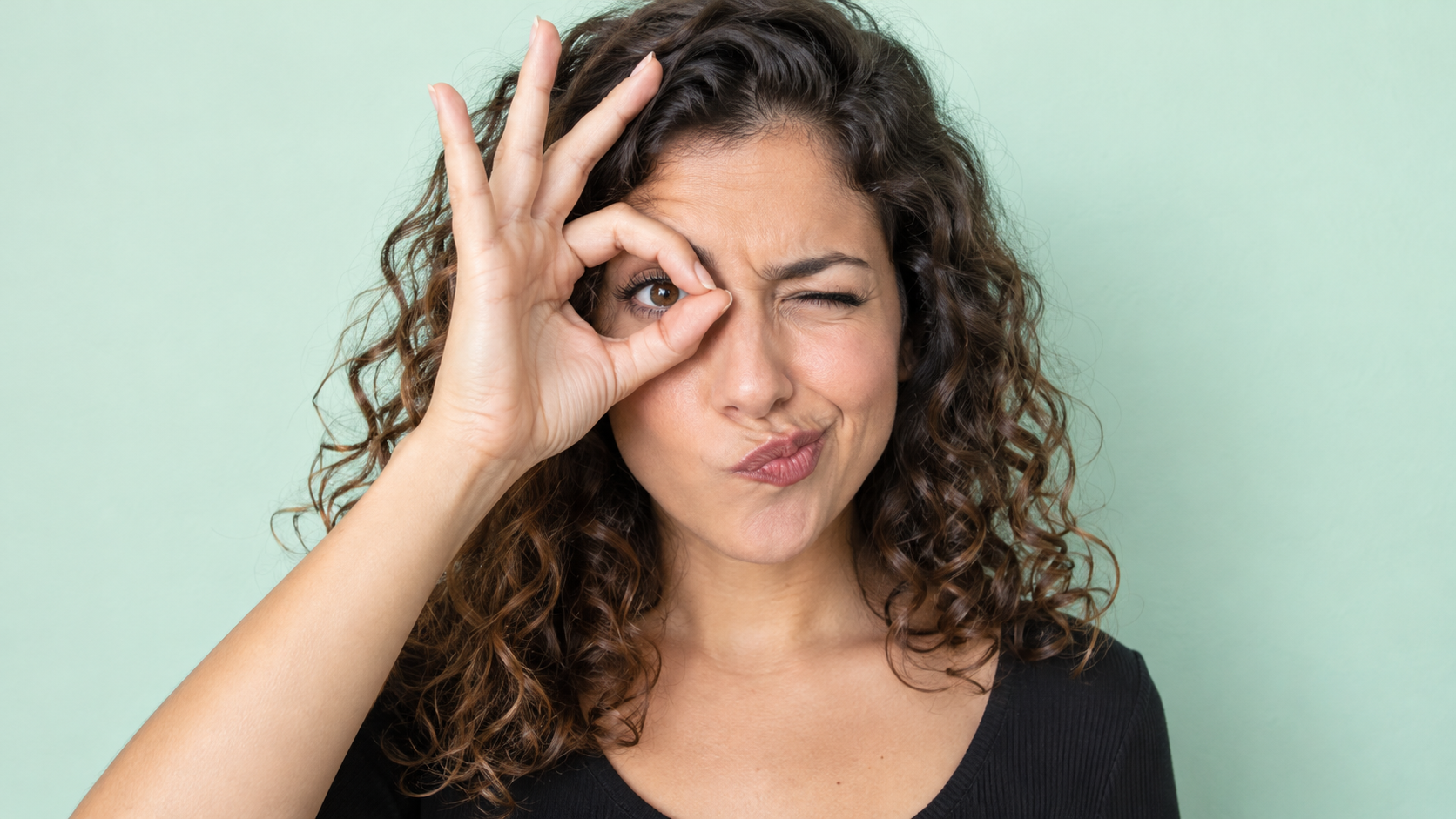
Edit the uploaded photo of one person into a playful portrait. Preserve the person's facial identity
趣味 AI 提示詞
Edit the uploaded photo of one person into a playful portrait. Preserve the person's facial identity

Edit the uploaded photo of one person into a playful portrait. Preserve the person's facial identity, hair, skin tone, clothing, and overall camera angle. Have them form a small circle with thumb and index finger around one open eye like a pretend monocle, squint the other eye, arch one eyebrow, and purse the lips to one side. Show the whole hand with plausible finger joints; do not obscure the open eye. Keep a clean softly colored background and bright even light. One photorealistic person only, 16:9 frame, no added accessories, text, or watermark.

Edit the uploaded portrait of one person. Preserve their facial identity, age, skin tone, hairstyle,
趣味 AI 提示詞
Edit the uploaded portrait of one person. Preserve their facial identity, age, skin tone, hairstyle,

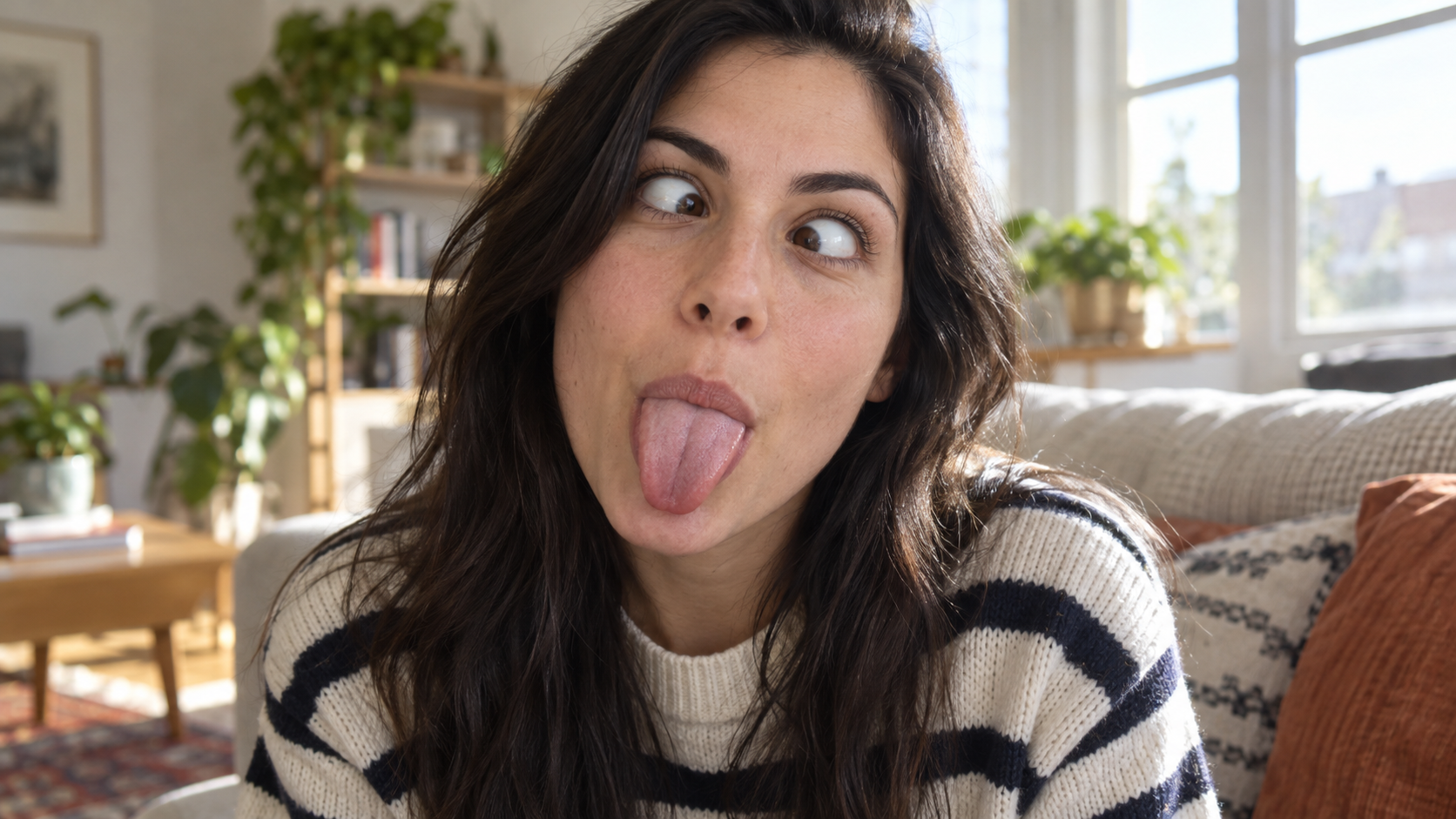
Edit the uploaded portrait of one person. Preserve their facial identity, age, skin tone, hairstyle, clothing, and the character of the original room. Turn the expression into a deliberately silly close-up: both eyes cross toward the center, eyebrows lift slightly, and the tongue sticks straight out. Keep the face large in frame with no hands covering it. Use natural window light, realistic facial muscles, skin texture, teeth and tongue, and a candid selfie feel. One photorealistic person only, complete 16:9 image, no duplicate face, text, or watermark.

Edit the uploaded solo portrait while preserving the person's facial identity, hair, clothing, skin
趣味 AI 提示詞
Edit the uploaded solo portrait while preserving the person's facial identity, hair, clothing, skin

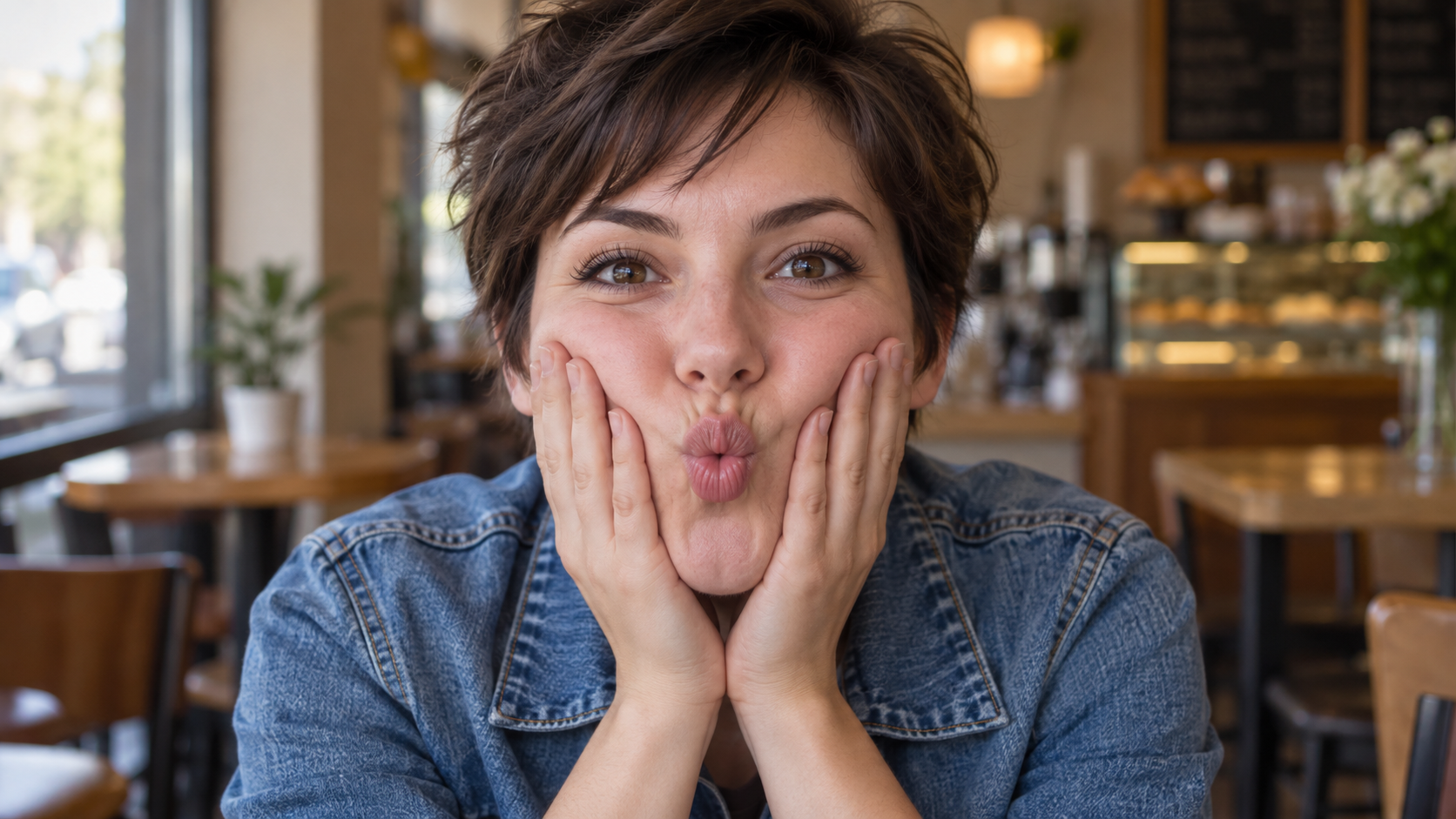
Edit the uploaded solo portrait while preserving the person's facial identity, hair, clothing, skin tone, and recognizable setting. Bring both of their own hands to the cheeks and gently press inward so the lips form a small puckered fish face. Keep both eyes directed toward the camera and the entire face visible. Make the fingers, wrists, and cheek pressure anatomically believable. Use a close portrait crop, soft natural light, and shallow background blur similar to a casual café snapshot. One photorealistic person only, complete 16:9 image, no extra hands, text, or watermark.

最新影片提示詞

[Style]: Ultimate Girlfriend POV, Handheld Selfie VLOG, Vertical Aspect Ratio (9:16), Film Grain Fil
Seedance 2 Prompts
[Style]: Ultimate Girlfriend POV, Handheld Selfie VLOG, Vertical Aspect Ratio (9:16), Film Grain Fil

[Style]: Ultimate Girlfriend POV, Handheld Selfie VLOG, Vertical Aspect Ratio (9:16), Film Grain Filter, Natural Light (Golden Hour), camera includes natural shake and adjustments. [Duration]: 15 seconds [Protagonist]: Taiwanese girl, long slightly curled hair, wearing a gentle knit cardigan, clean/sheer makeup, speaking tone is soft, slightly spoiled/coquettish with a complaining accent (Taiwanese accent). [Scene]: Taipei Tamsui riverbank, background is the golden sunset, shimmering river surface, and the Lover's Bridge in the distance. Shot 1: The Rushed Intro. Visual: The camera shakes significantly because she is walking fast. She looks back at the camera (looking at you) while walking, brows slightly furrowed, pretending to be angry. Action: One hand holds the phone, while the other hand holds down her hair which is being blown by the wind. [Line/Mouth] (Soft complaining voice): "Hey, walk faster! The sun is about to set! It's all your fault for dragging your feet. If I can't get good photos later, I'm going to get mad!" Shot 2: Sharing the View. Visual: She stops walking, moves the camera away from her face, and turns it towards the stunning golden sunset across the river (Golden Hour). Action: The camera displays the scenery for 2 seconds, then immediately turns back to focus on her face. Her face is illuminated golden by the sunset, showing a super happy smile, eyes narrowed into slits from smiling. [Line/Mouth] (Exclamation voice): "Wow~ Look quick! Isn't it super beautiful! This lighting is absolutely amazing, everything looks good no matter how you shoot!" Shot 3: The Interaction. Visual: Suddenly, she is holding a super tall soft-serve ice cream unique to Tamsui. Action: She first holds the ice cream up to the camera (as if feeding you), then quickly takes a lick herself. A bit of ice cream accidentally gets on the tip of her nose. She giggles foolishly at the camera. [Line/Mouth] (Playful voice): "Here, you get the first bite. Hurry up, it's melting! Heehee, I'll give you a passing grade for today's date!"

Style: Hollywood Professional Racing Movie (Le Mans Style), Cinematic Night, Rain, High Stakes Sport
Seedance 2 Prompts
Style: Hollywood Professional Racing Movie (Le Mans Style), Cinematic Night, Rain, High Stakes Sport

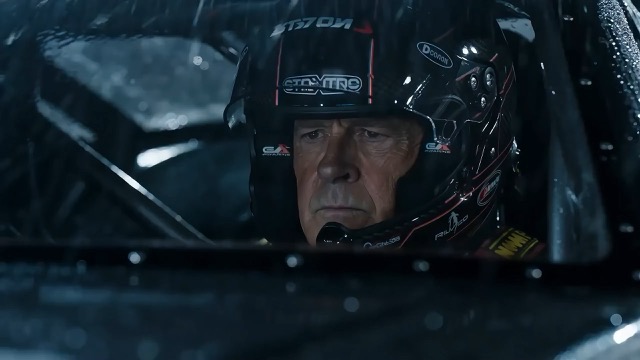
Style: Hollywood Professional Racing Movie (Le Mans Style), Cinematic Night, Rain, High Stakes Sport. Duration: 15s. [00-05s] Shot 1: The Veteran (Interior/Close-up). Rain lashes the windshield of a high-tech race car on a track. The Veteran driver (in helmet) looks over, calm and focused. Dashboard lights reflect on his visor. Dialogue Cue: He gives a subtle nod and mouths "Let's go." [05-10s] Shot 2: The Challenger (Interior/Close-up). Cut to the rival car next to him. The younger driver grips the wheel tight, breathing heavily. Eyes wide with adrenaline. Dialogue Cue: He whispers "Focus" to himself. [10-15s] Shot 3: The Green Light (Wide Action). The starting lights turn Green. Both cars accelerate in perfect sync on the wet asphalt. Water sprays massively into the camera lens. Motion blur turns the stadium lights into long streaks of color.

[Style]: Eastern Wuxia pinnacle duel, Extreme Kinetic Energy, aesthetics of environmental destructio
Seedance 2 Prompts
[Style]: Eastern Wuxia pinnacle duel, Extreme Kinetic Energy, aesthetics of environmental destructio

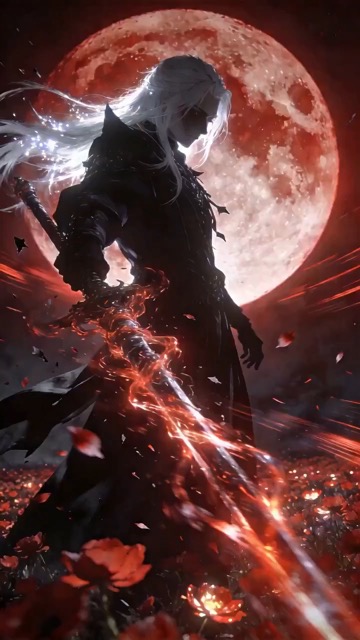
[Style]: Eastern Wuxia pinnacle duel, Extreme Kinetic Energy, aesthetics of environmental destruction, fast-paced editing, cinematic particle effects, epic score atmosphere. [Duration]: 15 seconds [Characters]: Grandmaster in white VS Grandmaster in black. Shot 1: High-speed Collision. Both the white and black figures transform into afterimages, colliding violently in the center of an ancient stone platform. At the moment of weapon contact, blinding sparks and a visible ring-shaped high-pressure Shockwave burst out. The surrounding flagstone ground instantly cracks, blasting up debris and rubble. Shot 2: Mid-air Combat & Destruction. Both soar into the air, weaving and clashing at high speed amidst falling boulders, moving too fast for moves to be seen clearly. Every block triggers a visual sense of air distortion. They crash through a massive stone pillar; the pillar collapses and shatters into powder, dust filling the air, showcasing extreme destructive power. Shot 3: Ultimate Climax. Both land and simultaneously release their ultimate moves, causing two massive energy orbs (one cyan, one red) to clash against each other. This triggers an earth-shattering explosion of dust and energy. Mushroom-cloud-like smoke rises to obscure everything, and the entire base of the stone platform begins to collapse and sink.

The man from reference image 1 as the protagonist, agile and athletic, running through a battlefield
Seedance 2 Prompts
The man from reference image 1 as the protagonist, agile and athletic, running through a battlefield

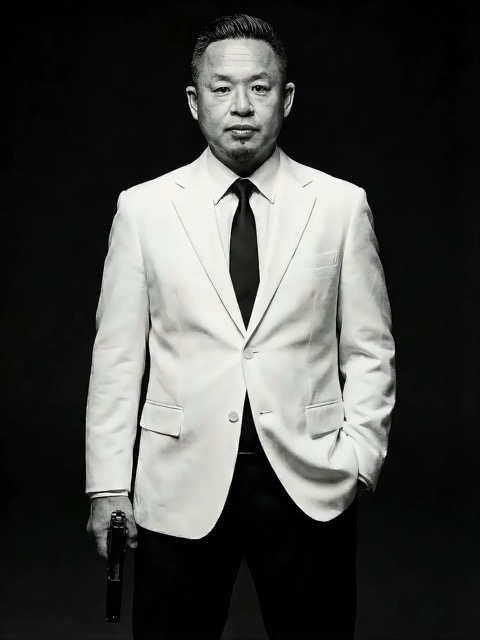
The man from reference image 1 as the protagonist, agile and athletic, running through a battlefield under a hail of bullets while engaging in intense tactical shooting. Visual Style: Cinematic quality with strong Orange and Teal color grading, high contrast, and visible film grain. Dynamic Details: Distinct muzzle flashes from the gun. Bullets striking surrounding objects create flying rubble and sparks. Smoke and shockwaves from explosions fill the background. Camera Movement: Handheld Camera style tracking shot, shaking violently alongside the character, with occasional snap zooms to create extreme tension and a chaotic sense of presence. Character Performance: The protagonist has determined eyes; his actions are filled with power and speed, perfectly replicating the vibe of a Hollywood action superstar.

[Style]: Eastern classical Xianxia aesthetics, aestheticism, cinematic quality, fluid cloth simulati
Seedance 2 Prompts
[Style]: Eastern classical Xianxia aesthetics, aestheticism, cinematic quality, fluid cloth simulati

[Style]: Eastern classical Xianxia aesthetics, aestheticism, cinematic quality, fluid cloth simulation, glowing particle effects, dreamy lighting. [Duration]: 15 seconds [Protagonist]: Exquisite fairy, wearing multi-layered plain white ethereal feather-clothing, extra-long floating ribbons. Shot 1: Epic Wide Shot. Location is an ancient platform on a floating immortal island above a sea of clouds. The fairy stands still, backed by immense rays of morning glow (Tyndall effect). The focus is on the countless long silk ribbons on her body dancing extremely smoothly in the wind, spreading across the screen like water ripples, showcasing the ultimate elegance of floating fabric. Shot 2: Slow-motion Medium Shot. The fairy begins the classical "Jinghong Dance" (Frightened Swan Dance). She rises into the air (anti-gravity Qinggong feel), spinning and throwing out wide water sleeves. The lens focuses on the form of the silk sleeves blooming in the air and her elegant body language. Shot 3: Close-up & Interaction. Camera zooms in to a facial close-up. She lightly parts her red lips to begin singing (natural singing mouth shape). Accompanying the song, countless glowing pink flower petals appear out of thin air, forming a dazzling particle storm vortex around her, her eyes filled with divine radiance.

They meet in the dead of night and engage in a fight. The fighting style is incredibly flashy, the a
Seedance 2 Prompts
They meet in the dead of night and engage in a fight. The fighting style is incredibly flashy, the a

They meet in the dead of night and engage in a fight. The fighting style is incredibly flashy, the atmosphere is tense, and the camera work is cinematic. It's like a promotional trailer for a AAA game, featuring CG and Unreal Engine 5.

Please help me generate a promotional video about the MUJI brand.
Seedance 2 Prompts
Please help me generate a promotional video about the MUJI brand.

Please help me generate a promotional video about the MUJI brand.

[Film Style]: 90s Hong Kong Art Cinema style, retro film look, High ISO Grain, ambiguous Yellow-Gree
Seedance 2 Prompts
[Film Style]: 90s Hong Kong Art Cinema style, retro film look, High ISO Grain, ambiguous Yellow-Gree

[Film Style]: 90s Hong Kong Art Cinema style, retro film look, High ISO Grain, ambiguous Yellow-Green Tint, Step-printing effect, melancholic atmosphere. [Core Line (for mood control)]: "If memory were a can, I hope it would never expire." [Video Duration]: 10 seconds [Storyboard Script]: Shot 1: Through the Glass. Visual: A red public phone booth covered in rain. Character: A man (or woman) in a khaki trench coat, clutching the receiver, not speaking, just listening. Emotional Performance: Through the refraction of the glass, seeing his/her eyes hollow yet affectionate. Rain flows on the glass, distorting his face like an oil painting. Subtitle/Voiceover feel: The scene seems frozen, only the sound of rain. Shot 2: Extreme Close-up & Micro-expression. Visual: Focus on the character's lips and half of the face. Action: He/she whispers softly into the mouthpiece. Lips tremble slightly, as if wanting to say something but swallowing it back. Lighting: Neon bokeh from the roadside flows on his face, flickering. Line/Mood Mapping: Expressing an extreme restraint and loneliness of "wanting to touch but pulling the hand back". Shot 3: Signature Smeary Slow Motion. Visual: The character hangs up, turns, and walks into the rainy night crowd. Visual FX: Using step-printing effect (Stop-motion feel), the character's back becomes blurry with motion trails (Motion Blur), as if the soul remained behind while only the body walks away. Environment: Background is flowing city car lights, forming elongated light trails. [Technical Parameters]: Handheld Camera simulation, shallow depth of field, color shift, rich emotion.

用 AI 提示詞把靈感變成創作起點

先看效果,再讀描述,創作屬於你的版本

結合視覺範例尋找圖片生成 AI 提示詞;場景需要動態效果時,再探索影片創意。SuperMaker 將預覽、提示詞與對應模型放在一起,幫助你理解構圖,替換主體或場景,並在對應的產生器中繼續創作。每個範例都提供了一個可依專案需求調整的方向。

依目標效果挑選 AI 提示詞

先比較視覺範例,再決定從哪裡開始。依圖片、影片或模型瀏覽 AI 提示詞,關注真正影響效果的細節。

用 AI 圖片提示詞明確視覺方向

用 AI 圖片提示詞明確視覺方向

瀏覽適用於人像、產品、插畫與日常場景的 AI 圖片提示詞,挑選構圖、光線或風格符合需求的預覽。閱讀範例如何描述主體與環境,再替換為自己的細節。聚焦目標的描述能為所選模型提供更清楚的創作需求。

用 AI 提示詞描述影片動作與鏡頭

用 AI 提示詞描述影片動作與鏡頭

影片提示詞需要說明畫面如何隨時間變化。寫清主要動作、鏡頭運動、節奏與結尾,對照預覽檢查描述,並讓動作複雜度適合所選時長。先從一個連貫場景開始,再嘗試更複雜的運動。

複製 AI 提示詞,改成自己的創意

複製 AI 提示詞,改成自己的創意

複製有用的範例,或選擇「使用提示詞」開啟對應產生器。調整 AI 圖片提示詞中的主體、背景、配色或目標畫幅;創作影片時,則修改動作與時序。檢查範例是否需要參考素材,並在對應流程中上傳自己的檔案。

視覺脈絡讓 AI 提示詞更容易重複使用

結合範例效果與對應模型,更容易判斷 AI 提示詞是否適合你的需求。利用這些資訊,決定下一份創作描述需要保留哪些細節。

為 AI 提示詞選擇合適的模型

為 AI 提示詞選擇合適的模型

範例關聯的模型可以幫助你決定從哪裡開始。編輯類提示詞可能包含需要保留的細節,影片描述也可能依賴起始圖片。生成前查看可用控制項與必要輸入。預覽展示的是一次生成結果,你的設定與參考素材會影響實際輸出。

如何在 SuperMaker 中使用 AI 提示詞

透過四個步驟,將瀏覽到的範例變成明確的創作需求。AI 提示詞提供起始結構,你的主體、參考素材與設定則決定具體方向。

1

明確圖片或影片目標

靜態場景、人像、產品照片或插畫可以從 AI 圖片提示詞開始;需要動態效果時,則選擇影片範例。若要先確定構圖,先參考圖片生成 AI 提示詞,再單獨規劃動作。選擇模型前,明確目標畫幅與關鍵細節。

2

對照預覽比較 AI 提示詞

瀏覽「熱門」與「最新」區域,或進入對應模型頁。對照預覽閱讀 AI 提示詞,關注主體、取景、光線與動作。檢查是否需要參考素材,不要假設僅靠文字就能解釋所有可見細節。

3

為你的專案改寫細節

複製 AI 提示詞,替換主體、場景或動作,並刪除與目標衝突的要求。調整 AI 圖片提示詞時,保留重要限制,例如產品外形保持一致,或為標題留出空間。每次只做一項有意義的修改,方便評估它的影響。

4

生成、檢查並逐步改善

開啟對應的產生器,確認可用控制項,並提供必要檔案。依照創作需求檢查輸出,再調整需要改善的構圖、光線或動作。把有效的提示詞保存在自己的筆記中,方便後續專案繼續使用。

適用於日常創作專案的 AI 提示詞

圍繞你需要交付的內容選擇範例,再依實際用途調整場景與限制。

產品照片與推廣視覺素材

用 AI 圖片提示詞規劃簡潔的產品展示或生活風格場景,明確角度、擺放產品的表面、光線與背景。使用產品參考圖時,說明哪些標籤、顏色與形狀需要保留,並在生成後逐項檢查這些細節。

人像、時尚與插畫

圍繞表情、姿勢、服裝、場景與視覺風格調整 AI 圖片提示詞。保持方向一致,避免混合互不相關的風格。使用角色參考圖時,區分需要保留的特徵與希望改變的內容。

社群內容與行銷概念

用 AI 提示詞探索縮圖、發布海報與推廣創意。描述目標受眾、主體、版面,以及文字訊息需要的留白。選擇適合發布管道的畫幅,並在使用結果前檢查可讀性與重要品牌細節。

短影片與動態場景

圍繞一個清楚的動作編寫 AI 提示詞,例如鏡頭靠近主體、產品轉動,或角色穿過場景。寫清開場、主要運動與結尾。需要更長的段落時,分別規劃鏡頭,並保持視覺方向一致。

AI 提示詞常見問題與實用解答

了解如何挑選範例、調整描述,並在合適的產生器中繼續創作。

AI 提示詞是用於引導模型生成結果的文字指令。圖片提示詞通常描述主體、場景、取景、光線與風格;影片還需要動作與時間安排。加入與目標有關的細節,並刪除互相矛盾的要求。

瀏覽「熱門」與「最新」圖片區域,或開啟模型頁查看更多範例。結合預覽比較 AI 圖片提示詞,閱讀完整描述,再選擇適合你的主體或視覺方向的起點。

替換主體與場景,再調整取景、光線、配色與風格。只保留與目標有關的指令。若流程需要參考素材,上傳自己的檔案,並說明哪些特徵應該保持一致。

建議先依範例關聯的模型使用與調整提示詞。其他模型可能以不同方式理解描述,也可能需要不同的參考素材與控制項。可以重複使用創意,但應依所選產生器調整措辭與輸入。

描述起始場景、主體動作、鏡頭路徑、節奏與預期結尾。確保動作能在所選時長內完成,依流程需要提供參考圖片,避免在一個短鏡頭中安排多個互相競爭的動作。

你可以瀏覽已發布的 AI 提示詞並複製文字。生成圖片或影片是獨立操作,受所選模型、設定、帳號權限與點數要求影響。提交前請在產生器中確認;複製範例不包含一次免費生成。

把 AI 提示詞變成下一份創作需求

選擇 AI 圖片提示詞或影片範例,對照預覽,把描述改成自己的創意。確認主體、參考素材與設定後,在對應的 SuperMaker 產生器中繼續創作。

探索 AI 提示詞
Video cover