Google Veo 3.1 Now Supports 4K Upscaling – A Big Leap for AI Video Creation
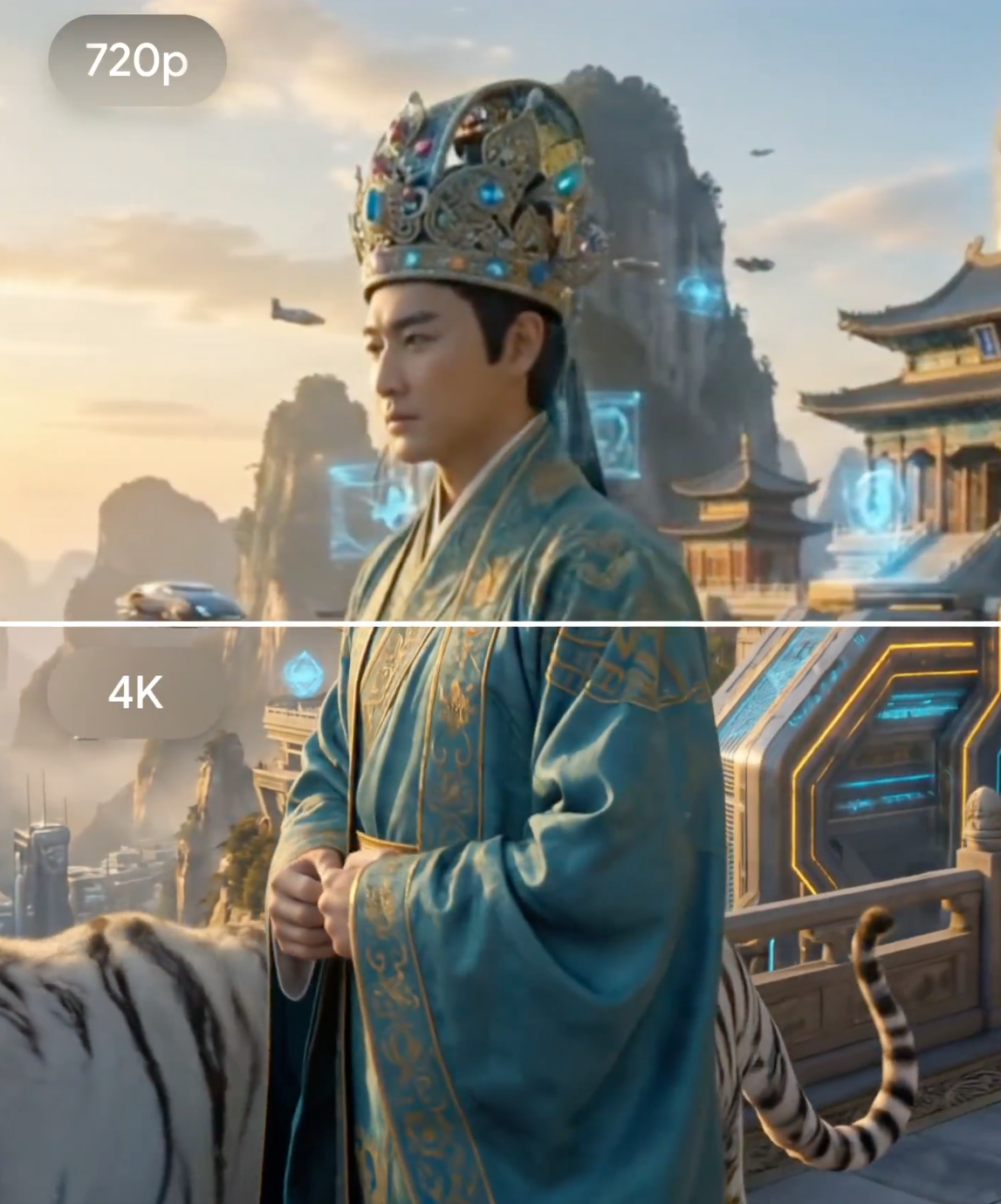
On January 13, 2026, Google rolled out significant enhancements to Veo 3.1, with one of the standout features being support for 4K resolution through advanced upscaling.
As someone who's been closely following Google's generative AI video journey—from the initial Veo announcement at Google I/O 2024 through Veo 2's physics improvements in late 2024, Veo 3's audio integration in 2025, and now this latest milestone—I was genuinely thrilled when the Veo 3.1 update dropped on January 13, 2026. Google DeepMind rolled out meaningful enhancements that address long-standing pain points in AI video generation, particularly around resolution, format flexibility, and creative control.
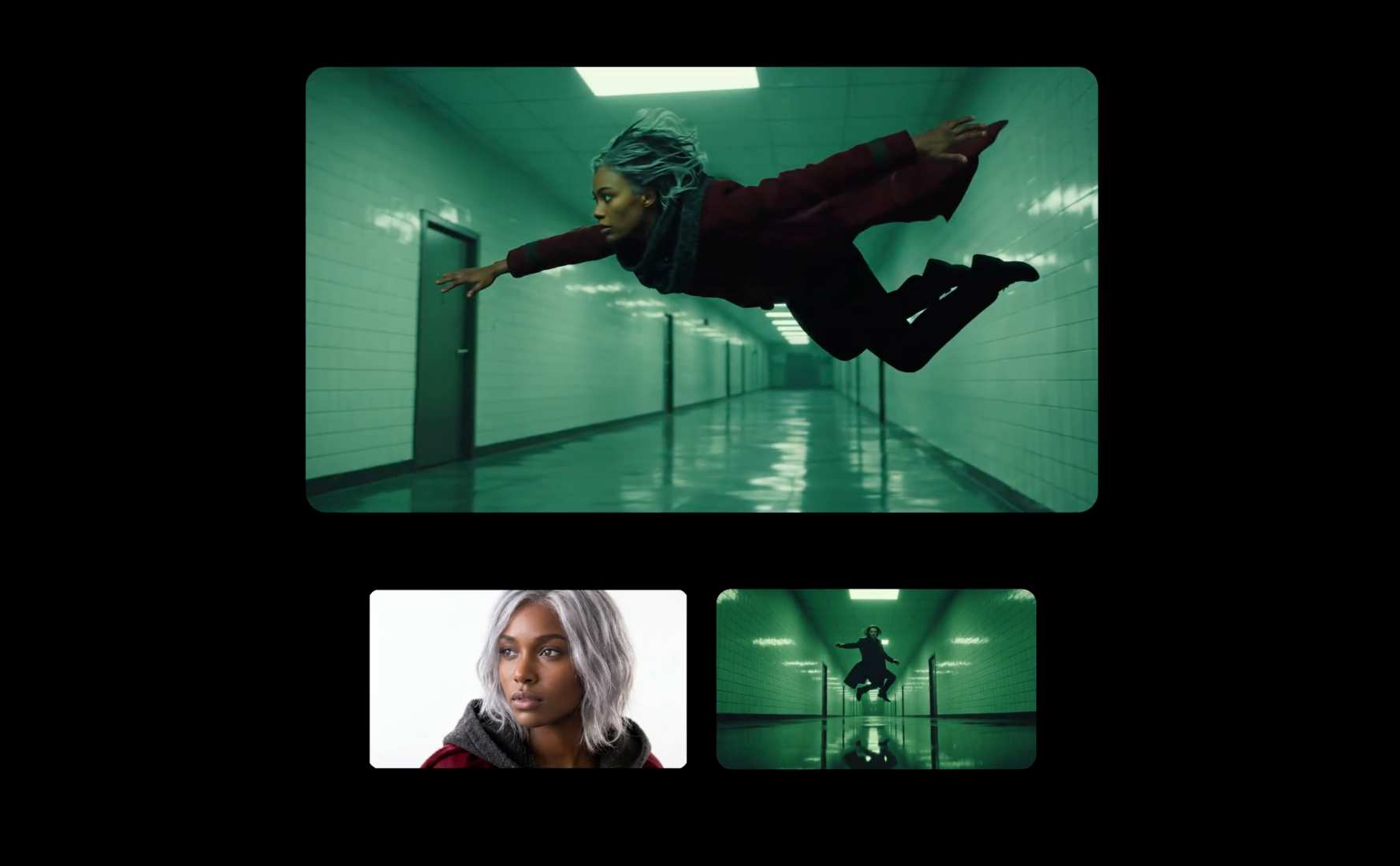
Veo, developed by Google's DeepMind team, remains one of the most advanced text-to-video (and increasingly image-to-video) models available. It excels at turning descriptive prompts—or, in the "Ingredients to Video" mode, reference images combined with text—into coherent, expressive video clips. This mode has seen the most substantial polish in the 3.1 release, making it feel more like a professional creative tool than an experimental toy.
The standout headline feature? Support for 4K resolution through cutting-edge upscaling technology.
Deep Dive into the Veo 3.1 Update: Key Highlights
Google's official announcements (via their blog and developer updates) emphasize three core pillars in this release: higher fidelity outputs, mobile-optimized formats, and dramatically improved consistency and expressiveness. Here's a more detailed breakdown:
-
4K Upscaling Support – The Resolution Leap Forward
Veo 3.1 introduces reliable upscaling to both 1080p (now even sharper than before) and 4K resolutions. Importantly, this isn't native 4K generation from the ground up—the base model typically outputs around 720p—but Google applies state-of-the-art AI upscaling that reconstructs fine details, reduces artifacts, and enhances sharpness in ways that feel remarkably natural.In practice, this means generated clips hold up much better under scrutiny: textures like fabric weave, skin pores, distant foliage, or intricate backgrounds retain clarity even when viewed on large 4K displays or edited in post-production. For creators working in professional workflows—commercials, short films, or broadcast content—this closes a major gap that previously forced heavy reliance on external upscalers or manual fixes.
Compared to earlier Veo versions (which topped out around 1080p with less sophisticated upscaling), the jump to 4K represents a clear step toward "broadcast-ready" quality. Professional access to these higher resolutions comes through tools like Flow (Google's AI-powered video editor), the Gemini API, Vertex AI, and Google Vids. Consumer-facing apps like the Gemini app or YouTube Shorts may have more limited resolution tiers, but the overall fidelity improvement trickles down.
-
Native Vertical Video (9:16 Aspect Ratio) – Built for the Mobile Era
This might be the most immediately impactful change for everyday creators. For the first time in "Ingredients to Video," Veo 3.1 supports native portrait-mode output in 9:16 without any forced cropping, stretching, or quality degradation.Short-form video dominates consumption in 2026: YouTube Shorts, TikTok, Instagram Reels, and similar platforms all thrive on full-screen vertical content. Previously, generating horizontal videos and then cropping them often led to awkward framing, lost details (like key character actions cut off at the edges), or visible artifacts. Now, you can explicitly request 9:16 in your prompt or settings, and the model composes the scene accordingly—optimizing camera angles, subject placement, and motion for vertical viewing.
This shift aligns perfectly with how billions consume media on phones. It lowers the barrier for mobile-first creators, influencers, and marketers who need quick, high-quality vertical clips without extra editing steps.
-
Improved Consistency, Expressiveness, and Narrative Depth
One of the biggest frustrations with earlier AI video models (including prior Veo iterations) was inconsistency: characters morphing between scenes, objects changing shape, backgrounds drifting, or movements feeling robotic. Veo 3.1 tackles this head-on in "Ingredients to Video."- Character and object persistence is markedly better—even across scene transitions or with minimal prompting. Upload a reference image of a person, outfit, or prop, and the model maintains facial features, clothing details, body proportions, and identity far more reliably.
- Expressions and movements feel more natural and dynamic. Subtle facial cues, gestures, and body language sync better with implied dialogue or action.
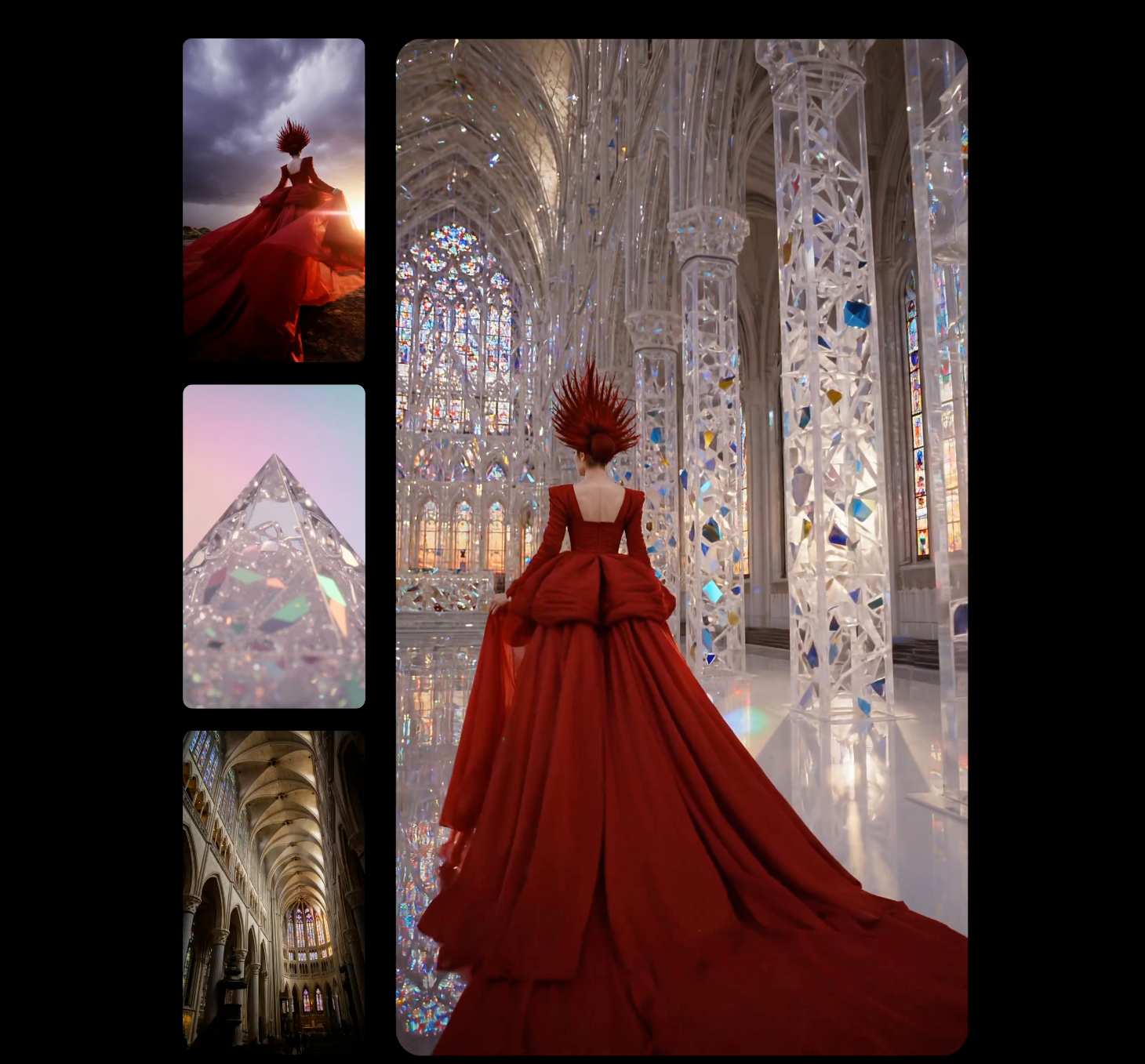
- Backgrounds, textures, and environments stay coherent, allowing for richer storytelling. You can blend multiple reference images (up to three in some interfaces) to define style, setting, and elements.
- Prompts can be shorter and simpler while still yielding expressive results, thanks to enhanced understanding of narrative intent.
All outputs continue to embed Google's SynthID invisible watermark, making AI-generated content detectable and supporting responsible use.
Why This Update Matters – Especially the 4K and Vertical Push
AI video generation has evolved rapidly since Veo's debut in 2024. Early models struggled with basic coherence and physics; by 2025, audio sync and longer clips became table stakes. Now, in 2026, the bottlenecks are shifting to practical usability—resolution for professional pipelines, formats for social distribution, and control for repeatable results.
The 4K upscaling stands out because resolution has long been a limiting factor for serious creators. A stunning AI clip at 720p or 1080p looks great on a phone but falls apart when projected, edited into larger projects, or viewed on high-end TVs. Veo 3.1's approach—leveraging advanced deep learning upscaling—delivers noticeably better detail preservation than simple interpolation. This positions Google ahead in some areas compared to competitors: while OpenAI's Sora (and its successors) often caps at 1080p in public access, Veo now offers a clear path to 4K outputs, especially via pro tools.
The native vertical support is equally strategic. Short-form video isn't a niche anymore—it's the dominant format. Platforms report that vertical content sees higher engagement, longer watch times, and better algorithm promotion. By baking in 9:16 without compromises, Google makes Veo instantly more valuable for the millions creating daily social content.
Demis Hassabis, CEO of Google DeepMind, highlighted the excitement in his communications around the release (echoed by team members like Logan Kilpatrick on X): improvements in expressiveness, portrait mode, and SOTA upscaling to 1080p/4K. It's clear the team views this as a bridge between experimental creativity and real-world production utility.
How Veo 3.1 Fits into the Broader AI Video Landscape in 2026
Google isn't alone in this race. OpenAI's Sora series continues to push boundaries in prompt adherence and surreal creativity, while tools from Runway, Pika, Luma, and others offer specialized strengths (e.g., lip-sync, camera controls). Yet Veo's integration into Google's ecosystem—Gemini, YouTube, Vertex AI—gives it unique advantages for both casual experimentation and enterprise-scale workflows.
For consumers: Access rolls out in the Gemini app (Plus/Pro/Ultra tiers), YouTube Shorts creator tools, and YouTube Create. It's democratizing high-quality video in ways that feel accessible.
For professionals/developers: Full 4K upscaling, API access, and editing in Flow unlock more complex pipelines—storyboarding with references, iterating scenes, exporting for final polish in traditional software.
Ethical guardrails remain strong: content policies block harmful generations, and SynthID helps combat misinformation.
Trying Veo 3.1 Yourself – Tips and First Impressions
If you have Gemini Pro/Ultra access or SuperMaker AI, dive in now. Start with "Ingredients to Video":
- Upload 1–3 reference images (e.g., character portrait + scene background + style reference).
- Add a concise prompt specifying action, mood, and aspect ratio (e.g., "9:16 vertical, cinematic lighting").
- Request the highest upscale available.
The sharpness difference in 4K exports is already impressive—details pop, motion looks fluid, and consistency holds across short sequences. Experiment with vertical Shorts-style prompts: a talking-head explainer, dance routine, or product showcase. The results feel polished enough for immediate social posting or as assets in larger edits.
This update accelerates the trend toward democratized creation: high-end video no longer requires expensive gear, crews, or studios. It's empowering solo creators, marketers, educators, and storytellers worldwide.
What about you—have you jumped into Veo 3.1 yet? Generated any standout 4K clips, vertical Shorts, or consistent character sequences? Share your experiences, prompts, or outputs in the comments. I'm especially curious about how the upscaling holds up in real editing workflows.
Excited for what's next—perhaps longer clips, better audio control, or even more advanced multi-scene storytelling? AI video is moving fast, and 2026 is shaping up to be transformative.
Stay tuned for more experiments and breakdowns!