
How the Viral TikTok AI Doorbell Camera Videos Are Made — and Why Most Generations Fail
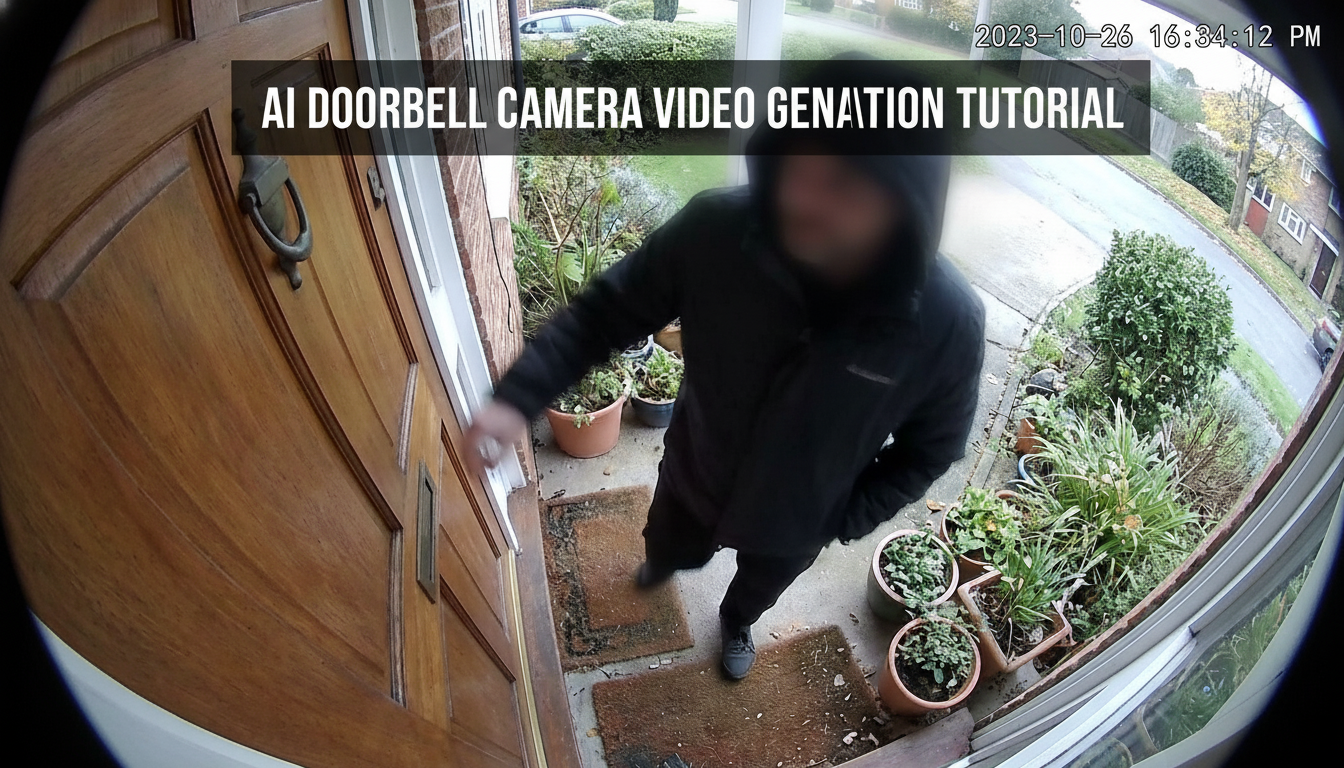
Over the past few months, AI doorbell camera video clips have quietly become one of the most recognizable formats on short-video platforms. Powered by the official Sora 2 model, Sora AI ring camera video content looks like real doorbell footage while showing events that are clearly fictional. This guide explains why the format went viral, why many generations fail, and how to create better results using the right approach.
Generate free AI doorbell camera video in one click.
Why AI Doorbell Camera Videos Are Going Viral
The rise of AI doorbell camera video content is driven by a simple but powerful dynamic: familiarity combined with surprise. Viewers are used to pausing on Ring camera clips showing deliveries, animals, neighbors, or unexpected visitors. This visual language instantly signals real footage.
The AI ring camera video is made by Sora 2 video model. It often presents events that look physically believable but could never happen — strange animal behavior, exaggerated accidents, or surreal moments unfolding calmly at a front door.
Two core factors explain why this format exploded:
- Sora 2 model's physical realism makes motion, lighting, and human behavior look believable inside a static frame.
- Unexpected events at a front door, presented through a doorbell camera style, create a powerful illusion of authenticity even when the scenario itself is fictional.
What Is Sora 2 and Why It Works for Doorbell Camera Video
Sora 2 is OpenAI’s official video model designed to generate short, realistic clips based on natural language descriptions. Rather than focusing on cinematic camera movement, Sora 2 excels at maintaining spatial logic, physical consistency, and believable motion over time.
These strengths align perfectly with the AI doorbell camera video format. A doorbell camera does not move. The framing is fixed. The perspective is limited. This removes many of the challenges that cause AI video to fail in more complex scenes.
As a result, Sora AI ring camera video workflows benefit from:
- Stable camera logic
- Predictable composition
- Natural human timing and movement
- Realistic environmental behavior
In short, Sora 2 performs best when the camera stays still and the world moves naturally in front of it — exactly how a real doorbell camera operates.
Why AI Doorbell Camera Video Fail — and How to Fix Them
Despite using a powerful model, many AI doorbell camera video generations fail for predictable reasons. Based on real usage data, the most common issues come from prompt design rather than technical limitations.
Below are five high-failure prompt patterns and how to correct them.
1. No Prompt Input
- Failed prompt
(No input)
Why it fails
Without a prompt, the model has no guidance on characters, actions, or environment. An AI doorbell camera video cannot be inferred automatically.
- Fix
A person stands quietly on the front porch for a few seconds, then knocks once on the door.
2. Prompts That Are Too Vague
- Failed prompt
Someone at a door.
Why it fails
Sora AI doorbell camera video depend on visible action. Vague instructions do not describe what the camera is supposed to record.
- Fix
A man wearing a hoodie stands on the porch, checks his phone briefly, looks toward the door, and waits.
3. Repeating “Doorbell Camera” or “Ring Camera” Instructions
- Failed prompt
[Doorbell camera POV at night.]
[Doorbell cam-style video, with a wide, low-angle view.]
Why it fails
On SuperMaker AI doorbell camera video generation workflow, the camera perspective is already defined. Repeating these instructions can confuse the Sora 2 video model and reduce scene clarity.
- Fix
A delivery person places a small package near the door, steps back, and waits briefly.
Focus on what happens, not how the camera works.
4. Prompts That Are Too Long
- Failed prompt
A cinematic, dramatic, ultra-detailed scene with multiple people, animals, complex emotions, and extended actions…
Why it fails
Overloaded prompts increase hallucination risk. The Sora 2 video model may distort motion, merge actions, or break scene logic.
- Fix
One person, one location, one short sequence of actions. Example:
Large alligator crawls onto porch menacingly. Elderly grandmother in apron bursts out with broom, chases and swats alligator aggressively while yelling. Alligator flees in panic down steps.
5. Requesting Unsupported Content
Sora 2 currently does not support real human face-based image-to-video generation. As a result, AI doorbell camera video creation must use text-to-video, not image-to-video with real faces.
Sensitive or restricted content also increases failure risk. Avoid:
- Real identifiable individuals
- Explicit violence or crime
- Misleading scenarios that resemble real surveillance incidents
Using neutral, fictional scenes significantly improves success rates for Sora AI ring camera video generation.
How to Generate Better AI Doorbell Camera Video on SuperMaker
Generating a successful AI doorbell camera video on SuperMaker does not require technical expertise — only a clear workflow.
Step 1: Open the AI Doorbell Camera Video Page
Go to the dedicated SuperMaker page designed for Sora AI ring camera video. The camera perspective and framing are pre-configured for doorbell-style footage.
Step 2: Prepare a Simple, Realistic Video Script
Before typing, decide:
- Who is in the scene
- What they do
- How long the action lasts
Think like a real security camera. Describe only what would realistically appear in front of it. For example:
A child was playing with toys on a doormat. Suddenly, a huge lizard appeared from the roadside and slithered rapidly towards the child. The child froze and cried. A kitten darted out from behind the child, pounced on the lizard's head, and began to struggle and tear at it.
Step 3: Choose the Video Aspect Ratio
Select a video size that matches your platform:
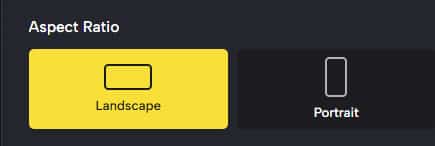
- Portrait for TikTok and Reels
- Landscape for YouTube
The AI doorbell camera video format works across ratios because the framing remains fixed.
Step 4: Generate the Video
Click Generate video and allow Sora 2 to render the scene. If the ring camera video is close but not perfect, refine the action description rather than adding more detail.
Final Thoughts
The popularity of AI doorbell camera video content is not a temporary novelty. It reflects a shift toward realism-driven AI video formats, where believability matters more than spectacle.
Powered by the official Sora 2 model, Sora AI ring camera video workflows make it possible to recreate this viral style using text alone. However, success depends on restraint, clarity, and understanding how doorbell cameras actually behave.
When prompts are short, grounded, and focused on observable action, success rates increase dramatically. Treat the prompt as a description of what a security camera would realistically record — and the results will speak for themselves.


