
How to Make AI ASMR Video with Free AI ASMR Video Generator (2026 Guide)
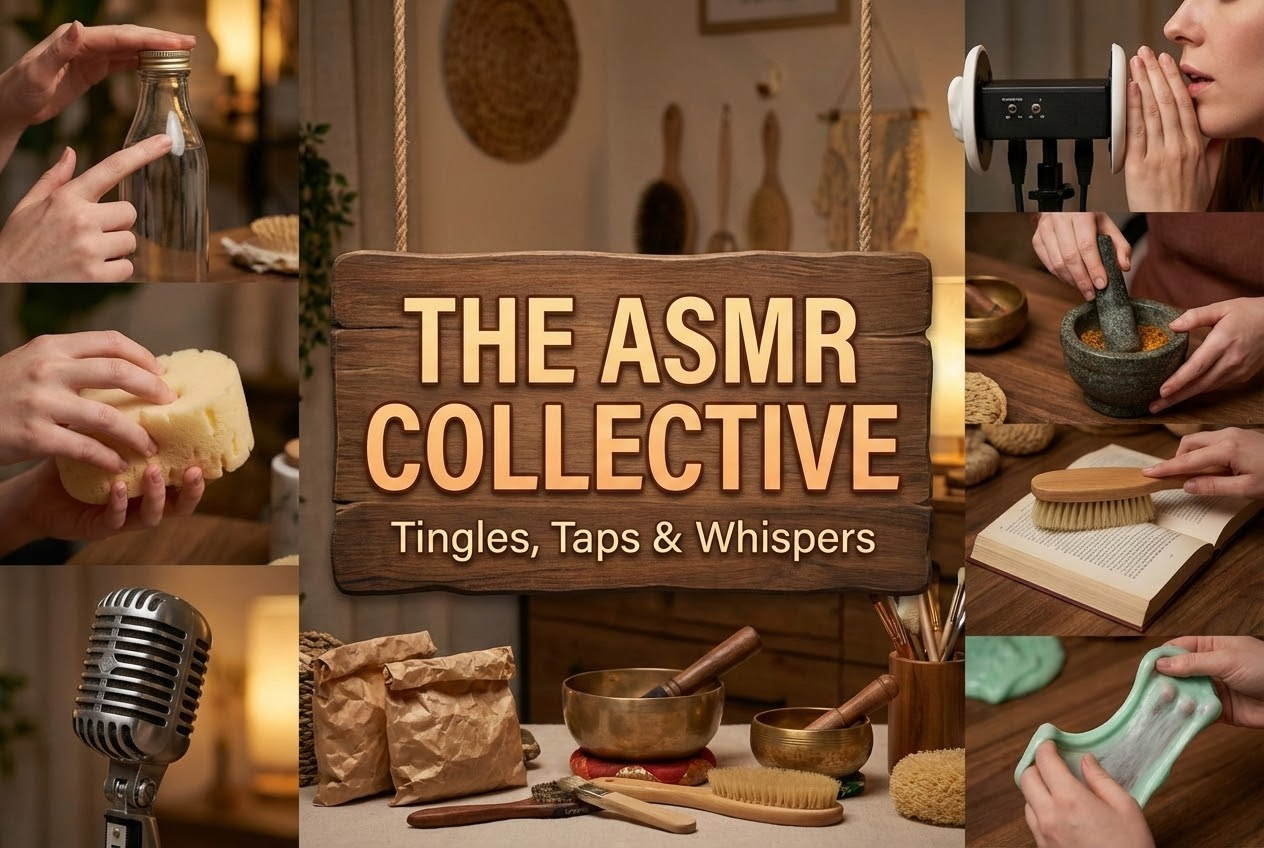
In recent years, ASMR (Autonomous Sensory Meridian Response) has taken social media by storm. From satisfying "slime pressing" to "sand cutting," these ASMR videos garner millions of views by providing a sense of relaxation and "brain tingles."
Traditionally, making these ASMR videos required expensive macro lenses, binaural microphones, and hours of setup. But in 2026, the game has changed. With the SuperMaker AI ASMR Video Generator, you can create high-fidelity, sensory-rich AI ASMR video using nothing but your imagination.
Generate different types of ASMR video in SuperMaker AI ASMR Video Generator.
What Is AI ASMR Video?
AI ASMR Video refers to sensory-stimulating content created entirely using artificial intelligence. Instead of filming real objects, creators use text prompts or image reference with text prompt to generate hyper-realistic visuals and perfectly synchronized sounds. Whether it’s the sound of crushing glass or the visual of melting gold, AI ASMR video generator can produce "impossible" scenarios that are even more satisfying than reality.
Why Is AI ASMR Video So Popular?
AI ASMR video triggers a physical sensation of relaxation and calm. In a fast-paced digital world, viewers crave:
- Stress Relief: The rhythmic nature of ASMR video helps lower cortisol.
- Visual Satisfaction: High-definition macro shots of textures provide a "just right" feeling.
- Audio-Visual Synergy: When the sound of AI ASMR video perfectly matches the movement, it creates a deeply immersive experience.
Meet SuperMaker AI ASMR Video Generator: Powered by Google Veo 3
SuperMaker AI ASMR Video Generator free is built on the cutting-edge Google Veo 3 model. Unlike other AI video models, Veo 3 features Native Audio Generation. This means the sound isn't just an overlay—the AI understands the physics of the ASMR video and generates high-fidelity, synchronized sound effects (like crunches, splashes, or whispers etc.) automatically.
Key Features of the AI ASMR Video Generator
- 1080P Full HD: Crystal clear textures.
- Native Audio: Perfectly synced trigger sounds.
- 8-Second Clips: Optimized for TikTok, Reels, and Shorts.
If you'd like to create long AI ASMR video for your channel, you may use SuperMaker start and end frame AI tool. Screenshot the last frame of your existing AI ASMR video, and upload it as the first frame of the new AI ASMR video.
Click Start and End Frame Guide to master the powerful tool.
Step-by-Step Tutorial: How to Make Your First AI ASMR Video for Free
Step 1: Access the AI ASMR Video Generator
Head over to the SuperMaker AI ASMR Video Generator page. As a new user, you can start for free with daily login credits!
Step 2: Define Your Visuals
You can start with a text prompt or upload an image as a Starting Frame.
- If you want a specific "look," use the SuperMaker AI Image Generator first to create the perfect macro shot of your subject.
- If you have a vague idea and prefer AI to design the scene for you, enter text prompt only.
Step 3: Write Your ASMR Video Prompt
Be descriptive about the texture, motion, and sound.
Example 1:
Ultra-macro shot of a silver spoon gently tapping on a thin layer of cracked ice floating over deep blue water. Each tap creates crisp, high-fidelity ice tapping sounds, with subtle echoes traveling across the frozen surface. No music, no voice, only clean and immersive ASMR tapping sounds.
Example 2:
Ultra-high definition macro shot of a wooden cutting board on a tabletop. A whole, fresh cucumber lies horizontally. A sharp stainless steel knife slowly slices the cucumber into thin, even cucumber slices, one cut at a time. The camera stays extremely close, capturing the clean blade movement, the firm outer skin breaking, and the moist, crisp interior of the cucumber. Realistic ASMR cutting sounds: light crunch as the skin is cut, followed by soft, watery slicing sounds and subtle juice release. Each slice gently falls forward, stacking neatly on the board. No talking, no music, no background noise — only pure, tactile cutting sounds. Soft, natural lighting emphasizes the fresh green color, wet texture, and crispness of the cucumber. Calm, slow-paced motion, shallow depth of field, cinematic macro realism, 4K quality.
Step 4: Choose Your Format & Generate
Select 9:16 (Vertical) for mobile platforms or 16:9 (Horizontal) for YouTube. Click Generate video and watch the AI ASMR video show in seconds.
Step 5: The "Long Video" Hack
Want a more than 10-minute ASMR video to bring immersive experience for your audience? Use SuperMaker First and Last Frame tool.
Simply take the last frame of your generated video and set it as the first frame for the next one. This creates a seamless, infinite loop for a longer relaxation experience.
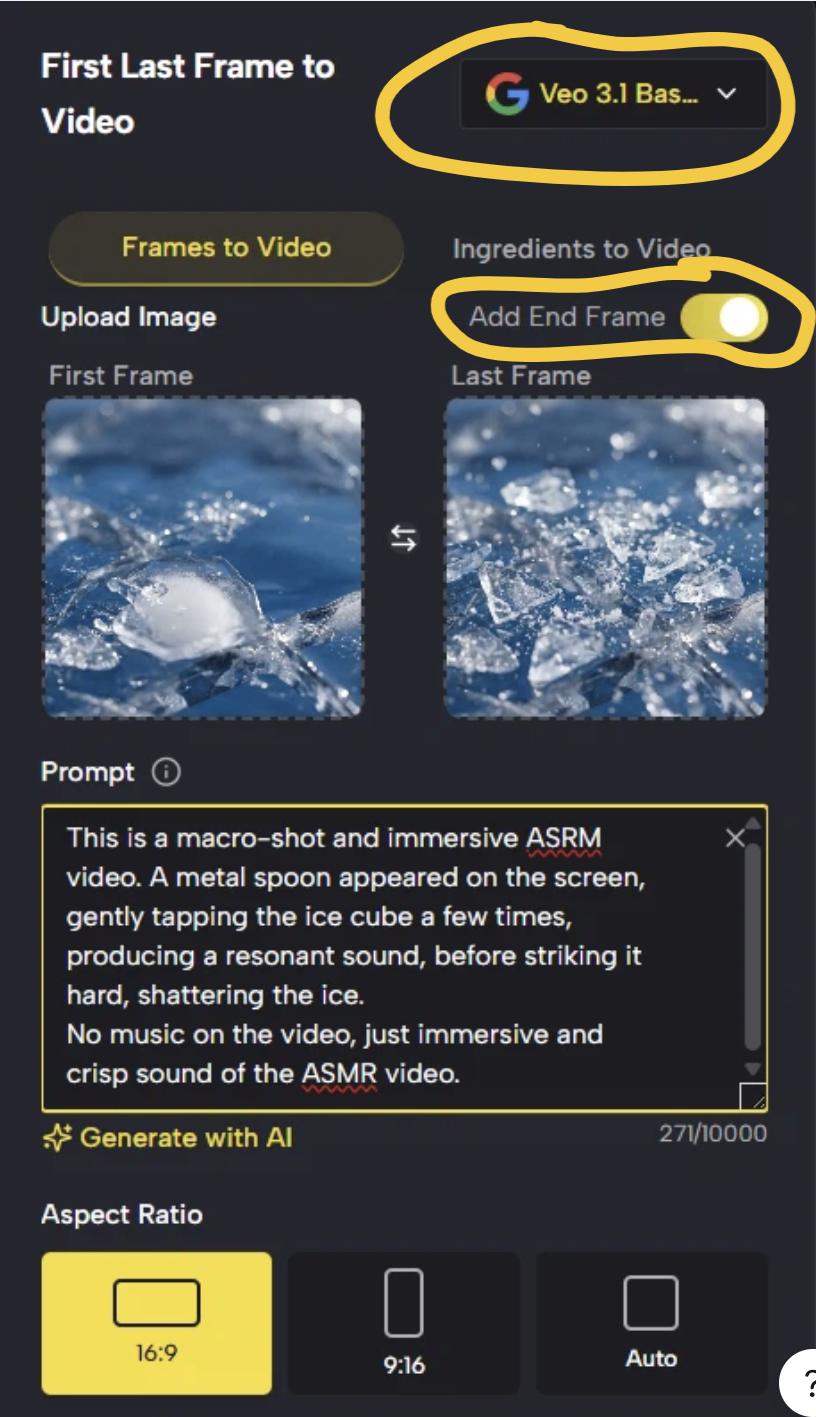
If you want to specify how the AI ASMR video end, you can use the AI image generator free to generate one new image as the end frame of the video.
Popular AI ASMR Video Categories & Prompts
There are some popular AI ASMR video prompt template, you may copy and adjust details to the result you want.
| Category | Recommended Prompt Style |
|---|---|
| Kinetic Sand | Macro shot, kinetic sand being sliced by a wire, pastel colors, crumbling texture, crisp cutting sound, 4k. |
| Satisfying Slime | Extreme close-up, translucent jelly being squeezed, tiny air bubbles popping, slow motion, squelching audio. |
| Nature Taps | Cinematic close-up of heavy rain drops hitting a thick green leaf, water splashing, soft forest lighting, rhythmic rain sounds. |
| Surreal Melting | Ultra-high definition macro shot of a rainbow-colored wax candle melting into a pool of liquid silk, sizzling sound, soft bokeh. |
How to Build Your Social Media Account with AI ASMR Video
- Niche Down: Pick one style (e.g., "Metallic ASMR" or "Soft Nature") to build a loyal following.
- Focus on the Hook: Ensure the first 2 seconds of your video show a high-intensity "trigger" (like a knife just about to cut).
- Consistency is Key: Post daily to YouTube Shorts and TikTok. Use tags like #asms, #oddlysatisfying, #aiasmr, #asmrai and #supermaker.
- Engage with Requests: Ask your audience what texture they want to see "AI-generated" next!
FAQ: Everything You Need to Know
Q: Is the SuperMaker AI ASMR video generator really free?
A: Yes! New users receive free credits upon sign-up, and you can earn more daily just by logging in.
Q: Can I use these AI ASMR videos for my YouTube channel?
A: Absolutely. The AI ASMR videos generated are 1080P and high quality, making them perfect for monetized content on YouTube, TikTok, and Instagram.
Q: How do I get the sound to match the ASMR video?
A: You don't have to do anything! Since we use Google Veo 3, the audio is generated natively to match the visual action described in your prompt.
Q: Can I make AI ASMR video longer than 8 seconds?
A: Yes. While each individual clip is 8 seconds, you can use our First and Last Frame tool to stitch multiple clips together for a seamless long-form video.
Conclusion
Creating viral AI ASMR video no longer requires a studio. With SuperMaker AI, you can turn a simple text prompt into a sensory masterpiece. Ready to start your creator journey?
Try AI ASMR video generator free and online here.


