
SuperMaker AI App: AI Video App Free for All-in-One AI Creation (Video, Image, Music & Voice)
Too many AI models. Too many platforms. Unstable results and web-only workflows often slow creators down instead of helping them move faster.
SuperMaker was built to simplify AI creation. As an all-in-one AI creation app, it brings official models for video, image, music, and voice into one unified experience across web and mobile—so you can choose the right tools with clarity and create without friction.
Turn AI creation chaos into one efficient workflow with SuperMaker AI app.
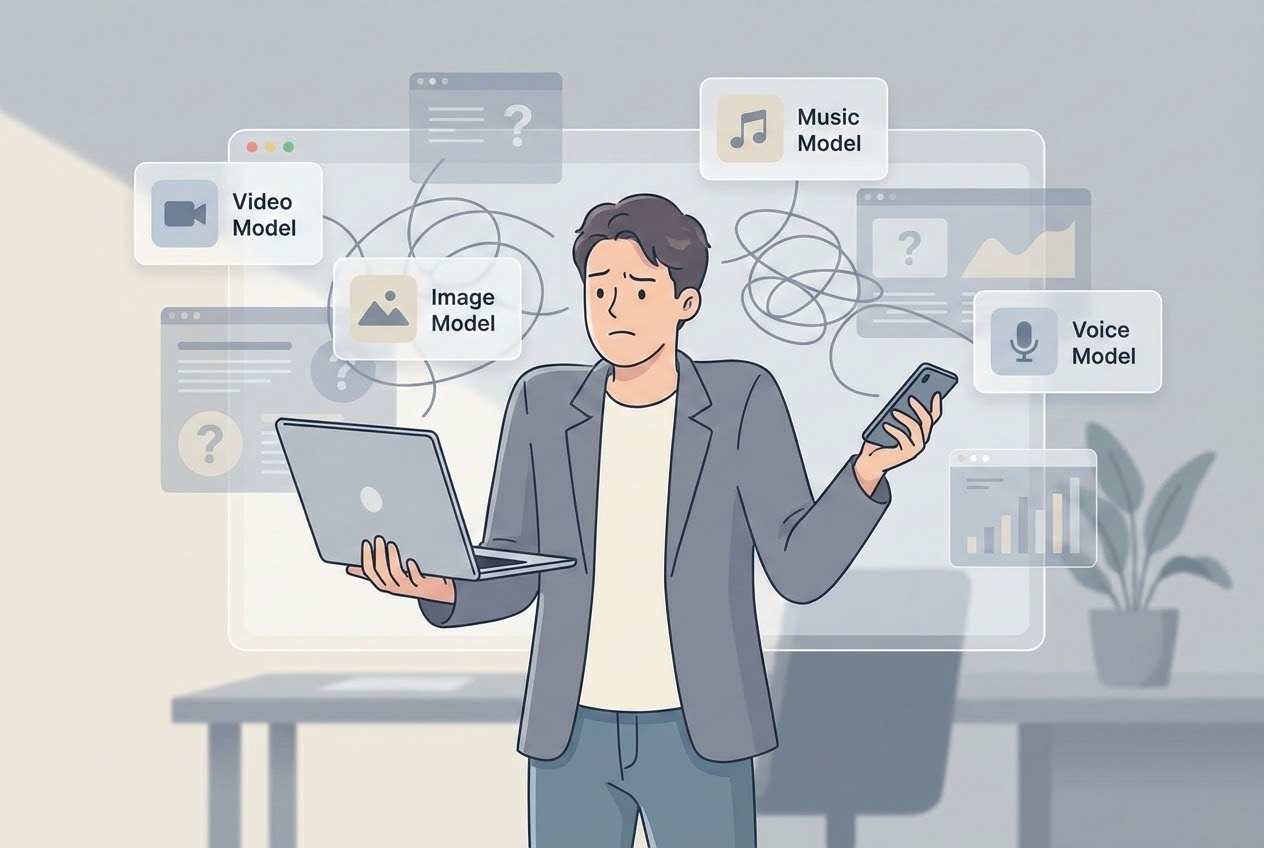
AI video generation, image creation, music production, and voice synthesis are often spread across multiple apps—each with its own models, subscriptions, interfaces, and limitations. Switching between apps breaks creative flow, increases costs, and makes it difficult to experiment freely. Even when users find a free AI video app, they often discover hidden constraints such as watermarks, limited control, or reduced output quality.
At the same time, the rapid release of new AI models has created another challenge: too many choices without clear guidance. Different models excel at different tasks, but understanding which one to use for a specific creative need has become a decision bottleneck rather than a creative advantage.
Why Modern Creators Need an All-in-One AI Creation App — SuperMaker AI
The biggest challenge in AI content creation today is not a lack of powerful models—it is fragmentation.
Many creators encounter is a fragmented ecosystem:
-
One app for video generation, another for image generation, one model for ultra-realistic physique performance, another for high character consistency, separate tools for music and voice, and different accounts for each service.
-
Another growing issue is decision fatigue. With so many AI models available, creators are often unsure which one best fits their needs.
Choosing the wrong model can waste time, credits, and creative momentum—especially in video generation, where experimentation is more expensive.
-
On top of that, most AI tools are still designed primarily for desktop use. Inspiration, however, does not wait for a computer.
Creators increasingly need a reliable mobile solution that offers the same depth, control, and creative freedom as a professional AI video generator app—without sacrificing usability or output quality.
SuperMaker AI app creation differently.
Instead of asking users to adapt to multiple tools, SuperMaker AI video app brings multiple official models into one platform, reduces complexity through clear guidance, and supports real creative workflows across video, image, music, and voice—both on web and on mobile.
SuperMaker AI Video App Creation Without Limits
For many creators, the real challenge with AI video generation is not quality—it is access and control. Switching between apps disrupts creative flow and makes experimentation expensive.
On SuperMaker AI video app free, creators can work with official video models without forced watermarks, removes a major barrier between idea and distribution, especially for users who need clean, presentation-ready video content.
Multiple AI Video Models Inside an AI Video App Free
SuperMaker AI video app offers multiple official video models for different needs.
| Creative Need | Recommended Model | Best For (Use Cases) | Why Choose This Model on SuperMaker |
|---|---|---|---|
| Concept-driven storytelling & realistic scene generation | Sora | Creative concept exploration, realistic scene imagination, text-based video ideas | Sora delivers highly realistic video results with strong physical understanding and prompt interpretation. On the official platform, outputs include watermarks and require invitation access. On SuperMaker AI video app free, Sora is integrated directly into video generation features with no watermark and no invite barrier. Best results come from text-to-video workflows; image-to-image with real-person photos is not supported. |
| Cinematic visuals & film-level video quality | Veo 3 / Veo 3.1 | Trailers, cinematic shots, atmosphere-driven scenes | Veo 3 and Veo 3.1 generate cinema-grade visual quality with strong lighting and composition. However, character consistency across scenes is limited, making it better suited for visual sequences rather than character-driven stories. |
| Realistic motion & character consistency | Kling | Action scenes, human movement, character-focused videos | Kling excels at physical realism, smooth motion, and strong character consistency. It is well-suited for dynamic scenes involving people and movement. The trade-off is very high generation cost, making it best for high-value outputs rather than frequent iteration. |
| High-quality motion with expressive visuals | Wan | Stylized realism, expressive motion, advanced creative visuals | Wan offers motion quality and realism comparable to Kling, with expressive visual output. It is also costly, making it more appropriate for premium creative use cases rather than casual experimentation. |
| Cost-effective video generation & fast iteration | Seedance | Social media content, rapid testing, frequent generation | Seedance is the most cost-effective choice for video generation. It supports fast iteration, has no content restrictions, and is ideal for frequent use. Audio output is not supported, making it best for silent or music-backed videos. |
| Structured storytelling & controlled transitions | Any supported model + First & Last Frame | Transitions, narrative continuity, story-driven sequences | First & Last Frame control allows creators to guide how a video begins and ends, improving structure and coherence. This feature adds creative control across all supported models, especially useful for storytelling and transitions. |
Creative Video Features Inside an AI Video App
SuperMaker AI video app free allows creators to turn text or images into expressive videos quickly, without complex setup or external editors.
1. Image to Video Effects
Users can animate still images directly inside SuperMaker AI video app free, transforming photos into short videos with natural motion suitable for social content, storytelling, and creative experiments.
2. Action-Based Effects: Dancing and Hugging
SuperMaker includes ready-to-use image-to-video effects for common actions such as kissing, dancing and hugging. These effects simplify motion generation and help creators produce emotionally engaging videos without detailed prompt engineering.
3. First & Last Frame Control
First Frame and Last Frame Feature functionality lets users define how a video starts and ends, improving structure and visual continuity. This feature is essential for story-driven clips, transitions, and controlled sequences, setting SuperMaker apart from many other AI video apps free with limited direction control.
AI Image Creation in SuperMaker AI Image App Free
SuperMaker provides a complete image creation workflow inside a single AI image app free, combining multiple official image models in one unified environment.
This approach reduces workflow fragmentation and makes image creation more efficient for real-world use.
Multiple Official Image Models
| Creative Need | Recommended Model | Best For (Use Cases) | Why Choose This Model on SuperMaker |
|---|---|---|---|
| Commercial design & precise text rendering | Nano Banana Pro | Posters, banners, marketing visuals, charts, branded layouts | Nano Banana Pro offers the fastest image generation speed and best-in-class text rendering. It handles typography, structured layouts, charts, and poster-style designs with high accuracy and consistency, making it ideal for commercial and marketing use cases where clarity and precision matter. |
| Cost-effective image generation with strong quality | Nano Banana | Social media graphics, everyday image creation, frequent generation | Nano Banana is the most cost-effective option, balancing image quality and speed for high-frequency use. It is well-suited for creators who need reliable image output without premium cost, making it a practical choice for large-scale or repeated generation. |
| Stable image generation & complex prompt understanding | GPT-4o Image | Concept exploration, complex prompts, creative ideation | GPT-4o Image provides highly stable generation results with strong prompt comprehension. It excels at interpreting complex instructions and producing coherent images, making it suitable for conceptual creativity and idea-driven workflows. |
| Photorealistic and artistic image styles | Seedream | Portraits, lifestyle images, artistic visuals | Seedream delivers high-quality image results with a balanced mix of realism and artistic style. It is well-suited for portraits and visually appealing imagery where natural aesthetics and visual harmony are important. |
| High-detail visuals & stylistic diversity | Flux | Creative artwork, stylized scenes, detailed compositions | Flux focuses on rich visual detail and stylistic flexibility, making it ideal for expressive artwork and creative scenes. It supports a wide range of visual styles and produces detailed outputs suitable for artistic exploration. |
Creative Image Features Inside an AI Image App
SuperMaker AI image app free supports fast image generation and refinement without complex setup, making it a practical AI image maker for everyday creative workflows.
1. Try Different Hairstyles
With SuperMaker AI image app free, users can preview different hairstyles with a single action. This feature allows fast experimentation with hair length, color, and style, making it useful for personal styling previews, social content, and creative concepts—all without manual retouching.
2. Virtual Outfit Try-On
Virtual try-on enables users to change outfits digitally inside an AI image app free, helping visualize different clothing styles on a photo. This is especially useful for fashion inspiration, outfit planning, and content creation without needing multiple photos or shoots.
3. Change Photo Styles
SuperMaker supports quick photo style transformation, allowing users to switch between different visual styles such as realistic, artistic, or stylized looks. This makes the AI image app free suitable for both creative experimentation and aesthetic refinement across different use cases.
Photo colorization lets users bring life to black-and-white or faded images by adding natural-looking color. Inside an AI image app free, this feature helps restore old photos or create stylistic reinterpretations without advanced editing skills.
SuperMaker AI Music App Creation Without Limits
For many creators, AI music generation is often limited by style restrictions, lack of control, or fragmented tools. Switching between different platforms to test melodies, moods, or song structures disrupts creative momentum.
With SuperMaker AI music generator app free, users can generate music using multiple official music models inside a single platform. This unified workflow makes it easier to experiment with different musical directions while keeping creation fast and accessible.
Users can explore different moods, tempos, and styles while keeping the workflow simple and efficient in SuperMaker AI music app.
SuperMaker AI Voice App Creation Without Barriers
It's hard to find a perfect voice maker, especially which can streamline your workflow.
By keeping voice generation lightweight and integrated, SuperMaker AI app makes it easier to combine voice with video, image, and music outputs—supporting cohesive, multi-modal creative projects in one place.
You can use SuperMaker AI voice maker app with the use case of narration, short voice clips, and content enhancement for videos.
Explore SuperMaker AI Video App
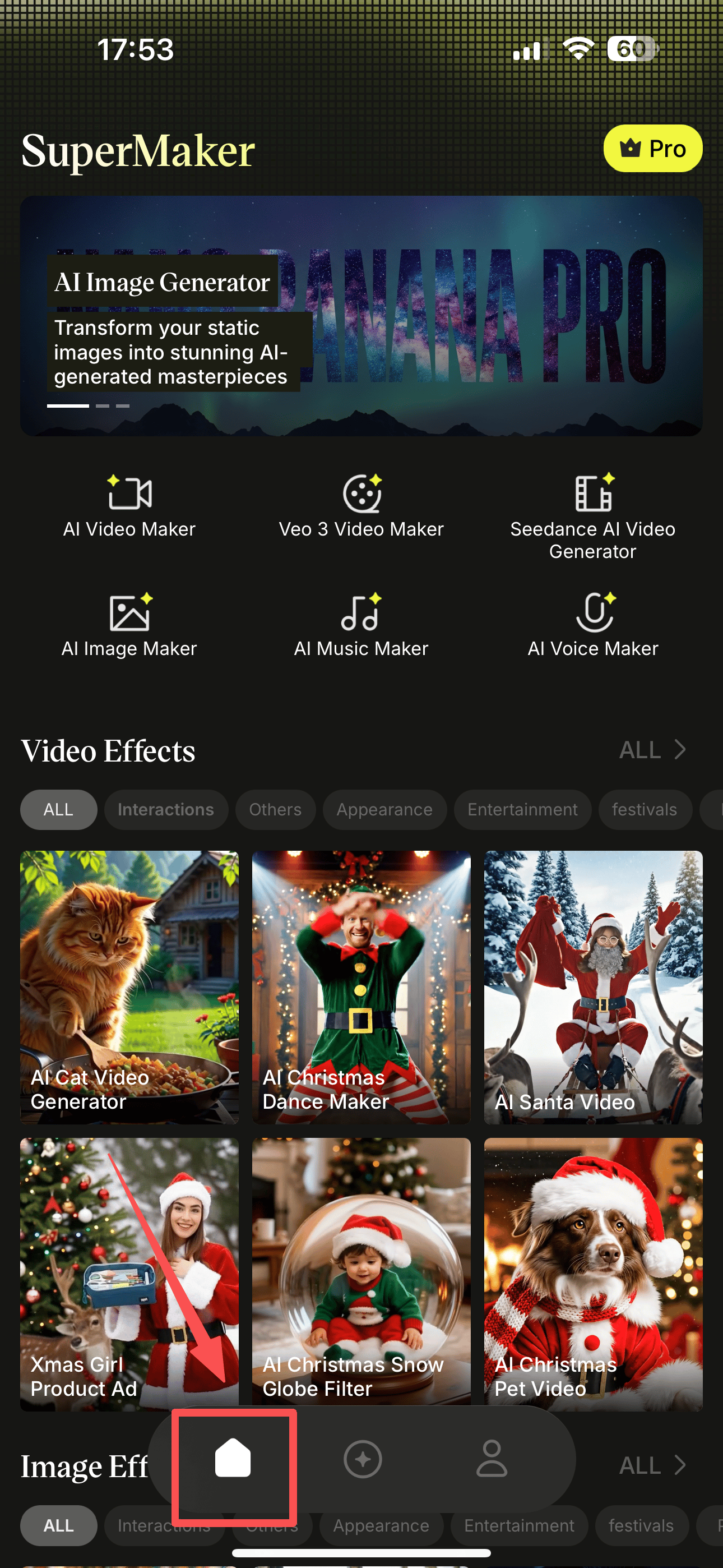
1. Popular Video Effect & Image Filter
All new effects and features are released simultaneously on web and app, so you always get them first.
2. Find the Efficient Workflow
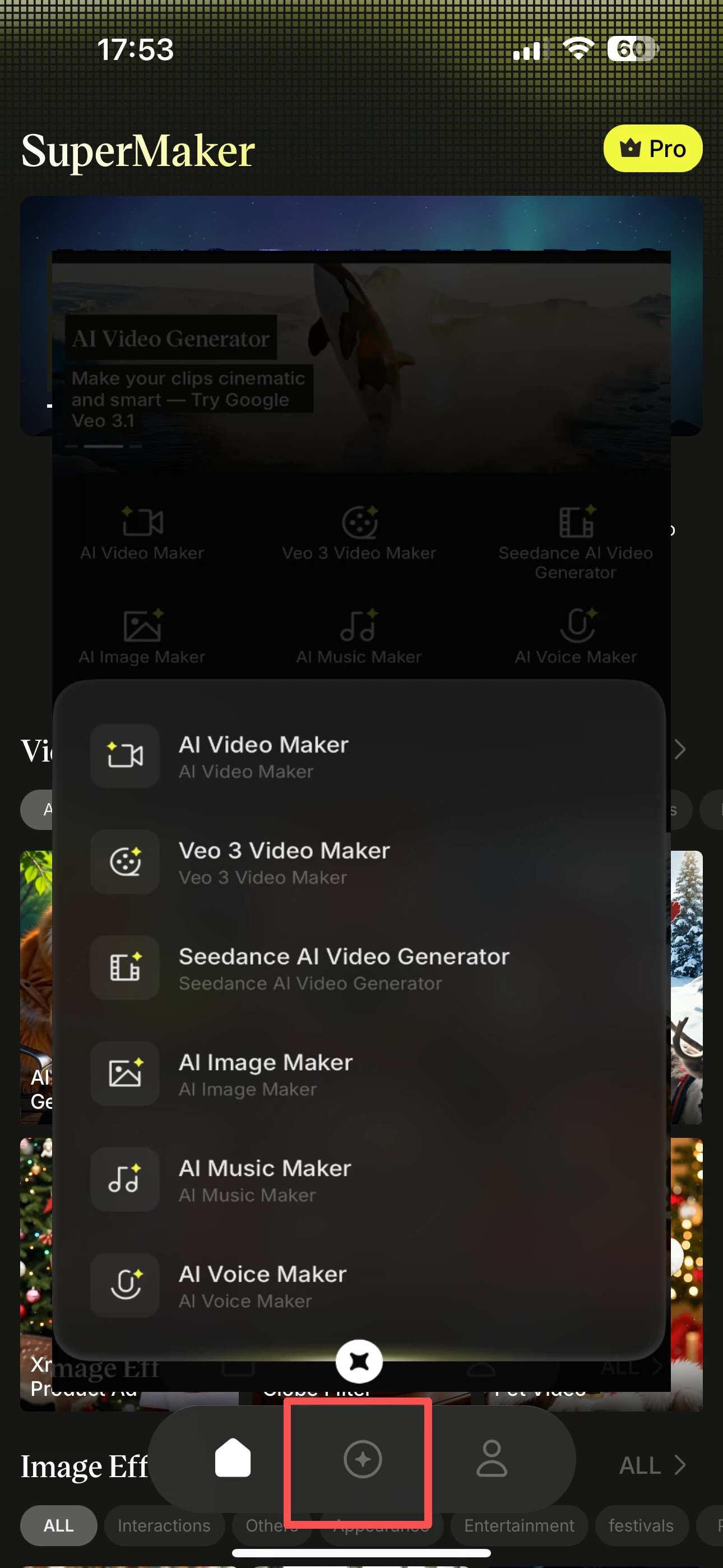
Create videos, images, music, and voice in one place, with everything visible at a glance.
3. Integrated Your Data
Sign in with the same Google account to keep your web and app data fully synced.
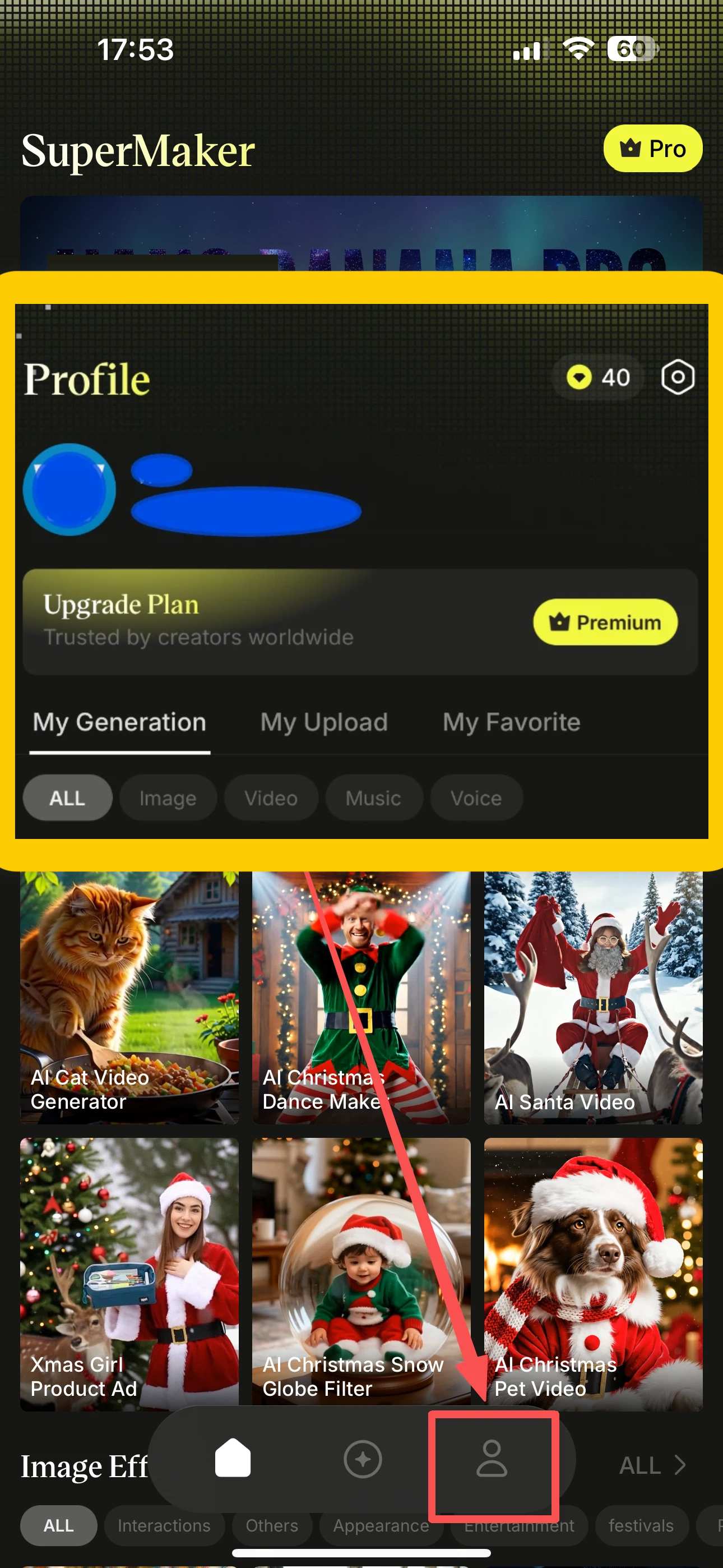
SuperMaker App: One Account, One Creative Ecosystem
SuperMaker App is available on both iPhone and iPad. Whether you are working on video, images, music, or voice, the mobile app is built to support real creative workflows—not just quick demos.
When you sign in with a Google account, your app and web experiences are fully connected. Usage data, credits, and creative progress are synchronized automatically across devices.
With the SuperMaker app, you stay connected to the platform’s evolution. New features, newly supported models, and creative effects become available in the app as soon as they are released.
For users who care about staying current with AI video generation, image creation, and other creative technologies, the SuperMaker app acts as a reliable, always-updated entry point into a rapidly changing AI ecosystem.


