

More AI Image Generators
Explore our collection of specialized AI image generators designed for different creative needs and styles









![FLUX.1 Krea [dev]](https://static.supermaker.ai/cdn-cgi/image/q=55/https://static.supermaker.ai/files/vtp5vmm87f65.png)
See a Cleaner Look Instantly with No Beard Filter
Upload a portrait, choose image size, and let No Beard Filter create a realistic clean-shaven version in seconds.
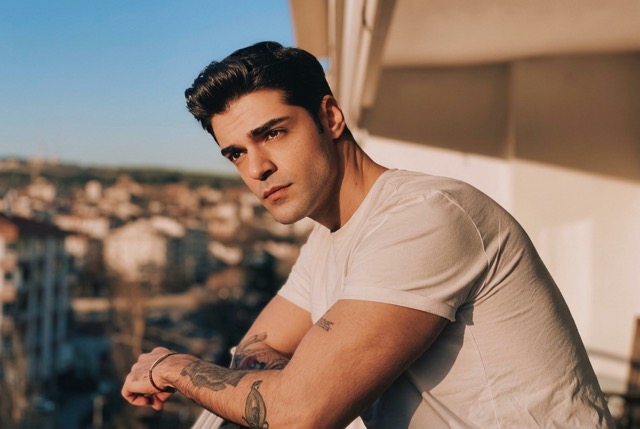
No Beard Filter helps you preview a beardless version of any portrait without manual retouching. Upload one photo, select image size, and generate a natural-looking result that preserves identity, skin tone, expression, lighting, and quality.
How to Use No Beard Filter
Using No Beard Filter is straightforward even if you have never edited a portrait before. Upload one image, choose the output size you need, and let the model generate a realistic beardless look.
Upload Your Portrait
Start by uploading a clear face photo to No Beard Filter. A front-facing or slightly angled image usually gives the best result. The tool reads visible facial hair, skin texture, and facial structure so it can prepare a clean edit while keeping the person recognizable.

Choose Image Size
Pick the image size that matches your goal, whether you need a square avatar, vertical social post, or standard portrait output. Once selected, No Beard Filter applies the edit to the uploaded image and optimizes composition for the chosen format without requiring manual masking.

Generate and Download
Click generate and let No Beard Filter produce a natural-looking beardless version of the photo. Review the result, compare the facial contours, and download the finished image for resumes, profile updates, creative projects, or simple style testing. AI Beard Remover technology keeps the workflow fast and easy.
Best AI Image Tools for Creative Projects
Explore creative tools for image, learn tips and tricks, and see how AI can be your assistant in turning concepts into finished projects.






Features of No Beard Filter
This tool is built for realistic portrait transformation rather than rough facial-hair erasing. It focuses on identity retention, believable skin reconstruction, and flexible output for everyday users, creators, and professionals.
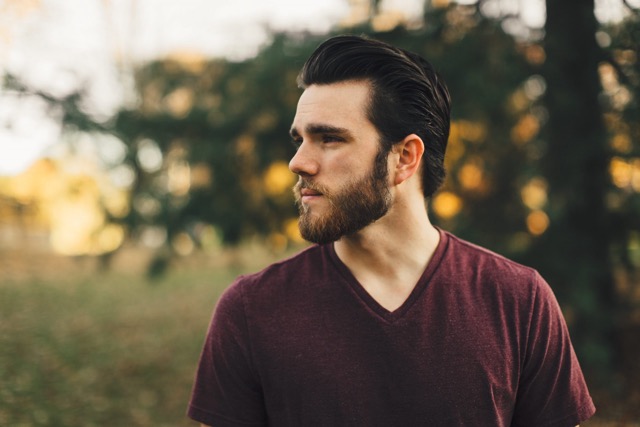
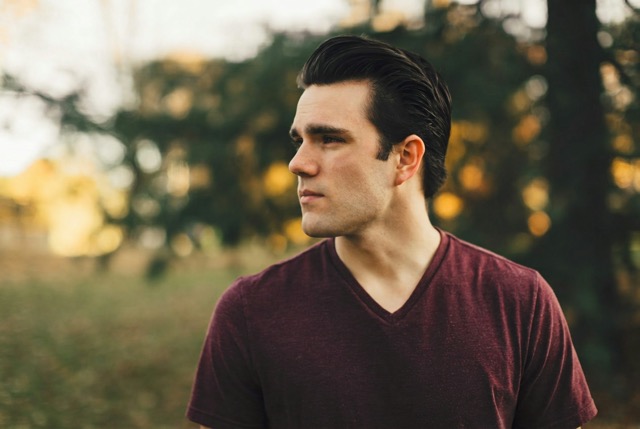
Natural Chin and Jawline Reconstruction
- No Beard Filter does more than fade facial hair. It rebuilds the area around the upper lip, chin, and jaw so the result looks coherent.
- A believable clean-shaven edit depends on skin continuity, shadow control, and face shape consistency.
- AI Beard Remover processing helps keep the person identifiable.
- For selfies and profile images, No Beard Filter creates a polished result that still feels like the original photo.
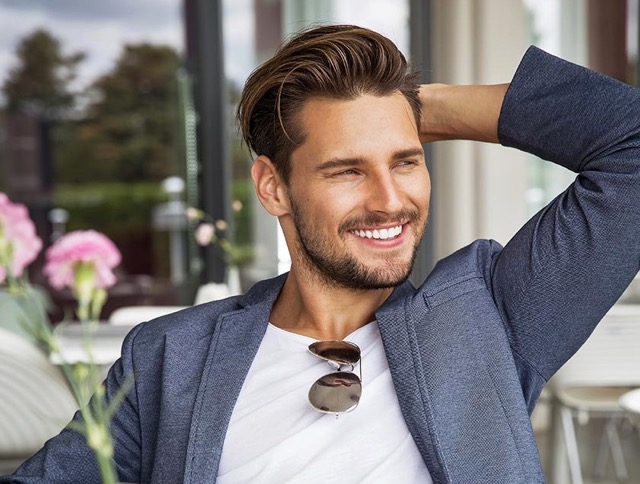
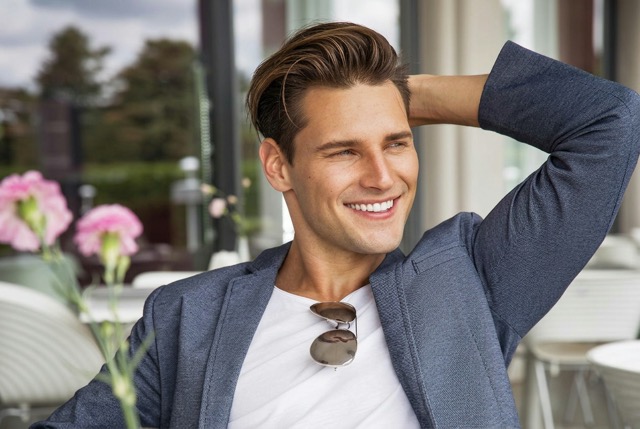
Reliable Identity Preservation
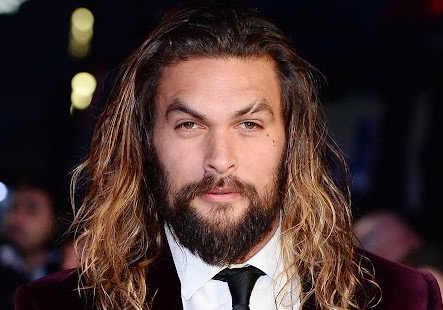
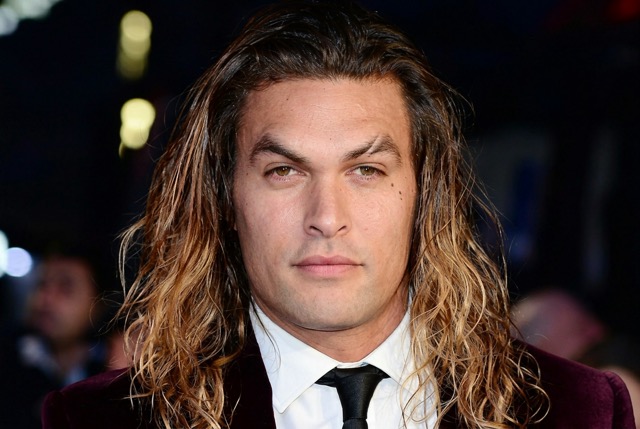
- People use No Beard Filter to see themselves without facial hair, not to become a different person.
- The model preserves expression, hairstyle, age cues, and facial proportions while removing the beard.
- That makes No Beard Filter useful for personal style previews, dating profile experiments, and profile-picture refreshes.
- AI Beard Remover output stays close to the source image so comparisons remain meaningful.
Optimized for Profile and Resume Photos
- A cleaner portrait can change the tone of a headshot for resumes, team pages, speaking bios, and social avatars.
- No Beard Filter helps users test that presentation before shaving or booking a new photo shoot.
- By selecting the right image size, No Beard Filter can produce outputs ready for common profile layouts.
- AI Beard Remover functionality reduces manual retouching.
Fast Style Testing for Social Content
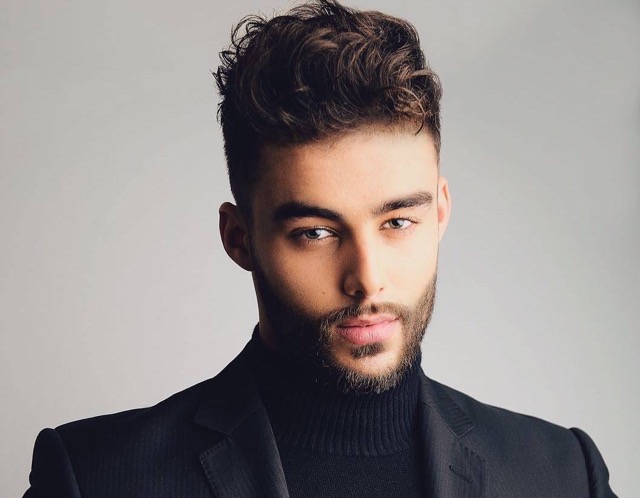
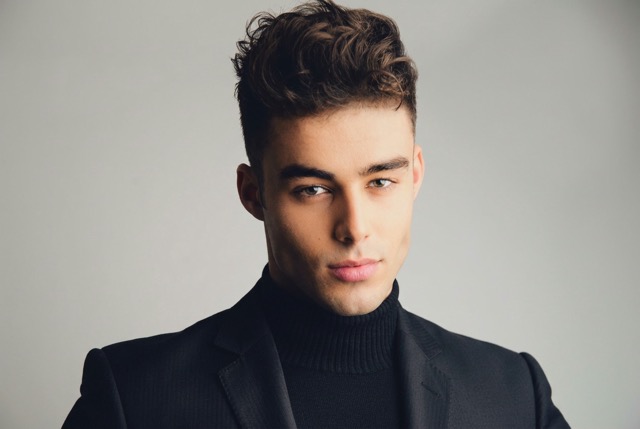
- Users often want quick alternate looks for stories, posts, thumbnails, or comparisons.
- No Beard Filter makes that possible from a single upload, with no advanced editing knowledge required.
- Use No Beard Filter to create a clean-shaven variation for branding tests or casual content.
- AI Beard Remover output remains practical and easy to generate at different image sizes.
Why Choose No Beard Filter
The best portrait editors are useful in real situations, not only in demos. No Beard Filter is designed for people who want a cleaner facial look quickly. Here are six reasons users choose it for natural beard removal.
One-Click Beard Removal
You do not need masking tools, brushes, or editing experience. No Beard Filter turns a beard photo into a clean-shaven preview through a simple upload and generate process. This makes No Beard Filter approachable for casual users and quick for professionals.

Clean-Shaven Preview Before a Real Shave
A major advantage is decision support. If you are unsure whether to trim, shape, or fully remove facial hair, No Beard Filter gives you a visual answer first. AI Beard Remover output reduces guesswork before a major style change.

Flexible Image Size Selection
Different use cases need different formats. No Beard Filter lets users choose image size before generation so the result fits profile pictures, portfolio pages, social feeds, or mobile sharing. That makes No Beard Filter more practical than a one-size editor.

Natural-Looking Skin and Shadows
Strong beard removal depends on believable skin tone transitions and realistic lighting beneath the facial hair. No Beard Filter focuses on those details so the mouth, chin, and jawline do not look flat or over-smoothed. AI Beard Remover results feel cleaner without appearing artificial.

Useful for Personal and Professional Portraits
From dating photos and LinkedIn updates to team pages and creator branding, No Beard Filter works across many portrait needs. Because No Beard Filter preserves the overall face while changing facial-hair presentation, it suits playful experimentation and polished editing.
Fast Browser-Based Workflow
You can go from upload to finished portrait in a few clicks. No Beard Filter is ideal when you need a quick alternate look for a meeting bio or social post. AI Beard Remover speed helps users create results quickly.
What Users Say About No Beard Filter
People use this tool for different reasons, from testing a grooming decision to improving a profile photo. These testimonials show how it fits everyday needs where realism matters.
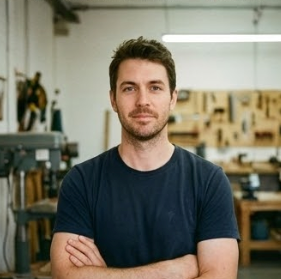
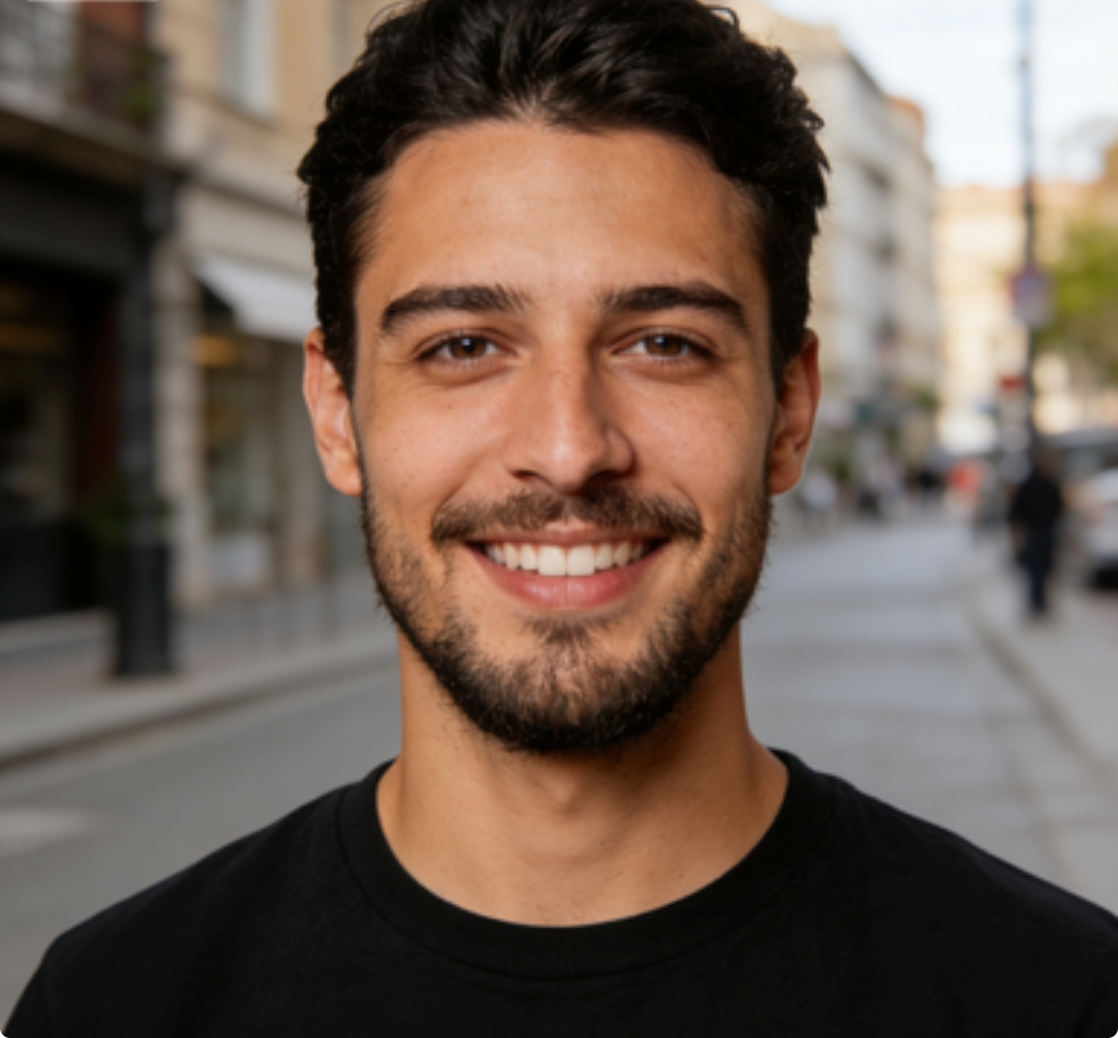
I had a beard for years and forgot what my face looked like without it. No Beard Filter gave me a realistic preview. The jawline looked natural, and it helped me decide on a shorter style before shaving.
I needed a cleaner headshot for a conference speaker page and did not have time for a new shoot. No Beard Filter helped me create a polished version from an existing portrait while keeping my expression and face shape intact.
Most tools I tried either blurred the beard area or changed my features too much. No Beard Filter made the skin and chin area look believable. I also liked choosing image size first for a square profile photo.
I used No Beard Filter for a comparison post, but it became a real style tool. It showed whether a clean-shaven look worked with my haircut and face shape. The output looked like me, just without the beard.
As a freelance designer, I appreciate tools that save time. No Beard Filter was easy to use and did not require manual cleanup around the mouth or chin. I created a cleaner portfolio headshot in minutes.
I wanted to test a no-beard look before my wedding photos. No Beard Filter made the decision easier. It helped me compare grooming options before the real appointment.




FAQs About No Beard Filter
Most users want to know how realistic the result will look, what kind of images work best, and where the output can be used. These answers explain how No Beard Filter works and how to get better results.
No Beard Filter is an online portrait editing tool that removes visible facial hair from an uploaded photo and generates a clean-shaven version of the same person. Instead of simply blurring the beard area, it analyzes facial contours, skin texture, lighting, and expression so the chin and jawline look believable. The workflow is simple: upload a photo, select image size, and generate the result. This makes the tool useful for style testing, profile updates, and fast portrait cleanup without manual editing.
A strong result depends on the source image, but No Beard Filter is designed to keep the edit natural rather than overly smooth or artificial. It focuses on preserving identity, expression, hairstyle, and lighting while reconstructing the skin under the beard. In most cases, No Beard Filter performs best on well-lit portraits where the face is clearly visible. If the beard is heavily shadowed or the image is very low quality, results can vary, but the goal is always a realistic clean-shaven look.
The best input is a clear portrait with decent lighting, visible facial features, and limited motion blur. Front-facing selfies, studio portraits, and lightly angled headshots usually work very well. No Beard Filter can still process more casual photos, but results improve when the jawline, mouth area, and beard shape are easy to read. If you want the most convincing output from this AI Beard Remover, avoid extreme shadows, tiny faces in the frame, and heavily compressed images whenever possible. Clear beard edges help the model.
Yes. One of the most practical uses for No Beard Filter is creating a cleaner portrait for professional contexts. Users often try it when they want to refresh a headshot, test a more formal appearance, or reuse an existing photo instead of scheduling another shoot. Because the tool keeps the person recognizable while changing facial-hair presentation, the result can work well for profile photos, speaker bios, resume images, and internal team pages. Choosing the right image size also helps fit standard layouts.
Yes. Many users try the tool because they want to know whether shaving their beard will suit their face before making a permanent change. Others use it to compare different public-facing looks for work, dating apps, social media, or special events. The value comes from seeing a believable preview without committing first. When the source photo is good, AI Beard Remover output can be genuinely helpful for practical decision-making, grooming choices, and presentation planning. It is more than a novelty filter.
No Beard Filter is designed to maintain a clean, usable image while transforming the facial-hair area. The exact result depends on the uploaded file, but it aims to keep the portrait sharp, recognizable, and visually consistent after editing. Because users choose image size before generation, it is easier to adapt for common output needs such as avatars, posts, and standard portrait formats. For the best quality, upload the clearest version available so the AI Beard Remover has more detail to work with.
This page is focused on the full No Beard Filter experience, meaning the main goal is to generate a clean-shaven result from a bearded portrait. If your intention is to test very specific grooming changes, such as only removing a mustache or reshaping the beard edge, a more targeted editor may be needed. That said, this tool is ideal when the primary question is simple: what would I look like with no beard at all? For that use case, the workflow is direct and effective.
No Beard Filter is useful for anyone who wants a faster way to preview or produce a beardless portrait. That includes professionals updating headshots, creators making alternate profile images, people considering a shave before an event, and users simply curious about their appearance without facial hair. Because No Beard Filter does not require manual retouching skills, it appeals to beginners as well as experienced image editors. AI Beard Remover speed also makes it convenient when you need a result quickly and with minimal setup.
Manual beard removal usually takes significant retouching work because you have to rebuild the skin under the hair, manage shadows, and preserve facial structure. That is time-consuming even for experienced editors. No Beard Filter simplifies the process into a few steps and is better suited for quick portrait transformation when you want a realistic preview, not a lengthy editing session. For many users, AI Beard Remover output is enough for comparison, sharing, and profile updates without the cost or effort of manual retouching.
Start with a high-quality portrait where the face is easy to see and the beard is not hidden by shadows, hands, or strong filters. Choose an image in which the person is the clear subject, then select the output size that matches your intended use. No Beard Filter tends to perform best when the lighting is even and the facial hair outline is visible. If the first attempt is not ideal, try another photo with a cleaner angle. Good input usually leads to much stronger No Beard Filter output.
Try No Beard Filter on Your Photo Today
Upload a portrait, choose your preferred size, and let No Beard Filter create a realistic clean-shaven version in seconds. Whether you want a style preview or a cleaner profile image, the tool makes beard removal simple.
