logo
0

Prompty AI

Prompty AI do obrazów i filmów, gotowe do użycia

Odkrywaj prompty AI z podglądami obrazów i filmów. Wybierz kierunek wizualny, skopiuj tekst lub otwórz odpowiedni generator SuperMaker i dopasuj opis do swojego pomysłu.

Przeglądaj według modelu

Najnowsze prompty AI do obrazów

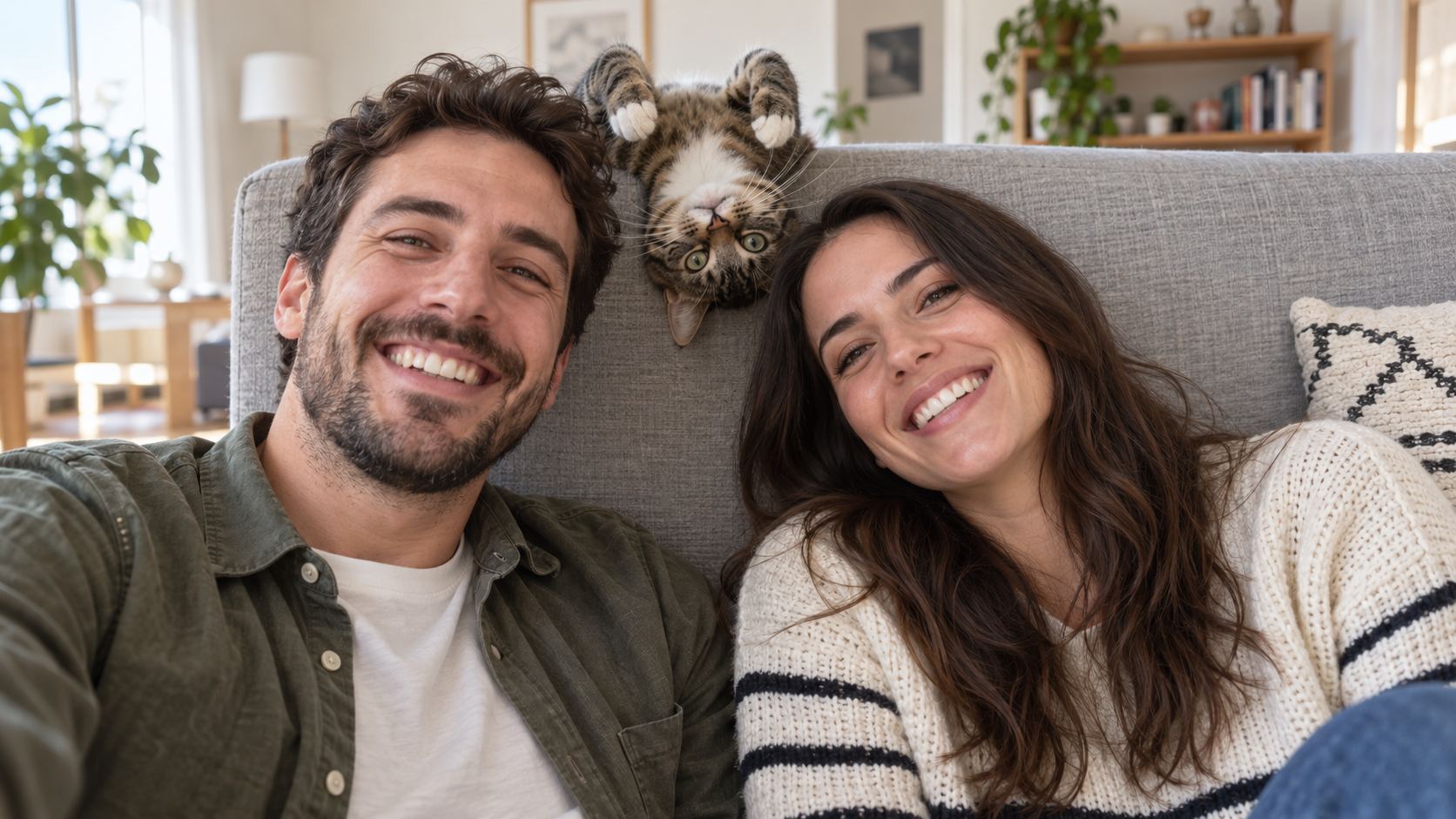
Edit the uploaded photo into a bright living-room selfie. Preserve both friends' facial identities,
Zabawne Prompty AI
Edit the uploaded photo into a bright living-room selfie. Preserve both friends' facial identities,

Edit the uploaded photo into a bright living-room selfie. Preserve both friends' facial identities, hair, clothes, and smiles, plus the cat's exact coat markings. Seat the friends on either side of the frame. Add the cat safely leaning over the high sofa back between them, its head upside down and front paws visible above the cushion, as if it interrupted a normal portrait. Keep all three faces sharp and readable. Use natural window light, plausible body positions, and realistic fur and skin. The cat's photobomb should feel spontaneous. One complete 16:9 photograph, no text or watermark.
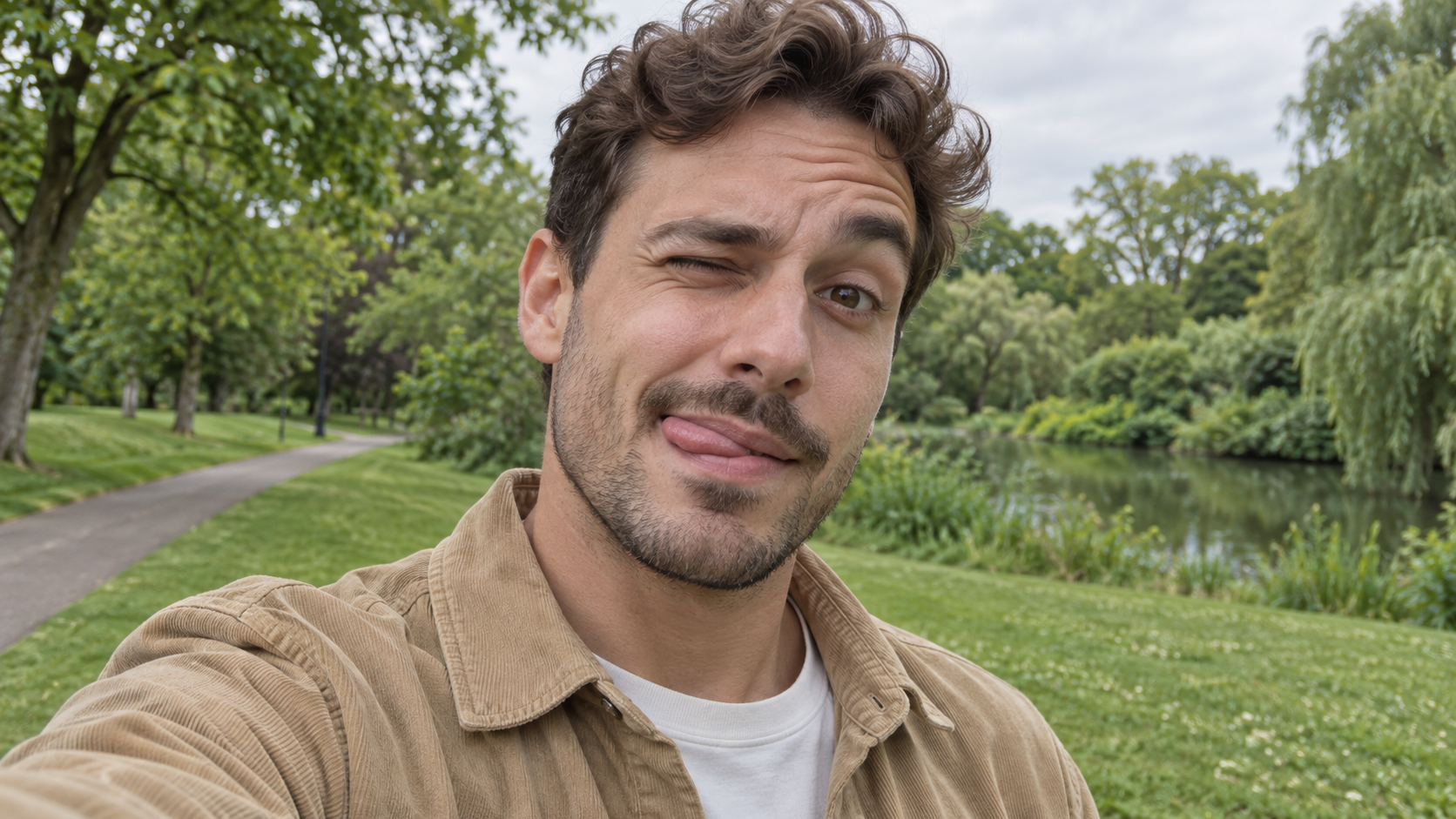
Edit the uploaded photo of one person into a playful outdoor selfie. Preserve their facial identity,
Zabawne Prompty AI
Edit the uploaded photo of one person into a playful outdoor selfie. Preserve their facial identity,

Edit the uploaded photo of one person into a playful outdoor selfie. Preserve their facial identity, hairstyle, age, clothing, and the original outdoor background. Have them tilt the head slightly, wink one eye, raise the eyebrow over the open eye, and touch the tongue to one corner of the mouth in a cheeky sideways expression. Keep the tongue subtle, as in a spontaneous candid photo. Use soft overcast daylight, natural skin texture, correct eye shape, and a believable phone-camera perspective. Exactly one person, photorealistic 16:9 composition, no text or watermark.

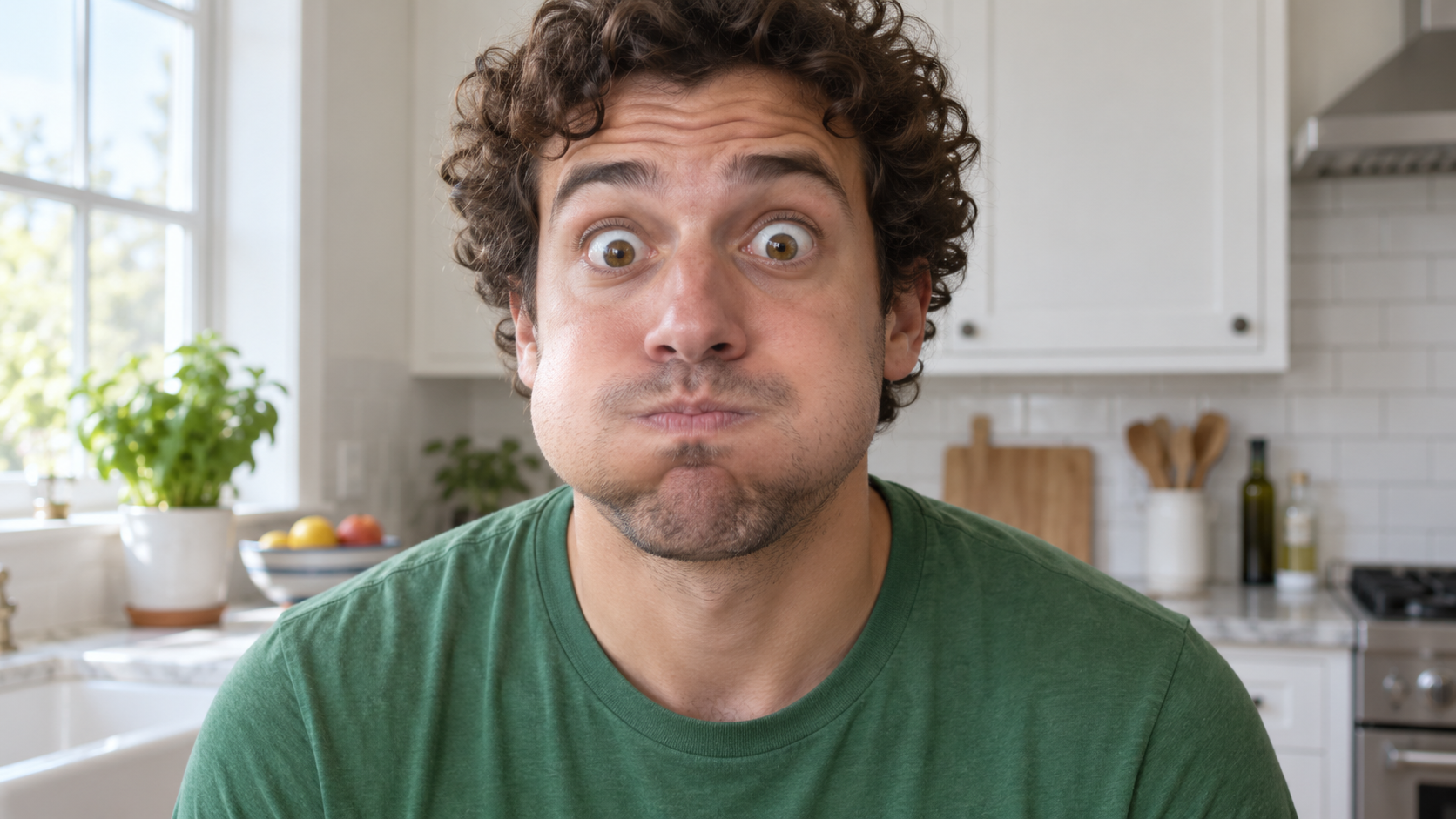
Edit the uploaded photo of one person into a close, funny kitchen portrait. Preserve the person's ex
Zabawne Prompty AI
Edit the uploaded photo of one person into a close, funny kitchen portrait. Preserve the person's ex

Edit the uploaded photo of one person into a close, funny kitchen portrait. Preserve the person's exact face, hair as shown in the source, skin tone, clothes, and background features. Make them puff both cheeks as if holding air, seal the lips tightly, open both eyes very wide, and raise both eyebrows. Keep the expression playful and deadpan rather than frightened. Match the original daylight and camera angle, with believable cheek volume and realistic skin texture. One person only, photorealistic 16:9 frame, no props over the face, extra people, text, or watermark.

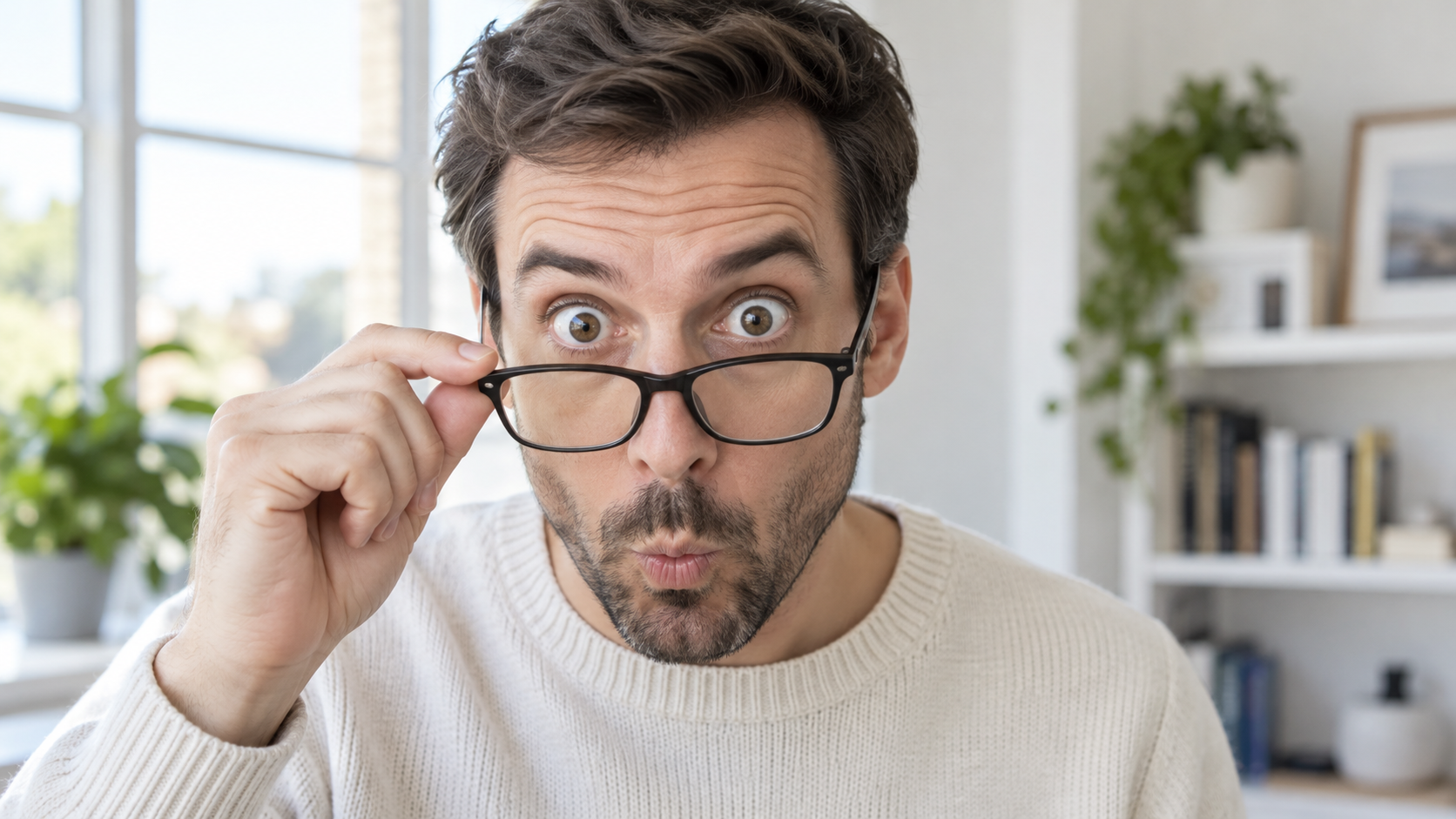
Edit the uploaded portrait of one glasses-wearing person. Preserve their facial identity, hairstyle,
Zabawne Prompty AI
Edit the uploaded portrait of one glasses-wearing person. Preserve their facial identity, hairstyle,

Edit the uploaded portrait of one glasses-wearing person. Preserve their facial identity, hairstyle, facial hair if present, glasses frame, sweater or shirt, and room background. Have them use one hand to pull the glasses a little way down the nose, then stare over the top edge with both eyes comically wide, eyebrows raised, and lips puckered into a tiny O. Keep the glasses aligned with the face, the hand anatomically correct, and reflections consistent with the room's daylight. Exactly one photorealistic person, close 16:9 frame, no duplicate face, text, or watermark.

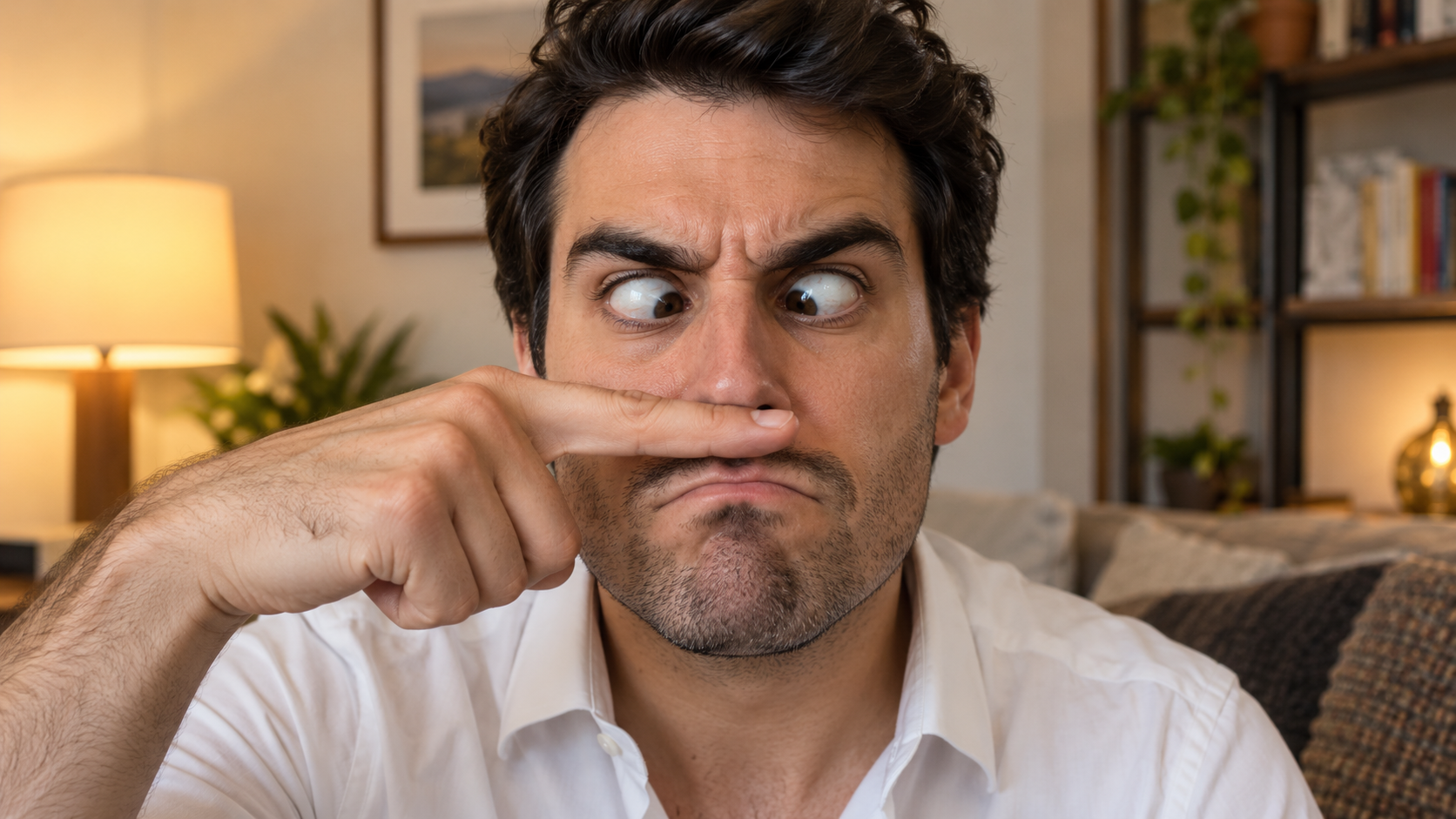
Edit the uploaded solo portrait, preserving the person's exact facial identity, hair, facial hair if
Zabawne Prompty AI
Edit the uploaded solo portrait, preserving the person's exact facial identity, hair, facial hair if

Edit the uploaded solo portrait, preserving the person's exact facial identity, hair, facial hair if any, clothing, and home setting. Place one of their own index fingers horizontally under the nose like a deliberately bad fake mustache. Make their eyes cross down toward the finger, eyebrows tense, and mouth form an exaggerated serious frown. Keep the finger above the upper lip, not inside the mouth, and make the hand anatomically correct. Match warm interior light and believable skin texture. One person only, photorealistic complete 16:9 image, no text or watermark.

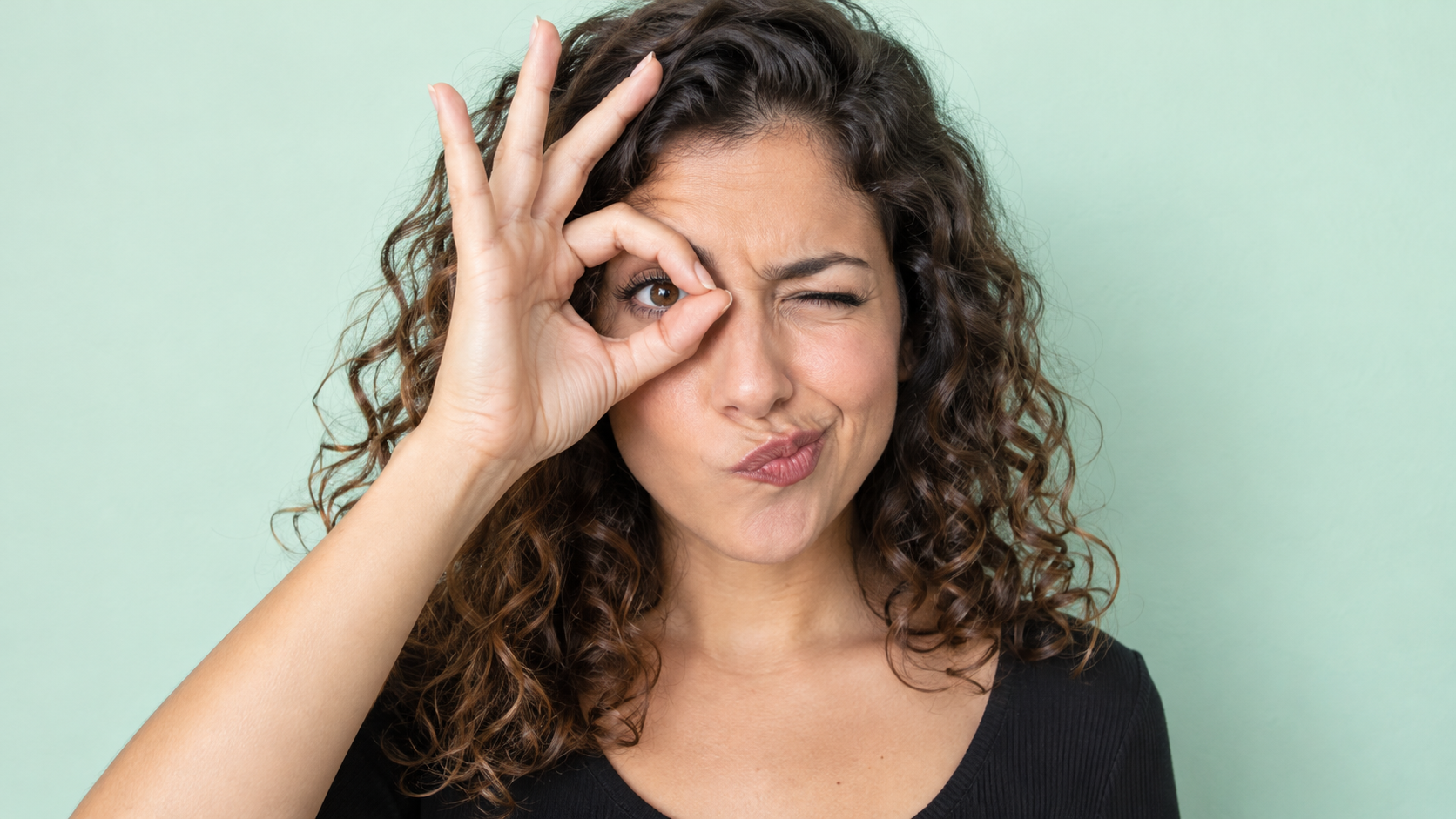
Edit the uploaded photo of one person into a playful portrait. Preserve the person's facial identity
Zabawne Prompty AI
Edit the uploaded photo of one person into a playful portrait. Preserve the person's facial identity

Edit the uploaded photo of one person into a playful portrait. Preserve the person's facial identity, hair, skin tone, clothing, and overall camera angle. Have them form a small circle with thumb and index finger around one open eye like a pretend monocle, squint the other eye, arch one eyebrow, and purse the lips to one side. Show the whole hand with plausible finger joints; do not obscure the open eye. Keep a clean softly colored background and bright even light. One photorealistic person only, 16:9 frame, no added accessories, text, or watermark.

Edit the uploaded portrait of one person. Preserve their facial identity, age, skin tone, hairstyle,
Zabawne Prompty AI
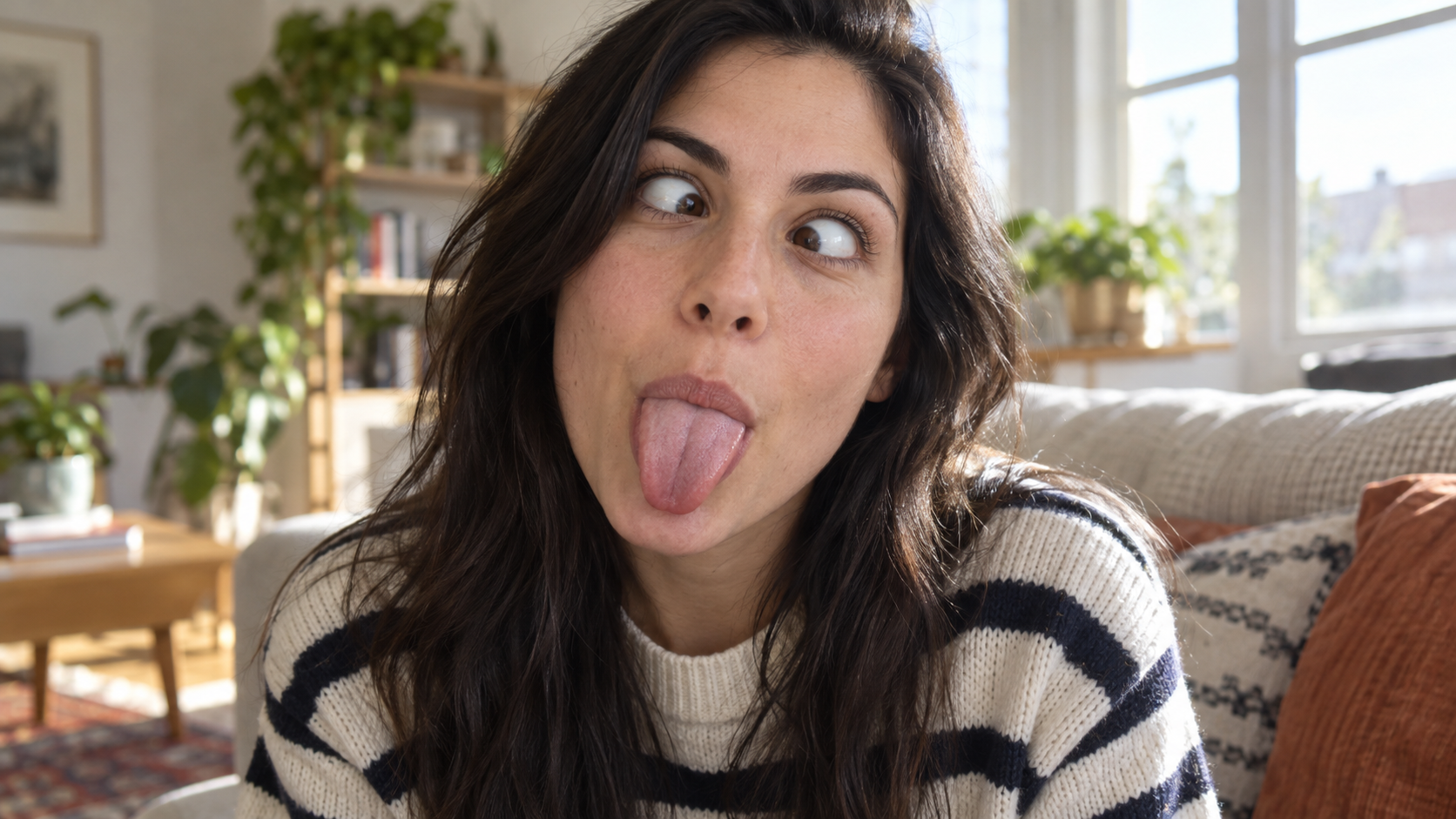
Edit the uploaded portrait of one person. Preserve their facial identity, age, skin tone, hairstyle,

Edit the uploaded portrait of one person. Preserve their facial identity, age, skin tone, hairstyle, clothing, and the character of the original room. Turn the expression into a deliberately silly close-up: both eyes cross toward the center, eyebrows lift slightly, and the tongue sticks straight out. Keep the face large in frame with no hands covering it. Use natural window light, realistic facial muscles, skin texture, teeth and tongue, and a candid selfie feel. One photorealistic person only, complete 16:9 image, no duplicate face, text, or watermark.

Edit the uploaded solo portrait while preserving the person's facial identity, hair, clothing, skin
Zabawne Prompty AI
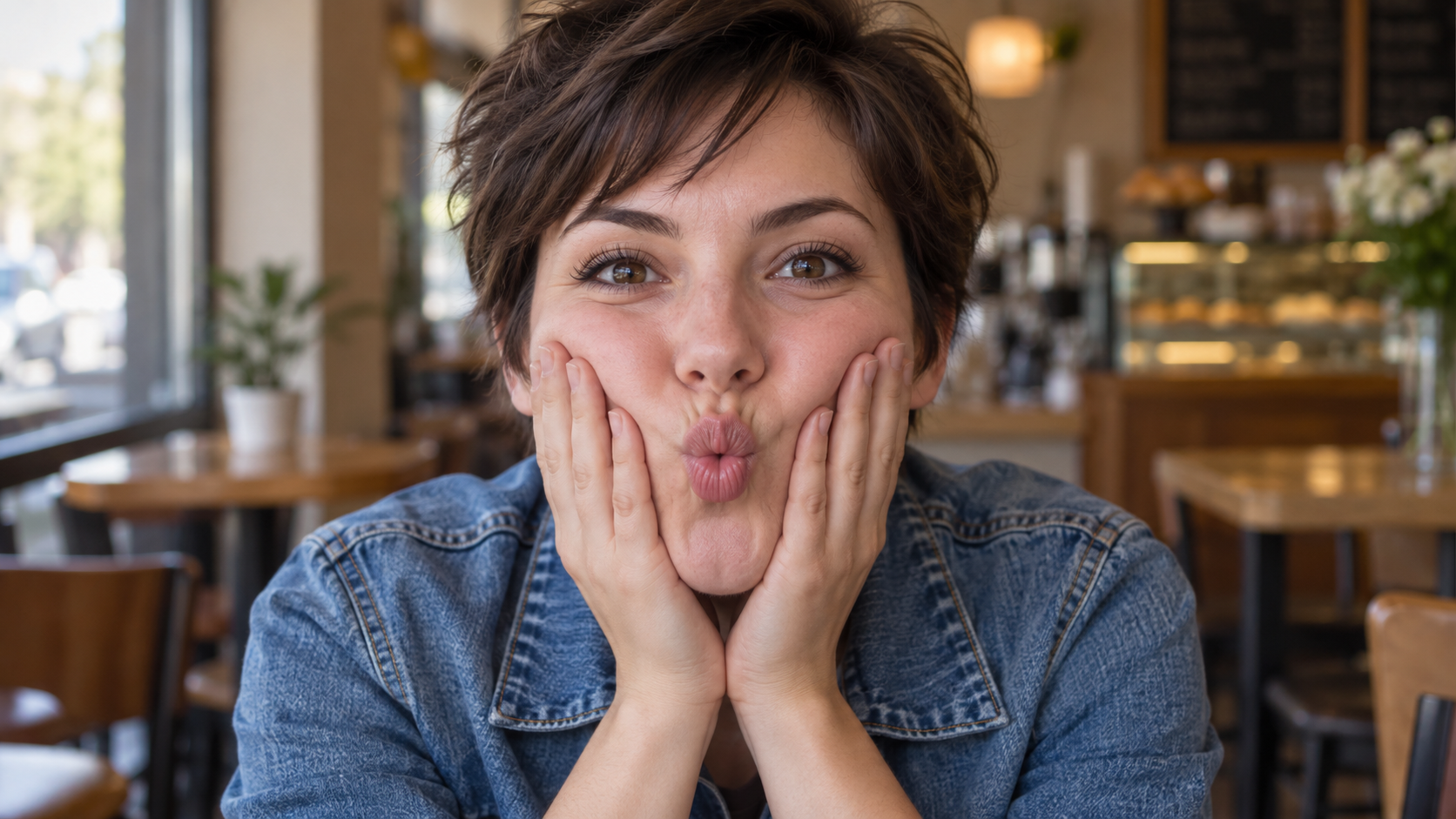
Edit the uploaded solo portrait while preserving the person's facial identity, hair, clothing, skin

Edit the uploaded solo portrait while preserving the person's facial identity, hair, clothing, skin tone, and recognizable setting. Bring both of their own hands to the cheeks and gently press inward so the lips form a small puckered fish face. Keep both eyes directed toward the camera and the entire face visible. Make the fingers, wrists, and cheek pressure anatomically believable. Use a close portrait crop, soft natural light, and shallow background blur similar to a casual café snapshot. One photorealistic person only, complete 16:9 image, no extra hands, text, or watermark.

Najnowsze prompty do filmów

[Style]: Ultimate Girlfriend POV, Handheld Selfie VLOG, Vertical Aspect Ratio (9:16), Film Grain Fil
Seedance 2 Prompts
[Style]: Ultimate Girlfriend POV, Handheld Selfie VLOG, Vertical Aspect Ratio (9:16), Film Grain Fil

[Style]: Ultimate Girlfriend POV, Handheld Selfie VLOG, Vertical Aspect Ratio (9:16), Film Grain Filter, Natural Light (Golden Hour), camera includes natural shake and adjustments. [Duration]: 15 seconds [Protagonist]: Taiwanese girl, long slightly curled hair, wearing a gentle knit cardigan, clean/sheer makeup, speaking tone is soft, slightly spoiled/coquettish with a complaining accent (Taiwanese accent). [Scene]: Taipei Tamsui riverbank, background is the golden sunset, shimmering river surface, and the Lover's Bridge in the distance. Shot 1: The Rushed Intro. Visual: The camera shakes significantly because she is walking fast. She looks back at the camera (looking at you) while walking, brows slightly furrowed, pretending to be angry. Action: One hand holds the phone, while the other hand holds down her hair which is being blown by the wind. [Line/Mouth] (Soft complaining voice): "Hey, walk faster! The sun is about to set! It's all your fault for dragging your feet. If I can't get good photos later, I'm going to get mad!" Shot 2: Sharing the View. Visual: She stops walking, moves the camera away from her face, and turns it towards the stunning golden sunset across the river (Golden Hour). Action: The camera displays the scenery for 2 seconds, then immediately turns back to focus on her face. Her face is illuminated golden by the sunset, showing a super happy smile, eyes narrowed into slits from smiling. [Line/Mouth] (Exclamation voice): "Wow~ Look quick! Isn't it super beautiful! This lighting is absolutely amazing, everything looks good no matter how you shoot!" Shot 3: The Interaction. Visual: Suddenly, she is holding a super tall soft-serve ice cream unique to Tamsui. Action: She first holds the ice cream up to the camera (as if feeding you), then quickly takes a lick herself. A bit of ice cream accidentally gets on the tip of her nose. She giggles foolishly at the camera. [Line/Mouth] (Playful voice): "Here, you get the first bite. Hurry up, it's melting! Heehee, I'll give you a passing grade for today's date!"

Style: Hollywood Professional Racing Movie (Le Mans Style), Cinematic Night, Rain, High Stakes Sport
Seedance 2 Prompts
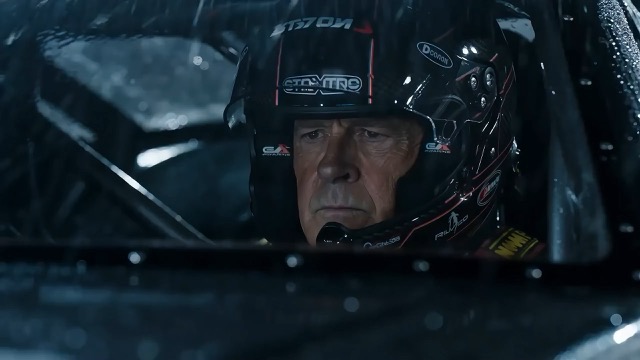
Style: Hollywood Professional Racing Movie (Le Mans Style), Cinematic Night, Rain, High Stakes Sport

Style: Hollywood Professional Racing Movie (Le Mans Style), Cinematic Night, Rain, High Stakes Sport. Duration: 15s. [00-05s] Shot 1: The Veteran (Interior/Close-up). Rain lashes the windshield of a high-tech race car on a track. The Veteran driver (in helmet) looks over, calm and focused. Dashboard lights reflect on his visor. Dialogue Cue: He gives a subtle nod and mouths "Let's go." [05-10s] Shot 2: The Challenger (Interior/Close-up). Cut to the rival car next to him. The younger driver grips the wheel tight, breathing heavily. Eyes wide with adrenaline. Dialogue Cue: He whispers "Focus" to himself. [10-15s] Shot 3: The Green Light (Wide Action). The starting lights turn Green. Both cars accelerate in perfect sync on the wet asphalt. Water sprays massively into the camera lens. Motion blur turns the stadium lights into long streaks of color.

[Style]: Eastern Wuxia pinnacle duel, Extreme Kinetic Energy, aesthetics of environmental destructio
Seedance 2 Prompts
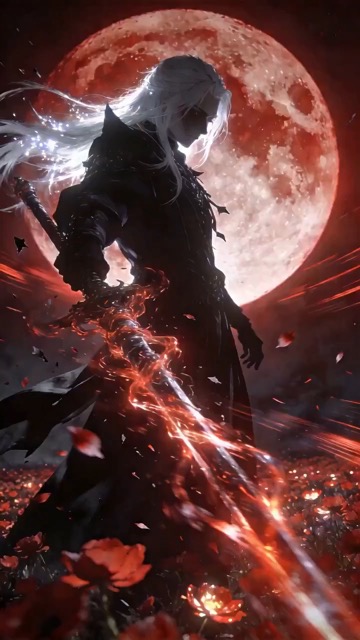
[Style]: Eastern Wuxia pinnacle duel, Extreme Kinetic Energy, aesthetics of environmental destructio

[Style]: Eastern Wuxia pinnacle duel, Extreme Kinetic Energy, aesthetics of environmental destruction, fast-paced editing, cinematic particle effects, epic score atmosphere. [Duration]: 15 seconds [Characters]: Grandmaster in white VS Grandmaster in black. Shot 1: High-speed Collision. Both the white and black figures transform into afterimages, colliding violently in the center of an ancient stone platform. At the moment of weapon contact, blinding sparks and a visible ring-shaped high-pressure Shockwave burst out. The surrounding flagstone ground instantly cracks, blasting up debris and rubble. Shot 2: Mid-air Combat & Destruction. Both soar into the air, weaving and clashing at high speed amidst falling boulders, moving too fast for moves to be seen clearly. Every block triggers a visual sense of air distortion. They crash through a massive stone pillar; the pillar collapses and shatters into powder, dust filling the air, showcasing extreme destructive power. Shot 3: Ultimate Climax. Both land and simultaneously release their ultimate moves, causing two massive energy orbs (one cyan, one red) to clash against each other. This triggers an earth-shattering explosion of dust and energy. Mushroom-cloud-like smoke rises to obscure everything, and the entire base of the stone platform begins to collapse and sink.

The man from reference image 1 as the protagonist, agile and athletic, running through a battlefield
Seedance 2 Prompts
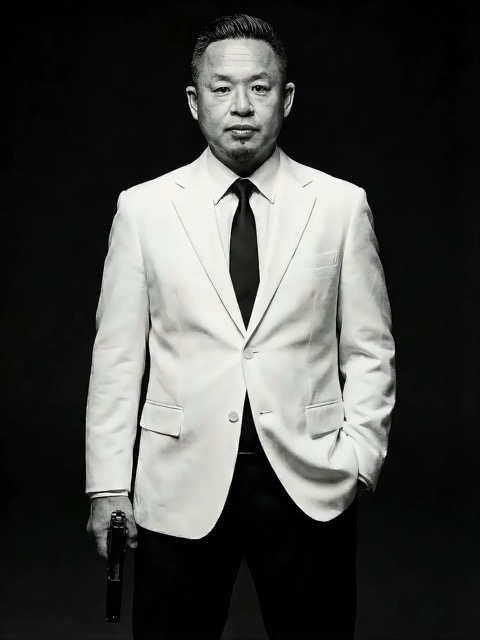
The man from reference image 1 as the protagonist, agile and athletic, running through a battlefield

The man from reference image 1 as the protagonist, agile and athletic, running through a battlefield under a hail of bullets while engaging in intense tactical shooting. Visual Style: Cinematic quality with strong Orange and Teal color grading, high contrast, and visible film grain. Dynamic Details: Distinct muzzle flashes from the gun. Bullets striking surrounding objects create flying rubble and sparks. Smoke and shockwaves from explosions fill the background. Camera Movement: Handheld Camera style tracking shot, shaking violently alongside the character, with occasional snap zooms to create extreme tension and a chaotic sense of presence. Character Performance: The protagonist has determined eyes; his actions are filled with power and speed, perfectly replicating the vibe of a Hollywood action superstar.

[Style]: Eastern classical Xianxia aesthetics, aestheticism, cinematic quality, fluid cloth simulati
Seedance 2 Prompts
[Style]: Eastern classical Xianxia aesthetics, aestheticism, cinematic quality, fluid cloth simulati

[Style]: Eastern classical Xianxia aesthetics, aestheticism, cinematic quality, fluid cloth simulation, glowing particle effects, dreamy lighting. [Duration]: 15 seconds [Protagonist]: Exquisite fairy, wearing multi-layered plain white ethereal feather-clothing, extra-long floating ribbons. Shot 1: Epic Wide Shot. Location is an ancient platform on a floating immortal island above a sea of clouds. The fairy stands still, backed by immense rays of morning glow (Tyndall effect). The focus is on the countless long silk ribbons on her body dancing extremely smoothly in the wind, spreading across the screen like water ripples, showcasing the ultimate elegance of floating fabric. Shot 2: Slow-motion Medium Shot. The fairy begins the classical "Jinghong Dance" (Frightened Swan Dance). She rises into the air (anti-gravity Qinggong feel), spinning and throwing out wide water sleeves. The lens focuses on the form of the silk sleeves blooming in the air and her elegant body language. Shot 3: Close-up & Interaction. Camera zooms in to a facial close-up. She lightly parts her red lips to begin singing (natural singing mouth shape). Accompanying the song, countless glowing pink flower petals appear out of thin air, forming a dazzling particle storm vortex around her, her eyes filled with divine radiance.

They meet in the dead of night and engage in a fight. The fighting style is incredibly flashy, the a
Seedance 2 Prompts
They meet in the dead of night and engage in a fight. The fighting style is incredibly flashy, the a

They meet in the dead of night and engage in a fight. The fighting style is incredibly flashy, the atmosphere is tense, and the camera work is cinematic. It's like a promotional trailer for a AAA game, featuring CG and Unreal Engine 5.

Please help me generate a promotional video about the MUJI brand.
Seedance 2 Prompts
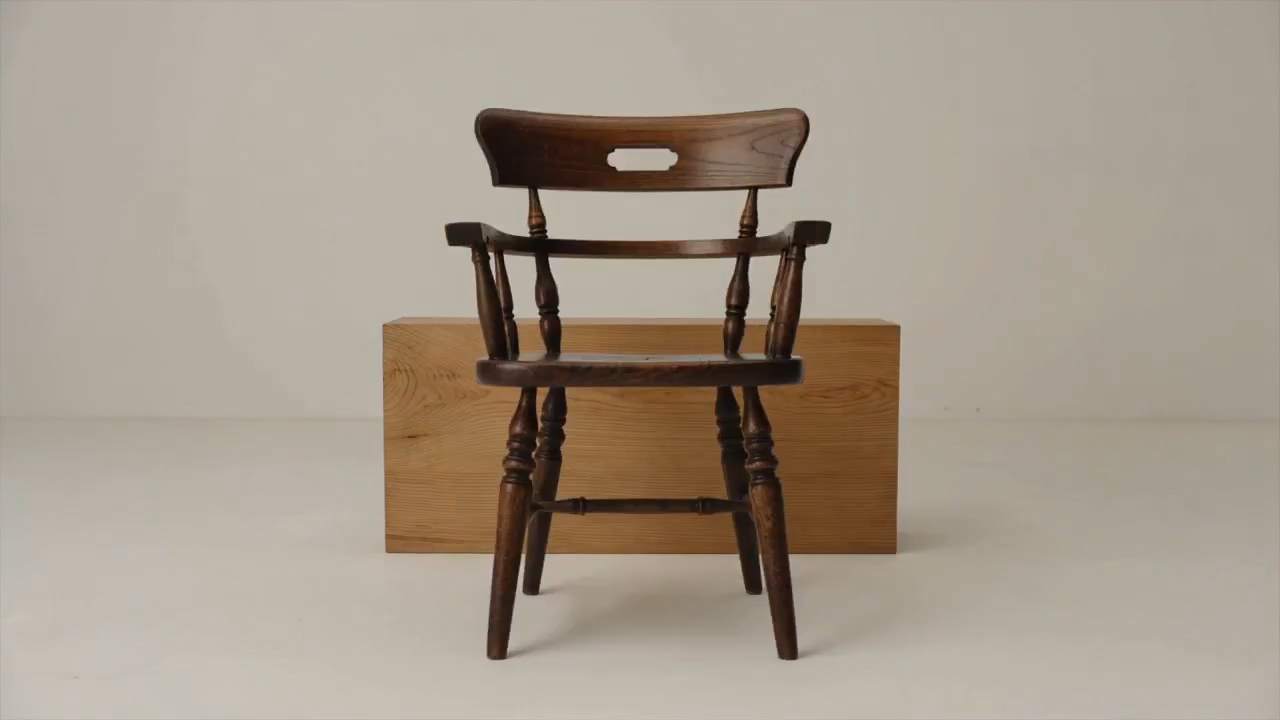
Please help me generate a promotional video about the MUJI brand.

Please help me generate a promotional video about the MUJI brand.

[Film Style]: 90s Hong Kong Art Cinema style, retro film look, High ISO Grain, ambiguous Yellow-Gree
Seedance 2 Prompts
[Film Style]: 90s Hong Kong Art Cinema style, retro film look, High ISO Grain, ambiguous Yellow-Gree

[Film Style]: 90s Hong Kong Art Cinema style, retro film look, High ISO Grain, ambiguous Yellow-Green Tint, Step-printing effect, melancholic atmosphere. [Core Line (for mood control)]: "If memory were a can, I hope it would never expire." [Video Duration]: 10 seconds [Storyboard Script]: Shot 1: Through the Glass. Visual: A red public phone booth covered in rain. Character: A man (or woman) in a khaki trench coat, clutching the receiver, not speaking, just listening. Emotional Performance: Through the refraction of the glass, seeing his/her eyes hollow yet affectionate. Rain flows on the glass, distorting his face like an oil painting. Subtitle/Voiceover feel: The scene seems frozen, only the sound of rain. Shot 2: Extreme Close-up & Micro-expression. Visual: Focus on the character's lips and half of the face. Action: He/she whispers softly into the mouthpiece. Lips tremble slightly, as if wanting to say something but swallowing it back. Lighting: Neon bokeh from the roadside flows on his face, flickering. Line/Mood Mapping: Expressing an extreme restraint and loneliness of "wanting to touch but pulling the hand back". Shot 3: Signature Smeary Slow Motion. Visual: The character hangs up, turns, and walks into the rainy night crowd. Visual FX: Using step-printing effect (Stop-motion feel), the character's back becomes blurry with motion trails (Motion Blur), as if the soul remained behind while only the body walks away. Environment: Background is flowing city car lights, forming elongated light trails. [Technical Parameters]: Handheld Camera simulation, shallow depth of field, color shift, rich emotion.

Prompty AI, które zmieniają inspirację w punkt wyjścia

Zobacz efekt, przeczytaj instrukcje i stwórz własną wersję

Znajdź prompty AI do obrazów wraz z przykładami wizualnymi, a gdy scena potrzebuje ruchu, odkryj pomysły na film. SuperMaker łączy podgląd, tekst i zgodny model. Korzystaj z instrukcji, aby zrozumieć kompozycję, zastąpić temat lub otoczenie i kontynuować w odpowiednim generatorze. Każdy przykład wskazuje kierunek, który możesz dopasować do własnego projektu.

Wybierz prompty AI do oczekiwanego efektu

Porównaj przykłady wizualne, zanim wybierzesz punkt wyjścia. Przeglądaj prompty AI według medium i modelu, a następnie skup się na szczegółach kształtujących rezultat.

Prompty AI do obrazów z jasnym kierunkiem wizualnym

Prompty AI do obrazów z jasnym kierunkiem wizualnym

Przeglądaj prompty AI do obrazów przedstawiających portrety, produkty, ilustracje i codzienne sceny. Poszukaj podglądu z odpowiednim kadrem, światłem lub stylem. Przeczytaj, jak tekst opisuje temat i jego otoczenie, a następnie zastąp szczegóły własnymi. Precyzyjny opis daje wybranemu modelowi jaśniejsze wskazówki.

Prompty AI do ruchu i prowadzenia kamery w filmach

Prompty AI do ruchu i prowadzenia kamery w filmach

W filmach prompty AI powinny opisywać, co zmienia się podczas ujęcia. Określ główną czynność, ruch kamery, tempo i zakończenie. Porównaj podgląd z instrukcjami i dopasuj złożoność sekwencji do wybranej długości. Zacznij od jednej spójnej sceny, zanim dodasz bardziej złożony ruch.

Kopiuj prompty AI i dopasowuj je do swoich pomysłów

Kopiuj prompty AI i dopasowuj je do swoich pomysłów

Skopiuj przydatny przykład lub wybierz Użyj promptu, aby otworzyć zgodny generator. Dopasuj prompty AI do obrazów, zmieniając temat, tło, kolory lub format. W filmach zmodyfikuj czynność i jej przebieg w czasie. Sprawdź, czy przykład wykorzystuje materiały referencyjne, i dodaj własne pliki, jeśli wymaga ich wybrany proces.

Kontekst wizualny ułatwia ponowne używanie promptów AI

Prompty AI łatwiej ocenić, gdy widzisz przykładowy wynik i powiązany model. Wykorzystaj ten kontekst, aby zdecydować, które szczegóły uwzględnić w kolejnym opisie kreatywnym.

Dopasuj prompty AI do właściwego modelu

Dopasuj prompty AI do właściwego modelu

Model przypisany do przykładu pomaga wybrać punkt wyjścia. Prompty AI do edycji mogą wskazywać szczegóły, które należy zachować, a instrukcje filmowe mogą wymagać obrazu początkowego. Przed generowaniem sprawdź dostępne ustawienia i wymagane dane. Podgląd pokazuje jeden wynik; Twoje ustawienia i materiały referencyjne mogą zmienić rezultat.

Jak korzystać z promptów AI w SuperMaker

W czterech krokach przejdź od przeglądania do konkretnego opisu kreatywnego. Prompty AI zapewniają początkową strukturę, a temat, materiały referencyjne i ustawienia nadają jej kierunek.

1

Wybierz cel: obraz lub film

Użyj promptów AI do obrazów, gdy potrzebujesz statycznej sceny, portretu, zdjęcia produktu lub ilustracji. Wybierz przykłady filmowe, jeśli ruch jest częścią rezultatu. Zacznij od obrazu, gdy musisz najpierw określić kompozycję, a czynność zaplanuj osobno. Przed wyborem modelu ustal format i kluczowe szczegóły.

2

Porównaj prompty AI z podglądami

Przeglądaj sekcje popularnych i najnowszych przykładów lub przejdź przez link do modelu. Porównaj prompty AI z podglądami, zwracając uwagę na temat, kadr, światło i ruch. Sprawdź wymagane materiały referencyjne, zamiast zakładać, że sam tekst wyjaśnia każdy widoczny szczegół.

3

Przepisz szczegóły pod swój projekt

Skopiuj prompty AI i zmień temat, otoczenie lub czynność. Usuń instrukcje sprzeczne z celem. Dostosowując prompty AI do obrazów, zachowaj ważne ograniczenia, takie jak utrzymanie kształtu produktu lub miejsca na nagłówek. Wprowadzaj jedną istotną zmianę naraz, aby ocenić jej wpływ.

4

Wygeneruj, sprawdź i dopracuj

Otwórz zgodny generator, potwierdź ustawienia i dostarcz wymagane pliki. Oceń wynik względem opisu. Dopracuj prompty AI, zmieniając kompozycję, światło lub ruch wymagający poprawy. Zachowaj przydatne sformułowania we własnych notatkach, aby dostosować je do przyszłych projektów.

Prompty AI do codziennych projektów kreatywnych

Wybierz przykład wokół potrzebnego rezultatu, a następnie dopasuj scenę i ograniczenia do planowanego zastosowania.

Zdjęcia produktów i materiały kampanii

Użyj promptów AI do obrazów, aby zaplanować przejrzystą prezentację produktu lub scenę lifestyle. Określ kąt, powierzchnię, światło i tło. Przy zdjęciu referencyjnym produktu wskaż etykiety, kolory i kształty do zachowania, a następnie sprawdź te szczegóły w wygenerowanym wyniku.

Portrety, moda i ilustracje

Dopasuj prompty AI do obrazów wokół wyrazu twarzy, pozy, ubrania, otoczenia i stylu wizualnego. Zachowaj spójny kierunek zamiast mieszać niepowiązane style. Przy referencji postaci odróżnij cechy do zachowania od oczekiwanych zmian.

Posty społecznościowe i koncepcje marketingowe

Użyj promptów AI do miniatur, grafik premierowych i kierunków kampanii. Opisz odbiorców, temat, układ i miejsce potrzebne na komunikat. Wybierz format pasujący do miejsca publikacji, a przed użyciem sprawdź czytelność i ważne szczegóły marki.

Krótkie filmy i sceny w ruchu

Buduj prompty AI wokół jednej jasnej czynności: kamera zbliża się do tematu, produkt się obraca lub postać przechodzi przez scenę. Opisz początek, główny ruch i koniec. Dla dłuższej sekwencji zaplanuj osobne ujęcia ze zgodnymi kierunkami wizualnymi.

Prompty AI: pytania i praktyczne odpowiedzi

Pomoc w wyborze przykładów, dostosowaniu instrukcji i kontynuowaniu w odpowiednim generatorze.

Prompty AI to pisemne instrukcje, które kierują model ku określonemu wynikowi. W promptach do obrazów opisz temat, otoczenie, kadr, światło i styl. Do filmu dodaj ruch i przebieg w czasie. Uwzględnij szczegóły istotne dla celu i usuń sprzeczne wymagania.

Przeglądaj sekcje popularnych i najnowszych obrazów lub otwórz stronę modelu, aby zobaczyć więcej przykładów. Porównaj prompty AI do obrazów z podglądami, przeczytaj pełny tekst i wybierz przykład pasujący do tematu lub kierunku wizualnego.

Zastąp temat i otoczenie, a następnie dostosuj kadr, światło, kolory i styl. Zachowaj tylko instrukcje związane z celem. Jeśli potrzebna jest referencja, prześlij własny materiał i wyjaśnij, które cechy powinny pozostać spójne.

Przy dostosowywaniu promptów AI potraktuj model przypisany do przykładu jako punkt wyjścia. Inne modele mogą inaczej interpretować instrukcje lub wymagać innych referencji i ustawień. Wykorzystaj koncepcję ponownie, ale dopasuj tekst i dane wejściowe do wybranego generatora.

Opisz scenę początkową, czynność głównego obiektu lub postaci, trasę kamery, tempo i planowane zakończenie. Ruch powinien być wykonalny w wybranym czasie. Dodaj obrazy referencyjne, jeśli wymaga ich proces, i unikaj kilku konkurujących czynności w jednym krótkim ujęciu.

Możesz przeglądać opublikowane prompty AI i kopiować ich tekst. Generowanie obrazu lub filmu to osobna czynność, zależna od modelu, ustawień, uprawnień konta i wymaganych kredytów. Sprawdź generator przed wysłaniem zadania; skopiowanie przykładu nie obejmuje bezpłatnego generowania.

Zamień prompty AI w kolejny opis kreatywny

Wybierz prompty AI do obrazów lub przykład filmu, porównaj podgląd i dopasuj tekst do swojego pomysłu. Otwórz odpowiedni generator SuperMaker, gdy temat, referencje i ustawienia będą gotowe.

Odkrywaj prompty AI
Video cover