Exploring Kling 3.0: How Advanced Motion Control is Transforming AI Video Creation
If you've been frustrated by floating limbs, inconsistent gestures, or "AI-looking" movements in previous tools, this release feels like a genuine breakthrough.
The AI video generation landscape shifted dramatically in early February 2026 when Kuaishou unveiled Kling 3.0. This unified multimodal model doesn't just produce longer, more consistent clips—it introduces director-level control that finally makes AI video feel purposeful rather than random. While the 15-second multi-shot narratives, native audio with lip-sync, and enhanced physics are impressive, the star feature for many creators is the significantly upgraded Motion Control system.
In this blog post, I'll focus primarily on Kling 3.0's Motion Control capabilities: how they work, what's new compared to 2.6, real-world applications, and practical tips for getting the most out of them. If you've been frustrated by floating limbs, inconsistent gestures, or "AI-looking" movements in previous tools, this release feels like a genuine breakthrough.
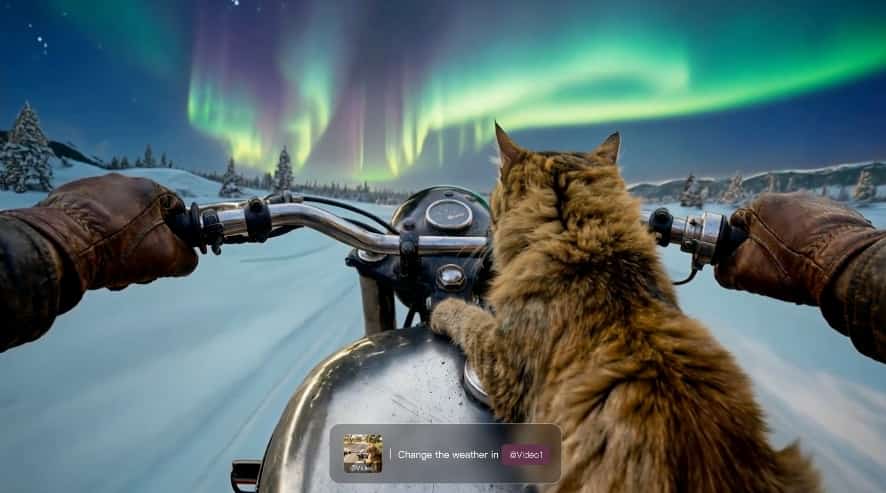
Want to experience Kling 3.0's breakthrough Motion Control for yourself? Start creating right now on supermaker.ai.
Kling 3.0 at a Glance
Kling 3.0 (including Video 3.0 and the more advanced Video 3.0 Omni variant) represents a shift to a deeply unified multimodal architecture. Key upgrades include:
- Up to 15 seconds of continuous video from a single prompt
- Intelligent multi-shot storyboarding (AI Director system)
- Native audio generation with multi-character voices, accents, and precise lip-sync
- Dramatically improved element/character consistency across shots
- Stronger physics simulation for natural dynamics
These features create a foundation that makes Kling 3.0's Motion Control far more powerful than in isolation. You can now transfer complex actions and have them remain coherent across multiple camera angles and scenes.
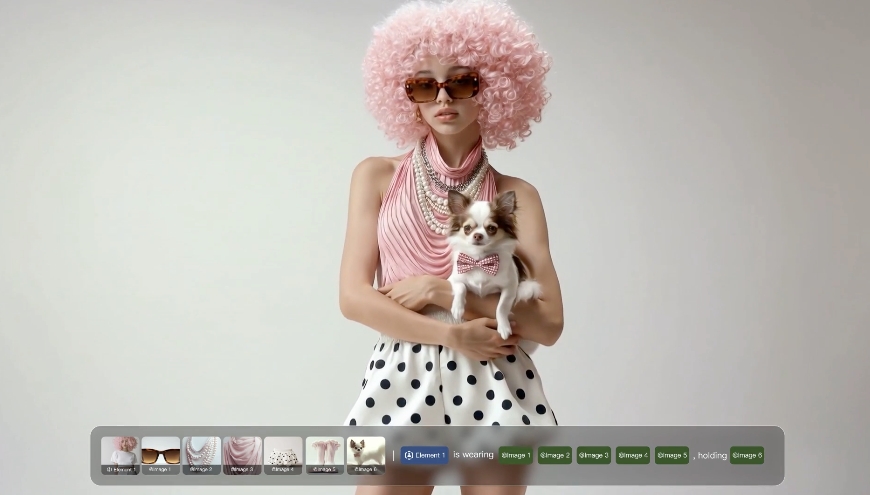
Discover all the new capabilities of Kling 3.0 here.
Understanding Motion Control in Kling 3.0
Kling 3.0's Motion Control has two primary pillars: Motion Reference (action transfer) and Motion Brush (trajectory painting). Both were already strong in the 2.6 era, but Kling 3.0 elevates them through better temporal consistency, physics understanding, and integration with the new multi-shot and element systems.
1. Motion Reference: Precise Action Transfer
This is the flagship Motion Control feature in Kling 3.0. The workflow is straightforward yet incredibly powerful:
- Upload a subject reference (static image or short character video for best results)
- Upload a 3–30 second reference video containing the desired actions
- (Optional) Add text prompts to guide style, environment, or fine details
Kling 3.0 extracts the underlying motion—full-body posture, joint articulation, hand gestures, facial expressions, and even lip movements—and applies it to your subject while preserving identity.
What's improved in Kling 3.0's Motion Control?
- Physics realism: Movements now respect gravity, inertia, friction, and balance far better. Clothing flows naturally, hair reacts to motion, and fast actions (spins, kicks, jumps) look weighty and believable instead of floaty.
- Temporal stability: Actions remain consistent even across multi-shot sequences. A dance performed in a wide shot will continue seamlessly when the camera pushes in for a close-up.
- Facial and micro-expression fidelity: Lip-sync with native audio is exceptionally accurate. Subtle emotions—surprise, determination, joy—transfer convincingly.
- Complex action handling: Martial arts sequences, intricate hand gestures, and rapid choreography that previously broke down now hold together remarkably well.
In practice, Kling 3.0 Motion Control feels closer to motion capture than traditional text-to-video prompting. Creators are already producing viral "AI babies dancing" or digital human performances that look shockingly professional.
Try the powerful Motion Control feature in Kling 3.0 yourself
2. Motion Brush: Granular Directional Control
For situations where you need to direct motion more surgically, the Motion Brush remains one of Kling 3.0's most intuitive tools.
You upload an image (or use a generated frame), then:
- Use the brush tool to select up to 6 distinct elements or regions
- Draw motion trajectories (paths, arcs, directions)
- Optionally use the Static Brush to lock areas that should remain completely still
The selected elements will follow your drawn paths with impressive adherence. In the latest version, the brush works even more reliably with complex subjects and integrates better with the overall physics engine, so a brushed hand wave doesn't cause unnatural arm stretching.
Pro tip: Combine Motion Brush with Motion Reference for layered control. Use the reference for overall body performance and brush for specific accents (like directing a character's pointing gesture or making an object fly in a precise arc).
Master Motion Control and advanced tools on supermaker.ai
How Motion Control Integrates with Kling 3.0's New Capabilities
What makes Kling 3.0's Motion Control features truly special is how they work in concert with the rest of the model.
Multi-Shot + Motion Control
You can now generate cinematic sequences where a transferred dance or action performance plays out across multiple intelligently chosen camera angles. The AI Director understands narrative flow and can automatically handle shot-reverse-shot dialogue scenes or dynamic chase sequences while keeping the core motion intact.
Element Reference System
Upload 2–4 angled photos or a short video clip of your character to lock appearance. When combined with Kling 3.0 Motion Control, this creates stable digital actors capable of consistent performances across an entire 15-second short film.
Start & End Frame Control
For precise storytelling, upload a starting frame and desired ending pose. The model will generate a natural motion path between them—perfect for keyframe-style animation within AI generation.
Camera Control Synergy
Prompts or custom multi-shot settings let you specify camera movements (dolly in, orbit, tracking shot, crane up) that follow or complement the transferred actions. The result feels like a real director blocking a scene rather than hoping the AI guesses correctly.
Native Audio Integration
When you generate with audio prompts or reference voices, the lip movements and facial expressions sync so tightly with the Kling 3.0 Motion Control that the characters feel truly alive.
Real-World Use Cases for Kling 3.0 Motion Control
The combination of these tools has opened exciting creative possibilities:
- Digital Humans & Virtual Influencers: Record a short performance, transfer it to a consistent character, and generate multi-angle talking-head or full-body videos with matching voice.
- Dance & Performance Content: Choreograph once on a real dancer, then generate endless variations with different characters, costumes, and environments.
- Action & Storytelling Shorts: Transfer fight choreography or dramatic gestures and let the AI Director turn them into polished multi-shot scenes seamlessly.
- Advertising & Product Demos: Kling 3.0 Motion Control lets you direct exactly how a product moves through space or how a model interacts with it.
- Educational & Explainer Videos: Animate characters performing precise procedures or demonstrations with Kling 3.0's Motion Control tools.
I've seen creators produce short films that would have required a full production crew just months ago—all from a few reference clips and thoughtful prompting.
Best Practices for Mastering Motion Control in Kling 3.0
To get the best results:
- Quality References Matter — Use clean, well-lit reference videos with clear motion. Avoid overly shaky or cluttered footage for optimal results.
- Start Simple — Test basic Motion Control actions (walking, waving, turning) before attempting complex choreography.
- Layer Controls — Combine Motion Reference for body performance + Motion Brush for accents + detailed text prompts for style and physics nuances.
- Leverage Multi-Shot Wisely — For longer narratives, generate shorter motion-controlled segments and use the multi-shot system to connect them seamlessly.
- Prompt Strategically — Describe physics and emotion explicitly: "graceful ballet spin with flowing dress and natural hair movement" performs better than vague terms.
- Iterate with Start/End Frames — When precision is critical, provide key poses to guide the motion path.
- Consider Compute — Complex Kling 3.0 Motion Control transfers and multi-shot generations can take longer and may require higher-tier subscriptions for reasonable queue times.
Kling 3.0 Motion Control vs. Kling 2.6
The 2.6 Motion Control was already industry-leading in many ways, but Kling 3.0 addresses its main weaknesses:
- Better long-term consistency across shots
- Significantly improved physics and reduced artifacts in fast motion
- Deeper integration with audio and multi-shot workflows
- More reliable hand and finger articulation
The jump feels comparable to the leap from early text-to-video to the current state-of-the-art—suddenly usable for professional workflows rather than just experimental fun.
Limitations to Keep in Mind
Even with these advances, Kling 3.0 Motion Control isn't perfect:
- Very extreme or physically impossible actions can still produce artifacts
- Generation times for high-quality Motion Control transfers can be substantial
- The most advanced features (full 15s multi-shot with native audio) are rolling out gradually to subscribers
- Fine finger movements in extremely complex gestures occasionally need manual prompting tweaks
These are minor compared to the overall leap forward, and rapid iteration from the Kling 3.0 team suggests further Motion Control refinements are coming quickly.
The Bigger Picture
Kling 3.0's Motion Control isn't just another AI gimmick—it's a step toward AI becoming a true collaborative filmmaking tool. By giving creators precise, intuitive ways to direct character performance, camera work, and narrative flow, it lowers the barrier between idea and polished output dramatically.
Whether you're a solo creator making viral shorts, a filmmaker experimenting with pre-visualization, or a brand looking to produce consistent character-driven content, the Motion Control capabilities in Kling 3.0 deserve serious attention.
The era of "good enough" AI video is ending. With tools like this, we're entering the age where AI can execute a director's vision with surprising fidelity.
Ready to direct your own AI-powered videos with Kling 3.0 Motion Control? Get started here
What are you planning to create with Kling 3.0's Motion Control? I'd love to hear about your experiments in the comments. And if you're just getting started, I highly recommend beginning with a simple dance or gesture transfer—you'll be amazed at how far the technology has come.