The Complete Guide to GPT Image 2: The 4K Multimodal Beast We've Been Waiting For
On April 21, 2026, OpenAI revolutionized the generative AI landscape with ChatGPT Images 2.0, powered by the new gpt-image-2 model.
By integrating native 4K resolution, flawless multilingual typography, and a revolutionary "reasoning" engine, it’s the multimodal beast we’ve been waiting for. Here is what makes it special, and how you need to adapt your workflow to actually use it.
I. The DALL-E Successor, Explained
Before we dive into the prompts and pixels, let’s get the basics out of the way. Simply put, GPT Image 2 is the ground-up replacement for the DALL-E 3 architecture.
Unlike the older DALL-E series—which sometimes felt like it was blindly mashing pixels together based on keywords—this new generation shares the same reasoning DNA as OpenAI's flagship language models (the o-series). It doesn't just "draw"; it comprehends physics, lighting, and spatial logic.
Evolution at a Glance: GPT Image 2 vs. Predecessors
To understand why this is a "beast," let’s look at how it stacks up against the previous industry standards:
| Feature | DALL-E 3 (Legacy) | GPT Image 1.5 | GPT Image 2 (Latest) |
|---|---|---|---|
| Native Resolution | 1024 x 1024 | 2048 x 2048 | 4096 x 4096 (4K) |
| Logic Engine | Keyword Matching | Basic Spatial Logic | O-Series Reasoning |
| Text Rendering | Latin-only (Hit or Miss) | Improved (Decent) | Perfect Multilingual / CJK |
| In-Image Editing | Basic | Advanced | Surgical / Mask-based |
| Consistency | Low (Random) | Moderate | High (Character Locking) |
| Processing Speed | Baseline | 2x Faster | 4x Faster |
II. What Makes It a Beast?
At the architectural level, three major upgrades fundamentally change the quality of the outputs:
1. Flawless Typography: GPT Image 2 completely eliminates the "gibberish" problem. Whether you need a cyberpunk poster written in Japanese, or an infographic featuring complex Chinese characters, the model renders the typography perfectly, matching the environment's lighting and perspective.
2. Native 4K Resolution: No more third-party upscalers. GPT Image 2 introduces native 4K support. From the micro-texture of human skin to the microscopic wear-and-tear on a metallic surface, the outputs are ready for professional print right out of the box.
3. Surgical Edits & Character Locking: The localized editing (inpainting) has been vastly improved. More importantly, you can now maintain strict character consistency across entirely different scenes using multiple reference images.
III. How to Access the GPT Image 2 Engine
With specs like these, the next obvious question is how to actually integrate the model into your own workflow. Access is currently distributed across a few different channels depending on your needs:
1. The Official Route: ChatGPT Plus / Ultra
Naturally, the most direct way to access the model is through OpenAI's native ChatGPT interface. However, it requires an active monthly subscription. If you only generate high-quality images occasionally, the subscription cost can feel like overkill.
2. The Smarter Alternative: SuperMaker AI (Top Recommendation)
If you want the exact same GPT Image 2 model but hate the idea of another monthly subscription, this is the absolute best place to start. SuperMaker operates on a pay-as-you-go system where your credits never expire. You get an optimized workspace tailored for professional AI generation, and you only pay for what you actually use. It’s the perfect solution for users who need high-end results without the commitment of a recurring $20/month bill.
IV. The Catch: You Must Unlearn How You Prompt
Before you jump into those platforms, there is a massive paradigm shift you need to grasp: the technology is incredible, but your old prompts will hold it back. Because GPT Image 2 "thinks" before it draws, it doesn't need you to beg for quality. Stuffing your prompts with old-school cheat codes ("masterpiece, 8k, hyper-detailed") will often confuse the model. To unlock the beast and create final assets, you must talk to it like a human Art Director:
1. Ditch the "Resolution" Tags, Use "Lens Physics"
Describe the physics of the capture rather than the quality of the image.
- The Art Director Prompt: "A portrait of a cat shot on 35mm film, f/1.8 aperture. The depth of field is incredibly shallow, blurring the background into smooth bokeh while keeping the cat's whiskers tack-sharp."
2. Leverage Absolute Spatial Logic
Give it strict spatial constraints to trigger its reasoning layer.
- The Art Director Prompt: "A wooden desk. Placed strictly in the bottom-left corner is a black coffee cup. Exactly in the dead center of the frame is an open laptop. The primary light source is coming from the top-right."
3. The "Typography Block" Method
Treat the text as a separate structural element using brackets.
- The Art Director Prompt: "[Scene]: A rainy cyberpunk alley. [Typography]: A vertical neon sign on the right wall spelling 'DANGER' in glowing red English and '危险' in sharp Chinese characters."
4. Give the Engine a "Canvas Purpose"
Tell it why you are generating the image to ensure the composition fits your layout.
- The Art Director Prompt: "A futuristic smart city intended to be a website hero banner. Push all busy architectural details to the far right. Leave the entire left half of the image as clean negative space for text overlay."
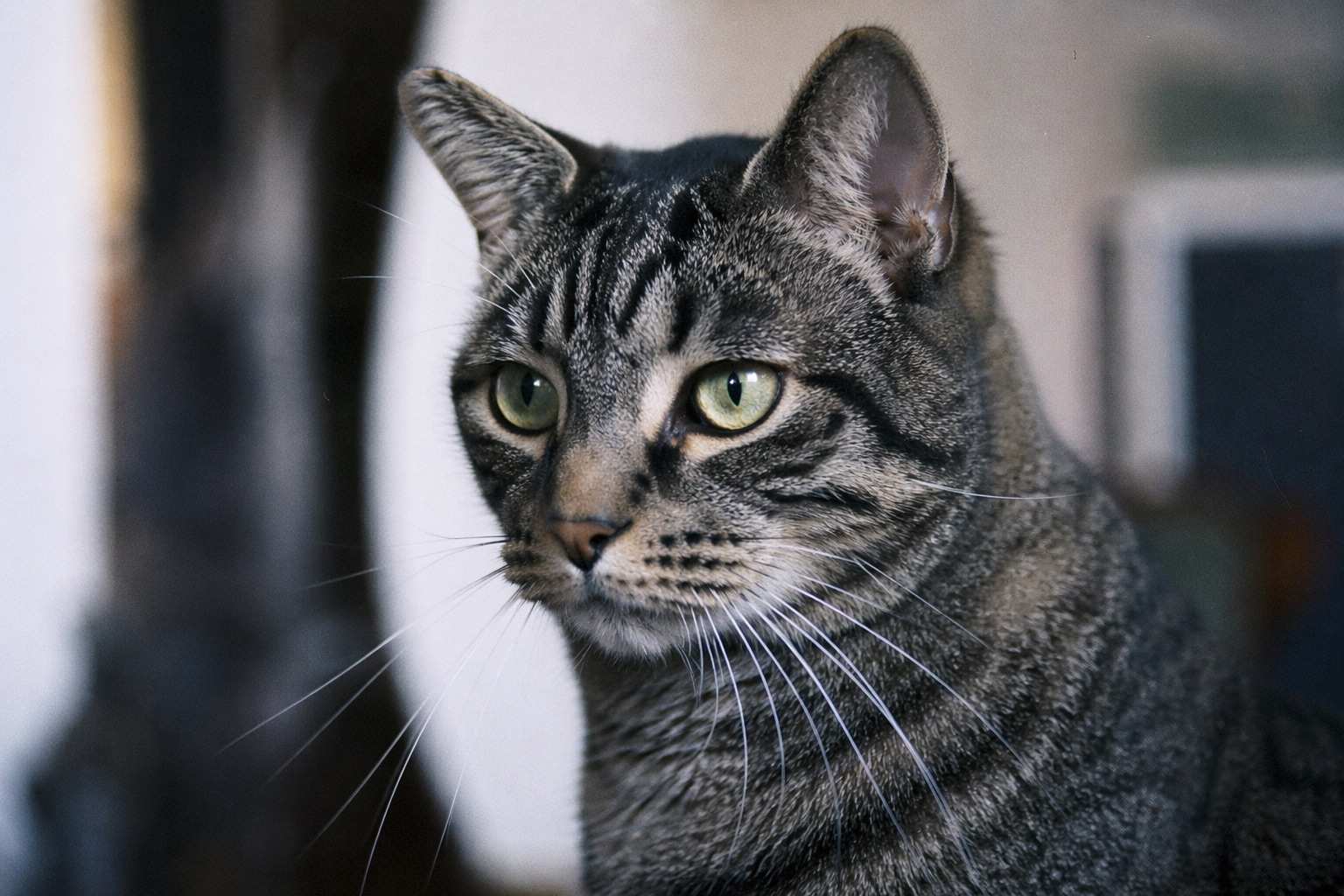 (Professional-grade cat portrait generated on SuperMaker.)
V. Where GPT Image 2 Shines: Top Use Cases
Once you master these new prompting techniques, the model transitions from a novelty to a production-ready tool. Here are the four best ways professionals are using it right now:
- Global Marketing & Advertising: Create localized posters for different regions (China, Japan, Europe) with perfect, baked-in text in one go.
- UI/UX Prototyping: Generate high-fidelity app screens and web hero sections that actually contain readable, logical text.
- Commercial Concept Art: Produce hyper-detailed environments for games or films that require strict adherence to spatial layouts and 4K clarity.
- Consistent Storytelling: Use the Character Locking feature to create comic books or brand mascots that stay identical across hundreds of different prompts.
Frequently Asked Questions (FAQ)
Q: Can I use the images generated by GPT Image 2 for commercial purposes?
A: Yes! If you generate your images through an authorized platform like SuperMaker AI, you own full commercial rights to the outputs. Whether you are designing marketing materials, website assets, or client projects, you can use them freely and safely.
Q: How does it compare to Midjourney v6?
A: While Midjourney v6 still holds a slight edge in purely artistic, chaotic aesthetics, GPT Image 2 wins hands-down in typography, spatial logic, and character consistency. If you need a beautiful abstract painting, use Midjourney. If you need a commercial poster with exact text and logical lighting, use GPT Image 2.
Q: Does it take longer to generate images because of the "reasoning" engine?
A: Slightly, but it's entirely worth it. While older models might spit out images in 3 seconds (often requiring dozens of retries), GPT Image 2 takes a few extra seconds to "think" about the layout before rendering. You usually get exactly what you want on the first try.
Q: Do I still need an AI upscaler like Topaz or Magnific?
A: For 95% of use cases, no. Because GPT Image 2 outputs in native 4K, the pixel density and micro-details are already at a professional grade. You might only need an upscaler if you are printing massive physical billboards.
Q: Do I need a powerful computer to run this?
A: Not at all. It is a cloud-based model, so all heavy lifting is done on external servers. You can generate professional 4K images directly from your laptop or smartphone using web-based platforms like SuperMaker.
Conclusion
GPT Image 2 is the bridge between AI "hallucination" and professional execution. By solving the text-rendering problem and adding logical reasoning to the generation process, OpenAI has moved from toys to tools. The generative art game has officially leveled up—head over to SuperMaker and start building.