logo
0

AI prompts

AI Prompts for Images and Videos, Ready to Use

Find AI prompts for videos with examples you can inspect. Compare AI video prompts for subject motion, camera paths, and timing, then adapt AI prompts in the matching SuperMaker generator.

Browse AI prompts by model

Latest image prompts

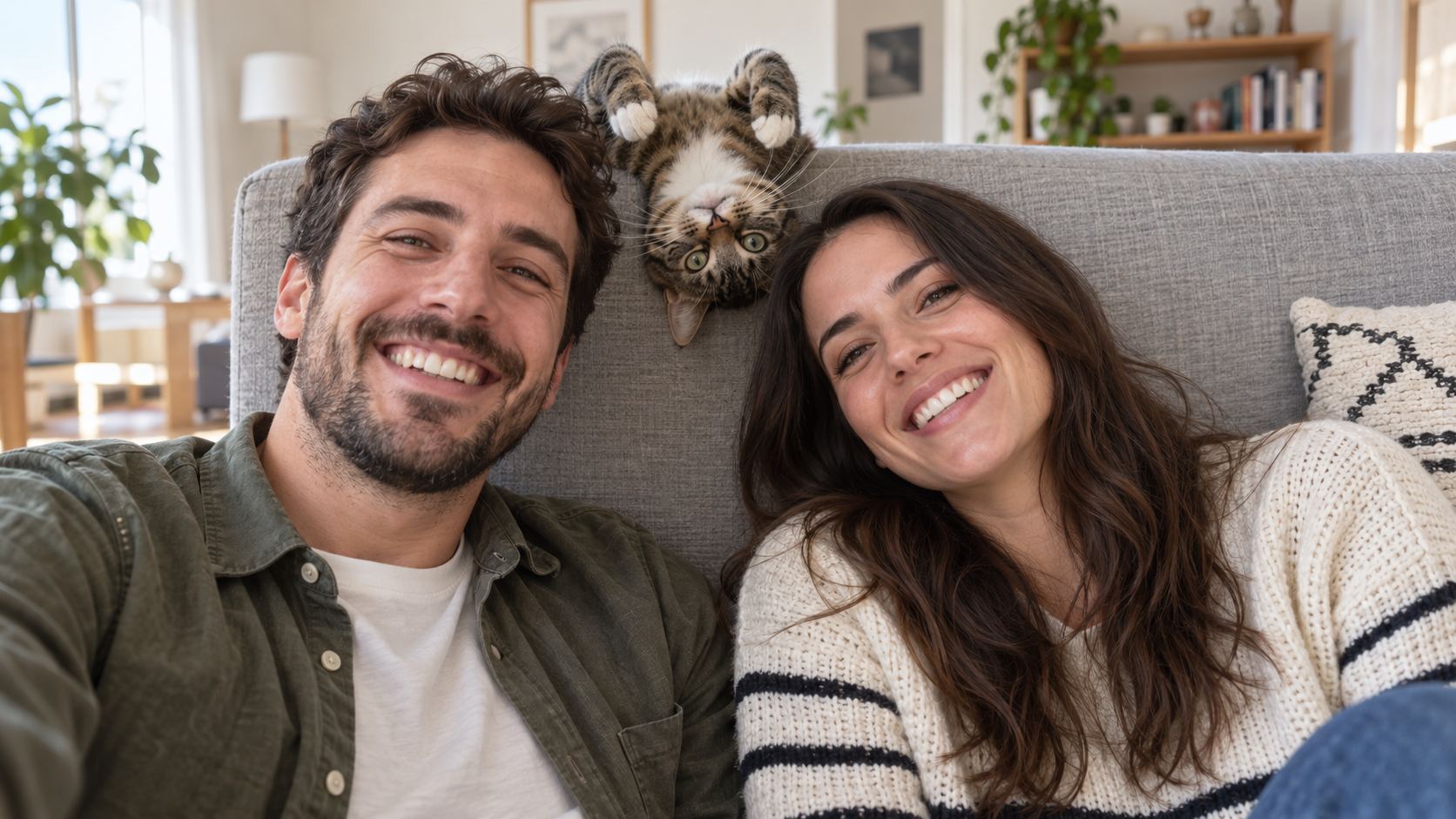
Edit the uploaded photo into a bright living-room selfie. Preserve both friends' facial identities,
Funny AI Prompts
Edit the uploaded photo into a bright living-room selfie. Preserve both friends' facial identities,

Edit the uploaded photo into a bright living-room selfie. Preserve both friends' facial identities, hair, clothes, and smiles, plus the cat's exact coat markings. Seat the friends on either side of the frame. Add the cat safely leaning over the high sofa back between them, its head upside down and front paws visible above the cushion, as if it interrupted a normal portrait. Keep all three faces sharp and readable. Use natural window light, plausible body positions, and realistic fur and skin. The cat's photobomb should feel spontaneous. One complete 16:9 photograph, no text or watermark.

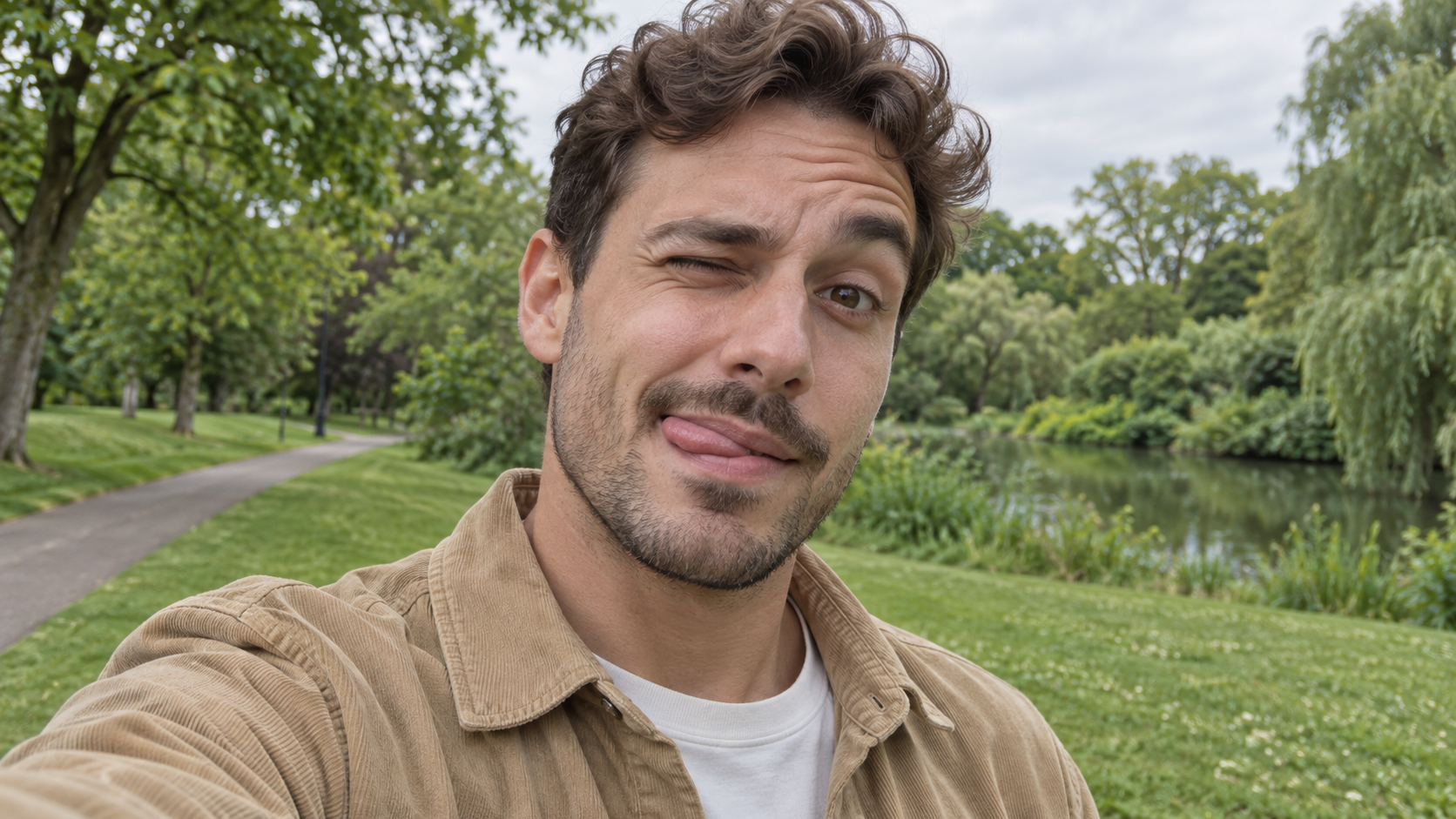
Edit the uploaded photo of one person into a playful outdoor selfie. Preserve their facial identity,
Funny AI Prompts
Edit the uploaded photo of one person into a playful outdoor selfie. Preserve their facial identity,

Edit the uploaded photo of one person into a playful outdoor selfie. Preserve their facial identity, hairstyle, age, clothing, and the original outdoor background. Have them tilt the head slightly, wink one eye, raise the eyebrow over the open eye, and touch the tongue to one corner of the mouth in a cheeky sideways expression. Keep the tongue subtle, as in a spontaneous candid photo. Use soft overcast daylight, natural skin texture, correct eye shape, and a believable phone-camera perspective. Exactly one person, photorealistic 16:9 composition, no text or watermark.

Edit the uploaded photo of one person into a close, funny kitchen portrait. Preserve the person's ex
Funny AI Prompts
Edit the uploaded photo of one person into a close, funny kitchen portrait. Preserve the person's ex

Edit the uploaded photo of one person into a close, funny kitchen portrait. Preserve the person's exact face, hair as shown in the source, skin tone, clothes, and background features. Make them puff both cheeks as if holding air, seal the lips tightly, open both eyes very wide, and raise both eyebrows. Keep the expression playful and deadpan rather than frightened. Match the original daylight and camera angle, with believable cheek volume and realistic skin texture. One person only, photorealistic 16:9 frame, no props over the face, extra people, text, or watermark.

Edit the uploaded portrait of one glasses-wearing person. Preserve their facial identity, hairstyle,
Funny AI Prompts
Edit the uploaded portrait of one glasses-wearing person. Preserve their facial identity, hairstyle,

Edit the uploaded portrait of one glasses-wearing person. Preserve their facial identity, hairstyle, facial hair if present, glasses frame, sweater or shirt, and room background. Have them use one hand to pull the glasses a little way down the nose, then stare over the top edge with both eyes comically wide, eyebrows raised, and lips puckered into a tiny O. Keep the glasses aligned with the face, the hand anatomically correct, and reflections consistent with the room's daylight. Exactly one photorealistic person, close 16:9 frame, no duplicate face, text, or watermark.

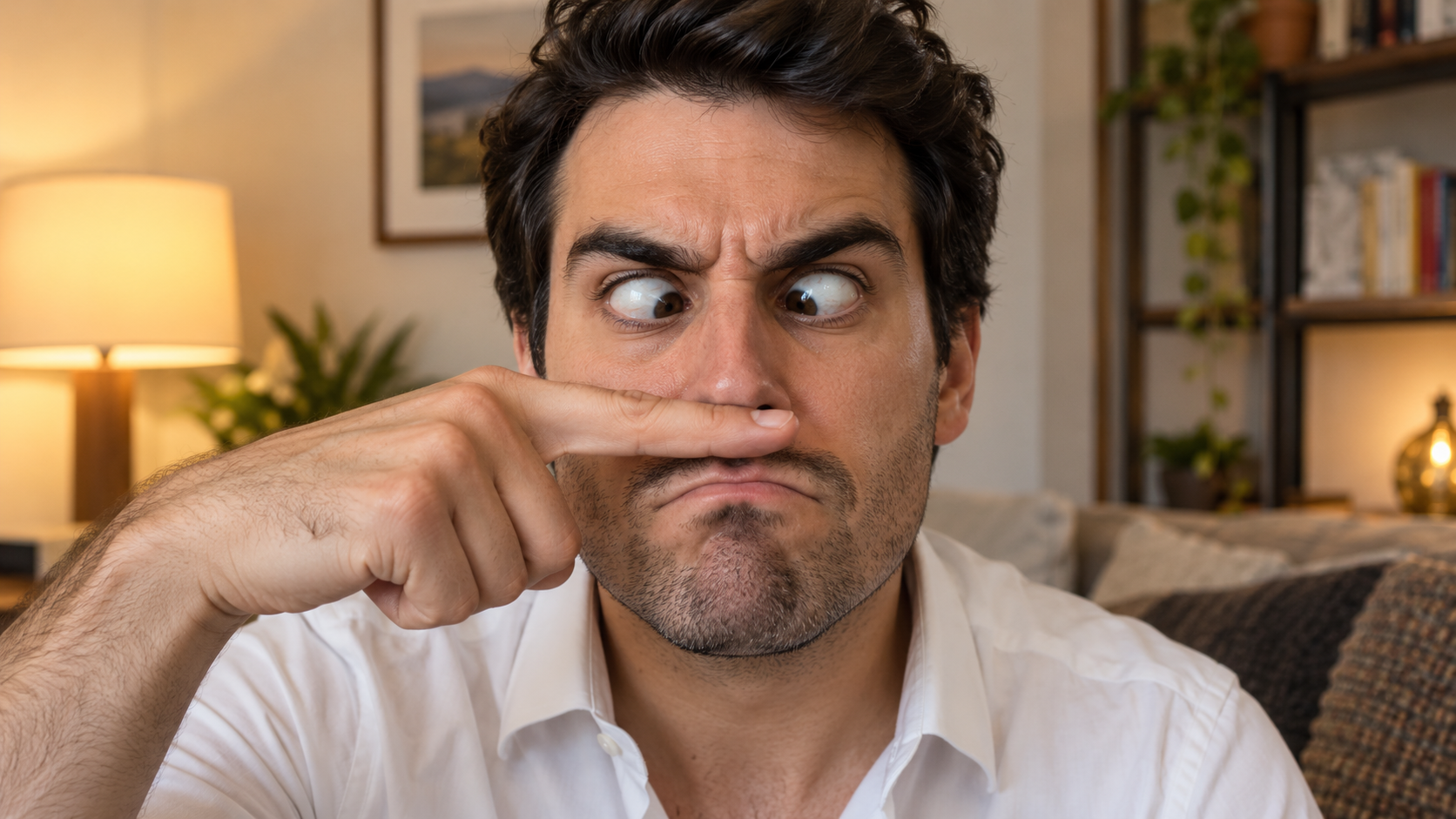
Edit the uploaded solo portrait, preserving the person's exact facial identity, hair, facial hair if
Funny AI Prompts
Edit the uploaded solo portrait, preserving the person's exact facial identity, hair, facial hair if

Edit the uploaded solo portrait, preserving the person's exact facial identity, hair, facial hair if any, clothing, and home setting. Place one of their own index fingers horizontally under the nose like a deliberately bad fake mustache. Make their eyes cross down toward the finger, eyebrows tense, and mouth form an exaggerated serious frown. Keep the finger above the upper lip, not inside the mouth, and make the hand anatomically correct. Match warm interior light and believable skin texture. One person only, photorealistic complete 16:9 image, no text or watermark.

Edit the uploaded photo of one person into a playful portrait. Preserve the person's facial identity
Funny AI Prompts
Edit the uploaded photo of one person into a playful portrait. Preserve the person's facial identity

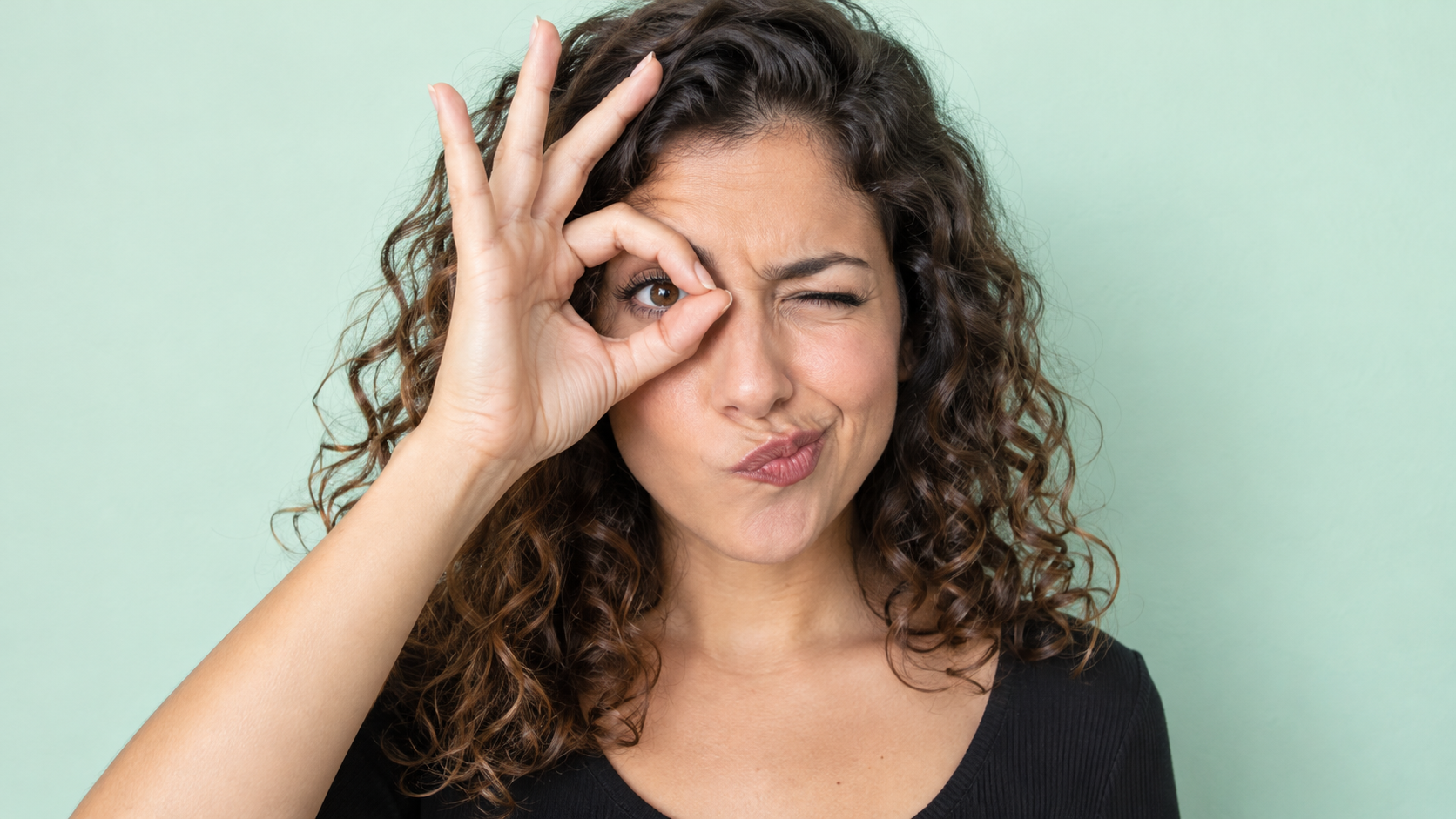
Edit the uploaded photo of one person into a playful portrait. Preserve the person's facial identity, hair, skin tone, clothing, and overall camera angle. Have them form a small circle with thumb and index finger around one open eye like a pretend monocle, squint the other eye, arch one eyebrow, and purse the lips to one side. Show the whole hand with plausible finger joints; do not obscure the open eye. Keep a clean softly colored background and bright even light. One photorealistic person only, 16:9 frame, no added accessories, text, or watermark.

Edit the uploaded portrait of one person. Preserve their facial identity, age, skin tone, hairstyle,
Funny AI Prompts
Edit the uploaded portrait of one person. Preserve their facial identity, age, skin tone, hairstyle,

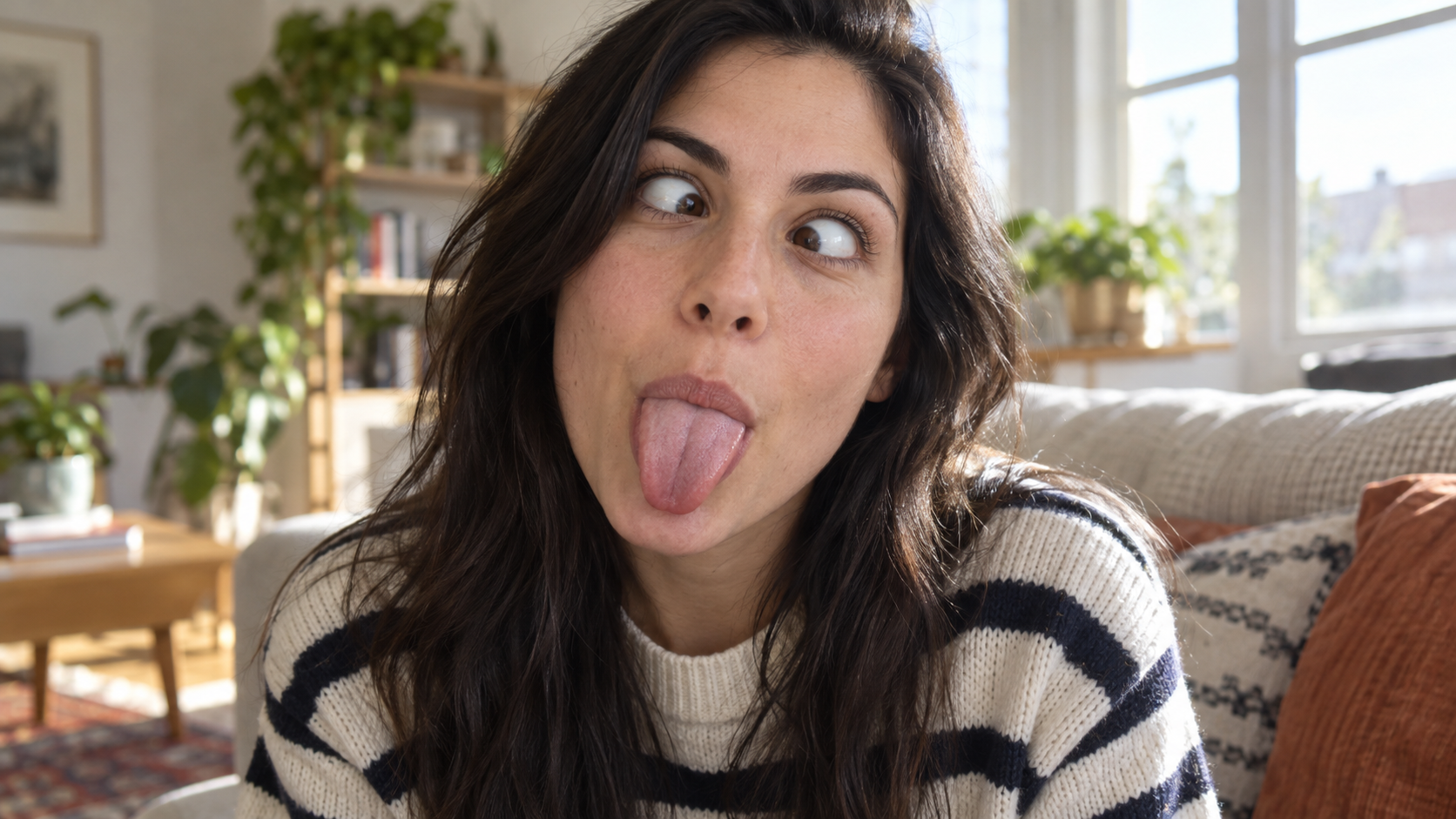
Edit the uploaded portrait of one person. Preserve their facial identity, age, skin tone, hairstyle, clothing, and the character of the original room. Turn the expression into a deliberately silly close-up: both eyes cross toward the center, eyebrows lift slightly, and the tongue sticks straight out. Keep the face large in frame with no hands covering it. Use natural window light, realistic facial muscles, skin texture, teeth and tongue, and a candid selfie feel. One photorealistic person only, complete 16:9 image, no duplicate face, text, or watermark.

Edit the uploaded solo portrait while preserving the person's facial identity, hair, clothing, skin
Funny AI Prompts
Edit the uploaded solo portrait while preserving the person's facial identity, hair, clothing, skin

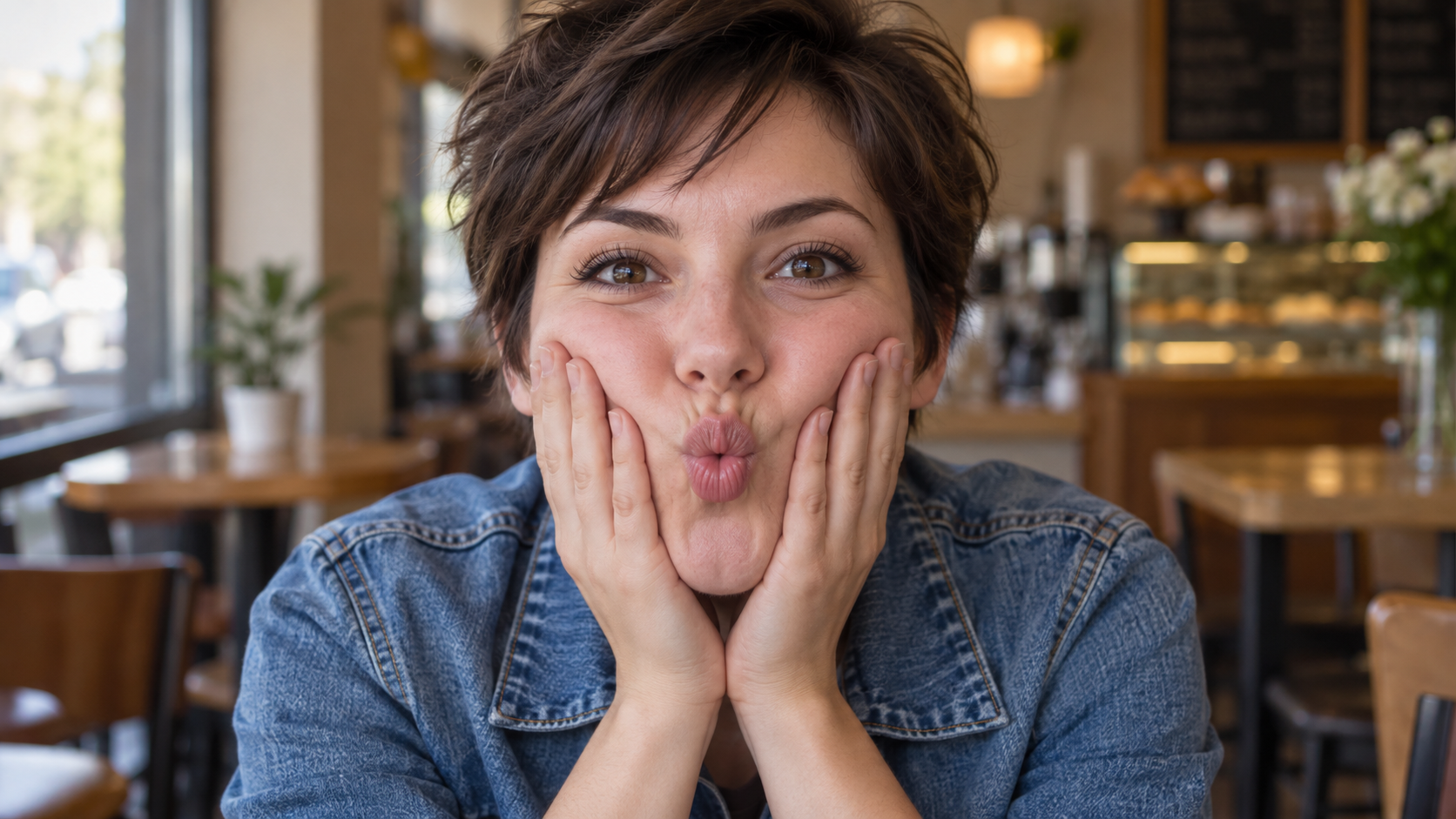
Edit the uploaded solo portrait while preserving the person's facial identity, hair, clothing, skin tone, and recognizable setting. Bring both of their own hands to the cheeks and gently press inward so the lips form a small puckered fish face. Keep both eyes directed toward the camera and the entire face visible. Make the fingers, wrists, and cheek pressure anatomically believable. Use a close portrait crop, soft natural light, and shallow background blur similar to a casual café snapshot. One photorealistic person only, complete 16:9 image, no extra hands, text, or watermark.

Latest AI video prompts

6-second comedic image-to-video sequence, one continuous shot, no cuts. Preserve the source image’s
MiniMax H3 Max Prompt
6-second comedic image-to-video sequence, one continuous shot, no cuts. Preserve the source image’s

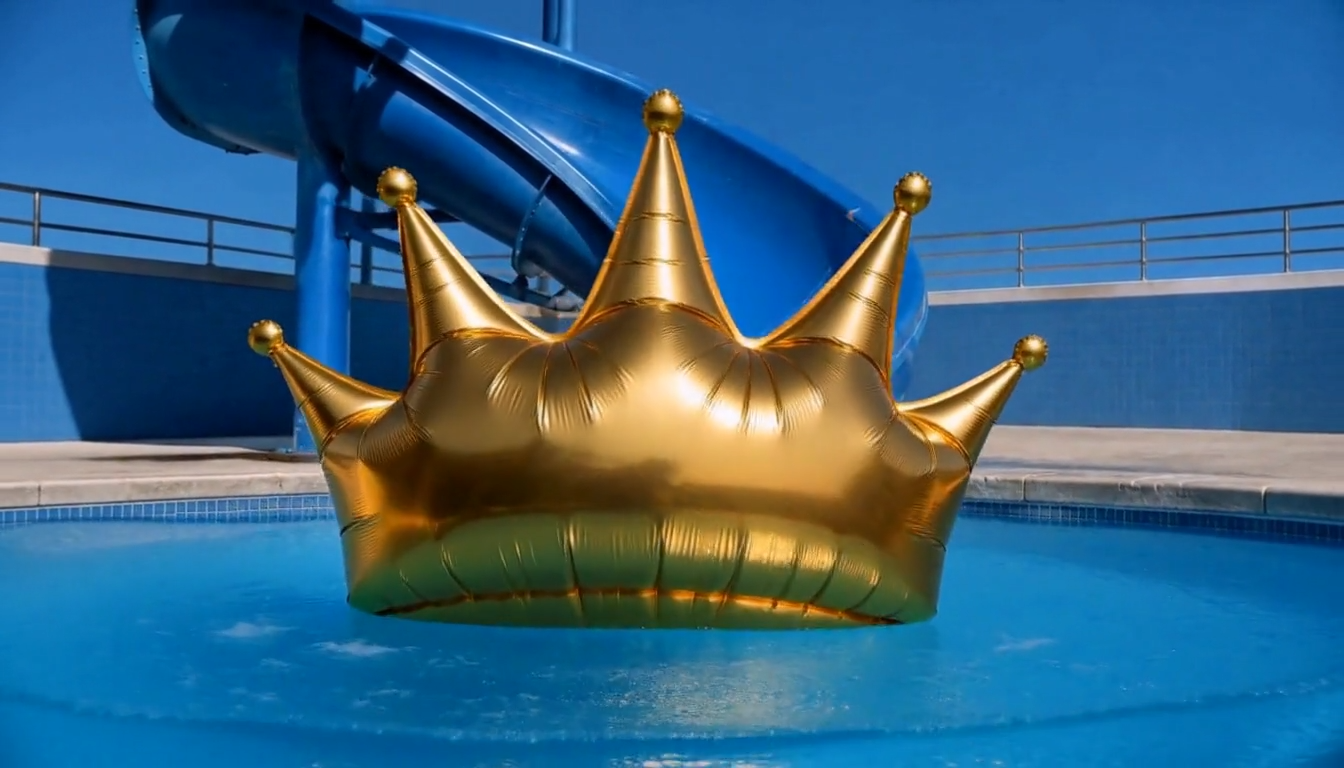
6-second comedic image-to-video sequence, one continuous shot, no cuts. Preserve the source image’s bright photorealistic pool setting, absurd visual joke, saturated blue slide, clear summer sky, and oversized metallic-gold inflatable crown. The attention hook is a simple comic cause-and-effect chain: water pressure builds behind the stuck crown → the crown visibly compresses → it suddenly pops free → races down the slide → splashes into the pool → bobs upright with ridiculous dignity. Keep exactly one metallic-gold inflatable crown throughout. Preserve its original size, reflective crinkled foil surface, air-filled volume, rounded central body, pointed crown tips, small gold balls at the tips, and bright sunlight reflections. Preserve the same blue spiral waterslide, support column, tiled pool walls, railings, concrete deck, clear blue water, and cloudless sky. ENTITY CONTINUITY: the same original crown remains fully intact throughout this continuous state chain: wedged in the slide → compressed by accumulating water → released from the same position → slides forward → enters the pool → floats upright. It never duplicates, bursts, deflates, changes color, becomes a different object, or remains stuck after its moving version appears. SHOT 1 — Begin directly from the supplied low poolside composition. Water rapidly accumulates behind the wedged crown and spills around its edges. The pressure makes the crown’s soft foil body bulge forward, squash inward once, then rebound, while several pointed tips wobble with delayed elastic motion. Hold a very short deadpan anticipation beat as the crown remains stubbornly stuck. The crown suddenly squeezes free with one soft elastic snap. The released water surges behind it and propels the same crown down the final blue curve toward the camera. Its rounded body slides in continuous contact with the wet surface; the crown tips flutter and wobble from speed while the metallic foil catches sharp moving highlights. Water sprays outward along the slide walls with believable direction and weight. As the crown reaches the exit, the camera performs a quick motivated pullback just above the pool surface, keeping the approaching crown centered. The crown shoots into the water with one broad comic splash, briefly dips halfway below the surface, then buoyancy pushes the same intact crown back up. It rocks once from side to side and settles floating point-up, perfectly centered, absurdly regal and motionless while expanding ripples reflect the gold foil. Let the AI determine the natural pacing within the full 6 seconds: clear pressure buildup, sudden fast release, strong splash payoff, and a short deadpan final hold. Photorealistic inflatable-foil physics, coherent water pressure, realistic buoyancy, crisp sunlight, accurate reflections, playful commercial timing, stable low-angle cinematography. Make it feel like one precise physical joke—not generic slow motion, random bouncing, chaotic slapstick, heroic action, or a static image with moving water.

6-second surreal cinematic video, one continuous shot, no cuts. Preserve the source image’s monument
MiniMax H3 Max Prompt
6-second surreal cinematic video, one continuous shot, no cuts. Preserve the source image’s monument

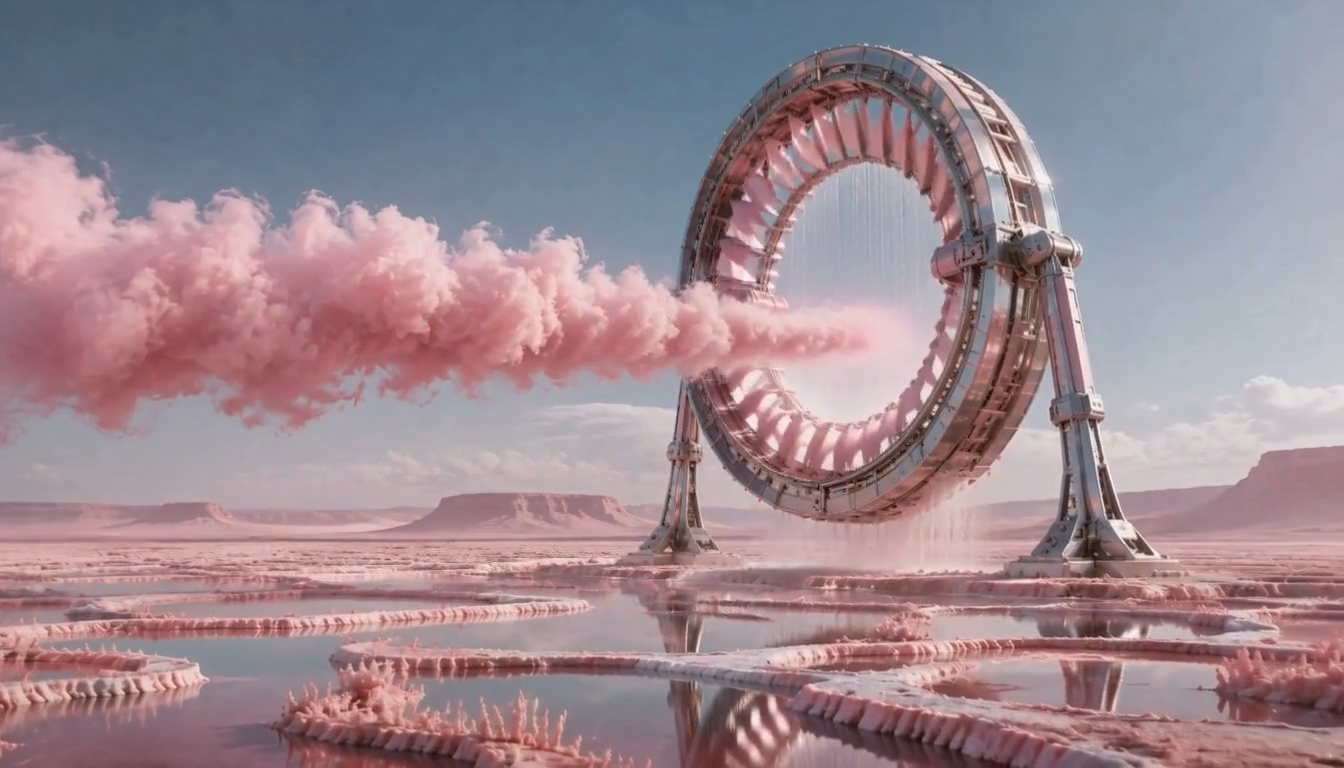
6-second surreal cinematic video, one continuous shot, no cuts. Preserve the source image’s monumental retro-futurist machinery, dreamlike pastel desert, elegant pink-and-silver palette, and photorealistic sense of scale. The attention hook is one continuous activation cycle: the giant ring spins up, draws the existing pink cloud through its aperture, compresses it into a luminous vortex, then releases one expanding circular vapor wave across the reflective salt pools. Preserve exactly one giant mechanical ring with the same circular frame, metallic pink turbine fins, exposed structural details, two grounded support legs, central opening, and falling water curtain. Maintain the flat pink salt desert, shallow reflective pools, crystalline salt ridges, distant mesas, pale blue sky, soft clouds, and consistent midday lighting. The machine remains firmly anchored and structurally intact. ENTITY CONTINUITY: there is only one pink cloud stream. Its continuous state chain is: broad cloud entering from screen-left → drawn into the ring’s center → compressed into one dense rotating pink vortex → released as one circular translucent vapor wave → gradually disperses into fine mist. Earlier and later cloud states must not coexist or duplicate. SHOT 1 — Begin from the supplied wide composition. The inner pink turbine fins of the giant ring engage and accelerate in a mechanically synchronized rotation while the heavy exterior frame and support legs remain stationary. Small vibrations travel through the exposed joints. The falling water curtain inside the aperture bends inward toward the center as suction builds, with physically coherent droplets and spray. The existing pink cloud is pulled decisively from screen-left into the circular opening. Its trailing volume stretches, curls, and accelerates along the airflow rather than passing through as a rigid layer. Inside the ring, the same cloud compresses into a dense luminous vortex. Reflected pink light intensifies across the wet salt pools as the turbine reaches peak speed. At maximum compression, the vortex releases one clean circular pulse toward the camera. A translucent pink vapor ring expands outward across the landscape, pushing a low ripple through the shallow pools and lifting a delicate line of salt mist without damaging the terrain. The camera performs a controlled low push toward the machine, then eases back slightly as the vapor pulse reaches the foreground, creating strong depth through the crystalline ridges and reflections. The turbine decelerates to a steady rotation, the water curtain falls vertically again, and the remaining mist clears to reveal the giant ring intact and glowing softly. End on a stable monumental composition with crisp reflections in the pools. Let the AI determine the natural pacing within the full 6 seconds: rapid mechanical activation, brief high-energy compression, decisive vapor release, and a short resolved final hold. Photorealistic large-scale science-fiction cinematography, precise mechanical motion, believable turbine inertia, volumetric pink vapor, accurate water displacement, stable hard-surface geometry, subtle lens flare, luminous pastel highlights, immense scale and controlled wonder. Make it feel like one coherent machine-driven event—not static parallax, a generic zoom, random smoke animation, magical shapeshifting, or a destructive explosion.

6-second product-focused promotional video, one continuous shot, no cuts. Preserve the playful premi
MiniMax H3 Max Prompt
6-second product-focused promotional video, one continuous shot, no cuts. Preserve the playful premi

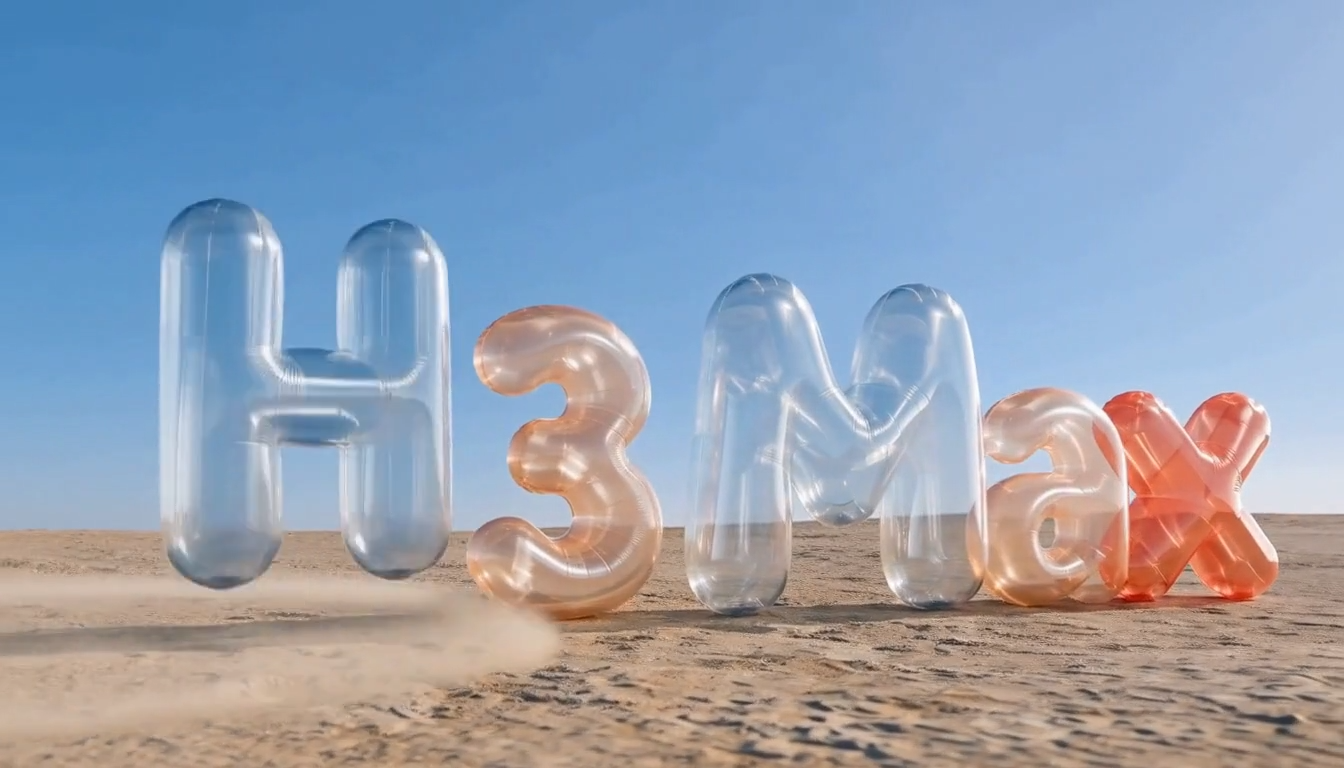
6-second product-focused promotional video, one continuous shot, no cuts. Preserve the playful premium minimalism, clean blue sky, sunlit desert surface, transparent inflatable material, and instantly readable “H3 Max” wordmark. The attention hook is one visible pressure wave traveling from left to right, making each inflatable character react in sequence before the complete name settles into a polished final hero composition. Preserve exactly five inflatable characters in this order and with these fixed designs: one transparent pale-blue “H”, one translucent peach “3”, one transparent pale-blue “M”, one translucent peach lowercase “a”, and one translucent coral-red lowercase “x”. Maintain their original rounded geometry, internal seams, glossy transparent vinyl, air-filled volume, spacing, baseline, realistic refraction, and soft ground shadows. The displayed text must read exactly “H3 Max”, with identical spelling and capitalization. No additional text. ENTITY CONTINUITY: each character remains the same original inflatable object throughout. For every character, the allowed state is: fully inflated → briefly compresses from the passing pressure wave → rebounds upward with elastic vinyl tension → returns to its original fully inflated shape. No character pops, deflates, duplicates, changes color, changes identity, or leaves the lineup. SHOT 1 — Begin from the supplied low, centered wide composition. A sharp gust skims across the sandy ground from screen-left to screen-right, visible as a narrow rolling trail of fine dust. When the pressure wave reaches the “H”, its lower body compresses slightly and the entire letter springs upward in a small buoyant hop before landing upright. The same physical pulse continues directly into “3”, then “M”, then “a”, and finally the coral-red “x”, producing a clean sequential wave of squash, lift, and rebound across the wordmark. Each reaction follows the same traveling force but has subtly different weight: the large “M” lands with the strongest soft vinyl wobble, while the smaller red “x” makes the quickest, most energetic final bounce. Ground contact remains believable; every landing produces a tiny dust puff and a matching shadow response. The letters never collide or exchange positions. The camera performs a restrained low-angle dolly from left to right, following the pressure pulse while keeping the full wording readable. As the red “x” lands, a final elastic ripple travels backward through all five inflated surfaces, then quickly settles. Sunlight slides naturally across the curved transparent vinyl, revealing seams, internal reflections, refraction, and soft highlights without changing the lighting direction. End with all five characters perfectly upright and motionless, clearly reading exactly “H3 Max”, centered against the clean blue sky. Hold the final hero frame long enough for recognition. Let the AI determine the natural pacing within the total 6 seconds, with a fast sequential activation and the longest duration reserved for the stable final composition. Photorealistic premium product cinematography, realistic inflatable-vinyl physics, crisp sunlight, accurate transparency and refraction, tactile elastic deformation, controlled dust, clean composition, playful confidence. Make it feel like a purposeful product-name reveal—not static parallax, a generic zoom, random bouncing, chaotic slapstick, or an explosive action scene.

6-second cinematic image-to-video sequence, one continuous shot, no cuts. Preserve the source image’
MiniMax H3 Max Prompt
6-second cinematic image-to-video sequence, one continuous shot, no cuts. Preserve the source image’

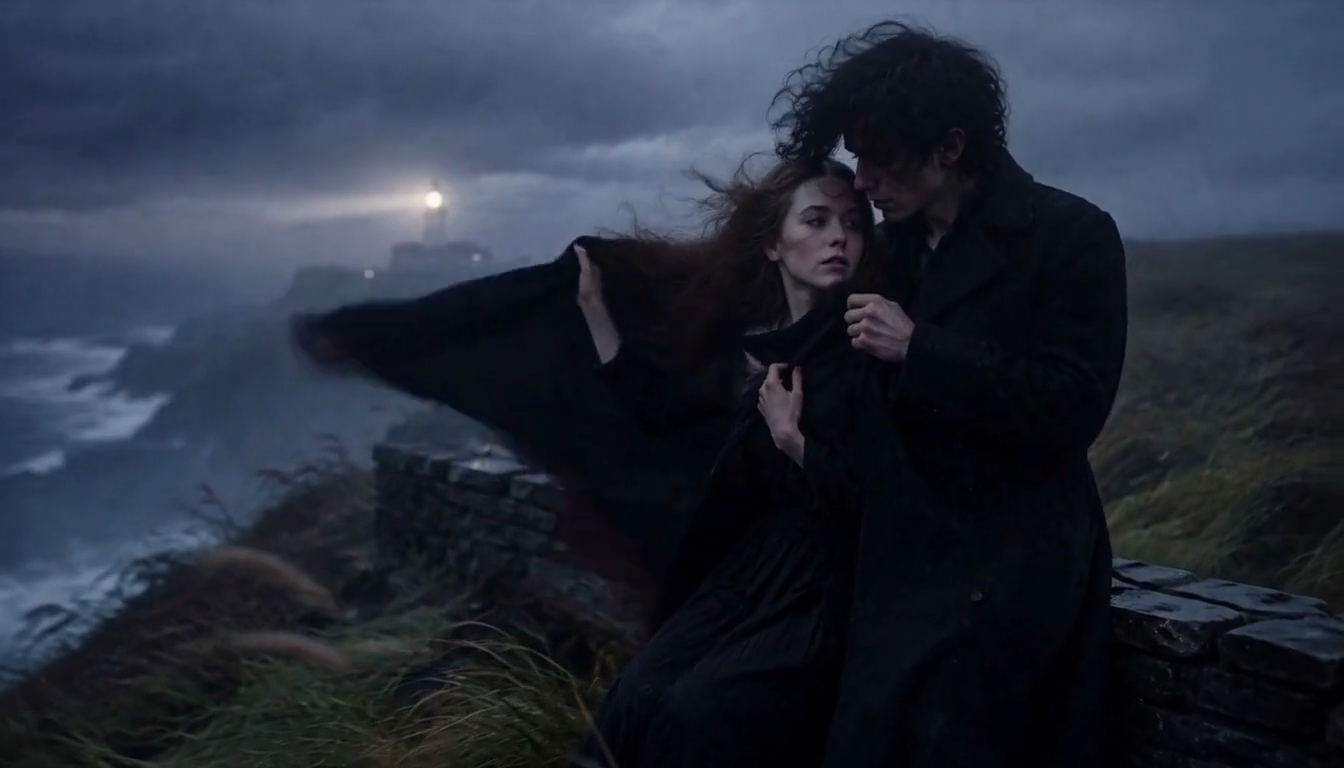
6-second cinematic image-to-video sequence, one continuous shot, no cuts. Preserve the source image’s intimate gothic romance, windswept coastal melancholy, restrained emotion, and cold blue-gray photographic realism. The attention hook is a sudden ocean gust lifting the woman’s black shawl, prompting the man to catch it and draw her into a protective embrace as the lighthouse beam sweeps through the fog. Keep exactly one woman and one man throughout. Preserve their original faces, pale natural skin, dark windswept hair, body proportions, black period clothing, and close physical relationship. Maintain the wet stone wall, stormy coastline, distant lighthouse, rough sea, bending grass, heavy fog, dark clouds, and muted blue-black palette. ENTITY CONTINUITY: there is only one black shawl. It remains attached around the woman throughout this continuous state chain: resting around her shoulders → loose end lifted by the wind → the man catches that same loose end → he pulls the same shawl securely around her shoulders. No duplicate or detached fabric. Their bodies remain grounded beside the stone wall, with anatomically correct arms, hands, and contact. SHOT 1 — Begin from the supplied composition. A strong gust arrives from screen-right, driving the woman’s hair and the loose end of her shawl dramatically toward screen-left. The fabric snaps outward with believable weight and tension. Reacting immediately, the man catches the same flying edge in one hand, pulls it firmly across her chest, and wraps it closer around her shoulders while his other arm steadies her against him. The woman’s hand tightens softly over the shawl. Her closed eyes open briefly; she looks up toward him, then relaxes and leans into his chest as the gust subsides. He lowers his forehead toward her hair in a quiet protective gesture. Keep the emotion subtle, vulnerable, and sincere rather than theatrical. The camera makes one slow stabilized push-in with a slight leftward arc, moving from the existing medium-wide composition toward a more intimate medium framing while keeping the lighthouse visible over their shoulders. Wind bends the coastal grass in one coherent direction, sea spray rises below the cliff, and fine mist passes naturally through the scene. At the emotional peak, the distant lighthouse beam rotates through the fog and briefly washes across their profiles, producing a soft cool highlight before moving onward. End with the shawl secured, the couple held close, their hair still moving gently in the remaining wind, and the lighthouse glowing steadily behind them. Let the AI determine the natural pacing within the full 6 seconds, with a quick gust, a deliberate protective response, and a short intimate final hold. Photorealistic prestige romantic-drama cinematography, credible human anatomy, natural facial micro-expressions, physically accurate hair and heavy fabric, coherent wind direction, subtle handheld breathing without shake, shallow atmospheric depth, soft diffused lighthouse illumination, fine film grain. Make it feel like one emotionally charged coastal moment—not a static portrait animation, generic slow zoom, fashion pose, melodramatic performance, supernatural horror, or action spectacle.

Camera arcs slowly around the vehicle from front-left to side profile at a low angle, revealing the
MiniMax H3 Max Prompt
Camera arcs slowly around the vehicle from front-left to side profile at a low angle, revealing the

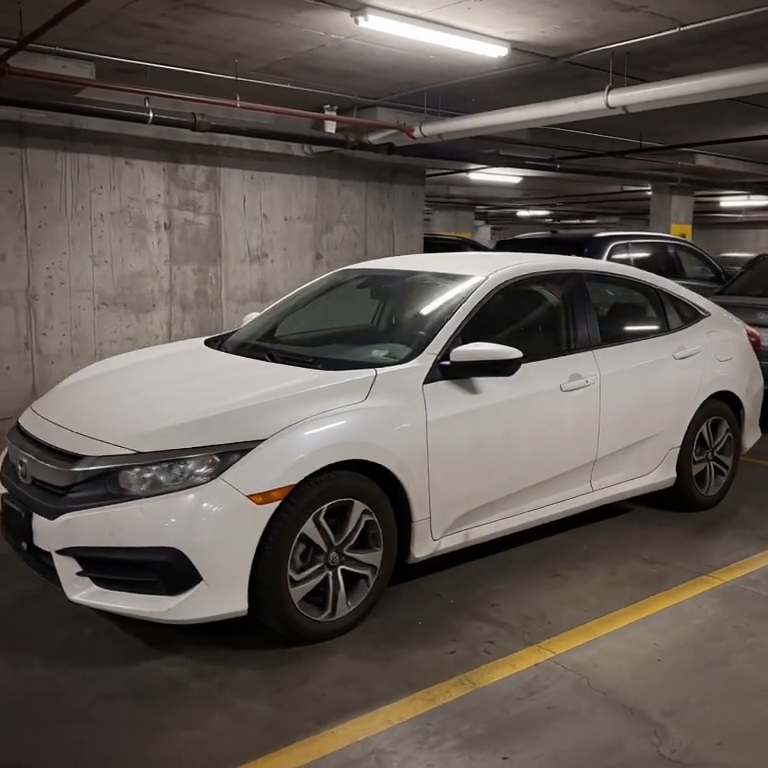
Camera arcs slowly around the vehicle from front-left to side profile at a low angle, revealing the car's full form and paint sheen, background pillars and parked cars shifting with natural parallax — a classic automotive showcase move.

integrated_multimodal_description: [Shot 1] Live-action cinematic footage blended with surreal hand-
MiniMax H3 Max Prompt
integrated_multimodal_description: [Shot 1] Live-action cinematic footage blended with surreal hand-

integrated_multimodal_description: [Shot 1] Live-action cinematic footage blended with surreal hand-drawn 2D VFX animation. A young adult woman in relaxed home clothes sits on the rug of a bright, cozy contemporary living room with her playful orange tabby cat beside her. Warm daylight enters through large windows, illuminating a sofa, coffee table, houseplants, cushions, books, and natural wooden furniture. The camera begins in a medium-wide shot and slowly performs a gentle arc shot around them. The woman playfully draws a circle in the air with one finger. A rough black pencil line remains suspended behind her fingertip, visibly trembling like a frame-by-frame hand-drawn animation. She completes the circle, and it opens into a floating illustrated portal made from charcoal strokes, colored-pencil hatching, watercolor stains, eraser marks, and rapidly redrawn sketch lines. Loose pages, tiny stars, flowers, spirals, and whimsical hand-drawn fish swim out of the portal and move through the real living room, passing naturally behind furniture and in front of the subjects with correct spatial occlusion. The cat notices a scribbled blue fish and follows it across the rug. Its ears turn, eyes track the moving drawing, tail swishes, and paws press naturally into the carpet. The illustrated fish darts around a table leg, leaving an animated trail of blue pencil loops. The cat pounces and taps it with one paw. At the moment of contact, the drawing bursts into a soft explosion of hand-painted color, ink splashes, chalk dust, animated stars, and curling sketch lines. The colorful lines race across the rug and climb the sofa, briefly transforming the edges of the furniture, the woman, and the cat into lively hand-drawn outlines while their bodies remain photorealistic and recognizable. Laughing silently, the woman catches one glowing illustrated ribbon between her hands and gently guides it toward the cat. The ribbon spirals around the cat without restraining it, then folds itself into a tiny hand-drawn crown floating above its head. The remaining doodles quickly rewind into the portal like animated pencil strokes being erased in reverse. The portal closes with a small watercolor pop. End with the woman petting the cat as it sits proudly beneath the wobbling illustrated crown; both look toward the camera while one tiny sketched star continues bouncing above them. Maintain one continuous, physically coherent camera move with no cuts. The woman and cat remain live-action and photorealistic throughout; only the supernatural VFX elements use the expressive hand-drawn style. Emphasize imperfect pencil contours, visible redrawing between frames, charcoal texture, colored-pencil shading, watercolor bleeds, ink splatters, playful line boil, and intentional stop-motion-like timing. Preserve consistent human anatomy, facial appearance, clothing, cat markings, room layout, lighting direction, furniture geometry, and object placement. No identity drift, body morphing, extra limbs, duplicated pets, floating furniture, random scene changes, text, subtitles, logos, or watermarks. overall_soundscape: Quiet living-room ambience with soft fabric movement, gentle cat pawsteps on the rug, a curious meow, delicate pencil-scratching sounds synchronized with every drawn line, paper fluttering as the portal opens, chalky swishes as the illustrated creatures move, and a soft watercolor pop when the portal closes. The woman gives a brief natural laugh after the cat catches the drawn fish. non_diegetic_music: A playful light rhythm performed with pizzicato strings, soft marimba, and sparse bell tones, gradually adding energy as the drawings fill the room before resolving into one gentle final chime.

[Style]: Ultimate Girlfriend POV, Handheld Selfie VLOG, Vertical Aspect Ratio (9:16), Film Grain Fil
Seedance 2 Prompts
[Style]: Ultimate Girlfriend POV, Handheld Selfie VLOG, Vertical Aspect Ratio (9:16), Film Grain Fil

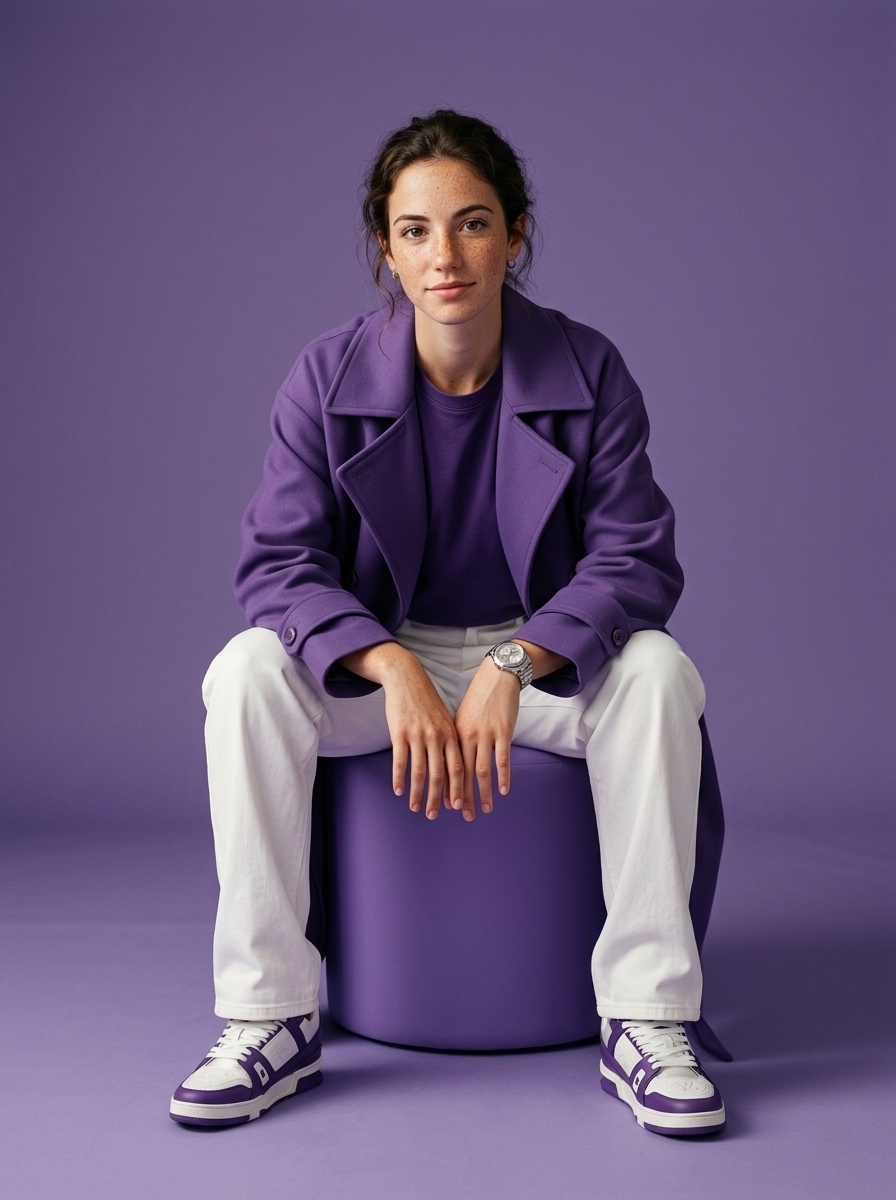
[Style]: Ultimate Girlfriend POV, Handheld Selfie VLOG, Vertical Aspect Ratio (9:16), Film Grain Filter, Natural Light (Golden Hour), camera includes natural shake and adjustments. [Duration]: 15 seconds [Protagonist]: Taiwanese girl, long slightly curled hair, wearing a gentle knit cardigan, clean/sheer makeup, speaking tone is soft, slightly spoiled/coquettish with a complaining accent (Taiwanese accent). [Scene]: Taipei Tamsui riverbank, background is the golden sunset, shimmering river surface, and the Lover's Bridge in the distance. Shot 1: The Rushed Intro. Visual: The camera shakes significantly because she is walking fast. She looks back at the camera (looking at you) while walking, brows slightly furrowed, pretending to be angry. Action: One hand holds the phone, while the other hand holds down her hair which is being blown by the wind. [Line/Mouth] (Soft complaining voice): "Hey, walk faster! The sun is about to set! It's all your fault for dragging your feet. If I can't get good photos later, I'm going to get mad!" Shot 2: Sharing the View. Visual: She stops walking, moves the camera away from her face, and turns it towards the stunning golden sunset across the river (Golden Hour). Action: The camera displays the scenery for 2 seconds, then immediately turns back to focus on her face. Her face is illuminated golden by the sunset, showing a super happy smile, eyes narrowed into slits from smiling. [Line/Mouth] (Exclamation voice): "Wow~ Look quick! Isn't it super beautiful! This lighting is absolutely amazing, everything looks good no matter how you shoot!" Shot 3: The Interaction. Visual: Suddenly, she is holding a super tall soft-serve ice cream unique to Tamsui. Action: She first holds the ice cream up to the camera (as if feeding you), then quickly takes a lick herself. A bit of ice cream accidentally gets on the tip of her nose. She giggles foolishly at the camera. [Line/Mouth] (Playful voice): "Here, you get the first bite. Hurry up, it's melting! Heehee, I'll give you a passing grade for today's date!"

Style: Hollywood Professional Racing Movie (Le Mans Style), Cinematic Night, Rain, High Stakes Sport
Seedance 2 Prompts
Style: Hollywood Professional Racing Movie (Le Mans Style), Cinematic Night, Rain, High Stakes Sport

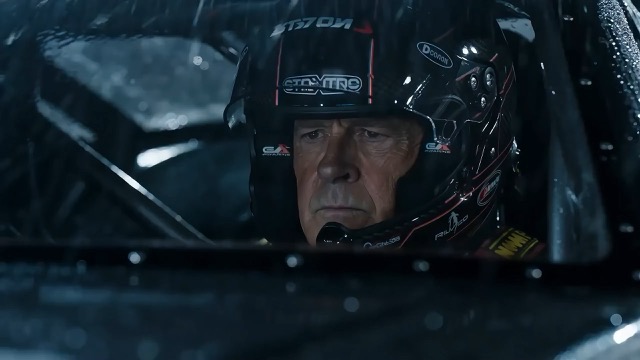
Style: Hollywood Professional Racing Movie (Le Mans Style), Cinematic Night, Rain, High Stakes Sport. Duration: 15s. [00-05s] Shot 1: The Veteran (Interior/Close-up). Rain lashes the windshield of a high-tech race car on a track. The Veteran driver (in helmet) looks over, calm and focused. Dashboard lights reflect on his visor. Dialogue Cue: He gives a subtle nod and mouths "Let's go." [05-10s] Shot 2: The Challenger (Interior/Close-up). Cut to the rival car next to him. The younger driver grips the wheel tight, breathing heavily. Eyes wide with adrenaline. Dialogue Cue: He whispers "Focus" to himself. [10-15s] Shot 3: The Green Light (Wide Action). The starting lights turn Green. Both cars accelerate in perfect sync on the wet asphalt. Water sprays massively into the camera lens. Motion blur turns the stadium lights into long streaks of color.

Find AI prompts that turn a video idea into a clear scene

Compare AI video prompts, watch the previews, and build your own scene

AI prompts connect a visual idea to clear action. Find AI prompts for videos alongside previews and model context, then identify the subject, movement, camera position, and ending. SuperMaker brings examples together so you can compare AI video prompts before choosing a direction. Start with a product reveal, a character gesture, or a cinematic scene, and replace the details with your own. Keep the instructions focused on the selected duration, using references and settings for context.

Choose AI prompts for motion, framing, and timing

A video example shows the scene and how it changes. Compare AI prompts with their previews, then use AI video prompts to study the action, camera movement, and pace you want to adapt.

AI video prompts for a scene with one clear action

AI video prompts for a scene with one clear action

Begin AI prompts with a subject and an achievable action: a bottle turning, a person looking toward a window, or a vehicle entering the frame. Give AI video prompts a setting, style, and endpoint that fit together. Describe what appears first and what changes. For text-to-video, AI prompts need environmental detail to establish the scene. For image-led creation, let the reference supply the appearance and concentrate on movement. Remove conflicting requests before adding decoration; one readable event gives the shot direction.

AI prompts for camera movement and visual continuity

AI prompts for camera movement and visual continuity

Separate subject motion from camera motion in AI prompts. A character can stay still while the camera approaches, or walk while the viewpoint remains fixed. Build AI video prompts around one camera path: a slow push-in, sideways tracking, or a gentle orbit. Explain the pace and what should remain in view. When adapting AI prompts, retain camera choices that serve your scene. Identify important character, wardrobe, product, and background details, then inspect the result for changes you did not request.

Copy AI prompts and prepare your own video inputs

Copy AI prompts and prepare your own video inputs

Choose Copy prompt to edit the wording elsewhere, or Use prompt to open the compatible generator with the text ready to adapt. Copied AI prompts do not include the example’s reference files or settings. Check whether the workflow needs an opening image or other supported references. Revise AI video prompts around your subject and action, then supply required material. Explain which details must remain when requesting a new setting. Review the available controls before submitting and keep useful versions in your notes.

Why visual context makes AI prompts easier to adapt

A preview gives AI prompts a point of comparison. Use AI prompts for videos with the attached model as your starting point, then check how the text, references, and settings relate to the example result.

Match AI prompts to the available video workflow

Match AI prompts to the available video workflow

Models may interpret the same AI prompts differently. The attached model helps you choose a starting point, but check its supported inputs and controls. Adapt AI video prompts for the selected text-to-video or image-to-video mode and confirm required uploads. The instructions describe your intention; settings and references also affect the output. Use the preview to evaluate a direction and choose which clauses to retain.

How to develop AI prompts into your own video brief

Develop AI prompts for videos in four steps. AI prompts provide the structure; your subject, references, timing, and output requirements make the brief specific.

1

Choose the purpose of your AI prompts

Decide what viewers should notice: a product feature, a character reaction, a place, or a scene change. Start AI prompts for videos with that purpose and choose a suitable format. Use AI video prompts for a reveal when the object needs attention, or a moving scene when atmosphere is the goal. Decide whether AI prompts must establish the scene from text or animate an existing image. Separate essential requirements from optional decoration.

2

Compare AI prompts with the example footage

Browse the latest video examples, available popular selections, or a model library. Compare AI prompts with the footage, noting the opening, camera movement, and ending. Study AI video prompts for the clauses controlling those choices. Check whether references contribute information missing from the text. Choose a useful structure, then identify which subject, setting, or motion details need replacing.

3

Rewrite AI prompts around your subject and motion

Copy AI prompts and replace the subject or environment first. Specify one main action and a camera choice that supports it. Adapt AI video prompts with preservation instructions when a product or character needs to stay recognizable. Retain important constraints, such as caption space or a stable background. Revise AI prompts one meaningful choice at a time, and read the sequence from opening to ending before preparing the inputs.

4

Review the result and refine your AI prompts

Open the compatible generator, review its settings, and add required files. Check whether the subject stays recognizable, the action reads clearly, and the camera movement supports your brief. Refine AI video prompts where the result diverges from your intention. Adjust movement or timing before adding atmosphere. Note each change and keep AI prompts that provide a reusable structure for related shots.

AI prompts for practical video projects

Choose AI prompts for videos around the deliverable you need. These projects show how AI prompts change with the audience, visual goal, and movement.

AI video prompts for product reveals and demonstrations

Use AI prompts to plan a product turn, a detail reveal, or an everyday usage scene. Build AI video prompts around the feature the viewer should notice. Describe the object, light, camera angle, action, and closing view. With supported reference inputs, ask to preserve the product’s shape, colors, and labels. Check those details in the generated clip before using it.

AI prompts for social clips and advertising concepts

Give AI prompts a clear opening moment and room for your message. Use AI video prompts to explore a short visual hook, a simple transition, or a closing product shot. Choose a frame suited to the placement and keep the main subject easy to read. Adapt AI prompts for each campaign variation while reviewing brand details and any lettering in the output.

AI prompts for cinematic scenes and visual stories

Write AI prompts around a scene entrance, a change in weather, or a camera revealing the environment. Cinematic AI video prompts need a viewpoint, light, mood, and controlled movement that support the story. For a sequence, plan separate shots with compatible visual directions. Keep AI prompts focused on each shot, then review continuity between clips during editing.

AI prompts for characters and animated moments

Use AI prompts for a gesture, an expression change, or a character moving through a setting. Adapt AI video prompts to preserve identity and style when suitable references are supported. Separate character action from background motion, and inspect clothing, appearance, and continuity before building a longer sequence.

AI prompts: practical questions about video creation

Learn how to choose AI prompts, adapt AI video prompts, and prepare the right inputs before generation.

Useful AI prompts describe a subject, setting, action, camera behavior, and intended ending. AI video prompts also need a sense of timing so the movement fits the selected duration. Start with one coherent shot, add relevant constraints, and remove conflicting requests. Clear AI prompts make it easier to compare the result with your original intention.

Browse the video examples above or open a model library for more context. Compare AI prompts with their previews and read the full instructions before copying. Choose AI video prompts for a useful movement pattern or composition, then replace the subject and setting. A preview illustrates one result; AI prompts may also depend on settings and reference material.

Text-to-video AI prompts must establish the scene as well as its movement. Image-to-video AI prompts can use a supplied picture for appearance and focus on action, camera behavior, and what should remain stable. Adapt AI video prompts to the supported input mode and upload the required files. Copying the text does not provide the example’s starting image.

Treat the attached model as your starting point. Other models may interpret AI prompts differently or offer different controls and reference inputs. Reuse the concept, but adapt AI video prompts to the generator you choose. Review the available settings and revise AI prompts when an instruction depends on a feature that the selected workflow does not support.

Give AI prompts one clear camera path, its pace, and the subject that should stay in view. A slow push-in, a sideways tracking move, or a gentle orbit provides a specific direction. Combine AI prompts with an achievable subject action and a planned endpoint. Avoid several competing camera movements in one short shot.

You can browse published AI prompts and copy their text. Generating a video is a separate action governed by the model, settings, account access, and credit requirements. Check the generator before submitting. AI prompts help prepare the creative brief; copying an example does not include a free generation or guarantee the same output.

Turn AI prompts into your next video brief

Choose AI prompts for videos, compare the preview, and make the action your own. Open the matching SuperMaker generator when your references and settings are ready. Use AI prompts to describe the next shot.

Explore AI prompts
Video cover