logo
0

Nano Banana 2.1 Prompt: Create Better Image Prompts.

Turn simple ideas into detailed Nano Banana 2.1 prompts online. Create ready-to-copy instructions for AI image generation, photo edits, portraits, and posters.

Generate Prompt with AI
3 uses left today

Describe your idea and let AI create the perfect prompt for you
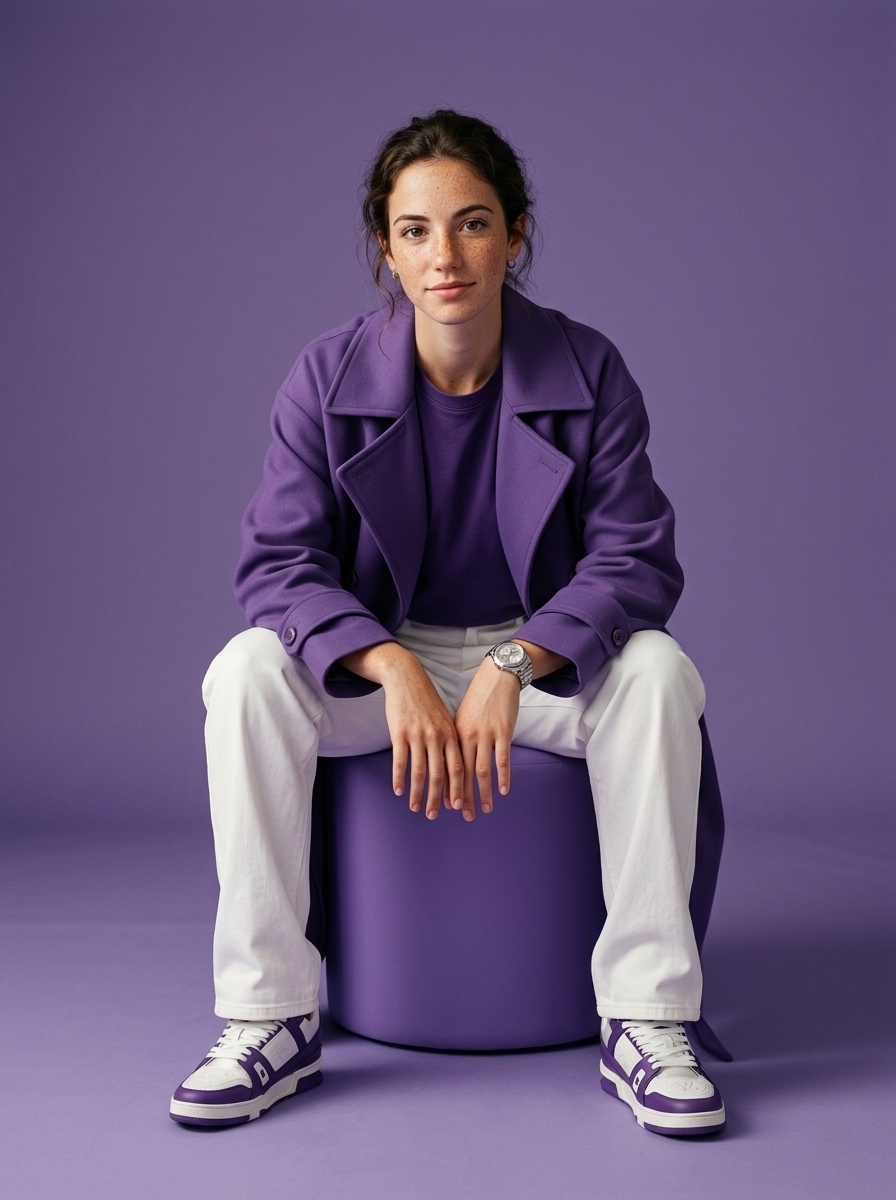
Prompt #36

Prompt:

Using the uploaded face image, preserve the person's facial identity with absolute accuracy (100% identity preservation), maintaining the exact face shape, bone structure, forehead, eyebrows, eyes, nose, lips, ears, jawline, hairstyle, hairline, facial hair, skin tone, complexion, age, and natural expression without beautifying or altering the individual. Create an ultra-premium Gen-Z fashion editorial portrait of the same person seated casually on a perfectly cylindrical matte purple ottoman, leaning slightly forward with elbows resting naturally on the thighs and hands loosely clasped together, projecting effortless confidence and modern attitude while making direct eye contact with the camera. Dress the subject in an oversized luxury monochromatic purple trench coat layered over a matching purple crew-neck t-shirt, relaxed-fit white trousers, premium white and purple designer sneakers, and a sophisticated stainless steel wristwatch. Place the subject inside a seamless monochromatic purple studio where both the floor and background are the same rich matte purple with a clean minimalist aesthetic and no additional props or distractions. Illuminate the scene using high-end professional fashion studio lighting with a large softbox positioned slightly above and to camera left, complemented by subtle fill lighting and gentle cinematic shadows that sculpt the face while preserving realistic skin texture and premium fabric details. Capture the image in a perfectly balanced 4:5 vertical composition with the full body and shoes visible, centered framing, shot using an 85mm medium-format portrait lens with shallow depth of field, ultra-sharp focus, hyper-realistic skin pores, luxury editorial color grading, Apple-style minimalism, Vogue campaign quality, commercial advertising photography, HDR, photorealistic 8K resolution. Negative prompt: different person, identity change, face swap, altered facial features, beautified face, different hairstyle, incorrect facial hair, asymmetrical face, distorted anatomy, extra fingers, missing fingers, duplicate limbs, bad hands, blurry image, low quality, low resolution, cartoon, anime, CGI, illustration, plastic skin, oversmoothed skin, fisheye lens, wide-angle distortion, cluttered background, text, watermark, logo, cropped shoes, cropped body, artifacts.

Prompt #35

Prompt:

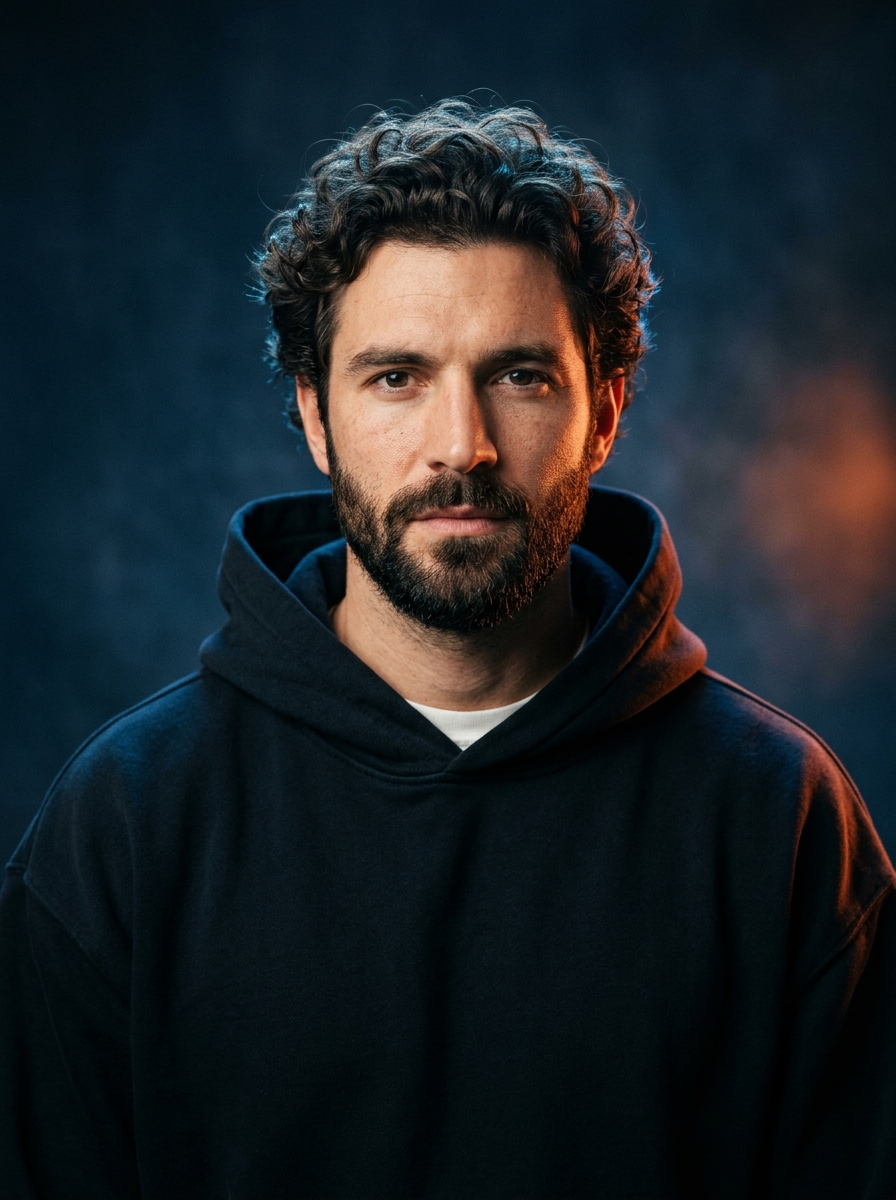
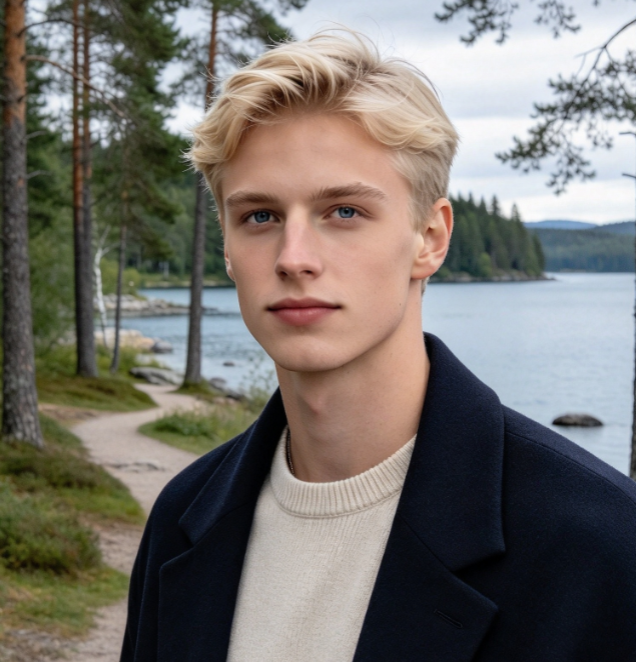
Photorealistic cinematic portrait of a handsome adult man with thick, naturally curly dark brown hair, neatly groomed full beard, strong jawline, symmetrical facial features, intense calm expression, looking directly into the camera. He wears a minimalist oversized dark navy/black hooded sweatshirt with the hood resting around his shoulders and a small white crew-neck shirt visible underneath. Dramatic studio lighting, cool deep-blue background with subtle atmospheric haze and a warm orange-red glow on the right side, strong blue rim light along the hair and shoulders, soft warm key light illuminating the face, high contrast, realistic skin texture, detailed beard and hair, shallow depth of field, centered composition, chest-up portrait, eye-level camera, 85mm portrait lens, f/2, cinematic color grading, premium fashion/editorial photography, ultra-detailed, photorealistic, sharp eyes, natural proportions, 4K.

Prompt #34

Prompt:

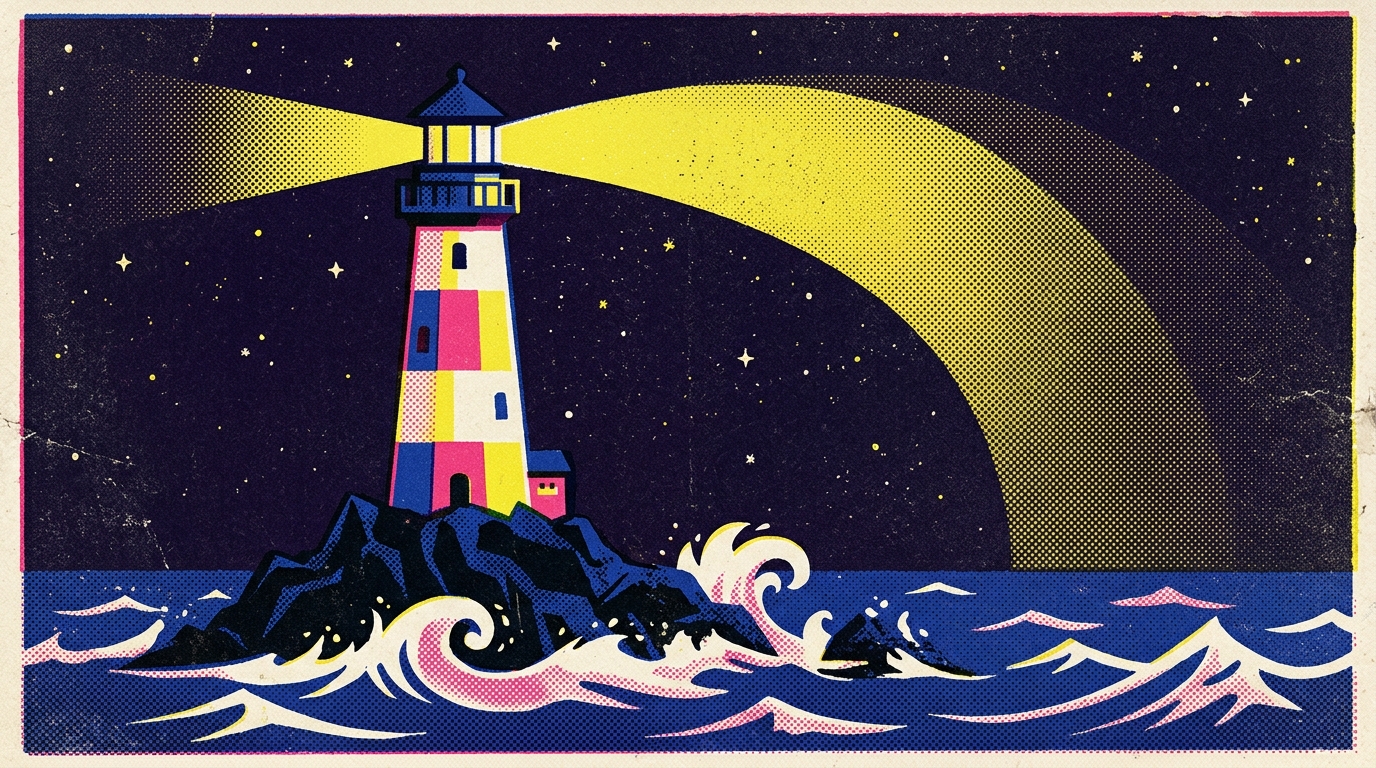
A spectacular vintage screen-print illustration of a tall colorful lighthouse standing alone on a dark rocky island in a vast nighttime ocean. The lighthouse has geometric blocks of cream, hot pink, yellow and cobalt blue, with a dark blue roof. Its powerful yellow beam sweeps across the sky in a huge curved arc. Deep blue ocean with stylized white waves fills the bottom of the image. Dense halftone dots cover every surface, with rough paper texture and imperfect ink registration. Limited retro CMYK palette, flat graphic shapes, 1970s children's storybook screen-print aesthetic, mysterious and magical atmosphere, no text, 16:9.

Prompt #33

Prompt:

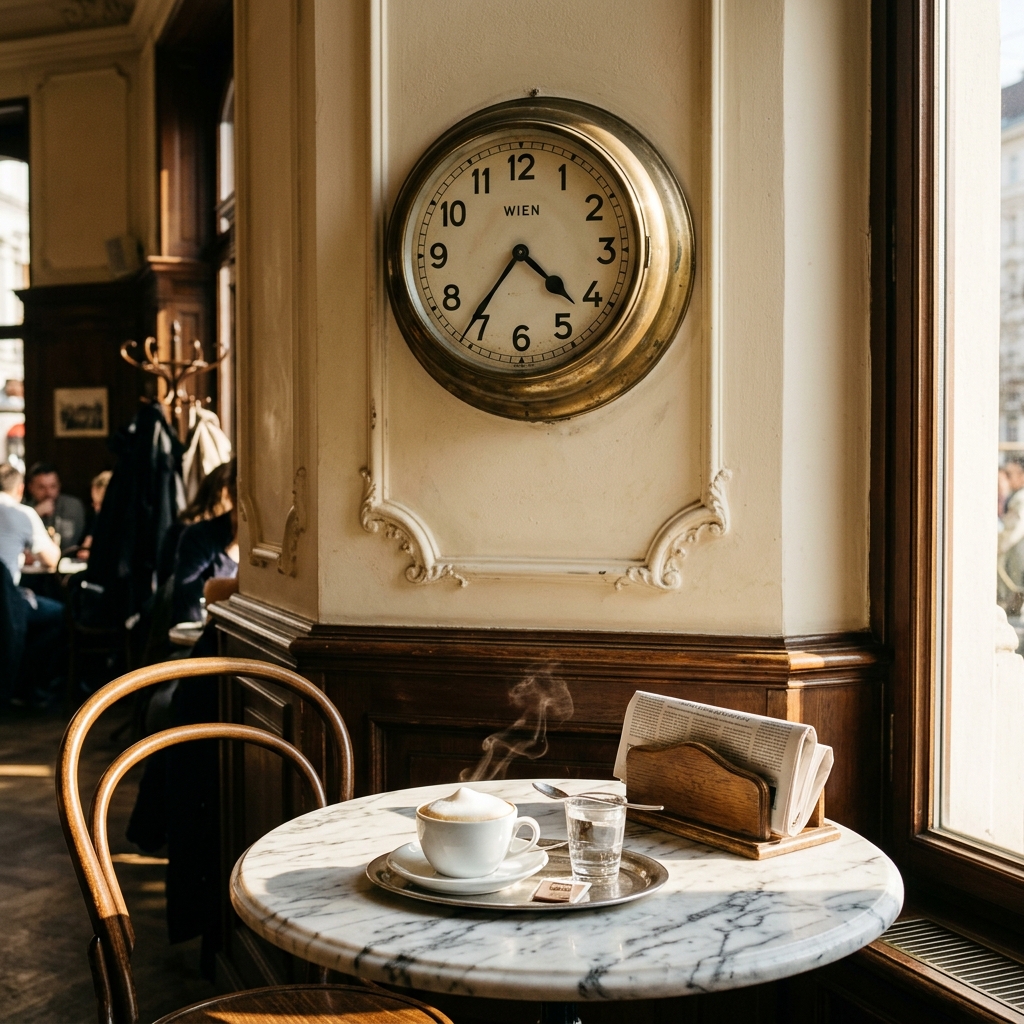
A sunlit Viennese café wall with a brass station clock reading exactly 4:37, a steaming melange on the marble table below it

Prompt #32

Prompt:

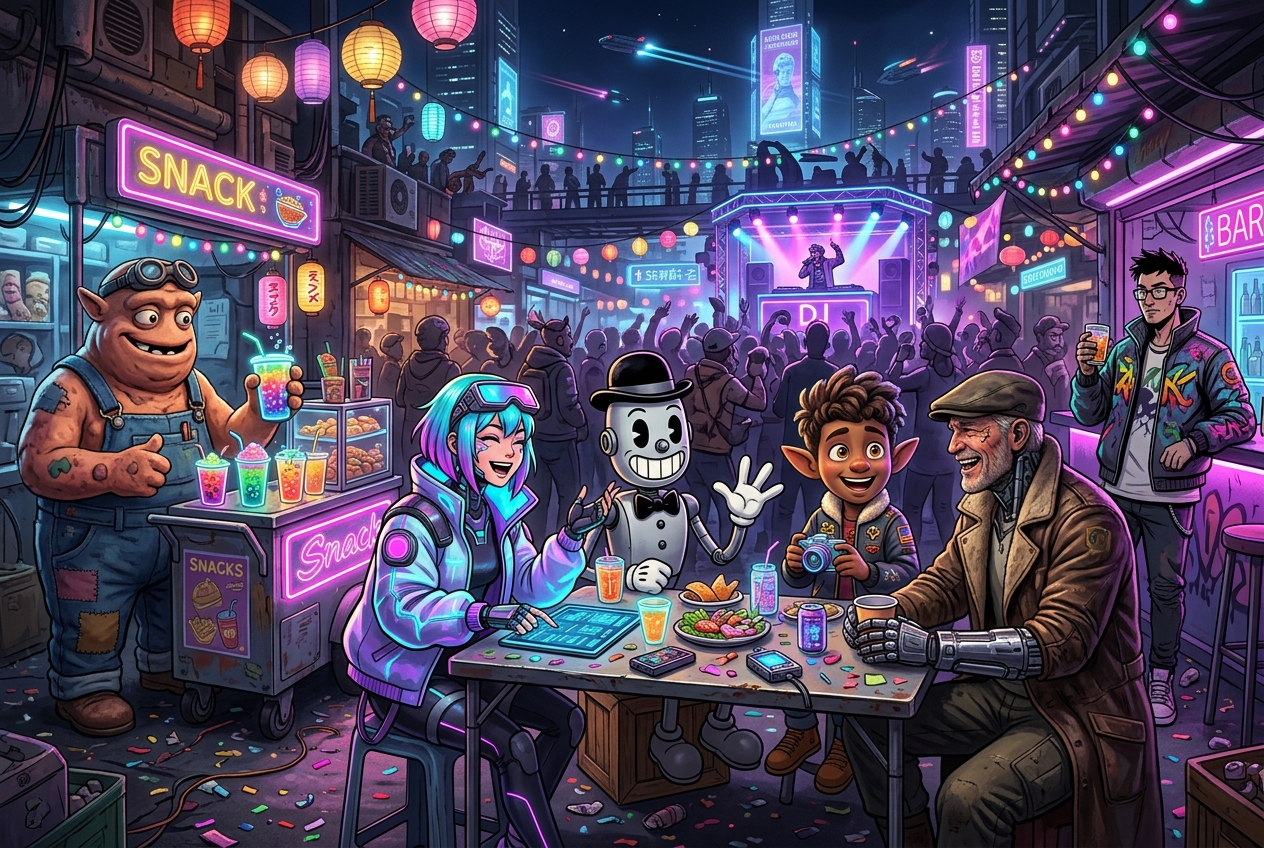
A bustling, visually stunning candid snapshot of a crowded night festival and street party set in a vibrant, multi-level futuristic sci-fi hyper realistic night market , packed with celebrations and bringing together completely different, highly contrasting animation and illustration styles in one rich scene. In the foreground and midground, a group of unique, stylistically diverse characters socialize at outdoor makeshift metal and wooden tables on a busy street: - On the left, a bulky, expressive stop-motion claymation creature (an alien mechanic/goblin) with tactile, uneven clay textures, wearing patchwork overalls and a goggles strap, is busy at a neon-lit snack and drink cart, happily serving colorful, bubbling exotic beverages in glowing cups. - Seated at a street-side table in the center-left is a 2D futuristic anime-style young woman with vibrant cyan and purple hair, wearing an oversized glowing cybernetic jacket and a tech visor rested on her forehead. She is laughing and gesturing over a digital interactive menu, with glowing drinks, futuristic street food, and interactive gadgets scattered on the cluttered table. - Sharing her table is a 1930s "rubber-hose" retro toon character (ink-black-and-white style) of a vintage robotic droid wearing a bowler hat and bow tie, gesturing animatedly with gloved hands and a giant toothy grin as it sits on a crate. - Across from them is a 3D Pixar-style CGI explorer (an expressive young space voyager or elf-like creature) with big, glowing eyes and a decorated flight jacket, laughing and holding a holographic camera or gadget, utterly fascinated. - On the right, a rugged, older cybernetic traveler rendered in gritty, cinematic realism sits at the table. He has a metallic prosthetic arm, a weathered face, a flat cap, and a worn-down leather pilot's coat. He is laughing heartily, holding a cup and interacting warmly with the group. - Slightly behind him on the right, a stylized comic-book/webtoon-style cyberpunk with glasses and a graffiti-painted jacket is standing by a neon bar, holding a drink and looking out over the crowd. Setting and Ambience: The scene is set in a cluttered, sprawling futuristic alleyway and rooftop bazaar at night, overflowing with party decorations, paper lanterns, neon signs, and strings of colorful fairy lights. Multi-colored strobe and cybernetic lights (pink, cyan, violet, and gold) wash over the packed crowd. A DJ booth is visible in the background, set on an elevated, glowing stage where a performer plays for a dancing, densely packed crowd of varied species and styles \\ realistic). Sky-high futuristic buildings, flying vehicles with light trails, and towering holographic advertisements fill the dark night sky above. The ground is littered with festive confetti and debris, capturing the chaotic, joyful energy of a bustling street festival. Shot with a natural, crowded, and candid perspective, filled with layered details like wires, stalls, and people mingling.

Prompt #31

Prompt:

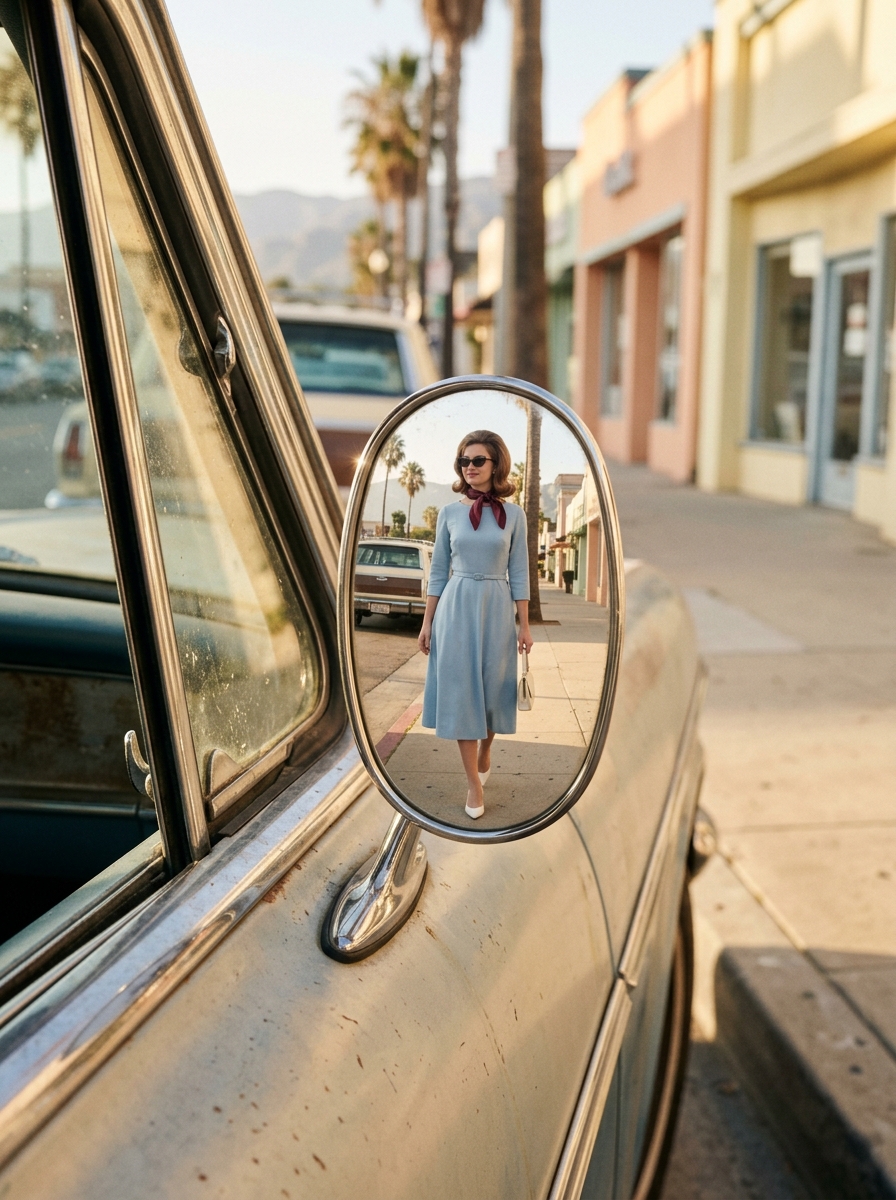
Create a hyper-realistic 1960s vintage editorial fashion photograph in a vertical 9:16 composition, featuring the girl from the reference image. Preserve her identity and appearance exactly as shown in the reference — including her facial structure, proportions, distinctive features, skin tone, hairstyle characteristics, and overall natural appearance. Do not alter or reinterpret her face. The scene is captured as a full-body fashion portrait reflected inside a small, oval chrome side mirror of a vintage car. The mirror has naturally curved, slightly distorted edges and realistic reflections. The camera is positioned close to the driver's window, angled toward the side mirror. Inside the mirror reflection, the girl is fully visible with generous background space. She is walking toward the rear of the car while slightly turning her head toward the mirror, creating a subtle candid moment. She has a calm, confident expression with a soft, understated smile. She wears a beautifully tailored powder-blue midi dress with a slim waist belt, paired with a burgundy silk scarf, elegant cat-eye sunglasses, a small ivory handbag, and classic white pointed heels. Her styling has an authentic polished 1960s fashion aesthetic. The environment is a retro Mediterranean-American street with a palm-lined road, pastel-colored storefronts, a vintage station wagon, and distant mountains. Bright golden morning sunlight creates warm, natural highlights and soft shadows across the scene. Use a refined color palette of powder blue, ivory, burgundy, and warm beige. The image should look like an authentic aged 35mm film photograph, with natural analog grain, subtle film imperfections, tiny scratches, realistic exposure, authentic skin texture, and physically accurate mirror reflections. The overall mood should feel chic, nostalgic, elegant, and slightly mysterious — like a genuine fashion editorial photograph captured in the 1960s rather than an AI-generated image. Photorealistic, cinematic, highly detailed, natural proportions, realistic fabric texture, authentic vintage photography aesthetics.

Prompt #30

Prompt:

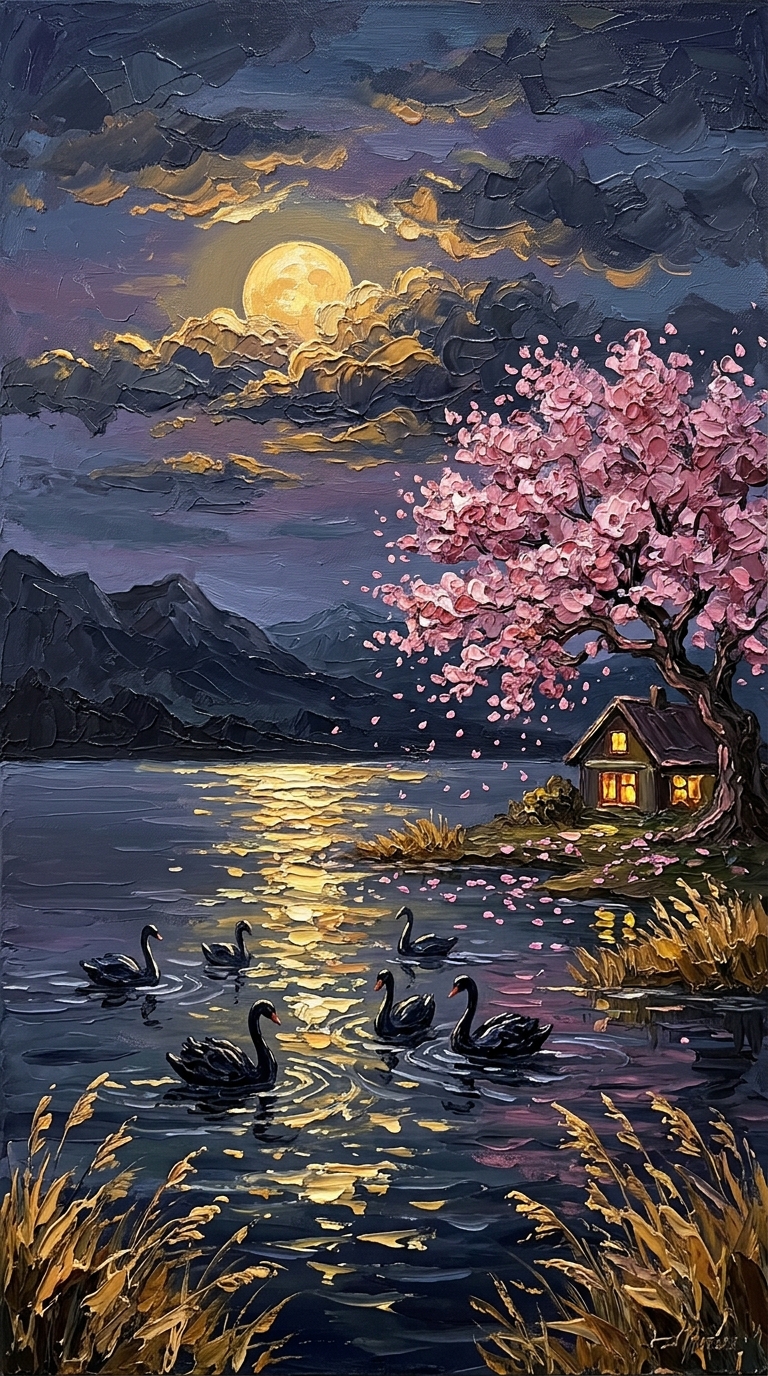
Oil painting style, thick impasto texture with visible palette knife strokes. A serene lake at dusk with a large golden moon partially hidden behind textured grey clouds. Six black swans swimming gracefully on the water, creating gentle ripples. Golden moonlight reflecting on the water surface. Pink cherry blossom tree on the right shore with petals falling slowly. Small cozy house with warm yellow lights in the windows. Dry golden reeds swaying gently in the breeze. Mountains in the distance. Calm, peaceful atmosphere, cinematic lighting, 4k.

Prompt #29

Prompt:

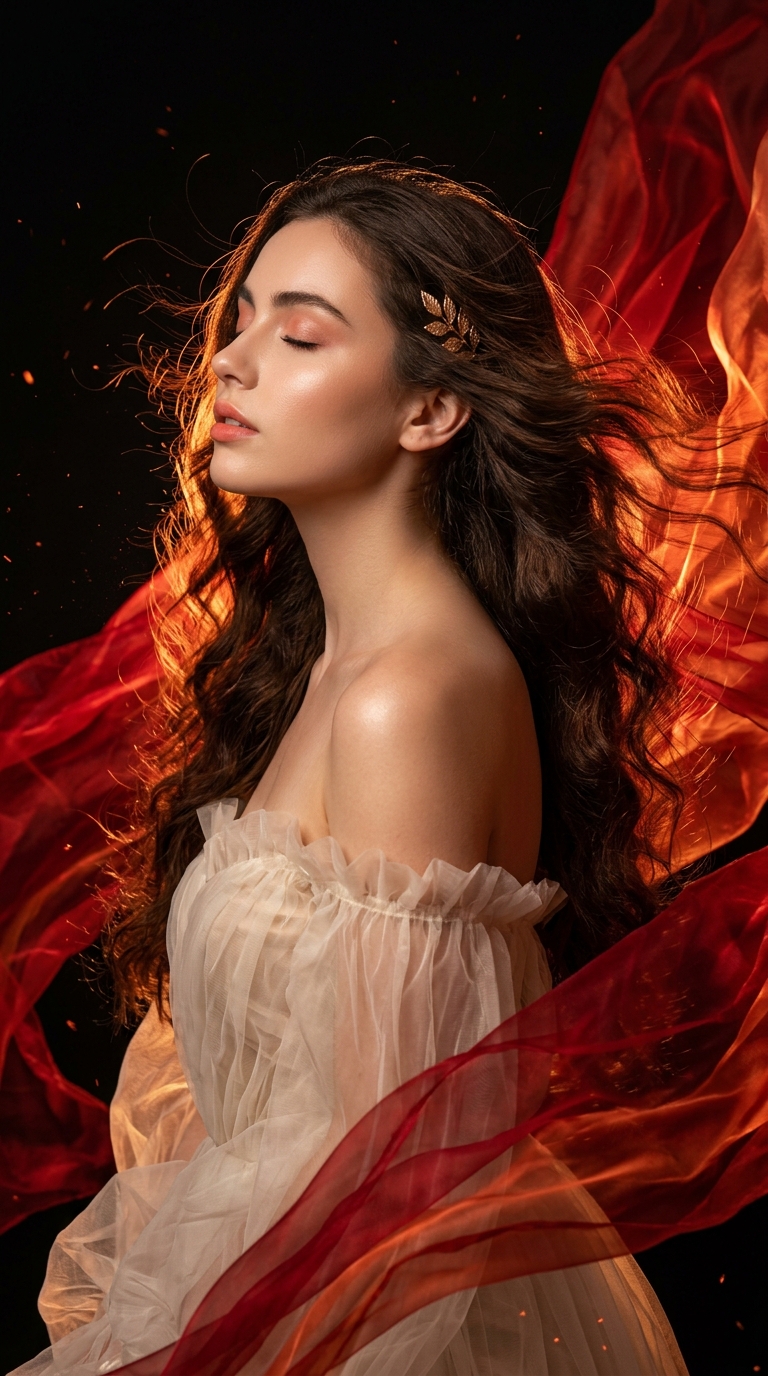
A vertical, ethereal fine-art fashion photograph of a young woman in her 20s in profile, her head tilted slightly upward with eyes gently closed and lips softly parted in a serene, dreamy, transcendent expression. She has a glowing, dewy complexion, defined brows, soft peach-rose eye makeup, and soft coral-pink lips. Her very long, voluminous, dark brown wavy hair streams dramatically backward across the frame as if caught in a powerful wind, with fine strands glowing copper and fiery orange where the light hits them and blending seamlessly into the flowing red fabric. A small delicate gold leaf-shaped hair ornament sits behind her ear. She wears an off-the-shoulder gown of sheer, crinkled, translucent ivory-cream organza and tulle, gathered in soft ruffles around her bare shoulder and chest. Huge ribbons and sheets of translucent crimson, ruby, and fiery orange silk billow and swirl through the air around her, layered like flames or liquid fire, catching the light with glowing, semi-transparent veins and folds. Tiny glowing embers and fine particles drift in the dark air. The background is solid deep black, so the red fabric and hair glow against it. A strong warm backlight and side rim light outline her face, shoulder, and the edges of the hair and fabric, giving a luminous, fiery glow, with soft highlights on her skin. The corners of the frame are clean, with no text, signature, or logo anywhere. Style: hyper-detailed cinematic fine-art fashion photography, dynamic motion-frozen fabric and hair, fire-like flowing silk, dramatic low-key lighting, rich saturated color grading, crisp texture detail in the sheer fabric and individual hair strands. Palette: crimson, ruby red, fiery orange, copper, ivory cream, warm peach skin tones, and gold accents against deep black. Mood: passionate, ethereal, dramatic, powerful, graceful, dreamlike. Technical: 9:16 vertical portrait, three-quarter upper body in side profile, high-speed motion freeze, shallow depth of field, sharp focus on the face and shoulder, high contrast, high detail, 85mm lens look, ultra-detailed, 8K. Negative prompt: signature, artist signature, watermark, logo, credit text, caption, copyright text, text in corner, flat lighting, bright or colored background, cartoon style, over-smoothed plastic skin, blurry face, asymmetrical eyes, distorted lips, distorted hands, extra fingers, deformed fabric, muddy colors

Prompt #28

Prompt:

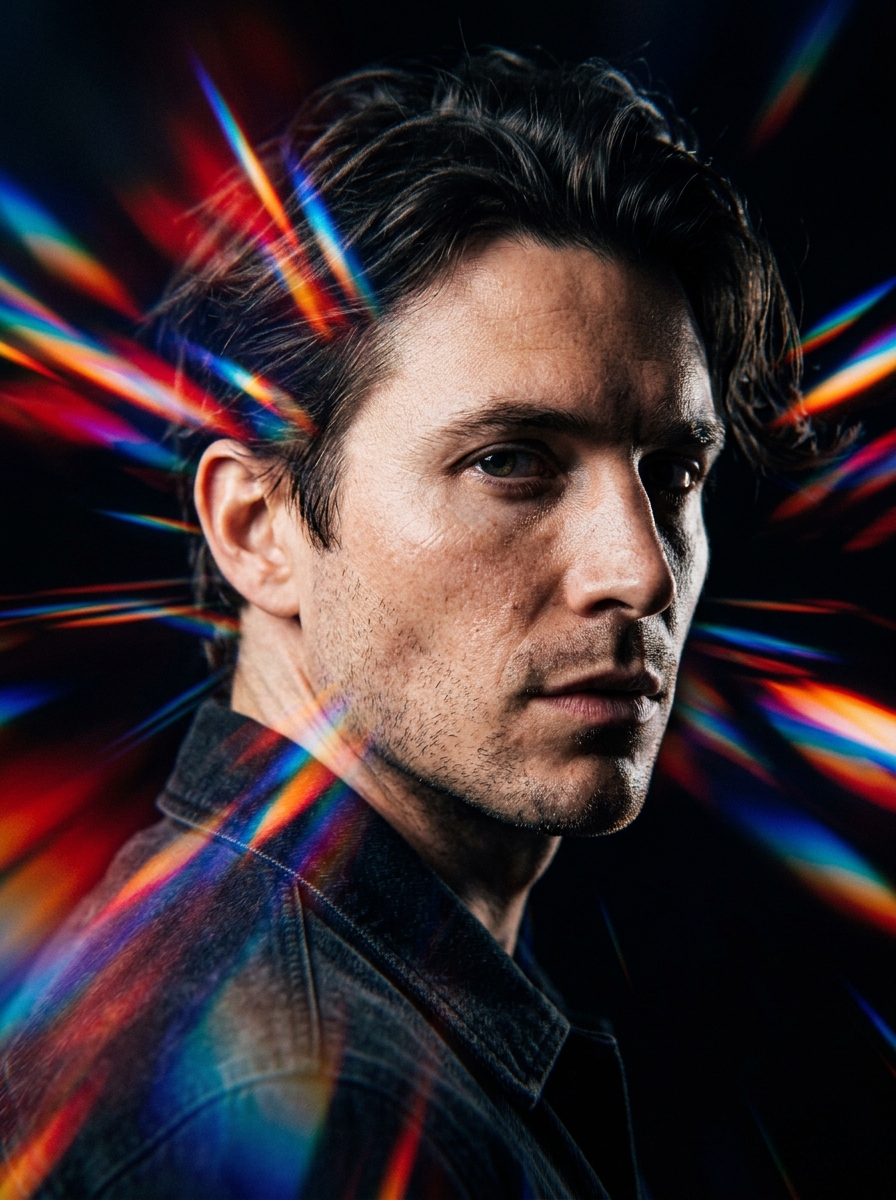
{ "input": { "subject_name": "{{NAME}}" }, "prompt_template": "Tight headshot of {{NAME}}, with a face and likeness that exactly replicate the attached reference photo, captured mid head-turn, strands of hair swaying naturally with the movement, spectrum-colored prism streaks flowing outward from the head and shoulders, crisp hard-edged light striking the face, solid black backdrop, bright vivid cinematic streaks of motion, hyper-realistic skin with visible texture, deep dramatic shadow contrast, film-style frozen-moment-with-blur look, rich fine detail, 4K --ar 4:5 --raw --stylize 50", "style": { "shot_type": "tight headshot", "subject": { "name": "{{NAME}}", "gender": "male", "identity": "exact likeness of the attached reference photo", "skin": "hyper-realistic, visible texture" }, "motion": { "action": "captured mid head-turn", "hair": "strands swaying naturally with the movement", "effect": "film-style frozen-moment-with-blur look" }, "light_trails": { "type": "spectrum-colored prism streaks", "origin": "flowing outward from head and shoulders", "look": "bright, vivid cinematic streaks of motion" }, "lighting": { "key": "crisp hard-edged light striking the face", "shadows": "deep, high-contrast" }, "background": "solid black backdrop", "quality": { "detail": "rich fine detail", "resolution": "4K" } }, "parameters": { "aspect_ratio": "4:5", "raw": true, "stylize": 50, "reference_image": "required" } }

Prompt #27

Prompt:

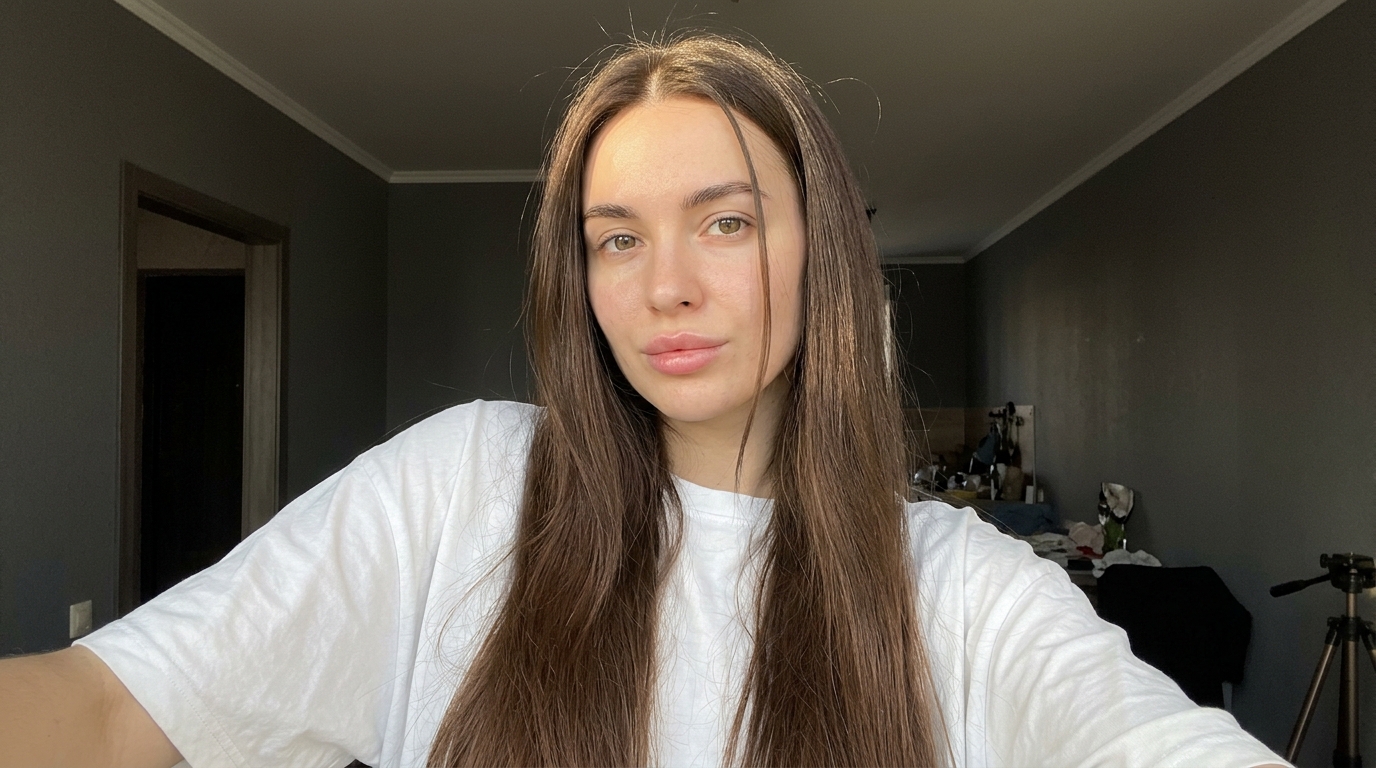
{ "prompt_type": "detailed_image_reconstruction", "aspect_ratio": "16:9 horizontal portrait", "overall_goal": "Recreate the visual appearance, framing, lighting, styling, and casual smartphone-photo feel of the reference image as closely as possible while keeping the result photorealistic and natural.", "subject": { "type": "young adult woman", "age_range": "early to mid 20s", "pose": "standing indoors, upper body turned slightly away from the camera while her face turns toward the lens", "body_position": "relaxed casual posture with shoulders slightly angled", "expression": "soft neutral expression with a subtle pout, calm and confident", "gaze": "looking directly toward the camera", "styling": "minimal everyday styling, clean and natural" }, "face": { "shape": "soft oval face with a gently tapered jawline", "forehead": "medium-height forehead partly framed by center-parted hair", "eyebrows": "natural medium-thick dark brown eyebrows with a soft arch", "eyes": { "shape": "almond-shaped", "color": "light brown to hazel", "appearance": "bright eyes with visible catchlights", "lashes": "long defined eyelashes with subtle mascara" }, "nose": "small straight nose with a softly rounded tip", "lips": { "shape": "full lips with a defined cupid's bow", "color": "natural rosy pink", "finish": "soft satin finish, not glossy" }, "skin": { "tone": "light warm-neutral skin tone", "texture": "smooth natural skin with subtle pores and realistic tonal variation", "cheeks": "soft natural pink flush", "finish": "fresh luminous skin without heavy retouching" }, "makeup": "very light natural makeup, softly defined lashes, subtle blush, natural pink lips, no dramatic contour" }, "hair": { "color": "rich medium-to-dark chocolate brown", "length": "very long, extending well below the chest", "parting": "clean center part", "texture": "mostly straight with very soft natural bends through the lower lengths", "density": "thick and healthy-looking", "finish": "smooth and glossy but still realistic", "front_sections": "two thin face-framing strands falling naturally along both sides of the face", "details": "visible individual strands, subtle flyaways near the crown, realistic highlights from sunlight, natural uneven strand separation", "movement": "hair hanging naturally over both shoulders and down the front of the shirt" }, "clothing": { "top": "oversized plain white crew-neck T-shirt", "fit": "loose casual fit", "fabric": "soft slightly wrinkled cotton", "logos": "none", "accessories": "no visible jewelry or prominent accessories" }, "composition": { "shot_type": "close upper-body portrait", "camera_angle": "slightly above chest level, close to eye level", "camera_distance": "approximately arm's-length smartphone distance", "subject_position": "face slightly right of center with long hair occupying much of the lower frame", "crop": "top of head fully visible, image extending down to around lower torso", "orientation": "vertical", "perspective": "natural wide smartphone-camera perspective with mild close-range distortion" }, "lighting": { "primary_source": "strong warm natural sunlight entering from the side/front through a nearby window", "direction": "sunlight striking the subject from camera-left/front", "face_effect": "bright warm illumination across the forehead, cheeks, nose, and hair", "hair_effect": "distinct brown highlights and soft reflective streaks along individual strands", "shadow_quality": "strong but soft-edged natural indoor shadows", "exposure": "face slightly brightly exposed while the room behind remains much darker", "color_temperature": "warm daylight" }, "environment": { "location": "casual indoor residential room", "background": "dark gray walls with a white ceiling cornice", "left_background": "open doorway or darker hallway area", "right_background": "dark wall and partially visible household objects", "lower_right": "part of a black tripod or light stand visible", "overall_feel": "ordinary lived-in room rather than a studio", "depth": "background moderately out of focus but still recognizable" }, "camera": { "capture_device": "modern smartphone camera", "lens_equivalent": "approximately 24-28mm full-frame equivalent", "focus": "sharp focus on face and front hair", "depth_of_field": "mostly natural smartphone depth of field with gentle background softness", "dynamic_range": "realistic phone-camera HDR with slightly clipped highlights in direct sun", "image_character": "casual social-media selfie/photo, not professionally staged" }, "photorealism_details": [ "real individual hair strands", "natural skin pores and micro-texture", "subtle peach fuzz", "realistic eyelash separation", "tiny variations in lip texture", "slight fabric creases in the T-shirt", "small flyaway hairs around the crown", "natural sunlight falloff across the face", "slightly imperfect casual framing", "realistic indoor shadow noise" ], "style": { "visual_style": "highly photorealistic casual smartphone portrait", "mood": "soft, youthful, relaxed, sunlit", "processing": "light social-media style processing with warm skin tones and slightly enhanced clarity", "avoid": [ "cinematic movie lighting", "studio portrait lighting", "overly smooth plastic skin", "CGI appearance", "anime or illustration", "heavy beauty filter", "extreme facial symmetry", "over-sharpened hair", "artificial jet-black hair", "dramatic makeup", "excessive background blur", "professional studio backdrop", "text", "watermarks", "logos" ] }, "negative_prompt": "cartoon, anime, illustration, CGI, plastic skin, waxy face, over-retouched skin, excessive beauty filter, unnatural facial symmetry, distorted eyes, crossed eyes, malformed lips, warped face, duplicate hair strands, fake wig appearance, overly black hair, metallic hair shine, stiff hair, messy anatomy, distorted shoulders, extra limbs, extra fingers, studio backdrop, cinematic lighting, dramatic color grading, excessive bokeh, oversaturated colors, text, logo, watermark"

Nano Banana 2.1 Prompt: Generate Detailed Image Ideas

Turn a short idea into a practical image-generation or editing instruction, ready to copy and refine.

Start with an everyday description and turn it into a detailed Nano Banana 2.1 Prompt for portraits, posters, image edits, or reference-based creations. Get clearer directions for framing, subjects, typography, and what to preserve. Explore Nano Banana 2.1 Prompts without learning complex prompting formulas.
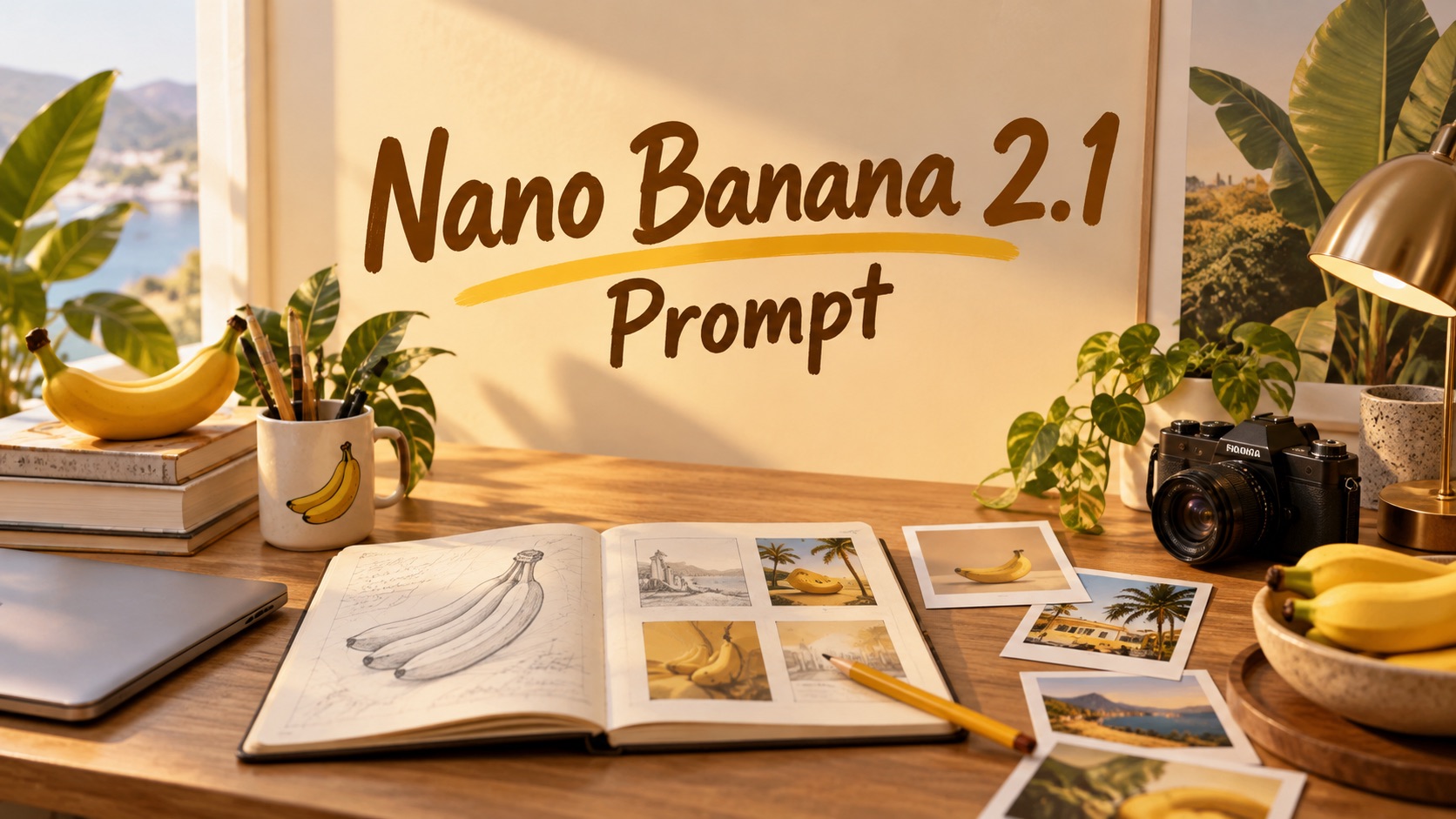
Nano Banana 2.1 Prompt: Generate Detailed Image Ideas
Clear prompts from simple ideas|Nano Banana 2.1 Prompt Examples|Photo and editing directions|Copy and refine your prompt

How to Write Nano Banana 2.1 Prompt Text

Three steps take you from a rough thought to a ready-to-use instruction. No specialist photography vocabulary is required. Start with Nano Banana 2.1 Prompts for inspiration, then describe your own result in plain English.

1
icon

Describe the Image or Edit You Want

Type a short idea into the prompt field. Try “a handwritten bakery menu on a cream wall,” “an expressive studio portrait,” or “change the jacket but keep the face.” You can start with a scene, a visual style, or a specific correction. Your Nano Banana 2.1 Prompt begins with the outcome you care about. If an existing photo is involved, describe what is visible and identify the element to change.

2
icon

Generate a More Specific Prompt

Select Generate to expand your description into a usable Nano Banana 2.1 Prompt. The generated wording can clarify the main subject, background, framing, lighting, and text placement. For edits, it can distinguish the requested change from the details that should stay intact. Compare the result with Nano Banana 2.1 Prompt Examples to learn how different tasks need different instructions.

3
icon

Copy the Prompt and Refine Your Result

Copy the completed text and paste it into your image-creation workflow. Review the output image and revise the wording when needed: specify a more accurate pose, quote exact lettering, or protect a recognizable feature. Return to the generator to create another Nano Banana 2.1 Prompt from your updated request. The page generates prompt text; the image itself is created in a separate image-generation step.

What a Better Nano Banana 2.1 Prompt Can Help You Do

Clear instructions matter most when the task has constraints: a face that must stay recognizable, an object that must change, or words that must appear exactly. Use Nano Banana 2.1 Prompts to express those requirements in a logical order instead of mixing everything into one vague description. Explore the Best Nano Banana 2.1 Prompts as examples of practical problem solving, not simply longer writing.
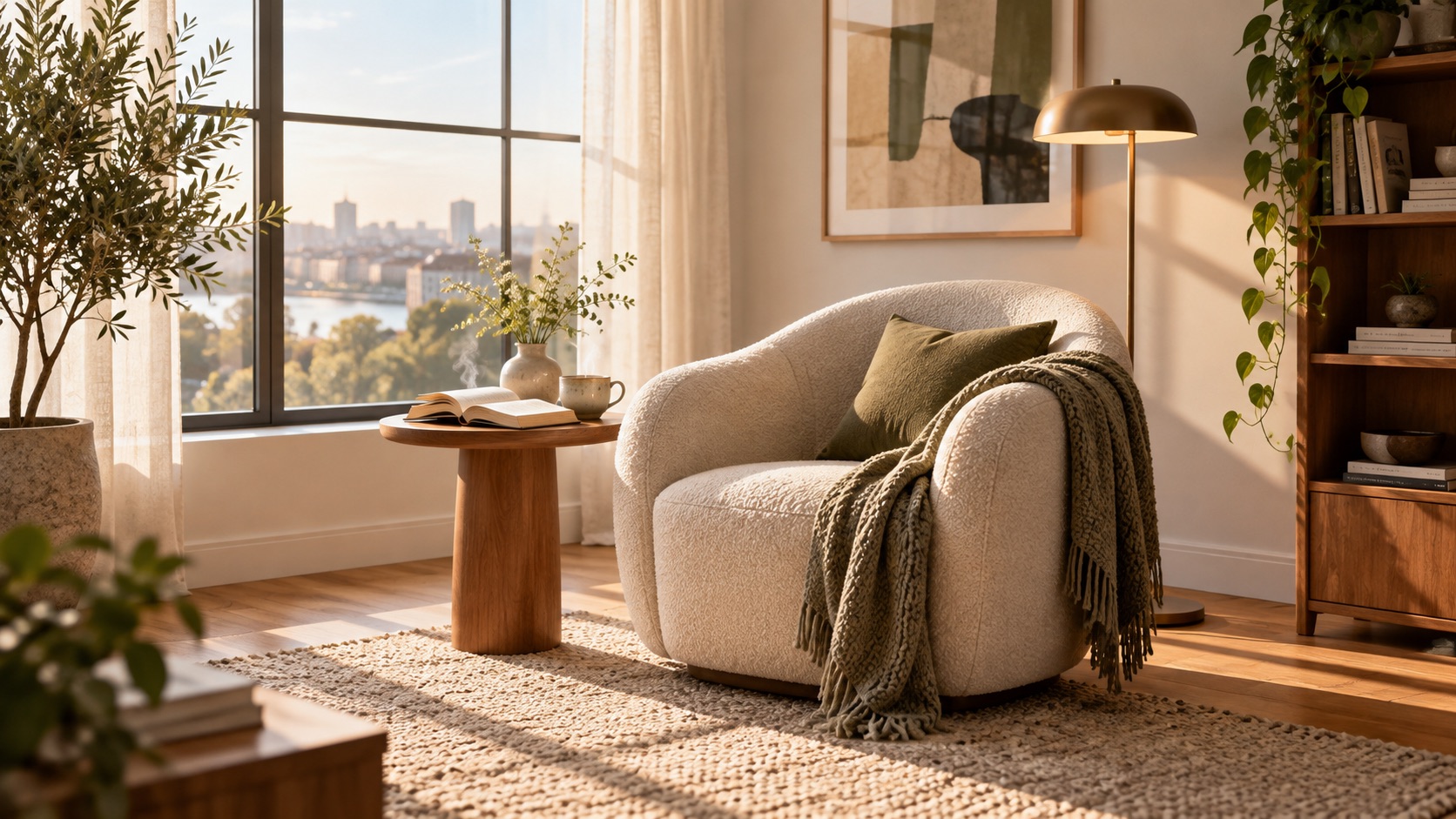
Turn a Vague Concept Into a Controlled Scene

Turn a Vague Concept Into a Controlled Scene

“A quiet reading corner” leaves many choices unanswered. A useful Nano Banana 2.1 Prompt can define the chair position, window direction, time of day, material textures, and focal point without burying the concept beneath random adjectives. Nano Banana 2.1 Text to Image Prompts work especially well when the subject, action, setting, and visual hierarchy are explained together. Browse Nano Banana 2.1 Prompt Examples to see how small changes in camera distance or lighting can completely alter the same scene. Build a structured draft, then remove any detail that limits creativity unnecessarily. Nano Banana 2.1 Prompt Examples make the prompt structure easier to compare across subjects.
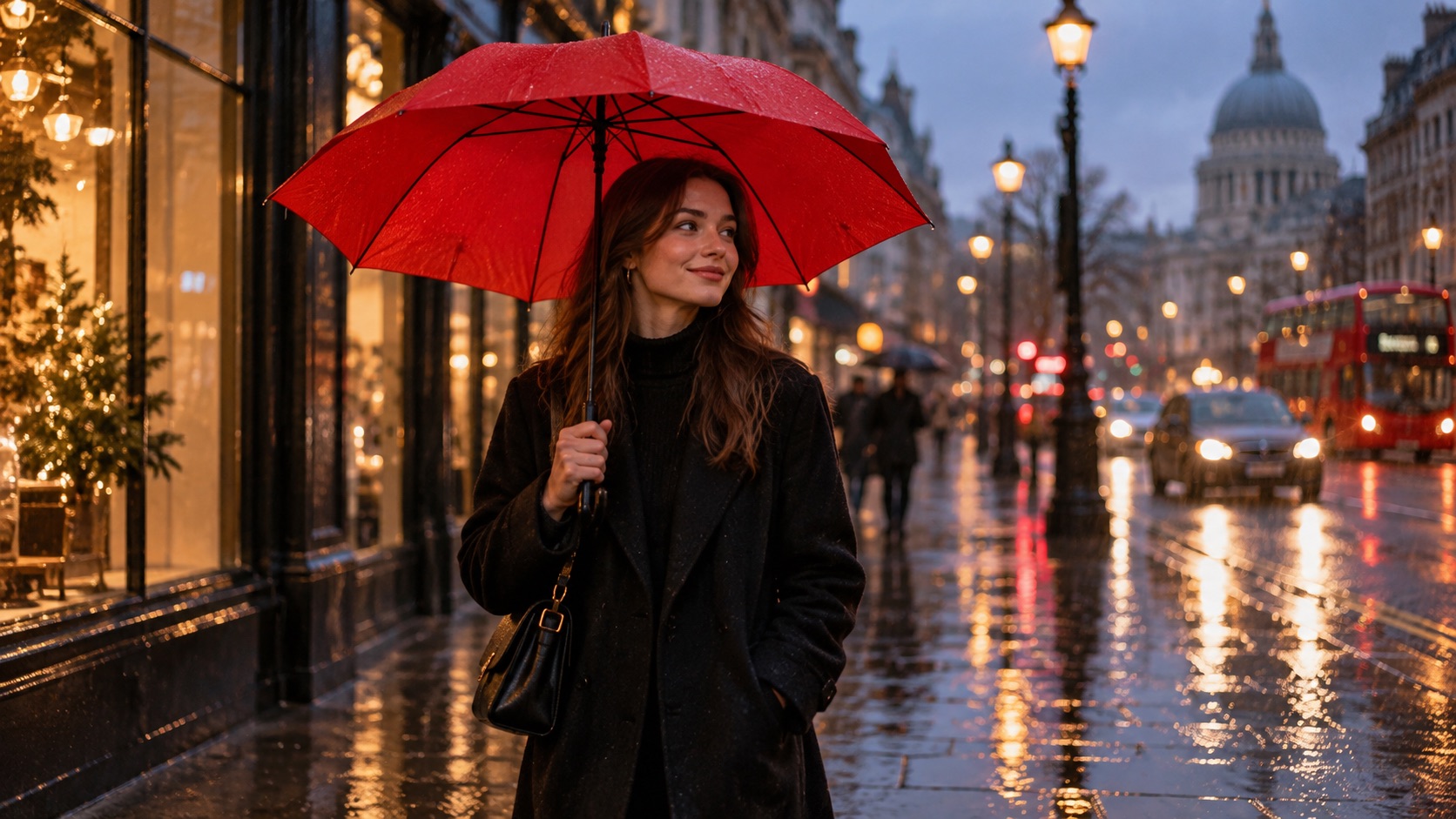
Describe Precise Edits Without Rebuilding the Whole Photo

Describe Precise Edits Without Rebuilding the Whole Photo

An instruction such as “make it nicer” gives no clear editing target. Write a detailed prompt that identifies exactly what should change, where it sits, and what must remain untouched. For example: replace the striped umbrella with a plain red one while keeping the people, pavement, reflections, and camera angle unchanged. Nano Banana 2.1 Image Editing Prompts help separate the edit from the surrounding visual context. The best Nano Banana 2.1 Photo Prompts also specify skin texture, identity, or original expression when working with portraits. This makes reviewing several editing rounds easier because each revision has a visible objective. Nano Banana 2.1 Prompts make it easier to document each edit before testing another variation.
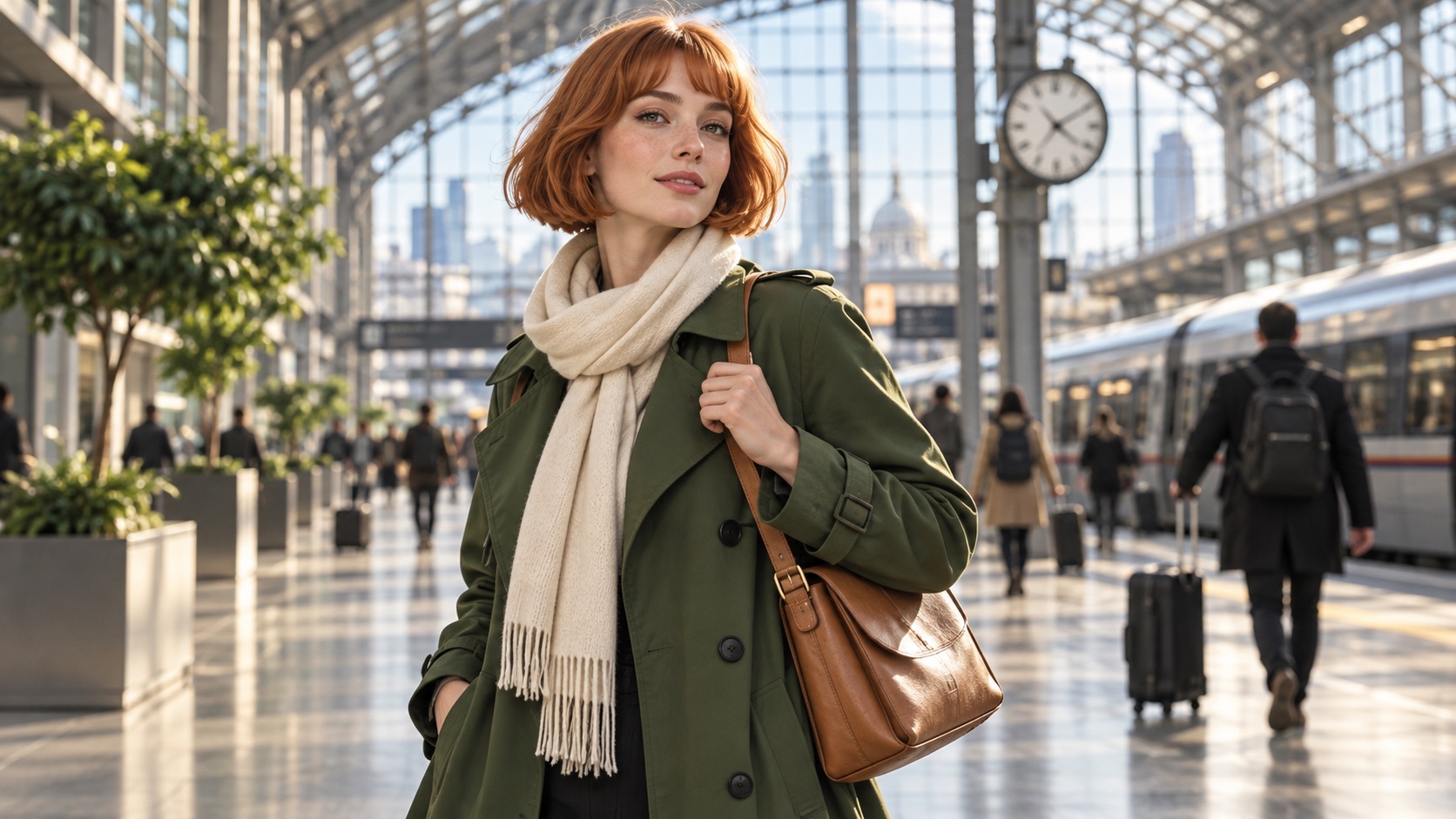
Keep Characters and Reference Details Consistent

Keep Characters and Reference Details Consistent

A series of images often fails when a recurring character suddenly looks different. Use Nano Banana 2.1 Prompt Examples to learn preservation language for facial features, hairstyle, clothing, and distinctive objects. A detailed prompt for a reference-based scene can say which uploaded reference represents each character or item, then ask for a new pose or setting without changing identity. The wording should also explain whether a reference supplies the face, outfit, object, or overall style. It does not guarantee identical outputs, but it gives each revision a more reliable visual anchor. Nano Banana 2.1 Prompt Examples also clarify how preservation rules work in scenes with several people.
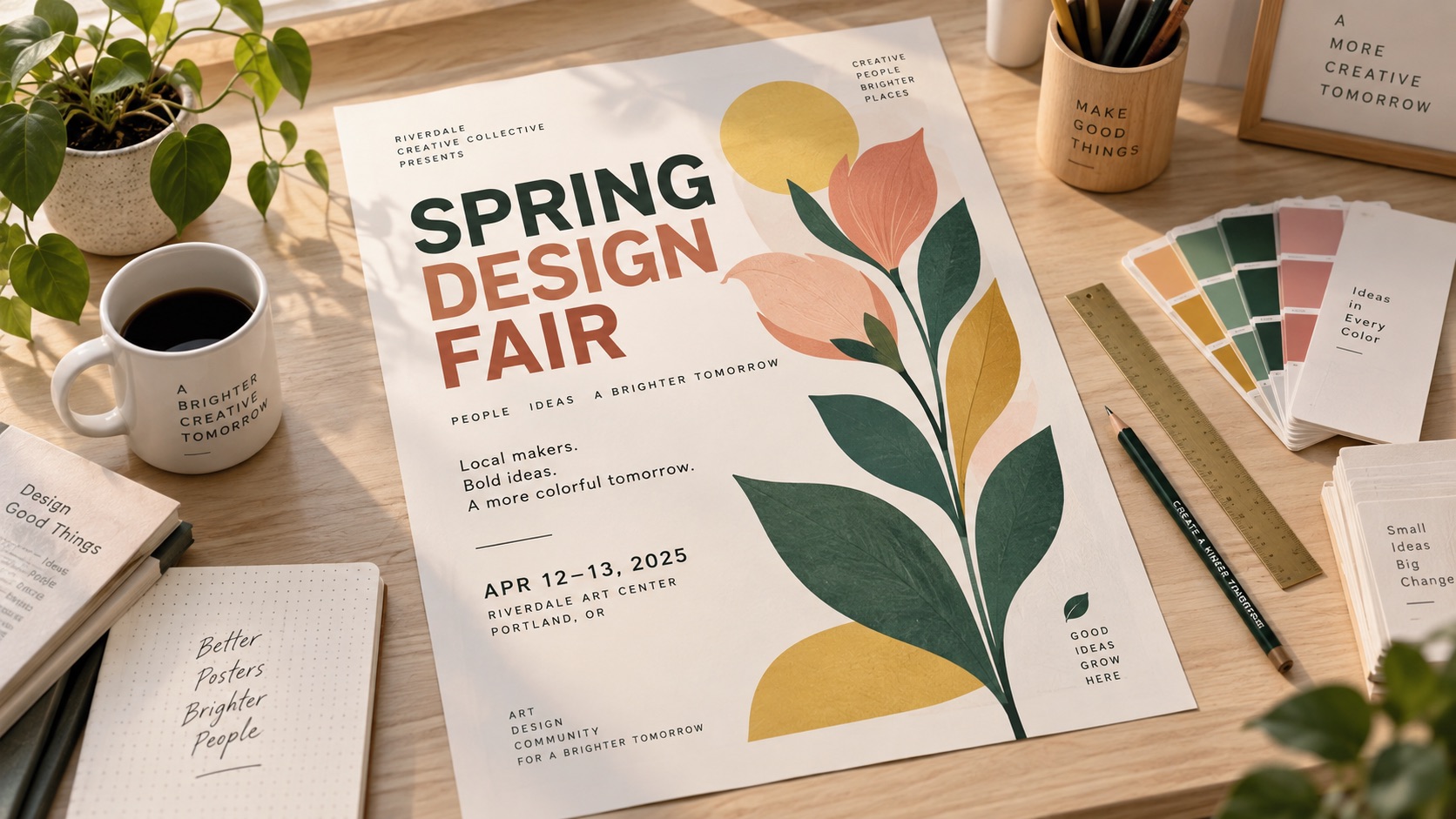
Plan Posters and Infographics With Exact Text

Plan Posters and Infographics With Exact Text

For a poster or infographic, composition is only half the task: the wording must be right. A detailed prompt can provide the exact headline in quotation marks, list supporting copy, describe reading order, and reserve clear space around text. Nano Banana 2.1 Text to Image Prompts for typography should distinguish required words from optional decoration and describe the intended visual contrast. Consult Nano Banana 2.1 Prompt Examples for event posters, simple diagrams, invitations, and editorial covers. Then check the generated image carefully for misspellings or missing information; prompt clarity improves direction but cannot guarantee flawless text in every render. Nano Banana 2.1 Prompts can keep the wording requirement separate from the overall visual style.

Practical Ways to Use Nano Banana 2.1 Prompts

Different image tasks call for different instructions. Choose a specific visual outcome before adding camera, color, or style details. Nano Banana 2.1 Prompt Examples can give you a reusable starting structure, while the Best Nano Banana 2.1 Prompts show how to prioritize what matters for each kind of task. Use these scenarios when planning real creative work rather than collecting attractive but unrelated prompt phrases.

Realistic Portraits and Personal Photography

Portrait creators need more than a beautiful style label. A detailed prompt can state who is in the frame, the expression, body position, wardrobe, light source, and background depth. Nano Banana 2.1 Photo Prompts can also include preservation rules when adapting an uploaded portrait: keep the same facial structure, natural skin details, and recognizable haircut while changing only the setting. Explore Nano Banana 2.1 Prompts for professional headshots, fashion portraits, documentary moments, and family photographs. The Best Nano Banana 2.1 Prompts for faces avoid contradictory demands, such as requesting a candid expression and a rigid studio pose at the same time. For editing, confirm that the final image still resembles the source. Nano Banana 2.1 Prompt Examples help compare close-ups, half-body poses, and environmental portraits.

Photo Corrections, Object Swaps, and Background Changes

Nano Banana 2.1 Image Editing Prompts are useful for controlled changes that do not require an entirely new composition. Write a detailed prompt describing the specific target: remove a distracting sign, update a wall color, replace a chair, or simplify a busy background. Then spell out which parts must remain: framing, shadows, perspective, original subject, and nearby objects. Nano Banana 2.1 Prompt Examples can show the difference between “replace the room” and “change only the wallpaper.” Specificity helps you spot unwanted alterations and make targeted follow-up requests rather than starting again. When a change affects reflections or shadows, explain that those should adjust naturally to the edited object. Nano Banana 2.1 Prompts are easier to test when each version changes only one instruction. Nano Banana 2.1 Photo Prompts can help maintain believable surface details.

Illustrations, Story Scenes, and Visual Experiments

For a new imagined scene, Nano Banana 2.1 Text to Image Prompts can organize the narrative around a decisive moment instead of packing several unrelated events into one frame. Start a detailed prompt with the subject and action, then establish place, perspective, era, atmosphere, and key details. A medieval kitchen at dawn, a playful mechanical bird in a workshop, or a futuristic street market each needs a distinct visual hierarchy. Nano Banana 2.1 Prompts can support watercolor, editorial illustration, graphic-novel artwork, and photorealism. Use Nano Banana 2.1 Prompt Examples to test how changes in point of view affect the story.

Multi-Reference Concepts and Text-Heavy Designs

When a project involves several reference images, write a detailed prompt that assigns a clear role to each one: person from the first image, jacket from the second, and setting from the third. Explain what must be preserved and how the elements should interact. For signage and information graphics, use a separate instruction to list exact phrases, desired hierarchy, icons, and layout relationships. The Best Nano Banana 2.1 Prompts make these requirements easy to verify instead of relying on loose style words. Nano Banana 2.1 Prompt Examples help demonstrate why a short, explicit list of constraints can be more useful than a dense paragraph of visual adjectives. Nano Banana 2.1 Prompts with assigned reference roles help reviewers trace details back to their sources.

How Creators Use Nano Banana 2.1 Prompt Text

These illustrative examples show common creative workflows, not verified customer reviews. They highlight how Nano Banana 2.1 Prompts can help people clarify a task, communicate an edit, and compare outcomes against the original goal.

“

“I can start with a rough idea like a window-lit portrait and get a clearer shooting direction. A detailed prompt helps me name the pose, expression, and lighting before I generate images. The Nano Banana 2.1 Photo Prompts examples also remind me to protect facial details during edits.”

“My requests used to say ‘change the background’ without explaining what to keep. Now I build a detailed prompt around the target change and preservation details. Comparing Nano Banana 2.1 Image Editing Prompts helps me check whether the instruction is specific enough.”

“When I need a headline to appear inside a visual, I put exact wording and placement into my Nano Banana 2.1 Prompt. Nano Banana 2.1 Prompt Examples give me a useful checklist for hierarchy, spacing, and text accuracy. I still inspect the final render carefully.”

“For a sequence of scenes, I use one Nano Banana 2.1 Prompt for the main character and adjust the setting and action. Nano Banana 2.1 Text to Image Prompts give me a consistent structure without making every picture look identical. That saves me from rewriting the same character notes.”


Olivia Bennett
Olivia Bennett
Portrait Photographer
Marcus Reed
Marcus Reed
Photo Retoucher
Sophia Martinez
Sophia Martinez
Graphic Designer
Ethan Walker
Ethan Walker
Digital Illustrator

Nano Banana 2.1 Prompt FAQ

Quick answers about writing, copying, and refining Nano Banana 2.1 Prompts for generation and editing.

Your Nano Banana 2.1 Prompt is a written instruction for creating or editing an image. It can describe the subject, composition, style, required wording, and details to preserve. Clear structure makes the desired outcome easier to communicate. Explore Nano Banana 2.1 Prompt Examples if you need a starting format.

Start with the primary subject and requested result. Add setting, action, framing, and lighting only where they matter. A useful Nano Banana 2.1 Prompt for editing also names what must stay unchanged. Review Nano Banana 2.1 Prompt Examples and remove vague or conflicting instructions.

Yes. Describe the existing scene, the exact element you want changed, and what should stay intact. Nano Banana 2.1 Image Editing Prompts often need preservation instructions for faces, surroundings, and perspective. The generator helps draft the text; you apply it in an image-editing workflow. Nano Banana 2.1 Prompt Examples can help distinguish a precise object swap from a full restyle.

Yes. Nano Banana 2.1 Text to Image Prompts build a new scene from a description, while Nano Banana 2.1 Image Editing Prompts define changes to an existing image. Your Nano Banana 2.1 Prompt should make that distinction clear from the opening instruction.

The Best Nano Banana 2.1 Prompts prioritize one clear outcome, include useful context, and avoid unnecessary requirements. They state exact text or preservation rules when needed. Compare Nano Banana 2.1 Prompt Examples to understand how different creative goals call for different structures.

Treat every Nano Banana 2.1 Prompt as a draft you can improve. Check that the subject, requested changes, and constraints match your project. Nano Banana 2.1 Prompts often work better after one or two targeted revisions based on the resulting image. Nano Banana 2.1 Prompt Examples can suggest alternative ways to express the same goal.

Create Your Next Nano Banana 2.1 Prompt

Describe the result you want, generate a more focused Nano Banana 2.1 Prompt, and copy it into your next creative workflow. Whether you are building a new scene, adapting a reference, or correcting an existing photo, better instructions make your goal easier to express and review. Explore Nano Banana 2.1 Prompt Examples, compare approaches, and refine one decision at a time. Save the useful wording and adapt it for the next project instead of rewriting your requirements from scratch. Nano Banana 2.1 Prompt Examples provide a useful reference when you want to try a different structure.

Generate Nano Banana 2.1 Prompt
Video cover