
AI Canvas Workflow Studio
Turn ideas into reality on an infinite canvas with world-class AI models.
Recent Canvas Projects
Beginner's Guide
Learn the basics
5 Simple Steps: From Idea to Stunning AI Creations
SuperMaker AI Studio redefines creativity with a visual node-based canvas. Generate professional AI content, build custom pipelines, and iterate freely—all in one unified workspace. Sign up for free and start creating today.
New Project & Infinite Canvas
Launch a project from the dashboard or use the quick-create form to start instantly. Every project features an infinite canvas—your personal workspace where every node and connection is auto-saved in real time.

Add Nodes: Image, Video, Text, or Upload
Drag nodes from the sidebar to your canvas. Image nodes support 9+ leading models (including Gemini 3 Pro, GPT Image 2, and Flux), while video nodes leverage the power of Veo 3 and Veo 3.1.

Connect Nodes & Build Workflows
Link nodes to establish dependencies. Feed text prompts into image generators, or use image outputs as reference frames for video. Build complex pipelines visually—no coding required.

Generate, Preview & Iterate
Hit Generate to produce AI content in seconds and preview results directly on-canvas. Tweak prompts, swap models, or use 'Based on This' to explore variations. Use batch generation for rapid exploration.
Manage, Export & Refine
Access your full generation history in the side panel. Export high-res, watermark-free outputs or re-add past creations to the canvas. Professional tools like undo/redo and hotkeys keep your workflow fast.
All-in-One AI Studio: Infinite Canvas Workflow
Combine multiple AI models with an intuitive visual canvas. Generate images and videos, connect complex pipelines, and manage entire projects in a free, professional canvas workspace built for creators.
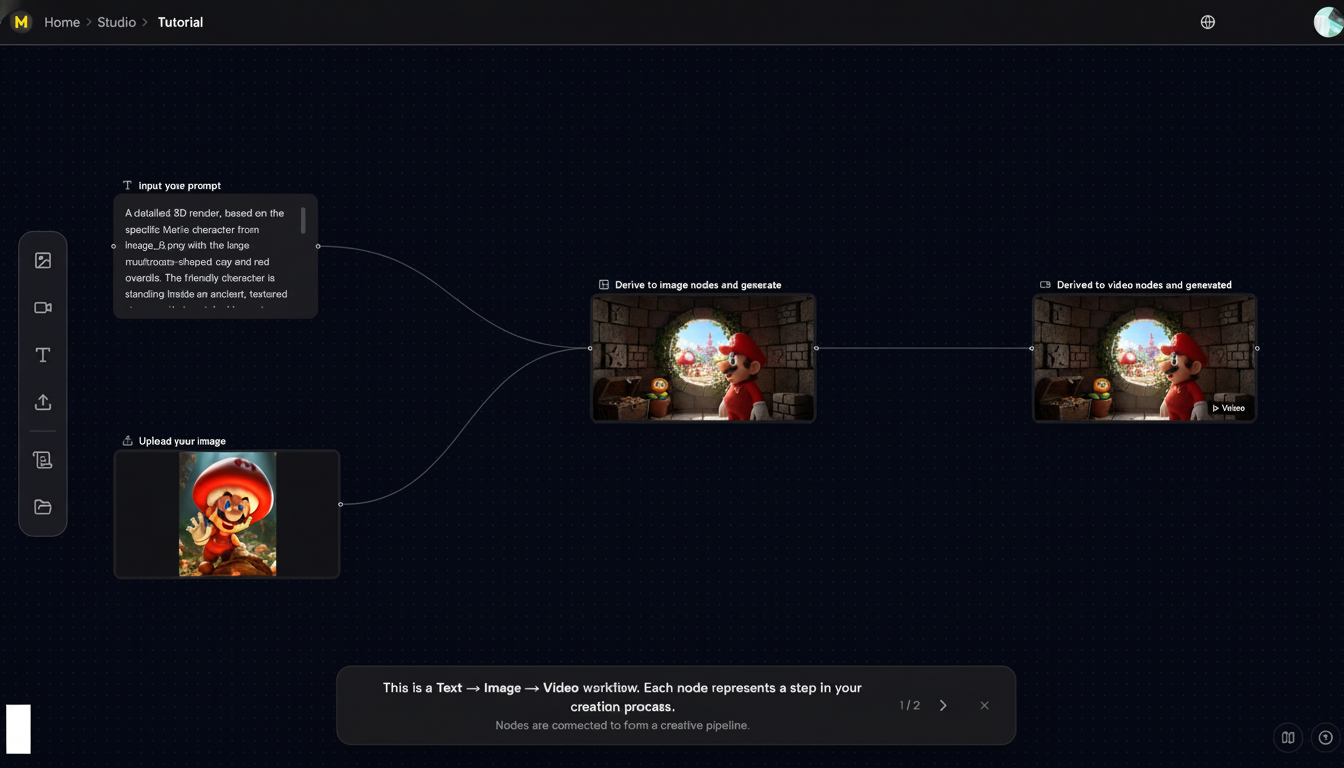
Infinite Canvas & Visual Workflow
Work on a zoomable workspace where every asset is a node. Build workflows without linear constraints or hidden menus. Navigate like a pro with fluid panning, scrolling, and keyboard shortcuts.
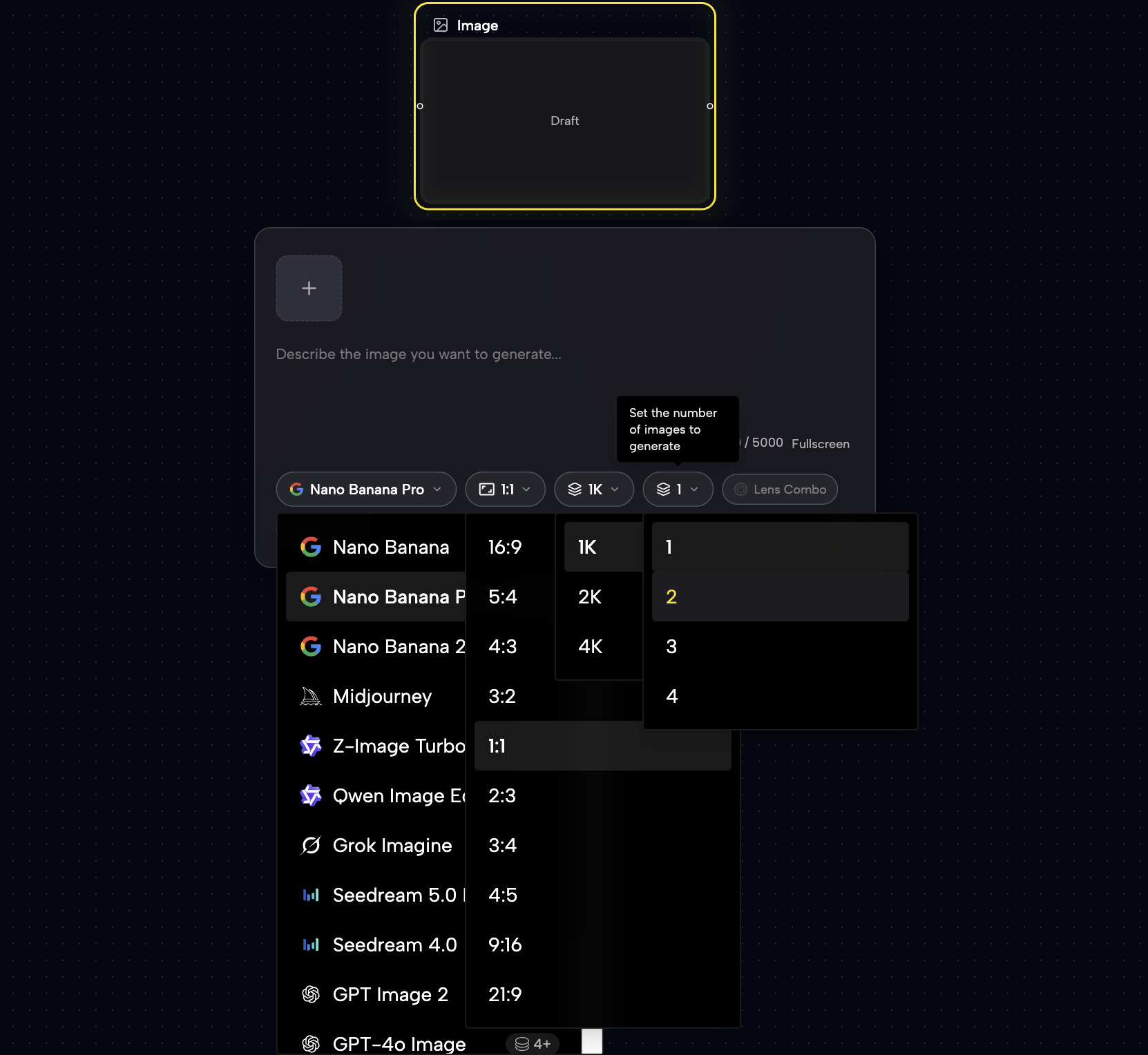
Multi-Model AI Image Generation
Access 9+ cutting-edge models like Gemini 3 Pro, Z-Image Turbo, and GPT-4o. Support for style transfer (Flux Kontext), custom aspect ratios (up to 21:9), and 4K resolution with batch processing.
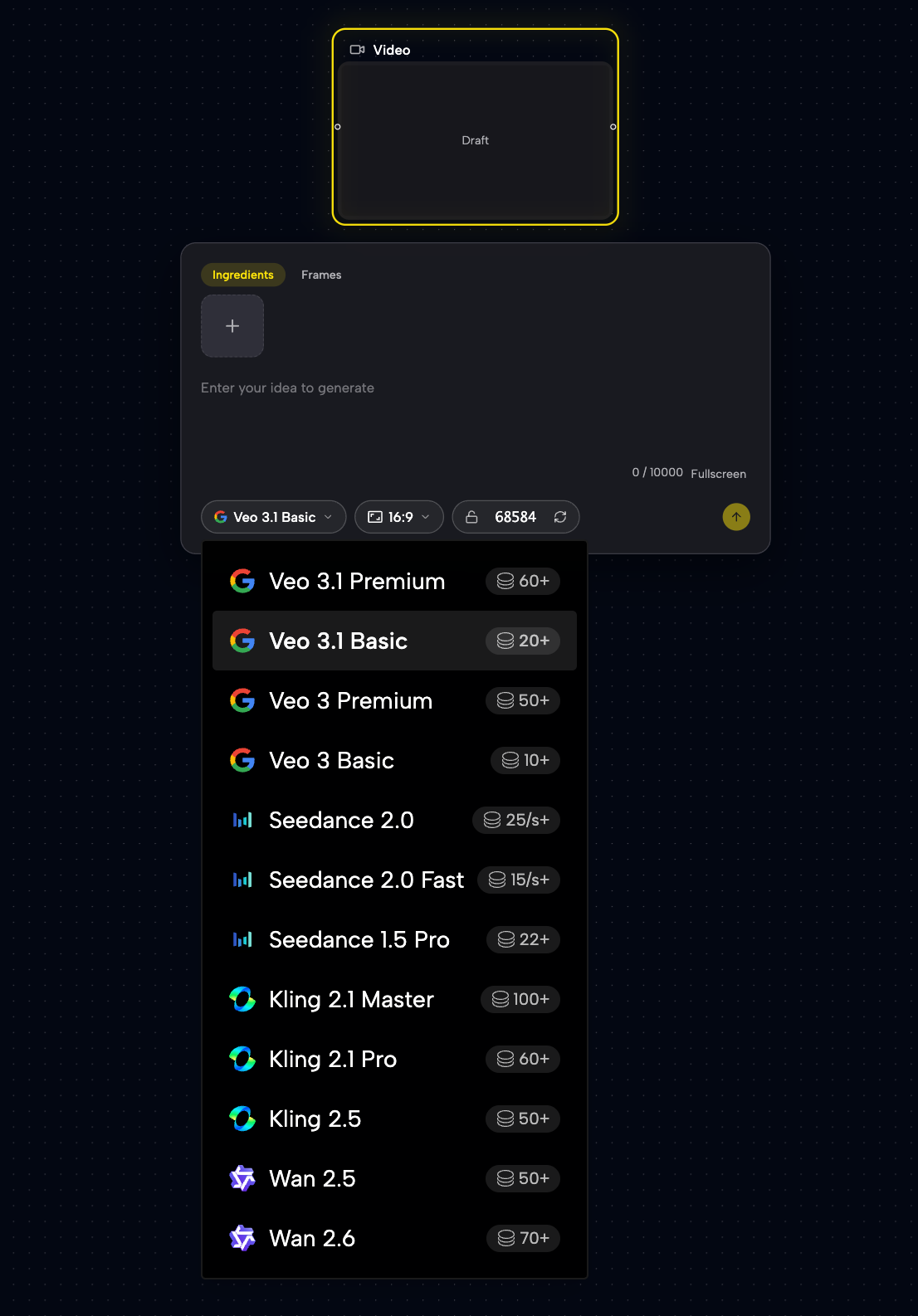
AI Video with Veo 3 & 3.1
Generate high-quality video from text or images within your workflow. Choose landscape or portrait ratios and use AI-generated artwork as starting frames for true creative control.
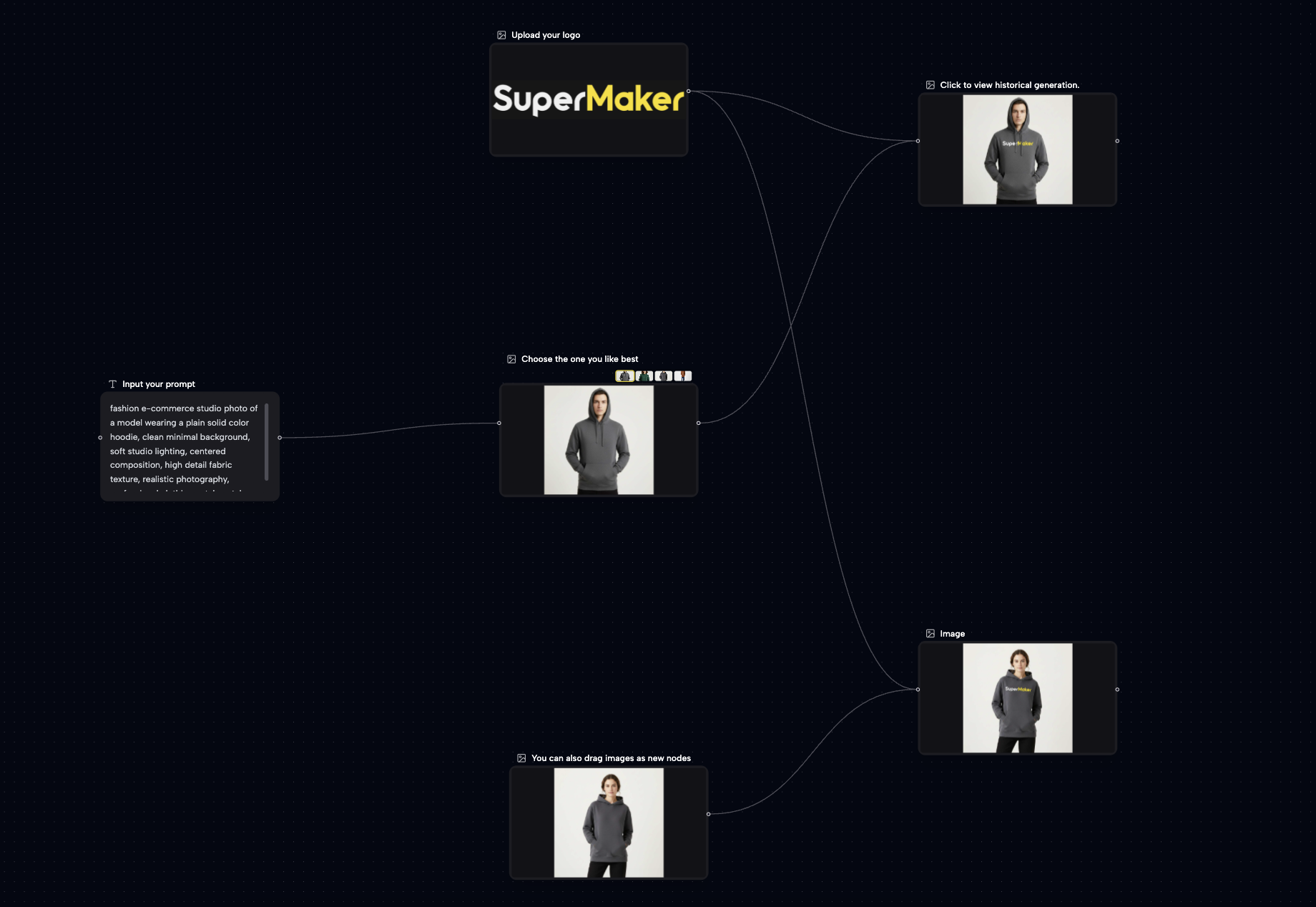
Smart Creative Pipelines
Easily link node outputs to inputs. Our system automatically validates connections, ensuring compatible data flow. Create advanced Text-to-Image-to-Video pipelines with simple drag-and-drop actions.
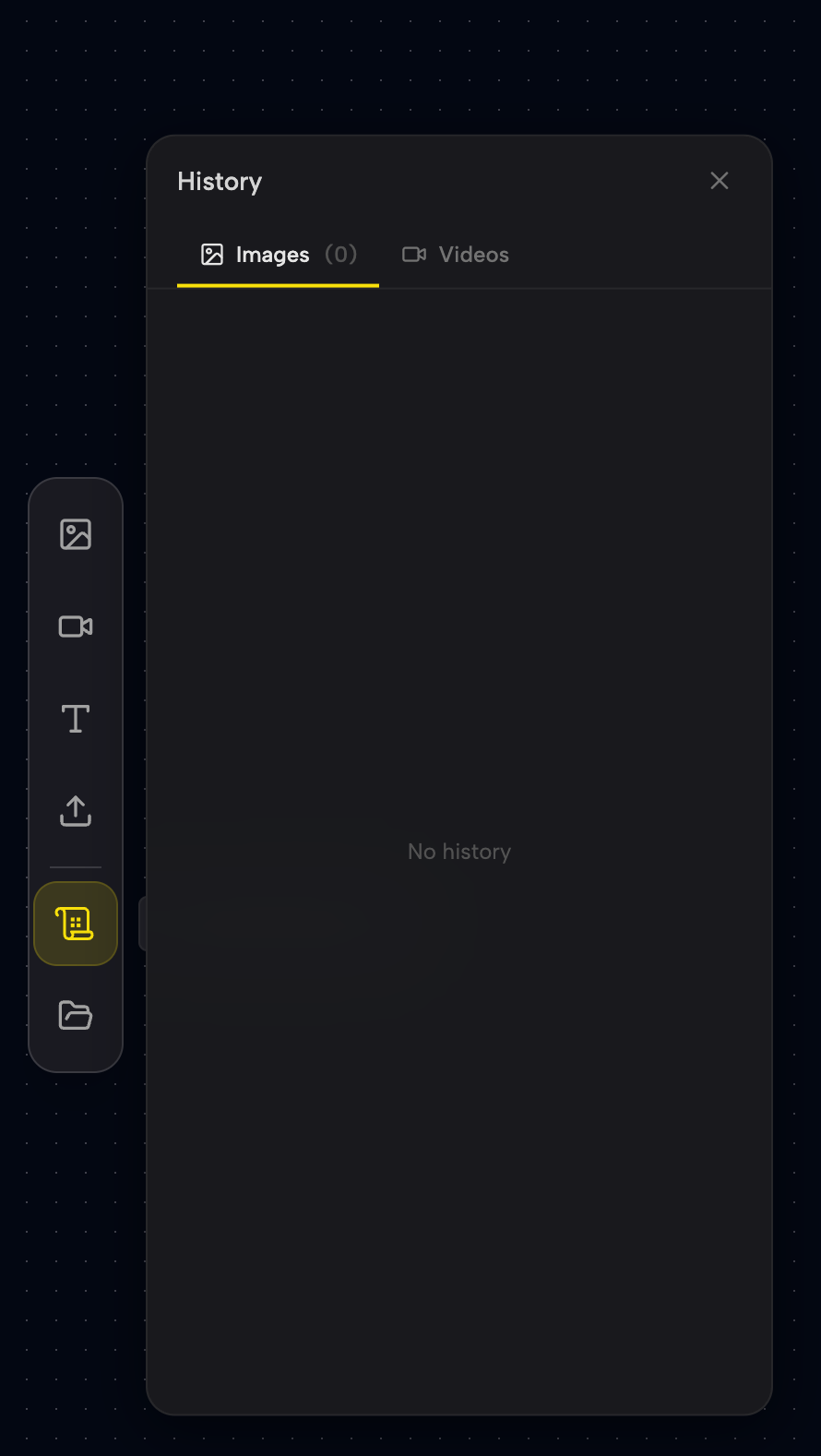
Auto-Save & Version History
Every change is auto-saved. Track all nodes and outputs in the History panel, with full undo/redo support. Manage multiple projects from the dashboard with visual thumbnails and timestamps.
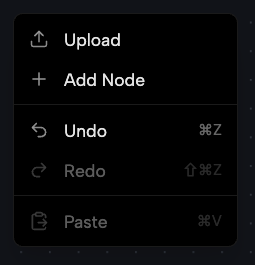
Pro Interactions & Batch Ops
Fast-track your work with right-click context menus and standard hotkeys (Cmd/Ctrl+C/V/Z). Duplicate nodes, generate batches, and navigate effortlessly with mouse or trackpad shortcuts.
Frequently Asked Questions
SuperMaker AI Studio is a free visual canvas for AI creation. It allows you to organize image and video generation into a zoomable, node-based canvas workspace.
How to start:
- Open a new project canvas.
- Add nodes (Image, Video, Text) from the sidebar.
- Connect node handles to build a canvas pipeline (e.g., Text → Image → Video).
- Click Generate to see results instantly.
- Iterate and export your work directly from the canvas workspace.
Everything is auto-saved, making complex AI canvas workflows accessible to everyone.
Yes! You can sign up for free—no credit card required—and receive daily credits.
Free tier includes: • Full infinite canvas and node access. • 9+ image models and Veo video models. • Unlimited projects with auto-save. • High-res, watermark-free exports. • Batch generation and history tracking.
Premium plans are available for power users needing priority processing and extra credits.
We provide access to top-tier models directly on the canvas:
Images: • Gemini 3 Pro & 2.5 Flash • GPT-4o Image & Z-Image Turbo • Flux Kontext (Style Transfer) & Qwen Edit • Seedream & Grok Imagine
Videos: • Veo 3.1 & Veo 3 (Premium and Basic variants)
Simply select your preferred model from any node's dropdown menu.
Connections are the heart of the system: • Drag from an output handle (right) to an input handle (left). • Text nodes provide prompts; Image nodes provide reference visuals. • The system prevents errors by highlighting compatible connections.
Popular workflows include transforming text into images, or using generated images as the first frame for a video.
Yes! Use batch generation to explore ideas quickly. Generate up to 4 variations per node with one click. You can view them side-by-side, set a favorite as the primary result, or drag them out to create new standalone nodes.
Our dual-layer system ensures zero data loss: • Local-first: Changes save to your browser instantly. • Cloud-sync: Your canvas syncs to our secure servers in the background. • Offline support: Work continues even if your connection drops; it syncs once you're back online. Combined with full undo/redo, your creative process is fully protected.
We support standard creative tool conventions: • Navigation: Scroll to zoom, drag to pan. • Editing: Cmd/Ctrl + C/V (Copy/Paste), Cmd/Ctrl + Z (Undo), Delete (Remove). • Context: Right-click the canvas or nodes for quick-action menus. These shortcuts allow you to work at professional speeds from day one.
Absolutely! All images and videos generated are yours to use commercially. This includes marketing, social media, client work, e-commerce, and print. All exports are high-resolution and watermark-free, giving you total professional freedom.
Build Your AI Workflow for Free
Join thousands of creators using the most powerful visual workflow canvas. Generate, connect, and manage your AI projects in one place. No credit card required.
