
Create a high-end architectural photograph of a vast glass greenhouse filled with lush tropical plants, climbing vines, mist, and soft filtered morning light. Show curved glass structures, stone walkways, small pools of water, and layered greenery. Use a wide-angle lens, clean composition, and an elegant botanical editorial style.
GPT Image 2.5 Prompt Generator:Create Better Prompts
Use our GPT Image 2.5 Prompt Generator to turn simple ideas into detailed GPT Image 2.5 prompts for photos, ads, products, characters, art, and edits.
Generate Prompt with AI
3 uses left today
Describe your idea and let AI create the perfect prompt for you
Loading...
GPT image 2.5 Prompt Generator: Create Better Prompts
Turn simple ideas into detailed prompts for stronger GPT images 2.5 results.
The GPT image 2.5 Prompt Generator helps you turn a rough image idea into a detailed, ready-to-use GPT images 2.5 Prompt in seconds. Describe the subject, mood, scene, or edit you want, and the tool expands it with useful details such as composition, camera angle, lens style, lighting, materials, background, color direction, and editing constraints. Use the GPT image 2.5 Prompt Generator for product photography, portraits, advertising, concept art, reference-image editing, and more without spending time building every prompt from scratch.
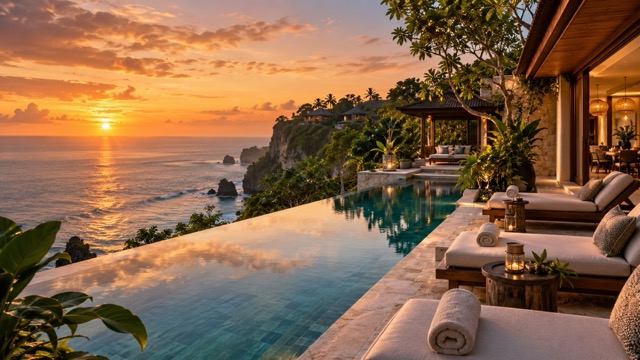
Detailed prompts in seconds|GPT image 2.5 Prompt Generator|GPT images 2.5 Prompt|Create Better Prompts
How the GPT image 2.5 Prompt Generator Works
You do not need to know photography terms or prompt engineering to create a strong GPT images 2.5 Prompt.
1

Describe Your Idea
Enter a short description of what you want to create. It can be as simple as “luxury perfume on black marble,” “cinematic portrait in the rain,” or “replace the chair with a modern sofa.” The GPT image 2.5 Prompt Generator identifies the visual intent and prepares the idea for expansion.
2

Generate a Detailed Prompt
The GPT image 2.5 Prompt Generator turns your short idea into a richer GPT images 2.5 Prompt with composition, focal point, perspective, camera language, lighting direction, materials, atmosphere, and other relevant details. For editing requests, it can also clarify what should change and what should remain untouched.
3

Copy, Create, and Refine
Copy the finished GPT images 2.5 Prompt and use it in your preferred GPT images 2.5 workflow. If the first result needs improvement, return to the GPT image 2.5 Prompt Generator, adjust your idea, and generate a more focused version for the next iteration.
Build Stronger GPT images 2.5 Prompts Without Guesswork
A good prompt is more than a list of adjectives. It tells the image model what matters most, how the scene should be composed, and which details must stay consistent. The GPT image 2.5 Prompt Generator adds structure to short ideas so you can spend less time rewriting instructions and more time exploring visual results.
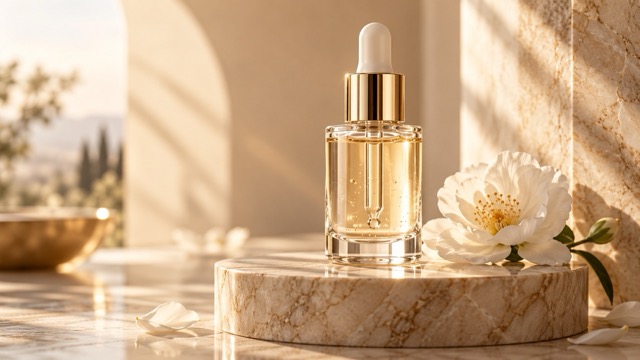
Turn Simple Ideas Into Detailed Visual Direction
Start with everyday language instead of a complicated technical brief. The GPT image 2.5 Prompt Generator can expand “premium skincare bottle by a window” into a more complete direction covering subject placement, lens feel, depth of field, surface material, lighting, shadows, background separation, and mood. This makes it easier for beginners to create a useful GPT images 2.5 Prompt while still giving experienced creators a fast starting point for further customization. Use the generated structure as a reusable base, then swap the subject, setting, palette, or mood whenever you want to explore a new concept.
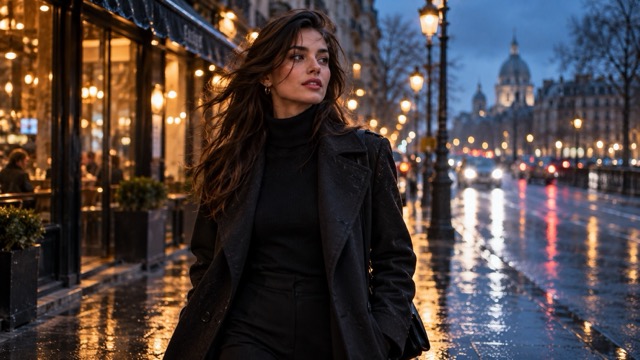
Add Camera, Composition, and Lighting Details
Visual quality often depends on how a scene is framed, not just what appears in it. The GPT image 2.5 Prompt Generator can enrich prompts with camera angle, shot type, focal length style, depth of field, lighting direction, contrast, color temperature, and negative space when those details fit the request. Instead of repeatedly asking why an image feels flat or unfocused, you can begin with a GPT images 2.5 Prompt that gives the model a clearer visual hierarchy. This is especially useful for product shots, portraits, interiors, and cinematic scenes where framing and light strongly influence the final look.
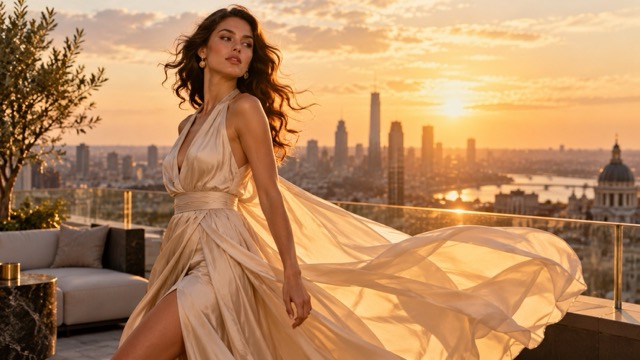
Create Better Prompts for Image Editing
Image editing needs different instructions from text-to-image generation. The GPT image 2.5 Prompt Generator can help structure requests around the exact object, area, color, background, or style you want to change while stating what should remain consistent. A GPT images 2.5 Prompt might specify “replace only the bottle, preserve the marble pedestal, framing, shadow direction, and background.” This is especially useful for product swaps, outfit changes, background edits, color changes, and reference-image workflows. Clear preservation instructions can reduce unnecessary scene changes and make each round of editing easier to control.
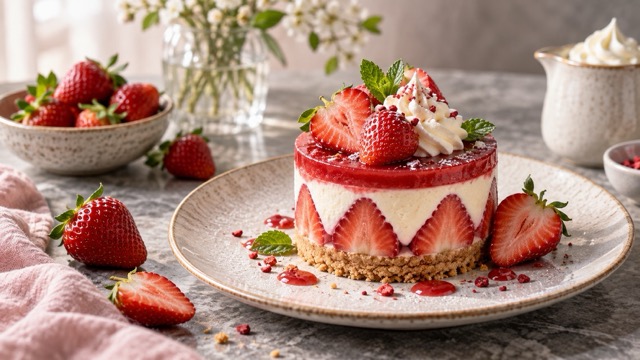
Explore Prompts for Different Visual Styles
Use the GPT image 2.5 Prompt Generator when you know the concept but not the best way to describe the look. It can help shape a GPT images 2.5 Prompt for realistic photography, cinematic scenes, editorial fashion, minimalist product shots, fantasy art, posters, interiors, character concepts, and social content. You can keep the generated prompt as-is or use it as a flexible template, changing the subject, lens, lighting, palette, or scene for a new creative direction. This makes the GPT image 2.5 Prompt Generator useful for both quick inspiration and repeatable creative workflows.
GPT image 2.5 Prompt Generator for Real Creative Work
The GPT image 2.5 Prompt Generator is built for more than experimental AI art. It helps creators translate practical visual goals into a structured GPT images 2.5 Prompt for marketing, design, content, product presentation, and image editing. Use these scenarios as starting points, then adapt the generated prompts to your own brand, subject, audience, and visual style.

Product Photography and Advertising
Turn a basic product idea into a more production-ready GPT images 2.5 Prompt. The GPT image 2.5 Prompt Generator can add details about product placement, surface materials, lens style, reflections, shadows, studio lighting, background mood, and negative space for ad copy. It works well for skincare, perfume, electronics, food packaging, accessories, and other products where polished visual direction matters. Start with the product and desired mood, then let the GPT image 2.5 Prompt Generator build a clearer visual brief.

Portraits, Fashion, and Lifestyle Images
For people-focused images, a strong GPT images 2.5 Prompt should define the subject, pose, wardrobe, environment, framing, lighting, and mood without burying the main idea. The GPT image 2.5 Prompt Generator helps organize those elements into a clear direction for editorial portraits, fashion concepts, lifestyle scenes, professional headshots, and social content while leaving room for creative variation. Use it when you want a more consistent starting point before refining styling or location details.

Cinematic Scenes and Creative Concepts
Build atmospheric prompts for scenes that need a stronger sense of story. The GPT image 2.5 Prompt Generator can transform a short concept into a GPT images 2.5 Prompt with shot scale, camera position, environmental details, time of day, color palette, contrast, weather, and cinematic lighting. Use it for fantasy worlds, sci-fi concepts, dramatic landscapes, narrative frames, posters, and visual story ideas. The extra structure helps a broad idea become a more focused visual direction.

Reference Image and Precision Editing
When you already have an image, use the GPT image 2.5 Prompt Generator to make the editing instruction more precise. Describe the exact change, and the generator can help state which subject details, composition, perspective, lighting, background, and shadows should remain consistent. This makes each GPT images 2.5 Prompt more useful for object replacement, background changes, outfit edits, color adjustments, and multi-round visual refinement. A clearer prompt can also make feedback easier when several people are reviewing the same creative asset.
What Creators Say About the GPT image 2.5 Prompt Generator
Creators use the GPT image 2.5 Prompt Generator to spend less time rewriting prompts and more time comparing ideas, refining images, and producing usable visual directions.
“
I usually start with a very short product idea. The GPT image 2.5 Prompt Generator gives me a structured prompt with camera, light, surface, and composition details, so I can test concepts much faster.
I like that the tool does not force me to learn a long prompt formula. I describe the scene naturally, then use the generated GPT images 2.5 Prompt as a strong first draft and edit only what matters.
For reference-image edits, clear preservation instructions make a big difference. The GPT image 2.5 Prompt Generator helps me state what should change and what should stay consistent without writing the same details again.
The examples are useful when I know the mood I want but cannot describe the camera or lighting. I can generate a GPT images 2.5 Prompt, change a few details, and quickly explore another direction.
It is especially helpful for team workflows. A structured GPT images 2.5 Prompt gives everyone a clearer starting point, so feedback becomes more specific than simply saying the image should look more premium or cinematic.

Maya Chen
E-commerce Designer
Daniel Brooks
Creative Producer

Sofia Martin
Visual Content Creator
Ethan Cole
Brand Designer

Nina Patel
Marketing Specialist
GPT image 2.5 Prompt Generator FAQ
Find quick answers about creating, improving, and reusing GPT images 2.5 prompts.
A GPT image 2.5 Prompt Generator is a tool that expands a short visual idea into a more detailed prompt for GPT images 2.5. Instead of manually adding camera language, composition, lighting, atmosphere, background, materials, and editing constraints, you can describe the result you want in normal language. The GPT image 2.5 Prompt Generator organizes those details into a clearer prompt that you can copy, customize, and refine.
Start with the main subject and the action or result you want. Then add the most relevant details: environment, composition, shot type, lighting, mood, color direction, material, and any elements that must remain unchanged. If you do not know which details to add, the GPT image 2.5 Prompt Generator can build that structure for you. A good GPT images 2.5 Prompt is specific enough to guide the model without filling the instruction with unrelated adjectives.
Yes. The GPT image 2.5 Prompt Generator is designed for users who may have a clear visual idea but do not know photography terminology or prompt-writing techniques. You can begin with a short sentence and let the tool expand it. The resulting GPT images 2.5 Prompt can then be copied directly or edited in plain language. Experienced users can also use it as a fast starting point instead of rebuilding the same prompt structure for every project.
Yes. Describe the exact edit you want, such as replacing an object, changing a background, adjusting clothing, altering a color, or refining lighting. The GPT image 2.5 Prompt Generator can help make the instruction more explicit by defining what should change and what should remain consistent. This type of GPT images 2.5 Prompt is useful for reference-image editing because it reduces vague instructions and gives the model clearer preservation constraints.
You can use the GPT image 2.5 Prompt Generator for product photography, advertising, portraits, fashion, interiors, cinematic scenes, fantasy art, social media graphics, character concepts, food photography, posters, and image editing. The exact structure changes with the task. A product GPT images 2.5 Prompt may emphasize material, reflections, and lighting, while a portrait prompt may focus more on pose, framing, lens feel, wardrobe, environment, and mood.
You can, but the best results usually come from treating each generated GPT images 2.5 Prompt as a strong starting point. Review the details and remove anything that does not match your goal. Add brand-specific requirements, exact colors, reference-image constraints, or composition preferences when needed. The GPT image 2.5 Prompt Generator is most useful when it speeds up the first draft and gives you a clear structure for later refinement.
Create Your Next GPT images 2.5 Prompt
Turn a rough visual idea into a detailed prompt in seconds. Use the GPT image 2.5 Prompt Generator to add clearer subject direction, composition, camera language, lighting, style, and editing constraints, then copy the result and refine it for your next image. Whether you are creating a product photo, portrait, campaign visual, cinematic scene, or reference-image edit, a stronger GPT images 2.5 Prompt gives you a better starting point.
