How to Make a Victoria's Secret-Style AI Runway Video
Turn One Photo into a Victoria's Secret-Style AI Runway Video with a Custom Outfit. Follow Five Steps to Upload Your Photo, Describe Your Look, Choose Settings, and Review the Result. Copy Seven Outfit Prompts and Use Quick Fixes for Face Changes, Distorted Accessories, and Rushed Movements.
To create your video, open SuperMaker’s Victoria’s Secret Video Generator, upload one clear photo, describe your outfit, and click Generate Video. The effect includes runway and camera directions, so your main job is choosing the photo and the look.
Your Turn to Take the Runway
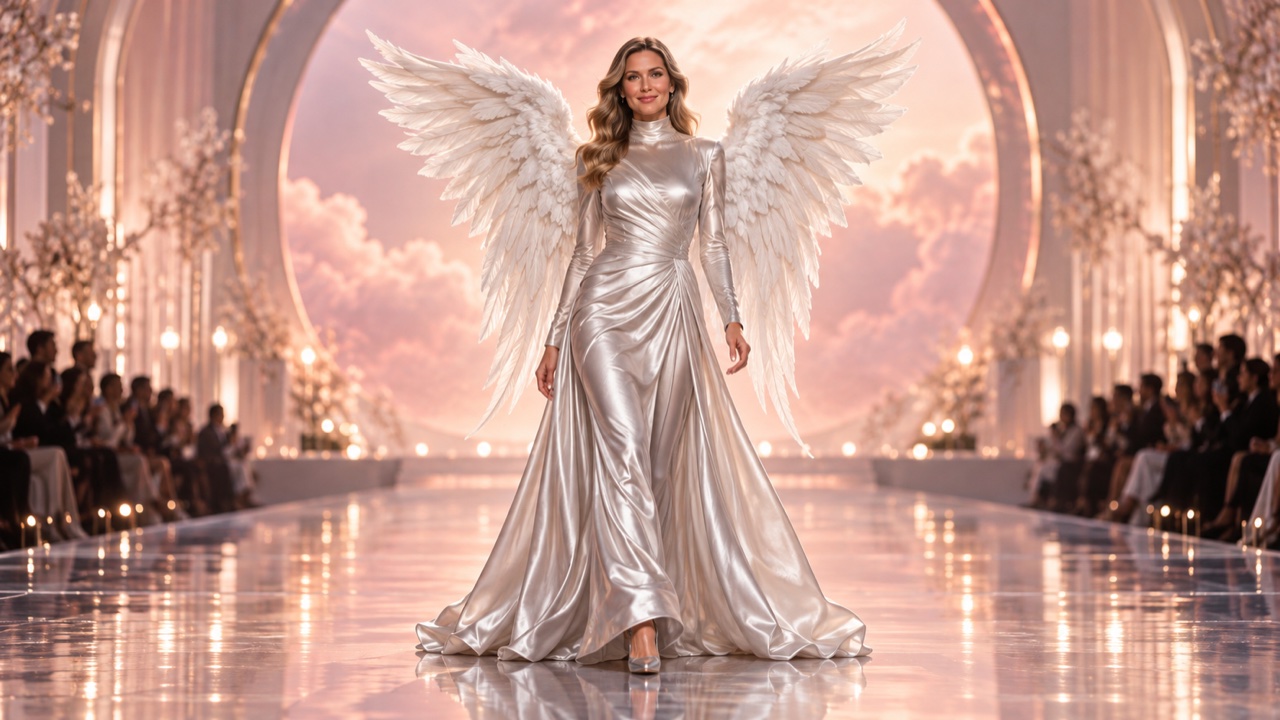
If the 2026 Victoria’s Secret Fashion Show has you imagining your own runway entrance, this is your chance to try the look. The feather wings, dramatic lights, and confident final pose make it easy to picture yourself in the spotlight.
An AI runway video lets you put that fantasy into a clip starring you. Choose the outfit you would wear, add wings if you like, and send your friends your own fashion-show moment. You only need a photo and a styling idea to get started.
Create Your Video in 5 Steps
Step 1: Upload One Clear Photo
Find Upload Your Photo and add a JPG or PNG up to 30 MB, or choose an image from Assets Library. Sign in if prompted.
Use a well-lit photo of one person with a visible face and body proportions. A full-body image is a useful starting choice when you want the outfit and shoes to read clearly. Avoid group photos, heavy filters, sunglasses, and objects covering the person.
Step 2: Describe the Outfit You Want
In Describe Your Desired Outfit, write the clothing, color, fabric, shoes, and one or two accessories. For example:
A silver satin mini dress, matching silver heels, small crystal earrings, and white feather wings attached securely at the upper back.
The effect already supplies the walk, full turn, smile, blown kiss, wink, wave, and final pose. Keep your input focused on clothing; adding dancing, scene changes, or extra spins can compete with that sequence.
The requested outfit is intended to appear from the first frame. You do not need to describe a transition from your original clothes.
Step 3: Choose Your Video Settings
For a first attempt, use these starting choices:
| Setting | Suggested Choice |
|---|---|
| Aspect Ratio | 9:16 for a vertical clip; 16:9 for a horizontal video |
| Resolution | 720p to review the first version |
| Number of Videos | 1 before creating more variations |
| Generate Audio | Enable if you want generated sound, then review it with the clip |
Check Video Length, Public Visibility, and Required Credits before generating. Use the displayed credit estimate for your selected settings. If the walk and finishing gestures feel rushed, try a longer duration from the available options.
Step 4: Generate the Video
Check the uploaded photo and outfit description, then click Generate Video. Once processing finishes, open the result in My Videos.
Let the first version answer one question: does this photo and outfit work together? If you want a different look, change the clothing description while keeping the photo the same.
Step 5: Check the Turn and Final Gestures
Watch the whole clip before sharing. Pay particular attention to:
- Face: Does the person remain recognizable after turning?
- Outfit: Do the fabric, shoes, and accessories stay consistent?
- Movement: Do the feet stay grounded and the hands look natural?
The effect requests consistent appearance, but generated results can still vary. Use the fixes below if something looks wrong.
Six More Outfit Prompts to Copy
Keep one clear look per generation. Replace the color or fabric to make any prompt your own.
Evening Gown
An emerald satin evening gown with a flowing skirt, matching heels, small silver earrings, and a simple fitted waist.
Tailored Runway Look
A black velvet suit with satin lapels, a fitted ivory shirt, polished black ankle boots, and one silver brooch.
Romantic Ballet Style
A blush-pink midi dress with a fitted satin bodice and layered tulle skirt, pale pink ballet flats, a small ribbon hair bow, and pearl stud earrings.
Futuristic Metallic Style
A structured chrome-silver jacket over a white top, matching metallic straight-leg trousers, silver ankle boots, and one smooth silver cuff bracelet.
Rock-Inspired Runway Style
A cropped black leather biker jacket over a burgundy top, high-waisted black leather trousers, chunky lace-up boots, and a short silver chain necklace.
Bohemian Festival Style
An ivory crochet cardigan over an opaque cream camisole, a flowing terracotta maxi skirt, tan suede ankle boots, and small turquoise drop earrings.
Quick Fixes for Common Problems
| Problem | What to Try Next |
|---|---|
| The face changes during the turn | Use a sharper, evenly lit photo with fewer facial obstructions. |
| Wings or jewelry distort | Reduce their size or remove one accessory. |
| The outfit misses key details | Keep the main garment, color, and fabric; remove competing descriptions. |
| Actions overlap or feel rushed | Remove extra movement instructions and try a longer available duration. |
Change one thing per attempt so you can tell what helped.
FAQ: Your Own Runway Moment
Do I Need to Look Like a Runway Model?
No. Start with a photo of yourself and an outfit you love. You do not need to change your body or match a model’s proportions to imagine your own runway moment.
I’m Camera-Shy. Do I Have to Film Myself?
No filming or practicing in front of a camera is needed. Use a photo you feel comfortable with and let the generated clip give you a chance to see yourself in the spotlight.
Will I Still Recognize Myself in the Video?
The effect is designed to keep your appearance recognizable, though AI can change facial or body details. Choose a clear photo and keep the version that feels most like you, especially during the turn.
What If the Outfit Is Bolder Than Anything I Normally Wear?
That can be part of the fun. Try the wings, metallic suit, or dramatic gown you have always been curious about. Start with one statement piece and see how you feel about the look.
Can I Turn This into Something Fun with Friends?
Yes. Each friend can make a separate clip from their own photo using a shared theme, such as silver outfits or pastel gowns. Swap your runway moments in the group chat and compare your styling choices.
Create your runway video on SuperMaker with one photo and your favorite outfit prompt.