
Enter what to remove in the box and get a clean photo instantly.
More AI Image Generators
Explore our collection of specialized AI image generators designed for different creative needs and styles


























![FLUX.1 Krea [dev]](https://static.supermaker.ai/cdn-cgi/image/q=55/https://static.supermaker.ai/files/vtp5vmm87f65.png)

Remove Object from Photo Free Instantly with AI
Clean up your images in seconds. Upload a photo, type what you want to remove, and let AI handle the rest with precision.
SuperMaker remove object from photo AI tool makes it incredibly easy to remove object from photo without complex tools or manual editing. Simply upload your image, describe the object you want to erase, and generate a clean, natural-looking result in seconds. No layers, no masking, no professional experience required. Whether you want to clean up backgrounds, remove distractions, or polish images for social media and business use, SuperMaker delivers fast, accurate, and visually consistent object removal directly in your browser.
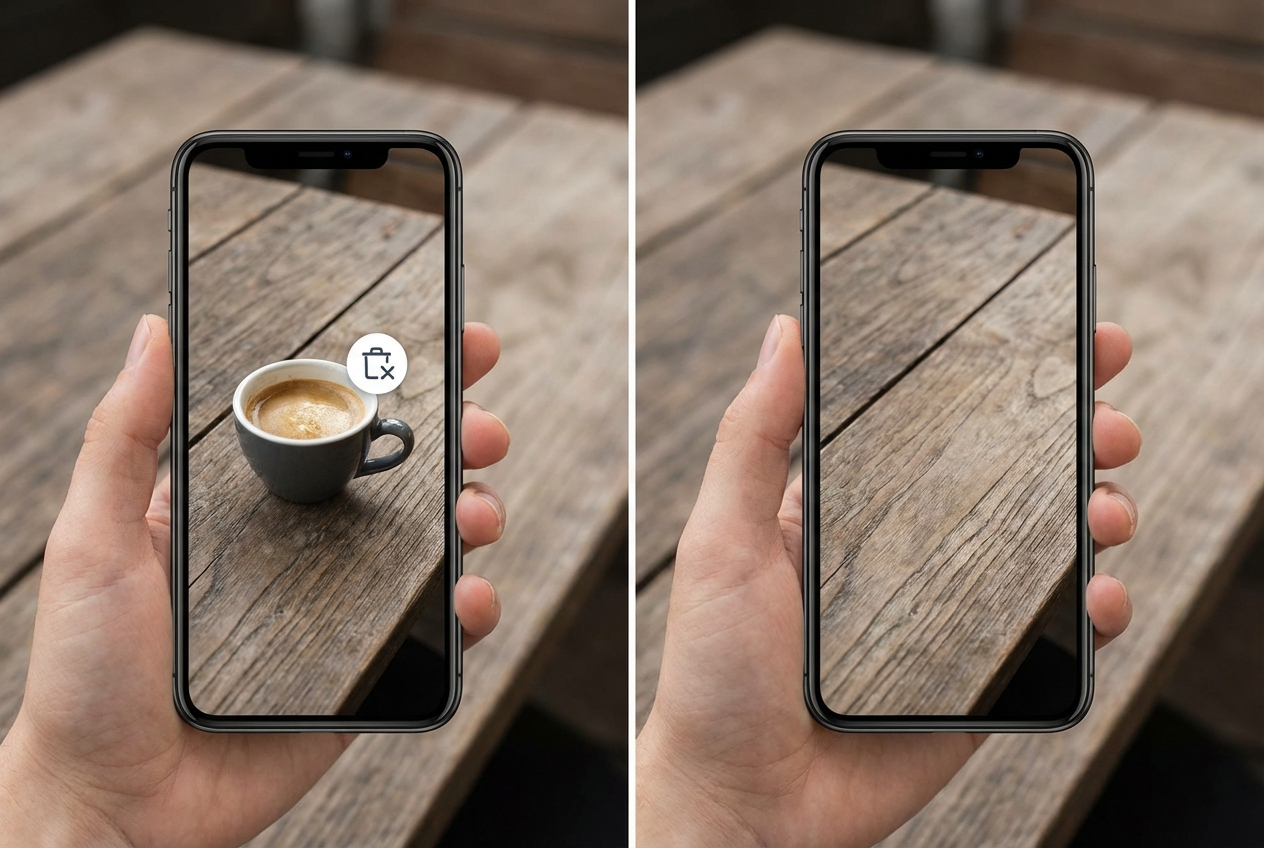
How to Remove Object from Photo with AI
Removing unwanted elements from your image is now a simple three-step process. Our AI-powered remove object from photo workflow is designed for speed, accuracy, and ease of use.

Upload Your Image
Begin by uploading a clear photo in JPG or PNG format. SuperMaker remove object from photo AI tool supports a wide range of image types, including portraits, product photos, landscapes, and everyday snapshots. Once the image is uploaded, the remove object from photo AI tool immediately analyzes the overall scene structure, lighting conditions, depth relationships, and surrounding textures. This initial analysis allows the system to understand how different elements relate to one another, ensuring that object removal will not disrupt the natural composition of the image.

Describe What to Remove
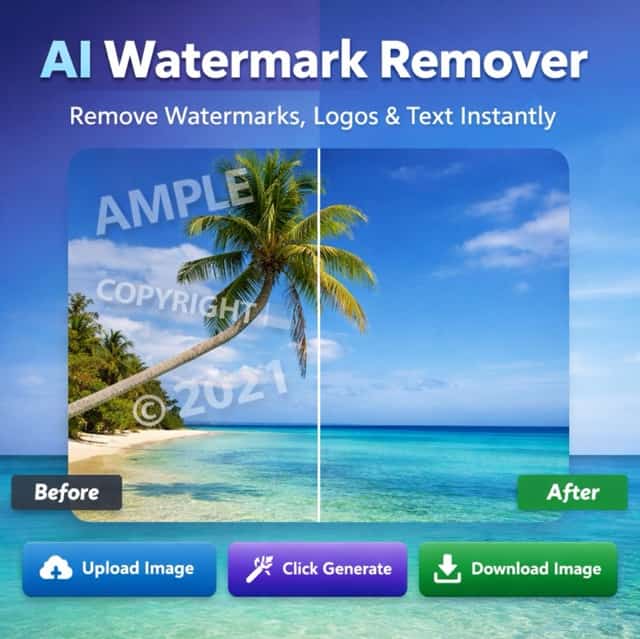
In the prompt box, simply type what you want to remove from the photo. This can include people in the background, power lines, trash, watermarks, logos, or other unwanted objects. Instead of drawing selection areas or using complex tools, you control the edit through text. This approach allows you to remove object from photo precisely while the AI automatically interprets object boundaries, context, and spatial relationships based on your description.

Generate and Download
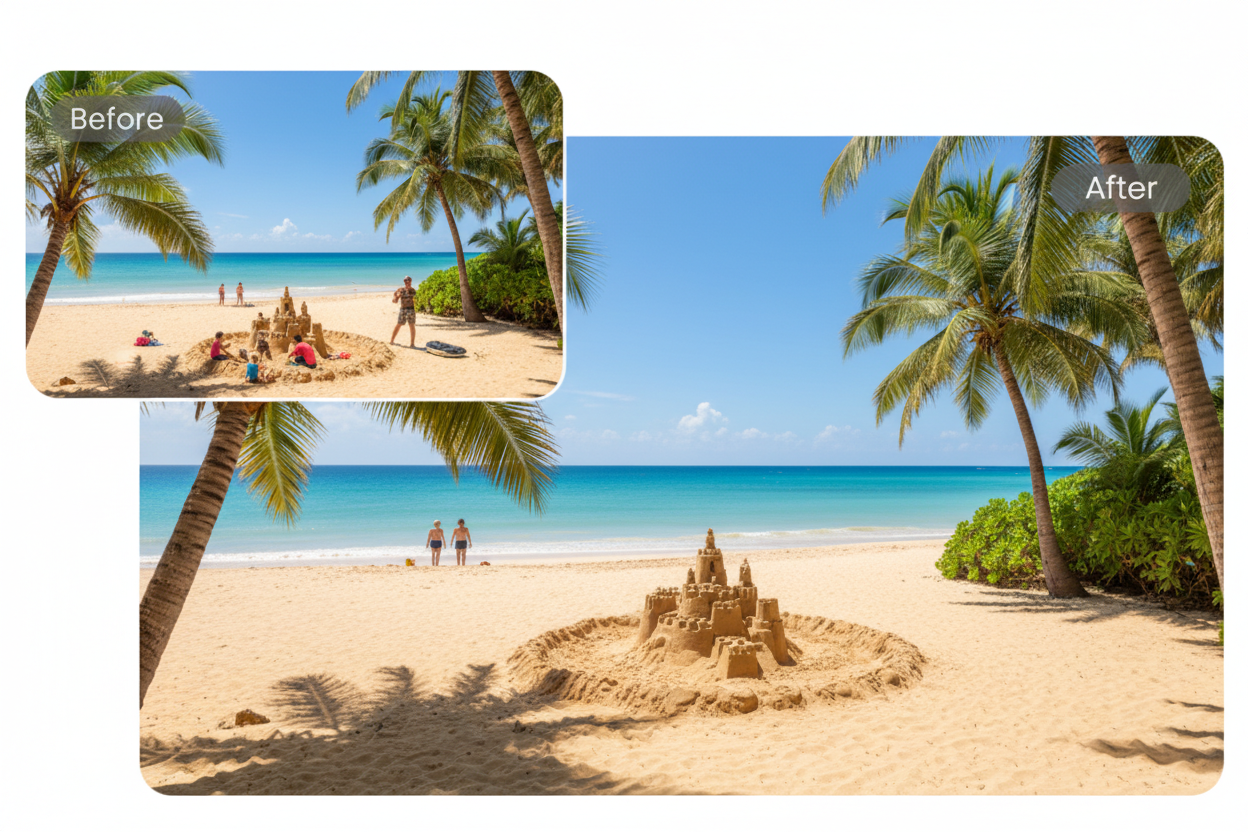
After clicking Generate, the remove object from photo AI tool processes your request and produces a clean result within seconds. The removed area is filled using realistic textures, colors, and lighting that match the surrounding background. This ensures the final image looks natural and visually consistent. Once you are satisfied with the preview, you can download the edited image in high quality and use it immediately for personal, creative, or professional purposes.
Best AI Image Tools for Creative Projects
Explore creative tools for image, learn tips and tricks, and see how AI can be your assistant in turning concepts into finished projects.













Advanced AI Features for Object Removal
SuperMaker remove object from photo AI tool combines powerful image understanding with natural scene reconstruction to deliver professional-level object removal for everyday users.
Text-Based Object Removal
Traditional photo editing tools rely heavily on manual selection, masking, and brush-based workflows, which require time and experience. SuperMaker remove object from photo AI tool removes this complexity by allowing users to remove object from photo using simple text instructions. Instead of drawing outlines or adjusting layers, users only need to describe what they want to remove. The remove object from photo AI tool interprets the prompt, identifies object boundaries, understands spatial relationships, and separates the target object from the rest of the scene automatically. This approach lowers the learning curve significantly and makes object removal accessible to first-time users, casual creators, and professionals who need fast results.
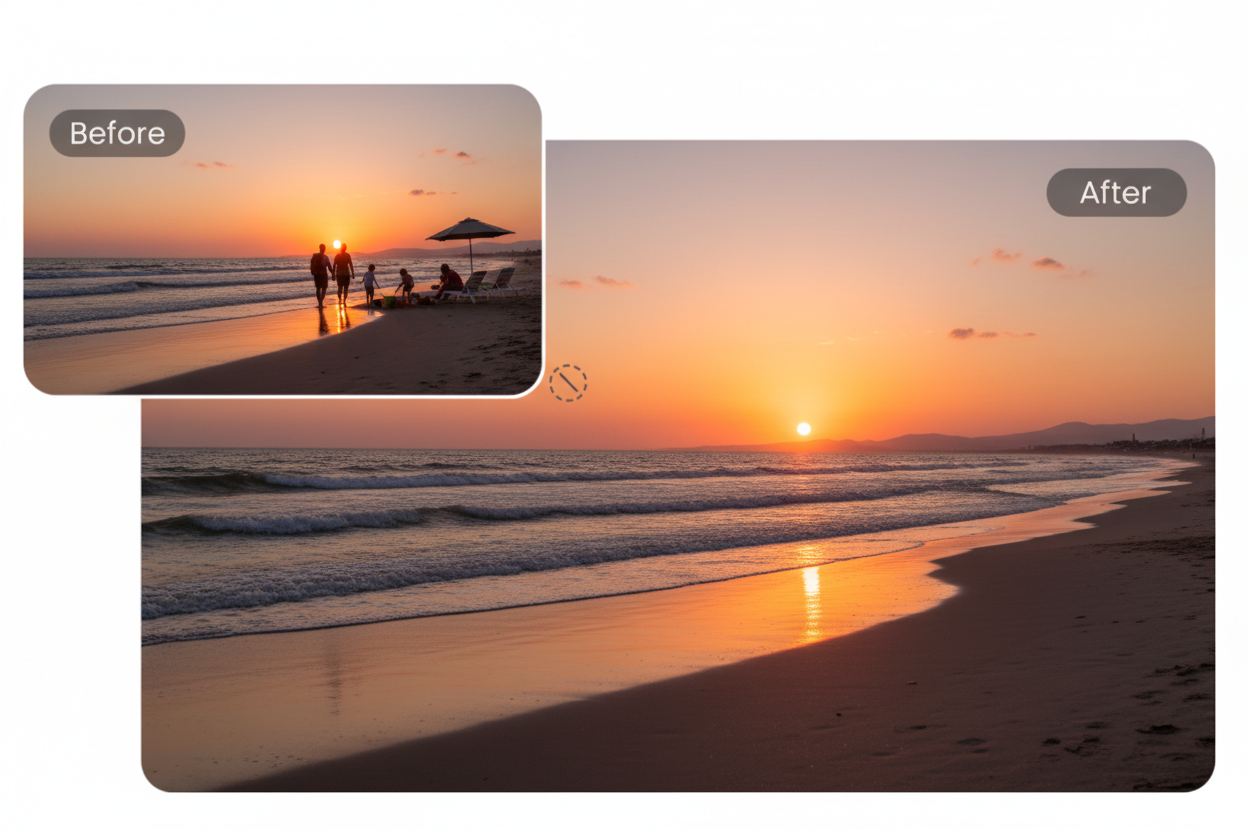
Natural Background Reconstruction
Removing an object is only half of the process. The surrounding area must be restored in a way that looks natural and visually consistent. SuperMaker remove object from photo AI tool analyzes nearby textures, lighting direction, color transitions, and depth cues to intelligently rebuild the missing background. Instead of producing flat or repetitive patches, the AI generates realistic details that blend smoothly into the image. This ensures the edited area looks authentic, avoiding the artificial appearance commonly seen in basic object removal tools.
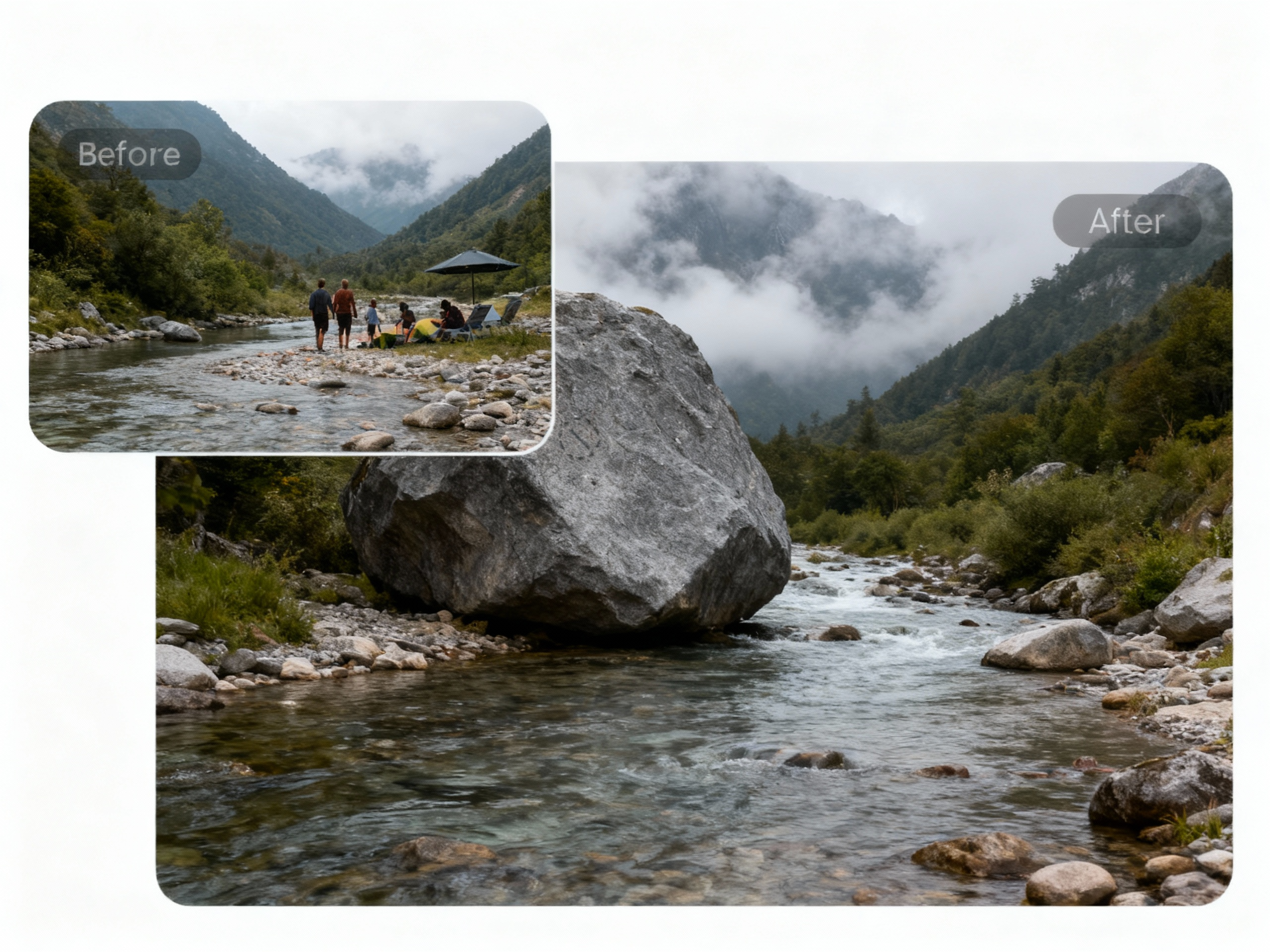
Preserve Main Subject Integrity
A major challenge in object removal is preventing damage to the main subject of the photo. SuperMaker remove object from photo AI tool carefully distinguishes between removable elements and important visual features such as faces, product edges, clothing textures, and foreground objects. Only the specified object is removed, while the rest of the image remains untouched. This remove object from photo AI tool precise control helps maintain sharp details and original composition, ensuring the final result looks professional and suitable for both personal sharing and commercial use.
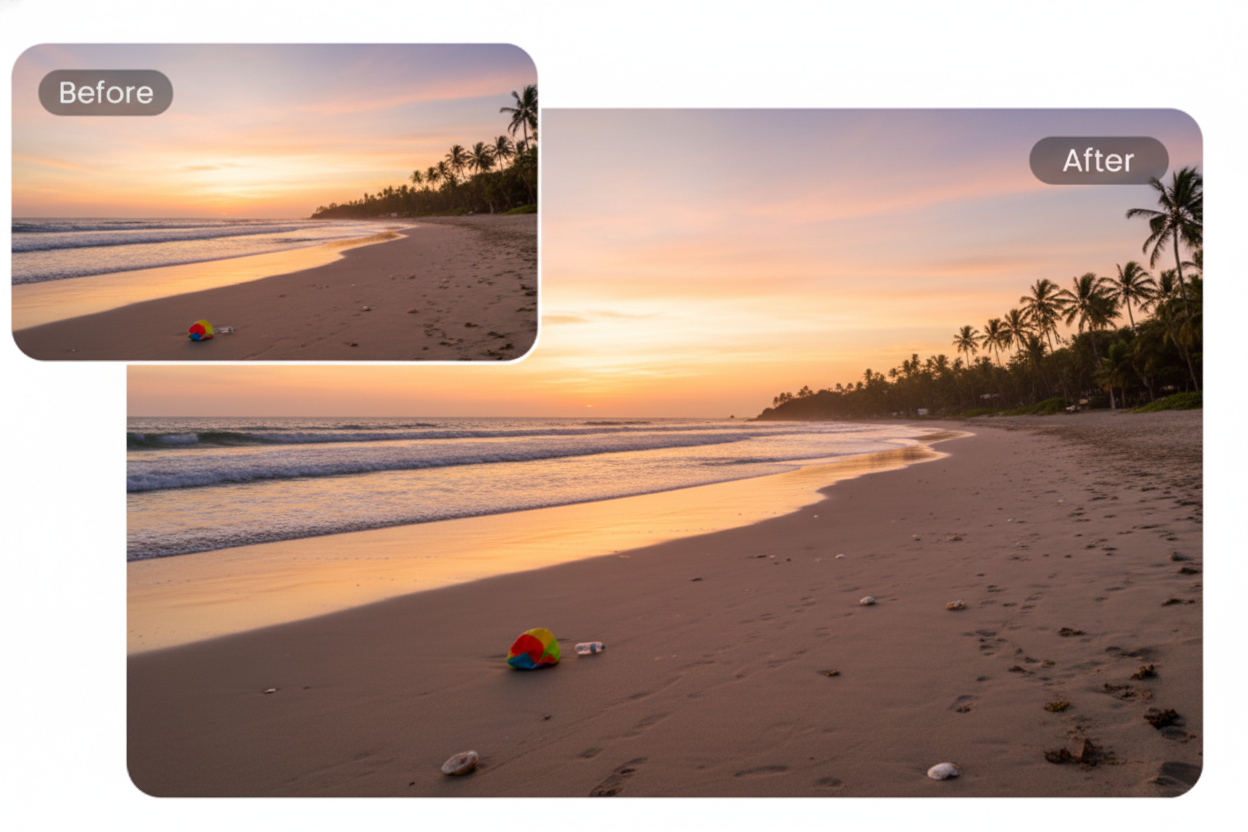
No Software or Editing Skills Needed
SuperMaker remove object from photo AI tool runs entirely in the browser, eliminating the need to download software or learn complicated editing tools. There are no layers to manage, no technical settings to adjust, and no design background required. With a simple upload and a short prompt, users can remove object from photo in just a few clicks. This streamlined workflow makes it ideal for creators, marketers, sellers, and everyday users who want clean results quickly without sacrificing image quality.
Common Use Cases for Remove Object from Photo Tool
From casual users to professionals, object removal helps improve image quality across many real-world scenarios.

Social Media Cleanup
Social media platforms reward clear and visually focused images. Random people, cluttered backgrounds, or distracting objects can reduce engagement and shift attention away from the main subject. Content creators and influencers often use AI tools to remove object from photo before posting, ensuring the image looks clean and intentional. This remove object from photo AI tool helps maintain a consistent visual style across feeds while reducing the time spent on manual photo editing. Cleaner images typically perform better in terms of likes, shares, and audience interaction.

E-commerce Product Images
Product photos play a critical role in online purchasing decisions. Extra props, reflections, shadows, or background elements can make listings look unprofessional or misleading. E-commerce sellers rely on Remove Object From Photo AI tool to simplify product images and create a clean presentation that highlights the item itself. By removing unwanted objects from photos, sellers can build trust with customers, maintain consistent branding across catalogs, and improve conversion rates on marketplaces and independent stores.

Travel and Landscape Photography
Travel and landscape photography often captures unwanted elements such as tourists, signs, cables, or trash that distract from the scene. With AI-powered remove object from photo AI tool, photographers can remove object from photo while preserving natural textures like sky, water, mountains, and streets. This allows creators to share visually appealing travel content even when shooting conditions are not ideal. The result is a more immersive image that reflects the intended atmosphere of the location.

Marketing and Advertising Materials
Marketing teams frequently reuse images across ads, banners, landing pages, and social campaigns. However, not every photo fits every layout or message. remove object from photo AI tool allows marketers to adapt existing visuals by removing unnecessary elements without scheduling costly reshoots. This flexibility helps teams respond faster to campaign needs while maintaining clean and professional visuals that align with brand guidelines.

Personal Photo Restoration
Old or meaningful photos often contain scratches, stains, dust, or unwanted marks caused by aging or damage. AI-assisted remove object from photo AI tool helps clean up these imperfections while preserving the original mood and emotional value of the image. Families and individuals use this feature to restore personal memories, making photos suitable for sharing, printing, or archiving without altering the authenticity of the original moment.

Design and Creative Projects
Designers and creatives regularly need clean visual assets for posters, presentations, thumbnails, and digital layouts. remove object from photo AI tool helps simplify compositions by eliminating unnecessary elements and improving visual hierarchy. This allows designers to focus on layout, typography, and creative direction rather than technical cleanup. Faster preparation of clean images leads to more efficient workflows and greater creative flexibility.
What Users Say About Remove Object from Photo
Professionals and everyday users explain how SuperMaker remove object from photo AI tool helps them remove unwanted objects and improve image quality with ease.
As a travel blogger, I take hundreds of photos in crowded places. There are always strangers, signs, or random objects in the background. Using SuperMaker remove object from photo AI tool to remove object from photo completely changed my workflow. I just upload the image, type what I want removed, and the AI fixes it naturally. The background still looks realistic and untouched, which is extremely important for travel content. It saves me hours compared to manual editing.
Managing multiple brand accounts means fast content delivery is critical. I often need to clean up images before posting, especially removing small distractions. This remove object from photo AI tool allows me to remove object from photo in seconds without opening heavy design software. The results look clean and professional, which helps maintain brand image consistency across platforms.
Product photos directly impact sales. Sometimes props, reflections, or background items make images look unprofessional. I use SuperMaker remove object from photo AI tool to remove object from photo before uploading products to my store. The AI fills in the background smoothly, and the final image looks studio-ready. Since using it, I have noticed improved click-through rates on my product listings.
I normally work with professional tools like Photoshop, but not every task needs a complex workflow. For quick fixes, this remove object from photo AI tool is incredibly efficient. The text-based control is accurate and saves time, especially when removing simple objects from photos during early design drafts.
I create visuals daily for blogs and social platforms. The simplicity of uploading an image and describing what I want removed makes content production much faster. I no longer worry about messy backgrounds or unwanted elements ruining a good shot.
I am not a designer, but I still need clean images for marketing and promotions. This remove object from photo AI tool allows me to remove object from photo easily without learning editing software. It helps my business look more professional online with minimal effort.






Remove Object from Photo FAQ
Answers to common questions about AI-powered remove object from photo AI tool.
Removing an object from a photo means erasing unwanted elements while keeping the rest of the image natural and intact. AI handles both removal and background reconstruction automatically.
No. SuperMaker remove object from photo AI tool is designed for beginners and professionals alike. You only need to upload a photo and type what you want removed.
You can remove people, objects, logos, text, clutter, background items, and more as long as they can be described clearly.
No. The remove object from photo AI tool preserves resolution and visual consistency, ensuring the edited area blends seamlessly with the original image.
Yes. Uploaded photos are processed securely and are not reused or shared without permission.
Yes. Images generated using SuperMaker remove object from photo AI tool can be used for marketing, e-commerce, and commercial projects.
Remove Object From Photo Today
Stop wasting time on complex photo editing tools. With SuperMaker remove object from photo AI tool, you can remove object from photo in just a few clicks. Upload any image, type what you want to erase, and let AI instantly clean up your photo with natural, seamless results. No design skills, no manual selection, and no software installation required. Whether you are polishing photos for social media, e-commerce, marketing, or personal use, SuperMaker remove object from photo AI tool helps you remove object from photo quickly while keeping the original image quality intact. Try it now and experience effortless AI-powered photo cleanup.
