logo
0

AI 프롬프트

바로 사용할 수 있는 이미지와 비디오용 AI 프롬프트

이미지와 비디오 미리보기로 AI 프롬프트를 살펴보세요. 시각적 방향을 찾고 문구를 복사하거나 일치하는 SuperMaker 생성기를 열어 나만의 것으로 만드세요.

모델별 찾아보기

최신 AI 이미지 프롬프트

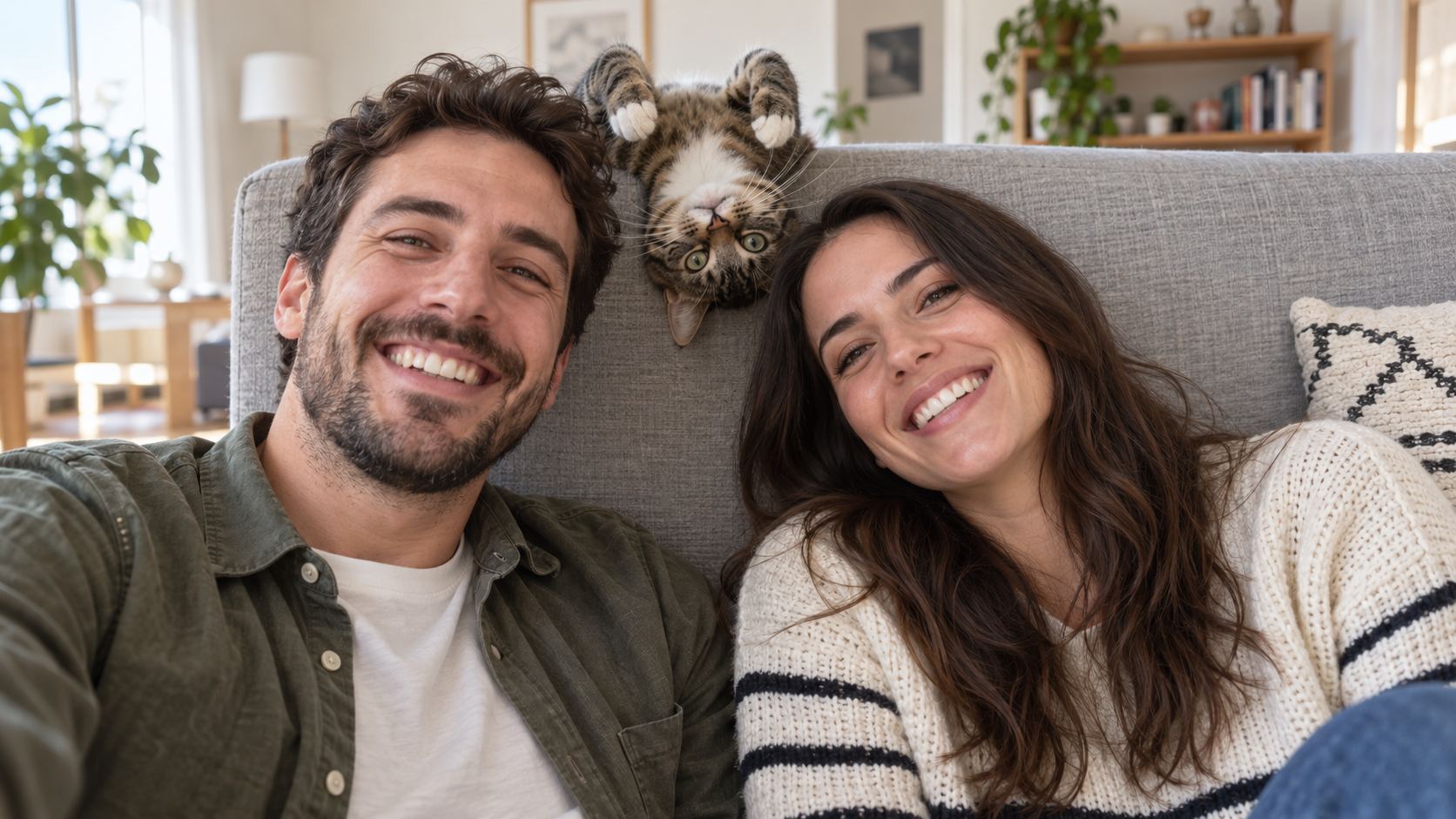
Edit the uploaded photo into a bright living-room selfie. Preserve both friends' facial identities,
재미있는 AI 프롬프트
Edit the uploaded photo into a bright living-room selfie. Preserve both friends' facial identities,

Edit the uploaded photo into a bright living-room selfie. Preserve both friends' facial identities, hair, clothes, and smiles, plus the cat's exact coat markings. Seat the friends on either side of the frame. Add the cat safely leaning over the high sofa back between them, its head upside down and front paws visible above the cushion, as if it interrupted a normal portrait. Keep all three faces sharp and readable. Use natural window light, plausible body positions, and realistic fur and skin. The cat's photobomb should feel spontaneous. One complete 16:9 photograph, no text or watermark.
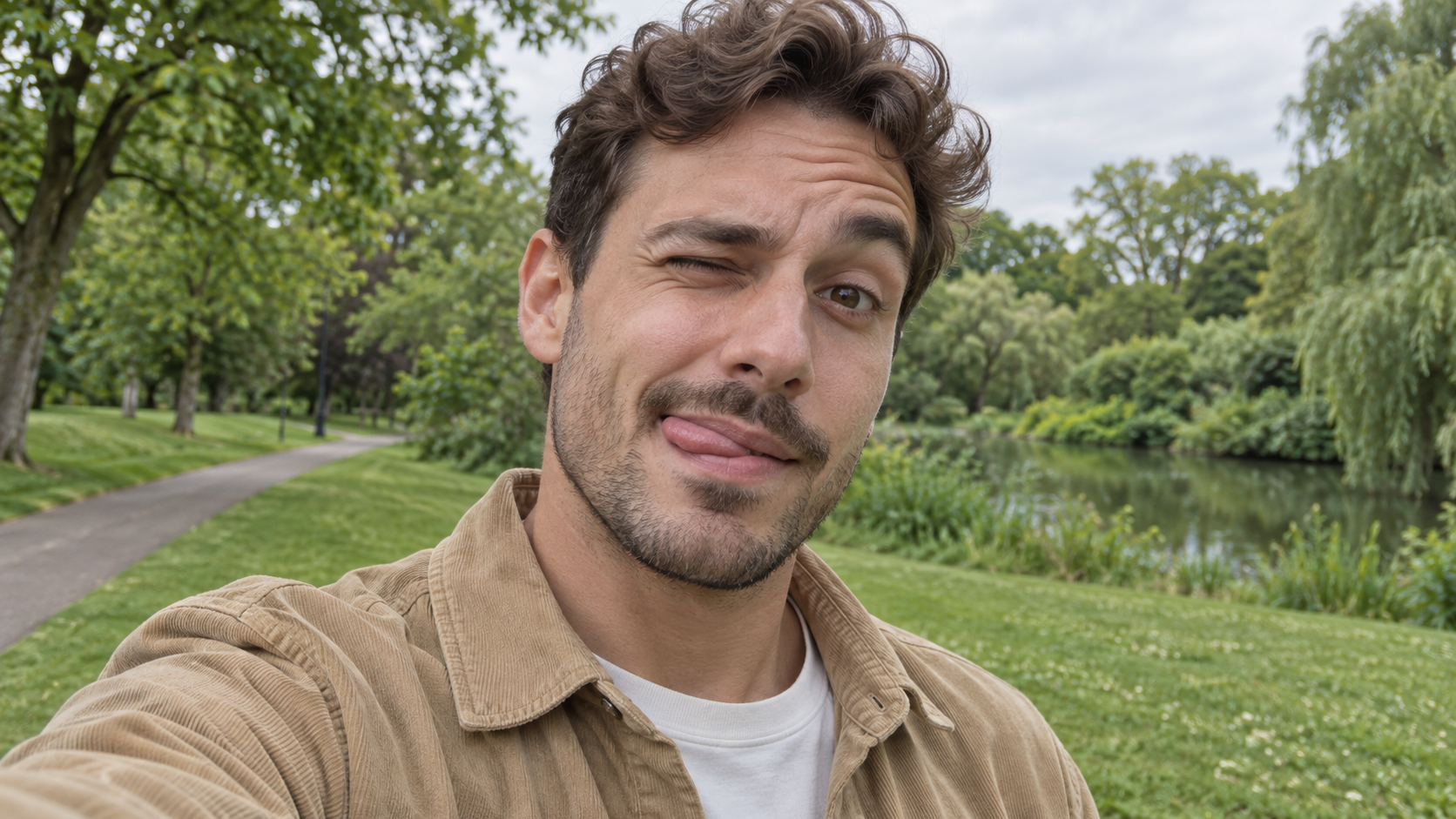

Edit the uploaded photo of one person into a playful outdoor selfie. Preserve their facial identity,
재미있는 AI 프롬프트
Edit the uploaded photo of one person into a playful outdoor selfie. Preserve their facial identity,

Edit the uploaded photo of one person into a playful outdoor selfie. Preserve their facial identity, hairstyle, age, clothing, and the original outdoor background. Have them tilt the head slightly, wink one eye, raise the eyebrow over the open eye, and touch the tongue to one corner of the mouth in a cheeky sideways expression. Keep the tongue subtle, as in a spontaneous candid photo. Use soft overcast daylight, natural skin texture, correct eye shape, and a believable phone-camera perspective. Exactly one person, photorealistic 16:9 composition, no text or watermark.

Edit the uploaded photo of one person into a close, funny kitchen portrait. Preserve the person's ex
재미있는 AI 프롬프트
Edit the uploaded photo of one person into a close, funny kitchen portrait. Preserve the person's ex

Edit the uploaded photo of one person into a close, funny kitchen portrait. Preserve the person's exact face, hair as shown in the source, skin tone, clothes, and background features. Make them puff both cheeks as if holding air, seal the lips tightly, open both eyes very wide, and raise both eyebrows. Keep the expression playful and deadpan rather than frightened. Match the original daylight and camera angle, with believable cheek volume and realistic skin texture. One person only, photorealistic 16:9 frame, no props over the face, extra people, text, or watermark.

Edit the uploaded portrait of one glasses-wearing person. Preserve their facial identity, hairstyle,
재미있는 AI 프롬프트
Edit the uploaded portrait of one glasses-wearing person. Preserve their facial identity, hairstyle,

Edit the uploaded portrait of one glasses-wearing person. Preserve their facial identity, hairstyle, facial hair if present, glasses frame, sweater or shirt, and room background. Have them use one hand to pull the glasses a little way down the nose, then stare over the top edge with both eyes comically wide, eyebrows raised, and lips puckered into a tiny O. Keep the glasses aligned with the face, the hand anatomically correct, and reflections consistent with the room's daylight. Exactly one photorealistic person, close 16:9 frame, no duplicate face, text, or watermark.

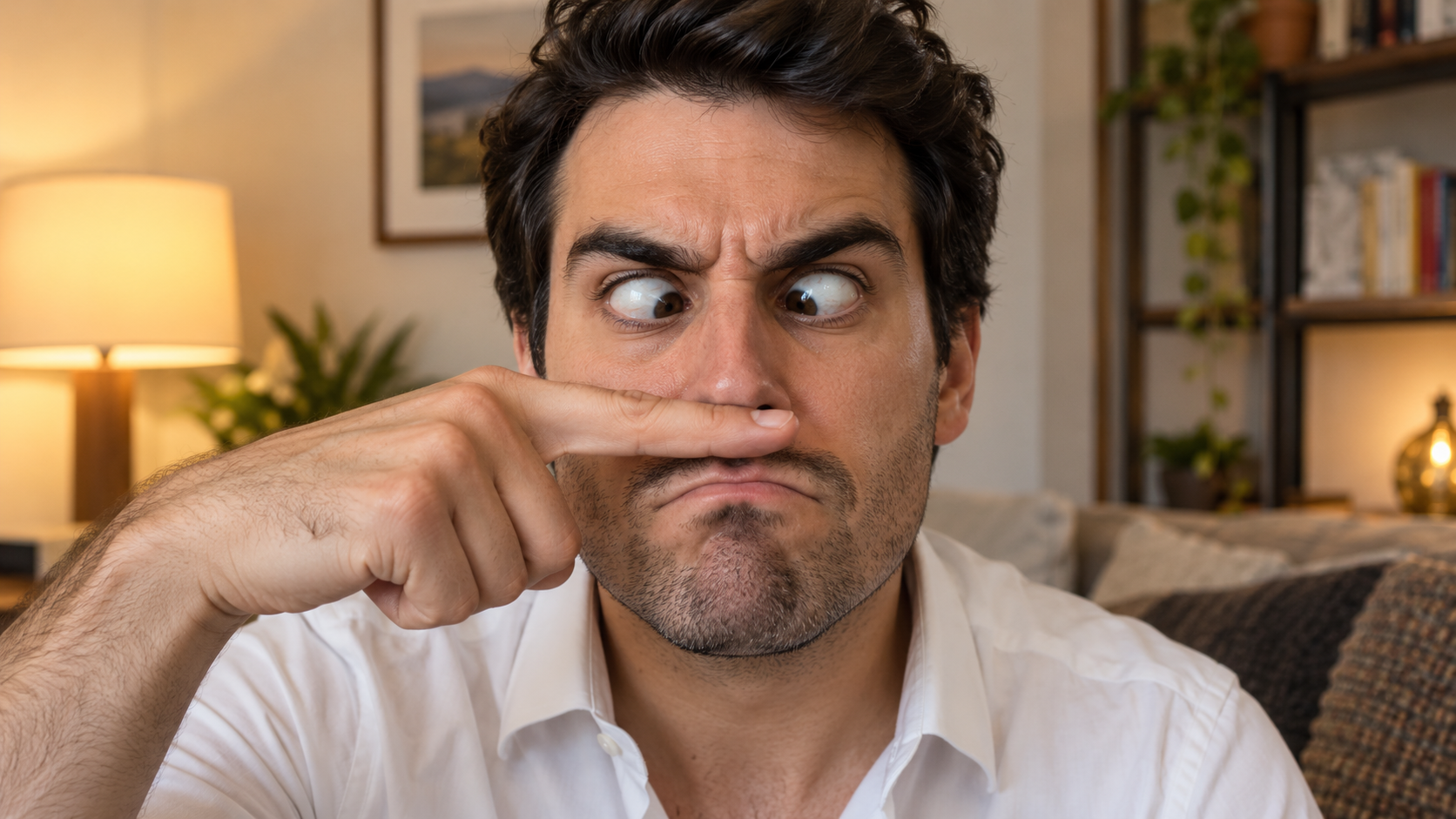
Edit the uploaded solo portrait, preserving the person's exact facial identity, hair, facial hair if
재미있는 AI 프롬프트
Edit the uploaded solo portrait, preserving the person's exact facial identity, hair, facial hair if

Edit the uploaded solo portrait, preserving the person's exact facial identity, hair, facial hair if any, clothing, and home setting. Place one of their own index fingers horizontally under the nose like a deliberately bad fake mustache. Make their eyes cross down toward the finger, eyebrows tense, and mouth form an exaggerated serious frown. Keep the finger above the upper lip, not inside the mouth, and make the hand anatomically correct. Match warm interior light and believable skin texture. One person only, photorealistic complete 16:9 image, no text or watermark.

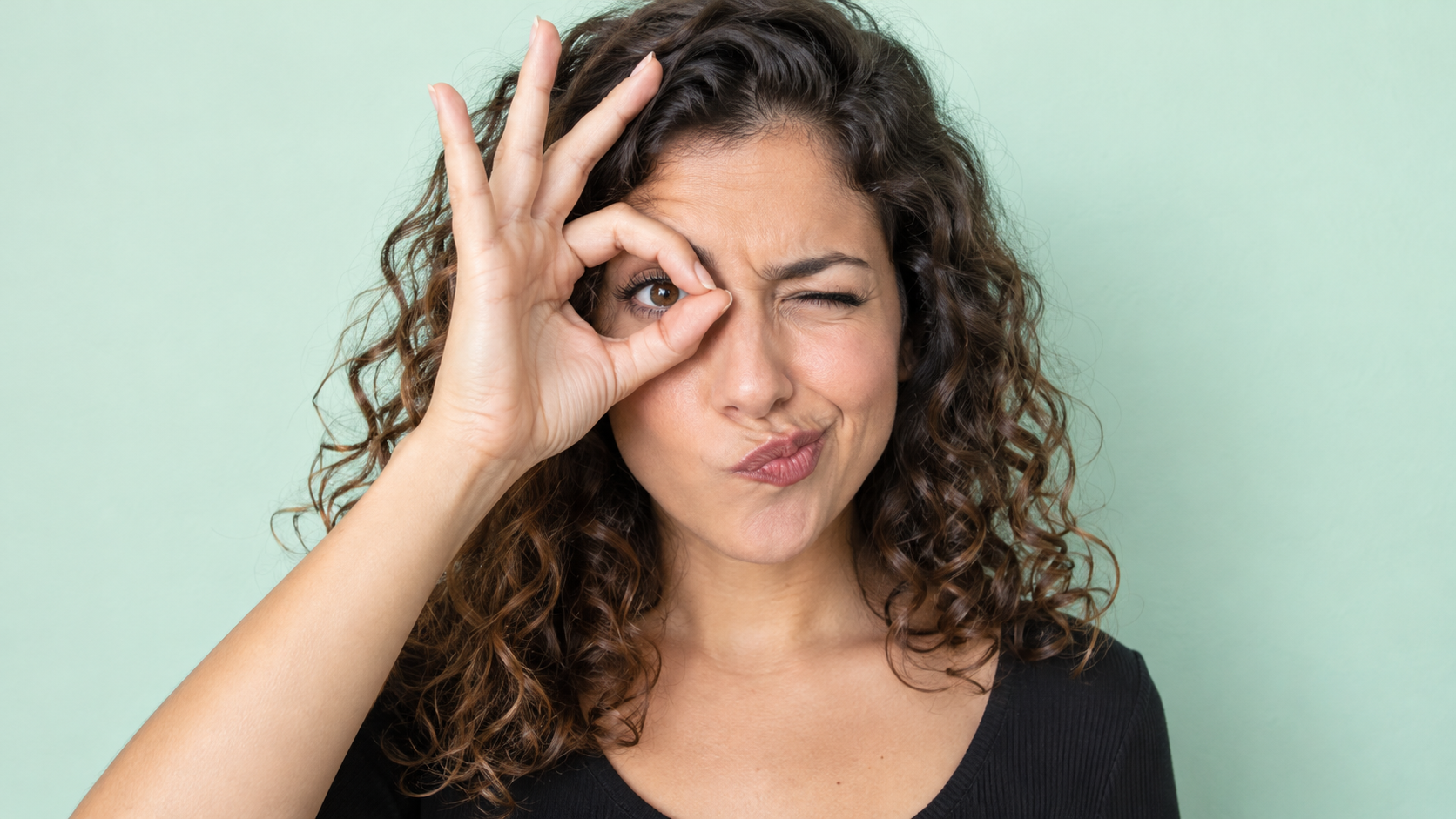
Edit the uploaded photo of one person into a playful portrait. Preserve the person's facial identity
재미있는 AI 프롬프트
Edit the uploaded photo of one person into a playful portrait. Preserve the person's facial identity

Edit the uploaded photo of one person into a playful portrait. Preserve the person's facial identity, hair, skin tone, clothing, and overall camera angle. Have them form a small circle with thumb and index finger around one open eye like a pretend monocle, squint the other eye, arch one eyebrow, and purse the lips to one side. Show the whole hand with plausible finger joints; do not obscure the open eye. Keep a clean softly colored background and bright even light. One photorealistic person only, 16:9 frame, no added accessories, text, or watermark.

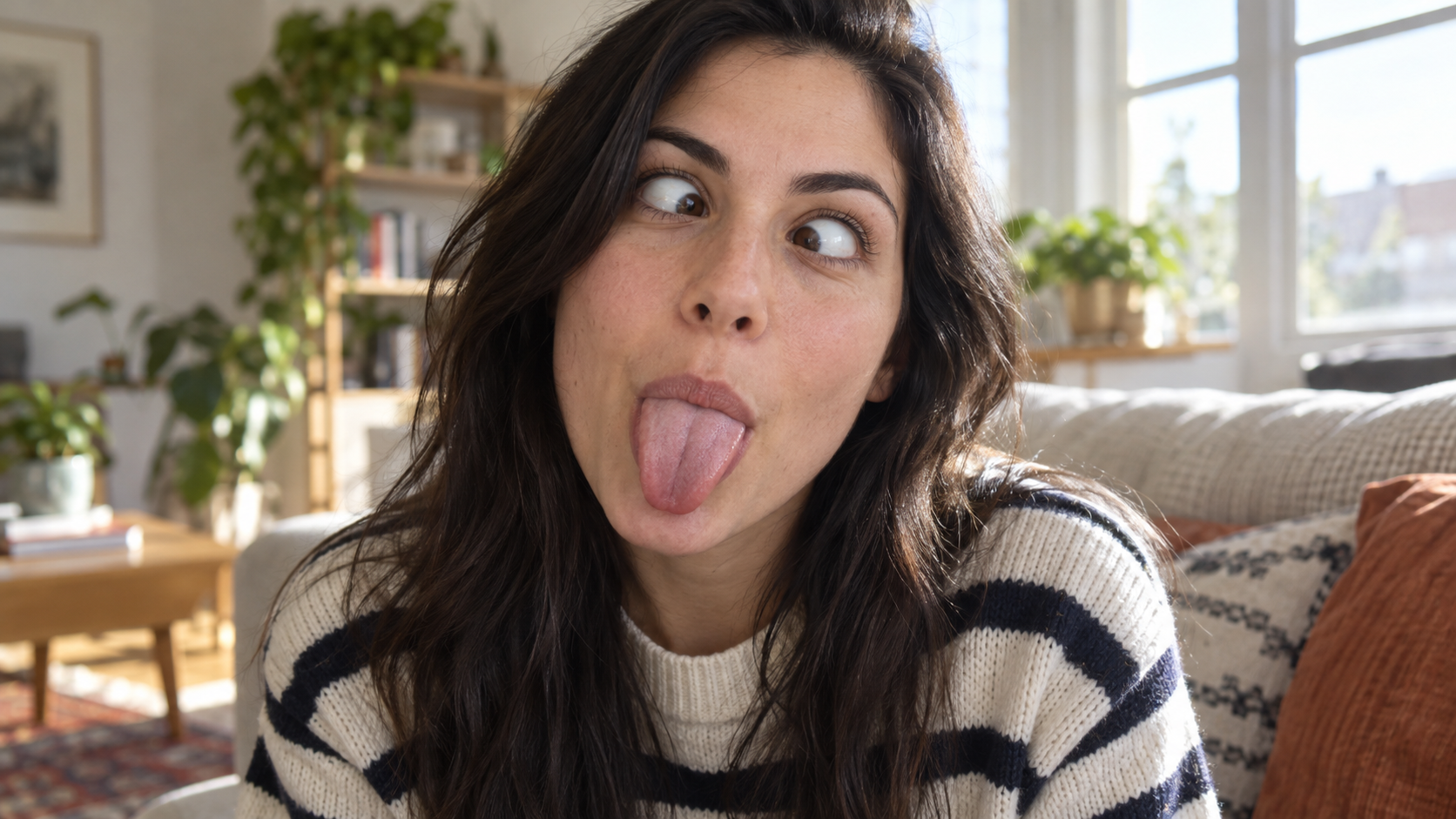
Edit the uploaded portrait of one person. Preserve their facial identity, age, skin tone, hairstyle,
재미있는 AI 프롬프트
Edit the uploaded portrait of one person. Preserve their facial identity, age, skin tone, hairstyle,

Edit the uploaded portrait of one person. Preserve their facial identity, age, skin tone, hairstyle, clothing, and the character of the original room. Turn the expression into a deliberately silly close-up: both eyes cross toward the center, eyebrows lift slightly, and the tongue sticks straight out. Keep the face large in frame with no hands covering it. Use natural window light, realistic facial muscles, skin texture, teeth and tongue, and a candid selfie feel. One photorealistic person only, complete 16:9 image, no duplicate face, text, or watermark.

Edit the uploaded solo portrait while preserving the person's facial identity, hair, clothing, skin
재미있는 AI 프롬프트
Edit the uploaded solo portrait while preserving the person's facial identity, hair, clothing, skin

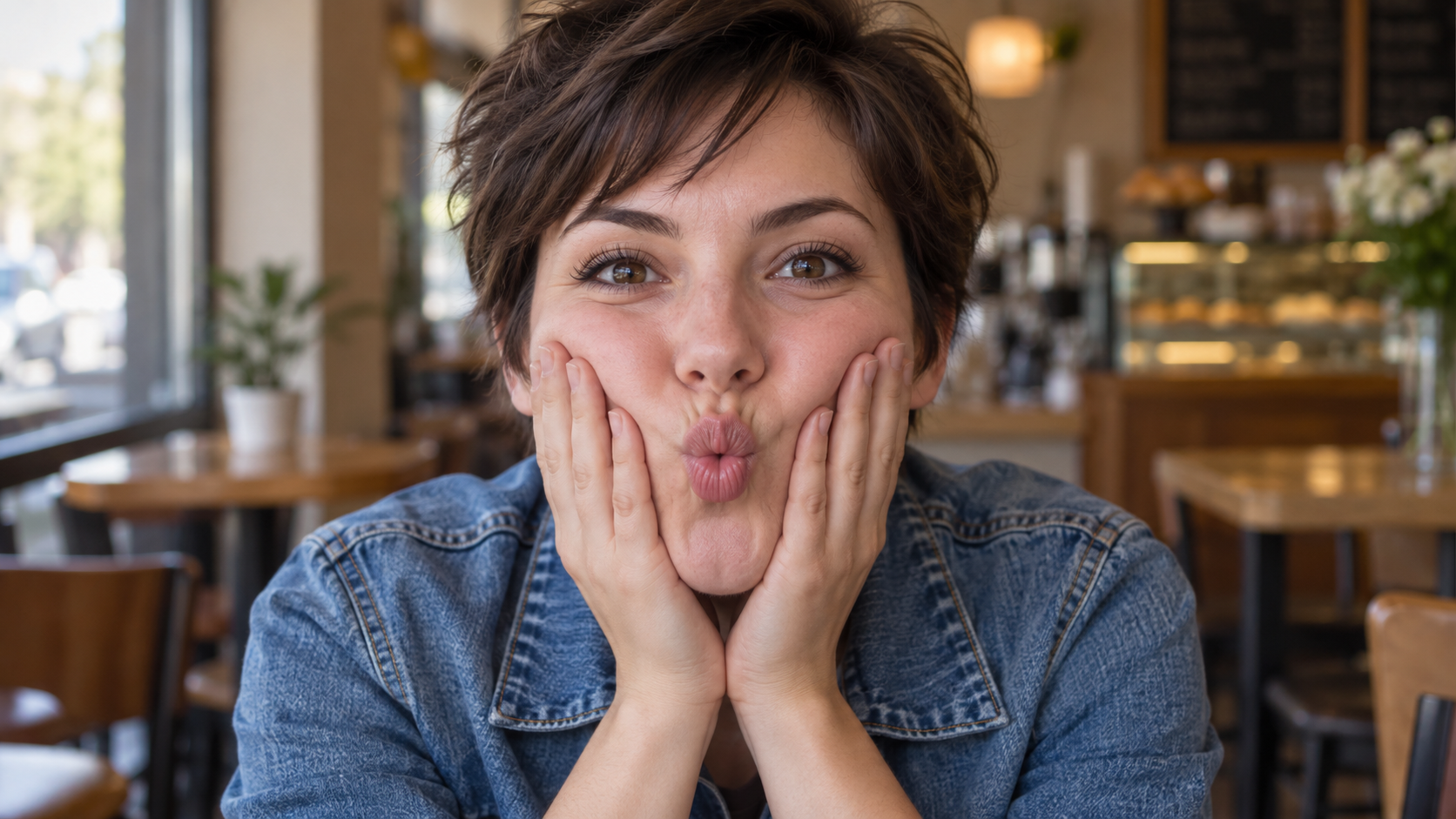
Edit the uploaded solo portrait while preserving the person's facial identity, hair, clothing, skin tone, and recognizable setting. Bring both of their own hands to the cheeks and gently press inward so the lips form a small puckered fish face. Keep both eyes directed toward the camera and the entire face visible. Make the fingers, wrists, and cheek pressure anatomically believable. Use a close portrait crop, soft natural light, and shallow background blur similar to a casual café snapshot. One photorealistic person only, complete 16:9 image, no extra hands, text, or watermark.

최신 비디오 프롬프트

[Style]: Ultimate Girlfriend POV, Handheld Selfie VLOG, Vertical Aspect Ratio (9:16), Film Grain Fil
Seedance 2 Prompts
[Style]: Ultimate Girlfriend POV, Handheld Selfie VLOG, Vertical Aspect Ratio (9:16), Film Grain Fil

[Style]: Ultimate Girlfriend POV, Handheld Selfie VLOG, Vertical Aspect Ratio (9:16), Film Grain Filter, Natural Light (Golden Hour), camera includes natural shake and adjustments. [Duration]: 15 seconds [Protagonist]: Taiwanese girl, long slightly curled hair, wearing a gentle knit cardigan, clean/sheer makeup, speaking tone is soft, slightly spoiled/coquettish with a complaining accent (Taiwanese accent). [Scene]: Taipei Tamsui riverbank, background is the golden sunset, shimmering river surface, and the Lover's Bridge in the distance. Shot 1: The Rushed Intro. Visual: The camera shakes significantly because she is walking fast. She looks back at the camera (looking at you) while walking, brows slightly furrowed, pretending to be angry. Action: One hand holds the phone, while the other hand holds down her hair which is being blown by the wind. [Line/Mouth] (Soft complaining voice): "Hey, walk faster! The sun is about to set! It's all your fault for dragging your feet. If I can't get good photos later, I'm going to get mad!" Shot 2: Sharing the View. Visual: She stops walking, moves the camera away from her face, and turns it towards the stunning golden sunset across the river (Golden Hour). Action: The camera displays the scenery for 2 seconds, then immediately turns back to focus on her face. Her face is illuminated golden by the sunset, showing a super happy smile, eyes narrowed into slits from smiling. [Line/Mouth] (Exclamation voice): "Wow~ Look quick! Isn't it super beautiful! This lighting is absolutely amazing, everything looks good no matter how you shoot!" Shot 3: The Interaction. Visual: Suddenly, she is holding a super tall soft-serve ice cream unique to Tamsui. Action: She first holds the ice cream up to the camera (as if feeding you), then quickly takes a lick herself. A bit of ice cream accidentally gets on the tip of her nose. She giggles foolishly at the camera. [Line/Mouth] (Playful voice): "Here, you get the first bite. Hurry up, it's melting! Heehee, I'll give you a passing grade for today's date!"

Style: Hollywood Professional Racing Movie (Le Mans Style), Cinematic Night, Rain, High Stakes Sport
Seedance 2 Prompts
Style: Hollywood Professional Racing Movie (Le Mans Style), Cinematic Night, Rain, High Stakes Sport

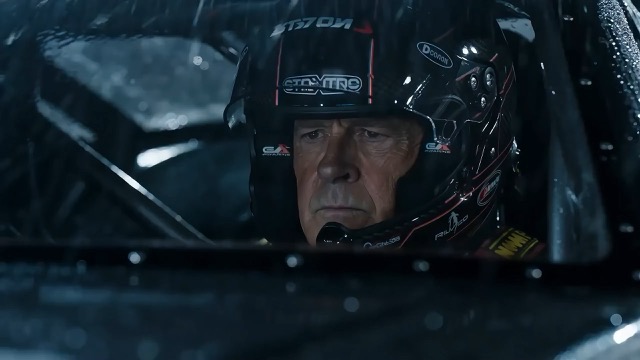
Style: Hollywood Professional Racing Movie (Le Mans Style), Cinematic Night, Rain, High Stakes Sport. Duration: 15s. [00-05s] Shot 1: The Veteran (Interior/Close-up). Rain lashes the windshield of a high-tech race car on a track. The Veteran driver (in helmet) looks over, calm and focused. Dashboard lights reflect on his visor. Dialogue Cue: He gives a subtle nod and mouths "Let's go." [05-10s] Shot 2: The Challenger (Interior/Close-up). Cut to the rival car next to him. The younger driver grips the wheel tight, breathing heavily. Eyes wide with adrenaline. Dialogue Cue: He whispers "Focus" to himself. [10-15s] Shot 3: The Green Light (Wide Action). The starting lights turn Green. Both cars accelerate in perfect sync on the wet asphalt. Water sprays massively into the camera lens. Motion blur turns the stadium lights into long streaks of color.

[Style]: Eastern Wuxia pinnacle duel, Extreme Kinetic Energy, aesthetics of environmental destructio
Seedance 2 Prompts
[Style]: Eastern Wuxia pinnacle duel, Extreme Kinetic Energy, aesthetics of environmental destructio

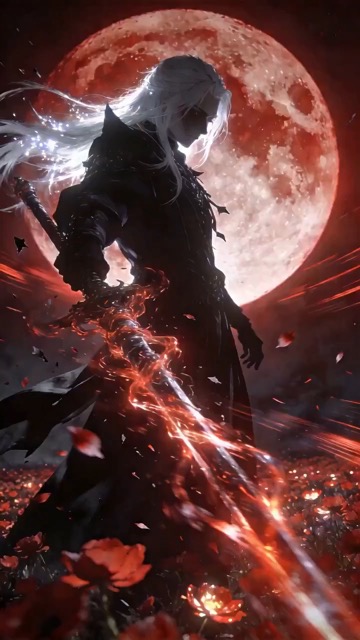
[Style]: Eastern Wuxia pinnacle duel, Extreme Kinetic Energy, aesthetics of environmental destruction, fast-paced editing, cinematic particle effects, epic score atmosphere. [Duration]: 15 seconds [Characters]: Grandmaster in white VS Grandmaster in black. Shot 1: High-speed Collision. Both the white and black figures transform into afterimages, colliding violently in the center of an ancient stone platform. At the moment of weapon contact, blinding sparks and a visible ring-shaped high-pressure Shockwave burst out. The surrounding flagstone ground instantly cracks, blasting up debris and rubble. Shot 2: Mid-air Combat & Destruction. Both soar into the air, weaving and clashing at high speed amidst falling boulders, moving too fast for moves to be seen clearly. Every block triggers a visual sense of air distortion. They crash through a massive stone pillar; the pillar collapses and shatters into powder, dust filling the air, showcasing extreme destructive power. Shot 3: Ultimate Climax. Both land and simultaneously release their ultimate moves, causing two massive energy orbs (one cyan, one red) to clash against each other. This triggers an earth-shattering explosion of dust and energy. Mushroom-cloud-like smoke rises to obscure everything, and the entire base of the stone platform begins to collapse and sink.

The man from reference image 1 as the protagonist, agile and athletic, running through a battlefield
Seedance 2 Prompts
The man from reference image 1 as the protagonist, agile and athletic, running through a battlefield

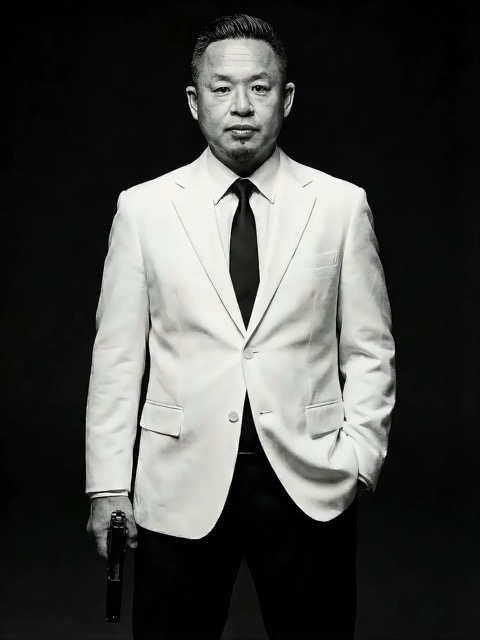
The man from reference image 1 as the protagonist, agile and athletic, running through a battlefield under a hail of bullets while engaging in intense tactical shooting. Visual Style: Cinematic quality with strong Orange and Teal color grading, high contrast, and visible film grain. Dynamic Details: Distinct muzzle flashes from the gun. Bullets striking surrounding objects create flying rubble and sparks. Smoke and shockwaves from explosions fill the background. Camera Movement: Handheld Camera style tracking shot, shaking violently alongside the character, with occasional snap zooms to create extreme tension and a chaotic sense of presence. Character Performance: The protagonist has determined eyes; his actions are filled with power and speed, perfectly replicating the vibe of a Hollywood action superstar.

[Style]: Eastern classical Xianxia aesthetics, aestheticism, cinematic quality, fluid cloth simulati
Seedance 2 Prompts
[Style]: Eastern classical Xianxia aesthetics, aestheticism, cinematic quality, fluid cloth simulati

[Style]: Eastern classical Xianxia aesthetics, aestheticism, cinematic quality, fluid cloth simulation, glowing particle effects, dreamy lighting. [Duration]: 15 seconds [Protagonist]: Exquisite fairy, wearing multi-layered plain white ethereal feather-clothing, extra-long floating ribbons. Shot 1: Epic Wide Shot. Location is an ancient platform on a floating immortal island above a sea of clouds. The fairy stands still, backed by immense rays of morning glow (Tyndall effect). The focus is on the countless long silk ribbons on her body dancing extremely smoothly in the wind, spreading across the screen like water ripples, showcasing the ultimate elegance of floating fabric. Shot 2: Slow-motion Medium Shot. The fairy begins the classical "Jinghong Dance" (Frightened Swan Dance). She rises into the air (anti-gravity Qinggong feel), spinning and throwing out wide water sleeves. The lens focuses on the form of the silk sleeves blooming in the air and her elegant body language. Shot 3: Close-up & Interaction. Camera zooms in to a facial close-up. She lightly parts her red lips to begin singing (natural singing mouth shape). Accompanying the song, countless glowing pink flower petals appear out of thin air, forming a dazzling particle storm vortex around her, her eyes filled with divine radiance.

They meet in the dead of night and engage in a fight. The fighting style is incredibly flashy, the a
Seedance 2 Prompts
They meet in the dead of night and engage in a fight. The fighting style is incredibly flashy, the a

They meet in the dead of night and engage in a fight. The fighting style is incredibly flashy, the atmosphere is tense, and the camera work is cinematic. It's like a promotional trailer for a AAA game, featuring CG and Unreal Engine 5.

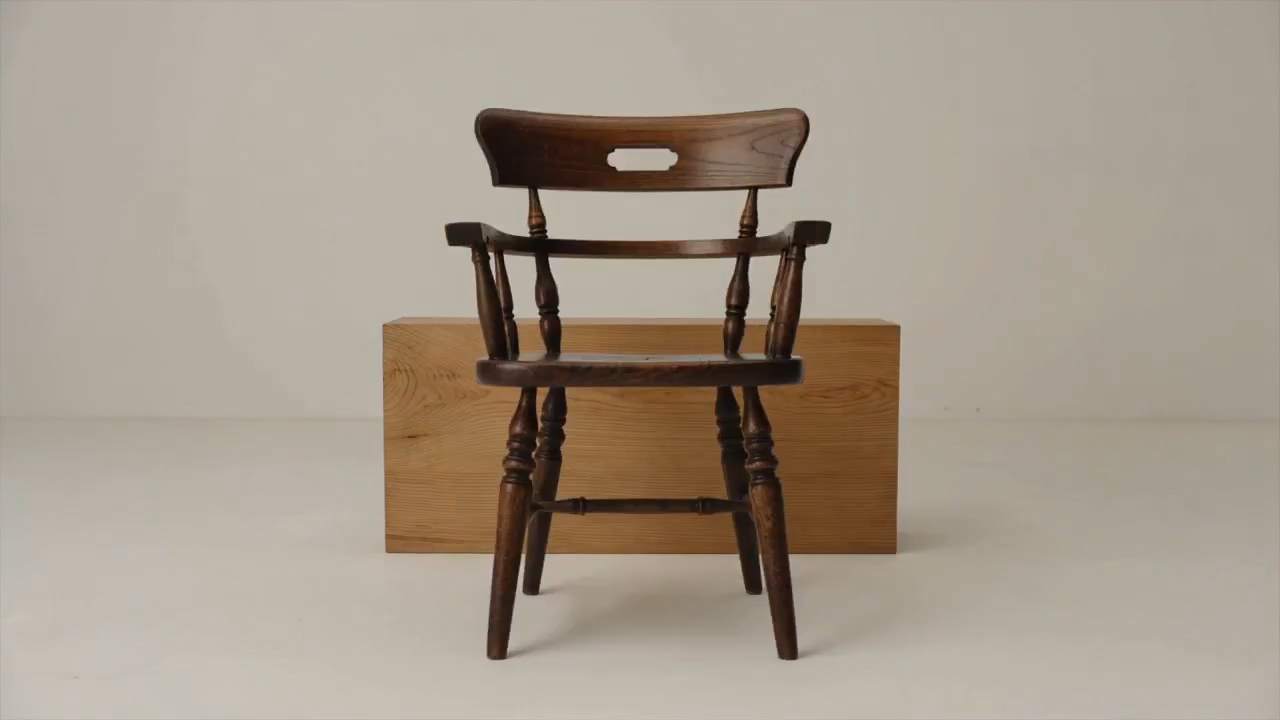
Please help me generate a promotional video about the MUJI brand.
Seedance 2 Prompts
Please help me generate a promotional video about the MUJI brand.

Please help me generate a promotional video about the MUJI brand.

[Film Style]: 90s Hong Kong Art Cinema style, retro film look, High ISO Grain, ambiguous Yellow-Gree
Seedance 2 Prompts
[Film Style]: 90s Hong Kong Art Cinema style, retro film look, High ISO Grain, ambiguous Yellow-Gree

[Film Style]: 90s Hong Kong Art Cinema style, retro film look, High ISO Grain, ambiguous Yellow-Green Tint, Step-printing effect, melancholic atmosphere. [Core Line (for mood control)]: "If memory were a can, I hope it would never expire." [Video Duration]: 10 seconds [Storyboard Script]: Shot 1: Through the Glass. Visual: A red public phone booth covered in rain. Character: A man (or woman) in a khaki trench coat, clutching the receiver, not speaking, just listening. Emotional Performance: Through the refraction of the glass, seeing his/her eyes hollow yet affectionate. Rain flows on the glass, distorting his face like an oil painting. Subtitle/Voiceover feel: The scene seems frozen, only the sound of rain. Shot 2: Extreme Close-up & Micro-expression. Visual: Focus on the character's lips and half of the face. Action: He/she whispers softly into the mouthpiece. Lips tremble slightly, as if wanting to say something but swallowing it back. Lighting: Neon bokeh from the roadside flows on his face, flickering. Line/Mood Mapping: Expressing an extreme restraint and loneliness of "wanting to touch but pulling the hand back". Shot 3: Signature Smeary Slow Motion. Visual: The character hangs up, turns, and walks into the rainy night crowd. Visual FX: Using step-printing effect (Stop-motion feel), the character's back becomes blurry with motion trails (Motion Blur), as if the soul remained behind while only the body walks away. Environment: Background is flowing city car lights, forming elongated light trails. [Technical Parameters]: Handheld Camera simulation, shallow depth of field, color shift, rich emotion.

영감을 출발점으로 바꾸는 AI 프롬프트 찾기

결과를 보고 지시문을 읽은 뒤 나만의 버전을 만드세요

시각적 예시와 함께 이미지용 AI 프롬프트를 찾고, 장면에 움직임이 필요할 때는 비디오 아이디어도 살펴보세요. SuperMaker는 미리보기, 문구, 호환 모델을 한곳에 모아 제공합니다. AI 프롬프트로 구도를 이해하고 피사체나 배경을 바꾼 뒤 해당 생성기에서 이어서 작업하세요. 각 예시는 프로젝트에 맞게 조정할 수 있는 방향을 제시합니다.

필요한 결과에 맞는 AI 프롬프트 선택하기

출발점을 고르기 전에 시각적 예시를 비교하세요. 매체와 모델별로 AI 프롬프트를 살펴본 뒤 결과를 만드는 세부 사항에 집중하세요.

명확한 시각 방향을 위한 AI 이미지 프롬프트

명확한 시각 방향을 위한 AI 이미지 프롬프트

인물, 제품, 일러스트레이션, 일상 장면을 위한 AI 이미지 프롬프트를 살펴보세요. 원하는 구도, 조명, 스타일이 담긴 미리보기를 찾으세요. 문구가 피사체와 주변을 어떻게 설명하는지 읽고 그 세부 정보를 나만의 것으로 바꾸세요. 집중된 설명은 선택한 모델에 더 명확한 작업 지시를 제공합니다.

비디오 움직임과 카메라 연출을 위한 AI 프롬프트

비디오 움직임과 카메라 연출을 위한 AI 프롬프트

비디오에서는 AI 프롬프트가 장면 중 무엇이 바뀌는지 설명해야 합니다. 주요 동작, 카메라 움직임, 속도, 끝 장면을 지정하세요. 선택한 길이 안에서 시퀀스가 단순하게 유지되도록 미리보기와 지시문을 비교하세요. 더 복잡한 움직임을 추가하기 전에 하나의 일관된 장면부터 시작하세요.

AI 프롬프트를 복사해 나만의 것으로 만들기

AI 프롬프트를 복사해 나만의 것으로 만들기

유용한 예시를 복사하거나 프롬프트 사용을 선택해 호환 생성기를 여세요. 피사체, 배경, 색상, 원하는 형식을 바꿔 AI 이미지 프롬프트를 조정하세요. 비디오에서는 동작과 타이밍을 수정하세요. 예시에 참조 자료가 사용되었는지 확인하고 선택한 워크플로에 필요하다면 자신의 파일을 추가하세요.

시각적 맥락이 AI 프롬프트 재사용을 쉽게 하는 이유

예시 결과와 의도된 모델을 볼 수 있으면 AI 프롬프트를 더 쉽게 판단할 수 있습니다. 이 맥락을 활용해 다음 작업 지시에 어떤 세부 사항을 넣을지 결정하세요.

AI 프롬프트를 알맞은 모델에 맞추기

AI 프롬프트를 알맞은 모델에 맞추기

예시에 연결된 모델은 어디서 시작할지 선택하는 데 도움이 됩니다. 편집용 AI 프롬프트는 보존할 세부 사항을 설명할 수 있고 비디오 지시문은 시작 이미지에 의존할 수 있습니다. 생성 전에 사용 가능한 제어 항목과 필수 입력을 검토하세요. 미리보기는 하나의 결과를 보여 줄 뿐이며 설정과 참조 자료에 따라 출력은 달라질 수 있습니다.

SuperMaker에서 AI 프롬프트를 사용하는 방법

네 단계로 탐색에서 집중된 크리에이티브 브리프로 이동하세요. AI 프롬프트는 시작 구조를 제공하고 피사체, 참조, 설정은 방향을 정합니다.

1

이미지 또는 비디오 목표 선택하기

정지 장면, 인물, 제품 촬영, 일러스트레이션에는 AI 이미지 프롬프트를 사용하세요. 결과물에 움직임이 포함될 때는 비디오 예시를 선택하세요. 먼저 구도를 정해야 한다면 이미지용 AI 프롬프트부터 사용하고 동작은 별도로 계획하세요. 모델을 고르기 전에 형식과 핵심 세부 사항을 정하세요.

2

미리보기와 AI 프롬프트 비교하기

인기 및 최신 섹션을 살펴보거나 모델 링크를 따라가세요. 피사체, 구도, 빛, 움직임을 살피며 AI 프롬프트와 미리보기를 비교하세요. 단어만으로 모든 보이는 세부 사항이 설명된다고 가정하지 말고 필수 참조 자료를 확인하세요.

3

프로젝트에 맞게 세부 사항 다시 쓰기

AI 프롬프트를 복사하고 피사체, 배경, 동작을 바꾸세요. 목표와 충돌하는 지시문은 제거하세요. AI 이미지 프롬프트를 조정할 때는 제품 형태를 보존하거나 헤드라인 공간을 남기는 것처럼 중요한 제약을 유지하세요. 한 번에 의미 있는 변경 하나만 적용해야 효과를 평가할 수 있습니다.

4

생성, 검토, 개선하기

호환 생성기를 열고 제어 항목을 확인한 뒤 필요한 파일을 제공하세요. 결과를 브리프와 비교해 검토하세요. 구도, 조명, 주의가 필요한 움직임을 조정해 AI 프롬프트를 다듬으세요. 나중 프로젝트에 맞게 조정할 수 있도록 유용한 문구는 메모에 보관하세요.

일상적인 창작 프로젝트를 위한 AI 프롬프트

필요한 결과물에 맞는 예시를 고른 뒤 의도된 용도에 맞게 장면과 제약 조건을 조정하세요.

제품 사진과 캠페인 비주얼

AI 이미지 프롬프트로 깔끔한 제품 뷰나 라이프스타일 장면을 계획하세요. 각도, 표면, 빛, 배경을 지정하세요. 제품 참조가 있다면 유지해야 할 라벨, 색상, 형태를 밝히고 생성 결과에서 그 세부 사항을 확인하세요.

인물, 패션, 일러스트레이션

표정, 포즈, 의상, 배경, 시각 스타일을 중심으로 AI 이미지 프롬프트를 조정하세요. 관련 없는 느낌을 섞기보다 방향을 일관되게 유지하세요. 캐릭터 참조를 사용할 때는 보존할 특징과 원하는 변화를 구분하세요.

소셜 게시물과 마케팅 콘셉트

AI 프롬프트로 썸네일, 출시 그래픽, 캠페인 방향을 탐색하세요. 대상 고객, 피사체, 레이아웃, 메시지에 필요한 공간을 설명하세요. 목적지에 맞는 형식을 고른 뒤 결과를 사용하기 전에 가독성과 중요한 브랜드 세부 사항을 검토하세요.

짧은 비디오와 움직이는 장면

피사체에 다가가는 카메라, 회전하는 제품, 장면을 통과하는 캐릭터처럼 하나의 명확한 동작을 중심으로 AI 프롬프트를 작성하세요. 시작, 주요 움직임, 끝을 설명하세요. 더 긴 시퀀스는 서로 어울리는 시각적 방향을 가진 별도 샷으로 계획하세요.

AI 프롬프트: 질문과 실용적인 답변

예시를 고르고 지시문을 조정하며 알맞은 생성기에서 이어서 작업하는 방법을 알아보세요.

AI 프롬프트는 모델이 원하는 결과에 다가가도록 안내하는 작성된 지시문입니다. AI 이미지 프롬프트에는 피사체, 배경, 구도, 빛, 스타일을 설명하세요. 비디오에는 움직임과 타이밍을 더하세요. 목표에 중요한 세부 사항을 포함하고 서로 모순되는 요청은 제거하세요.

인기 및 최신 이미지 섹션을 살펴보거나 모델 페이지를 열어 더 많은 예시를 확인하세요. AI 이미지 프롬프트와 미리보기를 비교하고 전체 문구를 읽은 뒤 피사체나 시각 방향에 맞는 예시를 선택하세요.

피사체와 배경을 바꾼 뒤 구도, 조명, 색상, 스타일을 조정하세요. 목표와 관련된 지시문만 남기세요. 참조가 필요하다면 자신의 자료를 업로드하고 무엇을 일관되게 유지할지 설명하세요.

연결된 모델에 맞춰 AI 프롬프트를 출발점으로 조정하세요. 다른 모델은 지시문을 다르게 해석하거나 다른 참조 자료와 제어 항목을 요구할 수 있습니다. 개념은 재사용하되 선택한 생성기에 맞춰 문구와 입력을 조정하세요.

시작 장면, 피사체 동작, 카메라 경로, 속도, 원하는 마무리을 설명하세요. 선택한 길이 안에서 움직임이 가능하도록 유지하세요. 워크플로에서 필요로 할 때 참조 이미지를 추가하고 짧은 샷에 여러 경쟁 동작을 넣지 마세요.

게시된 AI 프롬프트를 탐색하고 텍스트를 복사할 수 있습니다. 이미지나 비디오 생성은 선택한 모델, 설정, 계정 권한, 크레딧 요구 사항을 따르는 별도 작업입니다. 제출 전 생성기를 확인하세요. 예시를 복사한다고 무료 생성이 포함되는 것은 아닙니다.

AI 프롬프트를 다음 크리에이티브 브리프로 바꾸세요

AI 이미지 프롬프트나 비디오 예시를 고르고 미리보기를 비교한 뒤 문구를 나만의 것으로 만드세요. 피사체, 참조, 설정이 준비되면 일치하는 SuperMaker 생성기를 여세요.

AI 프롬프트 탐색
Video cover