logo
0

Prompts de IA

Prompts de IA para imagens e vídeos, prontos para usar

Explore prompts de IA com prévias de imagens e vídeos. Encontre uma direção visual, copie o texto ou abra o gerador SuperMaker correspondente para deixá-lo com a sua cara.

Explorar por modelo

Prompts mais recentes de imagens com IA

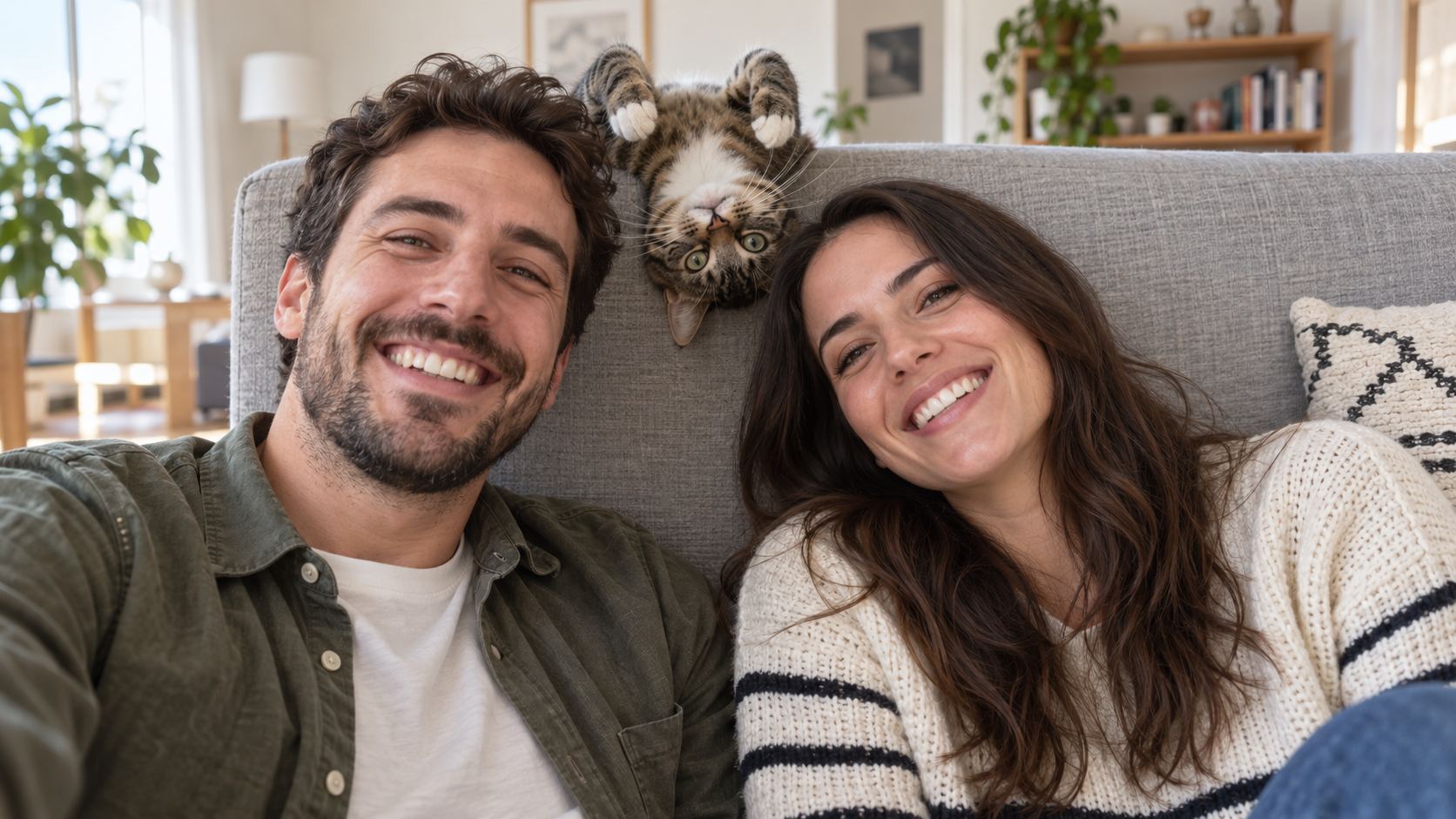
Edit the uploaded photo into a bright living-room selfie. Preserve both friends' facial identities,
Prompts Engraçados Com IA
Edit the uploaded photo into a bright living-room selfie. Preserve both friends' facial identities,

Edit the uploaded photo into a bright living-room selfie. Preserve both friends' facial identities, hair, clothes, and smiles, plus the cat's exact coat markings. Seat the friends on either side of the frame. Add the cat safely leaning over the high sofa back between them, its head upside down and front paws visible above the cushion, as if it interrupted a normal portrait. Keep all three faces sharp and readable. Use natural window light, plausible body positions, and realistic fur and skin. The cat's photobomb should feel spontaneous. One complete 16:9 photograph, no text or watermark.
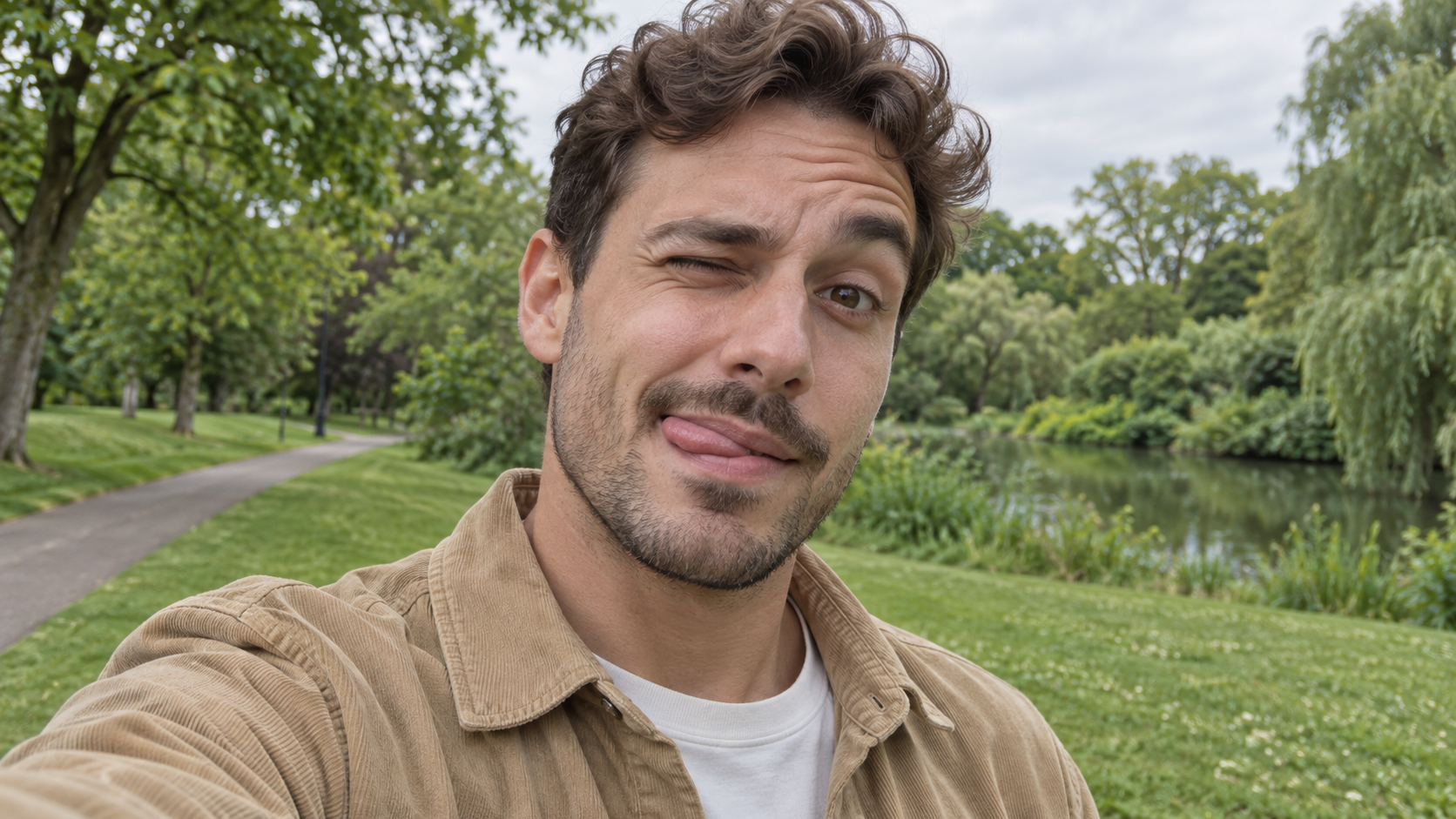
Edit the uploaded photo of one person into a playful outdoor selfie. Preserve their facial identity,
Prompts Engraçados Com IA
Edit the uploaded photo of one person into a playful outdoor selfie. Preserve their facial identity,

Edit the uploaded photo of one person into a playful outdoor selfie. Preserve their facial identity, hairstyle, age, clothing, and the original outdoor background. Have them tilt the head slightly, wink one eye, raise the eyebrow over the open eye, and touch the tongue to one corner of the mouth in a cheeky sideways expression. Keep the tongue subtle, as in a spontaneous candid photo. Use soft overcast daylight, natural skin texture, correct eye shape, and a believable phone-camera perspective. Exactly one person, photorealistic 16:9 composition, no text or watermark.

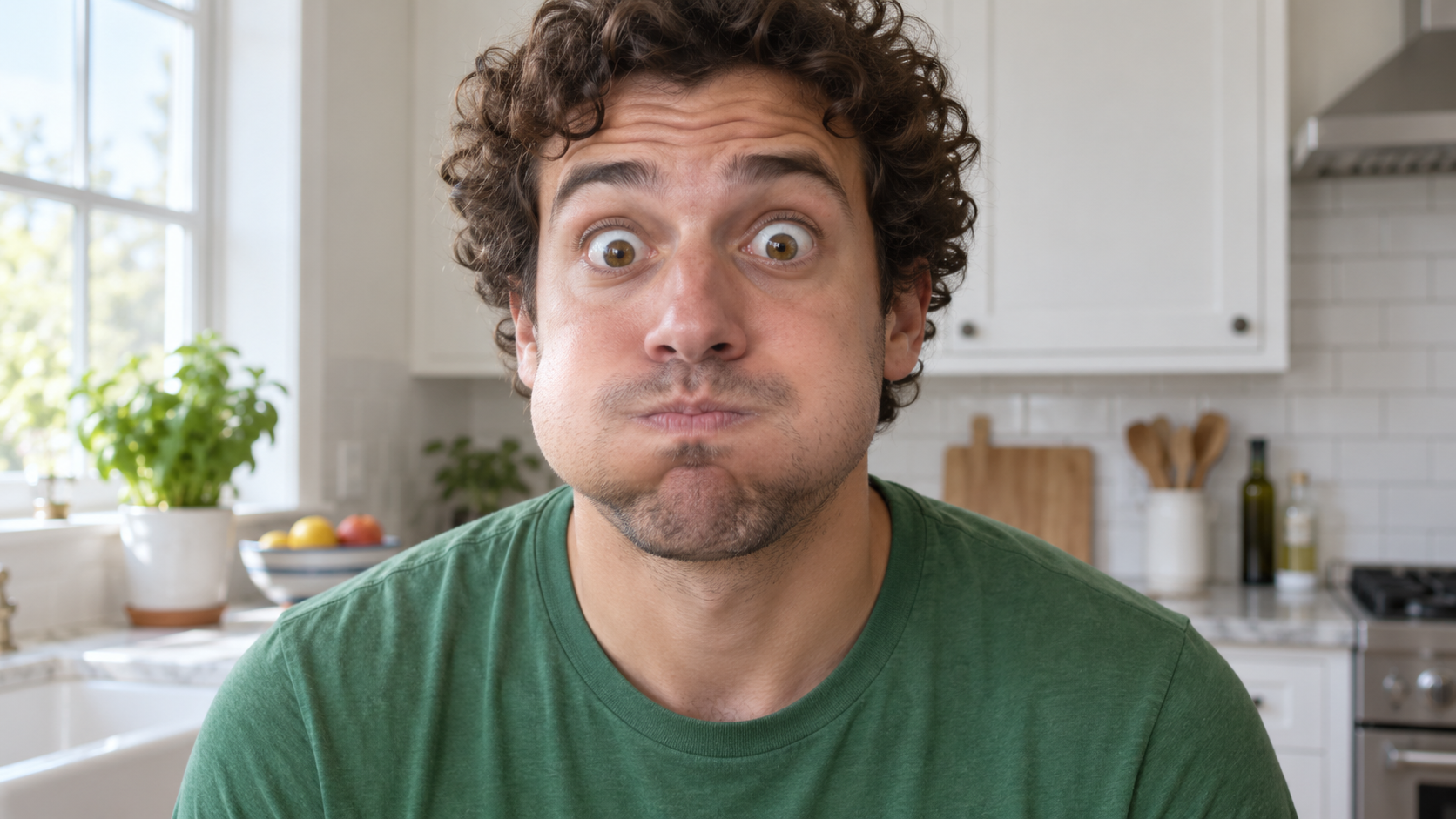
Edit the uploaded photo of one person into a close, funny kitchen portrait. Preserve the person's ex
Prompts Engraçados Com IA
Edit the uploaded photo of one person into a close, funny kitchen portrait. Preserve the person's ex

Edit the uploaded photo of one person into a close, funny kitchen portrait. Preserve the person's exact face, hair as shown in the source, skin tone, clothes, and background features. Make them puff both cheeks as if holding air, seal the lips tightly, open both eyes very wide, and raise both eyebrows. Keep the expression playful and deadpan rather than frightened. Match the original daylight and camera angle, with believable cheek volume and realistic skin texture. One person only, photorealistic 16:9 frame, no props over the face, extra people, text, or watermark.

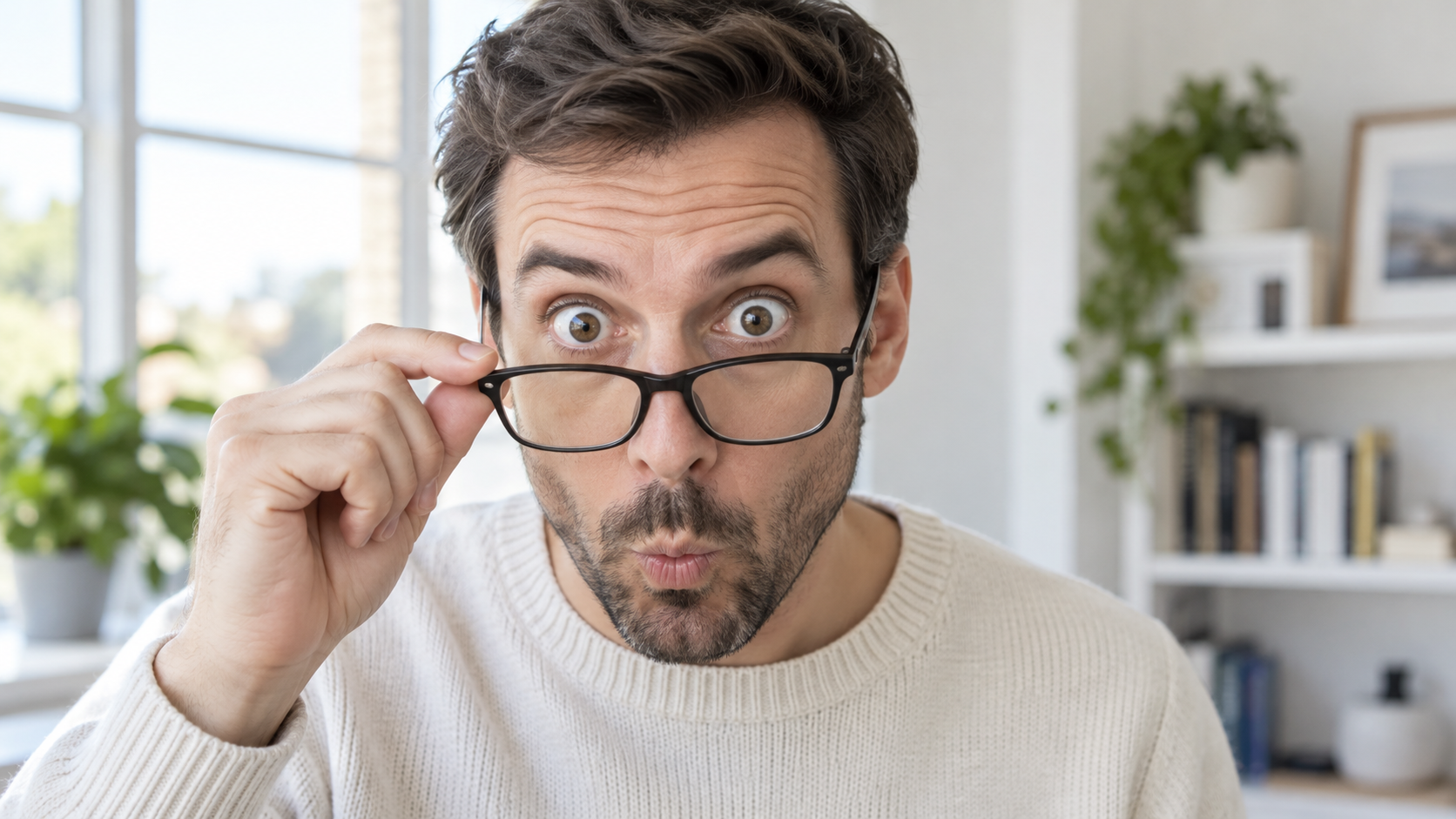
Edit the uploaded portrait of one glasses-wearing person. Preserve their facial identity, hairstyle,
Prompts Engraçados Com IA
Edit the uploaded portrait of one glasses-wearing person. Preserve their facial identity, hairstyle,

Edit the uploaded portrait of one glasses-wearing person. Preserve their facial identity, hairstyle, facial hair if present, glasses frame, sweater or shirt, and room background. Have them use one hand to pull the glasses a little way down the nose, then stare over the top edge with both eyes comically wide, eyebrows raised, and lips puckered into a tiny O. Keep the glasses aligned with the face, the hand anatomically correct, and reflections consistent with the room's daylight. Exactly one photorealistic person, close 16:9 frame, no duplicate face, text, or watermark.

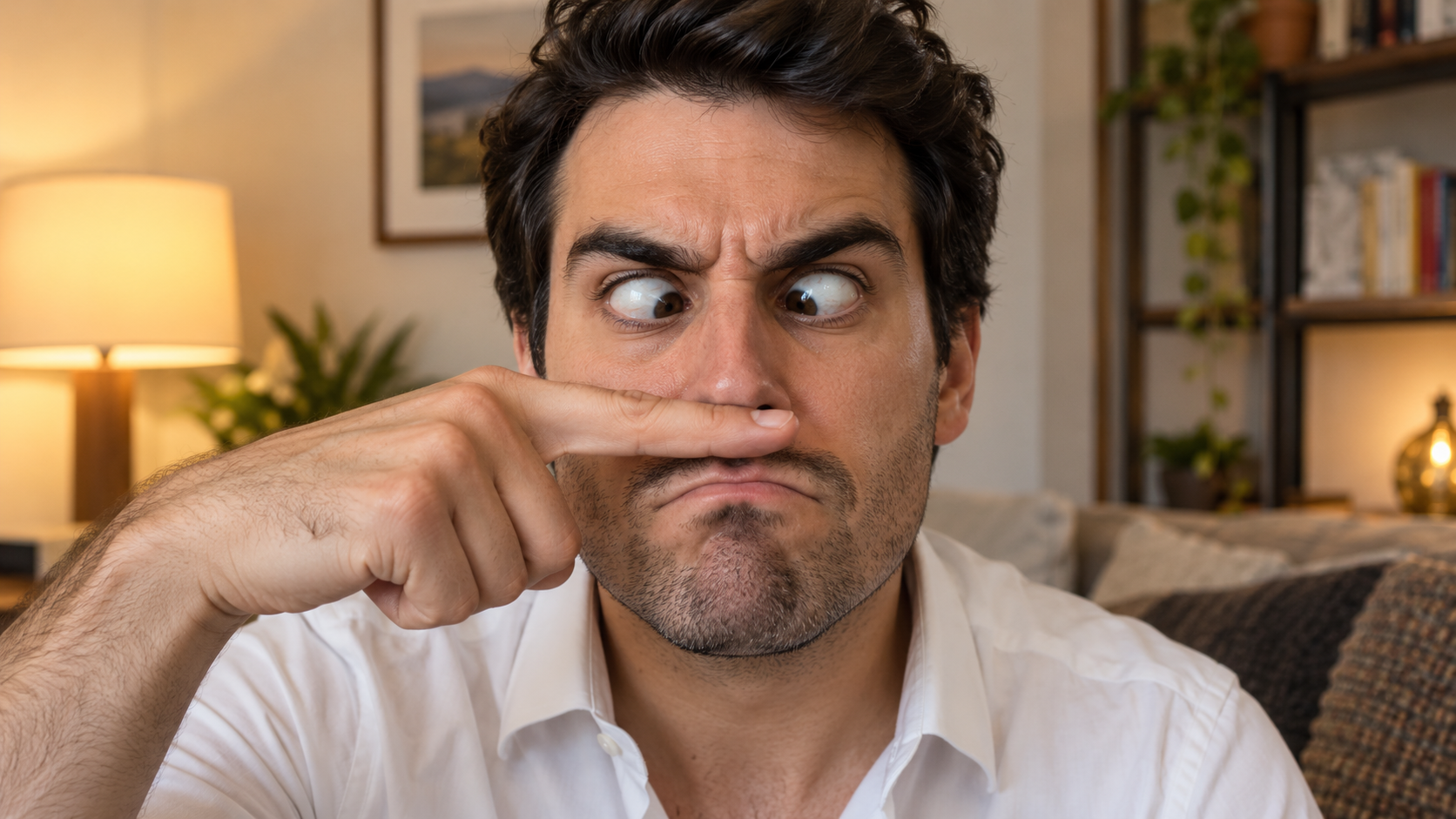
Edit the uploaded solo portrait, preserving the person's exact facial identity, hair, facial hair if
Prompts Engraçados Com IA
Edit the uploaded solo portrait, preserving the person's exact facial identity, hair, facial hair if

Edit the uploaded solo portrait, preserving the person's exact facial identity, hair, facial hair if any, clothing, and home setting. Place one of their own index fingers horizontally under the nose like a deliberately bad fake mustache. Make their eyes cross down toward the finger, eyebrows tense, and mouth form an exaggerated serious frown. Keep the finger above the upper lip, not inside the mouth, and make the hand anatomically correct. Match warm interior light and believable skin texture. One person only, photorealistic complete 16:9 image, no text or watermark.

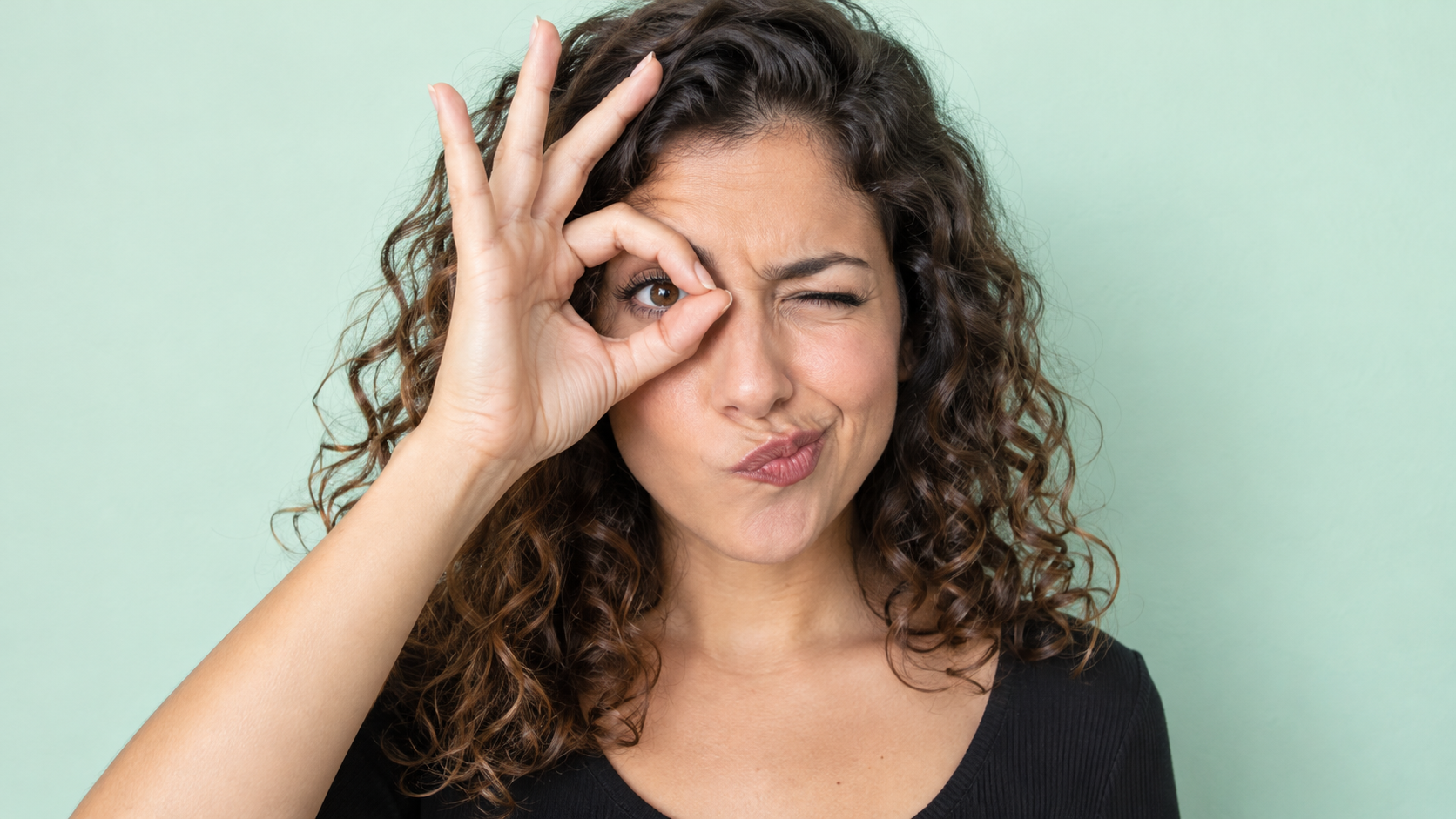
Edit the uploaded photo of one person into a playful portrait. Preserve the person's facial identity
Prompts Engraçados Com IA
Edit the uploaded photo of one person into a playful portrait. Preserve the person's facial identity

Edit the uploaded photo of one person into a playful portrait. Preserve the person's facial identity, hair, skin tone, clothing, and overall camera angle. Have them form a small circle with thumb and index finger around one open eye like a pretend monocle, squint the other eye, arch one eyebrow, and purse the lips to one side. Show the whole hand with plausible finger joints; do not obscure the open eye. Keep a clean softly colored background and bright even light. One photorealistic person only, 16:9 frame, no added accessories, text, or watermark.

Edit the uploaded portrait of one person. Preserve their facial identity, age, skin tone, hairstyle,
Prompts Engraçados Com IA
Edit the uploaded portrait of one person. Preserve their facial identity, age, skin tone, hairstyle,

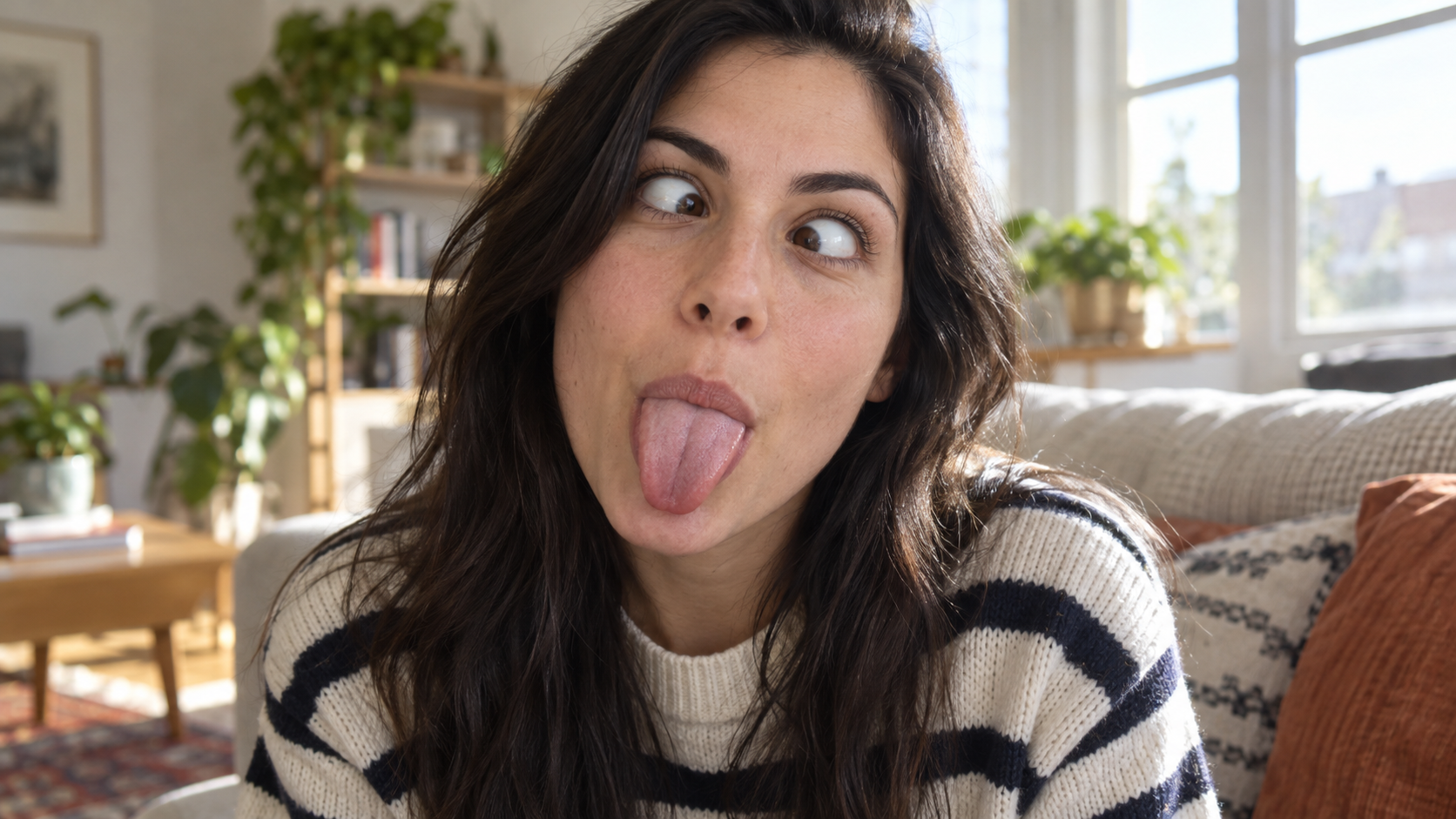
Edit the uploaded portrait of one person. Preserve their facial identity, age, skin tone, hairstyle, clothing, and the character of the original room. Turn the expression into a deliberately silly close-up: both eyes cross toward the center, eyebrows lift slightly, and the tongue sticks straight out. Keep the face large in frame with no hands covering it. Use natural window light, realistic facial muscles, skin texture, teeth and tongue, and a candid selfie feel. One photorealistic person only, complete 16:9 image, no duplicate face, text, or watermark.

Edit the uploaded solo portrait while preserving the person's facial identity, hair, clothing, skin
Prompts Engraçados Com IA
Edit the uploaded solo portrait while preserving the person's facial identity, hair, clothing, skin

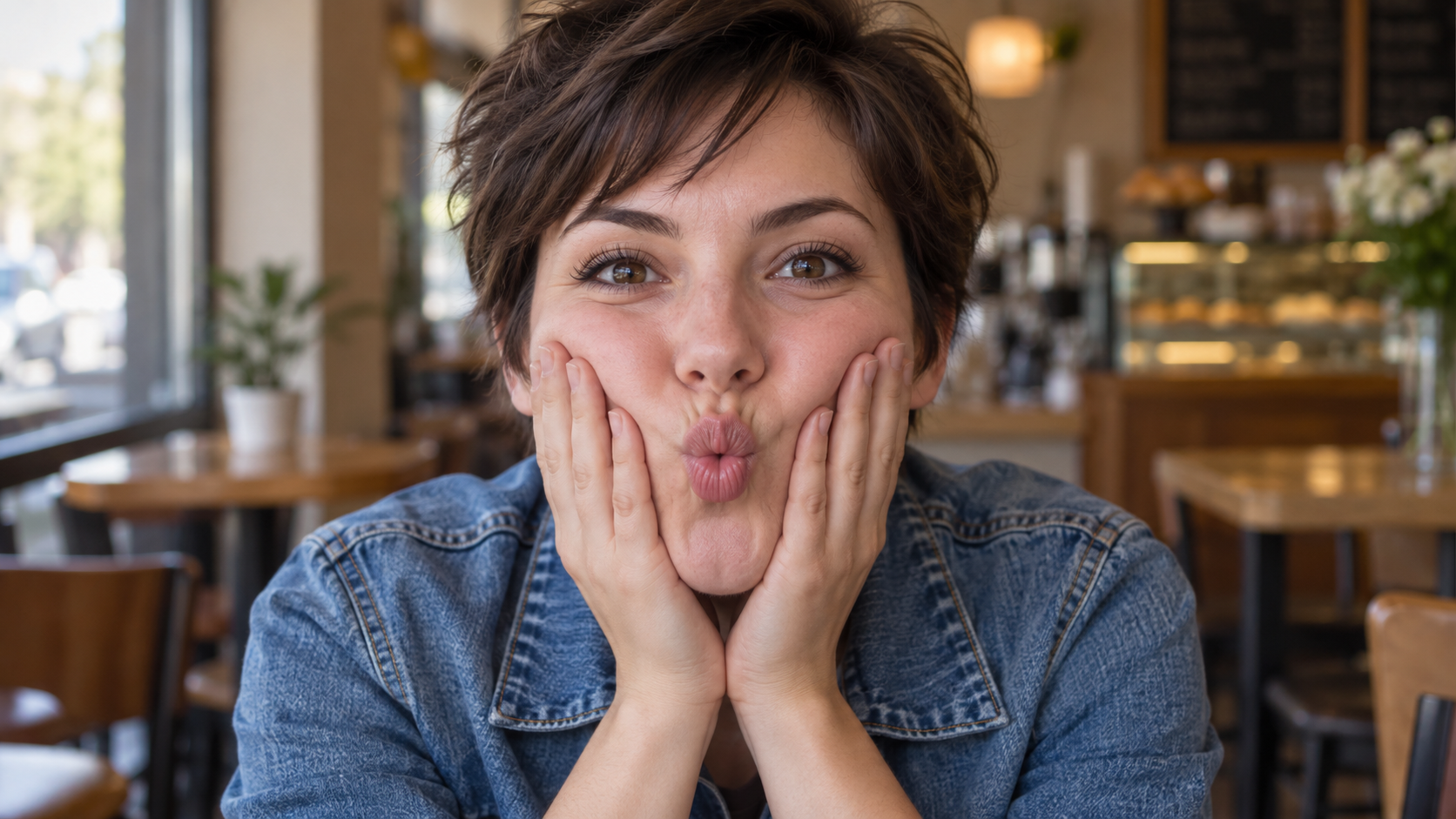
Edit the uploaded solo portrait while preserving the person's facial identity, hair, clothing, skin tone, and recognizable setting. Bring both of their own hands to the cheeks and gently press inward so the lips form a small puckered fish face. Keep both eyes directed toward the camera and the entire face visible. Make the fingers, wrists, and cheek pressure anatomically believable. Use a close portrait crop, soft natural light, and shallow background blur similar to a casual café snapshot. One photorealistic person only, complete 16:9 image, no extra hands, text, or watermark.

Prompts mais recentes de vídeo

[Style]: Ultimate Girlfriend POV, Handheld Selfie VLOG, Vertical Aspect Ratio (9:16), Film Grain Fil
Seedance 2 Prompts
[Style]: Ultimate Girlfriend POV, Handheld Selfie VLOG, Vertical Aspect Ratio (9:16), Film Grain Fil

[Style]: Ultimate Girlfriend POV, Handheld Selfie VLOG, Vertical Aspect Ratio (9:16), Film Grain Filter, Natural Light (Golden Hour), camera includes natural shake and adjustments. [Duration]: 15 seconds [Protagonist]: Taiwanese girl, long slightly curled hair, wearing a gentle knit cardigan, clean/sheer makeup, speaking tone is soft, slightly spoiled/coquettish with a complaining accent (Taiwanese accent). [Scene]: Taipei Tamsui riverbank, background is the golden sunset, shimmering river surface, and the Lover's Bridge in the distance. Shot 1: The Rushed Intro. Visual: The camera shakes significantly because she is walking fast. She looks back at the camera (looking at you) while walking, brows slightly furrowed, pretending to be angry. Action: One hand holds the phone, while the other hand holds down her hair which is being blown by the wind. [Line/Mouth] (Soft complaining voice): "Hey, walk faster! The sun is about to set! It's all your fault for dragging your feet. If I can't get good photos later, I'm going to get mad!" Shot 2: Sharing the View. Visual: She stops walking, moves the camera away from her face, and turns it towards the stunning golden sunset across the river (Golden Hour). Action: The camera displays the scenery for 2 seconds, then immediately turns back to focus on her face. Her face is illuminated golden by the sunset, showing a super happy smile, eyes narrowed into slits from smiling. [Line/Mouth] (Exclamation voice): "Wow~ Look quick! Isn't it super beautiful! This lighting is absolutely amazing, everything looks good no matter how you shoot!" Shot 3: The Interaction. Visual: Suddenly, she is holding a super tall soft-serve ice cream unique to Tamsui. Action: She first holds the ice cream up to the camera (as if feeding you), then quickly takes a lick herself. A bit of ice cream accidentally gets on the tip of her nose. She giggles foolishly at the camera. [Line/Mouth] (Playful voice): "Here, you get the first bite. Hurry up, it's melting! Heehee, I'll give you a passing grade for today's date!"

Style: Hollywood Professional Racing Movie (Le Mans Style), Cinematic Night, Rain, High Stakes Sport
Seedance 2 Prompts
Style: Hollywood Professional Racing Movie (Le Mans Style), Cinematic Night, Rain, High Stakes Sport

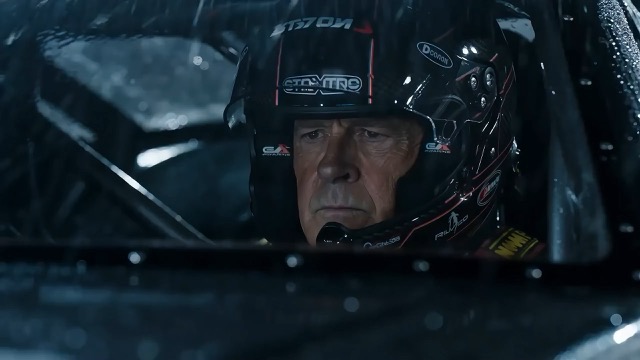
Style: Hollywood Professional Racing Movie (Le Mans Style), Cinematic Night, Rain, High Stakes Sport. Duration: 15s. [00-05s] Shot 1: The Veteran (Interior/Close-up). Rain lashes the windshield of a high-tech race car on a track. The Veteran driver (in helmet) looks over, calm and focused. Dashboard lights reflect on his visor. Dialogue Cue: He gives a subtle nod and mouths "Let's go." [05-10s] Shot 2: The Challenger (Interior/Close-up). Cut to the rival car next to him. The younger driver grips the wheel tight, breathing heavily. Eyes wide with adrenaline. Dialogue Cue: He whispers "Focus" to himself. [10-15s] Shot 3: The Green Light (Wide Action). The starting lights turn Green. Both cars accelerate in perfect sync on the wet asphalt. Water sprays massively into the camera lens. Motion blur turns the stadium lights into long streaks of color.

[Style]: Eastern Wuxia pinnacle duel, Extreme Kinetic Energy, aesthetics of environmental destructio
Seedance 2 Prompts
[Style]: Eastern Wuxia pinnacle duel, Extreme Kinetic Energy, aesthetics of environmental destructio

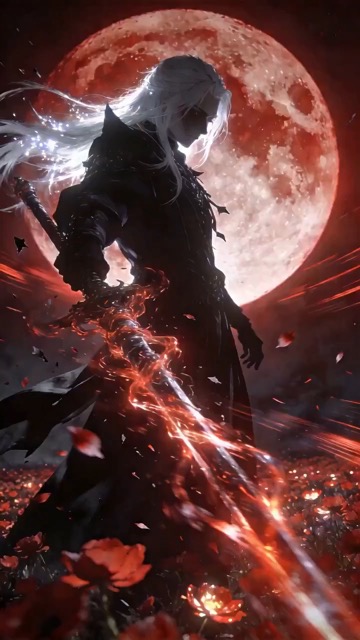
[Style]: Eastern Wuxia pinnacle duel, Extreme Kinetic Energy, aesthetics of environmental destruction, fast-paced editing, cinematic particle effects, epic score atmosphere. [Duration]: 15 seconds [Characters]: Grandmaster in white VS Grandmaster in black. Shot 1: High-speed Collision. Both the white and black figures transform into afterimages, colliding violently in the center of an ancient stone platform. At the moment of weapon contact, blinding sparks and a visible ring-shaped high-pressure Shockwave burst out. The surrounding flagstone ground instantly cracks, blasting up debris and rubble. Shot 2: Mid-air Combat & Destruction. Both soar into the air, weaving and clashing at high speed amidst falling boulders, moving too fast for moves to be seen clearly. Every block triggers a visual sense of air distortion. They crash through a massive stone pillar; the pillar collapses and shatters into powder, dust filling the air, showcasing extreme destructive power. Shot 3: Ultimate Climax. Both land and simultaneously release their ultimate moves, causing two massive energy orbs (one cyan, one red) to clash against each other. This triggers an earth-shattering explosion of dust and energy. Mushroom-cloud-like smoke rises to obscure everything, and the entire base of the stone platform begins to collapse and sink.

The man from reference image 1 as the protagonist, agile and athletic, running through a battlefield
Seedance 2 Prompts
The man from reference image 1 as the protagonist, agile and athletic, running through a battlefield

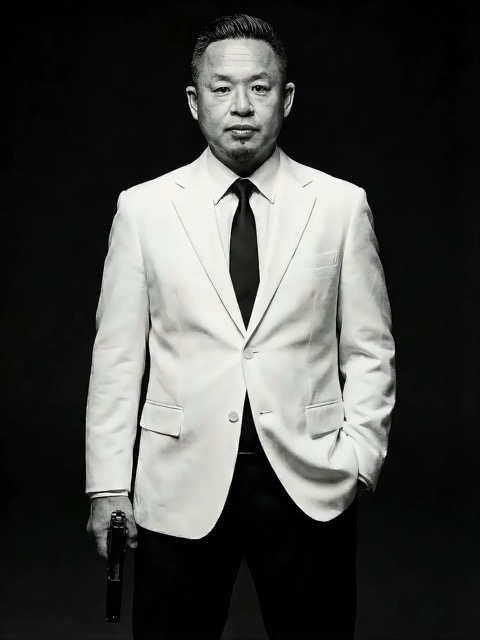
The man from reference image 1 as the protagonist, agile and athletic, running through a battlefield under a hail of bullets while engaging in intense tactical shooting. Visual Style: Cinematic quality with strong Orange and Teal color grading, high contrast, and visible film grain. Dynamic Details: Distinct muzzle flashes from the gun. Bullets striking surrounding objects create flying rubble and sparks. Smoke and shockwaves from explosions fill the background. Camera Movement: Handheld Camera style tracking shot, shaking violently alongside the character, with occasional snap zooms to create extreme tension and a chaotic sense of presence. Character Performance: The protagonist has determined eyes; his actions are filled with power and speed, perfectly replicating the vibe of a Hollywood action superstar.

[Style]: Eastern classical Xianxia aesthetics, aestheticism, cinematic quality, fluid cloth simulati
Seedance 2 Prompts
[Style]: Eastern classical Xianxia aesthetics, aestheticism, cinematic quality, fluid cloth simulati

[Style]: Eastern classical Xianxia aesthetics, aestheticism, cinematic quality, fluid cloth simulation, glowing particle effects, dreamy lighting. [Duration]: 15 seconds [Protagonist]: Exquisite fairy, wearing multi-layered plain white ethereal feather-clothing, extra-long floating ribbons. Shot 1: Epic Wide Shot. Location is an ancient platform on a floating immortal island above a sea of clouds. The fairy stands still, backed by immense rays of morning glow (Tyndall effect). The focus is on the countless long silk ribbons on her body dancing extremely smoothly in the wind, spreading across the screen like water ripples, showcasing the ultimate elegance of floating fabric. Shot 2: Slow-motion Medium Shot. The fairy begins the classical "Jinghong Dance" (Frightened Swan Dance). She rises into the air (anti-gravity Qinggong feel), spinning and throwing out wide water sleeves. The lens focuses on the form of the silk sleeves blooming in the air and her elegant body language. Shot 3: Close-up & Interaction. Camera zooms in to a facial close-up. She lightly parts her red lips to begin singing (natural singing mouth shape). Accompanying the song, countless glowing pink flower petals appear out of thin air, forming a dazzling particle storm vortex around her, her eyes filled with divine radiance.

They meet in the dead of night and engage in a fight. The fighting style is incredibly flashy, the a
Seedance 2 Prompts
They meet in the dead of night and engage in a fight. The fighting style is incredibly flashy, the a

They meet in the dead of night and engage in a fight. The fighting style is incredibly flashy, the atmosphere is tense, and the camera work is cinematic. It's like a promotional trailer for a AAA game, featuring CG and Unreal Engine 5.

Please help me generate a promotional video about the MUJI brand.
Seedance 2 Prompts
Please help me generate a promotional video about the MUJI brand.

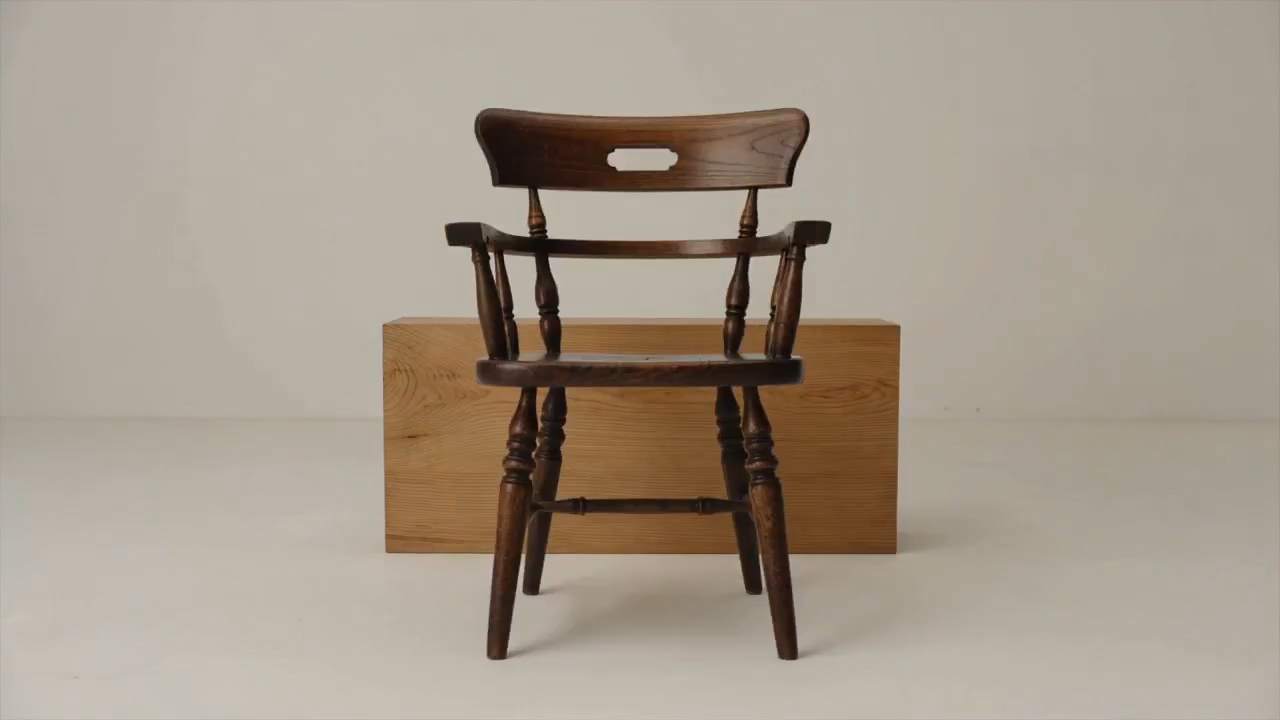
Please help me generate a promotional video about the MUJI brand.

[Film Style]: 90s Hong Kong Art Cinema style, retro film look, High ISO Grain, ambiguous Yellow-Gree
Seedance 2 Prompts
[Film Style]: 90s Hong Kong Art Cinema style, retro film look, High ISO Grain, ambiguous Yellow-Gree

[Film Style]: 90s Hong Kong Art Cinema style, retro film look, High ISO Grain, ambiguous Yellow-Green Tint, Step-printing effect, melancholic atmosphere. [Core Line (for mood control)]: "If memory were a can, I hope it would never expire." [Video Duration]: 10 seconds [Storyboard Script]: Shot 1: Through the Glass. Visual: A red public phone booth covered in rain. Character: A man (or woman) in a khaki trench coat, clutching the receiver, not speaking, just listening. Emotional Performance: Through the refraction of the glass, seeing his/her eyes hollow yet affectionate. Rain flows on the glass, distorting his face like an oil painting. Subtitle/Voiceover feel: The scene seems frozen, only the sound of rain. Shot 2: Extreme Close-up & Micro-expression. Visual: Focus on the character's lips and half of the face. Action: He/she whispers softly into the mouthpiece. Lips tremble slightly, as if wanting to say something but swallowing it back. Lighting: Neon bokeh from the roadside flows on his face, flickering. Line/Mood Mapping: Expressing an extreme restraint and loneliness of "wanting to touch but pulling the hand back". Shot 3: Signature Smeary Slow Motion. Visual: The character hangs up, turns, and walks into the rainy night crowd. Visual FX: Using step-printing effect (Stop-motion feel), the character's back becomes blurry with motion trails (Motion Blur), as if the soul remained behind while only the body walks away. Environment: Background is flowing city car lights, forming elongated light trails. [Technical Parameters]: Handheld Camera simulation, shallow depth of field, color shift, rich emotion.

Encontre prompts de IA que transformam inspiração em um ponto de partida

Veja o resultado, leia as instruções e crie sua própria versão

Encontre prompts de IA para imagens ao lado de exemplos visuais e explore ideias de vídeo quando sua cena precisar de movimento. O SuperMaker reúne a prévia, o texto e o modelo compatível. Use prompts de IA para entender uma composição, trocar o elemento principal ou o cenário e continuar no gerador correspondente. Cada exemplo oferece uma direção para adaptar ao seu projeto.

Escolha prompts de IA para o resultado de que você precisa

Compare exemplos visuais antes de escolher um ponto de partida. Explore prompts de IA por mídia e modelo e concentre-se nos detalhes que definem seu resultado.

Prompts de imagem com IA para uma direção visual clara

Prompts de imagem com IA para uma direção visual clara

Navegue por prompts de imagem com IA para retratos, produtos, ilustrações e cenas do dia a dia. Procure uma prévia com o enquadramento, a luz ou o estilo desejado. Leia como o texto descreve o elemento principal e seu entorno e substitua esses detalhes pelos seus. Uma descrição focada dá ao modelo escolhido uma orientação mais clara.

Prompts de IA para movimento em vídeo e direção de câmera

Prompts de IA para movimento em vídeo e direção de câmera

Para vídeo, os prompts de IA precisam descrever o que muda durante a tomada. Especifique a ação principal, o movimento de câmera, o ritmo e o final. Compare a prévia com as instruções e mantenha a sequência simples para a duração escolhida. Comece com uma cena coerente antes de adicionar movimentos mais complexos.

Copie prompts de IA e deixe-os com a sua cara

Copie prompts de IA e deixe-os com a sua cara

Copie um exemplo útil ou escolha Usar prompt para abrir seu gerador compatível. Adapte prompts de imagem com IA mudando o elemento principal, o fundo, as cores ou o formato pretendido. Em vídeo, revise a ação e o tempo. Verifique se o exemplo usa material de referência e adicione seus próprios arquivos quando o fluxo selecionado precisar deles.

Por que o contexto visual facilita reutilizar prompts de IA

É mais fácil avaliar prompts de IA quando você vê o resultado de exemplo e o modelo pretendido. Use esse contexto para decidir quais detalhes entram no seu próximo briefing.

Combine prompts de IA com o modelo certo

Combine prompts de IA com o modelo certo

O modelo associado a um exemplo ajuda a escolher por onde começar. Prompts de IA para edição podem descrever detalhes a preservar; instruções de vídeo podem depender de uma imagem inicial. Revise os controles disponíveis e as entradas obrigatórias antes de gerar. Uma prévia mostra um resultado, enquanto suas configurações e material de referência podem mudar a saída.

Como usar prompts de IA no SuperMaker

Passe da navegação a um briefing criativo focado em quatro passos. Prompts de IA oferecem a estrutura inicial; seu elemento principal, referências e configurações definem a direção.

1

Escolha um objetivo de imagem ou vídeo

Use prompts de imagem com IA para uma cena estática, retrato, foto de produto ou ilustração. Escolha exemplos de vídeo quando o movimento fizer parte da entrega. Comece com prompts de IA para imagens se precisar estabelecer primeiro a composição e planeje a ação separadamente. Defina o formato e os detalhes principais antes de escolher um modelo.

2

Compare prompts de IA com prévias

Navegue pelas seções Populares e Recentes ou siga um link de modelo. Compare prompts de IA com as prévias, observando elemento principal, enquadramento, luz e movimento. Verifique referências obrigatórias em vez de presumir que só as palavras explicam cada detalhe visível.

3

Reescreva os detalhes para seu projeto

Copie prompts de IA e mude o elemento principal, o cenário ou a ação. Remova instruções que entrem em conflito com seu objetivo. Ao adaptar prompts de imagem com IA, mantenha restrições importantes, como preservar a forma de um produto ou deixar espaço para um título. Faça uma mudança relevante por vez para avaliar seu efeito.

4

Gere, revise e refine

Abra o gerador compatível, confirme seus controles e forneça os arquivos obrigatórios. Revise o resultado em relação ao seu briefing. Refine prompts de IA ajustando a composição, a iluminação ou o movimento que precisa de atenção. Guarde textos úteis em suas anotações para adaptá-los em projetos futuros.

Prompts de IA para projetos criativos do dia a dia

Escolha um exemplo conforme a entrega de que você precisa e ajuste a cena e as restrições ao uso pretendido.

Fotos de produtos e visuais de campanha

Use prompts de imagem com IA para planejar uma imagem clara do produto ou uma cena de uso cotidiano. Especifique o ângulo, a superfície, a luz e o fundo. Com uma referência do produto, indique quais rótulos, cores e formas devem permanecer e inspecione esses detalhes no resultado gerado.

Retratos, moda e ilustrações

Adapte prompts de imagem com IA considerando expressão, pose, roupa, cenário e estilo visual. Mantenha a direção coerente em vez de misturar estilos sem relação. Ao usar uma referência de personagem, diferencie os traços a preservar das mudanças desejadas.

Posts para redes sociais e conceitos de marketing

Use prompts de IA para explorar miniaturas, artes de lançamento e direções de campanha. Descreva o público, o elemento principal, o layout e o espaço necessário para sua mensagem. Escolha um formato adequado ao destino e revise legibilidade e detalhes importantes da marca antes de usar o resultado.

Vídeos curtos e cenas em movimento

Construa prompts de IA em torno de uma ação clara: uma câmera se aproximando de um elemento principal, um produto girando ou um personagem atravessando uma cena. Descreva a abertura, o movimento principal e o final. Para uma sequência maior, planeje tomadas separadas com direções visuais compatíveis.

Prompts de IA: perguntas e respostas práticas

Encontre ajuda para escolher exemplos, adaptar instruções e continuar no gerador certo.

Prompts de IA são instruções escritas que orientam um modelo até um resultado. Para prompts de imagem com IA, descreva o elemento principal, cenário, enquadramento, luz e estilo. Para vídeo, acrescente movimento e tempo. Inclua os detalhes importantes para seu objetivo e remova pedidos contraditórios.

Navegue pelas seções Populares e Recentes de imagens ou abra uma página de modelo para mais exemplos. Compare prompts de imagem com IA com suas prévias, leia o texto completo e escolha um exemplo adequado ao seu elemento principal ou direção visual.

Troque o elemento principal e o cenário e depois ajuste enquadramento, iluminação, cores e estilo. Mantenha apenas instruções relevantes ao seu objetivo. Se for necessária uma referência, envie seu próprio material e explique o que deve permanecer consistente.

Use os prompts de IA adaptados ao modelo associado como ponto de partida. Outros modelos podem interpretar instruções de outra forma ou exigir referências e controles diferentes. Reutilize o conceito e adapte o texto e as entradas ao gerador selecionado.

Descreva a cena inicial, a ação do elemento principal, o percurso da câmera, o ritmo e o final pretendido. Mantenha o movimento possível dentro da duração escolhida. Adicione imagens de referência quando o fluxo pedir e evite várias ações concorrentes em uma tomada curta.

Você pode navegar por prompts de IA publicados e copiar seus textos. Gerar uma imagem ou vídeo é uma ação separada, sujeita ao modelo, às configurações, ao acesso da conta e aos créditos necessários. Verifique o gerador antes de enviar; copiar um exemplo não inclui uma geração gratuita.

Transforme prompts de IA em seu próximo briefing criativo

Escolha prompts de imagem com IA ou um exemplo de vídeo, compare a prévia e deixe o texto com a sua cara. Abra o gerador SuperMaker correspondente quando seu elemento principal, referências e configurações estiverem prontos.

Explorar prompts de IA
Video cover