logo
0

AIプロンプト

すぐに使える画像と動画のAIプロンプト

画像と動画のプレビューでAIプロンプトを探しましょう。視覚的な方向性を見つけ、文面をコピーするか、対応するSuperMaker生成ツールを開いて自分用に調整できます。

モデル別に見る

最新のAI画像プロンプト

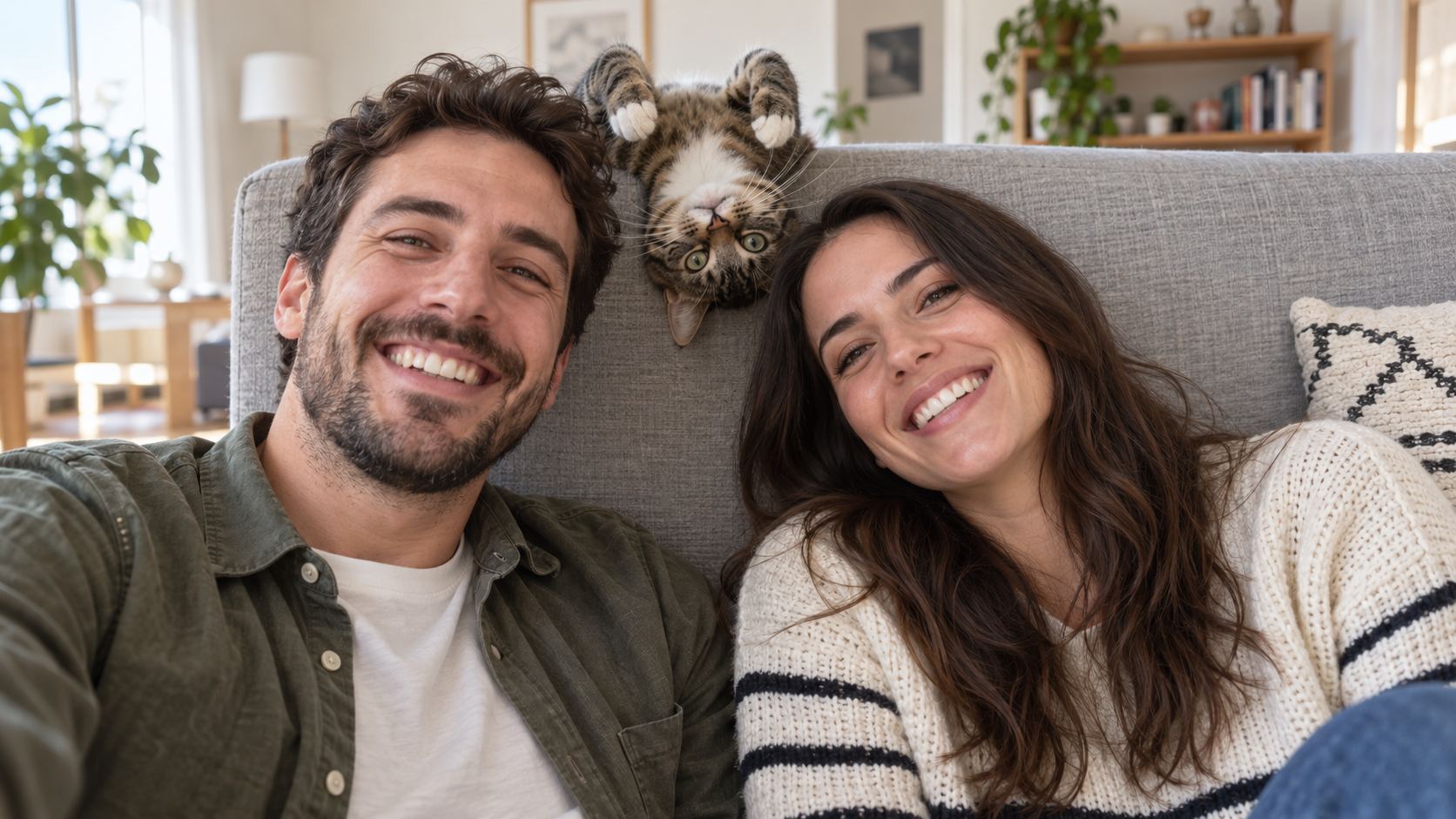
Edit the uploaded photo into a bright living-room selfie. Preserve both friends' facial identities,
面白い AI プロンプト
Edit the uploaded photo into a bright living-room selfie. Preserve both friends' facial identities,

Edit the uploaded photo into a bright living-room selfie. Preserve both friends' facial identities, hair, clothes, and smiles, plus the cat's exact coat markings. Seat the friends on either side of the frame. Add the cat safely leaning over the high sofa back between them, its head upside down and front paws visible above the cushion, as if it interrupted a normal portrait. Keep all three faces sharp and readable. Use natural window light, plausible body positions, and realistic fur and skin. The cat's photobomb should feel spontaneous. One complete 16:9 photograph, no text or watermark.
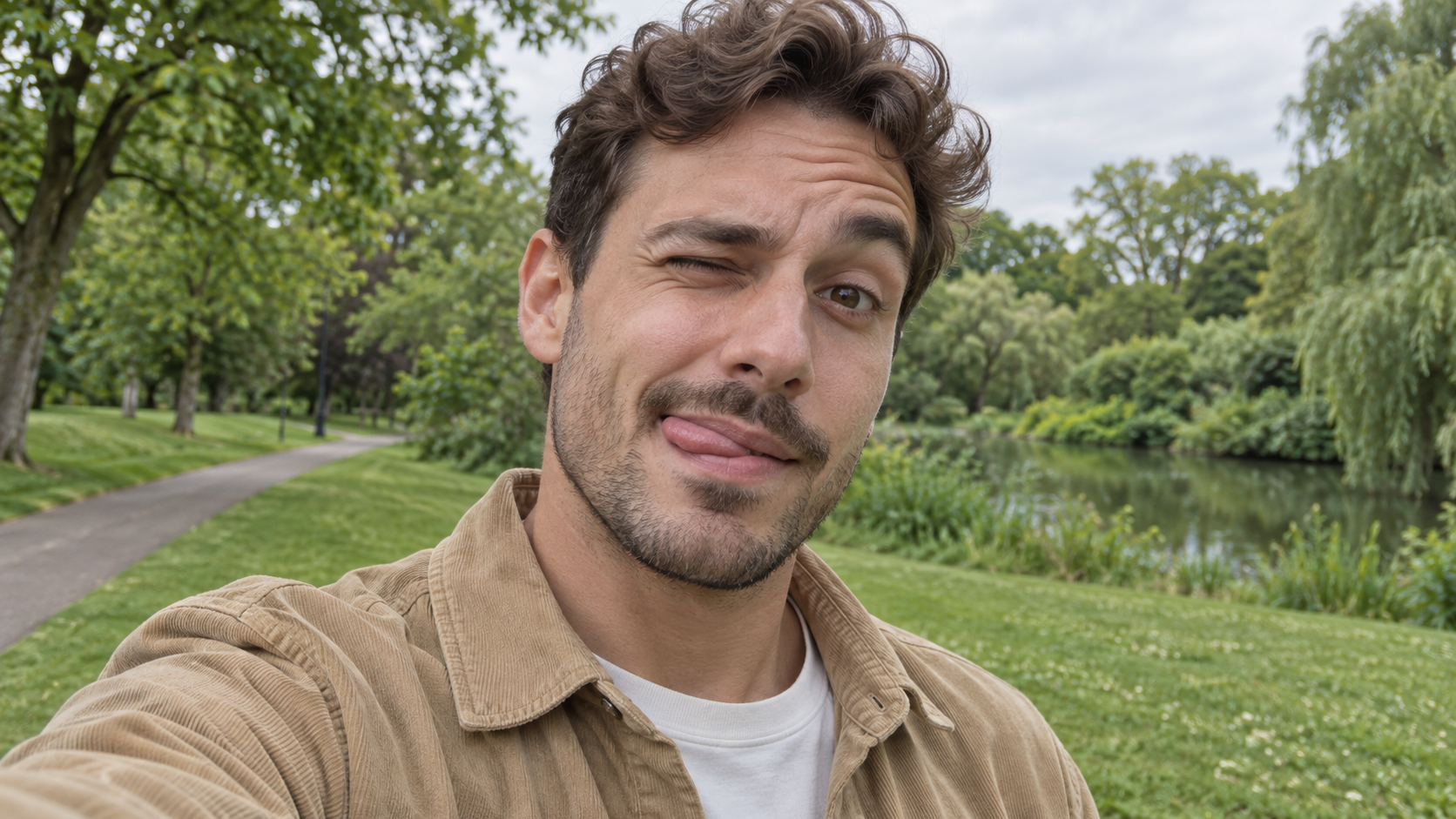
Edit the uploaded photo of one person into a playful outdoor selfie. Preserve their facial identity,
面白い AI プロンプト
Edit the uploaded photo of one person into a playful outdoor selfie. Preserve their facial identity,

Edit the uploaded photo of one person into a playful outdoor selfie. Preserve their facial identity, hairstyle, age, clothing, and the original outdoor background. Have them tilt the head slightly, wink one eye, raise the eyebrow over the open eye, and touch the tongue to one corner of the mouth in a cheeky sideways expression. Keep the tongue subtle, as in a spontaneous candid photo. Use soft overcast daylight, natural skin texture, correct eye shape, and a believable phone-camera perspective. Exactly one person, photorealistic 16:9 composition, no text or watermark.

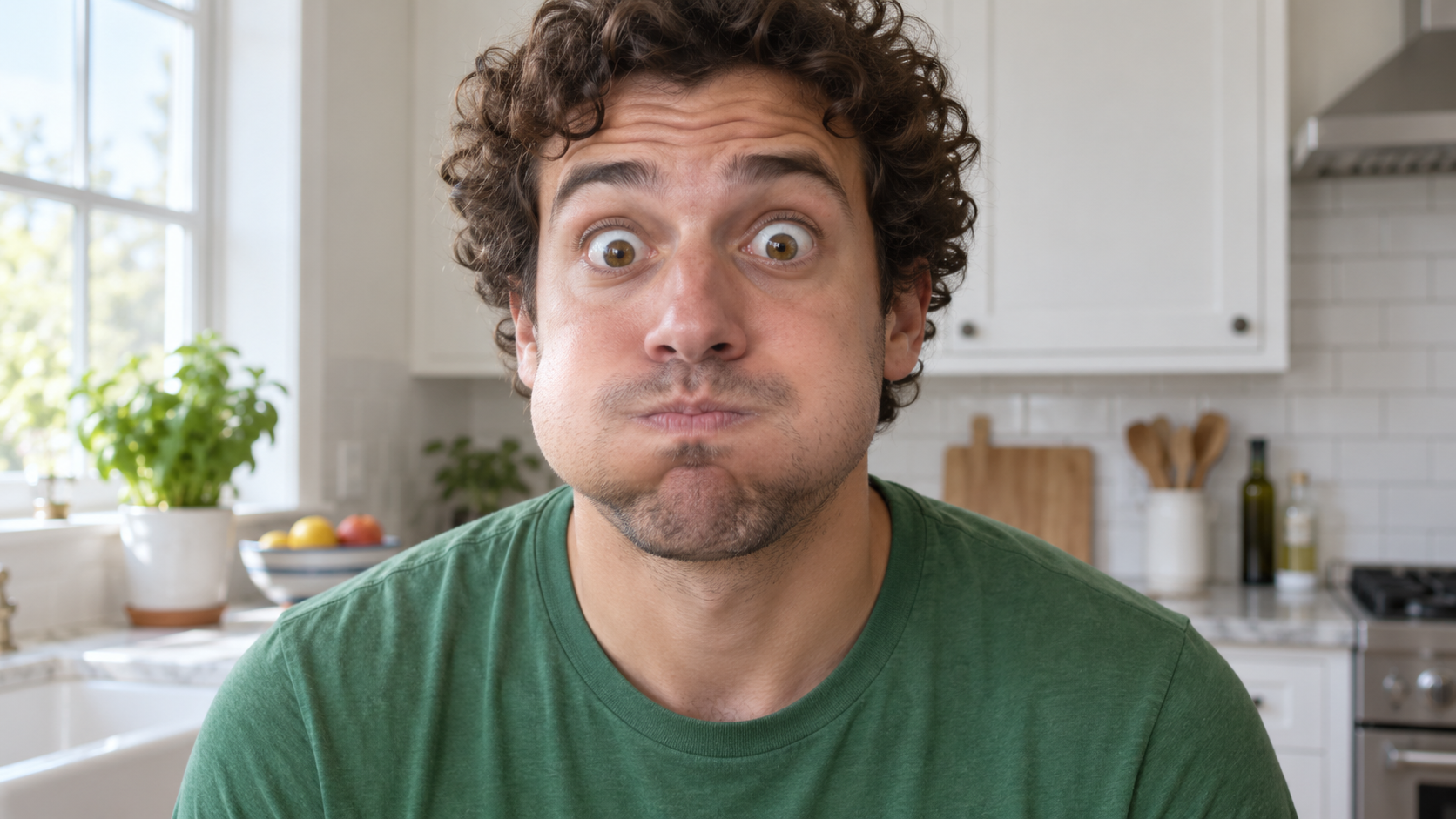
Edit the uploaded photo of one person into a close, funny kitchen portrait. Preserve the person's ex
面白い AI プロンプト
Edit the uploaded photo of one person into a close, funny kitchen portrait. Preserve the person's ex

Edit the uploaded photo of one person into a close, funny kitchen portrait. Preserve the person's exact face, hair as shown in the source, skin tone, clothes, and background features. Make them puff both cheeks as if holding air, seal the lips tightly, open both eyes very wide, and raise both eyebrows. Keep the expression playful and deadpan rather than frightened. Match the original daylight and camera angle, with believable cheek volume and realistic skin texture. One person only, photorealistic 16:9 frame, no props over the face, extra people, text, or watermark.

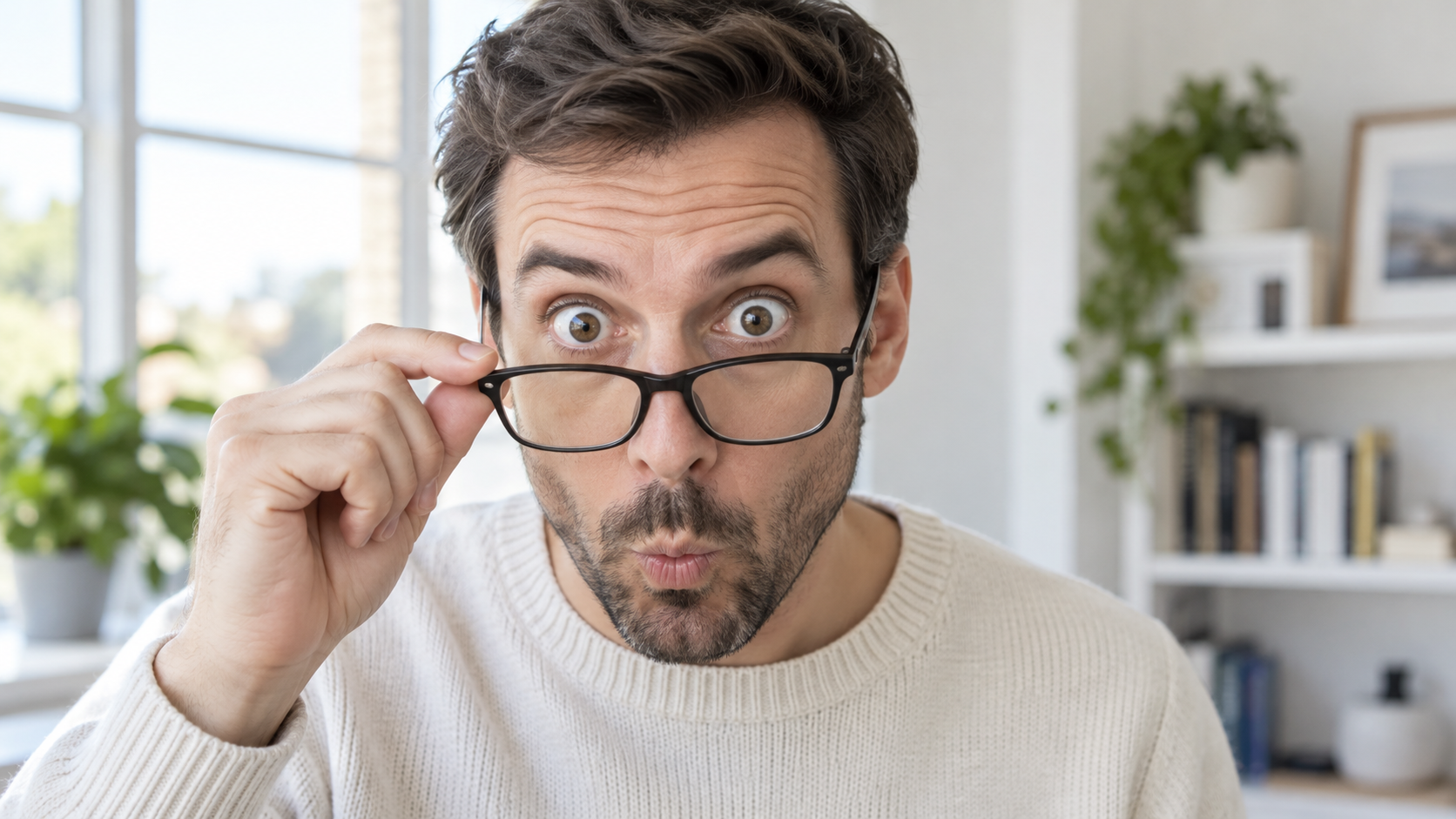
Edit the uploaded portrait of one glasses-wearing person. Preserve their facial identity, hairstyle,
面白い AI プロンプト
Edit the uploaded portrait of one glasses-wearing person. Preserve their facial identity, hairstyle,

Edit the uploaded portrait of one glasses-wearing person. Preserve their facial identity, hairstyle, facial hair if present, glasses frame, sweater or shirt, and room background. Have them use one hand to pull the glasses a little way down the nose, then stare over the top edge with both eyes comically wide, eyebrows raised, and lips puckered into a tiny O. Keep the glasses aligned with the face, the hand anatomically correct, and reflections consistent with the room's daylight. Exactly one photorealistic person, close 16:9 frame, no duplicate face, text, or watermark.

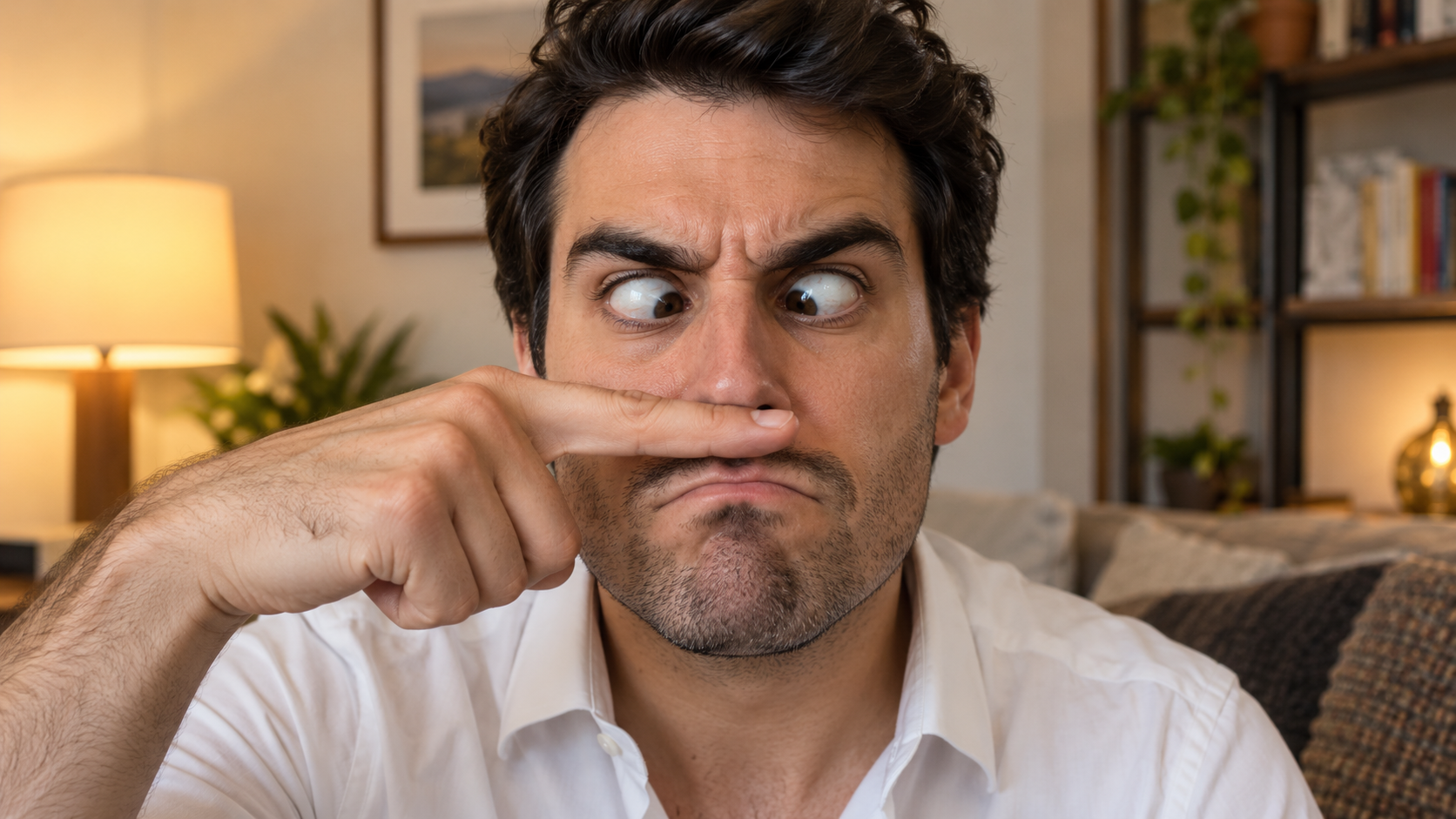
Edit the uploaded solo portrait, preserving the person's exact facial identity, hair, facial hair if
面白い AI プロンプト
Edit the uploaded solo portrait, preserving the person's exact facial identity, hair, facial hair if

Edit the uploaded solo portrait, preserving the person's exact facial identity, hair, facial hair if any, clothing, and home setting. Place one of their own index fingers horizontally under the nose like a deliberately bad fake mustache. Make their eyes cross down toward the finger, eyebrows tense, and mouth form an exaggerated serious frown. Keep the finger above the upper lip, not inside the mouth, and make the hand anatomically correct. Match warm interior light and believable skin texture. One person only, photorealistic complete 16:9 image, no text or watermark.

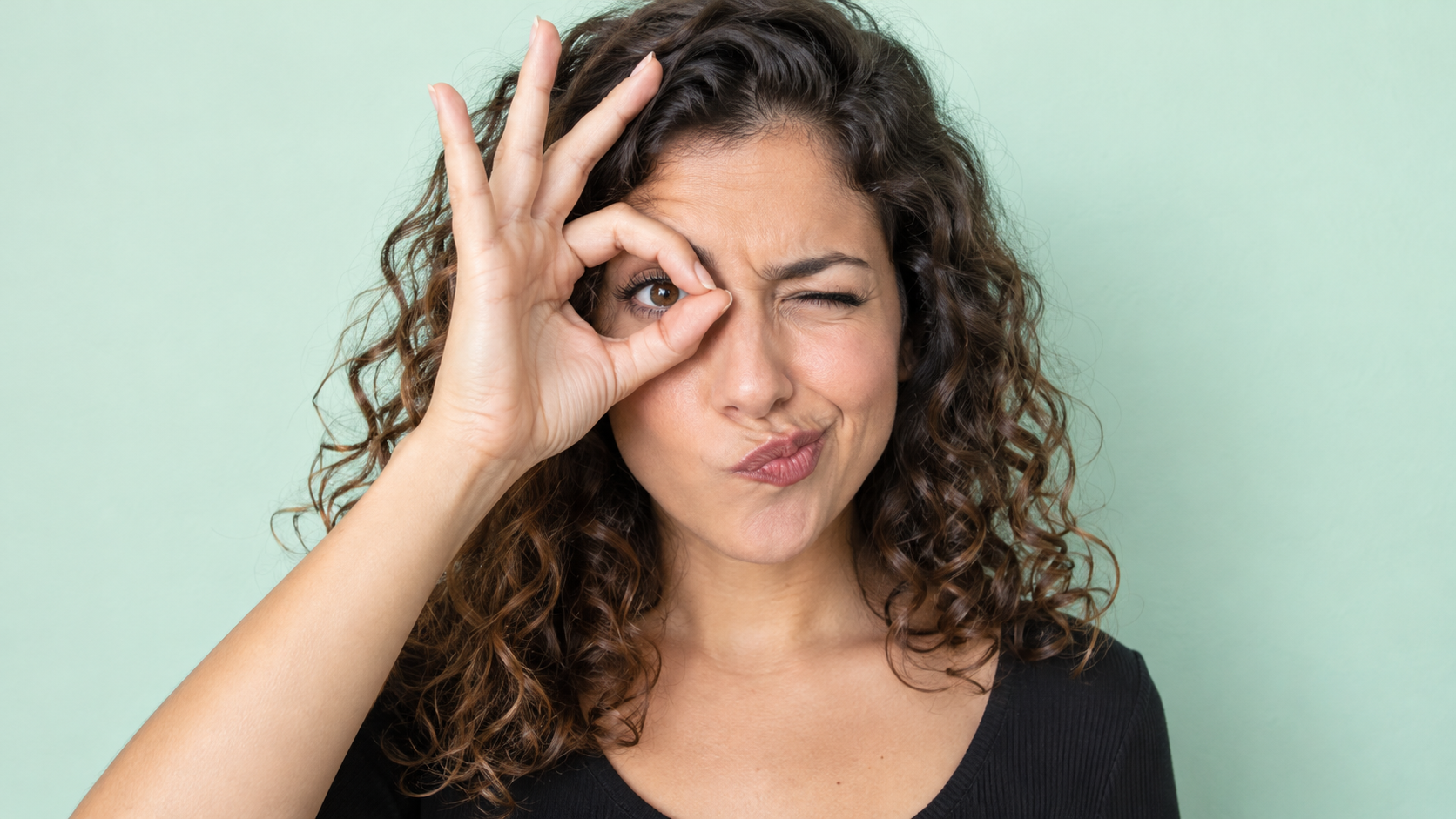
Edit the uploaded photo of one person into a playful portrait. Preserve the person's facial identity
面白い AI プロンプト
Edit the uploaded photo of one person into a playful portrait. Preserve the person's facial identity

Edit the uploaded photo of one person into a playful portrait. Preserve the person's facial identity, hair, skin tone, clothing, and overall camera angle. Have them form a small circle with thumb and index finger around one open eye like a pretend monocle, squint the other eye, arch one eyebrow, and purse the lips to one side. Show the whole hand with plausible finger joints; do not obscure the open eye. Keep a clean softly colored background and bright even light. One photorealistic person only, 16:9 frame, no added accessories, text, or watermark.

Edit the uploaded portrait of one person. Preserve their facial identity, age, skin tone, hairstyle,
面白い AI プロンプト
Edit the uploaded portrait of one person. Preserve their facial identity, age, skin tone, hairstyle,

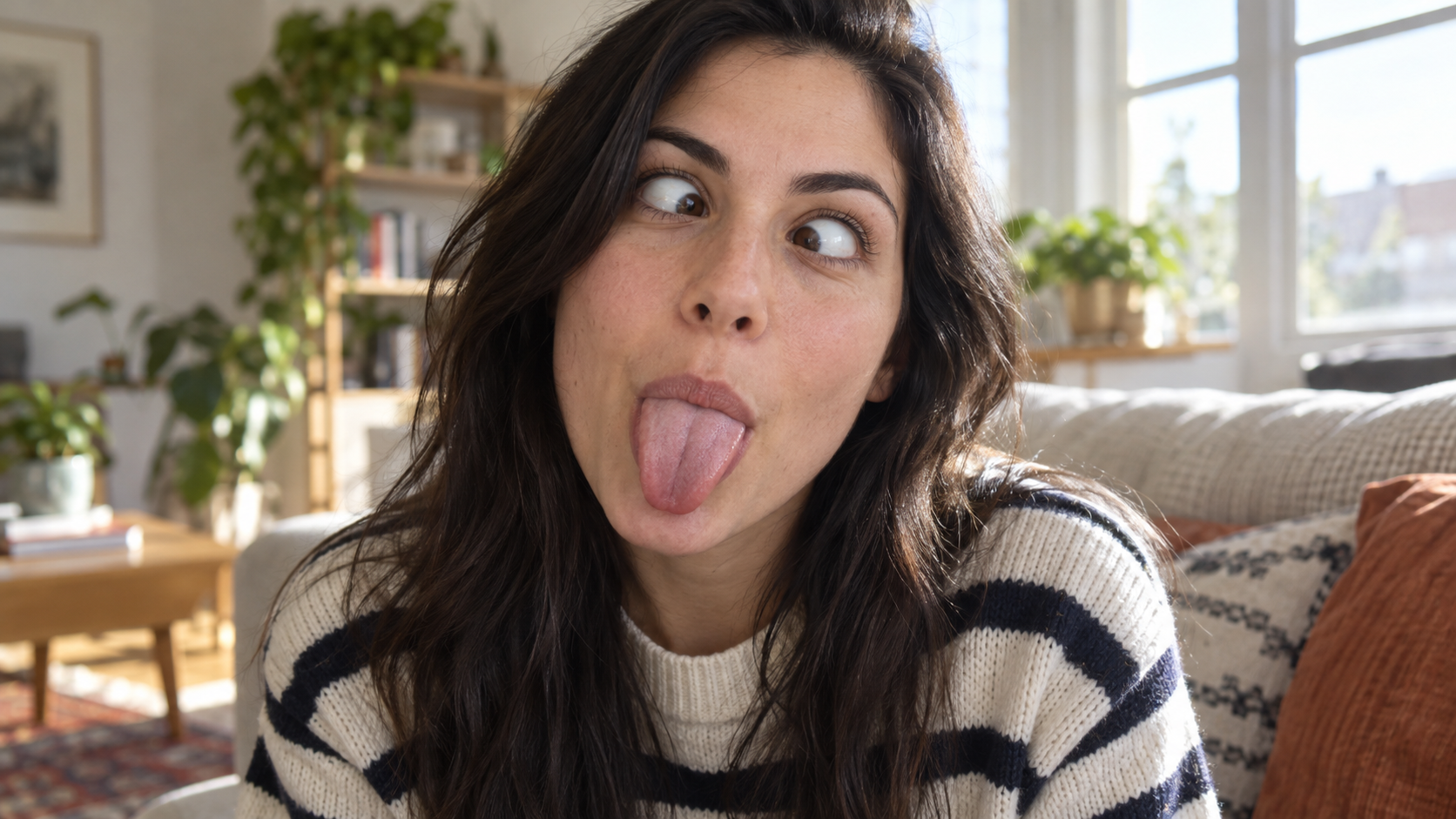
Edit the uploaded portrait of one person. Preserve their facial identity, age, skin tone, hairstyle, clothing, and the character of the original room. Turn the expression into a deliberately silly close-up: both eyes cross toward the center, eyebrows lift slightly, and the tongue sticks straight out. Keep the face large in frame with no hands covering it. Use natural window light, realistic facial muscles, skin texture, teeth and tongue, and a candid selfie feel. One photorealistic person only, complete 16:9 image, no duplicate face, text, or watermark.

Edit the uploaded solo portrait while preserving the person's facial identity, hair, clothing, skin
面白い AI プロンプト
Edit the uploaded solo portrait while preserving the person's facial identity, hair, clothing, skin

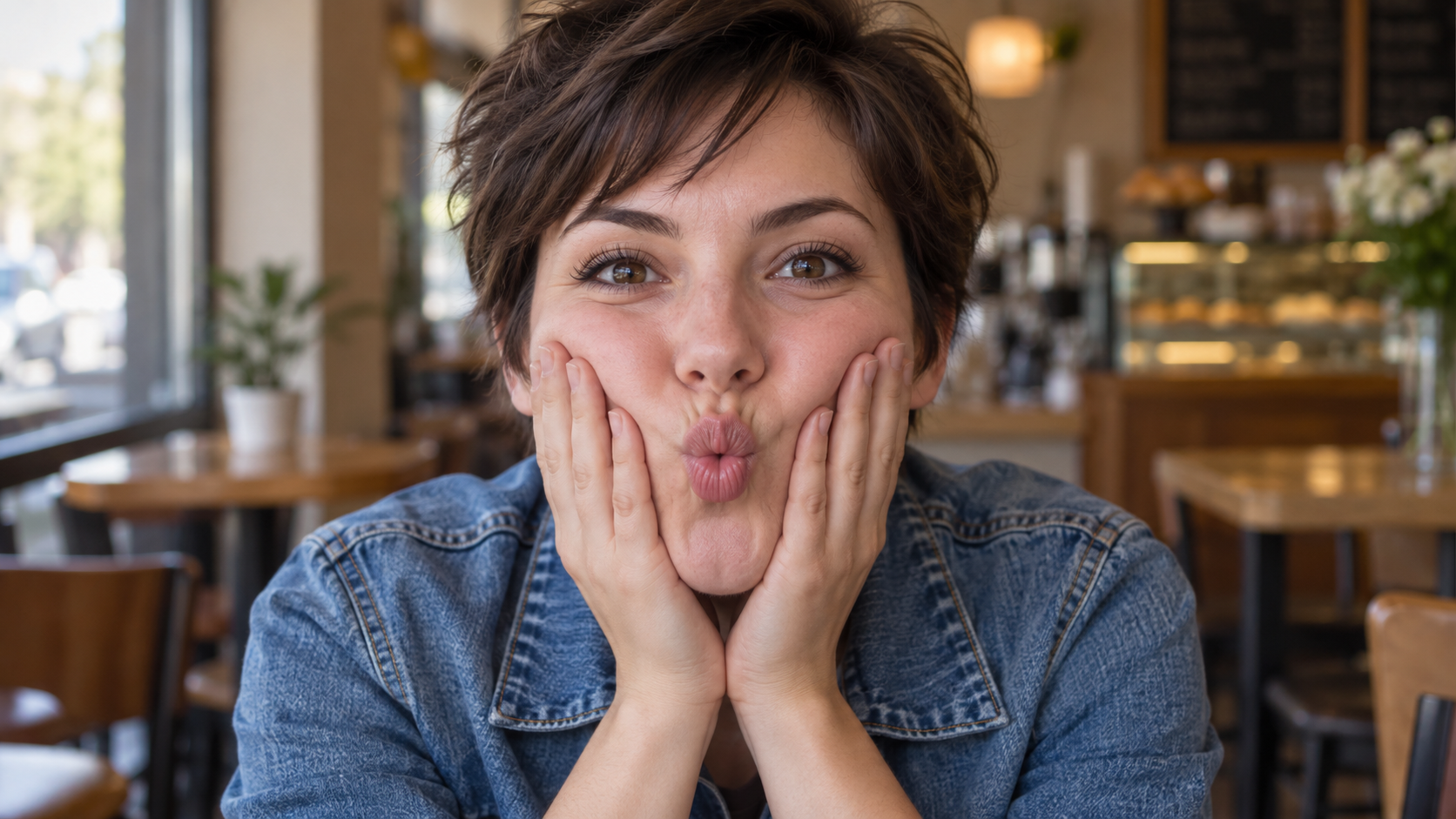
Edit the uploaded solo portrait while preserving the person's facial identity, hair, clothing, skin tone, and recognizable setting. Bring both of their own hands to the cheeks and gently press inward so the lips form a small puckered fish face. Keep both eyes directed toward the camera and the entire face visible. Make the fingers, wrists, and cheek pressure anatomically believable. Use a close portrait crop, soft natural light, and shallow background blur similar to a casual café snapshot. One photorealistic person only, complete 16:9 image, no extra hands, text, or watermark.

最新の動画プロンプト

[Style]: Ultimate Girlfriend POV, Handheld Selfie VLOG, Vertical Aspect Ratio (9:16), Film Grain Fil
Seedance 2 Prompts
[Style]: Ultimate Girlfriend POV, Handheld Selfie VLOG, Vertical Aspect Ratio (9:16), Film Grain Fil

[Style]: Ultimate Girlfriend POV, Handheld Selfie VLOG, Vertical Aspect Ratio (9:16), Film Grain Filter, Natural Light (Golden Hour), camera includes natural shake and adjustments. [Duration]: 15 seconds [Protagonist]: Taiwanese girl, long slightly curled hair, wearing a gentle knit cardigan, clean/sheer makeup, speaking tone is soft, slightly spoiled/coquettish with a complaining accent (Taiwanese accent). [Scene]: Taipei Tamsui riverbank, background is the golden sunset, shimmering river surface, and the Lover's Bridge in the distance. Shot 1: The Rushed Intro. Visual: The camera shakes significantly because she is walking fast. She looks back at the camera (looking at you) while walking, brows slightly furrowed, pretending to be angry. Action: One hand holds the phone, while the other hand holds down her hair which is being blown by the wind. [Line/Mouth] (Soft complaining voice): "Hey, walk faster! The sun is about to set! It's all your fault for dragging your feet. If I can't get good photos later, I'm going to get mad!" Shot 2: Sharing the View. Visual: She stops walking, moves the camera away from her face, and turns it towards the stunning golden sunset across the river (Golden Hour). Action: The camera displays the scenery for 2 seconds, then immediately turns back to focus on her face. Her face is illuminated golden by the sunset, showing a super happy smile, eyes narrowed into slits from smiling. [Line/Mouth] (Exclamation voice): "Wow~ Look quick! Isn't it super beautiful! This lighting is absolutely amazing, everything looks good no matter how you shoot!" Shot 3: The Interaction. Visual: Suddenly, she is holding a super tall soft-serve ice cream unique to Tamsui. Action: She first holds the ice cream up to the camera (as if feeding you), then quickly takes a lick herself. A bit of ice cream accidentally gets on the tip of her nose. She giggles foolishly at the camera. [Line/Mouth] (Playful voice): "Here, you get the first bite. Hurry up, it's melting! Heehee, I'll give you a passing grade for today's date!"

Style: Hollywood Professional Racing Movie (Le Mans Style), Cinematic Night, Rain, High Stakes Sport
Seedance 2 Prompts
Style: Hollywood Professional Racing Movie (Le Mans Style), Cinematic Night, Rain, High Stakes Sport

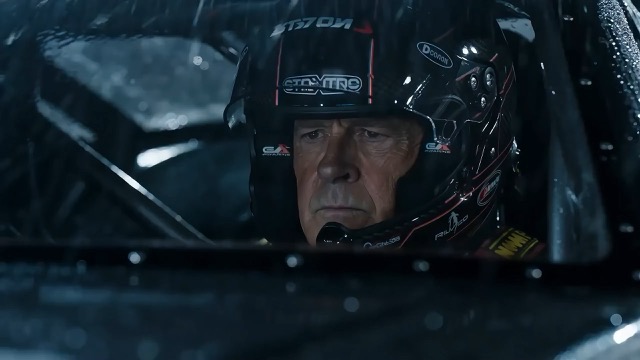
Style: Hollywood Professional Racing Movie (Le Mans Style), Cinematic Night, Rain, High Stakes Sport. Duration: 15s. [00-05s] Shot 1: The Veteran (Interior/Close-up). Rain lashes the windshield of a high-tech race car on a track. The Veteran driver (in helmet) looks over, calm and focused. Dashboard lights reflect on his visor. Dialogue Cue: He gives a subtle nod and mouths "Let's go." [05-10s] Shot 2: The Challenger (Interior/Close-up). Cut to the rival car next to him. The younger driver grips the wheel tight, breathing heavily. Eyes wide with adrenaline. Dialogue Cue: He whispers "Focus" to himself. [10-15s] Shot 3: The Green Light (Wide Action). The starting lights turn Green. Both cars accelerate in perfect sync on the wet asphalt. Water sprays massively into the camera lens. Motion blur turns the stadium lights into long streaks of color.

[Style]: Eastern Wuxia pinnacle duel, Extreme Kinetic Energy, aesthetics of environmental destructio
Seedance 2 Prompts
[Style]: Eastern Wuxia pinnacle duel, Extreme Kinetic Energy, aesthetics of environmental destructio

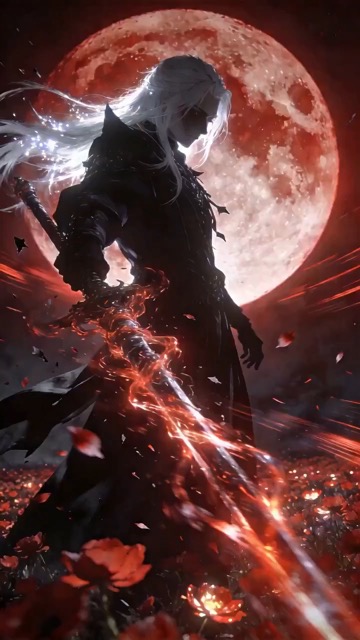
[Style]: Eastern Wuxia pinnacle duel, Extreme Kinetic Energy, aesthetics of environmental destruction, fast-paced editing, cinematic particle effects, epic score atmosphere. [Duration]: 15 seconds [Characters]: Grandmaster in white VS Grandmaster in black. Shot 1: High-speed Collision. Both the white and black figures transform into afterimages, colliding violently in the center of an ancient stone platform. At the moment of weapon contact, blinding sparks and a visible ring-shaped high-pressure Shockwave burst out. The surrounding flagstone ground instantly cracks, blasting up debris and rubble. Shot 2: Mid-air Combat & Destruction. Both soar into the air, weaving and clashing at high speed amidst falling boulders, moving too fast for moves to be seen clearly. Every block triggers a visual sense of air distortion. They crash through a massive stone pillar; the pillar collapses and shatters into powder, dust filling the air, showcasing extreme destructive power. Shot 3: Ultimate Climax. Both land and simultaneously release their ultimate moves, causing two massive energy orbs (one cyan, one red) to clash against each other. This triggers an earth-shattering explosion of dust and energy. Mushroom-cloud-like smoke rises to obscure everything, and the entire base of the stone platform begins to collapse and sink.

The man from reference image 1 as the protagonist, agile and athletic, running through a battlefield
Seedance 2 Prompts
The man from reference image 1 as the protagonist, agile and athletic, running through a battlefield

The man from reference image 1 as the protagonist, agile and athletic, running through a battlefield under a hail of bullets while engaging in intense tactical shooting. Visual Style: Cinematic quality with strong Orange and Teal color grading, high contrast, and visible film grain. Dynamic Details: Distinct muzzle flashes from the gun. Bullets striking surrounding objects create flying rubble and sparks. Smoke and shockwaves from explosions fill the background. Camera Movement: Handheld Camera style tracking shot, shaking violently alongside the character, with occasional snap zooms to create extreme tension and a chaotic sense of presence. Character Performance: The protagonist has determined eyes; his actions are filled with power and speed, perfectly replicating the vibe of a Hollywood action superstar.

[Style]: Eastern classical Xianxia aesthetics, aestheticism, cinematic quality, fluid cloth simulati
Seedance 2 Prompts
[Style]: Eastern classical Xianxia aesthetics, aestheticism, cinematic quality, fluid cloth simulati

[Style]: Eastern classical Xianxia aesthetics, aestheticism, cinematic quality, fluid cloth simulation, glowing particle effects, dreamy lighting. [Duration]: 15 seconds [Protagonist]: Exquisite fairy, wearing multi-layered plain white ethereal feather-clothing, extra-long floating ribbons. Shot 1: Epic Wide Shot. Location is an ancient platform on a floating immortal island above a sea of clouds. The fairy stands still, backed by immense rays of morning glow (Tyndall effect). The focus is on the countless long silk ribbons on her body dancing extremely smoothly in the wind, spreading across the screen like water ripples, showcasing the ultimate elegance of floating fabric. Shot 2: Slow-motion Medium Shot. The fairy begins the classical "Jinghong Dance" (Frightened Swan Dance). She rises into the air (anti-gravity Qinggong feel), spinning and throwing out wide water sleeves. The lens focuses on the form of the silk sleeves blooming in the air and her elegant body language. Shot 3: Close-up & Interaction. Camera zooms in to a facial close-up. She lightly parts her red lips to begin singing (natural singing mouth shape). Accompanying the song, countless glowing pink flower petals appear out of thin air, forming a dazzling particle storm vortex around her, her eyes filled with divine radiance.

They meet in the dead of night and engage in a fight. The fighting style is incredibly flashy, the a
Seedance 2 Prompts
They meet in the dead of night and engage in a fight. The fighting style is incredibly flashy, the a

They meet in the dead of night and engage in a fight. The fighting style is incredibly flashy, the atmosphere is tense, and the camera work is cinematic. It's like a promotional trailer for a AAA game, featuring CG and Unreal Engine 5.

Please help me generate a promotional video about the MUJI brand.
Seedance 2 Prompts
Please help me generate a promotional video about the MUJI brand.

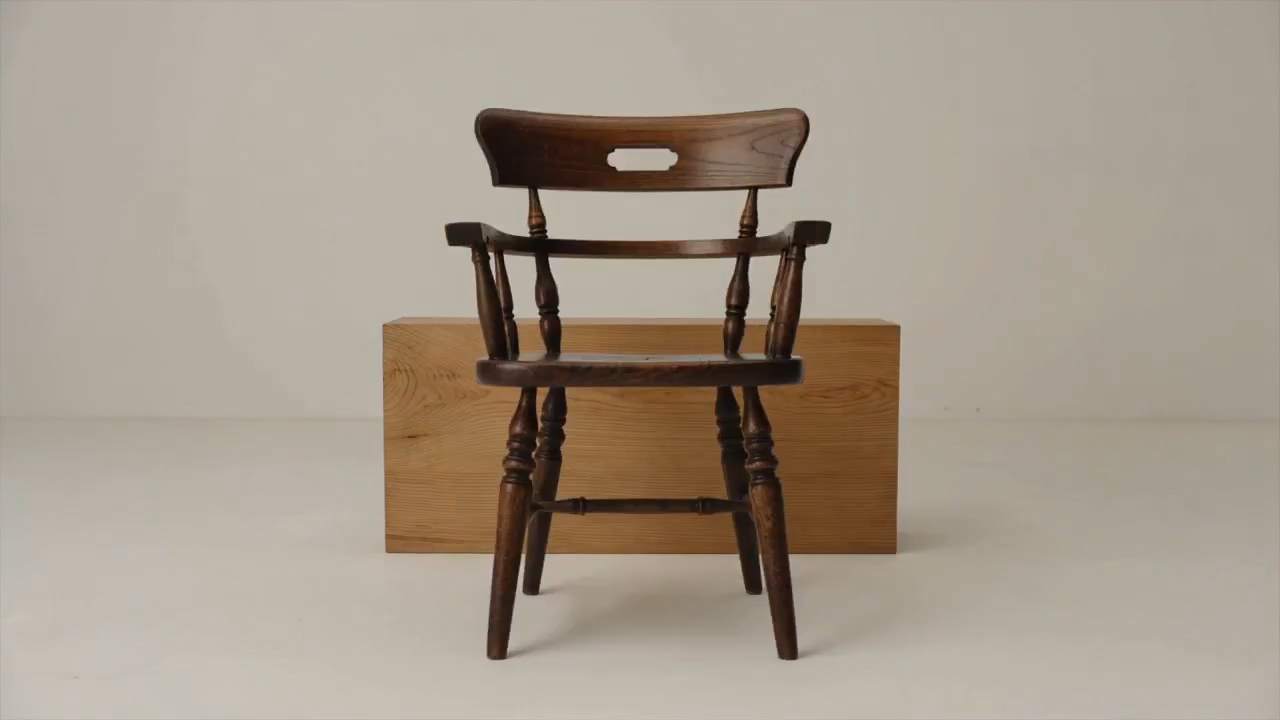
Please help me generate a promotional video about the MUJI brand.

[Film Style]: 90s Hong Kong Art Cinema style, retro film look, High ISO Grain, ambiguous Yellow-Gree
Seedance 2 Prompts
[Film Style]: 90s Hong Kong Art Cinema style, retro film look, High ISO Grain, ambiguous Yellow-Gree

[Film Style]: 90s Hong Kong Art Cinema style, retro film look, High ISO Grain, ambiguous Yellow-Green Tint, Step-printing effect, melancholic atmosphere. [Core Line (for mood control)]: "If memory were a can, I hope it would never expire." [Video Duration]: 10 seconds [Storyboard Script]: Shot 1: Through the Glass. Visual: A red public phone booth covered in rain. Character: A man (or woman) in a khaki trench coat, clutching the receiver, not speaking, just listening. Emotional Performance: Through the refraction of the glass, seeing his/her eyes hollow yet affectionate. Rain flows on the glass, distorting his face like an oil painting. Subtitle/Voiceover feel: The scene seems frozen, only the sound of rain. Shot 2: Extreme Close-up & Micro-expression. Visual: Focus on the character's lips and half of the face. Action: He/she whispers softly into the mouthpiece. Lips tremble slightly, as if wanting to say something but swallowing it back. Lighting: Neon bokeh from the roadside flows on his face, flickering. Line/Mood Mapping: Expressing an extreme restraint and loneliness of "wanting to touch but pulling the hand back". Shot 3: Signature Smeary Slow Motion. Visual: The character hangs up, turns, and walks into the rainy night crowd. Visual FX: Using step-printing effect (Stop-motion feel), the character's back becomes blurry with motion trails (Motion Blur), as if the soul remained behind while only the body walks away. Environment: Background is flowing city car lights, forming elongated light trails. [Technical Parameters]: Handheld Camera simulation, shallow depth of field, color shift, rich emotion.

ひらめきを出発点に変えるAIプロンプトを探す

仕上がりを見て、指示を読み、自分のアイデアに合わせて作成しましょう

作例と並んだ画像向けAIプロンプトを探し、シーンに動きが必要なら動画のアイデアも見てみましょう。SuperMakerはプレビュー、文面、対応モデルをまとめます。AIプロンプトで構図を理解し、被写体や背景を置き換え、対応する生成ツールで続けられます。各例はプロジェクト用に調整できる方向性を示します。

必要な結果に合うAIプロンプトを選ぶ

出発点を選ぶ前に作例を比べましょう。媒体とモデル別にAIプロンプトを調べ、結果を形作る詳細に注目してください。

明確な表現の方向性のためのAI画像プロンプト

明確な表現の方向性のためのAI画像プロンプト

ポートレート、商品、イラスト、日常の場面向けAI画像プロンプトを見ましょう。欲しいフレーミング、照明、スタイルのプレビューを探します。文面が被写体と周囲をどう説明しているかを読み、その詳細を自分用に置き換えます。要点を絞った説明は選んだモデルにより明確な指示を与えます。

動画の動きとカメラ演出のためのAIプロンプト

動画の動きとカメラ演出のためのAIプロンプト

動画ではAIプロンプトでショット中に何が変わるかを説明する必要があります。主な動作、カメラ移動、テンポ、終点を指定してください。選んだ長さでまとまるよう、プレビューと指示を比べましょう。複雑な動きを加える前に、一貫した一つのシーンから始めます。

AIプロンプトをコピーして自分用にする

AIプロンプトをコピーして自分用にする

役立つ例をコピーするか、「プロンプトを使用」を選んで対応する生成ツールを開きます。被写体、背景、色、用途の形式を変えてAI画像プロンプトを調整できます。動画では動作とタイミングを見直します。例で参照素材が使われているかを確認し、選んだワークフローに必要なら自分のファイルを追加してください。

視覚的な文脈がAIプロンプトを再利用しやすくする理由

例の結果と想定モデルを見られると、AIプロンプトを判断しやすくなります。その文脈で、次の指示に必要な詳細を決めましょう。

AIプロンプトを適切なモデルに合わせる

AIプロンプトを適切なモデルに合わせる

例に紐づくモデルは、どこから始めるかを選ぶ助けになります。編集用AIプロンプトは保持すべき詳細を説明し、動画指示は開始画像に依存する場合があります。生成前に利用可能なコントロールと必須入力を確認してください。プレビューは一つの結果であり、設定や参照素材によって出力は変わります。

SuperMakerでAIプロンプトを使う方法

4ステップで閲覧から要点を絞った制作方針へ進みます。AIプロンプトが基本構造を与え、被写体、参照、設定が方向を決めます。

1

画像または動画の目的を選ぶ

静止シーン、ポートレート、商品写真、イラストにはAI画像プロンプトを使います。成果物に動きが必要なら動画例を選びます。まず構図を決める必要があれば画像向けAIプロンプトから始め、動きは別に計画してください。モデルを選ぶ前に形式と重要な詳細を決めます。

2

プレビューとAIプロンプトを比べる

人気・最新セクションを見たり、モデルリンクをたどったりします。被写体、フレーミング、光、動きに注目してAIプロンプトとプレビューを比べましょう。言葉だけで見える詳細がすべて説明されているとは考えず、必要な参照を確認してください。

3

プロジェクト用に詳細を書き換える

AIプロンプトをコピーし、被写体、背景、動作を変えます。目的と矛盾する指示は削除してください。AI画像プロンプトを調整する際は、商品形状の維持や見出し用の余白など重要な制約を残します。効果を評価できるよう、一度に意味のある変更を一つだけ行いましょう。

4

生成、確認、改善

対応する生成ツールを開き、コントロールを確認して必要なファイルを渡します。結果をブリーフと照らして確認しましょう。構図、照明、注意が必要な動きを調整してAIプロンプトを改善します。後のプロジェクト用に調整できるよう、役立つ文面は自分のメモに残してください。

日常的なクリエイティブプロジェクトのAIプロンプト

必要な成果物に近い例を選び、意図した用途に合わせてシーンと制約を調整してください。

商品写真とキャンペーンビジュアル

AI画像プロンプトで、すっきりした商品ビューやライフスタイルシーンを計画できます。角度、表面、光、背景を指定しましょう。商品参照がある場合は、維持すべきラベル、色、形を記し、生成結果でその詳細を確認してください。

ポートレート、ファッション、イラスト

表情、ポーズ、服装、背景、視覚スタイルを軸にAI画像プロンプトを調整します。無関係な見た目を混ぜるより、方向性を一貫させましょう。キャラクター参照を使う際は、残す特徴と変えたい点を区別します。

ソーシャル投稿とマーケティング案

AIプロンプトでサムネイル、発表用の画像、キャンペーンの方向性を検討します。対象者、被写体、レイアウト、メッセージ用の空間を説明してください。掲載先に合う形式を選び、使う前に読みやすさと重要なブランド詳細を確認しましょう。

短い動画と動くシーン

被写体へ近づくカメラ、回転する商品、シーンを歩く人物のように、一つの明確な動作を軸にAIプロンプトを作ります。開始、主な動き、終わりを説明してください。より長い流れは、一貫した表現の方向性を持つ別々のショットとして計画します。

AIプロンプト:質問と実用的な回答

例の選び方、指示の調整、適切な生成ツールで続ける方法を確認しましょう。

AIプロンプトはモデルを望む結果へ導く文章の指示です。AI画像プロンプトでは被写体、背景、フレーミング、光、スタイルを説明します。動画には動きとタイミングを加えます。目的に重要な詳細を含め、矛盾する要求は外してください。

人気・最新の画像セクションを見るか、モデルページを開いてさらに例を探してください。AI画像プロンプトとプレビューを比べ、全文を読み、被写体や表現の方向性に合う例を選びます。

被写体と背景を置き換え、フレーミング、照明、色、スタイルを調整します。目的に関係する指示だけを残してください。参照が必要なら自分の素材をアップロードし、何を一貫して保つかを説明します。

紐づくモデルに合わせてAIプロンプトを出発点として調整してください。他のモデルは指示を異なる方法で解釈し、別の参照やコントロールを必要とする場合があります。概念を再利用し、選んだ生成ツールに文面と入力を合わせます。

開始シーン、被写体の動き、カメラ経路、テンポ、意図した終点を説明します。選択した長さで実現できる動きにしてください。ワークフローで必要なら参照画像を追加し、短いショットに競合する複数の動作を入れないでください。

公開済みAIプロンプトは閲覧し、テキストをコピーできます。画像や動画の生成は、選択したモデル、設定、アカウントの利用権限、クレジット要件に従う別の操作です。送信前に生成ツールを確認してください。例をコピーしても無料生成は含まれません。

AIプロンプトを次のクリエイティブブリーフに変える

AI画像プロンプトまたは動画例を選び、プレビューを比べ、文面を自分用にしましょう。被写体、参照、設定の準備ができたら、対応するSuperMaker生成ツールを開いてください。

AIプロンプトを見る
Video cover