Canva Craft Starts With a Plan. Why Does That Matter?
Canva Craft Takes a Planning-First Approach to Image Generation. Explore What That Means for Layouts, Text, and Everyday Canva Projects, How Magic Layers Fits Into the Process, and What the Available Evidence Reveals About Its Strengths, Access Options, and Costs Before You Try It.
Why can an AI image look beautiful and still make an awkward poster?
A poster has several jobs. Its headline needs attention, its subject needs space, and its smaller details need to remain readable. Those parts must work together.
Canva Craft approaches that problem by planning a composition before rendering the image. For regular Canva users, the interesting question is whether that approach can bring an idea closer to a usable design. For AI enthusiasts, it offers a useful look at how image generation can account for structure as well as appearance.
What Is Canva Craft?
Canva Craft is an image generation model developed by Canva Research. Canva announced it on October 22, 2026. The launch describes output up to 2K, more than 30 aspect ratios, and text generation in 55 languages. Users can access it through Dream Lab in Canva.
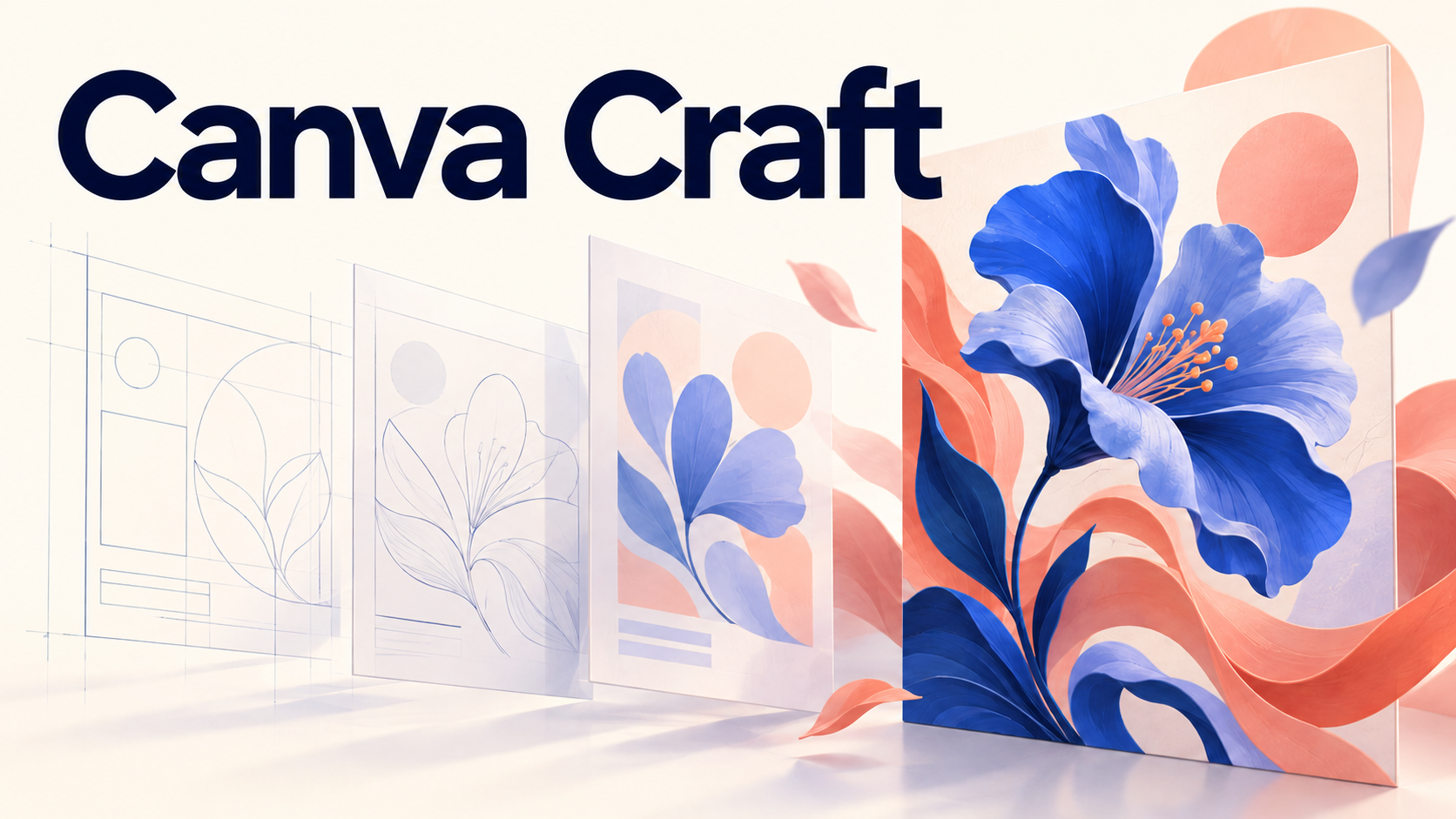
Its defining mechanism has two stages: a planning model specifies elements, their relationships, scale, hierarchy, and text; a rendering model turns that plan into an image. The Canva Craft announcement explains this separation.
Think of a designer sketching a rough layout before producing finished artwork. That analogy explains the order of operations; it doesn't mean the model understands a brief exactly as a human does.
Why Planning Matters for Everyday Designs
Imagine requesting a café promotion with a drink, a short headline, and space for an offer. A convincing drink photograph solves only part of the task. If the headline competes with the cup, the promotion still needs work.
This is where visual hierarchy matters. Hierarchy means giving different elements different levels of attention: the offer might come first, the product second, and the supporting information third.
Canva Research frames design AI around relationships between imagery, typography, layout, and creative intent. Its research introduction also explains why output quality and editability need to be evaluated together.
For a creator, that suggests a more useful question than “Does this look impressive?” Ask, “Does it communicate the right thing first?” A crowded composition can fail that test even when every individual object looks convincing.
Where Magic Layers Fits In
Generating an image and editing its contents are separate tasks. Text that looks readable inside a picture isn't automatically a text box you can select.
Magic Layers turns a flat image into editable elements, allowing changes to text, objects, and colors. Canva recommends JPEG or PNG inputs. It is a premium AI tool that draws on a shared monthly allowance, with limits varying by plan.
That distinction matters when an otherwise useful graphic has the wrong date or an awkwardly placed heading. The practical value comes from being able to correct it without rebuilding the whole composition. Check the converted result: selectable elements alone don't tell you whether the spacing, type, and grouping meet your needs.
What the Canva Craft Benchmarks Tell You
Canva reports a fourth-place debut on DesignArena, including first-place results for People & Portraits and Landscapes & Nature. These are vendor-reported launch rankings, rather than a hands-on evaluation by SuperMaker.
A ranking is a reason to investigate, but it doesn't answer every production question. Portrait preference, exact spelling, repeated brand details, and the ability to revise a finished layout are different things to evaluate.
For your own comparison, give each tool the same brief and judge the results against that brief. Record whether the required elements appear, whether the text is correct, and what still needs fixing. This turns a general impression into something useful for your particular projects.
Canva Craft Pricing and Access
As of October 23, 2026, the reviewed sources don't establish a standalone Craft per-image price or a fixed Craft-specific generation allowance.
Canva's AI usage guide describes a shared monthly allowance whose consumption can vary with the tool and task. Users can inspect their balance under Settings → Billing → AI usage. Broad availability shouldn't be read as a promise of unlimited generation.
Developers have a more specific access path. The generation API reference lists CRAFT-1 2K with the model ID craft_v1_2k. Image generation consumes the user's AI allowance. The API remains in Preview, and Canva states that public apps using Preview APIs cannot pass review for general distribution.
That makes access status relevant even if you're only experimenting with an integration. Before planning a public product, check the current restrictions as well as the model's availability.
A Simple First Test
Start with a small brief whose success you can judge:
Create a square café promotion with one iced coffee on the right, the exact headline “A Little Afternoon Break” on the left, and generous empty space beneath the headline. Use a warm cream background and dark green lettering.
This is a suggested test prompt, not a result generated for this article.
Check the wording, placement, and empty space separately. Then try changing one requirement. If you use Magic Layers, inspect whether you can make the change cleanly. Count the corrections you need; that is often more informative than choosing the prettiest first result.
Is Canva Craft Worth Exploring?
For Canva users, Canva Craft is worth exploring through a familiar task: a promotional graphic, a social post, or a presentation visual. AI enthusiasts can use the same task to examine the relationship between composition and rendering.
The useful outcome is a draft you can understand, assess, and refine. Keep your first experiment small, verify the exact text, and judge how much work remains before the design communicates what you intended.