GPT Image 2 Transparent Backgrounds: Users, Use Cases, and Practical Value
GPT Image 2 can now generate reusable images with true transparent backgrounds in the API. This guide explains how the preview feature differs from opacity controls and background removal, which creators and teams benefit most, where it saves work, how to request it, what it costs, and what to test before production.
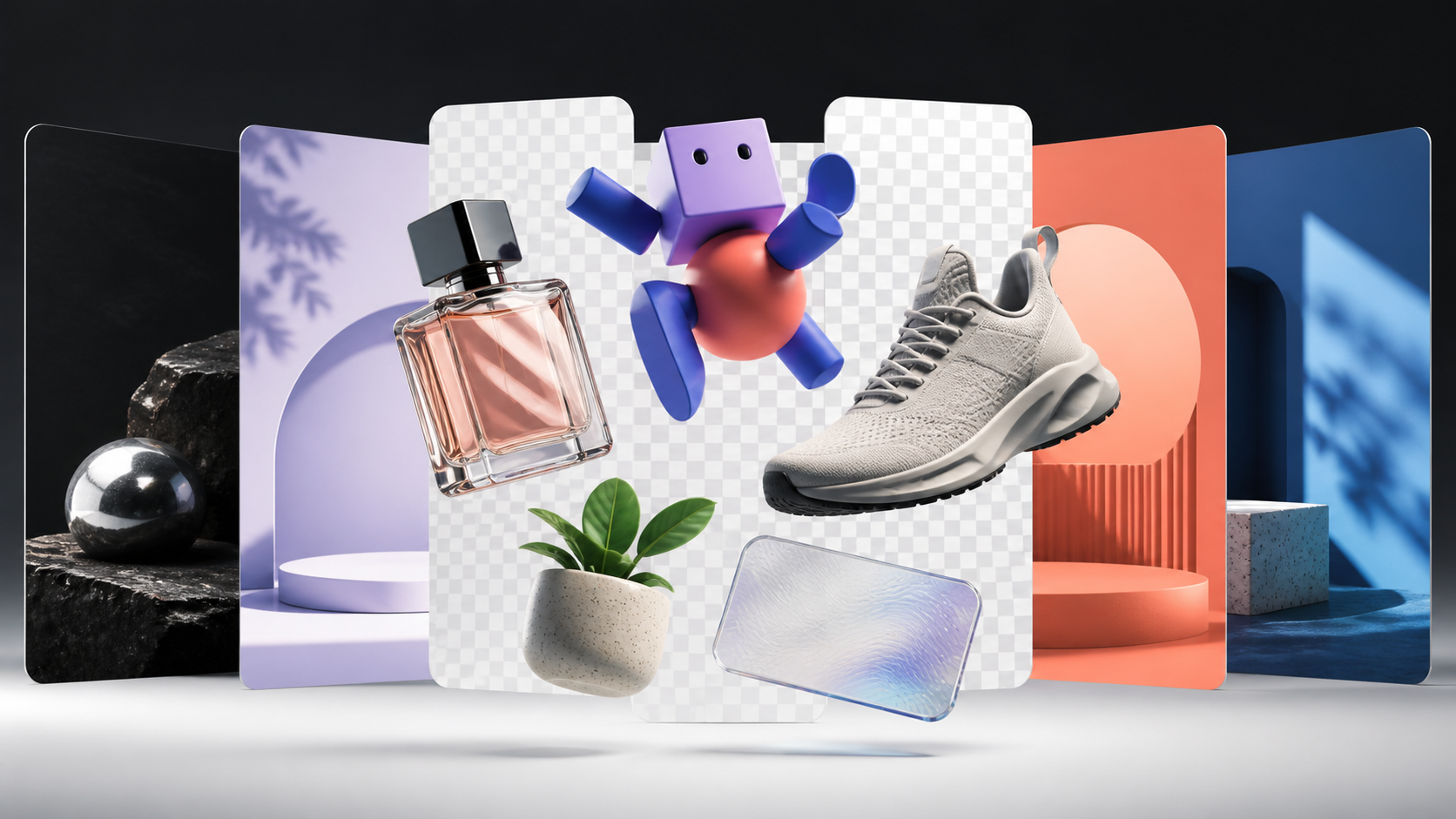
GPT Image 2 transparent backgrounds turn an AI-generated picture from a finished rectangle into a reusable design component.
Developers can request a product, character, or icon with transparent pixels around it, then place the result on a website, advertisement, presentation, mockup, or print layout without cutting it out by hand.
What GPT Image 2 Transparent Backgrounds Actually Mean
Three similar-sounding editing operations are often confused:
- Lowering opacity makes an entire layer partially see-through, including the subject.
- Removing a background starts with an existing flat image and estimates which pixels belong to the subject.
- Generating with transparency asks the model to create the asset and its transparent alpha channel as one output.
An alpha channel stores each pixel’s transparency. This matters around glass, sheer ribbon, leaves, fibers, or anti-aliased illustrations. Native output can reduce separate selection, masking, and edge cleanup, but it does not eliminate quality control.
Who Should Use This Feature?
The strongest users are people who need one visual asset to work in several contexts.
| User | Best-fit scenario | Practical benefit |
|---|---|---|
| E-commerce teams | Product cutouts for seasonal storefronts, category pages, and ads | Reuse one product asset across multiple campaign backgrounds |
| Brand and marketing teams | Social posts, banners, email graphics, and campaign variants | Build many layouts without re-cutting the same subject |
| Graphic and template designers | Stickers, icons, decorative objects, and illustration packs | Give users drag-and-drop elements that work on any canvas |
| Web and app designers | Hero objects, device mockups, floating UI elements, and onboarding art | Place assets over gradients, video, or responsive color themes |
| Presentation teams | Charts, diagrams, and branded visual elements | Blend graphics into an existing slide theme without a white box |
| Print-on-demand sellers | Artwork for shirts, tote bags, mugs, and product previews | Apply one design to different products and garment colors |
| Game and content creators | Characters, props, collectibles, and thumbnail elements | Produce isolated components for later composition |
OpenAI’s examples cover seasonal commerce, enterprise presentations, design-template assets, and print-on-demand merchandise. The common pattern is modularity: transparency matters most when an asset will move between layouts or formats.
Seven Practical GPT Image 2 Transparent Background Scenarios
1. Product catalogs that change with the season
Generate a perfume bottle, shoe, lamp, or packaged item once, then place it over spring colors, holiday scenes, sale graphics, or marketplace templates. The team changes the campaign, not the product cutout.
2. Faster ad-creative testing
A marketer can combine the same isolated subject with several headlines, layouts, and backgrounds. This supports rapid creative experiments while keeping the featured object consistent.
3. Website hero sections
Transparent devices, 3D objects, plants, characters, or product renders can float over gradients and adapt to responsive layouts. Designers avoid rectangular edges that conflict with the page background.
4. Sticker and asset libraries
Creators can produce themed packs of icons, mascots, decorative shapes, or scrapbook elements. Each item remains independent, making it easier to assemble templates later.
5. Branded presentations
Charts and supporting illustrations can sit directly on dark, light, or gradient slides. This is especially useful when a company template must remain unchanged.
6. Merchandise previews
One print design can be applied to several blank products. The transparent area lets the fabric or product color show through naturally around the artwork.
7. Automated creative pipelines
Developers can generate reusable assets inside catalog, personalization, design, or campaign tools. Because the API returns base64-encoded image data, an application can decode the file, store it, and place it into a larger workflow.
How to Request a Transparent Output
- Head over to GPT transparent BG editor.
- Select text-to-image mode or image-to-image mode
- Text-to-image mode can generate one original image with transparent background
- Image-to-image mode can turn your existing image into transparent background.
Create Reusable Visual Assets with SuperMaker
Transparent backgrounds make every generated image more flexible. Create product cutouts, marketing graphics, website elements, stickers, and other reusable assets—then place them into any campaign or design without time-consuming manual cleanup.
Ready to build your next visual workflow? Explore SuperMaker and turn your ideas into production-ready creative assets.