How to Remove Filter From Photo and Restore Natural Colors with AI
A Complete Guide to Removing Photo Filters and Restoring Natural Images with AI
Photos are often edited before sharing online. Social media filters, beauty effects, vintage styles, and color adjustments can quickly change the original appearance of an image. While these effects may look attractive at first, they can sometimes make photos appear unnatural, especially when skin tones, product colors, or important details are affected.
If you want to remove filter from photo and bring back a more realistic appearance, AI-powered editing tools provide a faster solution than traditional photo software. Instead of manually adjusting brightness, saturation, and color balance, users can rely on AI to analyze the image and reduce unwanted effects automatically. Tools like SuperMaker AI Remove Filter From Photo help restore natural colors, realistic tones, and original image details without complicated editing skills.
Why Do People Need to Remove Filters From Photos?
Photo filters are designed to enhance images, but excessive editing can create problems. A warm filter may make skin look too orange, a vintage effect can fade important details, and high contrast adjustments may remove natural shadows.
Over Edited Portraits Lose Natural Appearance
Portrait photos are among the most common images affected by filters. Beauty filters, color overlays, and face enhancements can change:
- Natural skin tones
- Facial details
- Lighting balance
- Original expressions
For profile pictures, professional portfolios, or personal memories, a more realistic appearance is often preferred.
Filtered Product Photos Can Mislead Customers
For ecommerce sellers, accurate colors are extremely important. A heavy filter may make:
- White products appear yellow
- Clothing colors look different
- Materials appear unrealistic
Removing unnecessary filters helps brands present products more honestly and build customer trust.
Old Photos Often Need Filter Removal
Many older photos were edited with faded, film-style, or color effects. Today, users may want to restore these images and recover a cleaner, more natural look.
AI filter removal makes it easier to improve these photos without spending hours in professional editing software.
How to Remove Filter From Photo with AI
Traditional editing programs require users to understand layers, curves, color grading, and manual adjustments. AI photo filter removers simplify this process by automatically detecting artificial effects.
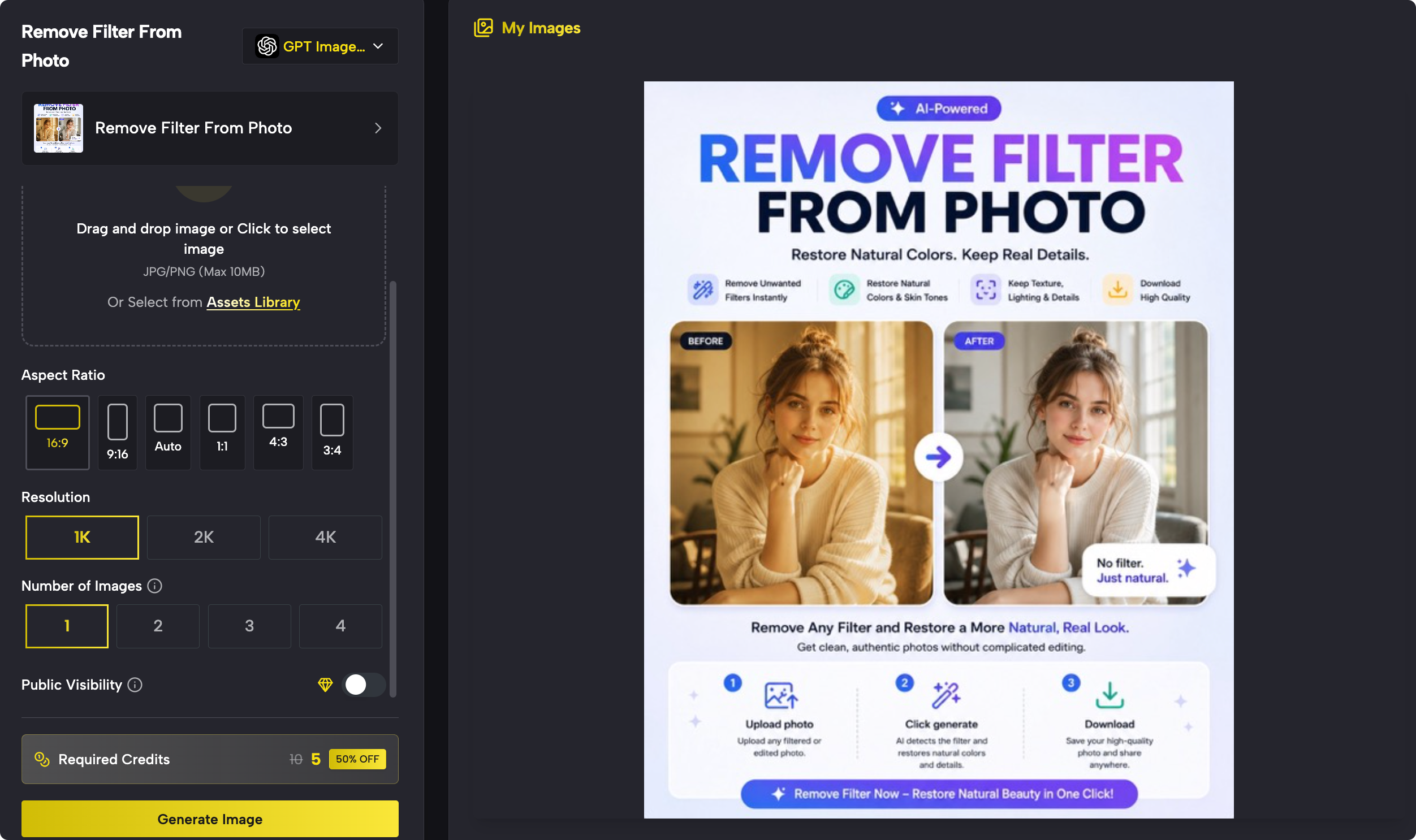
Using SuperMaker AI Remove Filter From Photo, users can restore images through a simple workflow. The tool is designed to reduce unwanted color effects while keeping the original subject, composition, and important details unchanged.
Upload Your Filtered Photo
Start by selecting the image you want to restore.
Common examples include:
- Instagram filtered selfies
- Vintage-style photos
- Over-edited portraits
- Product images with color adjustments
- Old family pictures
Higher-quality images usually produce better results because AI can analyze more visual information.
Let AI Analyze and Remove the Filter
After uploading, AI identifies elements such as:
- Color casts
- Excessive saturation
- Dark overlays
- High contrast effects
- Vintage filters
Instead of manually correcting every setting, AI automatically balances the image and creates a more natural result.
Download the Restored Image
Once processing is complete, users can review the improved version and download the restored photo.
The entire process removes the need for complicated software or professional editing experience.
What Types of Photo Filters Can AI Remove?
Different filters affect images in different ways. A good AI filter remover should handle various editing styles.
Remove Instagram Filters From Photos
Social media filters often modify colors dramatically. AI can help reduce:
- Warm tones
- Cool color effects
- Increased saturation
- Artificial brightness
This allows users to create cleaner and more natural social media images.
Remove Vintage Filters From Photos
Vintage filters usually add:
- Faded colors
- Film textures
- Yellow or brown tones
- Reduced contrast
AI can help restore balance while keeping the original photo structure.
Remove Beauty Filters From Portraits
Beauty effects may smooth skin too much or change facial appearance. Removing these effects can help restore:
- Natural skin texture
- Realistic facial details
- Original lighting
Remove Color Filters From Product Images
For online stores, accurate product presentation matters. Removing color filters can help customers see products closer to their actual appearance.
AI Filter Remover vs Manual Photo Editing
Many users still rely on Photoshop or Lightroom for photo correction. However, manual editing requires time and technical knowledge.
| Method | Difficulty | Time Required | Best For |
|---|---|---|---|
| Photoshop | High | Long | Professional editing |
| Lightroom | Medium | Medium | Color adjustments |
| AI Filter Remover | Easy | Seconds | Quick restoration |
AI tools are especially useful when users need fast results without learning complex editing techniques.
Practical Use Cases for Removing Photo Filters
Social Media Creators
Creators often experiment with different visual styles. However, maintaining a consistent and authentic appearance across platforms can be difficult.
Removing filters helps creators:
- Refresh old content
- Improve profile images
- Maintain natural branding
Ecommerce Sellers
Product photos need accurate representation. AI filter removal can help sellers correct supplier images or improve listing visuals before publishing.
Photographers
Photographers may receive heavily edited client photos. AI tools provide a quick way to reduce unwanted effects before further adjustments.
Personal Memories
Old family photos often contain outdated editing styles. Removing filters can help bring back a more natural version of important memories.
Combine Filter Removal With Other AI Image Editing Tools
Removing filters is often only one step in improving an image. After restoring natural colors, users may want to make additional changes.
For example, SuperMaker AI also provides tools for broader image editing workflows. Its AI Photo Editor allows users to modify images through text instructions, making it useful for creative transformations and advanced adjustments.
If unwanted objects are affecting your image, an AI object removal tool can clean up distracting elements while preserving the surrounding background.
For images containing unwanted words, labels, or captions, a text removal tool can help create cleaner visuals.

Tips for Getting Better Results When Removing Filters
Use High Resolution Images
Clear images provide more information for AI analysis and usually create better restoration results.
Avoid Extremely Damaged Photos
AI can reduce filters and restore natural balance, but it cannot fully recover details that were permanently removed during editing.
Compare Before and After Results
Always compare the restored version with the original image to ensure the result matches your expectations.
Frequently Asked Questions
Can AI remove filters from photos?
Yes. AI filter removers can analyze color adjustments, saturation changes, and artificial effects to create a more natural-looking image.
Can I remove Instagram filters from a photo?
Yes. AI tools can reduce many social media filter effects, including color overlays, brightness changes, and vintage styles.
Does removing a filter restore the exact original photo?
Not always. If important details were permanently changed or removed, AI can only create a natural reconstruction rather than recover the exact original file.
Do I need Photoshop to remove filters?
No. AI-powered tools allow users to remove filters online without professional editing knowledge.
Can AI remove filters from product photos?
Yes. Removing filters from product images can help restore more accurate colors and improve ecommerce visuals.
Restore Natural Photos With AI
Filters can make photos more stylish, but excessive editing may remove the natural look that makes images authentic. Whether you are fixing a social media photo, restoring an old memory, or improving product images, AI filter removal provides a simple and efficient solution.
With SuperMaker AI Remove Filter From Photo, users can quickly reduce unwanted effects, restore realistic colors, and improve image quality without complicated editing steps.
Instead of spending time adjusting dozens of settings manually, AI makes photo restoration faster, easier, and accessible for everyone.
Try AI-powered filter removal today and bring your photos back to a more natural appearance.