AI Gender Change Filter Guide for Realistic Portrait Transformations
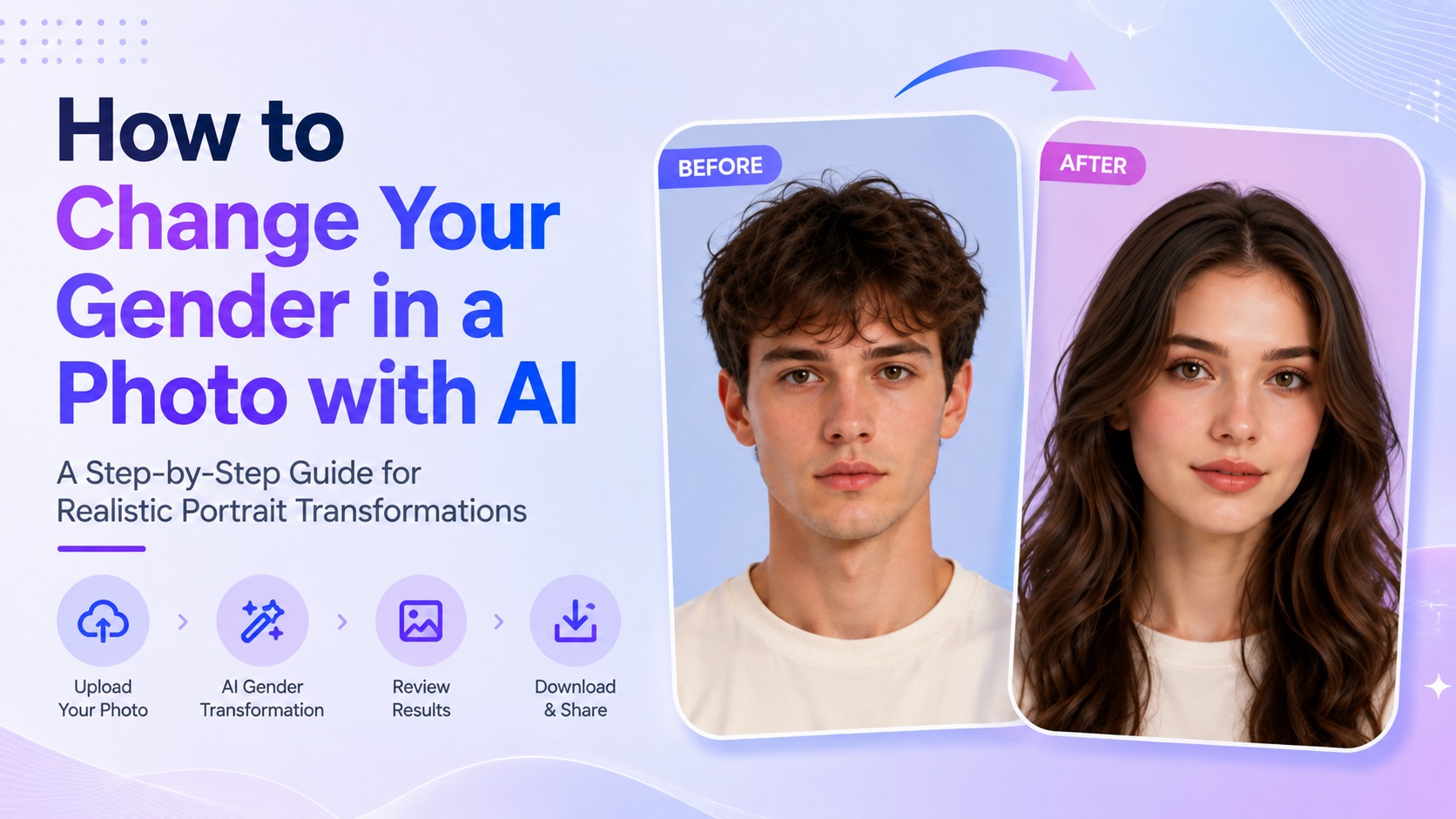
Learn what an AI Gender Change Filter does, how to use it on SuperMaker, which photos work best, and how to continue editing your portrait with other AI tools.
AI portrait editing is no longer limited to beauty filters, face smoothing, or simple overlays. Generative AI can now reinterpret a person’s appearance while keeping enough of the original facial identity recognizable. One increasingly popular example is the AI Gender Change Filter, which can transform an uploaded portrait into a more masculine or feminine visual version.
SuperMaker turns this process into a straightforward photo-to-photo workflow. Instead of manually reshaping facial features, changing hairstyles, adding facial hair, or rewriting detailed prompts, users can upload a portrait and let AI generate a new interpretation.
The result can be used for casual experimentation, profile images, social media comparisons, character concepts, or creative portrait projects. More importantly, it gives users a quick way to explore how AI can reinterpret the same identity through different visual characteristics.
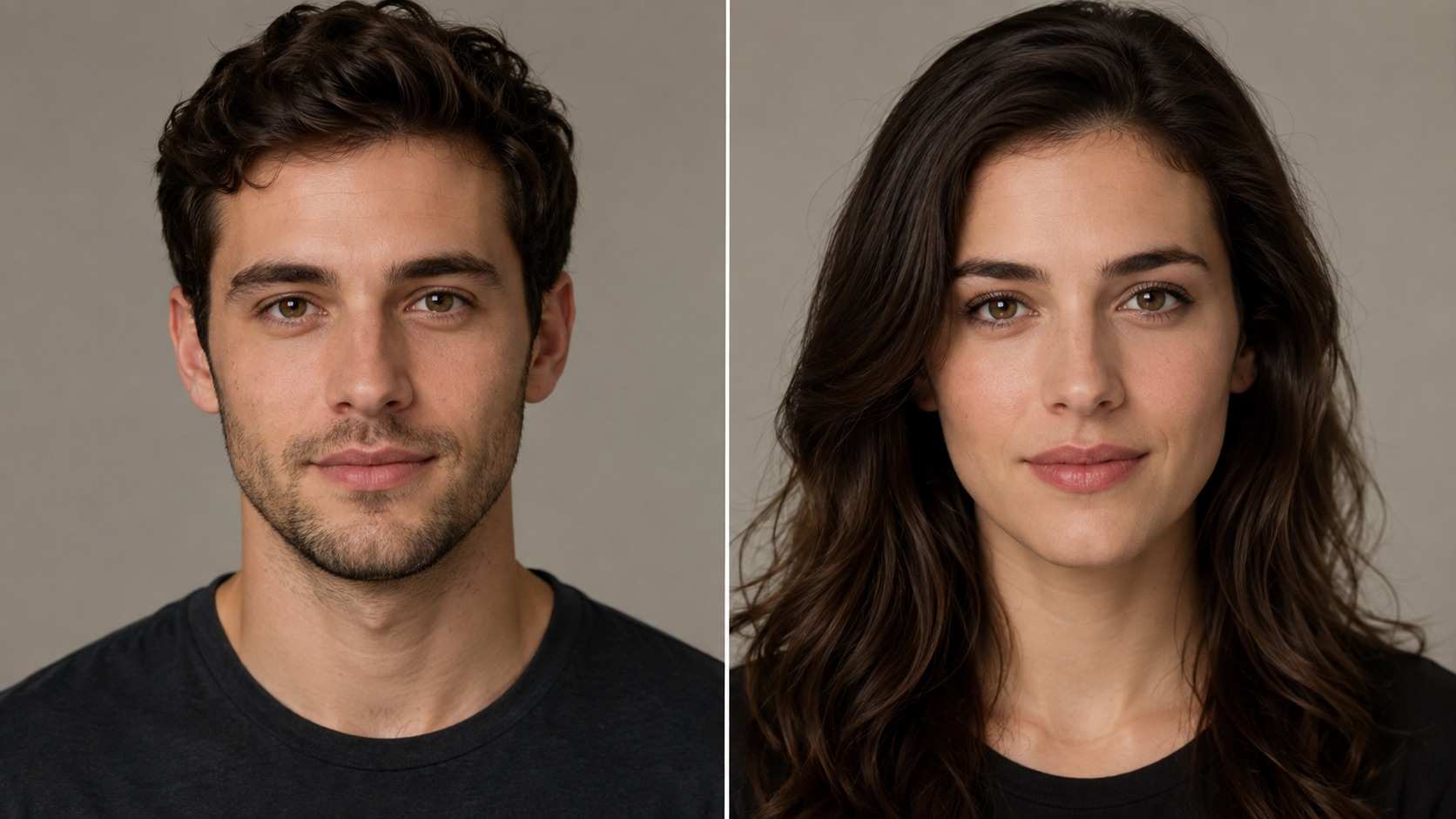
A before-and-after example showing how an AI Gender Change Filter can reinterpret a portrait while preserving recognizable facial characteristics.
What Is an AI Gender Change Filter?
An AI Gender Change Filter is a generative image effect that analyzes a person in an uploaded photo and creates a new portrait with different gender-associated visual characteristics.
This differs from older photo filters that simply place a fixed effect over the original image. Generative AI can reconstruct parts of the portrait, meaning that the output may include changes to facial structure, hair, eyebrows, facial hair, makeup, skin details, or styling while still trying to preserve the identity of the original subject.
Typical changes may include:
- softer or more angular facial contours
- different hairstyles or hair lengths
- changes to eyebrows and facial hair
- adjustments to makeup or skin presentation
- subtle changes to clothing and styling cues
- different combinations of masculine or feminine visual traits
The goal is not to replace the person with an unrelated face. A convincing result should still feel connected to the uploaded photo.
It is also important to understand what the result represents. An AI gender change image is a creative visual interpretation, not an objective prediction of how someone would look as another gender. Different generations can produce different appearances even when the same photo is used.
How SuperMaker AI Gender Change Filter Works
SuperMaker keeps the process focused on the transformation itself. Users do not need to write a complex image prompt or manually specify every facial adjustment.
The workflow starts with a reference photo. The AI uses the visible identity, facial structure, hairstyle, expression, and other details in that image as the foundation for the generated result.
A Preset Photo-to-Photo Transformation
The gender-change effect is already built into the tool. This makes the process different from a general AI image generator where users need to describe the entire image from scratch.
For someone who simply wants to see a transformed version of an existing portrait, a preset workflow reduces unnecessary prompt writing and makes the result easier to generate.
Flexible Image Output
Different image ratios work better for different uses. A square result may be suitable for an avatar, while a vertical image can work better for a portrait or social media post.
SuperMaker also provides output controls such as resolution and generation quantity, allowing users to decide how the final result should be produced before starting the generation.
Multiple Results Can Look Different
Generative AI does not always return the same interpretation. One result may keep the original face shape more closely, while another may produce a hairstyle or facial styling that looks more convincing.
For that reason, generating several variations can be useful when choosing the most natural-looking result.
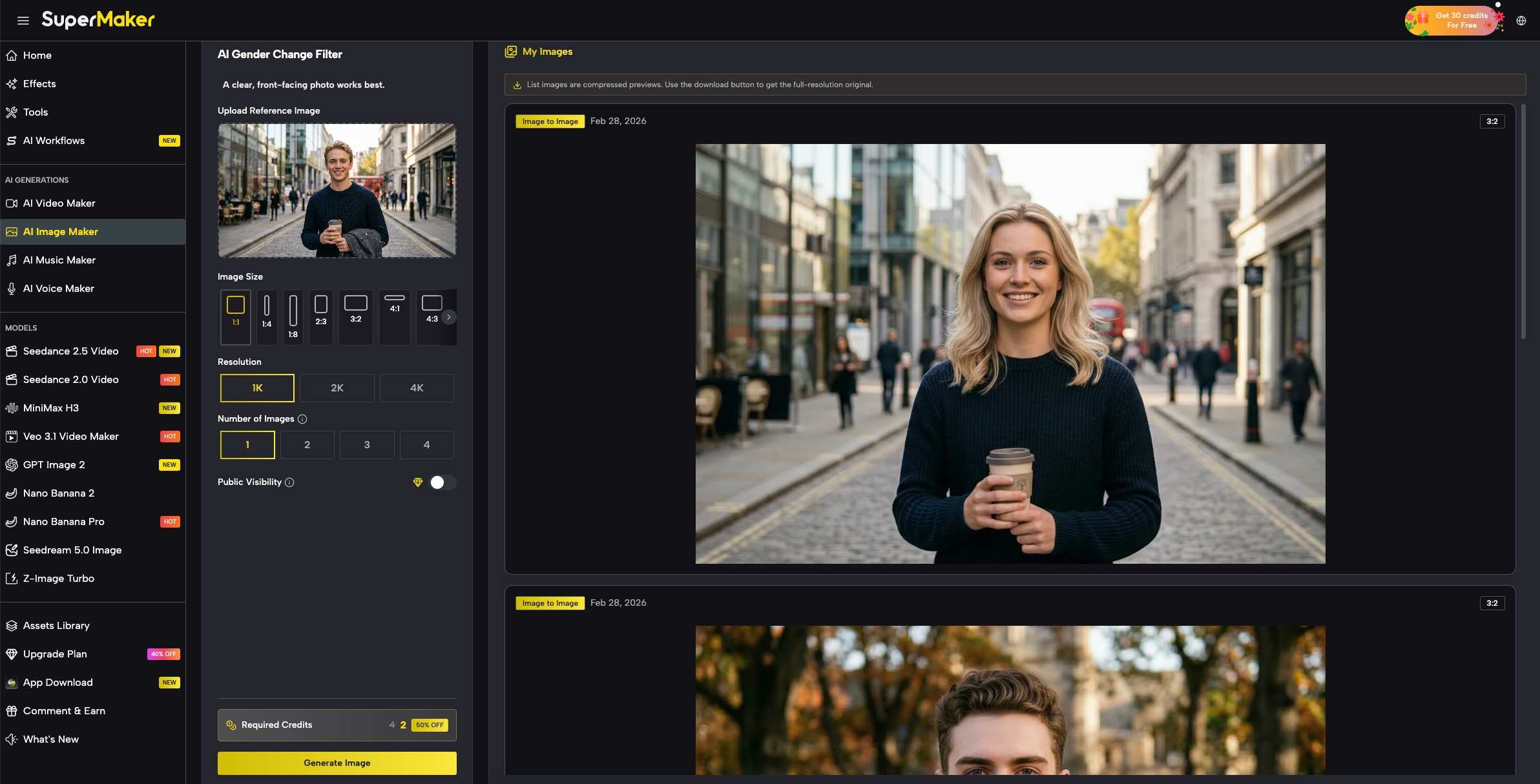
SuperMaker provides a simple photo-to-photo workflow with controls for image ratio, resolution, and the number of generated results.
How to Use AI Gender Change Filter on SuperMaker
Using the tool does not require an existing prompt. A clear portrait is enough to begin.
1. Upload a Clear Portrait
Open the SuperMaker AI Gender Change Filter and upload the photo you want to transform.
For more reliable results, choose an image where the face is clearly visible. A front-facing portrait or a slightly angled face usually gives the model more useful information than an extreme side profile.
Try to avoid photographs where the face is heavily covered by:
- sunglasses
- hands
- large accessories
- strong shadows
- hair covering most facial features
- motion blur
The clearer the original identity is, the easier it is for the AI to create a transformed version that still resembles the same person.
2. Choose the Output Settings
After uploading the image, select the output settings available in the generator.
You can choose an image ratio based on how you plan to use the result. A square format works well for profile images, while portrait-oriented ratios are better when you want more of the upper body or surrounding composition to remain visible.
You can also select the desired resolution and decide how many images to generate.
Generating several versions can be especially useful because AI may interpret the same face differently from one generation to the next.
3. Generate the Image
Once the settings are ready, click Generate Image.
The AI processes the uploaded photo and generates a gender-transformed interpretation. Rather than applying a simple overlay, the model may reconstruct several visible details of the portrait.
When reviewing the result, look beyond whether the image is attractive. Check whether important characteristics such as the eyes, face shape, expression, and overall resemblance still connect naturally to the source photo.
4. Compare the Results
If you generated multiple images, compare them before choosing the final version.
One result may preserve identity more accurately, while another may have a better hairstyle or more realistic facial details. Small differences are normal because the output is generated rather than produced by a fixed filter template.
If none of the first results look convincing, try another generation or use a clearer source photo.
How to Get More Natural AI Gender Change Results
The AI model plays an important role, but the input image has just as much influence on the quality of the result.
Start With a Clearly Visible Face
Close-up or medium portrait photos generally provide better facial information than distant full-body shots.
The model needs enough visual detail to understand the eyes, nose, mouth, jawline, hairstyle, and overall proportions of the person. If the face only takes up a very small part of the image, identity preservation can become less reliable.
Avoid Heavy Beauty Filters
A photo that has already been heavily edited may remove some of the visual information the AI needs.
Strong skin smoothing, face reshaping, exaggerated makeup filters, or aggressive sharpening can make the input less natural. Whenever possible, use a relatively clean source photograph.
Use Balanced Lighting
Extremely dark shadows, strong colored lighting, or overexposed highlights can hide facial details.
Soft daylight or balanced indoor lighting usually provides a better reference because the model can see more of the original facial structure.
Generate More Than One Version
There is no single objectively correct gender-swapped appearance for a person. The model creates a visual interpretation, so variation should be expected.
Generating multiple versions is often more effective than trying to judge the entire tool from one image.
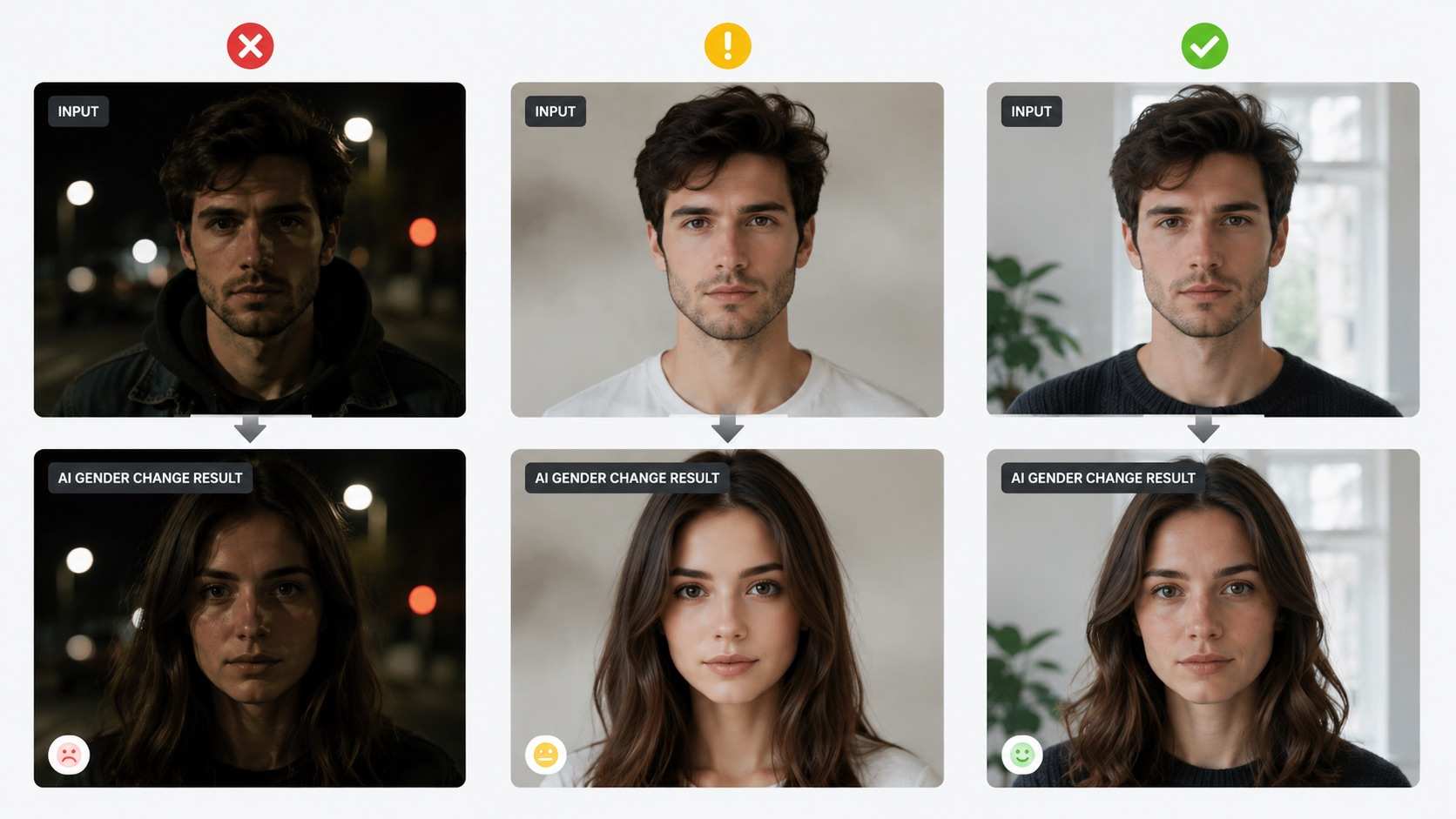
Clear facial visibility, balanced lighting, and minimal existing filters can help produce more consistent AI gender transformations.
More Ways to Transform the Same Portrait on SuperMaker
A gender transformation does not have to be the final step. Once you have a portrait you like, SuperMaker includes other image tools that can help you continue changing specific parts of the appearance.
Try a Different Hairstyle
Hair has a major effect on how a face and overall portrait are perceived. If the gender-transformed result works but the hairstyle does not, you may prefer to change the hair separately.
SuperMaker’s AI Hairstyle Changer is designed for experimenting with different hairstyle directions without rebuilding the entire portrait from scratch.
This can be useful when comparing shorter and longer hairstyles, trying different textures, or creating a more specific final appearance.
Change the Outfit
A transformed portrait may preserve the face well while still producing clothing that does not match the intended look.
The AI Outfit Swap provides another editing direction by focusing specifically on clothing. It can be useful for character concepts, fashion experiments, profile images, or more complete visual transformations.
Separating facial transformation from outfit editing can also give users more control than trying to make every major change in a single generation.
Explore Different Ages
Gender is only one way to reinterpret the same identity. Age transformation provides another.
With the AI Age Change Filter, users can explore younger or older versions of a portrait and compare how age-related visual details change the character of the face.
This can work especially well for fictional character development, creative portrait series, or simply experimenting with different versions of the same person.
Use Face Swap for a Different Type of Transformation
Gender change and face swap are often discussed together, but their purposes are different.
The AI Face Swap is designed for transferring a face into another target image or visual context. Instead of changing gender-associated characteristics of the same portrait, it focuses on replacing or transferring facial identity.
If you want to reinterpret the person already in the photo, a gender-change workflow makes more sense. If you want that face placed into another image, face swap is the more relevant option.
Make More Specific Changes With AI Photo Editor
Preset effects are useful when you want a quick transformation, but they do not cover every possible creative request.
SuperMaker’s AI Photo Editor provides a more flexible option for changes that are easier to describe in words. For example, you may want to replace the background, adjust clothing, remove an unwanted object, or create a more specific visual style after generating the portrait.
A practical workflow can therefore begin with the AI Gender Change Filter and continue with a general photo editor when additional customization is needed.
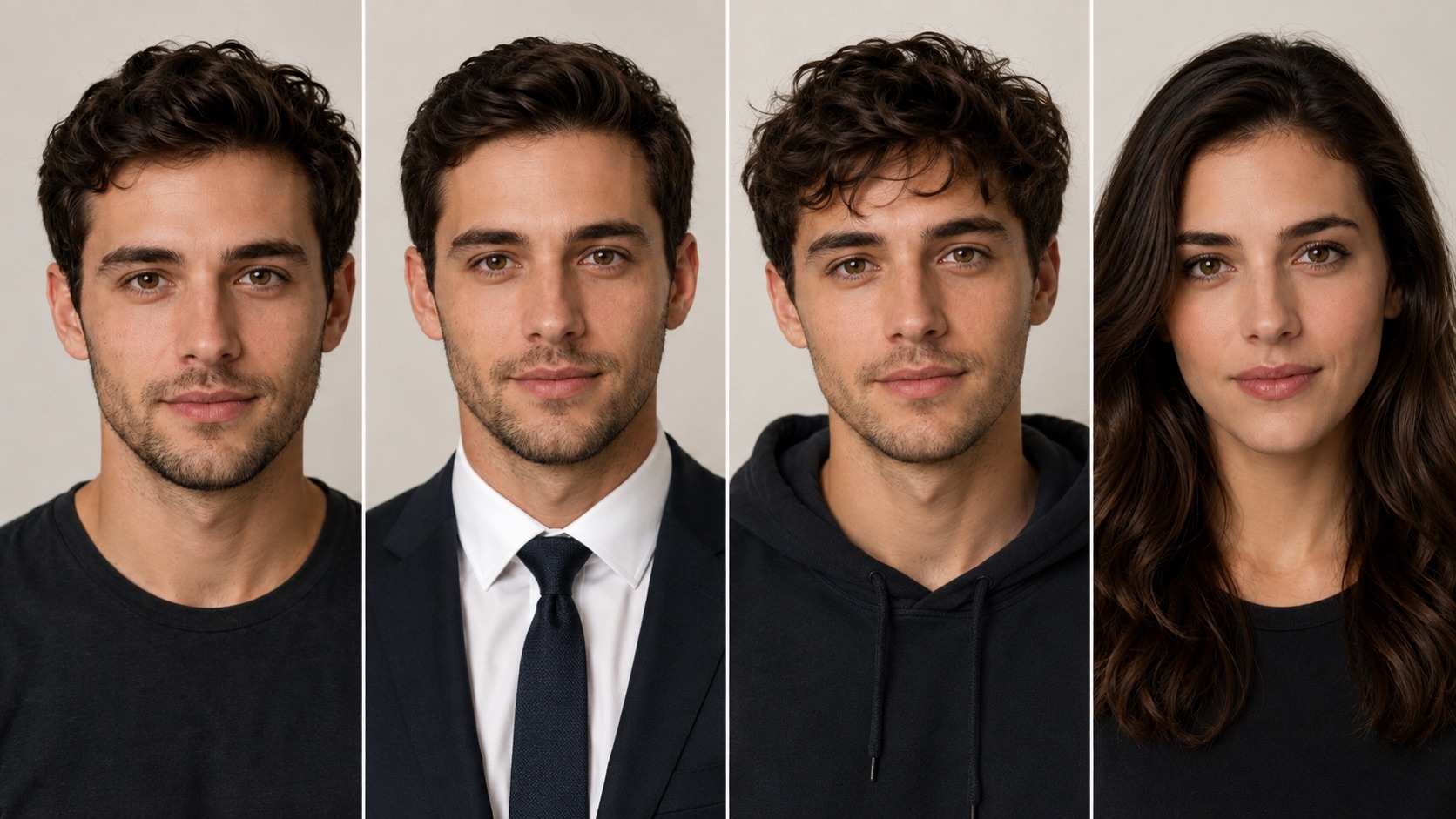 Different AI portrait tools can be combined to explore hairstyles, outfits, age changes, and gender transformations from the same source image.
AI Gender Change Filter vs Face Swap
Although both tools can significantly alter a portrait, the underlying goals are different.
AI Gender Change Filter starts with one subject and changes parts of the person's visual presentation while attempting to preserve that person’s identity.
A face swap typically involves transferring one face into another image. The target pose, body, scene, or composition may remain largely unchanged while the facial identity is replaced.
This makes each workflow useful for different situations.
Choose a gender change filter when you want to:
- create a masculine or feminine interpretation of the same portrait
- explore alternate versions of an original character
- make gender-swap before-and-after content
- experiment with changes while keeping the same person recognizable
Choose face swap when you want to:
- place a face into another photograph
- combine the identity from one image with another scene
- create a character or visual composition using a separate target image
Understanding this difference helps avoid expecting one tool to perform the job of the other.
Creative Ways to Use an AI Gender Change Image
The simplest use is seeing what a familiar portrait might look like when interpreted differently by AI, but gender-change images can also become starting points for larger creative projects.
Before-and-After Social Posts
The original and transformed portraits can be placed side by side to create a clear before-and-after comparison. This format works naturally for social media because viewers can immediately understand what changed.
Character Design
Writers, game creators, role-playing communities, and visual storytellers can use gender-transformed portraits to explore alternate versions of original characters.
Instead of redesigning a character from the beginning, creators can start with an existing visual identity and explore different directions.
Avatar Experiments
AI-generated portraits can also be used as early concepts for avatars and profile images. After generating a gender-transformed version, creators can continue adjusting hair, clothing, background, or art direction using more specialized tools.
Creative Portrait Series
Rather than treating one generated image as the final result, users can create a series around the same identity: masculine, feminine, younger, older, different hairstyles, and different outfits.
This approach makes the original portrait a reusable creative reference rather than a one-time input.
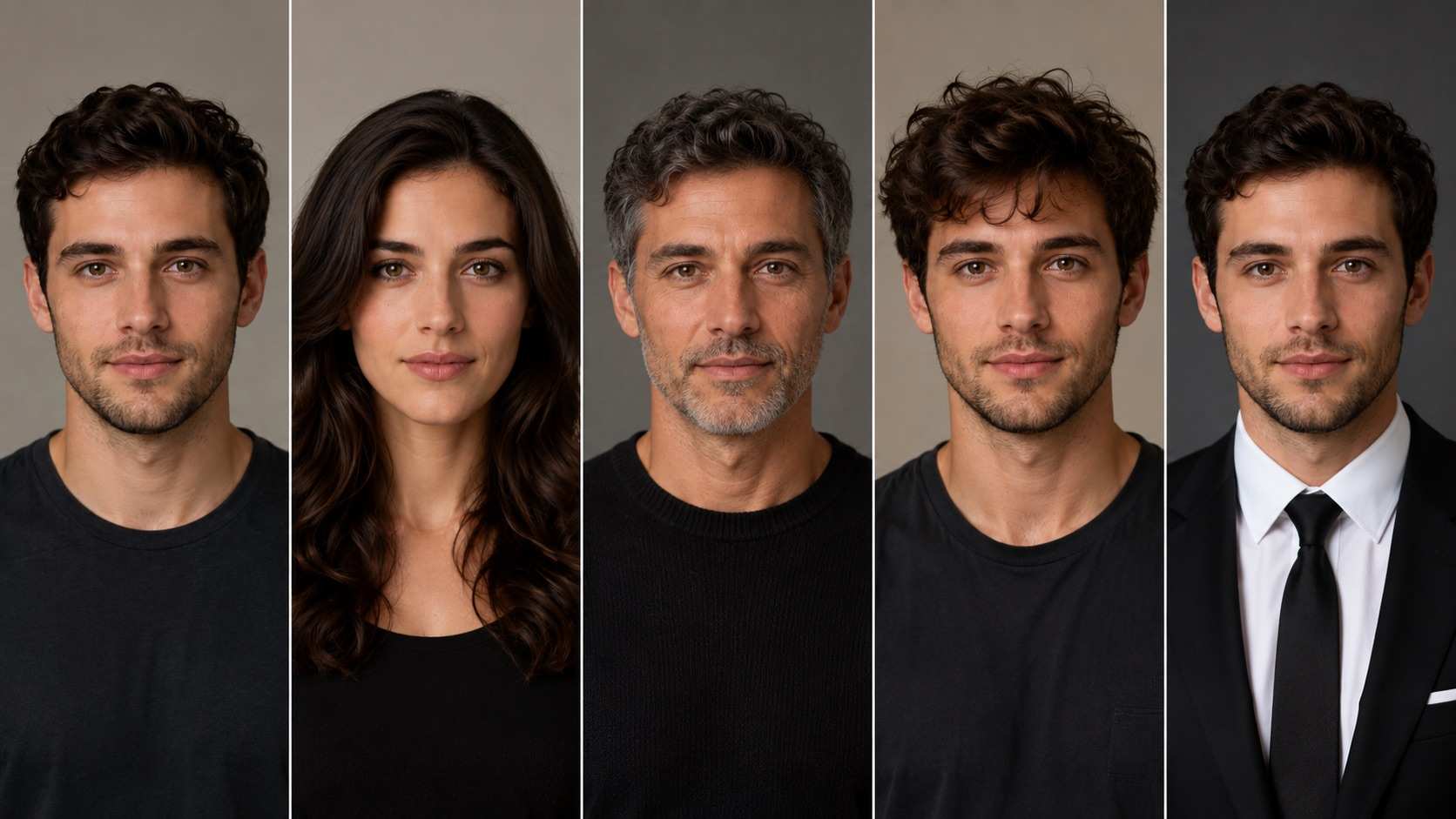
One reference portrait can become the starting point for multiple AI-generated appearance experiments.
What to Check Before Using a Generated Portrait
AI image generation can produce impressive results, but it can also introduce unexpected details.
Before publishing or reusing a generated image, zoom in and inspect important areas such as:
- eyes and pupils
- teeth
- hairlines
- earrings and accessories
- hands if they are visible
- clothing edges
- background objects
- facial symmetry
Identity consistency is also important. A technically clean image is not necessarily a successful gender transformation if the subject no longer resembles the original person.
For personal experiments, the preferred result may simply be the one that looks most interesting. For character design, profile images, or more polished creative projects, resemblance and consistency usually deserve more attention.
Final Thoughts
An AI Gender Change Filter turns a transformation that would normally require detailed portrait editing into a much shorter generative workflow. With one clear source photo, users can explore a masculine or feminine interpretation of the same person without manually editing individual facial features.
SuperMaker simplifies that process through a dedicated photo-based effect, making it easier to experiment without writing complicated prompts. The strongest results still depend on the source photo and individual generation, so clear facial visibility, natural lighting, and multiple attempts can make a meaningful difference.
The generated portrait can also serve as the beginning rather than the end of the creative process. Tools for hairstyle changes, outfit swaps, age transformations, face swapping, and prompt-based photo editing can all take the same character in different directions.
If you want to experiment with a different interpretation of a portrait, start with the AI Gender Change Filter on SuperMaker and use the result as a foundation for further AI portrait editing.