How to Make a Huss Huss Huss AI Gym Video With One Photo
When the Group Chat Asks Why You Skipped the Party, Send This
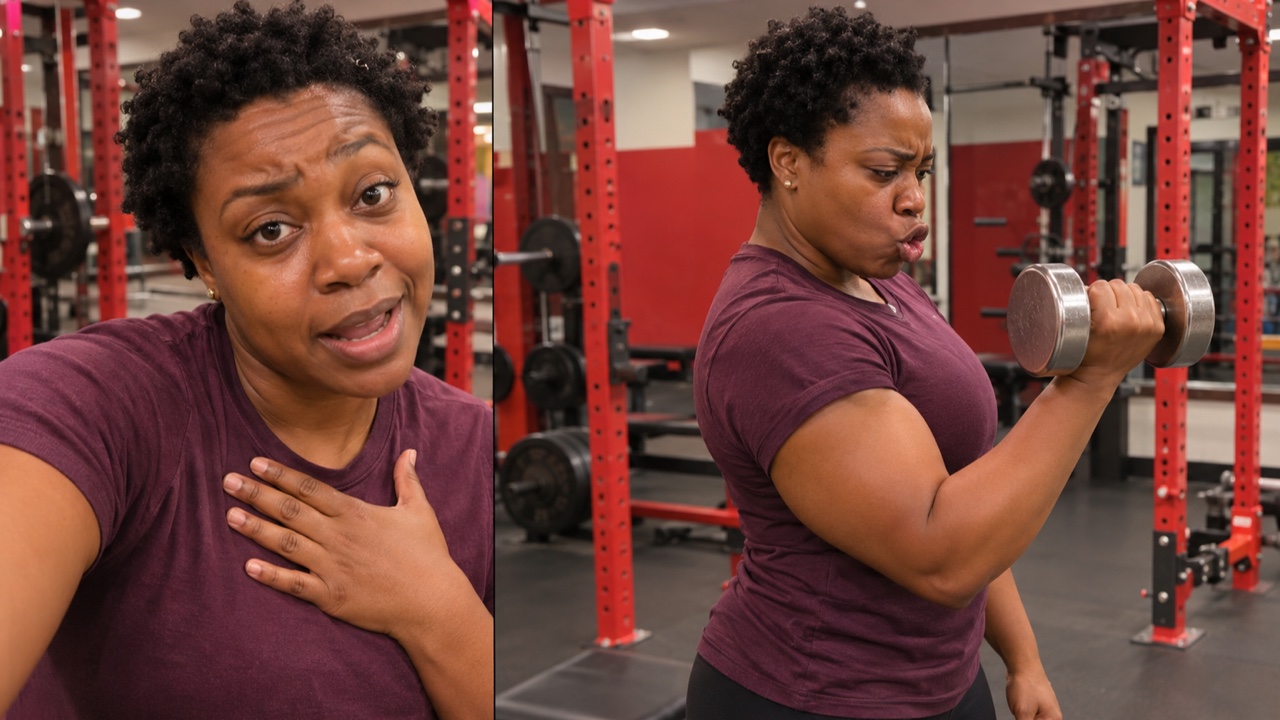
The “Huss Huss Huss” sound has taken off on TikTok. In the gym version, you’re telling the camera how everyone else is out partying when you suddenly turn, curl a dumbbell, and let out three loud “huss” breaths. Then you go right back to your story with a straight face.
You can join the trend from your couch. Pick a selfie your friends will recognize and open SuperMaker’s Huss Huss Huss AI Video. The gym scene and the sound come with it.
How to Make Your Huss Huss Huss Gym Meme
Step 1. Pick a Selfie That Looks Like You
A casual, eye-level portrait works well for the Huss Huss Huss AI effect. Look for one where both eyes, your mouth, and the outline of your jaw are easy to see. If you’re choosing between a gym mirror selfie with your phone over your face and a clear photo from breakfast, use the breakfast photo. The effect adds the workout clothes.
Step 2. Upload Your Photo and Choose the Frame
Under Upload Your Portrait, click Upload files or drop in your photo. Choose 9:16 for a Reel or TikTok so your expression and the dumbbell fill the phone screen. Pick 16:9 if you want a wider shot with the gym racks visible on either side.
Step 3. Turn On the Sound and Generate
Enable Generate Audio for the spoken line and the three breaths. For a first take, try 720p and set Number of Videos to 1. Check Required Credits for those settings, then click Generate Video.
Step 4. Watch the Punchline Before You Share
Play the clip with sound. The breaths should land as the dumbbell comes up, and the lifter should face the camera again to finish the thought. If you trim it for a post, leave in that last line. Hearing someone carry on quite seriously after all that effort is half the joke.
What to Watch for Before Posting
- If the face looks different on the side turn, try a portrait lit evenly on both cheeks. A deep shadow or a hand along the jaw makes that angle harder to match.
- If you add a caption, play through the curl before placing it. The dumbbell swings into space that looks empty in the opening frame. “Why I missed your party” works as a setup and leaves the punchline to the audio.
- If you add music in your posting app, preview it at phone volume. Keep the three breaths loud enough to hear over the track.
Frequently Asked Questions
Will the Lifter Sound Like Me?
The Huss Huss Huss AI clip uses the voice from the meme, right down to the three breaths during the curl. Your selfie supplies the face, so you can skip recording yourself or memorizing the line.
Can I Use a Photo of Me and My Gym Partner?
The scene has one speaking role. To give your partner the part, use a solo photo they’re happy for you to upload. A crop from a photo together can work if their face stays sharp and yours is fully outside the frame.
How Long Is the Finished Video?
The gym routine runs for 15 seconds, from the opening complaint through the curl and back to the camera. Choosing a different aspect ratio keeps the same timing.
Got a friend who always asks why you skipped Friday drinks? Open Huss Huss Huss AI Video, drop in your selfie, and send them your answer.