How to Make a Smalltown Boy AI Trend Video With Two Photos
Learn How to Turn Two Separate Portraits Into a Playful Smalltown Boy AI Trend Video. This Guide Explains Which Photos to Choose, How to Upload One Person per Image, Which Settings to Check, and What to Look for in the Finished Duo Dance Before You Share It.
The Smalltown Boy AI trend turns two familiar faces into an exaggerated dance scene. One person takes a dramatic close-up while the other keeps moving behind them; later, the pair share the frame. To make your own version, you need two separate photos, with one person in each photo. You do not need to film the dance yourself.
Choose the portraits, upload them to the Smalltown Boy AI video page, check the settings, and generate.
What Is the Smalltown Boy AI Trend?
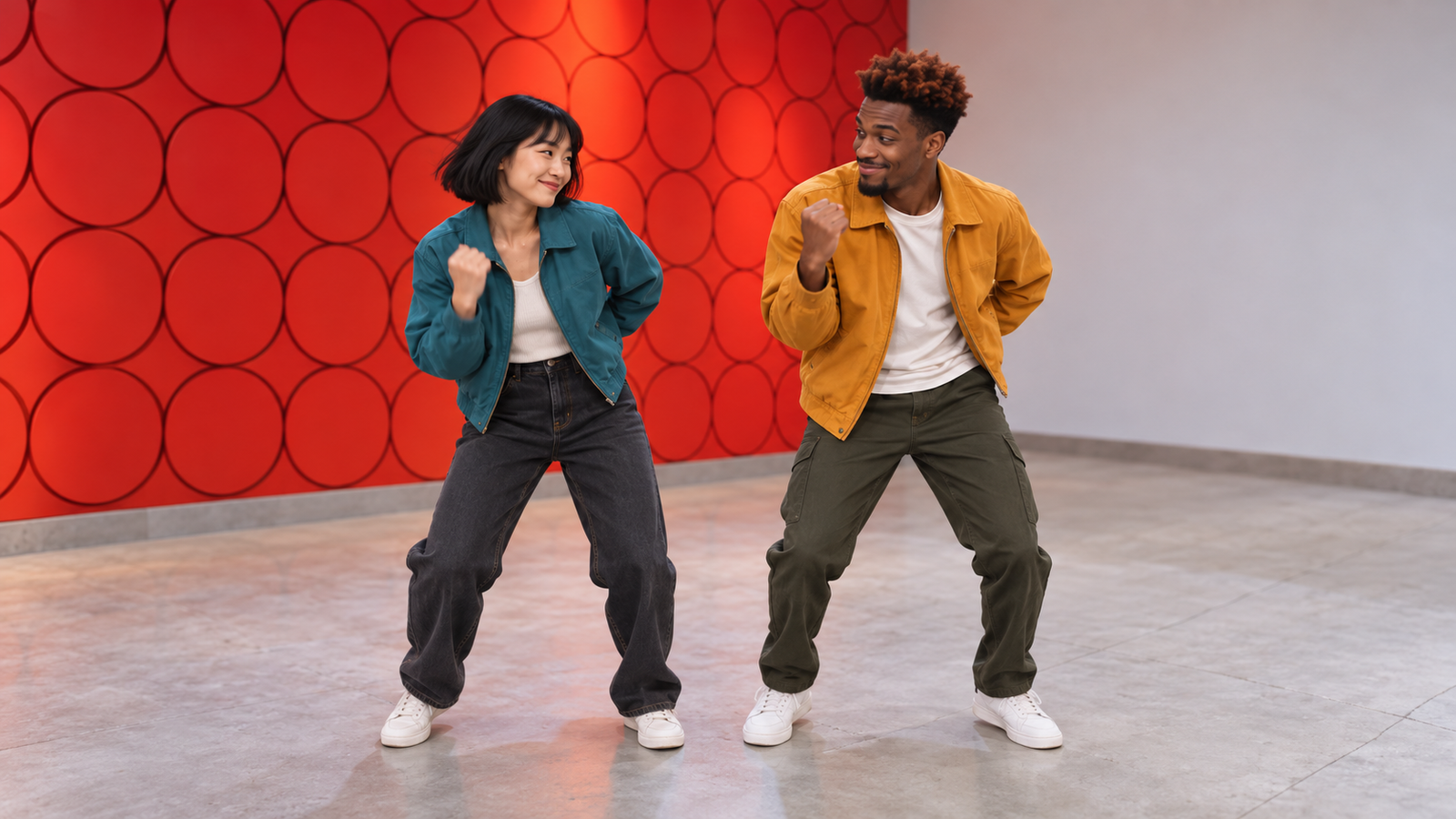
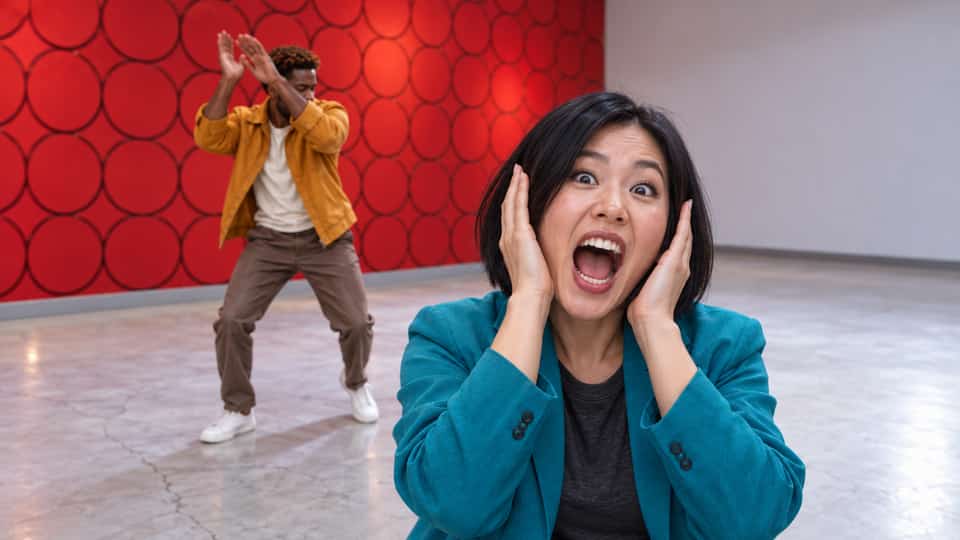
The format is built around a funny contrast. The person closest to the camera reacts with an open-mouthed look, hands near their head, or another theatrical gesture. Their partner dances in the background. The focus shifts, and the video finishes with a shared moment. The reference scene has a red wall covered in circular shapes, which makes the two-person action easy to spot at a glance.
The appeal is the pairing. Try two friends with opposite personalities, siblings, or a duo with a running joke. The generated result is an interpretation, so exact poses and face details can vary.
How to Make a Smalltown Boy AI Video on SuperMaker
Step 1: Choose Two Individual Photos
Pick one image of the first person and a different image of the second. Each file should show only one person. A couple photo or group photo is not the input for this version of the effect.
Choose sharp, evenly lit portraits with visible eyes, nose, and mouth. A half-body shot can show useful hair and clothing details. Avoid sunglasses, heavy filters, and motion blur. SuperMaker's hotel lobby AI video tutorial offers a similar checklist for choosing two portraits.
Use images you have permission to upload. If other people appear in your result, check that they are comfortable with your intended use before sharing it.
Step 2: Open the Effect and Upload Both Portraits
Open the Smalltown Boy AI video generator. Add the first person's photo, then add the second person's photo as a separate file. Check both previews before moving on. Two uploads should mean two different people, one face per image.
You do not need a picture of the pair together. Replace a wrong file before generating.
Step 3: Check the Video Settings
Check the available aspect ratio, video length, resolution, and output count. Start with one video and a format that leaves room for both people. SuperMaker's AI video maker guide explains the general controls; confirm the options on the dedicated effect page.
Read the Required Credits amount for your settings before clicking Generate Video. You can test the pairing without selecting the highest available settings.
Step 4: Generate and Watch the Whole Clip
Click Generate Video and let processing finish. When the result appears, watch it from beginning to end. Do not judge it only by the opening frame: the idea depends on the foreground reaction, the second dancer, and the moment when they appear together.
Check three things: Can you recognize both people? Do the expressions and hands look acceptable? Does the final crop keep both performers visible? If one person looks wrong, try a clearer portrait of that person first.
Before You Share Your Duo Dance
Play the final video on the phone or platform where people will see it. A crop that looks fine on a wide desktop preview can cut off a dancer in a vertical feed. Keep captions away from the faces and the most expressive hand movement.
Give the pairing a short caption, such as “The calm one and the dramatic one.” If you add music, use audio you have the right to post. Pick a version where both people are recognizable and the joke reads quickly.
Smalltown Boy AI Trend FAQ
Can I Upload One Photo With Both People?
For this version, use two separate photos. Upload one person in the first file and the other person in the second. A shared photo does not follow the current two-upload workflow.
Do the Two People Need to Be in the Same Place?
No. They can be photographed at different times and in different places. Clear, individual portraits matter more than matching backgrounds. Similar image quality and reasonably balanced lighting can make the pair easier to read.
Is This the Same as the AI Rap Duo Effect?
No. Both are two-person AI video ideas, but this tutorial is for the Smalltown Boy AI dance and reaction scene. Use the dedicated Smalltown Boy page rather than the Hotel Lobby AI Rap Duo page if you want this look.
What If One Face Changes During the Dance?
Try a sharper, less filtered portrait of that person. Check the entire next result, especially the close-up and the shared dance. AI-generated motion can vary between attempts, so a clearer input may help but cannot guarantee an exact likeness in every frame.
Make Your Own Smalltown Boy AI Trend Video
Choose two people, find one clear portrait of each, and open the Smalltown Boy AI video page. Upload the files separately, check the available settings and credit estimate, and generate your clip. Review both faces and the final two-person dance before sharing the version that tells your story best.