How to Try On Different Outfit with SuperMaker AI Dress Change Filter Online
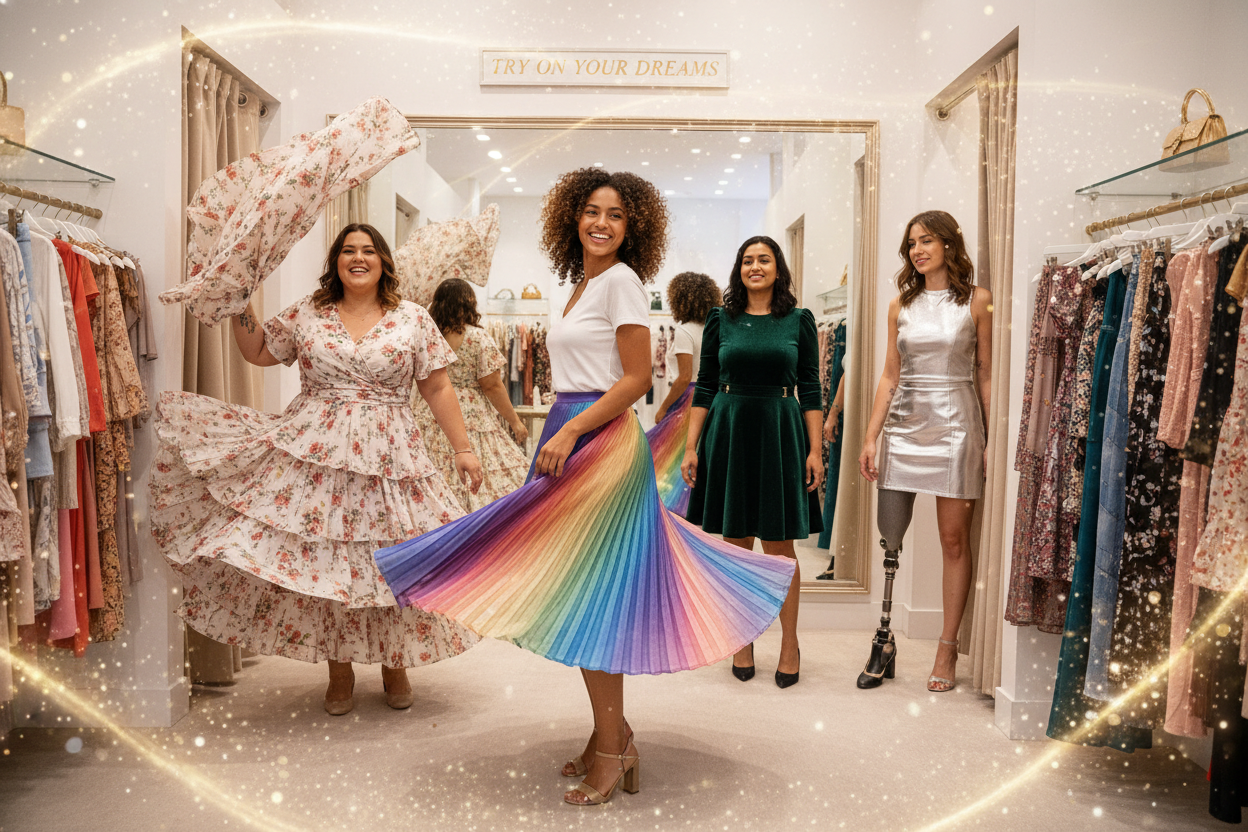
In today’s world of digital creativity, the AI Dress Change Filter has become one of the most exciting tools for trying new styles without lifting a finger. Whether you want to test a glamorous gown, a business suit, or a trendy street outfit, SuperMaker AI lets you do it all online.
This tutorial will guide you step by step on how to change outfit in your photos using AI.
What Is SuperMaker AI Dress Change Filter?
Have you ever had this kind of feeling before?
- You want to buy a beautiful skirt or jacket, but you’re not sure if it suits you. It’s a bit expensive, and you’d really love to try it on before buying it.
- Or maybe you need a photo of yourself wearing a specific outfit, but it’s not convenient to find a store to buy the clothes or hire a photographer right away.
- Perhaps you simply want to experiment with different stylish outfits, but you haven’t decided to purchase them yet.
In these situations, you should try SuperMaker AI Dress Change Filter or AI Clothes Changer.
AI Dress Change Filter
AI dress change filter is an advanced feature powered by SuperMaker AI image to image technology. It allows users to instantly replace the outfit in a photo with a new one, no manual editing or Photoshop skills required.
Simply upload a clear full-body photo, choose your desired outfit style, and the AI will automatically adjust the color, lighting, and texture to make it look realistic and natural.
AI Clothes Changer
AI clothes changer is another outfit-changing tool. It lets you upload two images — one of yourself and one of the clothing you want to try on.
With just one click, the AI seamlessly merges them, allowing you to see how the outfit looks on you instantly.
How to Change Dress with SuperMaker AI (Step-by-Step Guide)
Follow these simple steps to discover how to change outfit online with SuperMaker AI. Whether you’re trying a new style or visualizing your next purchase, these two smart tools — AI Dress Change Filter and AI Clothes Changer — make virtual fashion effortless.
Ⅰ AI Dress Change Filter
Step 1. Visit the AI Dress Change Page
Go to SuperMaker AI Dress Change Filter page. The interface is designed to be clean and beginner-friendly, so anyone can learn how to change outfit online in just a few clicks.
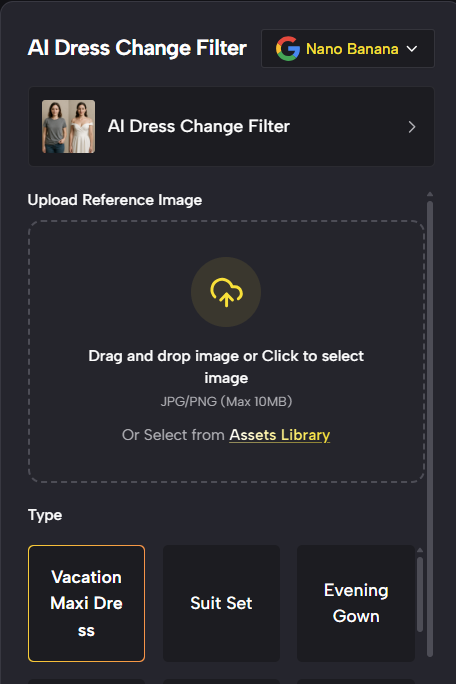
Step 2. Upload Your Full-Body Photo
Select a well-lit, full-body image of yourself. The AI automatically detects your posture, lighting, and body shape, ensuring the replaced outfit looks realistic and natural.
Pro Tips: You can add outfit details or define color in the text box.
This step is crucial for achieving the best AI dress change effect.
Step 3. Choose Your Desired Outfit Option
Browse through various preset outfit styles — elegant dresses, business suits, street fashion, and more. Once you pick your favorite, click 'Generate image', and the AI will instantly replace your clothes with the new design.
Within seconds, you’ll see how the outfit fits your look. That’s how easy it is to use SuperMaker AI Dress Change Filter to change your outfit online.
Ⅱ AI Clothes Changer
Step 1. Visit the AI Clothes Changer
Head over to the AI Clothes Changer section on SuperMaker. This tool is perfect for those who already have a specific outfit photo they want to try on.
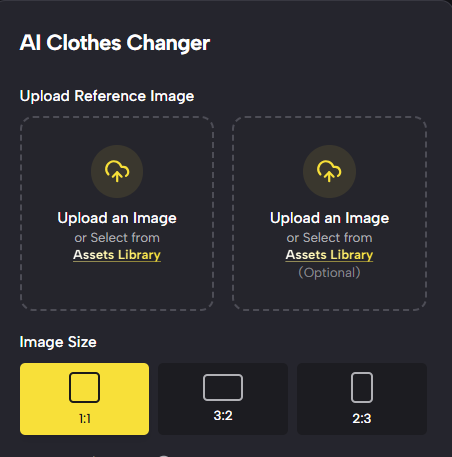
Step 2. Upload Your Full-Body & New Outfit Photos
Upload two images — one of yourself and another of the clothing you want to wear. The AI will analyze both photos, match proportions and lighting, and accurately merge them.
It’s the most precise way to learn how to change outfit using AI when you have a dress or suit you want to preview.
Step 3. Generate & Preview
Click 'Generate image', and in seconds you’ll get a new photo of yourself wearing the uploaded outfit.
You can adjust, re-upload, or download the final image to share on social media or use for styling inspiration.
Once the new outfit appears, you can preview the result and download the image. Use it for social media, fashion experiments, or professional mockups.
What Makes SuperMaker AI Outfit Change Tool Special
SuperMaker AI isn’t just another outfit-changing app — it’s built with next-generation AI models and an intuitive design that makes every dress transformation smarter, faster, and more realistic. Here’s what sets it apart when you learn how to change outfit with SuperMaker:
1. Perfect Character Consistency
SuperMaker AI Dress Change Filter and AI Clothes Changer are powered by the Google Nano Banana model, which is one of the most advanced image generation models in the world.
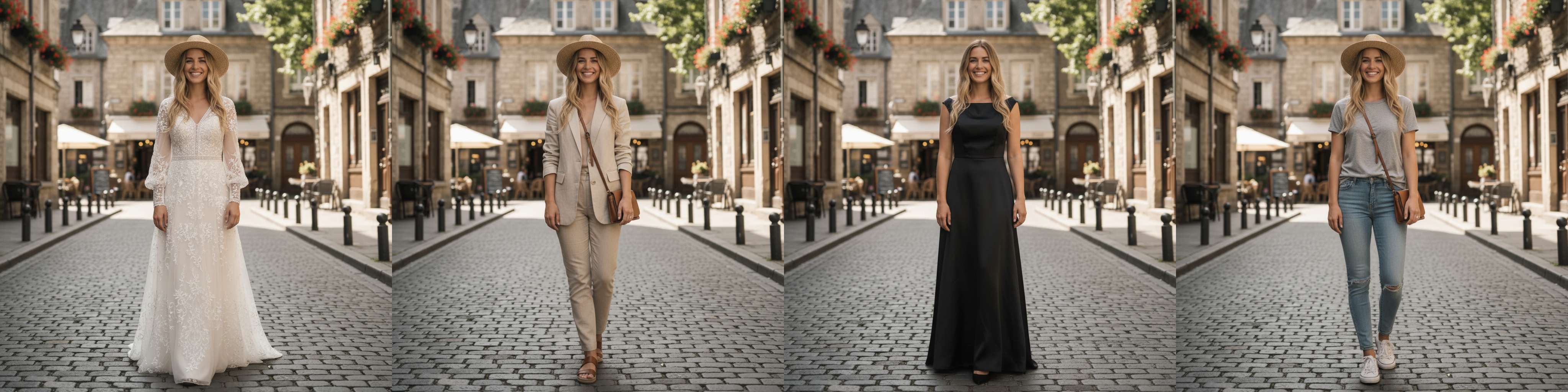
Thanks to its strong character consistency, your face and body remain identical across every edit or new outfit. Even after multiple generations, the AI ensures your identity, expression, and pose stay perfectly natural. It feels like a true digital fitting experience.
Generate in One Click
Both the AI Dress Change Filter and AI Clothes Changer pages come with embedded smart prompts, so users don’t need to type or configure anything manually.
Simply upload your image, and the built-in prompt will automatically instruct the model on how to change outfit accurately, including pose detection, fabric simulation, and color matching.
This feature makes SuperMaker ideal for beginners who want stunning results without understanding prompt writing.
Flexible Customization
SuperMaker also offers unmatched creative freedom.
On the AI Dress Change Filter page, users can not only choose from preset outfit types, such as casual wear, business attire, or evening dresses but also add detailed preferences like color, fabric pattern, or sleeve length.
This flexibility turns how to change outfit into a fully customizable styling experience, allowing you to visualize any fashion idea before actually wearing it.
Difference Between AI Dress Change Filter and AI Clothes Changer
SuperMaker provides two powerful tools for virtual outfit swaps. Here’s how they differ:
| Tool | Best For | How It Works |
|---|---|---|
| AI Dress Change Filter | Quick outfit change with pre-set clothing styles | Upload one full-body photo → select from template library → AI replaces outfit instantly |
| AI Clothes Changer | When you have a specific outfit image to apply | Upload two images: (1) your portrait, (2) the clothing photo → AI merges them realistically |
So, if you just want to try new looks effortlessly, use AI Dress Change Filter. If you already have a dress photo you’d like to ‘wear,’ choose AI Clothes Changer instead.
Pro Tips for Better Results
- Use clear photos: Avoid shadows or cropped images — AI detects better with full visibility.
- Match the angle: Standing front-facing works best for the AI dress change filter.
- Experiment with lighting: Natural light gives more realistic textures.
- Try multiple filters: You can switch between styles to explore how to change dress creatively.
Best Use Cases for AI Dress Change Filter
- Social Media Content: Try multiple outfits for one post without changing clothes.
- E-Commerce & Fashion Design: Visualize different styles on models.
- Virtual Styling: See how a dress looks before you buy it.
- Photography Projects: Create themed shoots with minimal cost.
Whether for fun or work, AI dress change filter makes your digital fashion experience effortless and exciting.
Why Choose SuperMaker AI for Outfit Changing
SuperMaker AI is more than just an image generator — it’s a full creative suite powered by cutting-edge AI models.
It supports various features like AI makeup generator, AI hairstyle changer, AI skinny filter, AI age change filter, and AI fat filter, providing creative pathway to meet different you.
Conclusion
Now that you know how to change dress online using SuperMaker AI dress change tool, it’s time to explore your next look!
Upload your image, pick a new outfit, and let AI redefine your wardrobe.