Krea 2: A New AI Image Model Built for Aesthetics
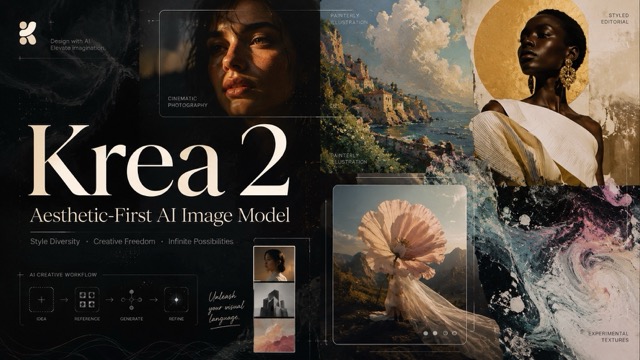
Krea 2 is an aesthetic-first AI image model built for creative exploration and visual control. This guide covers its core features, including style references, moodboards, creativity controls, Krea 2 Turbo, LoRA support, key use cases, and current limitations.
AI image generators have become remarkably good at understanding detailed prompts. Ask for a product photo, cinematic portrait, fantasy landscape, or editorial illustration, and many current models can produce technically polished results within seconds. But there is another problem becoming increasingly obvious: many of those images are starting to look alike. The lighting is polished, the composition is safe, and the overall result often carries a recognizable “AI-generated” aesthetic.
Krea 2 takes a different approach. Released by Krea AI on May 12, 2026, Krea 2 is the company’s first image foundation model built completely from scratch. Rather than focusing only on prompt accuracy or photorealism, it was developed around three ideas: aesthetic diversity, creative exploration, and visual control.
That makes Krea 2 less about finding one technically correct image and more about helping creators explore how an idea could look.
What Is Krea 2?
Krea 2, also called K2, is a text-to-image foundation model developed in-house by Krea AI.
Its underlying philosophy is simple. When generating an image, there are two separate questions:
- What should be in the image?
- How should the image look?
Modern image models are already strong at the first question. They can understand objects, scenes, characters, environments, and increasingly complex instructions. Krea argues that the second question—visual style—is where many systems still converge toward similar polished outputs.
Krea 2 was designed specifically to widen that visual range. It can move between film photography, clean studio images, cinematic scenes, illustrations, digital paintings, stylized graphics, and more experimental aesthetics instead of relying on one default appearance.
In practical terms, Krea 2 behaves more like a tool for visual direction than a traditional prompt-to-image generator.
A Model Designed for Visual Variety
One of Krea 2’s defining characteristics is that ambiguity is not necessarily treated as a problem.
Imagine entering a simple prompt such as:
“A cat riding a bicycle.”
Some image generators may produce four variations that share almost the same composition and visual treatment.
Krea 2 is designed to explore the prompt more broadly. One result might resemble photography, another an illustration, another a stylized 3D scene, while another may move toward an unusual artistic direction. Krea describes this behavior as exploratory prompting.
This matters during early creative work.
A designer developing an advertising campaign may know the subject of an image but not yet know whether it should feel like 35mm film, a fashion editorial, a painted poster, or an experimental graphic composition. Instead of writing dozens of highly specific prompts before seeing anything, Krea 2 can help surface different possibilities first.
Once a useful direction appears, the prompt can then become more specific.
Style References Give Creators More Control
Text is not always the best way to describe a visual idea.
A creator might know exactly what kind of grain, lighting, palette, texture, or photographic mood they want but struggle to translate that look into prompt language.
Krea 2 addresses this with style references.
Users can provide reference images that guide the aesthetic of a new generation. Rather than relying entirely on words such as “vintage,” “cinematic,” or “editorial,” creators can communicate visual direction directly through an image.
Krea says the system is designed to extract qualities such as style and mood while minimizing unwanted transfer of the original image’s content. It also provides control over reference strength and allows weighted mixing of multiple style references.
This opens up workflows such as:
- applying a photographic treatment to a different subject;
- maintaining a common visual language across campaign concepts;
- exploring different subjects using the same color and texture direction;
- blending several references into a new aesthetic.
For designers, this can be more intuitive than continuously rewriting prompts.
Moodboards Turn Inspiration Into a Visual Direction
Krea 2 extends the reference-image concept with moodboards.
A single reference works well when there is one clear visual example. Real creative projects, however, often begin with a collection of references: several photographs, color palettes, materials, editorial images, typography ideas, or visual concepts.
Moodboards allow creators to use a broader collection of images to guide generation.
Instead of copying one specific image, Krea 2 can use the collection to establish a general aesthetic direction. That makes the feature particularly relevant for brand exploration, campaign development, product concepts, editorial art direction, games, and entertainment projects. Krea specifically lists many of these areas as intended creative uses for the model.
The difference is important.
A style reference says:
“Make the image feel like this.”
A moodboard is closer to:
“Create something that belongs in this visual world.”
For creative teams working across multiple assets, that distinction can be valuable.
Creativity Is Something You Can Control
Krea 2 also treats creativity as an adjustable part of generation rather than an unpredictable side effect.
Its creative controls allow users to decide how closely the system should remain tied to the original prompt versus how much freedom it should have to explore visual possibilities. Krea’s API documentation describes creativity as a tunable parameter, while its newer Generative Sliders extend that concept further.
The Generative Sliders include controls for:
- Intensity — how strongly stylized the result should feel;
- Complexity — whether the composition stays minimal or becomes more visually dense;
- Movement — how static or dynamic the scene feels;
- Creativity — how much freedom the model has to interpret the prompt.
This changes the normal prompting workflow.
Instead of trying to encode every creative decision into an increasingly long paragraph, users can separate what they want from how strongly they want the model to interpret it.
That can make experimentation faster, particularly during concept development.
Krea 2 Turbo Makes Exploration Faster
Creative exploration works best when iteration is fast.
Krea therefore introduced Krea 2 Turbo, a faster version designed to generate high-quality images in roughly two seconds according to the company. Turbo remains compatible with style references, moodboards, and LoRAs, making it useful for testing prompts or comparing several visual directions without waiting through a longer generation cycle.
The original Krea 2 experience was already advertised at around 15 seconds or less per generation, but Turbo changes the role of the model further by making large numbers of creative experiments practical.
A possible workflow could therefore look like this:
Explore several concepts with Turbo, identify a useful visual direction, refine it with references or a moodboard, and then move toward more polished outputs.
This is particularly useful for art direction, where comparing possibilities can be more important than immediately generating one final image.
Krea 2 Is Also Available as an Open Model
Another notable development is the release of Krea 2 model weights.
Krea currently provides two downloadable variants: Krea 2 RAW and Krea 2 Turbo.
RAW is positioned as the more flexible base checkpoint for training and customization, while Turbo is optimized for fast image generation. Krea describes a workflow in which developers or advanced creators can train LoRAs using RAW and then run them efficiently with Turbo.
This gives Krea 2 relevance beyond the company’s web interface.
Developers and advanced ComfyUI users can incorporate the model into customized image pipelines, experiment with LoRA training, or build specialized visual-generation workflows around it.
How Krea 2 Was Trained Differently
Some of the model’s visual philosophy also comes from its training process.
According to Krea’s technical report, the company deliberately excluded AI-generated images from its pretraining image mix. The team found that synthetic images could introduce aesthetic biases because they are often easier for models to learn, potentially causing generated outputs to converge toward existing AI aesthetics.
Krea 2 instead went through a multi-stage development process covering pretraining, midtraining, supervised fine-tuning, preference optimization, and reinforcement learning.
The model also uses a Diffusion Transformer architecture and incorporates Qwen3-VL in its text-processing pipeline. Its training progresses through 256, 512, and 1024-pixel resolution stages before later post-training improves areas such as prompt alignment and output quality.
These technical details matter because Krea 2’s visual diversity is not simply a user-interface feature. It is part of how the model itself was developed.
Where Krea 2 Can Be Most Useful
Krea 2 makes the most sense when visual direction matters as much as the subject itself.
That includes areas such as:
Brand and Campaign Concepts
Teams can explore multiple art directions before committing production resources to one campaign.
Fashion and Editorial Imagery
Its emphasis on photography, texture, composition, and unusual aesthetics fits workflows where images need more personality than a standard commercial render.
Product Visuals
Brands can experiment with environments, lighting styles, compositions, and campaign concepts around the same product.
Game and Entertainment Design
Artists can explore characters, environments, props, and visual worlds while using references to maintain a stronger stylistic direction.
Concept Art and Architecture
Krea has also demonstrated workflows involving architectural massing and site-context rendering, showing how the model can participate in early visual exploration rather than only final artwork.
What Krea 2 Still Does Not Solve
Krea 2’s emphasis on experimentation also means it should not be interpreted as a model that guarantees perfect control.
A deliberately ambiguous prompt can produce surprising results, but surprise is not always desirable when a task requires an exact composition.
Reference strength can also influence outputs in ways that require adjustment, while complex prompts, anatomy, text, and fine details can still produce imperfections.
There are also capabilities Krea itself identifies as future areas of development. Its technical report mentions plans for stronger editing, image-reference capabilities, and native 2K/4K generation.
So Krea 2 should not be treated as a universal replacement for every image-generation or editing workflow.
Its strongest advantage is somewhere else.
Krea 2 Makes Image Generation More Exploratory
The most interesting thing about Krea 2 is not simply that it can generate attractive images. Plenty of AI models can already do that.
Its more distinctive idea is that image generation should function as a form of visual exploration.
Prompts define the subject. Style references communicate visual taste. Moodboards establish a broader creative world. Generative controls shape intensity, complexity, movement, and interpretation. Turbo makes it possible to move through many ideas quickly.
Together, these features make Krea 2 feel less like a system that waits for a perfectly engineered prompt and more like a creative tool for discovering what an image could become.
For designers, marketers, artists, and creative teams who already know that “make it look good” is not specific enough, that may be the model’s most important contribution.