Ugly Face Prompt: 25 Copy-and-Paste AI Prompts for Funny Face Effects
This blog shares 25 copy-and-paste ugly face Prompt ideas for creating funny AI face effects. Users can quickly make meme faces, TikTok-style filters, ugly selfies, reaction images, and short-video thumbnails with simple prompts.
Find Your Next Creative Idea
Explore Creative GPT Image 2.5 prompts with visual examples and ready-to-copy instructions.
Explore GPT Image 2.5 Prompt Library
Introduction
AI image editing is no longer only about perfect portraits, beauty filters, or polished profile pictures. Today, funny face effects are becoming just as popular, especially on TikTok, Instagram, Snapchat, and meme pages. One of the most entertaining trends is using an ugly face Prompt to turn a normal selfie into a hilarious, exaggerated, and shareable image.
An ugly face Prompt helps AI understand exactly what kind of funny facial distortion you want. Instead of simply uploading a photo and waiting for a random result, you can describe the effect in detail: a big nose, uneven eyes, puffy cheeks, awkward smile, cartoon wrinkles, ugly crying expression, or a dramatic meme-style face.
With an online tool like Supermaker AI Image Generator, users can test different funny face styles, generate creative portrait edits, and create meme-ready images directly from text prompts or uploaded photos.
In this guide, you will learn what an ugly face Prompt is, how to write better prompts, and how to use 25 ready-made prompts that users can copy and paste directly into AI image generators or AI photo editing tools.
What Is an Ugly Face Prompt?
An ugly face Prompt is a text instruction used in an AI image tool to create a funny, exaggerated, or intentionally awkward face effect. The purpose is not to insult someone or create offensive edits. Instead, it is designed for entertainment, memes, reaction images, comedy videos, social media challenges, and funny before-and-after content.
For example, a simple ugly face Prompt might be:
Turn this selfie into a funny ugly face with an oversized nose, puffy cheeks, uneven eyes, and an awkward smile. Keep the person recognizable and make the result humorous.
The AI will then use the uploaded image or text description to generate a funny face transformation.
A good ugly face Prompt usually includes several important details:
| Element | Example |
|---|---|
| Face change | oversized nose, tiny eyes, crooked smile |
| Style | TikTok filter, meme style, cartoon face |
| Expression | awkward smile, ugly crying, confused face |
| Intensity | subtle, funny, extreme, over-the-top |
| Usage | profile picture, meme, reaction image, short video thumbnail |
25 Ugly Face Prompt Ideas You Can Copy and Paste
Below are 25 ready-to-use ugly face Prompt ideas. Each prompt is written in a complete format, so users can copy and paste it directly into an AI image generator or AI image editing tool.
1. Classic Ugly Face Prompt
Turn this portrait into a funny ugly face with an oversized nose, puffy cheeks, uneven eyes, a crooked smile, and a playful meme-style expression. Keep the result humorous, exaggerated, and suitable for social media sharing.
2. TikTok Ugly Filter Prompt
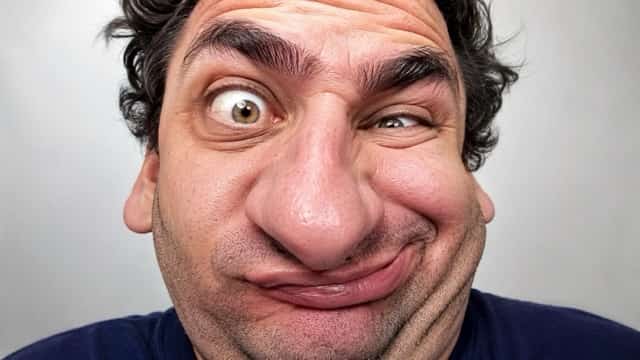
Apply a viral TikTok ugly face filter to this selfie. Make the face look funny and exaggerated with a stretched face, awkward smile, large nose, tiny eyes, and distorted facial proportions. Keep the person recognizable.
3. Snapchat Ugly Face Prompt
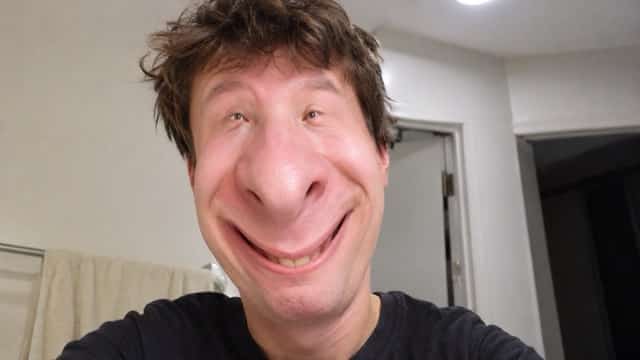
Create a Snapchat-style ugly face effect from this photo. Add a squished chin, wide forehead, stretched mouth, crossed eyes, oversized nostrils, and a silly facial expression. Make the result playful and funny.
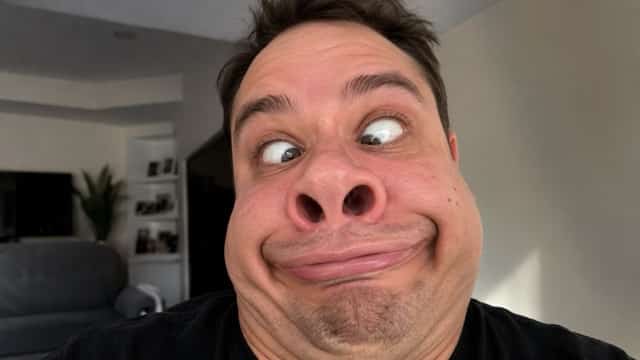
4. Ugly Crying Face Prompt
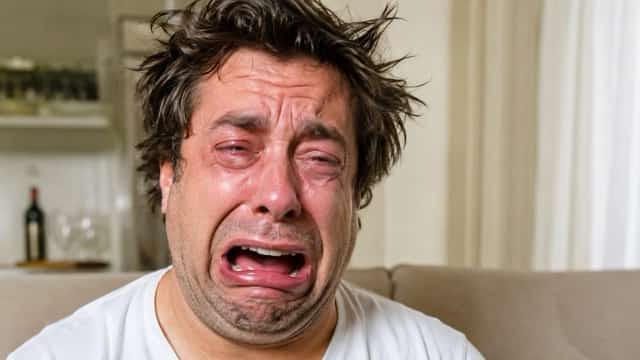
Turn this face into a funny ugly crying meme. Add red swollen eyes, dramatic tears, a stretched open mouth, wrinkled forehead, and an extremely emotional but humorous expression. Keep the image meme-ready.
5. Big Nose Ugly Face Prompt
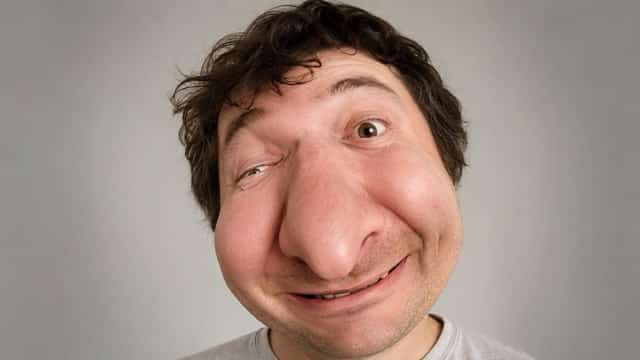
Create a funny ugly face transformation with a huge warped nose, small uneven eyes, puffy cheeks, and a confused smile. Make the final result look like a comedy face filter while keeping the original person recognizable.
6. Puffy Cheeks Prompt
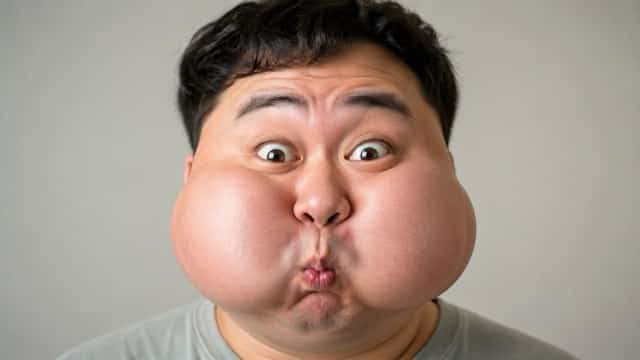
Make this person’s cheeks extremely puffy and round. Add a tiny mouth, raised eyebrows, wide eyes, and a silly surprised expression. Keep the face cute, funny, and exaggerated.
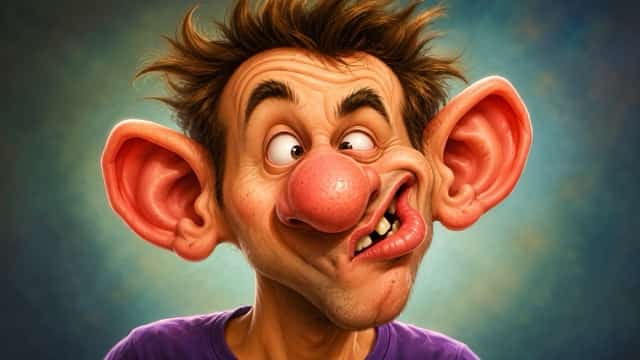
7. Cartoon Ugly Face Prompt
Transform this portrait into a cartoon ugly face. Add big ears, tiny eyes, a crooked mouth, a large nose, and silly face proportions. Use a colorful, humorous cartoon style.
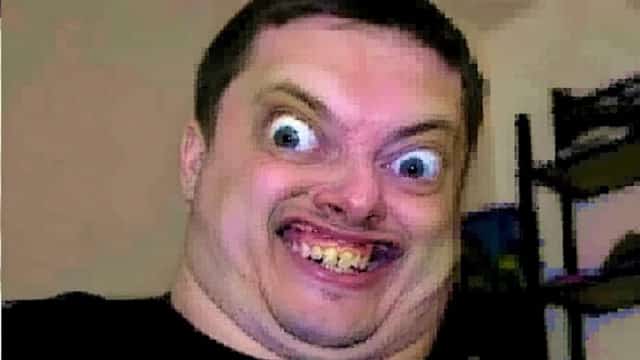
8. Low-Quality Meme Face Prompt
Create a low-quality internet meme ugly face effect from this image. Add distorted pixels, awkward facial proportions, exaggerated eyes, a weird smile, and chaotic funny meme energy.
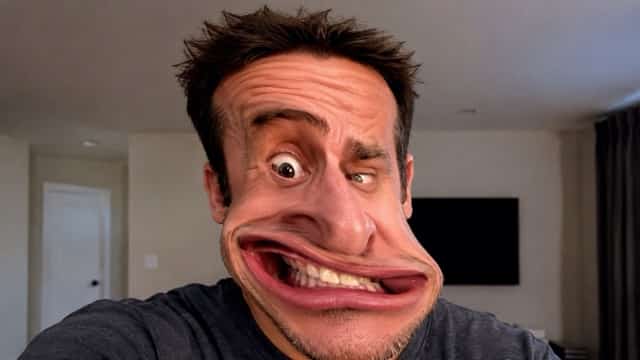
9. Face Stretch Prompt
Stretch the face vertically and horizontally in a funny way. Make the mouth wider, the forehead taller, the eyes uneven, and the nose more exaggerated. Make the result look like a viral face warp filter.
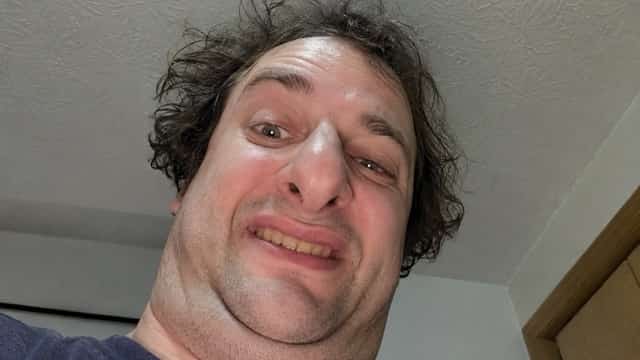
10. Ugly Selfie Prompt
Turn this normal selfie into a funny ugly selfie. Add a bad camera angle, awkward smile, shiny forehead, uneven eyes, exaggerated nose, and intentionally unflattering selfie style.
11. Ugly-to-Pretty Before Prompt
Create the ugly “before” version of an ugly-to-pretty transformation. Add messy facial distortion, puffy cheeks, uneven eyes, awkward mouth shape, and a funny unflattering expression. Keep it suitable for a before-and-after video.
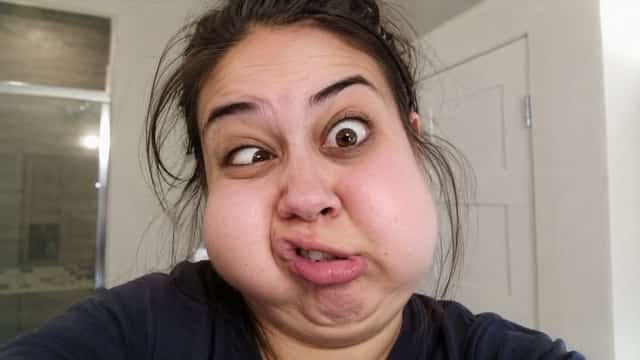
12. Confused Ugly Face Prompt
Make the person look extremely confused. Add crossed eyes, raised eyebrows, crooked lips, wrinkled forehead, and exaggerated facial imbalance. Keep the result funny, playful, and meme-ready.
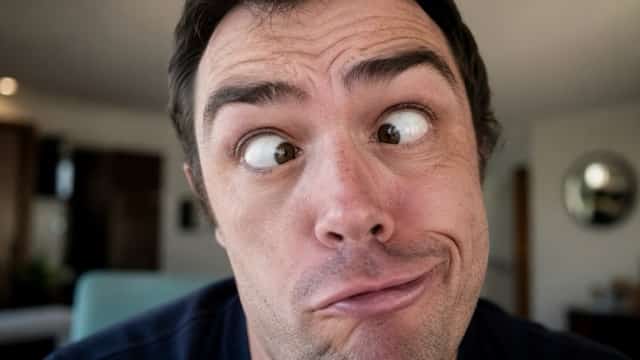
13. Angry Ugly Face Prompt
Turn this portrait into a funny angry ugly face. Add flared nostrils, squinted eyes, a wrinkled forehead, clenched mouth, and exaggerated cartoon-like rage. Make it humorous rather than scary.
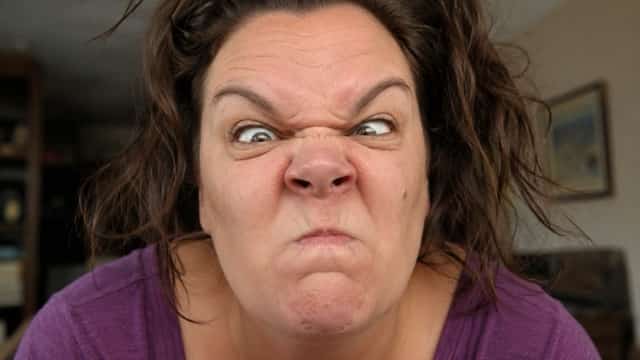
14. Sleepy Ugly Face Prompt
Create a sleepy ugly face effect. Add droopy eyes, messy expression, swollen cheeks, half-open mouth, and a tired morning selfie look. Keep the result realistic but funny.
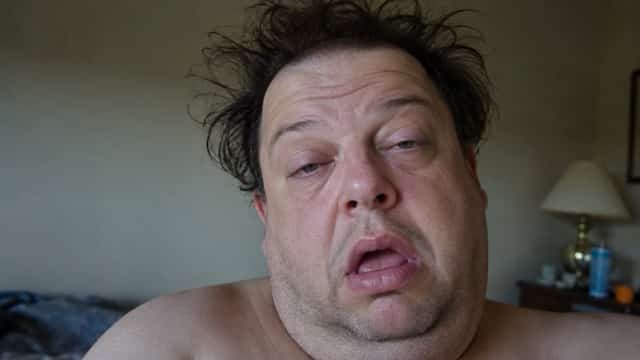
15. Funny Monster Face Prompt
Turn this face into a friendly funny monster version. Add bulging eyes, an oversized mouth, crooked jaw, strange facial proportions, and playful non-scary details.
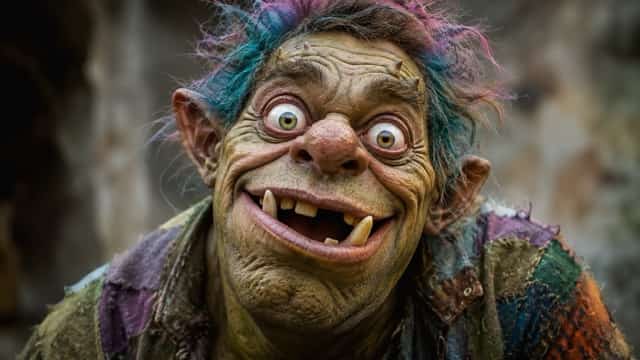
16. Awkward Smile Prompt
Create an awkward ugly smile effect. Add uneven teeth, stretched lips, puffy cheeks, raised eyebrows, and a nervous funny expression. Make it perfect for a reaction meme.
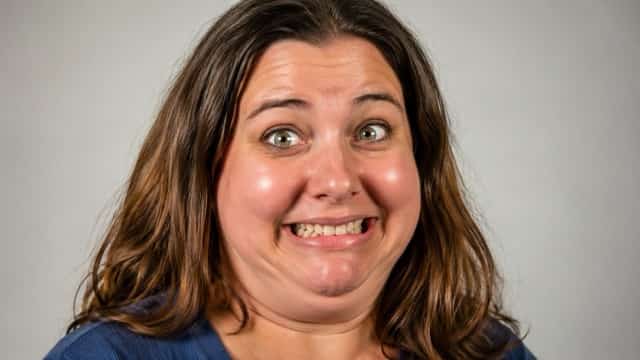
17. Extreme Ugly Face Prompt
Apply an extreme ugly face Prompt to this photo. Add a huge nose, tiny eyes, stretched mouth, uneven face shape, wrinkled skin, and chaotic meme-style expression. Make the result bold and funny.
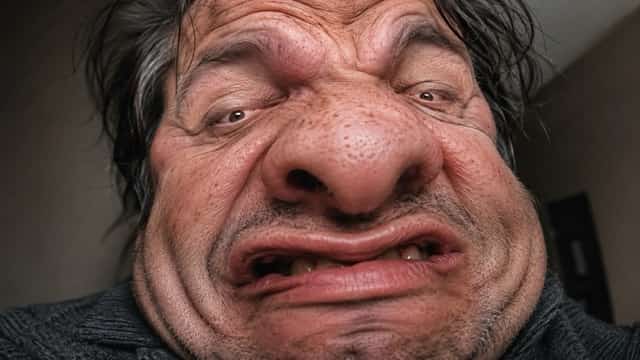
18. Realistic Ugly Filter Prompt
Transform this portrait into a realistic funny ugly filter result. Keep the original person recognizable while exaggerating the nose, cheeks, eyes, and mouth for comedy.
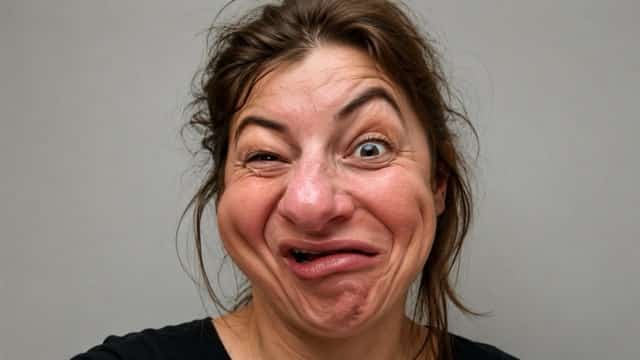
19. Cute Ugly Face Prompt
Create a cute but ugly funny face. Add round cheeks, tiny eyes, a small awkward mouth, silly expression, and soft cartoon-style lighting. Keep the result playful, not scary.
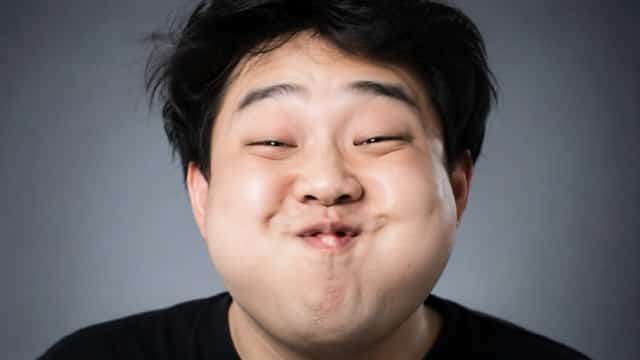
20. Old Ugly Face Prompt
Make this person look like a funny old ugly version. Add exaggerated wrinkles, droopy cheeks, a crooked smile, tired eyes, and a humorous cartoon-realistic style.
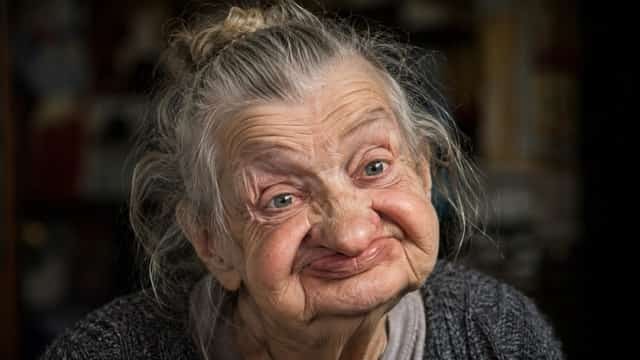
21. Wide Mouth Prompt
Create a funny wide-mouth ugly face effect. Stretch the smile from side to side, enlarge the lips, make the eyes tiny, and add a silly shocked expression.
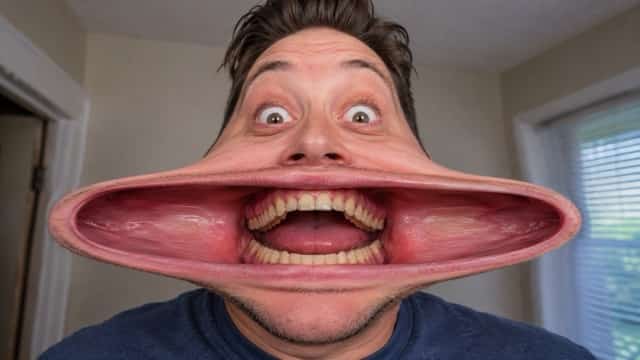
22. Weird Profile Picture Prompt
Turn this selfie into a weird funny profile picture. Add a distorted face, exaggerated nose, puffy cheeks, awkward grin, and bold meme-style composition.
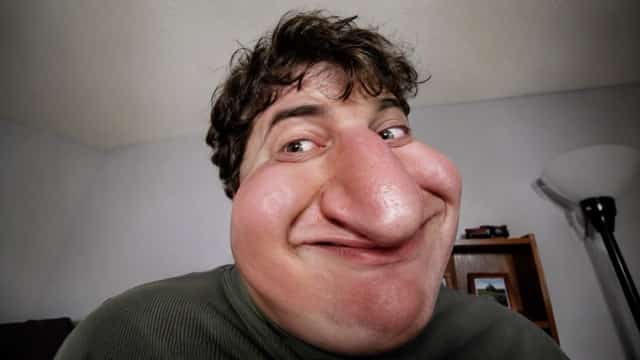
23. Reaction Image Prompt
Create a funny ugly reaction face. Add shocked eyes, a wrinkled forehead, open mouth, warped cheeks, and a dramatic expression suitable for comments, replies, and memes.
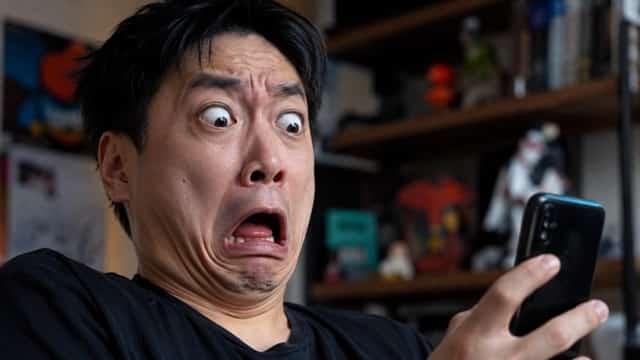
24. Ugly Face Thumbnail Prompt
Design a funny ugly face thumbnail image. Use exaggerated facial distortion, a strong facial expression, bright lighting, and a clear meme-style look for short video content.
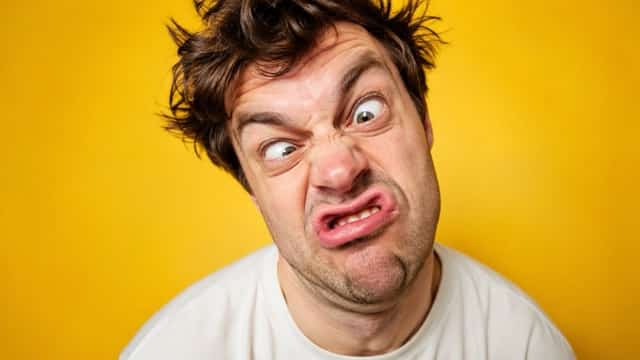
25. Over-the-Top Meme Prompt
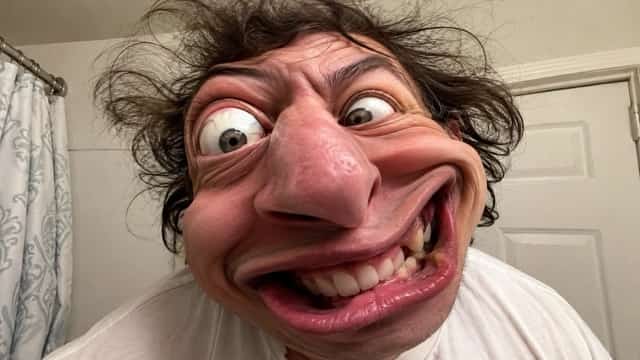
Create an over-the-top ugly face meme from this portrait. Add extreme face warp, a huge nose, uneven eyes, stretched mouth, silly expression, and chaotic internet humor style. Keep the final image funny and shareable.
How to Use These Ugly Face Prompts
Using these ugly face Prompt ideas is simple. First, choose a clear selfie or portrait. A front-facing photo with good lighting usually works best. Then copy one prompt from the list above and paste it into your AI image generator or AI photo editing tool.
For users who want to create funny face effects from text prompts or edit an uploaded portrait, Supermaker AI Image Generator can help generate creative face transformations, meme-style portraits, and social media-ready images.
After generating the first result, adjust the prompt if needed. If the face is not funny enough, add words like “more exaggerated,” “viral meme style,” “extreme face warp,” or “over-the-top funny expression.” If the result changes the face too much, add “keep the original person recognizable.”
Tips for Better Ugly Face AI Results
Use a Clear Portrait
AI face editing tools work better when the face is visible. Avoid blurry photos, dark lighting, heavy shadows, or group images. A clean selfie gives the AI more facial information to work with.
Keep the Person Recognizable
If you want the result to look like the original person, add this sentence to your ugly face Prompt:
Keep the original person recognizable while making the facial expression funny and exaggerated.
This helps the AI distort the face without completely changing the identity.
Choose One Main Effect
Do not overload the prompt with too many changes. A prompt with one clear direction often gives better results.
Good example:
Create a big nose ugly face effect with puffy cheeks and an awkward smile. Keep the result funny and meme-ready.
Weak example:
Make the face ugly, scary, funny, old, young, cartoon, realistic, angry, crying, and cute.
The good example is clearer because it tells the AI exactly what to focus on.
Add Social Media Style
If you want the image to look more viral, include the platform style in your prompt.
Examples:
Make it look like a viral TikTok ugly filter.
Create a Snapchat-style funny face filter effect.
Make the image suitable for an Instagram meme post.
Create a bold YouTube Shorts thumbnail with a funny ugly face expression.
Adding platform context helps the AI understand the final use case.
Avoid Offensive Use
Ugly face prompts should be used for fun, memes, and self-made content. Avoid using them to bully, shame, or insult real people. The best results are playful, cartoonish, and clearly exaggerated.
Ugly Face Prompt Template
Users can also create their own ugly face Prompt by following this simple template:
Turn this photo into a funny ugly face effect. Exaggerate [main facial feature], add [expression], use a [style] look, and keep the result [level of exaggeration]. Keep the original person recognizable and make the image suitable for [use case].
Example:
Turn this photo into a funny ugly face effect. Exaggerate the nose and cheeks, add an awkward smile, use a viral TikTok filter style, and keep the result highly exaggerated. Keep the original person recognizable and make the image suitable for a meme post.
This template is useful because it gives users full control over the final result. They can change the facial feature, expression, style, intensity, and use case based on the image they want to create.
Final Thoughts
An ugly face Prompt is a simple but powerful way to create funny AI face effects. Instead of relying on random filters, users can control the result by describing the exact facial changes, style, expression, and level of exaggeration they want.
For the best results, start with a clear photo, choose one main funny effect, and keep the tone playful. Whether you want a TikTok ugly filter, ugly crying meme, cartoon ugly face, funny profile picture, or ugly-to-pretty transformation, the right prompt can help you create a more interesting and shareable image.
With the 25 copy-and-paste ugly face Prompt ideas above, users can quickly test different styles and create meme-ready AI images in just a few clicks. For more creative image generation and image-to-image editing, users can also Supermaker AI Image Generator and experiment with their own funny face prompts online.
Give Your Ideas More Room to Unfold
Create richer scenes and more engaging visual stories with SuperMaker AI.
Try Supermaker AI Image Free