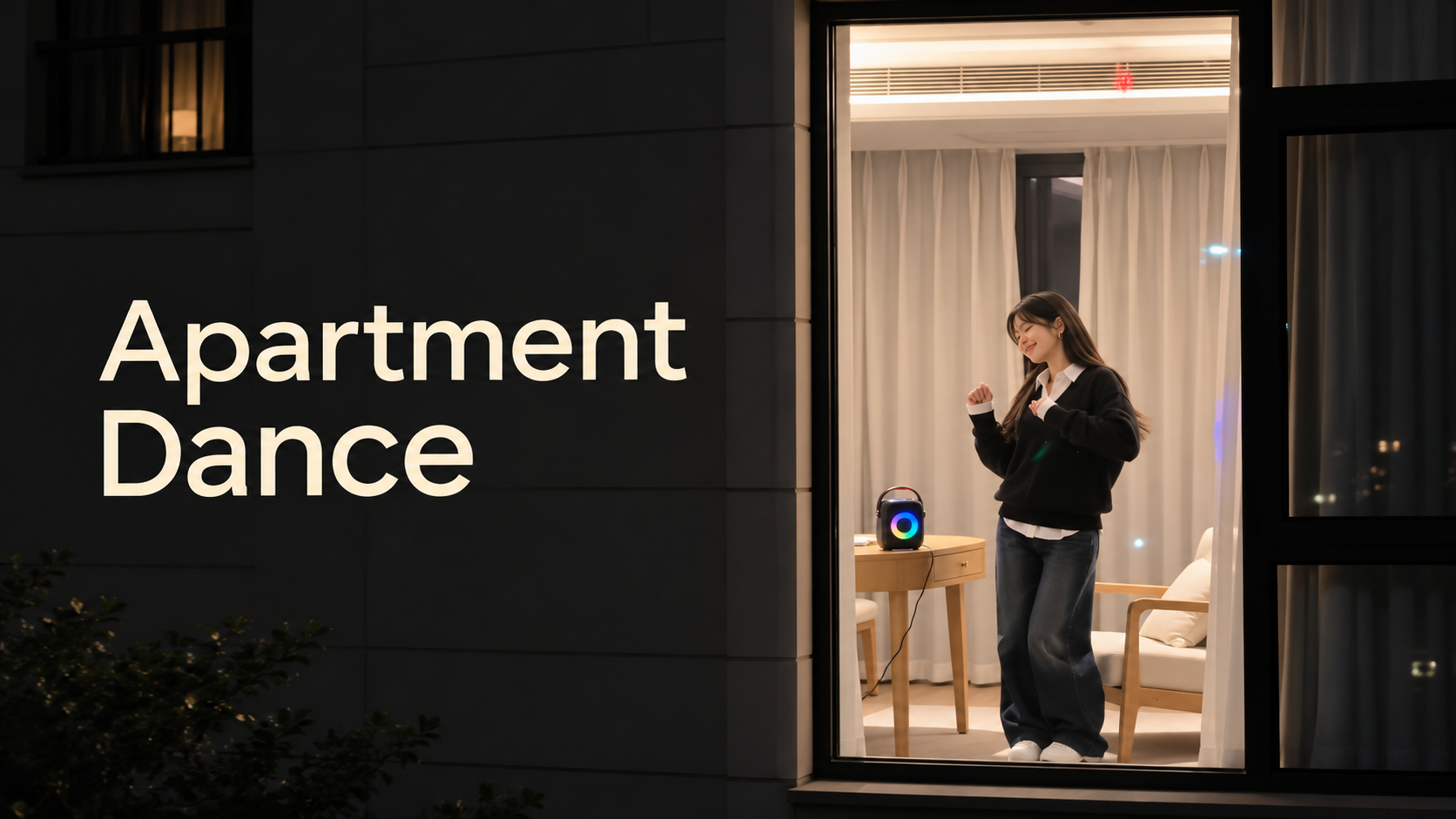
Wan 3.0 AI Video Generator: What’s New and What Can It Create?
Explore Wan 3.0’s longer video generation, reference-driven workflows, prompt strategies, and practical uses for cinematic, product, character, and social videos.
AI video models have spent the last few years getting better at turning short prompts and still images into visually impressive clips. The harder challenge has been keeping a scene coherent for longer, following several actions in the right order, maintaining characters and objects across a shot, and producing something that feels like a complete sequence rather than a moving image.
That is where Wan 3.0 becomes interesting.
Alibaba Wan 3.0 moves the Wan video model family toward longer, more structured, and more reference-driven AI video creation. With a generation window of up to 30 seconds and stronger support for reference-driven workflows, Wan 3.0 gives creators more room to build scenes that develop over time.
For anyone trying the Wan 3.0 AI Video Generator, however, the most important question is not simply whether the model has more features. It is what those changes actually allow you to create.
What Is Wan 3.0?
Wan 3.0 is the latest generation of Alibaba's Wan AI video model family. You may also see the model written as Wan3.0 in searches and community discussions. It is designed for AI-assisted video creation from prompts and visual source material, building on the text-to-video, image-to-video, and reference-based workflows established by earlier Wan models.
One of its most noticeable changes is the ability to give a generated scene more time to develop.
Instead of treating every generation as one very short visual moment, Wan 3.0 can work with videos lasting up to around 30 seconds in a single generation. That makes it much more practical for ideas involving several connected actions, progressive camera movement, character performance, or a simple narrative arc.
Consider a scene where a woman enters a record shop, walks through the aisles, finds an old record, recognizes the handwriting on its label, smiles, and carries it to the counter.
That is not really one action.
It has an entrance, exploration, discovery, reaction, and ending. Compressing all of those events into a few seconds can make the motion feel rushed or cause important moments to disappear.
A longer generation window gives the model more space to interpret the scene as a sequence rather than a snapshot with motion added.
What’s New in Wan 3.0?
Wan 3.0 is not simply about increasing duration. Several improvements change the kinds of scenes creators can realistically attempt.
1. Up to 30 Seconds in a Single Generation
Longer video generation is one of the most obvious changes.
Short AI clips are useful for loops, visual effects, reaction shots, transitions, and quick social media content. They become more limiting when the idea depends on timing.
Imagine this prompt:
A tired night-shift worker waits alone at a nearly empty train station during heavy rain. A stray orange cat walks beneath the shelter and sits beside him. He looks down, quietly shares part of his sandwich, and the arriving train gradually lights both of them.
A very short generation may have to squeeze everything together. The cat appears immediately, the character reacts almost instantly, and the train arrives before the viewer understands what is happening.
With more time, each event can breathe.
That does not mean every Wan 3.0 video should be 30 seconds long. A dramatic reveal may only need six seconds, while a product demonstration could work better at twelve or fifteen.
The real advantage is having additional time when the scene genuinely needs it.
2. More Room for Ordered Actions
AI video prompts often fail when too many actions are packed into a short generation.
A prompt might say that a character runs through a market, jumps over an obstacle, turns into an alley, opens a door, and looks behind them. A short model may combine those events, skip one, or perform them in an unexpected order.
Wan 3.0 gives multi-step scenes more room to unfold.
This makes chronological prompting increasingly useful. Instead of describing everything as one collection of visual ideas, write the prompt almost like a miniature shot plan:
- Establish the character and location.
- Describe the first action.
- Introduce the change or second action.
- Explain how the camera responds.
- Define the ending.
The clearer the sequence, the easier it is for the model to understand what should happen first, next, and last.
3. Stronger Reference-Driven Creation
Prompting is only one way to start an AI video.
Reference images can provide information that would be tedious or difficult to reproduce perfectly in text: a character's face, a product's shape, a specific costume, a visual style, or an environment.
Wan 3.0 continues the Wan series' move toward reference-driven video creation, making source material increasingly important when consistency matters.
For a person, a reference can help establish features such as hairstyle, clothing, facial appearance, and accessories. For a product, it can provide its real proportions, materials, label placement, shape, and visual identity.
This matters even more in longer scenes.
A minor inconsistency may go unnoticed in a three-second clip. In a longer product shot or character sequence, an object that changes shape or clothing that gradually transforms becomes much easier to spot.
Longer AI video therefore depends on consistency almost as much as duration.
4. More Complete Character Performances
Character-driven video is not just about making a person move.
A believable performance may involve several emotional states within the same scene.
Instead of prompting:
A woman looks surprised.
you can describe an emotional progression:
A young woman sits beside a café window reading a handwritten letter. She begins calm and focused. Halfway through the letter, her eyes stop moving and her expression becomes uncertain. She reads the final line again, slowly lowers the paper, looks outside the window, and gives a small relieved smile.
The second prompt gives the model a performance arc rather than a single facial expression.
This kind of gradual change becomes especially useful with longer AI video. The character has time to react instead of jumping instantly from one emotional state to another.
5. Better Opportunities for Continuous Camera Movement
Longer scenes also change how you can think about the camera.
A five-second generation often has enough time for one simple push-in, pan, orbit, or tracking movement. A longer scene can potentially combine camera movement with evolving action.
For example:
A courier runs through a crowded futuristic night market while carrying a small metal case. The camera tracks beside her at waist height, gradually falls behind as she turns into a narrow alley, follows as she jumps over a fallen sign, then slows as she disappears into neon-lit fog.
Here, camera behavior is connected to the action rather than added as an isolated style keyword.
Instead of simply writing "cinematic camera," you are telling the model where the camera begins, how it moves, and what it follows.
Wan 3.0 vs Wan 2.7: What Actually Changed?
Wan 2.7 was already a capable multimodal video model rather than a basic text-to-video system. It supports text, image, audio, and video inputs across different workflows, including text-to-video, image-to-video, reference-to-video, first-and-last-frame generation, video continuation, and synchronized audio. Depending on the workflow, Wan 2.7 can generate videos of up to 15 seconds at 720P or 1080P.
Wan 3.0 does not replace all of those ideas with an entirely different workflow. Instead, it pushes the Wan series further toward longer and more structured video generation.
The clearest difference is duration. Wan 3.0 can generate videos of up to 30 seconds in a single generation, giving creators roughly twice the maximum scene length available in common Wan 2.7 text-to-video and image-to-video workflows.
That additional time changes what you can reasonably ask the model to do.
With Wan 2.7, a prompt may work best when it focuses on one main action or a compact sequence. Wan 3.0 gives creators more room for a scene to establish its setting, move through several connected actions, develop a character reaction, and arrive at a deliberate ending.
A simple way to think about the difference is:
| Area | Wan 2.7 | Wan 3.0 |
|---|---|---|
| Maximum generation length | Up to 15 seconds in common T2V/I2V workflows | Up to 30 seconds |
| Text-to-video | Supported | Supported |
| Image-driven video | Supported | Supported |
| Reference-based workflows | Supported | Expanded emphasis on reference-driven creation |
| Multi-step scenes | Possible within shorter durations | More room for longer connected action |
| Best fit | Short scenes, controlled shots, multimodal video creation | Longer sequences, evolving action, character performance, structured storytelling |
This does not mean Wan 2.7 suddenly becomes unsuitable for AI video. Short clips often benefit from being short, and Wan 2.7 already includes strong tools for audio, reference input, multi-shot generation, and video continuation.
The practical reason to choose Wan 3.0 is when the idea itself needs more temporal space.
If your scene only requires a character turning toward the camera or a product rotating on a table, a longer generation window may not add much. But if the character needs to enter a location, interact with something, react, and then complete the scene, Wan 3.0 gives that sequence more room to develop.
What Can You Create With Wan 3.0?
The improvements become more meaningful when applied to real creative tasks. Wan 3.0 can be useful for everything from cinematic experiments to product content, depending on the prompt, source material, and desired duration.
1. Short Cinematic Stories
A short story does not need several locations, dialogue, or complicated editing.
Even one small event can have a beginning, development, and conclusion.
For example:
A tired night-shift worker waits alone at a nearly empty train station during heavy rain. A stray orange cat walks under the shelter and sits beside him. He looks down, quietly shares part of his sandwich, and the arriving train lights gradually illuminate both of them. Slow cinematic camera movement, realistic rain, restrained performance, warm ending.
The important part is that this prompt describes beats, not just appearance.
There is a starting situation.
Something changes.
The character reacts.
The scene reaches an ending.
When writing prompts for longer Wan 3.0 videos, thinking in these small narrative units can work better than adding more and more visual adjectives.
2. Product Demonstrations
Reference-based generation also makes Wan 3.0 useful for product-oriented scenes.
Instead of asking the model to invent a generic bottle, shoe, gadget, or cosmetic package from text, you can begin with a product image and concentrate the prompt on what should happen around it.
For example:
Keep the reference perfume bottle unchanged in shape, label placement, cap design, glass texture, and proportions. Begin with the bottle standing on a dark stone surface. The camera slowly pushes forward as soft mist passes behind it. A hand enters from the right, picks up the bottle, removes the cap, sprays once into the air, then returns it to its original position. Premium studio lighting, realistic reflections, controlled movement.
Notice that much of the prompt describes what should stay the same.
That can be just as important as describing what should move.
For commercial-looking AI videos, uncontrolled changes to the main object can quickly make an otherwise attractive clip unusable.
3. Character-Driven Scenes
Wan 3.0 can also be used for videos where the character's actions and reactions are the main focus.
Instead of giving the model several unrelated movements, try constructing a small sequence around one intention.
For example:
A young chef stands alone in a restaurant kitchen after closing time. She wipes the counter, notices an old photograph attached to the refrigerator, stops working, takes it down, studies it for several seconds, then smiles and places it carefully in her apron pocket. Warm practical lighting, subtle facial acting, slow camera push-in.
Nothing spectacular happens.
That is exactly the point.
Longer AI video does not always need explosions, rapid movement, or complicated transformations. Sometimes additional duration is most useful for subtle performance.
4. Action Sequences With Continuous Motion
Action scenes benefit from clearly ordered events.
Try something like:
A female courier runs through a crowded futuristic night market while carrying a small metal case. The camera tracks beside her at waist height. She turns into a narrow alley, jumps over a fallen sign, slides beneath a closing gate, stands without stopping, looks briefly behind her, then disappears into neon-lit fog. Keep the same character, clothing, metal case, environment style, and direction of movement throughout the shot.
This prompt has several advantages.
The actions are chronological.
The camera has a defined role.
Important visual elements are explicitly protected from changing.
The ending is also clear.
That gives Wan 3.0 more structure than a prompt such as "epic cyberpunk chase scene with dynamic camera movement."
5. Social Media and Promotional Videos
Longer AI generation can also be useful for social content.
A short promotional video might begin with an establishing shot, introduce a product or character, show one central action, and finish with a clean hero moment.
For example:
Begin with a wide shot of a modern runner standing alone on an empty city street before sunrise. She tightens the laces of the reference running shoes, stands, starts jogging, then accelerates as the camera tracks beside her. End with a low-angle close shot of the shoes hitting the pavement as morning sunlight reaches the street. Keep the shoe design consistent throughout.
A sequence like this gives creators more usable material than a single isolated product animation.
The same approach can work for fashion, food, travel, fitness, lifestyle, entertainment, and creator content.
Text-to-Video or Image-to-Video: Which Should You Use?
Choosing the right starting point can make a major difference.
Text-to-video is useful when the idea itself matters more than reproducing a specific subject. It gives you more freedom to explore environments, compositions, characters, and cinematic concepts from scratch.
Image-to-video is usually the better choice when you already know what the main subject should look like.
Use text-to-video when:
- you are exploring an original scene,
- exact character identity is not essential,
- you want the model to invent the visual composition,
- you are experimenting with different concepts.
Use image-to-video when:
- a specific character should be preserved,
- you already have product photography,
- the opening composition matters,
- costume or object design needs to remain recognizable,
- you want motion built around an existing visual.
You can experiment with both workflows directly through Wan 3.0 online and compare how the same concept changes depending on whether you start from a written description or an image.
For example, generating "a woman standing on a cliff above the ocean at sunset" from text gives the model freedom to design the entire scene.
Uploading the exact character and cliff composition first gives you a much more specific starting point. Your prompt can then focus almost entirely on movement:
She slowly walks toward the cliff edge as wind moves her coat and hair. The camera follows from behind, gradually rising to reveal the ocean below. She stops near the edge and looks toward the horizon. Preserve her appearance, clothing, landscape, and lighting.
Neither method is automatically better. They solve different creative problems.
How to Write Better Wan 3.0 Prompts
A more capable model does not make prompt structure irrelevant.
In fact, longer generation can make vague instructions more noticeable because there is more time for an unclear scene to drift away from the intended result.
A useful Wan 3.0 prompt should usually answer several questions.
Who or what is the subject?
Establish the person, object, product, animal, or environment that matters most.
What must remain consistent?
Mention any character features, clothing, products, props, or environmental details that should not change.
Where does the scene begin?
Give the opening situation or composition.
What happens in order?
Describe actions chronologically rather than stacking unrelated actions together.
How should the camera behave?
Specify tracking, dolly movement, static framing, close-ups, orbiting, handheld movement, or another clear camera direction when it matters.
How does the scene end?
Give the model a destination rather than allowing the video to simply stop.
For example, instead of:
Cinematic astronaut walking on Mars, dramatic.
try:
An astronaut in a dusty white exploration suit walks slowly across a wide Martian valley at sunset. Begin with a wide rear view as the astronaut approaches a ridge. The camera gradually moves closer from behind. At the top, the astronaut stops, looks down at a glowing abandoned structure in the valley, then slowly raises one hand toward the distant light. Wind moves fine red dust across the ground. Keep the suit design and landscape consistent throughout the scene.
The second prompt gives the model something closer to a shot plan.
That becomes increasingly valuable as generation length increases.
What Should Stay Still in a Wan 3.0 Prompt?
When people first experiment with AI video, most prompt instructions describe movement.
The character runs.
The camera circles.
The fabric moves.
The lights flash.
The building transforms.
But successful video generation often depends equally on telling the model what should not change.
If you upload a character, you may want to preserve:
- face and hairstyle,
- clothing and accessories,
- body proportions,
- overall visual identity.
For a product:
- shape,
- packaging,
- label position,
- materials,
- colors,
- structural details.
For a scene:
- architecture,
- lighting direction,
- background layout,
- important props,
- overall visual style.
This is especially important in longer Wan 3.0 sequences.
The more actions you ask the model to perform, the more opportunities there are for visual information to drift. A short consistency instruction at the end of the prompt can therefore be surprisingly useful.
For example:
Keep the same woman, red coat, black handbag, café interior, table arrangement, and warm afternoon lighting throughout the entire scene.
It may not sound exciting, but instructions like this can be as valuable as another sentence describing dramatic camera motion.
Wan 3.0 Is More Than “Wan, but Longer”
It would be easy to reduce Wan 3.0 to one number: 30 seconds.
That misses the more important change.
Longer generation only becomes useful when a model can preserve important parts of the scene. Reference-based creation only becomes useful when the reference actually influences the result. More complex motion only matters when individual actions happen in a recognizable order.
Taken together, these improvements point toward a broader change in AI video generation.
The goal is moving beyond:
Make this picture move.
and toward:
Create this particular sequence, with this subject, these actions, this camera behavior, and this ending.
Wan 3.0 is also arriving during a particularly competitive period for AI video generation. Models such as Seedance 2.5 and MiniMax H3 are attracting attention at the same time, so creators are increasingly comparing models by specific tasks rather than asking which one is simply “best.”
One model may be more useful for a particular type of character performance. Another may fit a certain visual style or production workflow. Wan 3.0 is especially interesting when a scene benefits from more temporal space, connected actions, reference consistency, and a clearly structured beginning and ending.
The best model therefore depends increasingly on what you are actually trying to create.
Should You Try Wan 3.0?
Wan 3.0 is particularly worth testing when your idea needs more than a quick visual effect.
It makes sense for scenes involving:
- multiple connected actions,
- longer camera movement,
- character or product consistency,
- reference-driven generation,
- short narrative development,
- controlled visual storytelling,
- product demonstrations,
- cinematic character performances.
You do not need to use the longest available duration every time.
Some ideas should still be short.
A five-second reveal can be stronger than a twenty-second version. A simple product rotation does not need a narrative arc. A quick social transition may work best when it ends almost immediately.
The advantage of Wan 3.0 is not that every video has to become longer.
It is that your idea has more room when it actually needs that room.
If you want to test the model yourself, open the Wan 3.0 AI Video Generator, start with a clear prompt or reference image, and build the scene around a simple sequence of events.
Rather than asking for the biggest possible spectacle, begin with something easier to evaluate: a clear opening, two or three meaningful actions, consistent subjects, deliberate camera movement, and a defined ending.
That will tell you much more about what Wan 3.0 can really create.