Gemini Omni 1.1: Features, Prompts, and How to Use It
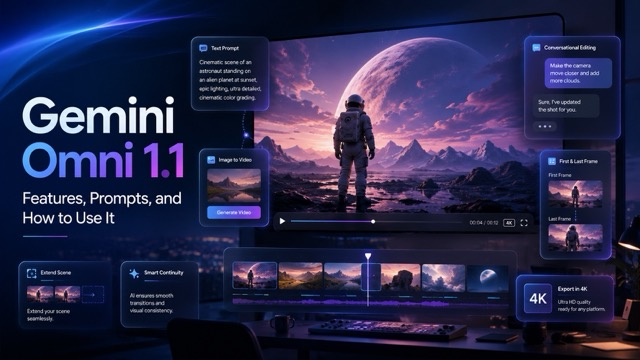
Explore how Gemini Omni 1.1 creates, edits, extends, and refines AI videos with multimodal inputs, natural-language prompts, keyframe control, and up to 4K output.
AI video generation is moving beyond the simple idea of typing a prompt and waiting for a short, unpredictable clip. Creators increasingly want to adjust camera movement, preserve important details, extend scenes, change specific elements, and refine a result without starting again every time.
Gemini Omni 1.1 is designed around this iterative AI video generation workflow. Officially released as Gemini Omni 1.1 Flash, the model combines fast text-to-video consistency with conversational editing, multimodal references, scene extension, first-and-last-frame control, native audio, and high-resolution output.
If you want to experiment with these capabilities directly, launching the Gemini Omni 1.1 AI Video Generator provides a practical starting point for turning text, images, and video references into polished visual content.
What Is Gemini Omni 1.1?
Gemini Omni 1.1 Flash is Google's multimodal model for fast video generation and editing. It differentiates itself from basic AI video tools by functioning as an iterative creative workspace. You can begin with a written description, animate an image, use existing footage as context, or continue editing a generated result with natural-language instructions.
For example, you might generate a street scene and love the subject and composition but dislike the flat lighting. Rather than rebuilding the entire prompt, you can ask the model to apply volumetric lighting while preserving the rest of the visual data.
What's New in Gemini Omni 1.1?
The most useful improvements in this version address the core pain points of motion consistency and directorial control.
Extend Scenes for Longer Videos
Short clip length frequently kills narrative momentum. Gemini Omni 1.1 supports video extension, allowing an existing clip to continue in additional 10-second segments, reaching up to roughly 40 seconds in total. A scene could begin with a man entering a café, continue with him sitting at a table, and then extend again as another character approaches, maintaining perfect continuity without manual splicing.
Control the First and Last Frames
First-and-last-frame interpolation grants precise control over spatial transitions. You provide an opening image and an ending image, then describe the camera path between them.
- Opening Frame: Close-up of a luxury watch.
- Ending Frame: Wide shot of the watch in a modern studio.
- Action: The camera slowly orbits and pulls back.
This approach is ideal for seamless loops, dynamic product reveals, and locked-off camera transitions.
Edit Videos Through Natural Language
Conversational editing allows you to tweak specific variables without breaking the generated base. Gemini Omni 1.1 preserves the elements you want to keep while applying requested changes, mimicking a traditional directing and editing pipeline.
Draft Quickly and Export in Higher Resolution
Not every test needs to consume maximum compute. The model supports a staggered rendering pipeline:
- 360p Draft: Rapid generation to test composition, prompt accuracy, and camera movement.
- 720p / 1080p Refine: Mid-tier resolution for client review and pacing adjustments.
- 4K Upscale: Final high-fidelity export for production use.
How to Write Cinematic AI Video Prompts
Good Gemini Omni 1.1 prompts communicate critical creative decisions through a structured syntax:
[Subject] + [Action] + [Camera Movement] + [Environment] + [Lighting] + [Style] + [Audio]
To achieve professional results, rely on precise camera language (e.g., tracking shot, push in, shallow depth of field).
A/B Prompt Comparison:
Basic Prompt: A woman walks through Tokyo at night.
Cinematic AI Prompt: A woman wearing a long black coat walks through a quiet Tokyo street at night. The camera tracks beside her at eye level in one continuous shot. Neon signs reflect across the wet pavement as light rain falls. Cinematic lighting, realistic detail, shallow depth of field, with distant traffic and soft rain ambience.
Refining Your Shot (Conversational Workflow)
Generate your first version and examine the output. If the pacing is off, do not rewrite the master prompt. Tell the model exactly what to change:
Follow-up Prompt: Keep the product and background unchanged. Slow the camera movement, lock off the tracking shot, and make the golden reflections softer.
Is Gemini Omni 1.1 Worth Using?
Gemini Omni 1.1 is most powerful when you look beyond the initial generation. Its real strength is the iterative workflow. You can start with visual references, generate a scene, dial in the volumetric lighting through conversation, define the exact start and end frames, and upscale to 4K once the direction is perfect.
Ready to streamline your video production? Try the Gemini Omni 1.1 AI Video Generator Today and start building your first cinematic sequence.