How to Join the Viral AI Rap Duo Trend With Your Own Photos
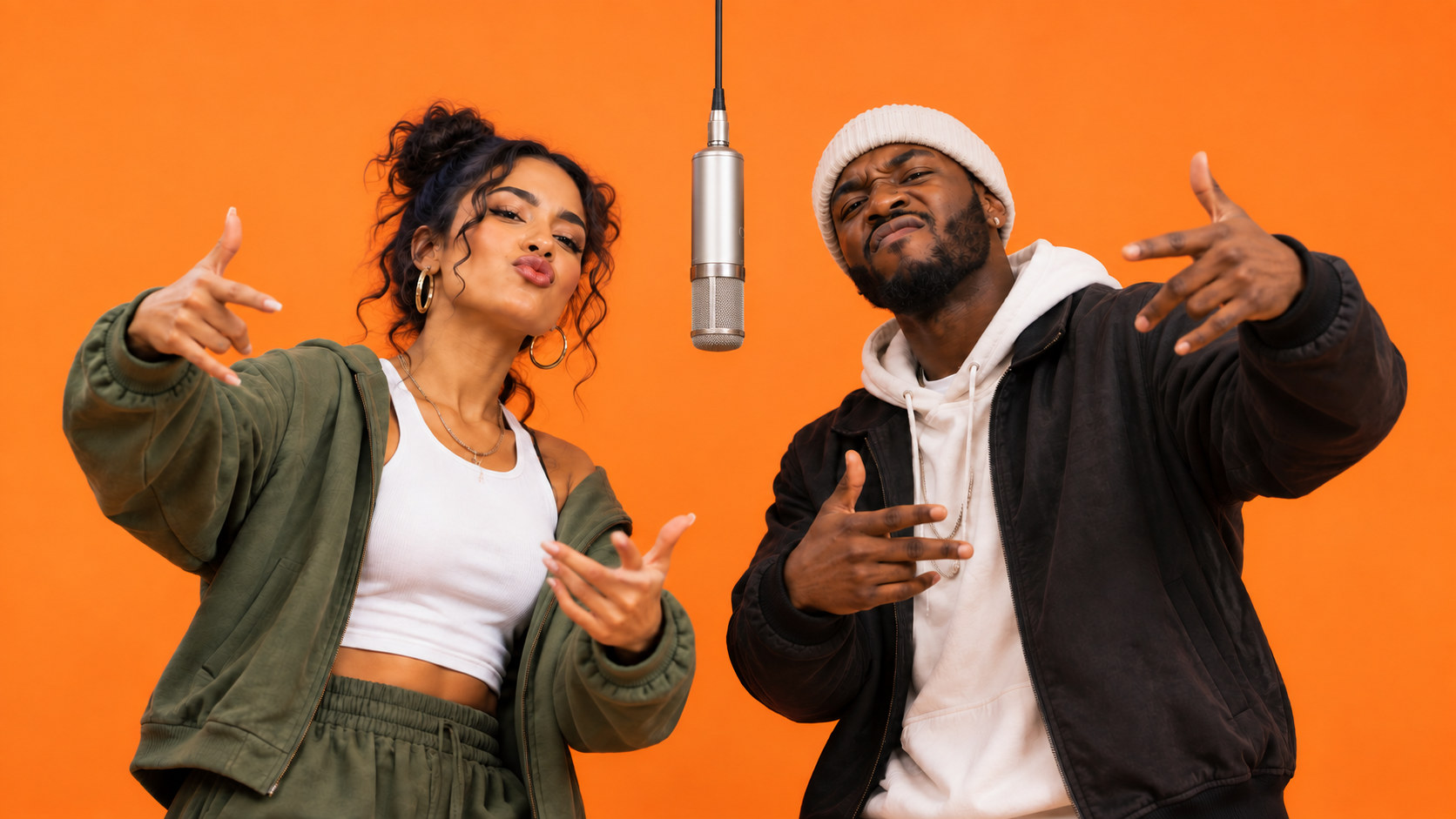
Join the Viral AI Rap Duo Trend With Two Separate Portraits and SuperMaker’s Ready-Made Effect. Follow the Upload and Generation Steps, Choose Your Video Settings, Check Credits, and Learn How to Review Both Faces Before Turning Your Performance Into a Post Worth Sharing With Friends.
Two familiar faces, one orange backdrop, and an unexpected rap performance: that is the idea behind the viral AI rap duo trend. Pick yourself and a friend, and turn the pairing into a video that gives your group chat something new to talk about.
To make your version, open SuperMaker AI Rap Duo video generator, upload two separate face photos, choose your settings, and generate. The dedicated effect includes the reference performance and prepared prompt, so you can start without filming a routine or writing instructions.
What Is the Viral AI Rap Duo Trend?
The viral AI rap duo trend is bringing Quavo and Takeoff’s 2022 “Hotel Lobby” COLORS performance back into social feeds. Throughout September 2026, creators have been remixing its orange backdrop and hanging microphone with unexpected pairings—from celebrities and athletes to fictional characters and pets.
The appeal is easy to understand: the stage stays recognizable, but the performers keep changing. Each new pairing gives viewers another reason to watch, share, or imagine their own version. That makes it a natural format to try with a friend—and the steps below show you how to join in using SuperMaker.
<meta charset='utf-8'><img src="https://pbs.twimg.com/media/HTGKFVWWoAAm6o3?format=jpg&name=large" alt="Image"/>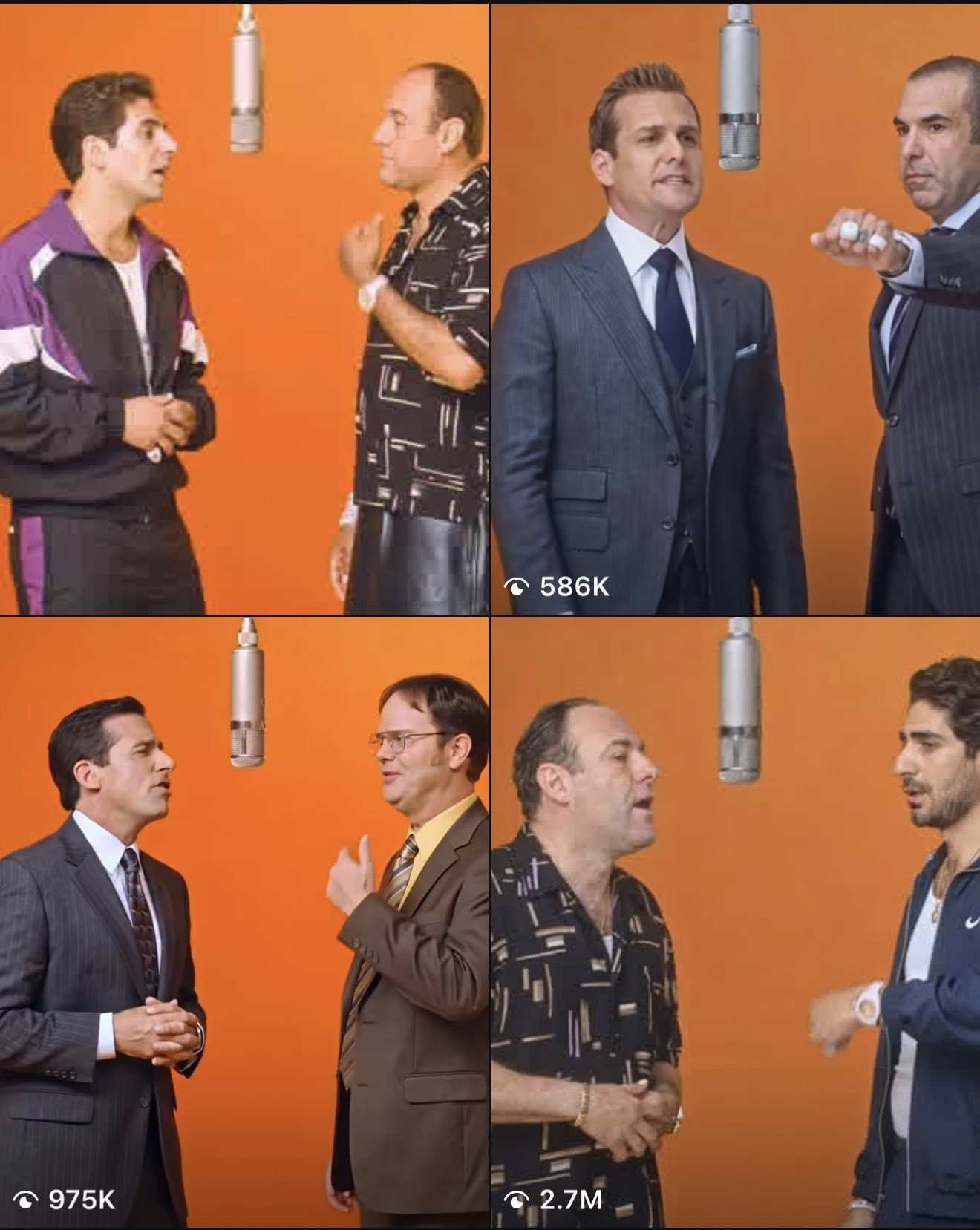
How to Join the Viral AI Rap Duo Trend on SuperMaker
Step 1: Choose Two Separate Face Photos
Prepare one photo of yourself and one of your partner. You do not need a picture together.
Choose images where each person is easy to recognize. A useful starting photo has:
- One person with a clearly visible face.
- Even lighting across the facial features.
- Sharp detail around the eyes, nose, and mouth.
- A straightforward angle with minimal obstruction.
For your first attempt, skip sunglasses, heavy beauty filters, and blurry screenshots. If you are choosing between several selfies, look at each one at a small size. The face that remains easiest to recognize is a sensible starting point.
Step 2: Open the AI Rap Duo Generator and Upload Both Photos
Go to the AI Rap Duo video page and find Upload Reference near the top. Sign in if prompted.
Use Upload files to add your two portraits, or select existing images from Assets Library. Check the previews before continuing: you should have two different people, with one clear face in each image.
The effect page supplies the performance setup. You do not need to upload a rap clip or find a prompt box to follow this tutorial.
Step 3: Choose Your Generation Settings
The generator provides controls for Resolution, Generate Audio, and Number of Videos. For a first attempt, consider this setup:
| Setting | Suggested starting choice | What to consider |
|---|---|---|
| Resolution | 720p | Use your first result to assess the faces and overall performance. |
| Generate Audio | On for an audio-enabled attempt | Listen to the finished output before deciding how to share it. |
| Number of Videos | 1 | Review one version before requesting more variations. |
Review Public Visibility and the displayed Required Credits before proceeding. Use the live credit estimate for your selected configuration.
Step 4: Generate Your Rap Duo Video
Once both photos and your settings are ready, click Generate Video.
Allow processing to finish, then check My Videos for the result. Generation time can vary, so keep the page available while your clip processes.
Step 5: Review Both Performers
Watch the complete video once for the overall effect, then replay it while focusing on each person separately.
How to Get a Better AI Rap Duo Result
Choose Recognizable Faces Before Stylish Photos
Your favorite portrait may have dramatic shadows, a tilted head, or hair covering one eye. Those choices can make a striking photograph while leaving less facial detail visible.
Compare Results at the Same Moments
When reviewing two versions, pause them at similar points: the opening, a head turn, and the final pose.
This makes comparison more useful than judging one attractive frame. A version with a strong opening may still lose facial consistency later in the performance.
Change One Input at a Time
Replace the blurrier portrait, for example, while keeping everything else consistent. Changing both images and several settings together makes it harder to understand what improved the result.
Turn Your Rap Duo Video Into a Post
Let viewers see the duo immediately. Choose an opening frame where both faces are readable, and keep large text away from their expressions.
A short caption can establish the relationship:
- “The group chat finally dropped a track.”
- “Me and my best friend in an alternate universe.”
- “Our debut album is absolutely not coming soon.”
- “Two selfies. Unexpected stage chemistry.”
If you prepare a vertical version in an editor, preview the crop throughout the clip. Keeping both performers visible matters more than filling every edge of the screen.
For another photo-based performance idea, try the STORM II crowd-dance tutorial.
AI Rap Duo Trend FAQ
Do I Need a Photo of Us Together?
No. Prepare two separate portraits, with one person in each. Photos taken in different places are fine; focus on facial clarity.
Do I Need to Write an AI Rap Duo Prompt?
No prompt is required for the dedicated SuperMaker effect. Its reference performance and creative instructions are already included.
Does This Effect Use Seedance 2.5?
SuperMaker identifies Seedance 2.5 as the model powering the effect. You can explore the broader model workflow on the Seedance 2.5 video page.
How Much Does the Viral AI Rap Duo Trend Cost?
As of September 27, 2026, the AI Rap Duo generator displays Required Credits. Check it after selecting your settings. The displayed estimate is the amount to review before submitting your attempt.
What if Only One Face Looks Right?
Try a sharper, more evenly lit photo of the person whose face is unclear. Review the new result through the full performance, especially during movement.
Make Your Own Rap Duo
Join the viral AI rap duo trend by choosing your partner and two clear portraits. Once your clip is ready, check both faces, choose your caption, and share the version you like best.