MiniMax H3 Guide: Prompts, Parameters, Open Source, Deployment and H3 Max
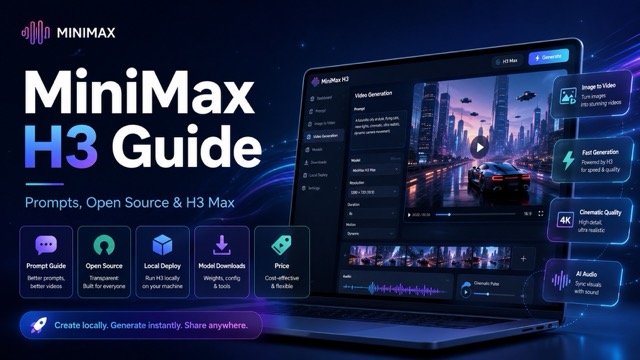
A practical guide to MiniMax H3 covering its model parameters, prompt writing, open-source release, local deployment, online use, pricing, video quality, and the faster H3 Max workflow.
MiniMax H3 has quickly attracted attention among AI video creators because it is more than a basic text-to-video model. It combines video generation with image, video, and audio understanding, while also supporting synchronized native audio. For developers, another major attraction is that MiniMax has released H3 weights for local deployment and further development.
At the same time, creators who care more about generation speed than setting up a model locally now have another option. MiniMax H3 Max is a post-trained H3 variant developed by fal Research with a stronger focus on prompt adherence, aesthetics, and high-speed inference. That makes it especially interesting for advertising, ecommerce, social media, and other workflows where creators need to generate and compare several versions quickly.
So what exactly is MiniMax H3, how large is the model, can you download it, and how should you write prompts for it? This guide covers the questions users are most commonly searching for.
What Is the MiniMax H3 Model?
MiniMax H3 is a general-purpose omni-modal video generation system. Unlike a simple generator that accepts only text, H3 can understand combinations of text, images, videos, and audio and then generate video together with native stereo sound.
The model can create short-form videos and supports common formats such as 16:9, 9:16, 1:1, 4:3, and 21:9. Its H3-Base workflow focuses on 768p generation, while the wider H3 system also includes a higher-resolution workflow.
It is useful to separate MiniMax H3 from H3 Max because they serve slightly different purposes.
| Feature | MiniMax H3 | MiniMax H3 Max |
|---|---|---|
| Developer | MiniMax | fal Research |
| Text to Video | Yes | Yes |
| Image to Video | Yes | Yes |
| Native Audio | Yes | Yes |
| Local Weights | Yes | H3 Max-specific weights not publicly released |
| Resolution Focus | 768p + higher-resolution workflow | 480p / 768p |
| Multimodal References | Extensive | More streamlined |
| Main Advantage | Flexibility and open weights | Speed and prompt adherence |
If your priority is local research, multimodal reference workflows, or model customization, the original H3 is the more relevant model. If the goal is simply to create videos quickly online, the faster H3 Max workflow is usually easier to use.
MiniMax H3 Parameters Explained
One of the most common searches around the model is MiniMax H3 parameters or MiniMax H3 parameter count.
MiniMax describes the H3 Omni Transformer as a 33-billion-parameter dense, single-stream Transformer. Around 13 billion parameters are associated with AdaLN-related branches. These modulation outputs can be precomputed and cached, which can help optimize inference deployment.
This large architecture helps explain why H3 can work with several forms of context in one system instead of relying on a completely separate model for every input type.
H3 is divided into several important parts. H3-Context-IR interprets and restructures multimodal instructions. H3-Base performs the primary audio-video generation, while the broader H3 pipeline can be used for higher-resolution output.
For everyday creators, however, knowing the parameter count is less important than understanding what it enables: detailed instruction following, multimodal reference support, and coordinated visual and audio generation.
Is MiniMax H3 Open Source?
MiniMax has publicly released H3 model weights together with code and deployment documentation under its community license.
This means developers can download the weights, experiment with the model, build local inference workflows, and create additional tools around the H3 architecture according to the applicable license terms.
The H3 release includes different checkpoint families for different generation workflows.
FL2VA focuses on text-to-audio-video and first/last-frame generation.
Ref2VA focuses on generation using reference images, videos, and audio.
The broader reference workflow can accept multiple images, video clips, and audio clips, which makes MiniMax H3 particularly interesting for developers who want more control over video generation.
For users who do not want to download large model files or configure GPU infrastructure, the H3 Max AI Video Generator provides a simpler way to move from a prompt or image to a finished short video.
MiniMax H3 Download and Local Deployment
The official MiniMax H3 release provides resources for downloading model checkpoints and running the system locally.
Developers can use popular AI inference frameworks and workflows to experiment with H3. This makes the model attractive for teams that want deeper control over deployment, model configuration, or custom generation pipelines.
However, local AI video generation is very different from running a small image model on an ordinary laptop.
H3 is a large model, and serious local deployment usually requires substantial GPU resources, storage, and technical configuration. You also need to manage dependencies, model files, inference settings, and system memory.
That means local deployment is best suited to developers, researchers, or production teams with suitable infrastructure.
For a creator who simply wants to produce a product video, social clip, or cinematic concept, an online generator is usually much easier.
MiniMax H3 Prompt Guide
Prompt writing is one of the most important parts of getting better MiniMax H3 results.
The biggest mistake is treating an AI video prompt like an image prompt.
With an image, describing the appearance of the final frame may be enough. A video prompt also needs to explain what changes over time.
A practical structure is:
Subject → Action → Environment → Camera → Lighting → Style → Audio
Instead of writing:
A luxury perfume bottle on a black background.
Try:
A luxury perfume bottle stands on polished black marble. The bottle slowly rotates as the camera makes a gentle cinematic push-in. Warm golden rim lighting moves across the glass while fine mist drifts through the background. Macro commercial photography, shallow depth of field. Soft glass sounds and subtle ambient music.
The second prompt gives the model much more useful information about movement, timing, camera direction, lighting, and sound.
Describe the Action Clearly
The action should normally appear early in the prompt.
If the most important event is a person turning toward the camera, a shoe landing in a puddle, or a car accelerating, describe that action directly.
Avoid hiding the main movement inside a long list of visual adjectives.
Add Camera Movement
Camera instructions can dramatically change the final result.
Useful directions include:
slow push-in, tracking shot, overhead shot, macro close-up, handheld movement, crane shot, and wide establishing shot.
These terms explain how the audience should experience the scene, not just what should appear inside it.
Think About Sound
MiniMax H3 supports native audio generation, so the prompt can also include ambience, environmental sound, dialogue direction, Foley effects, or music.
For example, a rainy street scene might include:
Audio: heavy rain hitting the pavement, distant traffic, tire noise, and soft city ambience.
This gives the generated video a more complete audiovisual direction.
MiniMax H3 Image to Video
Image-to-video is one of MiniMax H3's most practical capabilities because it lets creators begin with an existing visual instead of creating everything from scratch.
You can start with a product photo, illustration, AI character, landscape, fashion image, or advertising visual and then describe what should move.
For example:
The camera slowly circles the product while soft reflections move across its surface. Fine mist drifts behind it and the lighting gradually shifts from cool blue to warm gold.
This type of prompt focuses on motion rather than unnecessarily redescribing every detail already visible in the image.
Image-to-video is especially useful for ecommerce teams because they often already have high-quality product photography.
Instead of organizing another photo or video shoot for every social post or advertisement, a single still image can be turned into several different motion concepts.
If you want a simpler browser-based workflow, MiniMax H3 Max online can be used for text-to-video and image-to-video creation without setting up the original H3 model locally.
MiniMax H3 Price: What Does It Cost?
There is no single MiniMax H3 price because the real cost depends on how you use the model.
Running open model weights locally moves most of the cost toward GPU hardware, cloud GPU rental, storage, electricity, and engineering time.
Hosted platforms usually use a different model. They may charge according to video duration, output resolution, generation credits, or platform subscription level.
That means developers and ordinary creators can experience very different costs even when using technology from the same model family.
For most creators, the more useful question is not simply:
Which model has the lowest price per second?
A better question is:
How many generations will I need before I get a usable result?
A faster model with stronger prompt adherence can sometimes reduce repeated failed generations, which may matter as much as the headline generation cost.
How Good Are MiniMax H3 Results?
MiniMax H3 stands out because it combines visual generation with multimodal control.
It can generate cinematic short-form scenes, animate still images, follow first and last frames, work with reference media, and produce synchronized sound.
This makes the model useful across several creative categories, including product advertising, social media, cinematic concepts, AI characters, visual storytelling, and illustration animation.
H3 Max takes a slightly different direction.
fal Research focused its additional post-training on areas such as prompt adherence, audiovisual quality, aesthetics, and generation speed.
That makes H3 Max especially relevant when creators need to test several versions of one idea.
Instead of spending a long time trying to perfect one prompt before generating anything, you can create an initial version, review the result, change the camera movement or lighting, and generate another version.
That workflow is often more useful than trying to predict the perfect result before seeing the first video.
MiniMax H3 vs H3 Max: Which Should You Use?
MiniMax H3 and H3 Max should not be treated as if one completely replaces the other.
Choose the original MiniMax H3 when you care about:
- Open model weights
- Local deployment
- Broader multimodal references
- Advanced technical control
- Higher-resolution workflows
Choose H3 Max when you care more about:
- Fast online generation
- Strong prompt adherence
- Text-to-video
- Image-to-video
- Native audio
- Rapid creative iteration
A developer building a custom research pipeline may prefer MiniMax H3.
An ecommerce marketer producing several versions of a product animation may prefer H3 Max.
The right choice depends less on which model has the longest specification list and more on what you actually want to create.
Where MiniMax H3 Max Works Best
H3 Max is particularly useful for short-form workflows where speed matters.
Ecommerce teams can animate existing product images.
Performance marketers can test different ad hooks, lighting styles, and camera movements.
Social creators can generate short clips for reels, shorts, and campaign posts.
Designers can animate illustrations and AI artwork.
Filmmakers can use short generated scenes to explore concepts before committing to larger production work.
The most effective workflow is usually not:
Write Prompt → Generate Final Video
Instead, try:
Write → Generate → Review → Adjust → Generate Again
The first result does not need to be perfect.
It only needs to show you what should change next.
That is where faster generation becomes particularly valuable.
Try MiniMax H3 Max Online
MiniMax H3 is an important AI video model because it combines open weights, multimodal inputs, native audio, image-to-video generation, and flexible deployment options.
For developers, its downloadable model and local deployment options make it useful for research and custom AI video workflows.
For creators who mainly want to generate videos instead of managing infrastructure, H3 Max solves a different problem: speed.
Start with a clear subject and action. Add camera movement, lighting, visual style, and audio. Generate once, inspect the result, and then change the part that matters most.
If you want to skip model downloading and local deployment and move directly into video creation, you can try MiniMax H3 Max for fast text-to-video and image-to-video generation.