Qwen-Image-3.0: Understanding Qwen’s Third-Generation Image Model
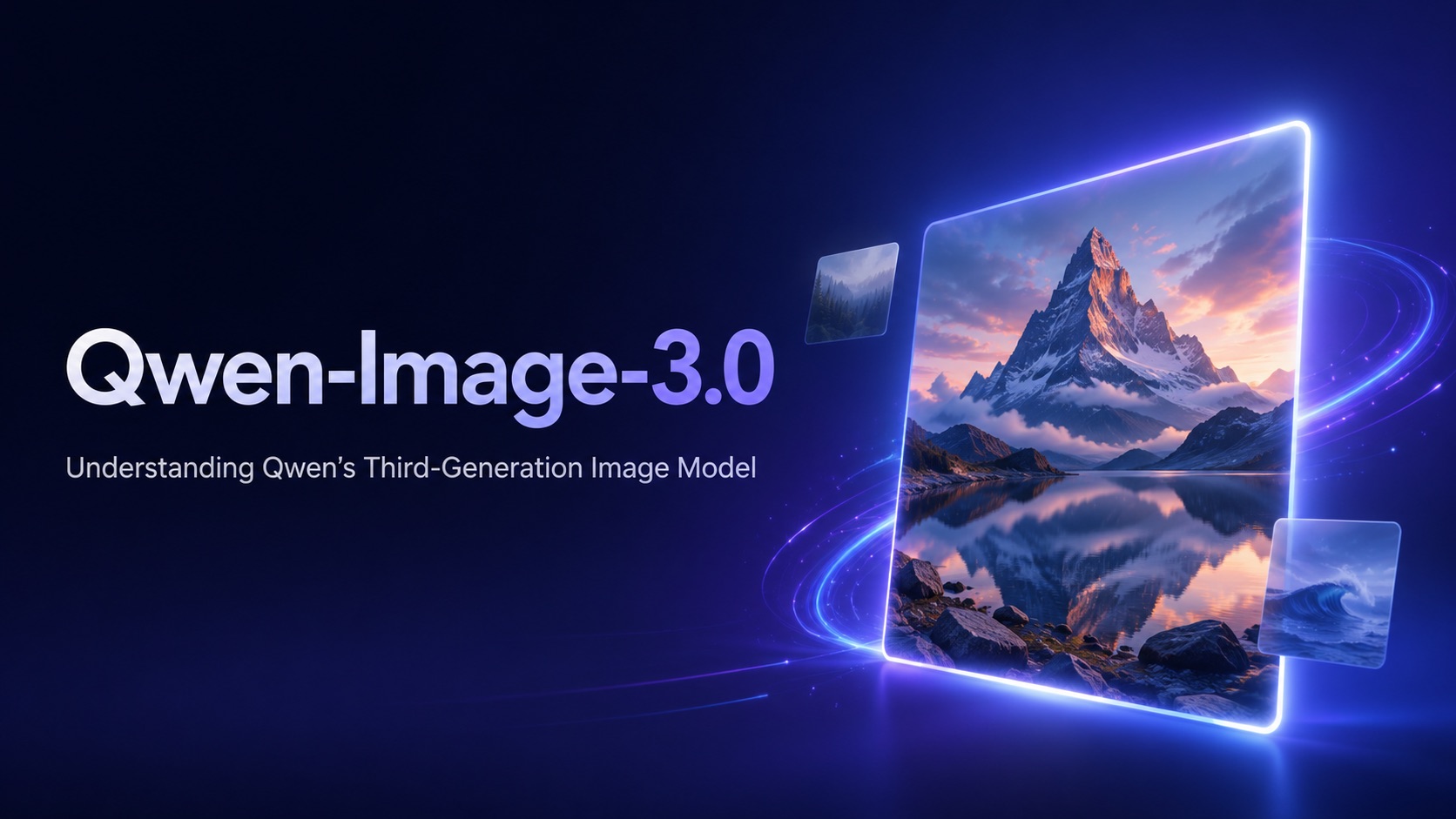
A practical introduction to Qwen-Image-3.0 covering its core capabilities, best use cases, prompt examples, and the evolution of Qwen’s image model series.
Qwen-Image-3.0 is the third-generation foundational image generation model in the Qwen-Image series, introduced by the Qwen team in July 2026. Rather than focusing only on producing visually attractive images, this generation moves further into a more demanding area of AI image creation: generating visuals that contain richer information, finer details, readable text, structured layouts, and recognizable real-world knowledge.
That direction makes Qwen-Image-3.0 interesting for more than conventional text-to-image prompts. A single request can involve photography, typography, multiple visual elements, interface-like structures, or dense editorial content. The challenge is no longer simply whether an AI model can draw the requested subject. It is increasingly about whether the model can organize an entire visual idea coherently.
What Is Qwen-Image-3.0?
Qwen-Image-3.0 belongs specifically to Qwen’s image-generation family. This distinction matters because its name can easily be confused with Qwen3, the separate family of large language models. Qwen3 focuses primarily on language and reasoning tasks, while Qwen-Image is the model family developed for image generation and related visual work.
The original Qwen-Image established text rendering as one of the series’ most recognizable strengths. Later releases expanded the family with image editing, improved consistency, more realistic rendering, and stronger handling of structured visual content.
Qwen-Image-3.0 represents the next stage of that progression. Qwen describes the model around three broad ideas: richer content, more authentic details, and deeper knowledge.
This framing is useful because it shows how the role of an image model is changing. Instead of only turning a short description into a picture, Qwen-Image-3.0 is designed to interpret increasingly complicated visual instructions containing text, layouts, multiple subjects, and different types of information.
What Defines Qwen-Image-3.0?
1. More Detailed Visual Generation
Qwen highlights finer rendering of skin texture, hair, materials, and other small visual details in Qwen-Image-3.0. This is especially useful for photorealistic scenes, product imagery, and complex environments where small inconsistencies can make an AI-generated image feel less convincing.
2. Stronger Text Rendering
Text remains one of the model’s key strengths. According to Qwen, Qwen-Image-3.0 can render clearly legible text at sizes down to around 10 pixels and supports 12 languages. This makes it more practical for posters, editorial graphics, menus, packaging concepts, and other designs where typography is part of the image rather than an afterthought.
3. Better Handling of Complex Visual Content
Qwen-Image-3.0 is also designed to manage more information in a single generation. Qwen says the model supports prompts of up to roughly 4.5K tokens and demonstrates formats such as newspapers, storyboards, exam papers, web pages, game interfaces, and livestream-style layouts.
The important shift is that the model is being asked to organize multiple visual elements coherently, not just generate a single subject or scene.
Where Qwen-Image-3.0 Becomes Most Useful
Not every image-generation task requires this level of complexity. If the goal is simply to create an atmospheric landscape or a stylized character portrait, many current AI image models can already produce impressive results.
Qwen-Image-3.0 becomes more interesting when several requirements need to work together in the same image.
Editorial design is a good example. A magazine page or promotional poster may require a photographic subject, a headline, supporting text, visual hierarchy, empty space, and a specific design language. Instead of treating these as entirely separate production steps, users can describe the intended composition directly in the prompt.
Information-rich graphics are another natural use case. Educational diagrams, visual explainers, timelines, presentation graphics, and infographic concepts depend on relationships between several pieces of information rather than a single dominant subject.
Storyboards introduce a different challenge. A creator may need several frames showing a sequence of actions while maintaining the same setting, character, clothing, and visual style. This requires the model to think about the relationship between multiple panels rather than producing isolated images.
Photorealistic generation also benefits from the model’s emphasis on richer detail. A scene involving several people, different materials, environmental context, signage, food, furniture, and background activity gives the model more visual information to coordinate.
For users exploring the Qwen-Image-3.0 AI image generator, these more demanding prompts are often more revealing than a simple request for a portrait or landscape.
Qwen-Image-3.0 Prompt Examples
One way to understand the model is to move beyond short prompts such as “a woman standing in a city.” More structured prompts can deliberately test the areas Qwen-Image-3.0 is designed to handle.
1. Editorial Poster
Prompt:
Create a contemporary cultural festival poster photographed and designed like an independent arts magazine. A crowded evening street filled with small bookshops, food stalls, bicycles, warm window light, and groups of visitors. Place the title “CITY AFTER DARK” prominently near the top, followed by “Night Market · Film · Books · Food” in smaller typography. Include the date “18 SEPTEMBER 2026” near the bottom. Sophisticated editorial grid, strong typography hierarchy, realistic photography, subtle paper texture, balanced negative space.
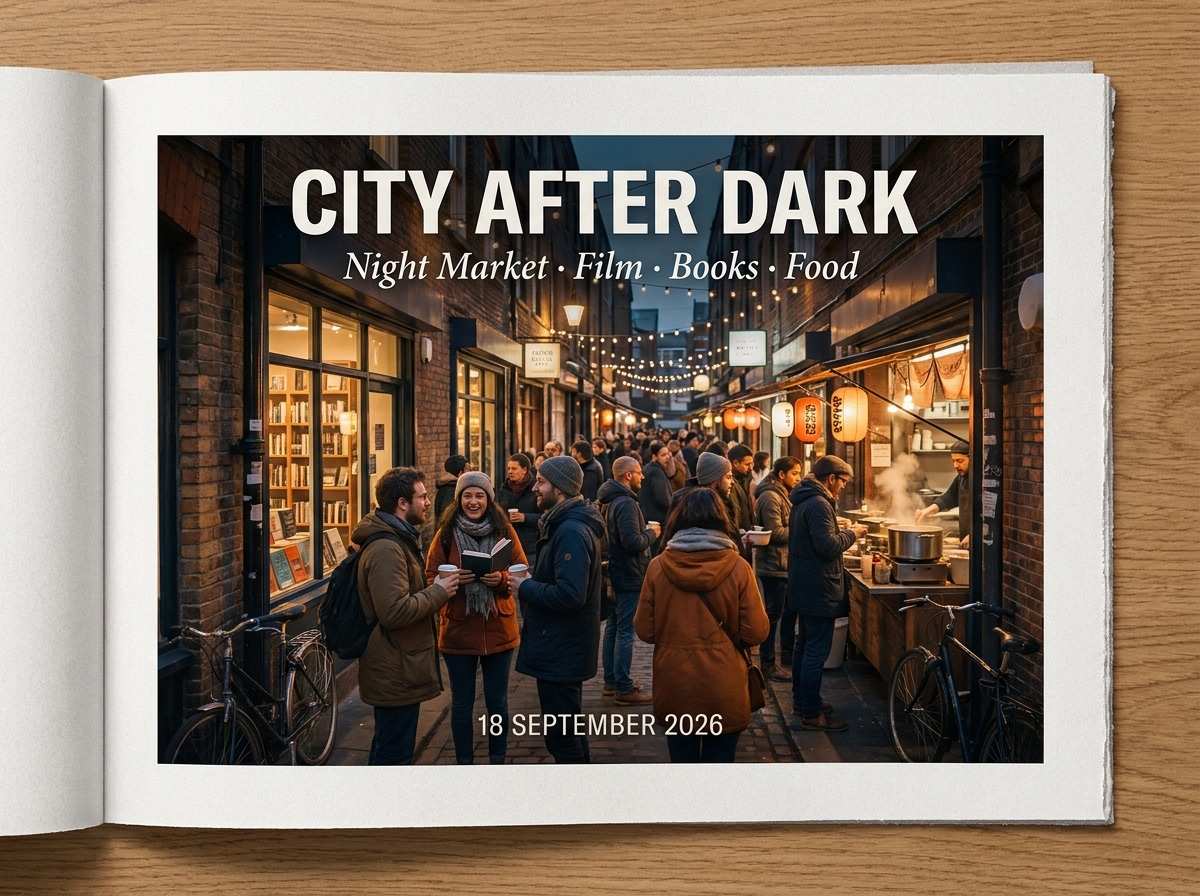
This type of prompt combines photography, exact text, hierarchy, and graphic composition in a single generation.
2. Lifestyle Photography
Prompt:
Create a realistic documentary photograph of a family preparing Sunday breakfast in a small sunlit apartment kitchen. One person is slicing fruit, another is pouring coffee, while a child reaches across the table for toast. Slightly messy countertop with a folded newspaper, ceramic bowls, butter, jam, and fresh bread. Natural morning light through half-open blinds, authentic skin texture, ordinary clothing, candid expressions, realistic household details, 35mm photography.
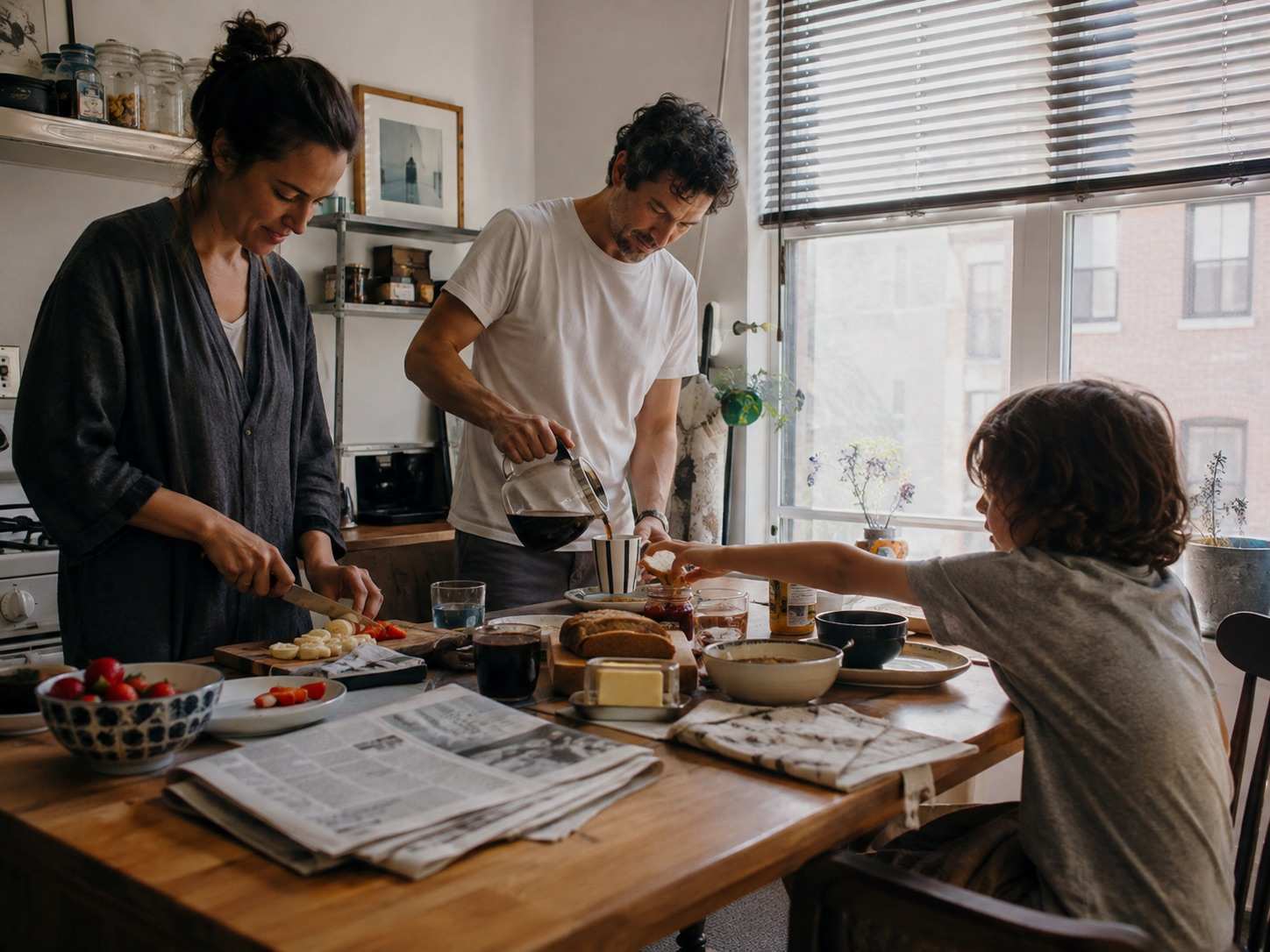
Here the challenge is different. Instead of typography or layout, the model needs to coordinate several people, actions, objects, materials, and environmental details without making the scene look overly staged.
3. Information Graphic
Prompt:
Create a clean editorial infographic titled “HOW A CITY USES WATER.” Show a simplified visual journey from reservoir to treatment facility, homes, businesses, wastewater processing, and water reuse. Use five clearly separated stages connected by subtle directional lines. Each stage should have a short readable label and one simple visual illustration. White background, restrained editorial typography, muted documentary illustration style, clear information hierarchy, spacious composition.
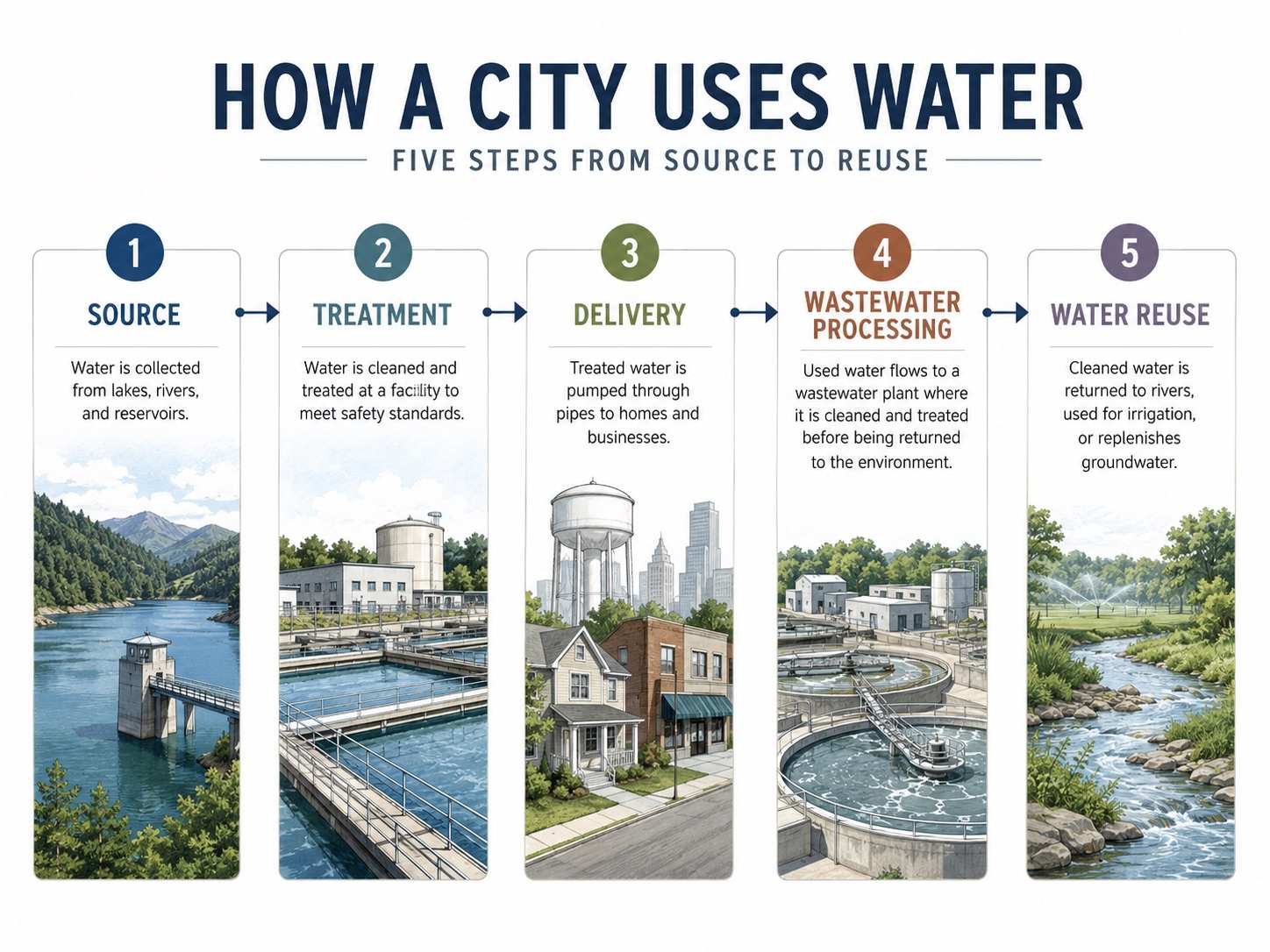
This prompt tests whether the model can organize several related pieces of information into a clear visual structure.
4. Storyboard
Prompt:
Create a six-panel cinematic storyboard showing a commuter discovering that she has left her apartment keys on a café table. Panel 1: she leaves the café. Panel 2: the keys remain beside an empty coffee cup. Panel 3: she reaches the entrance of her apartment building. Panel 4: she checks her coat pocket. Panel 5: close-up as she realizes what happened. Panel 6: she runs back down the street toward the café. Maintain the same character, clothing, weather, and neighborhood throughout. Natural cinematic framing, realistic urban setting, clearly separated panels.
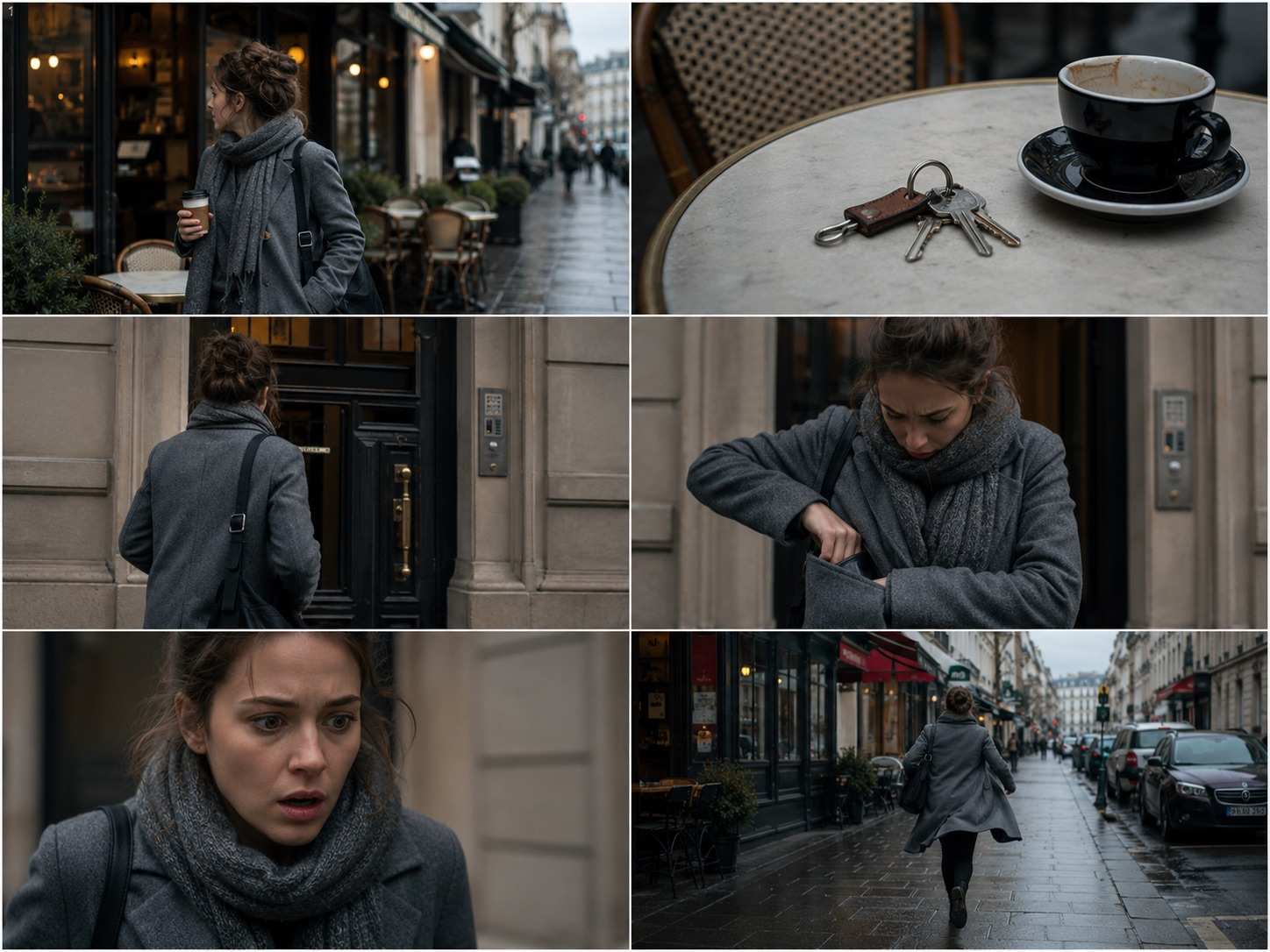
This example shifts the challenge toward visual sequence. Every panel has a different purpose, but together they need to communicate one continuous event.
From Qwen-Image to Qwen-Image-3.0
Calling Qwen-Image-3.0 a third-generation model makes more sense when it is viewed as part of a longer development path.
The first Qwen-Image put unusually strong emphasis on text rendering inside generated images. That immediately gave the series a different focus from image models built mainly around illustration or photorealistic scene generation.
The Qwen-Image family then expanded into image editing, multi-image workflows, better visual consistency, higher realism, and more sophisticated instruction following.
Qwen-Image-2.0 brought image generation and editing together in a unified model while moving further toward professional typography and structured visual output.
Qwen-Image-3.0 extends that direction again, but the most noticeable change is the scale of information the model is expected to manage within a single visual result. Longer instructions, smaller text, denser content, more detailed environments, and more complicated layouts all increase the difficulty of the task.
Seen this way, the progression of Qwen-Image is not simply about making every generation more attractive. It is about expanding what counts as an image-generation task in the first place.
Where to Try Qwen-Image-3.0
Users interested in the model can start by experimenting with text prompts and gradually increasing the amount of information included in each request.
Simple prompts are still useful for learning how the model interprets subjects and styles, but they do not necessarily reveal what makes this generation distinctive.
A better test is to combine several requirements in one prompt. For example, ask for a realistic scene containing multiple people, specific objects, exact text, a defined layout, and a recognizable visual format.
You can also try Qwen-Image-3.0 online with different prompt types to see how the model handles photography, typography, editorial layouts, information graphics, and other structured visual tasks.
When testing a complex prompt, it can also help to change only one part at a time. Keep the main scene consistent while adjusting the text, layout, camera style, or level of detail. This makes it easier to see which instructions the model follows reliably and which areas still need refinement.
Conclusion
Qwen-Image-3.0 reflects a broader change in what AI image generation is being asked to accomplish.
The early question for text-to-image models was relatively simple: can an AI turn a sentence into a convincing picture? The expectations are becoming much higher. A modern model may need to understand not only what belongs in the image but also how words, objects, scenes, layouts, and information should work together.
That is what makes Qwen-Image-3.0 particularly interesting. Its direction goes beyond creating another attractive AI image. It points toward image models that can take increasingly detailed visual ideas and organize them into a coherent result — whether that result looks like a photograph, poster, storyboard, infographic, document, or something in between.