
More AI Image Generators
Explore our collection of specialized AI image generators designed for different creative needs and styles










AI Braids: Preview Your Perfect Braided Hairstyle
Preview braided hairstyles in one photo
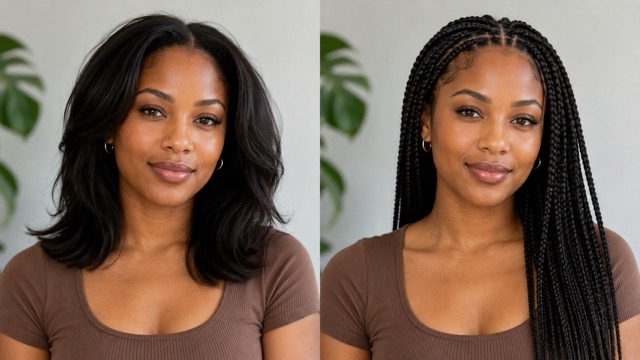
Use AI Braids to transform an adult portrait into a realistic braided hairstyle preview. Compare the original and edited look side by side while keeping the face, expression, outfit, pose, and background recognizable.
How to Try AI Braids
Turn a clear adult portrait into a braided hair preview through three simple steps. AI Braids reads the face, hairline, head angle, clothing, and lighting, then creates a hairstyle that fits the original composition. AI Braids is a creative reference, not a guarantee of a real salon result.

Upload photo
Choose a sharp adult portrait with the full hairline, face, and shoulders visible. Even lighting and a simple background help AI Braids understand the head shape and preserve important facial details.

Click generate
Start the transformation and let AI Braids reinterpret the hairstyle. The effect can visualize options such as knotless braids, cornrows, braided bobs, and decorative braided looks while maintaining the portrait's overall structure.

Download
Review the Before and After comparison, inspect the hairline and braid details, then download the version you prefer. Show the preview to a stylist as inspiration, not as an exact technical specification.
Best AI Image Tools for Creative Projects
Explore creative tools for image, learn tips and tricks, and see how AI can be your assistant in turning concepts into finished projects.



















Explore Braided Hairstyles Without Losing Your Look
AI Braids places the original portrait beside the generated result, helping you quickly compare braid length, color, size, framing, and overall mood.
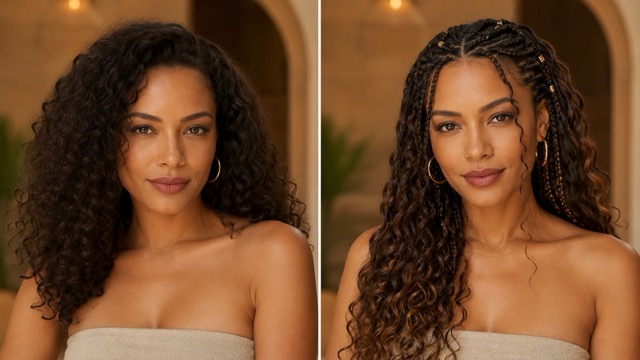
Preview Knotless Box Braids
Knotless box braids create a clean, lightweight transition from the natural hairline. AI Braids visualizes this polished style while keeping the portrait recognizable. Use a front-facing or gentle three-quarter photo so AI Braids can read the forehead, temples, cheeks, and shoulders. Compare shoulder-length and longer braids, then test dark, warm brown, or subtly highlighted versions. Check the parting, hairline, ears, earrings, and braid edges for consistency. For better comparisons, keep the same source portrait and change one detail at a time, such as braid width, length, or color. Zoom in to see whether the roots align naturally with the scalp and whether braids pass correctly behind the ears. Then view the image at normal size to judge the overall silhouette. Use the preview as a styling concept and ask a professional braider whether the preferred size, length, color blend, and pattern suit your hair and maintenance needs.
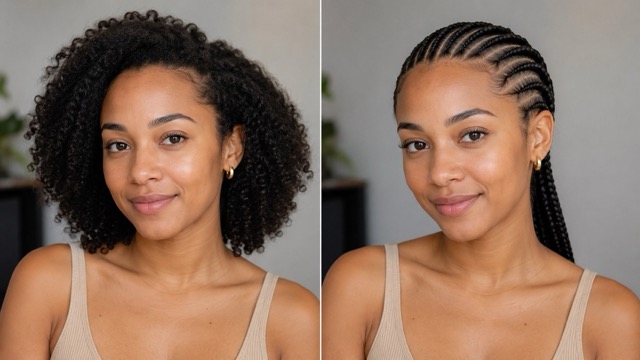
Try Bohemian and Goddess Braids
Bohemian braids combine structured plaits with loose curls for a softer, more textured finish. AI Braids lets you compare this style with your original hair while preserving the portrait. Choose a clear photo with the eyes, neckline, and shoulders visible so curls and braid ends can be placed naturally. Test braid thickness, curl placement, parting, length, and color, then compare a restrained look with a fuller, more romantic version. Inspect where loose curls begin, how they follow the lighting, and whether they fall naturally in front of or behind the shoulders. Also check whether the texture works with your neckline and clothing. Real results depend on hair density, products, weather, maintenance, and stylist technique, so use AI Braids as visual direction rather than an exact salon specification. Share the preview with a stylist to discuss suitable braiding hair, curl type, section size, and care.
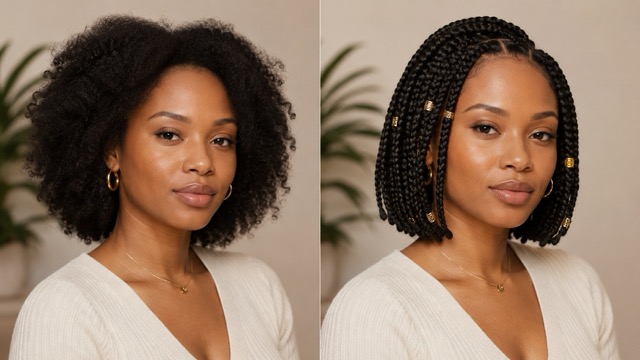
See How Cornrows Frame the Face
Cornrows create a close directional pattern that changes how the forehead, temples, and cheekbones are framed. AI Braids can preview straight-back rows while preserving the face, shirt, pose, and setting. Upload a photo with the top and sides of the head visible, avoiding hats, deep shadows, or hands over the forehead. Compare fewer bold rows with narrower braids or test different directional patterns. Inspect spacing, temple transitions, and whether each row follows the shape of the head naturally. The Before and After view also shows how much of the forehead and ear area becomes visible. A slightly elevated camera angle can make the pattern easier to evaluate while keeping the face recognizable. Real cornrows depend on hair length, texture, density, scalp comfort, and stylist skill. Use AI Braids to communicate pattern and scale, then ask a qualified braider about feasibility, tension, preparation, and aftercare.
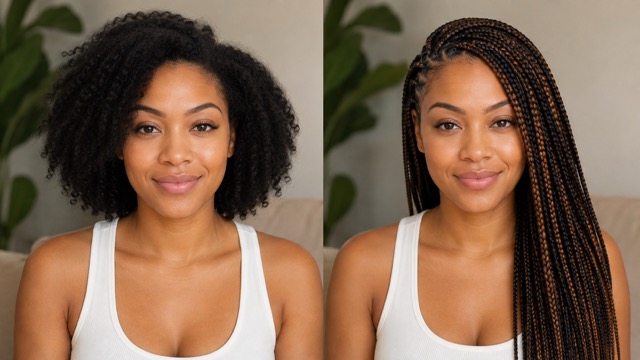
Experiment With Decorative Braided Details
Personalize braids with section patterns, side braids, cuffs, highlights, beads, and different lengths. AI Braids lets you explore these details before committing to a style or buying accessories. A centered portrait helps compare symmetry, while a three-quarter angle shows how braids sit around the ear and shoulder. Start with a simple braid shape and length, then add one restrained accent such as cuffs, beads, or a subtle color blend. Check whether accessories complement the face and appear naturally attached to the braids. AI Braids can also preview a braided bob so you can compare where the ends meet the jaw, chin, or shoulders. Inspect parting lines, braid ends, spacing at the nape, and the overall silhouette. Use the final image as a styling reference, then discuss braid size, extensions, accessory weight, and finishing technique with an experienced professional rather than treating the generated result as salon instructions.
Practical Ways to Use AI Braids
From salon planning to character design, AI Braids turns hairstyle ideas into clear visual comparisons for easier creative decisions.
Prepare for a Salon Consultation
Use AI Braids to narrow a large inspiration folder into one or two clear directions. Generate a comparison with your preferred braid size, length, parting, and color, then show it to a professional braider. Focus on the elements that matter most instead of requesting an exact copy of every generated strand. The stylist can assess your real hair and discuss preparation, extensions, tension, installation time, maintenance, and alternatives. A Before and After visual makes the conversation more concrete, but it does not replace professional assessment or judgment.

Compare Styles Before Choosing
Create several AI Braids previews from the same clear portrait and compare them under similar conditions. Try a braided bob, knotless braids, bohemian braids, or cornrows while keeping the face, clothes, pose, and background consistent. Compare how each style changes the neckline, color balance, braid scale, and overall silhouette. View each result both close up and from a distance to check parting, edges, accessories, and possible generation errors. Save the strongest options and note your preferred length, braid size, color range, maintenance level, and accessories before a salon consultation. AI Braids previews are subjective visual references, so use them to narrow choices rather than identify one universally correct style.

Plan Fashion and Portrait Styling
Photographers, makeup artists, costume teams, and content creators can use AI Braids to explore a hairstyle direction before a shoot. A preview can help coordinate necklines, jewelry, makeup, backdrops, and lighting around the shape of the hair. Use an approved adult model photo and keep planning images within the authorized production workflow. The final hairstyle should still be agreed with the model and stylist. AI Braids works well for mood boards, but it cannot predict preparation time, comfort, movement, durability, or how real materials behave under studio lights.

Develop Fictional Characters
Artists, writers, role-players, and game creators can test braided hairstyles on an adult character portrait while keeping the established face and costume. Cornrows can create a close graphic structure, box braids add length and rhythm, and decorative cuffs introduce small accents. Use AI Braids to explore visual directions, then refine the final design in your chosen medium. If the source depicts a real person, obtain permission before transforming or publishing the portrait. Avoid using braid styles as shortcuts for personality, culture, or background; build the character through thoughtful writing, research, and design as well as appearance.
How Creatives Might Use the Preview
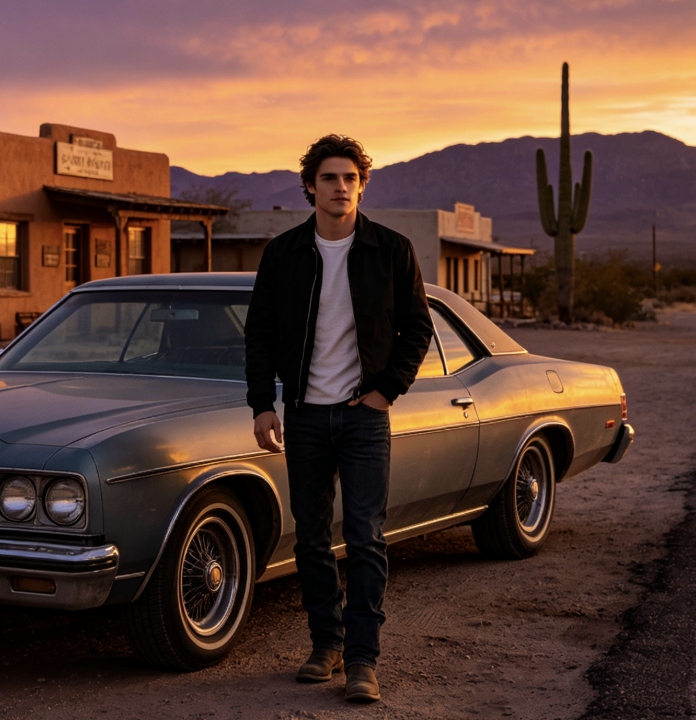
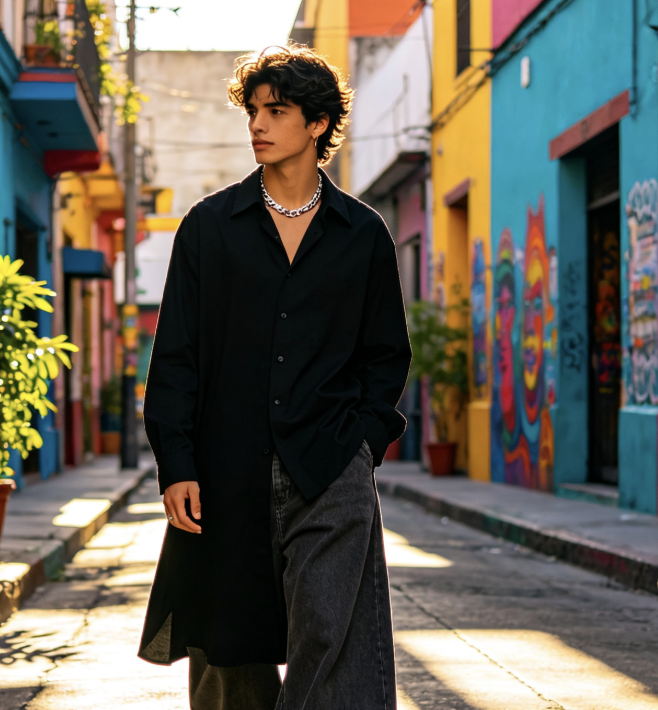
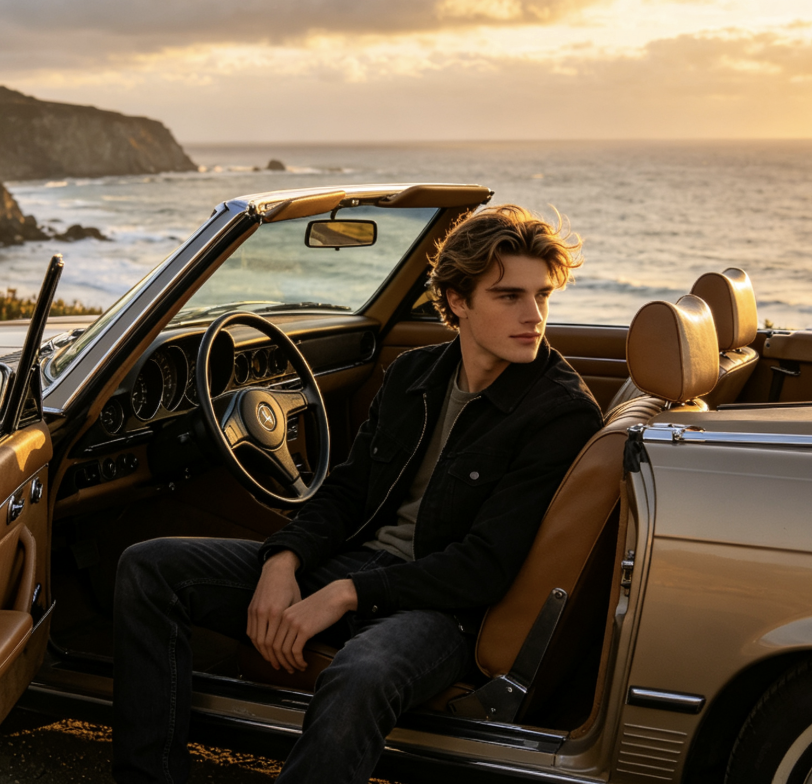
These portraits and comments are illustrative examples, not verified customer reviews or evidence of typical results.
The side-by-side layout helped me focus on braid length and how the style framed my face. I used an AI Braids image as a conversation starter and asked my stylist which parts were realistic for my hair and schedule.
I compared a polished knotless look with softer bohemian braids for an event mood board. Keeping the portrait identical on both sides made the texture change much easier to evaluate.
The cornrow preview gave me a clear pattern reference without pretending to replace a barber or braider. I checked the hairline details and used the result to describe the row size I preferred.
I used AI Braids to test subtle cuffs and different section directions for a character concept. The comparison was useful because the expression, blouse, and lighting stayed consistent.
A braided bob looked very different from my usual haircut, and AI Braids comparison made that difference immediately understandable. I treated AI Braids as inspiration rather than a promise of an exact salon result.


AI Braids FAQ
Answers to common questions about creating and using braided hairstyle previews.
AI Braids is a creative photo effect that changes the visible hairstyle in an adult portrait to a braided look. AI Braids can help you explore visual options such as box braids, bohemian braids, cornrows, and braided bobs while preserving the rest of the image.
Use a sharp, well-lit adult portrait with the face, hairline, top of the head, and shoulders visible. Avoid hats, heavy shadows, motion blur, hands over the hair, and tight crops. A simple background helps the generated braid edges remain clear.
No. The result is a generated visual concept. Real outcomes depend on hair length, texture, density, scalp condition, extensions, braid size, stylist technique, maintenance, and many other factors. Ask a qualified stylist for personalized advice.
You can create visual variations with different lengths, braid sizes, section patterns, and color directions. Compare the previews with the same source photo so the hairstyle remains the main changing element. Confirm real materials and feasibility with a stylist.
Use another adult's portrait only with their permission, especially if you plan to publish or share the generated result. Do not use AI Braids for impersonation, harassment, misleading advertising, or edits involving minors without appropriate authorization.
Use it as a styling reference, mood-board element, or salon conversation aid. Inspect the hairline, parting, accessories, ears, and braid ends for generated errors. Label public images as AI-generated when the context could otherwise be misleading.
Try the AI Braids Now
Upload a clear adult portrait, explore AI Braids, and compare the original hairstyle with a new braided preview in one image. Save your favorite direction and bring it to a stylist for a practical conversation.
