

More AI Image Generators
Explore our collection of specialized AI image generators designed for different creative needs and styles











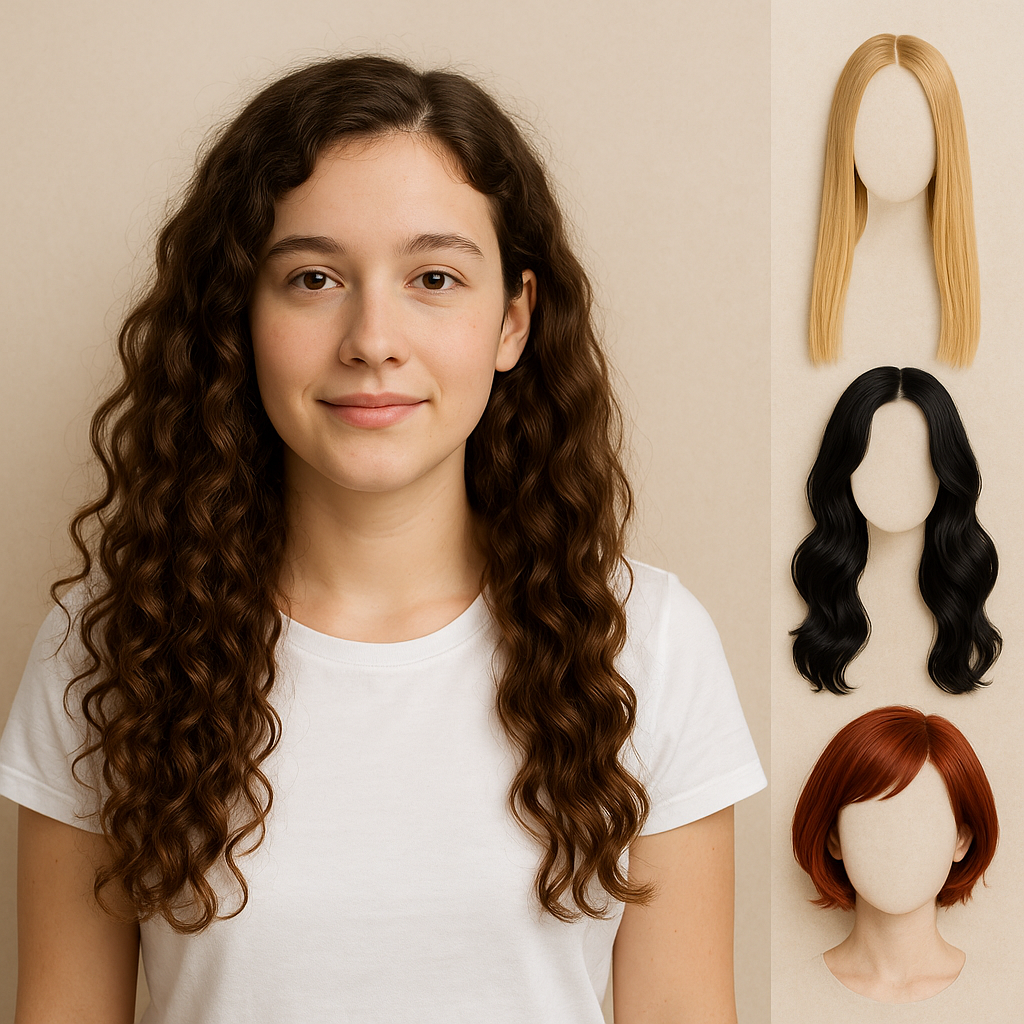
Try on Blonde Hair with AI Blonde Hair Filter
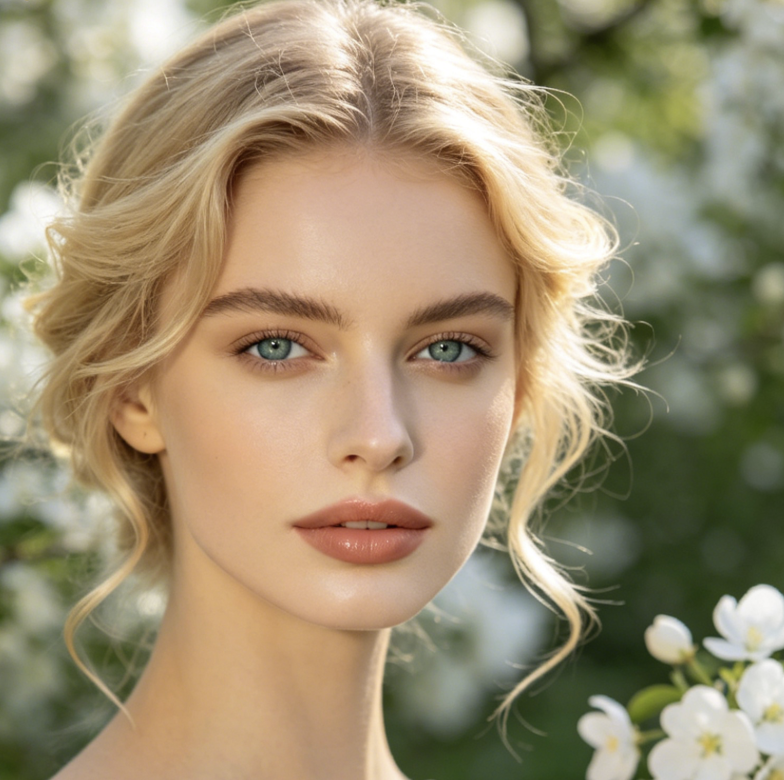
Upload a portrait and use AI Blonde Hair Filter to preview blonde hair that suits the person.
AI Blonde Hair Filter helps you explore blonde hair before a real-world change. The AI Blonde Hair Generator respects identity, pose, texture, and lighting, while the Blonde Hair AI Filter creates a preview for styling ideas or a stylist conversation.
How to Use AI Blonde Hair Filter
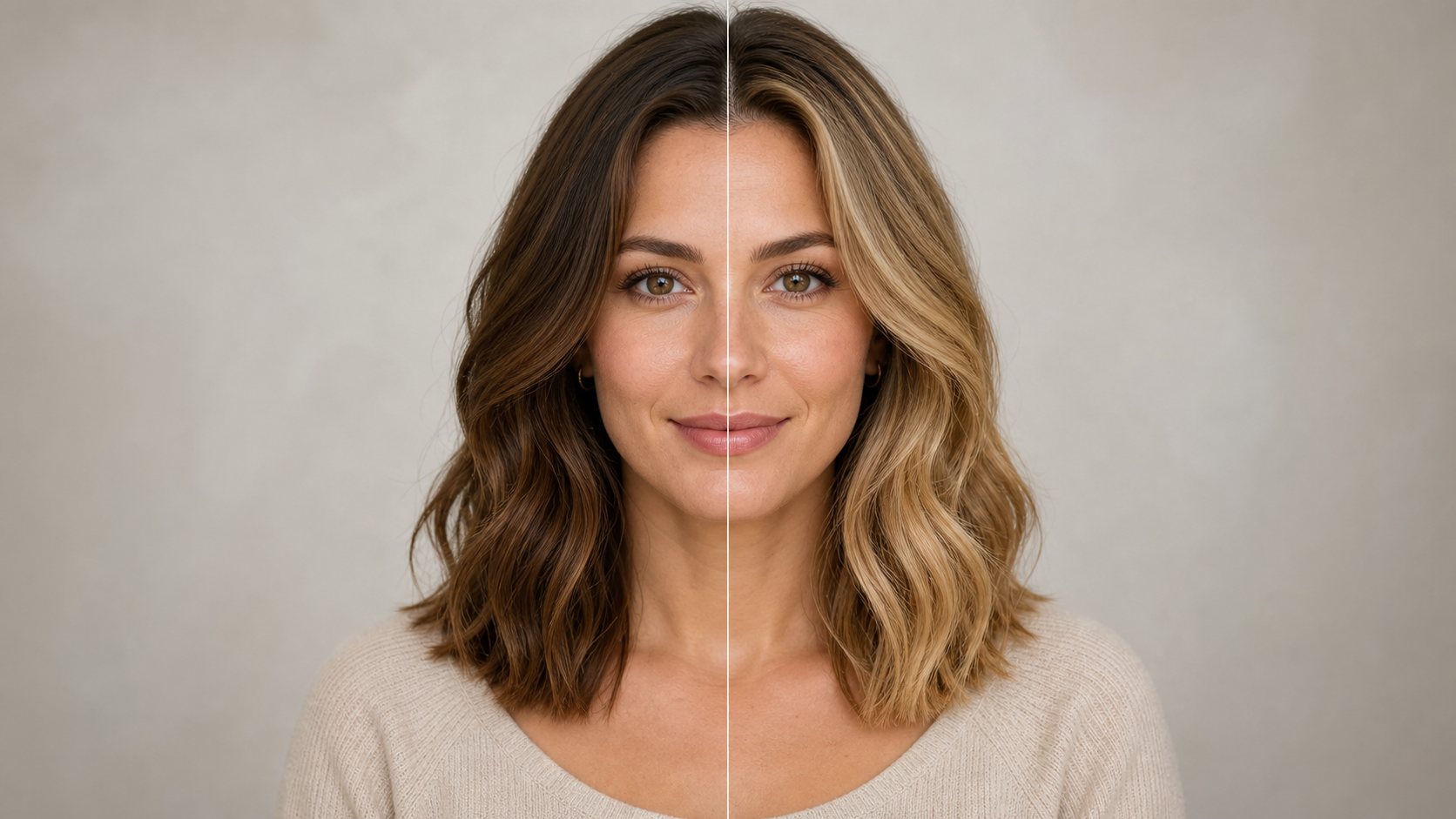
Using AI Blonde Hair Filter takes three straightforward steps: provide a clear portrait, let the model interpret the hair and lighting, then review the edited image as a realistic visual reference before choosing a real blonde look.

Upload a Clear Portrait
Choose a portrait where the face and most of the hair are easy to see. AI Blonde Hair Filter works from the visual information in your upload, so even lighting, a clean outline, and minimal obstruction help the AI Blonde Hair Generator understand the original texture and shape.

Let AI Recolor the Hair
Start the edit and let AI Blonde Hair Filter identify the hair region, interpret the surrounding light, and apply a believable blonde direction. AI Blonde Hair Filter is designed to change the hair color while keeping the face, expression, clothing, background, framing, and natural strand pattern stable.

Review Blonde Preview
Compare the source portrait with the edited result and look closely at the hairline, brows, skin tone, and edges around the shoulders. AI Blonde Hair Filter should produce a cohesive preview rather than a flat color overlay. Save the result you prefer, or try the AI Blonde Hair Generator again.
Best AI Image Tools for Creative Projects
Explore creative tools for image, learn tips and tricks, and see how AI can be your assistant in turning concepts into finished projects.





















What AI Blonde Hair Filter Brings to Your Preview
AI Blonde Hair Filter concentrates on the details that make a virtual color change useful: preserved identity, recognizable texture, lighting-aware tone, and a clean comparison you can use when exploring a possible blonde style.
Blonde Color That Follows Existing Hair Texture
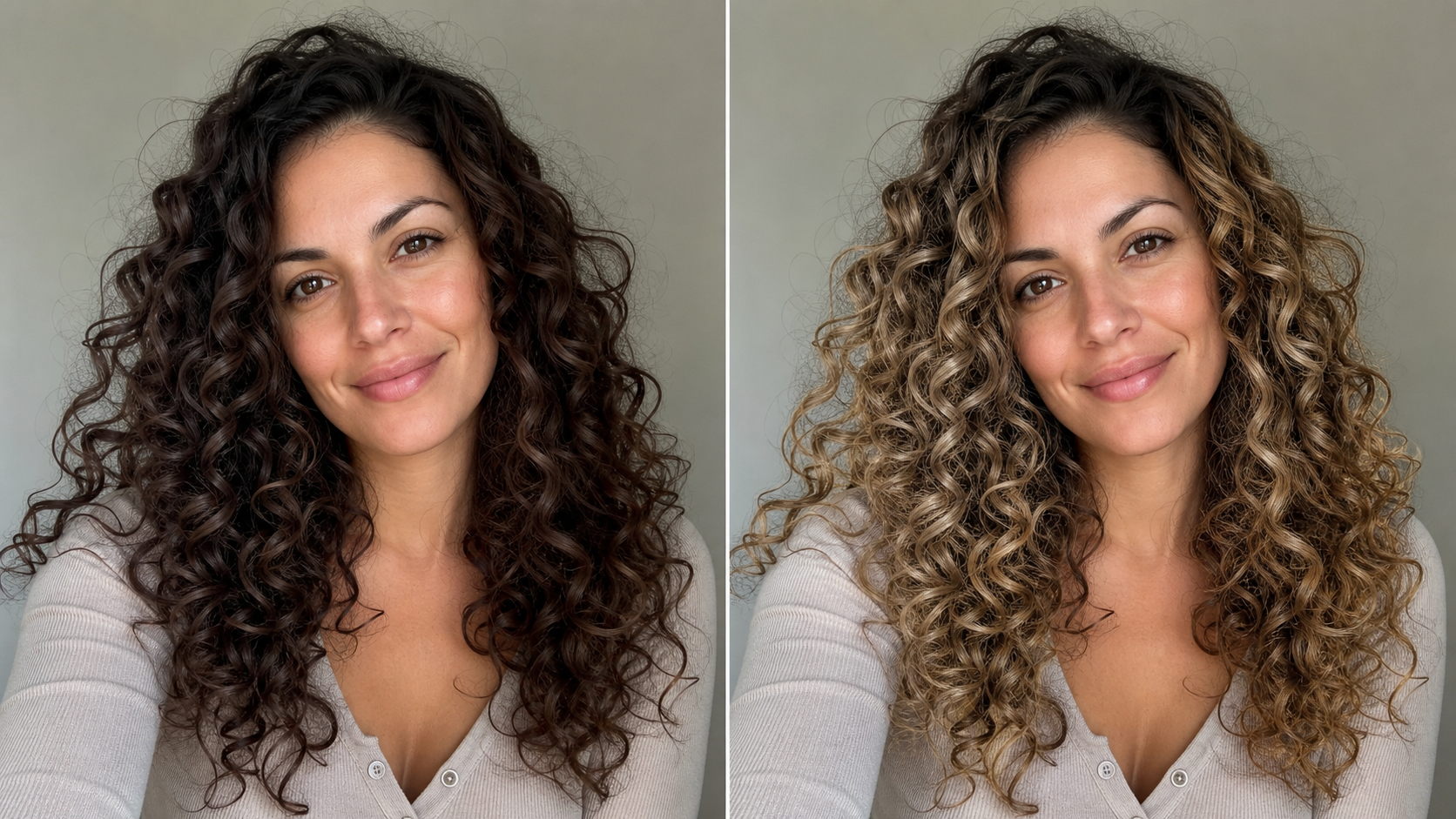
AI Blonde Hair Filter is intended to recolor the hair without flattening the visual character of straight, wavy, curly, or coiled strands. It follows the source silhouette, volume, part, and visible flyaways while introducing believable blonde highlights and shadow. AI Blonde Hair Generator also respects darker areas beneath layers, helping the result retain depth instead of reading like a single opaque paint layer. That focus keeps AI Blonde Hair Filter visually grounded.
A Try-On That Keeps the Person Recognizable
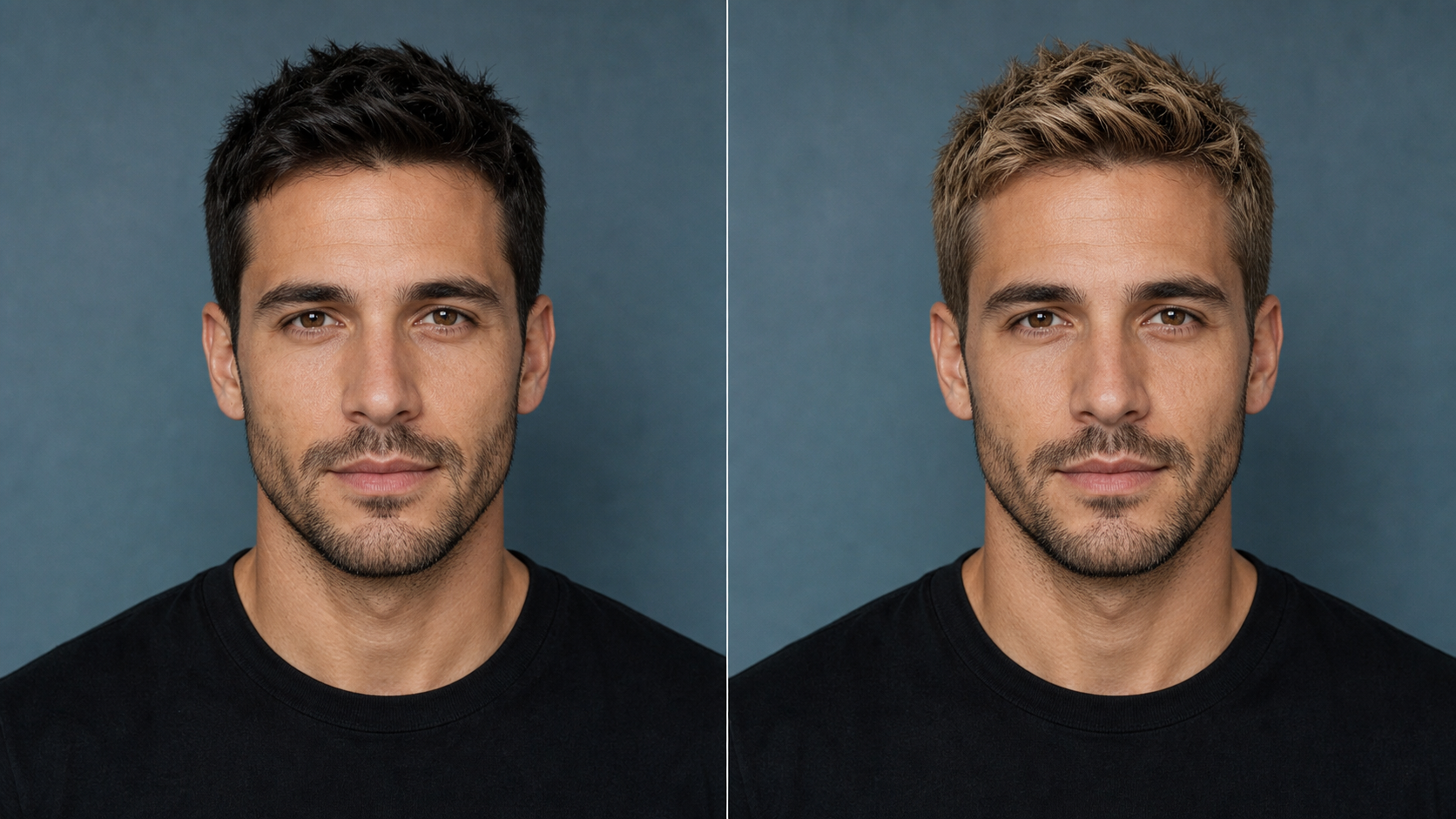
A useful hair-color preview should still look like the person in the original photo. AI Blonde Hair Filter focuses the transformation on visible hair and preserves facial structure, expression, makeup, pose, clothing, and composition. Blonde Hair AI Filter avoids reshaping features simply to make the new color fit, giving you a more honest comparison between your current appearance and a blonde alternative. That restraint keeps AI Blonde Hair Filter recognizable.
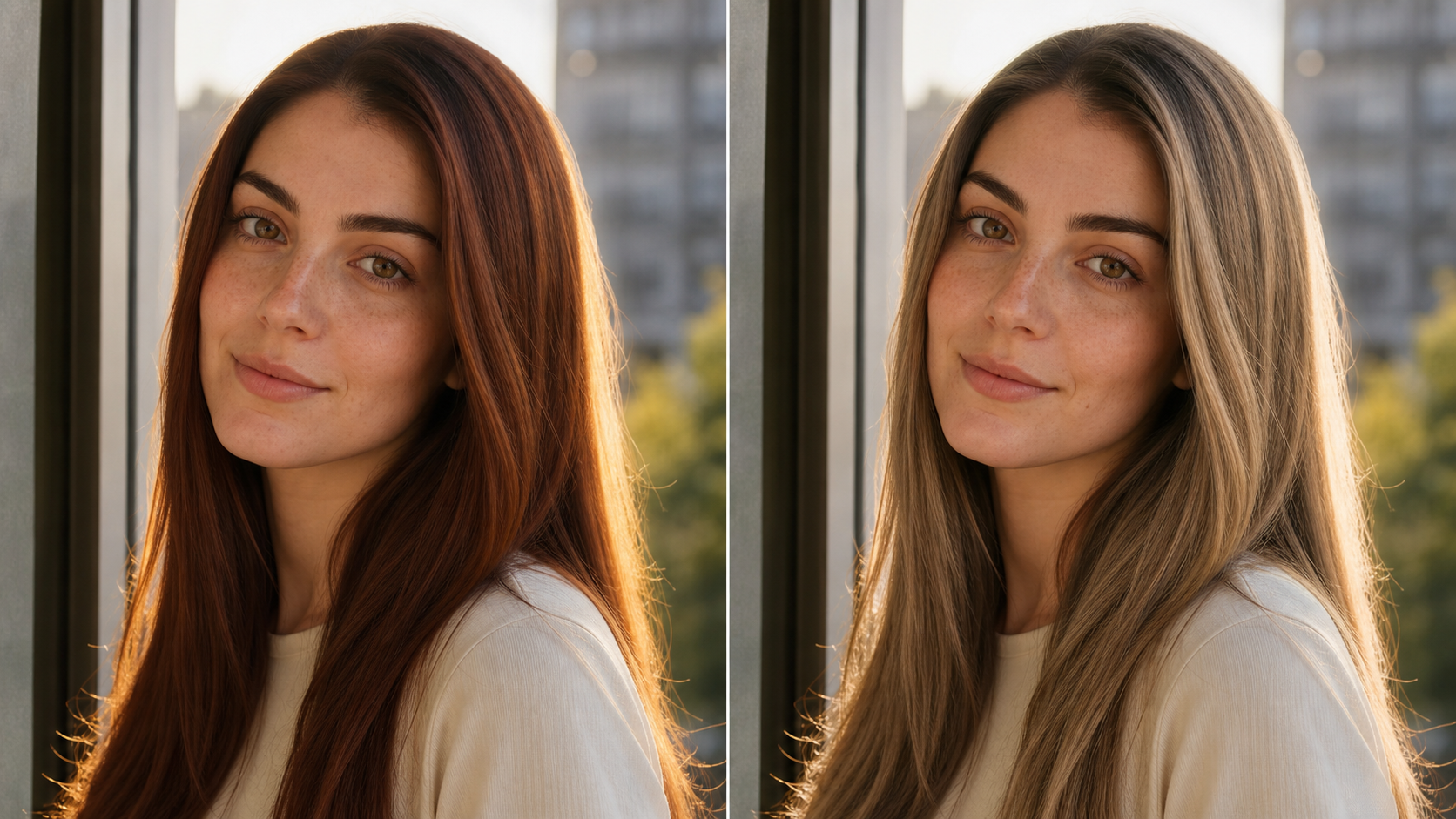
Lighting-Aware Highlights, Roots, and Shadows
Blonde hair changes with the light, so even color is rarely the most convincing choice. AI Blonde Hair Filter interprets bright and shaded parts of the source hair, then carries that contrast into the recolored result. AI Blonde Hair Generator can preserve natural-looking roots, dimensional mids, and lighter edges, helping the edit remain grounded in the original room, outdoor setting, or studio illumination. This contrast helps AI Blonde Hair Filter feel cohesive.
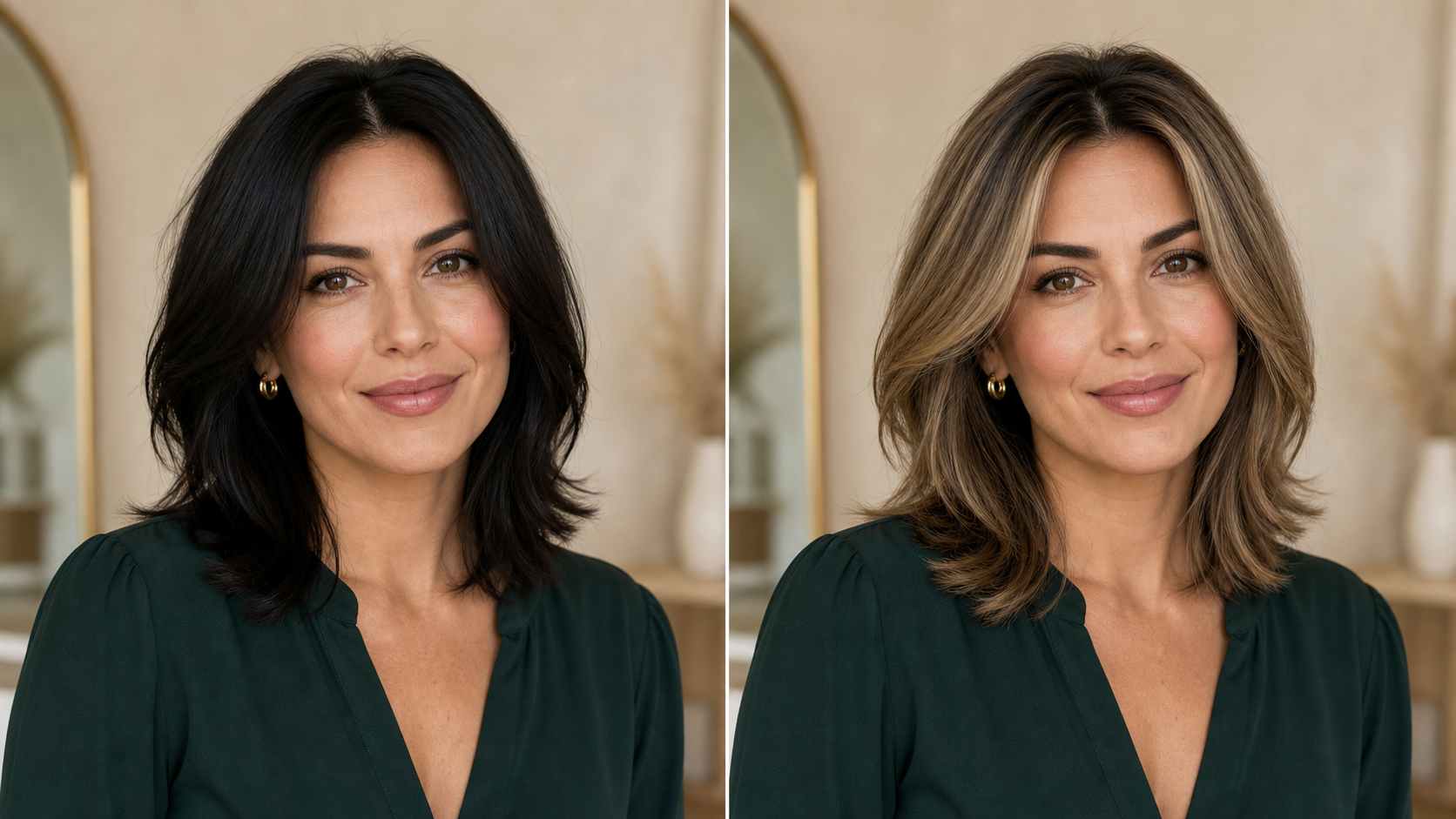
A Visual Reference Before a Real Color Change
Going blonde can affect how your complexion, wardrobe, and makeup feel together. AI Blonde Hair Filter lets you examine that relationship in a familiar portrait before changing your real hair. Use AI Blonde Hair Filter result as a starting reference, then discuss achievable tones, maintenance, and suitability with a qualified stylist. It is a preview for planning, not a promise of an identical salon outcome. In that role, AI Blonde Hair Filter supports clearer decisions.
Ways to Use AI Blonde Hair Filter
AI Blonde Hair Filter supports practical experimentation across personal styling, salon planning, creative portraits, wardrobe decisions, and costume concepts while keeping the uploaded person and original photo context central to every result.

Explore Blonde Before Booking a Salon Visit
Use AI Blonde Hair Filter when you are curious about blonde hair but not ready to commit to bleach, color, or ongoing maintenance. Bring AI Blonde Hair Filter result to a consultation as a visual conversation starter, while letting your stylist advise what is realistic for your current hair. Here, AI Blonde Hair Filter supports a more focused discussion.

Compare Warm and Cool Blonde Directions
Blonde is a family of colors rather than one universal shade. AI Blonde Hair Filter can help you think through warmer golden or honey directions and cooler ash or platinum-inspired directions in relation to your complexion. AI Blonde Hair Filter offers a visual hypothesis, but display color and source lighting can shift perception. AI Blonde Hair Filter helps frame that early comparison.

Refresh a Portrait for Creative Inspiration
A different hair color can change the mood of a familiar portrait without requiring a new photo session. AI Blonde Hair Filter gives creators, photographers, and casual users a simple concept image for mood boards, character ideas, or personal styling inspiration. AI Blonde Hair Generator keeps the surrounding visual story stable, allowing the blonde transformation to remain the clear creative variable. AI Blonde Hair Filter keeps the concept easy to evaluate.

Plan Makeup and Wardrobe Pairings
Lighter hair can change the contrast between your face, makeup, and clothing. AI Blonde Hair Filter makes it easier to revisit a favorite portrait and notice whether certain colors feel softer, brighter, or more dominant beside blonde hair. Use AI Blonde Hair Filter as a styling sketch for choosing accessories, neckline colors, or makeup direction, not as a technical color-analysis diagnosis. AI Blonde Hair Filter supports exploration rather than diagnosis.

Visualize a Character or Costume Concept
Costume planning often depends on how hair color works with a face, outfit, and setting. AI Blonde Hair Filter can turn an existing portrait into a focused blonde reference before you choose a wig, hairpiece, or temporary color. AI Blonde Hair Generator is especially useful for comparing the emotional effect of a light, warm, cool, or dramatic blonde direction within the same composition. AI Blonde Hair Filter makes the creative variable visible.

Create a Clear Before-and-After Story
Side-by-side images make a transformation easier to understand because every element except the intended edit can remain familiar. AI Blonde Hair Filter supports that direct visual comparison by focusing on hair color while preserving the person and scene. A Blonde Hair AI Filter before-and-after can support private decision-making, creative presentations, or social content when you have permission to use the original portrait. AI Blonde Hair Filter keeps the transformation easy to inspect.
How People Use AI Blonde Hair Filter
People use AI Blonde Hair Filter to turn a vague idea into a concrete portrait reference, making conversations about color, styling, creative direction, and personal preference easier without treating a virtual preview as a guaranteed real-world outcome.
I had saved several blonde references, but none showed the color on my own face. AI Blonde Hair Filter gave me a much clearer way to think about the change. I used the AI Blonde Hair Generator result during my consultation, and it made the conversation about warmth, roots, and maintenance far more specific without pretending the preview was a guaranteed salon result. For me, AI Blonde Hair Filter worked best as a planning aid.
For a portrait concept, I needed to compare dark hair and a light blonde direction without changing the pose or styling. AI Blonde Hair Filter kept the face and lighting consistent enough for a useful mood-board comparison. The Blonde Hair AI Filter let our small creative team respond to one clear variable instead of imagining the change from a written description. AI Blonde Hair Filter made our early review more concrete.
I was considering a cooler blonde but worried it would make my usual makeup feel too strong. AI Blonde Hair Filter helped me notice the overall contrast before I bought anything new. I treated the AI Blonde Hair Generator image as an early styling sketch, then tested a few wardrobe colors around it and took the ideas to a professional colorist. AI Blonde Hair Filter helped me prepare better questions.
Our costume concept called for blonde hair, but choosing a wig from product photos alone was difficult. AI Blonde Hair Filter gave us a useful portrait reference while keeping the actor’s expression and wardrobe unchanged. The Blonde Hair AI Filter did not replace a fitting, but it narrowed our visual direction and made the next round of costume choices much easier. AI Blonde Hair Filter became our shared visual shorthand.
The most useful part was seeing the hair color inside a photo I already knew well. AI Blonde Hair Filter preserved the shape and texture of my curls instead of replacing them with a different hairstyle. The AI Blonde Hair Generator preview helped me discuss dimensional highlights and darker roots with my stylist in language that connected to an actual image. AI Blonde Hair Filter kept my original texture central.
I wanted a fresh profile-photo idea, not a completely different version of myself. AI Blonde Hair Filter changed the color while leaving the setting, pose, and expression familiar. Blonde Hair AI Filter result felt like a creative option I could evaluate honestly. It also showed me that I preferred a softer, warmer blonde direction over the very pale reference I first chose. AI Blonde Hair Filter kept the experiment personal.

FAQs About AI Blonde Hair Filter
These answers explain how AI Blonde Hair Filter approaches identity-preserving hair recoloring, which portraits give the model clearer guidance, what to inspect in a result, and why a generated preview should support rather than replace professional advice.
AI Blonde Hair Filter analyzes the uploaded portrait, identifies visible hair, and generates a recolored version that fits the existing texture and lighting. AI Blonde Hair Filter is designed to preserve the person’s face, expression, pose, clothing, background, and framing while changing the hair toward a natural blonde appearance. Results depend on what the source photo clearly shows, so unobstructed hair and balanced lighting usually provide the model with better visual guidance.
Choose a sharp portrait with the face and hair clearly visible. Natural or even lighting helps AI Blonde Hair Filter interpret highlights and shadows, while a simple background makes fine edges easier to distinguish. Avoid photos where hats, hands, strong motion blur, deep backlight, or heavy beauty filters hide the hair. A front-facing or slightly angled view is usually more informative than a distant full-body image.
The edit is intended to preserve the hairstyle shown in the source, including its overall length, volume, part, and visible texture. AI Blonde Hair Filter changes the color rather than deliberately redesigning the cut. Fine details may vary because the result is generated, especially when strands are blurred or hidden. For the clearest comparison, use a photo where curls, waves, layers, or straight edges are in focus.
Use the preview as a visual direction, not an exact dye formula or guaranteed salon outcome. AI Blonde Hair Filter can help you compare the overall effect of going blonde, but real color depends on your starting shade, hair condition, previous treatments, lighting, display settings, and a stylist’s technique. A qualified professional can explain what tones are achievable and what maintenance or preparation your specific hair may require.
AI Blonde Hair Filter is designed to focus the transformation on hair while keeping facial structure, expression, complexion, and makeup visually consistent with the upload. Generated images can still contain small variations, especially near the hairline, ears, brows, or overlapping accessories. Review the full-size result carefully. If important facial details changed, try a clearer photo with less obstruction and more even light.
Dark hair can be used as a source, but the quality of the preview depends on how clearly the original strands, highlights, and boundaries appear. AI Blonde Hair Filter must infer a lighter result while retaining depth, so very dark shadows or crushed detail can make the transformation harder. Choose a well-exposed image and evaluate whether the generated roots, highlights, and hairline still look coherent with the scene.
A single-person portrait is the clearest input because it makes the intended subject unambiguous. AI Blonde Hair Filter may interpret a group scene unpredictably when several heads and overlapping hair regions are visible. If you want to preview one person, crop the image so that individual is central and their full hair outline remains visible. Keep enough background to preserve natural edges rather than cropping tightly through the hair.
Look for a believable hairline, preserved facial identity, consistent strand direction, and highlights that agree with the original light source. AI Blonde Hair Filter should keep the hairstyle recognizable while adding dimensional blonde color, including plausible shadows and darker internal layers. Also inspect earrings, glasses, shoulders, and background edges for accidental changes. A useful result feels like the same photograph with a considered hair-color transformation.
See Yourself with Blonde Hair
Upload a clear portrait and use AI Blonde Hair Filter to explore a natural-looking blonde transformation that respects your identity, original hairstyle, and photo lighting. AI Blonde Hair Filter gives you a concrete preview before you decide what comes next.
