

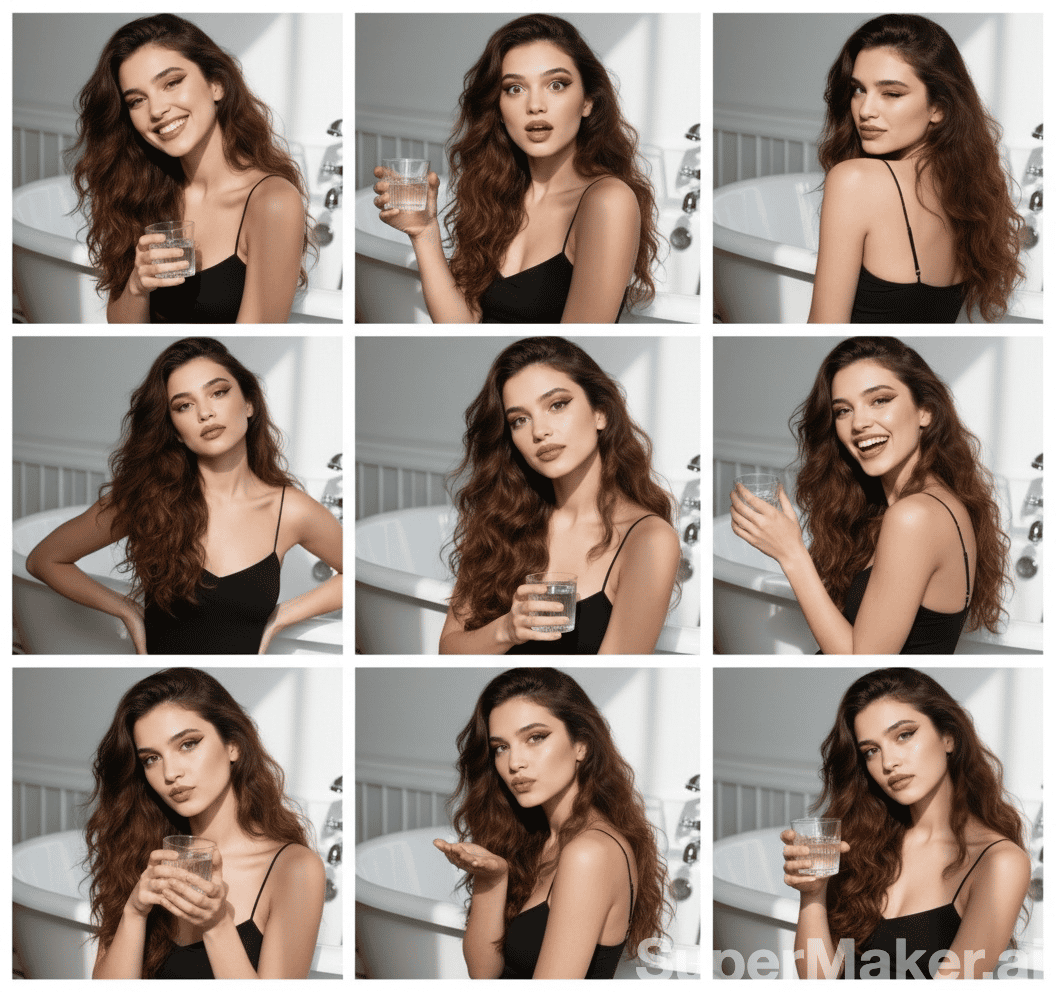
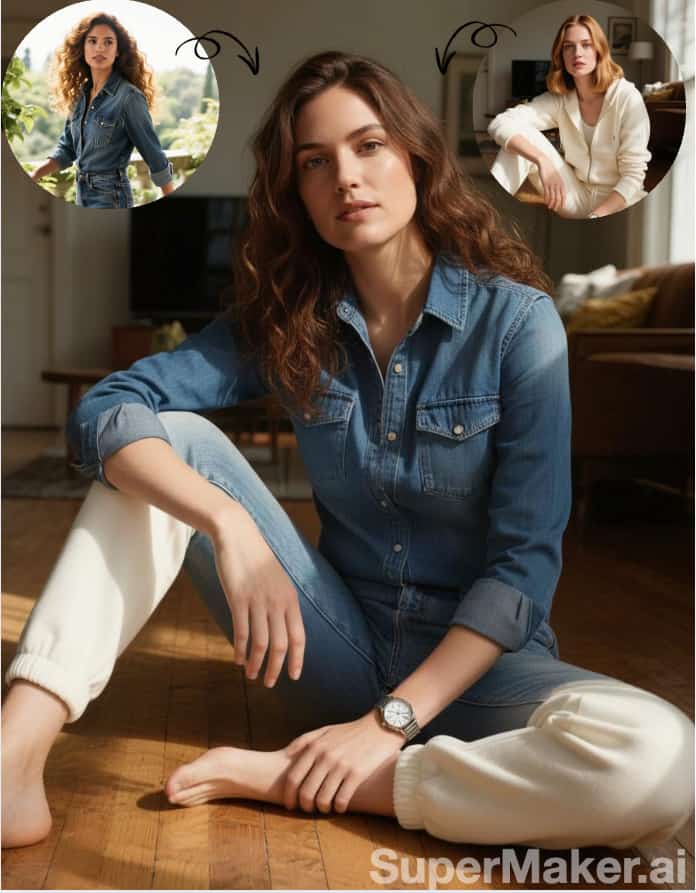


More AI Image Generators
Explore our collection of specialized AI image generators designed for different creative needs and styles











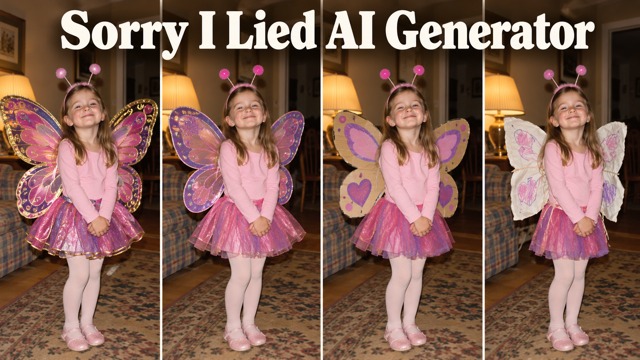
I'm So Sorry I Lied AI Generator
One Childhood Photo, One Funny Halloween Reveal
Create a playful Halloween photo story with the Sorry I Lied AI Generator workflow on SuperMaker. Start with your own childhood costume photograph, imagine the perfect outfit, then peel back the polish across three separately edited pictures. Finish the I'm So Sorry I Lied trend with your untouched original. Use AI costume editing for the contrast, and your real memory for the punchline.
How To Make The Photo Carousel
Sorry I Lied AI Generator uses separate image edits to build one continuous story. Plan four slides before generating: Perfect Costume, First Apology, Almost Honest, and the unchanged Original Photo Reveal.

Upload Your Halloween Photo
Choose a clear childhood photograph you own or have permission to use. Keep the original file safe for the ending. In Sorry I Lied AI Generator, use Image to Image and upload that reference; optionally add the previous edit as a second guide.

Generate The Costume Edits
Create the perfect outfit first, then make two separate edits that remove decorations and restore homemade details. Tell Sorry I Lied AI Generator to preserve identity, age, pose, background and framing. Review each result before downloading; consistency can need another attempt.
Download And Share
Download your three selected edits, then place the untouched original last. Arrange the I'm So Sorry I Lied trend in TikTok Photo Mode or an Instagram carousel. Add captions manually and choose permitted music in the social platform; video assembly needs a separate editor.
Best AI Image Tools for Creative Projects
Explore creative tools for image, learn tips and tricks, and see how AI can be your assistant in turning concepts into finished projects.





















Build A Reveal With A Clear Story
Sorry I Lied AI Generator combines reference-based editing with your own creative decisions. Treat the AI Halloween costume generator as a tool for controlled costume variations, then assemble the story yourself. The examples below illustrate the method with synthetic subjects.
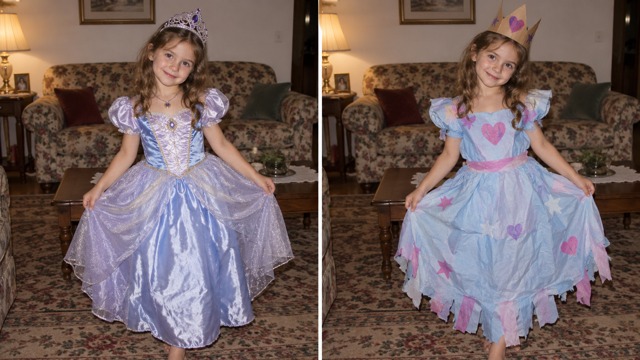
AI Halloween Costume Editing
Copy this Perfect Costume prompt into Sorry I Lied AI Generator: Use the original childhood photo as the exact reference. Upgrade only costume fabric, stitching and accessories into a polished original design. Preserve identity, apparent age, face, proportions, expression, pose, background, light, camera and crop. No logos. This AI Halloween costume generator step establishes the I'm So Sorry I Lied trend's exaggerated opening.
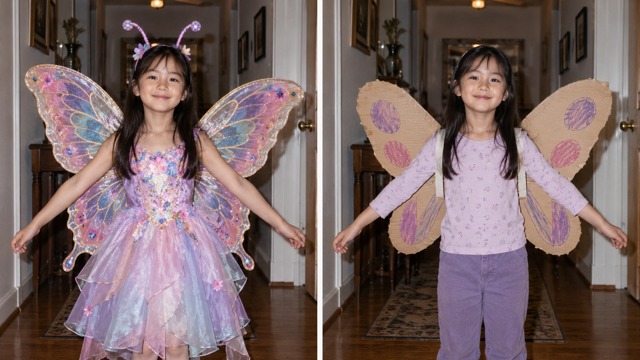
Progressive Costume Reveal
Copy this First Apology prompt into Sorry I Lied AI Generator: Simplify the premium decorations, restore the original hairstyle and reduce accessories. Keep the same child, face, age, pose, background, lighting and crop. Make the costume more believable without changing the scene. For the I'm So Sorry I Lied trend, save this separately and compare it with both the perfect version and original.
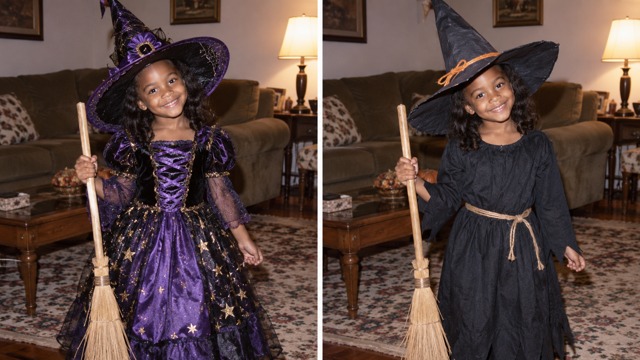
Keep Every Photo Consistent
Copy this Almost Honest prompt into Sorry I Lied AI Generator: Restore inexpensive handmade materials, simple accessories and original shoes. Leave only one subtly improved costume detail. Preserve identity, age, face, proportions, expression, pose, background, light, perspective and crop. The I'm So Sorry I Lied trend needs continuity, but AI can drift. Reuse the original reference and reject changed faces or furniture.
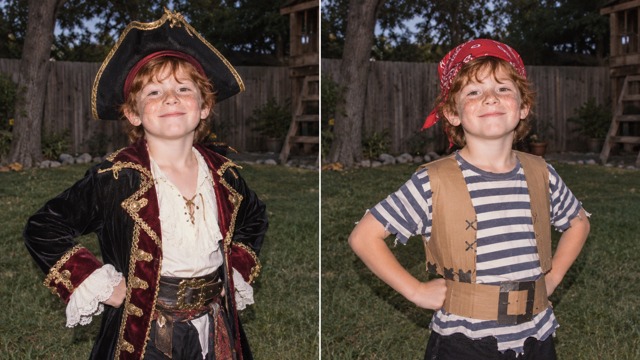
Childhood Photo Transformation
Scans and old flash photographs provide nostalgia for Sorry I Lied AI Generator. Choose a source with visible clothing, face and pose. Preserve the family room rather than replacing it with a fantasy castle. For the I'm So Sorry I Lied trend, let the original determine framing. Keep it safe instead of recoloring or cropping it to match generated pictures.
Funny Apology Storytelling
The strongest joke comes from details people can recognize. Let Sorry I Lied AI Generator exaggerate an elegant hat, layered skirt or homemade wings, then remove the extras in stages. Copy these caption suggestions into your social app manually: Slide 1: When I was little, I had the perfect Halloween costume. Slide 2: Okay, sorry, the hair wasn't actually like that. Slide 3: Sorry again, the costume was a little more homemade. Slide 4: I'm so sorry I lied. These are writing suggestions, not automatically generated or synchronized subtitles.
Original Photo Final Reveal
The ending is a file-selection decision. Sorry I Lied AI Generator produces three edits; select your stored original as slide four. Do not retouch, restore, recolor or regenerate that ending. A convincing approximation is not the real photograph. The I'm So Sorry I Lied trend needs honest contrast. All page artwork is synthetic demonstration imagery, not private photographs or verified customer results.
TikTok Photo Carousel Creation
Download your Sorry I Lied AI Generator results and order them before posting. Assemble the AI Halloween photo carousel in your social app, then preview every swipe. Add captions manually without covering costume details. The I'm So Sorry I Lied trend is not an official TikTok effect. This workflow does not automatically publish your carousel or generate four story stages together.
From Photo Carousel To Video
Sorry I Lied AI Generator delivers still images. Image to Video does not establish a timeline combining four slides. For video, download the pictures and arrange them in a separate editor. An 8–12 second vertical presentation with cuts or gentle zooms is a creative example. For the I'm So Sorry I Lied trend, avoid new body movements and preserve the original ending.
Creative Costume Reveal Ideas
Use Sorry I Lied AI Generator for affectionate humor and recognizable details. These ideas extend the I'm So Sorry I Lied trend across personal memories and social formats.

Childhood Halloween Costume Reveal
Use Sorry I Lied AI Generator to revisit your own costume memory with an affectionate, honest ending.

Funny Princess Costume Story
Explore an original princess outfit with Sorry I Lied AI Generator, then restore the paper crown.

Homemade Butterfly Costume Reveal
Use an AI Halloween costume generator to move from elaborate butterfly wings toward cardboard and fabric.

Witch Costume Photo Carousel
Build the I'm So Sorry I Lied trend around a gradually simpler hat, cloak and broom.
Friends' Halloween Memories
Use Sorry I Lied AI Generator with permission, and let friends approve their photographs before sharing.
Family Nostalgia Posts
Adults can revisit family memories through the I'm So Sorry I Lied trend, with appropriate permission.

Original Fantasy Costume Ideas
Try your AI Halloween costume generator with an original fairy, friendly ghost, black cat or space explorer.
TikTok Halloween Photo Trends
Plan the I'm So Sorry I Lied trend for October, making every costume change easy to follow.

Instagram Halloween Carousel
Download Sorry I Lied AI Generator edits for Instagram. Check the sequence and captions before sharing.
Funny Costume Memes And Pets
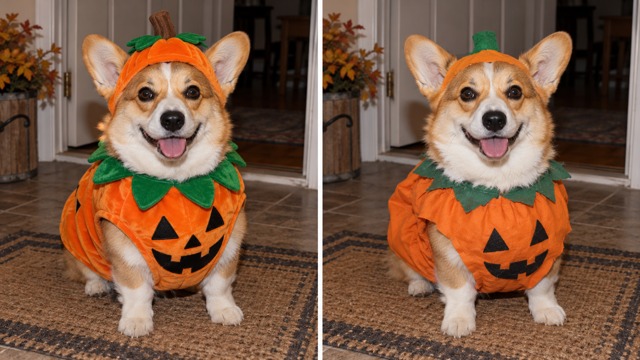
Adapt Sorry I Lied AI Generator to pet pumpkin outfits or memes, finishing with the actual original.
Demo Reactions To The Reveal Format
Illustrative reactions with fictional names and library avatars; these are demonstration placeholders, not verified customer reviews or claims of product use.
The homemade details make the reveal feel warm and funny.
The original ending is the part I like best.
Keeping the same room and pose makes the costume differences much easier to notice.
Four images give this story room to breathe.
An affectionate reveal feels better than mocking an old photograph.
A pumpkin costume comparison is a cheerful variation.






Halloween Photo Trend FAQ
Get practical answers before starting your costume reveal, from choosing a reference to sharing the finished sequence.
The I'm So Sorry I Lied trend is a playful photo reveal format: begin with an idealized childhood Halloween outfit, remove embellishments in stages, and end on the real original. Sorry I Lied AI Generator describes an editing workflow, not a TikTok-owned effect.
Sorry I Lied AI Generator is a practical name for using reference-based AI image editing to create a progressive costume story. This SuperMaker page uses GPT Image 2 with uploaded photos and your stage instructions; it is not a separate foundation model.
For how to do the Sorry I Lied trend, save the original, generate a perfect costume, and make two progressively simpler versions. Download those three edits, arrange them in order, then append the unchanged original. Add captions manually in your publishing app.
Upload a photograph you own and can use. Sorry I Lied AI Generator primarily serves adults revisiting their own childhood memories. Obtain appropriate permission for others pictured, especially children, and respect private photographs.
It can aim to preserve those details, but consistency is not guaranteed. Give Sorry I Lied AI Generator the original reference each time and request only costume changes. Inspect the face, apparent age, pose and background; regenerate any stage that noticeably drifts.
Four slides are a useful plan for the I'm So Sorry I Lied trend: Perfect Costume, First Apology, Almost Honest and Original Photo. The first three are separate edits. Multiple outputs from one request, where available, are alternatives rather than an automatic story sequence.
Yes. Select your initial original file manually as the ending. Never ask AI to reconstruct it. Match earlier edits to its composition instead of modifying the original to fit generated pictures.
Yes, you can create the edited image files with Sorry I Lied AI Generator, then assemble them using TikTok's photo posting options. Review each swipe and add your own text. This page does not automatically create, caption or publish a social carousel.
Mild softness may still communicate the costume; severe facial blur makes faithful editing harder. Choose the clearest copy. If restoring a separate working reference, retain the true original and disclose restoration.
Yes. Homemade materials often create the best contrast for the I'm So Sorry I Lied trend. Use an AI Halloween costume generator to upgrade the outfit first, then restore simple paper, fabric, everyday shoes and accessories across later edits.
This page provides reference-based image editing with a preservation prompt and your instructions. No dedicated one-click template is claimed. Direct and review each stage, then assemble downloaded images yourself.
No multi-image slideshow export is promised. Image to Video is separate from combining four stills on a timeline. Download images and use a suitable editor for a vertical video version.
Choose audio from your social platform's permitted music library within its licensing terms. This workflow does not add a commercial soundtrack or promise song licensing, automatic synchronization or music partnerships.
If you searched for AI Halloween costume generator free or AI Halloween photo editor free, check the current account credits and displayed generation cost first. Available offers and model costs can vary; this workflow does not promise permanent free access or unlimited edits.
Prefer original, generic princess, witch, butterfly or pirate designs. Avoid protected logos and exact franchise outfits. These synthetic costume demonstrations do not indicate an official entertainment brand collaboration.
Choose a visible subject with recognizable clothing, a readable face and enough body to understand the pose. Simple backgrounds help reveal drift. Preserve the original framing and main lighting direction.
Yes, use a pet photograph you can share. Preserve its markings, proportions, expression and background. Keep costumes comfortable and finish the sequence with the actual original pet image.
Use the result's Download control for selected full-resolution images. Order the three edits, add your stored original manually, and check identity, progression and framing before uploading to your social platform.
Create Your Own Halloween Photo Reveal
Bring an authorized childhood photograph to Sorry I Lied AI Generator and build a costume story one edit at a time. Keep the person and scene recognizable, simplify the outfit progressively, and finish the I'm So Sorry I Lied trend with your untouched original. Start your first costume edit.
