
More AI Image Generators
Explore our collection of specialized AI image generators designed for different creative needs and styles










Flashlight AI Photo: Meet Your Mini Anime Self
Create An Anime Flashlight AI Scene From Your Portrait
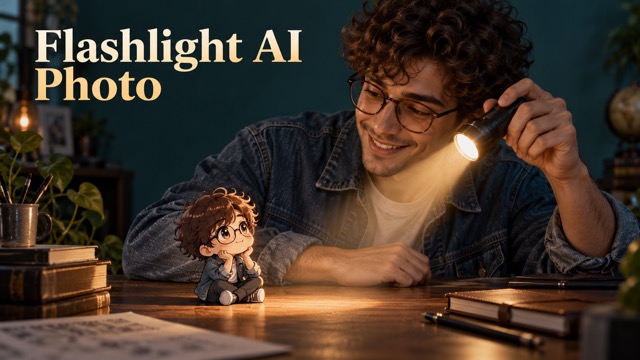
Flashlight AI Photo turns a familiar portrait into a small, luminous story: the real you shares the frame with a tiny anime version of yourself, brought into focus by a flashlight beam. Your hairstyle, outfit, expression, and pose give the miniature its visual identity. Flashlight AI Photo gives that simple idea a cinematic direction, with light, scale, and interaction working together.
How To Create A Flashlight AI Photo
Flashlight AI Photo uses an image-to-image workflow with GPT Images 2.5 Sunburst. Your uploaded picture provides the visual reference, while the built-in effect creates the miniature and flashlight scene. Follow four simple steps to generate an anime flashlight ai portrait and review the details that make it convincing.

Upload A Clear Portrait
Choose one photo with a visible face, recognizable hairstyle, and clothing details you would like the miniature to echo. A simple background and even lighting make those cues easier to read. Keep the original nearby so you can compare the generated identity and proportions.

Let The Effect Shape The Scene
The built-in direction combines a photographic person, one small anime double, and a flashlight illuminating that character. A curious glance, open palm, or nearby surface can make their relationship clear. Familiar clothing or hairstyle details help connect the two versions.

Generate With GPT Images 2.5 Sunburst
Use GPT Images 2.5 Sunburst to generate from your portrait. The effect combines a realistic person, anime miniature, coherent lighting, and believable scale. Review the first result and generate again if needed.

Review The Face, Hands, And Beam
Compare the generated face with your source, then check the miniature, hands, and flashlight direction. Choose the image with recognizable features, natural proportions, and a clear relationship between both characters.
Best AI Image Tools for Creative Projects
Explore creative tools for image, learn tips and tricks, and see how AI can be your assistant in turning concepts into finished projects.


















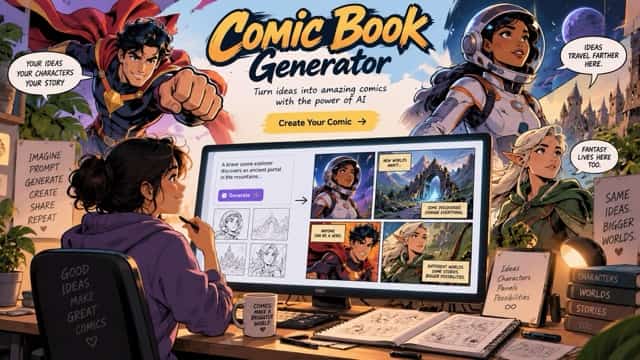

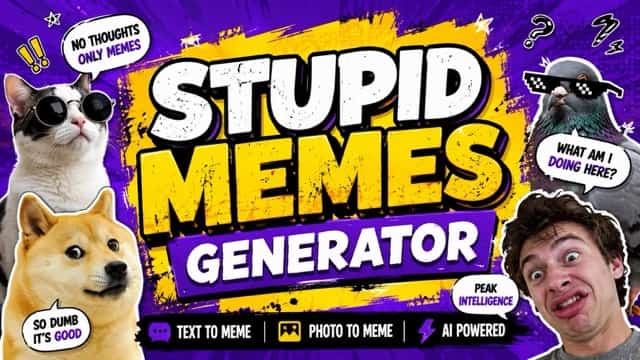
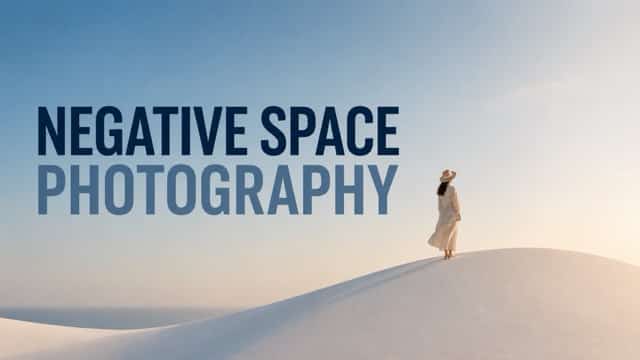
What Shapes A Memorable Flashlight AI Photo
Flashlight AI Photo combines a familiar portrait, a charming miniature anime character, and cinematic lighting. Each feature contributes to a believable fantasy encounter. The examples illustrate the intended effect rather than verified model performance. For the strongest anime flashlight ai result, look for consistent identity, natural scale, and lighting that connects both figures.
Flashlight AI Photo With Recognizable Portrait Cues
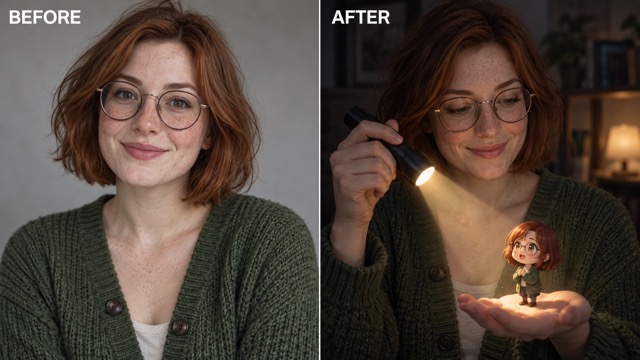
The real person anchors the scene. Flashlight AI Photo uses your face, hair, outfit, and expression as visual references rather than replacing them with an unrelated character. In anime flashlight ai, shared details connect both figures. Facial accuracy may vary, so compare the generated portrait with your original. A clear source helps preserve recognizable features.
Flashlight AI Photo With Coherent Light
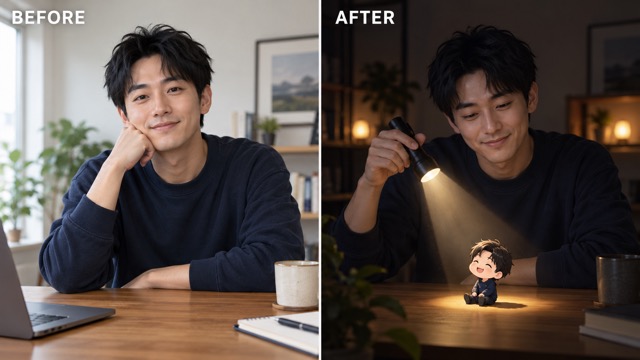
A flashlight gives the scene its visual focus. Flashlight AI Photo highlights the miniature through a directed beam, warm reflections, and darker surroundings. For anime flashlight ai, subtle illumination on fingers or nearby surfaces helps connect both styles. Check that the beam reaches the character and shadows follow a believable direction.
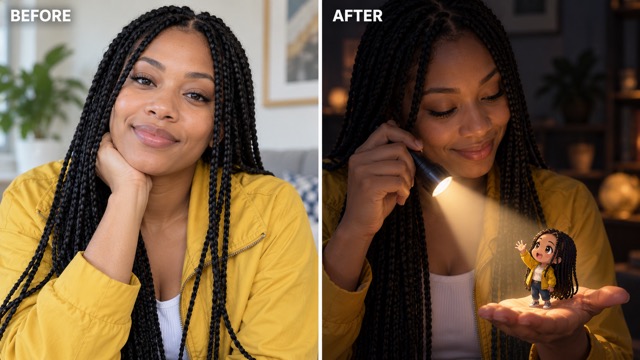
Flashlight AI Photo With A Tiny Anime Double
The miniature should look genuinely small beside the real person. Flashlight AI Photo positions the anime double on a palm or nearby surface for a familiar sense of scale. Expressive eyes and a clear silhouette strengthen the anime flashlight ai effect. Natural contact shadows help the character feel present rather than floating.
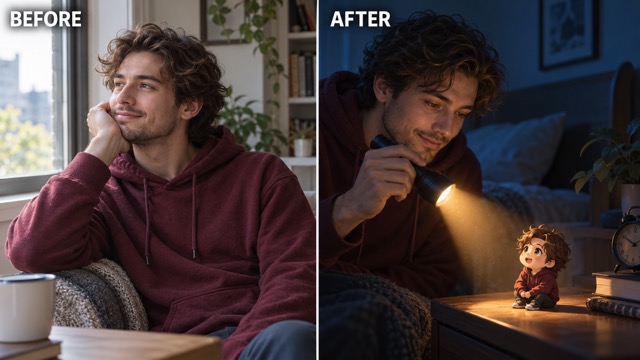
Flashlight AI Photo With Cinematic Composition
Flashlight AI Photo guides attention from the real face toward the beam and miniature. In anime flashlight ai, a cool background and warm spotlight create visual contrast. The result can feel dramatic or gently playful depending on your portrait. Leave enough space around the tiny character to keep its expression and pose readable.
Creative Uses For Flashlight AI Photo
Flashlight AI Photo works for personal portraits, creator storytelling, imaginative gifts, and visual concepts. The central idea remains the same, while expressions and settings change the mood. A playful miniature adds humor, while gentle lighting creates warmth. Explore anime flashlight ai ideas that suit your portrait and the emotion you want to share.

Personal Portraits With A Mini Self With Anime Flashlight AI
Transform a familiar selfie into a playful encounter with your miniature self. Flashlight AI Photo uses recognizable hairstyles, clothing, and accessories to connect both characters. For anime flashlight ai, keep your real face visible and check the crop before sharing. A clear composition helps viewers understand the scene instantly.

Creator Stories And Social Posts With Anime Flashlight AI
Create a memorable visual moment by discovering your anime double on a desk, palm, or inside a flashlight beam. Flashlight AI Photo provides an imaginative starting point for creator content and social posts. The anime flashlight ai aesthetic adds personality without requiring a fully illustrated identity. Matching colors or outfits can connect multiple images.

Imaginative Gifts And Keepsakes With Anime Flashlight AI
Turn a portrait into a thoughtful birthday image, friendship keepsake, or personalized card concept. Flashlight AI Photo transforms familiar clothing and expressions into a tiny illustrated companion. The anime flashlight ai effect feels affectionate and imaginative. Use photos with permission and inspect facial details before printing or sharing.
Character And Mood Concepts With Anime Flashlight AI
Explore how a real portrait translates into a miniature illustrated character. Flashlight AI Photo can inspire outfit palettes, character silhouettes, and cinematic lighting ideas. The contrast between photography and anime flashlight ai styling makes it useful for creative moodboards. Treat generated images as inspiration and review details before using them in finished projects.
Imagined Reactions To Flashlight AI Photo
These fictional reactions illustrate how different creative people might experience Flashlight AI Photo; they are not verified customer endorsements. Each perspective highlights the playful relationship between a real portrait and its tiny anime counterpart, along with the lighting and storytelling possibilities of anime flashlight ai.
The little double feels like a playful extension of the portrait. I love how familiar hair and clothing become an anime expression while the real person stays recognizable. The warm beam makes the miniature stand out beautifully.
The scene tells a story before I even add a caption. A miniature character sitting on a palm creates a warm, curious moment. The flashlight connects realistic textures and illustrated details without overwhelming the portrait.
The tiny character is especially charming when its outfit matches the portrait. A clear silhouette, expressive face, and natural shadow make the miniature feel like it belongs inside the photograph rather than being pasted on top.
I enjoy visual ideas that remain clear on a phone screen. The face, flashlight, and anime double create an easy visual path. Simple backgrounds and warm lighting make the imaginary encounter feel memorable.
The small companion makes an everyday portrait feel personal and imaginative. A calm expression and gentle flashlight beam would create a beautiful keepsake. I would simply review the details carefully before printing.
Combining photography with illustrated characters creates an interesting direction for concept boards. Different poses and spotlight angles change the mood. The strongest images feel like one coherent scene with two connected figures.






Flashlight AI Photo FAQ
Explore common questions about portraits, model settings, miniature characters, and generated results. Flashlight AI Photo uses your uploaded image to create an anime flashlight ai interpretation. These answers explain how to select better source photos, understand the workflow, and evaluate the final scene.
Flashlight AI Photo is an AI image effect combining a photographic person, a miniature anime double, and flashlight lighting. Your uploaded portrait guides the character's hairstyle, clothing, and recognizable details. The anime flashlight ai effect creates an imaginative encounter while keeping the main person photographic. Review facial resemblance, miniature scale, and lighting before selecting your favorite result.
Upload a clear portrait and generate with GPT Images 2.5 Sunburst. Flashlight AI Photo automatically applies the built-in direction for the realistic person, miniature anime counterpart, and flashlight scene. No separate character illustration is required. For a stronger anime flashlight ai result, choose a source with visible facial features, hairstyle, and clothing details.
This page uses GPT Images 2.5 Sunburst in image-to-image mode. Flashlight AI Photo transforms an uploaded picture according to the built-in effect direction. Anime flashlight ai examples illustrate the intended visual appearance rather than measured model performance. Check the displayed model configuration and inspect your generated result for facial resemblance, scale, and lighting consistency.
Choose a sharp portrait featuring one main person, visible facial details, and recognizable clothing. Flashlight AI Photo works from these visual references to create the miniature. Avoid heavy blur, deep shadows, or extreme cropping when possible. A simple background and relaxed pose help the anime flashlight ai scene remain clear and recognizable.
Flashlight AI Photo aims to preserve recognizable facial cues, but generated results may change details such as eyes, hands, clothing, or framing. The miniature is intentionally illustrated, while the main person remains photographic. Compare your anime flashlight ai result with the original portrait and inspect facial features, anatomy, and shadows before using it.
Check the main elements separately: facial resemblance, miniature placement, hands, and flashlight direction. Flashlight AI Photo looks stronger when both figures share recognizable details and natural lighting. If your anime flashlight ai result contains awkward features or unclear proportions, generate another version or upload a sharper portrait with simpler framing.
Create Your Flashlight AI Photo
Bring a clear portrait and your imagination to Flashlight AI Photo. Discover how a miniature anime version of yourself might look beneath a warm flashlight beam. Upload one image, generate with GPT Images 2.5 Sunburst, and choose the anime flashlight ai result that best connects your face, miniature, and lighting. Turn an everyday portrait into a memorable visual story.
