

More AI Image Generators
Explore our collection of specialized AI image generators designed for different creative needs and styles











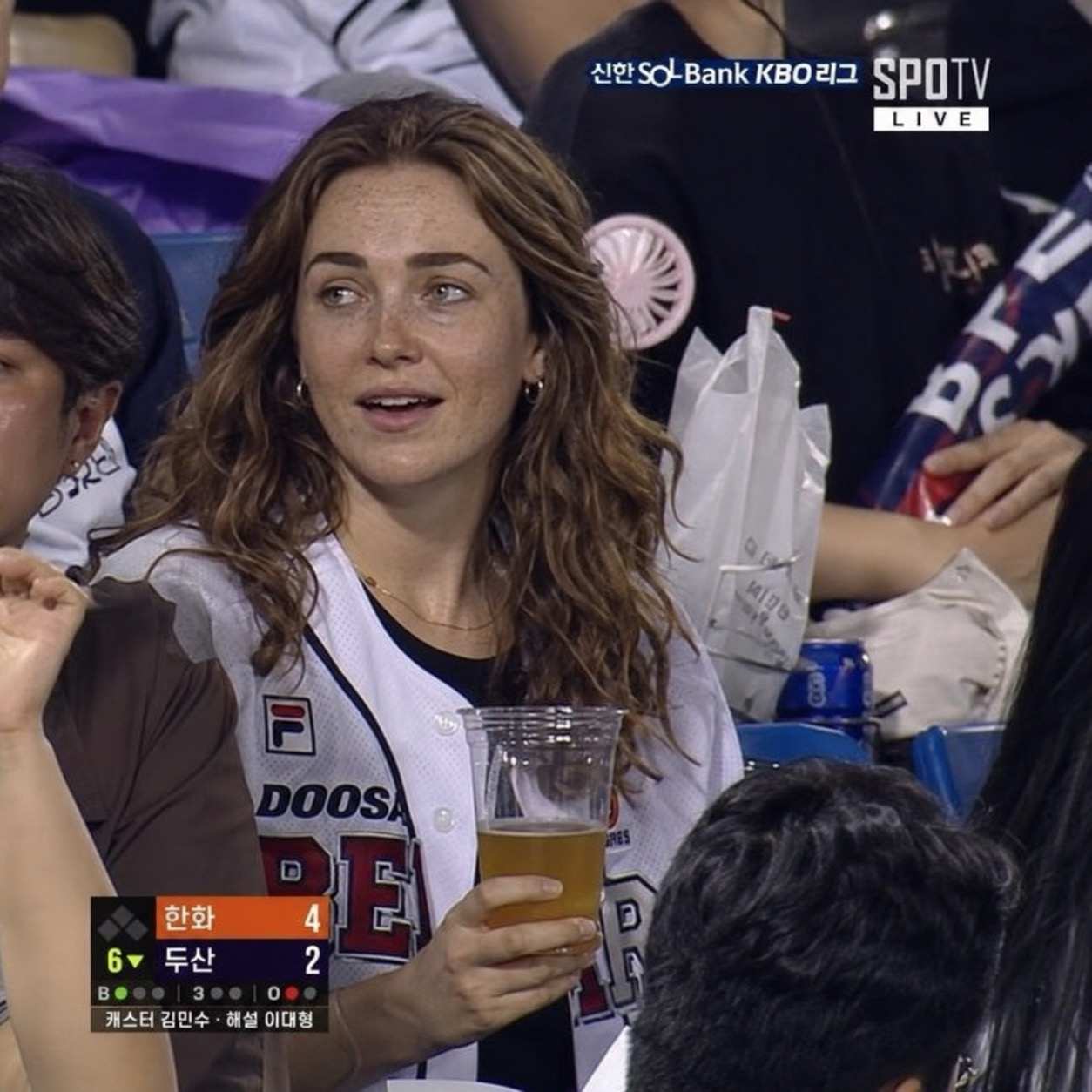
AI Curly Hair Filter for Natural Curl Previews
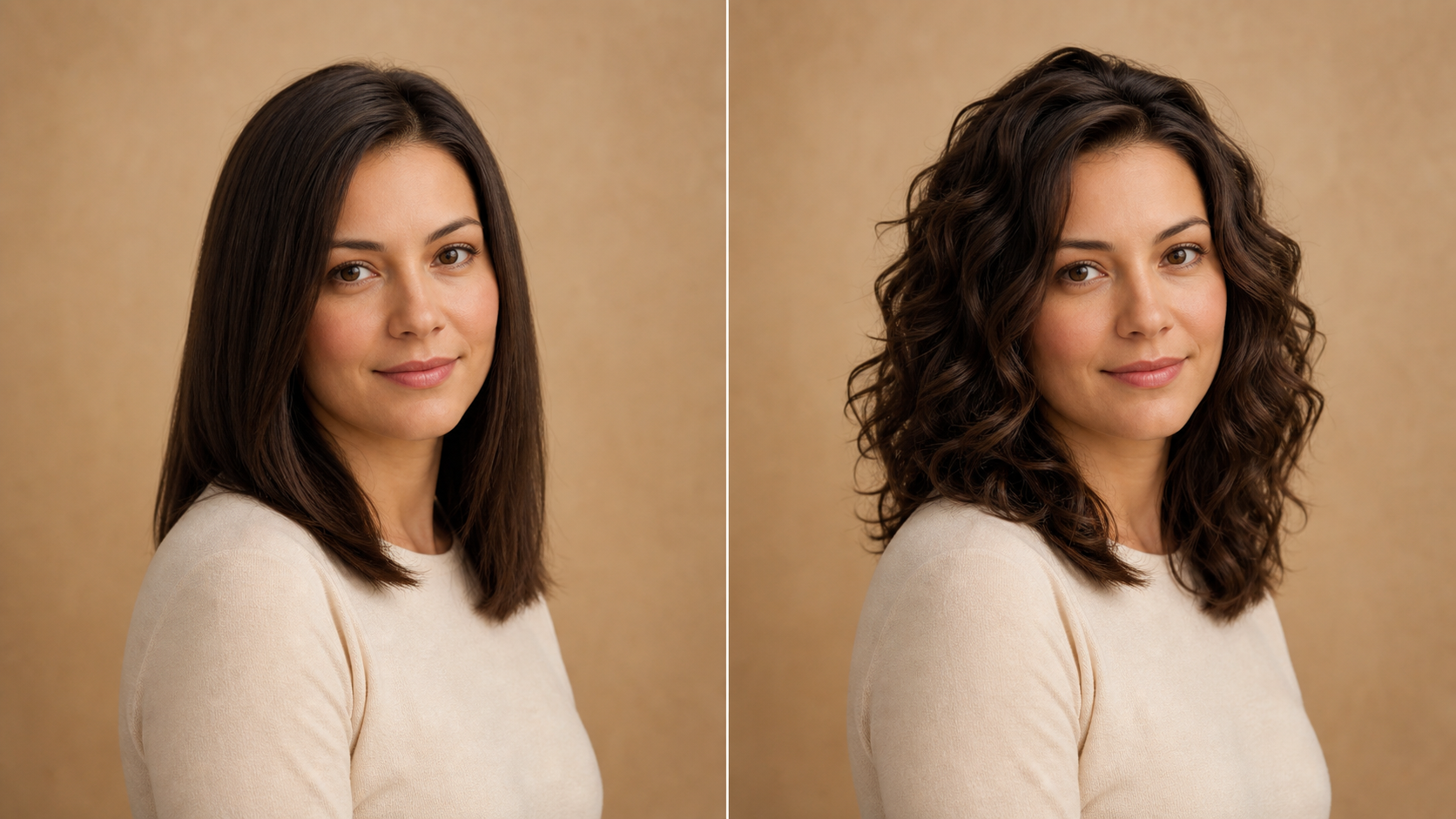
Upload a portrait and use AI Curly Hair Filter to see the same person with curls.
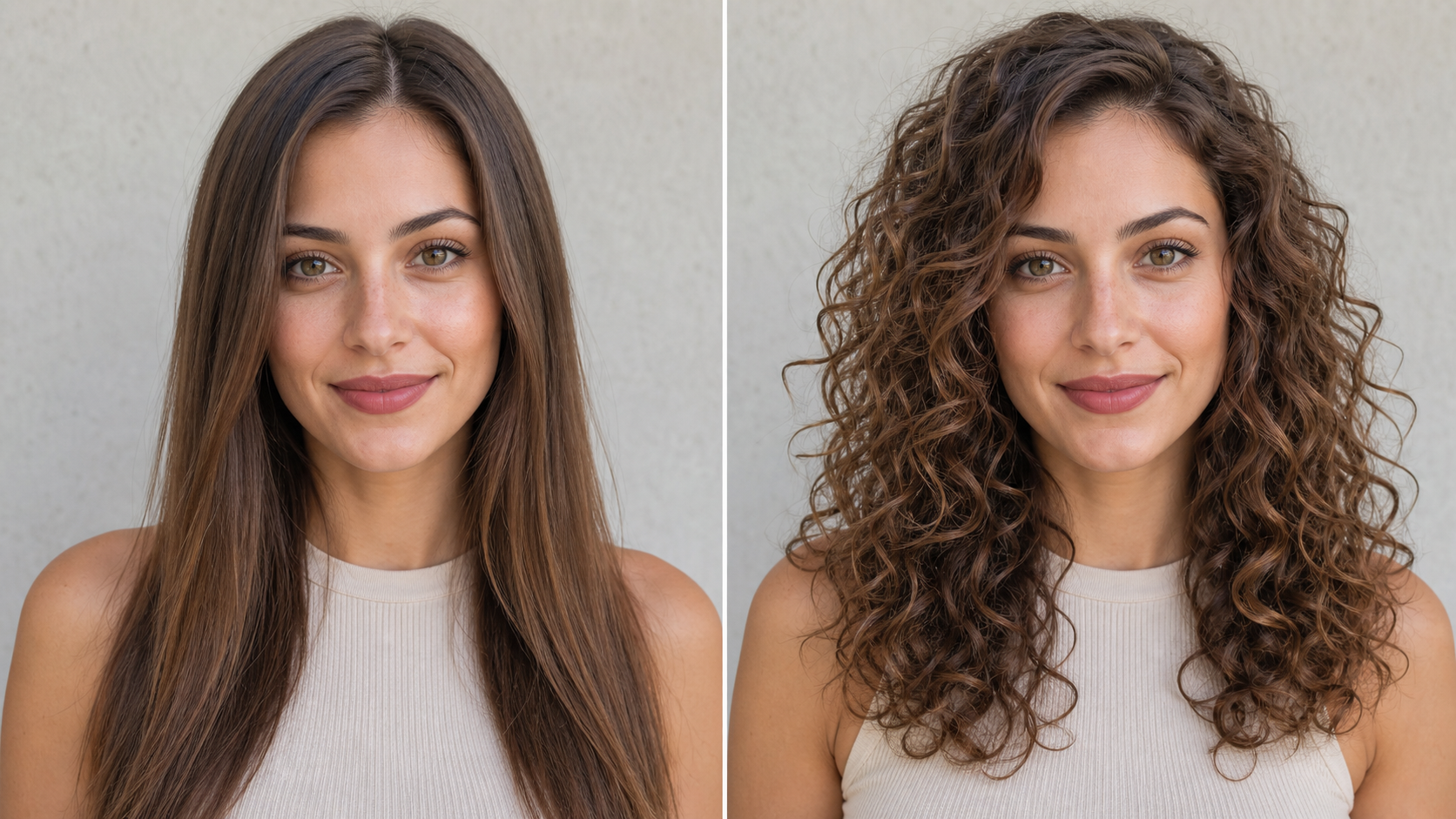
AI Curly Hair Filter turns an uploaded portrait into a believable curly-hair preview. AI Curly Hair Filter reshapes visible hair while keeping the face, expression, clothing, pose, lighting, and background consistent with the source.
How to Use AI Curly Hair Filter
Using AI Curly Hair Filter takes three clear steps: upload a readable portrait, generate the new texture, and compare the result. AI Curly Hair Filter keeps attention on the hairstyle rather than complex manual editing.

Upload a Clear Portrait
Choose a portrait where the face, hairline, and outer hair shape are easy to see. AI Curly Hair Filter uses those visual cues to place curls naturally around the head. A centered selfie, headshot, or half-body photo can work well when hair is not hidden by a hat, hands, deep shadows, or a tight crop. Curly Hair AI Filter begins with what is actually visible.
Generate a Curly-Hair Version
Start the transformation and let AI Curly Hair Filter interpret the original length, part, color, head angle, and lighting. AI Curly Hair Generator builds curl direction and volume around those details instead of replacing the whole portrait. Its AI Curly Hair Effect should preserve identity and scene continuity.

Compare and Keep Your Favorite
Review the source and transformed portrait side by side. AI Curly Hair Filter makes it easier to judge curl scale, silhouette, face framing, and overall balance on your own image. Use the Curly Hair Filter AI result as style inspiration, a creative reference, or a fresh portrait concept.
Best AI Image Tools for Creative Projects
Explore creative tools for image, learn tips and tricks, and see how AI can be your assistant in turning concepts into finished projects.





















Features of AI Curly Hair Filter
AI Curly Hair Filter focuses on curl structure, face-aware balance, adaptable silhouettes, and useful portrait concepts. AI Curly Hair Filter applies a visible hairstyle change while preserving the important context of the uploaded image.
AI Curly Hair Filter with Natural Curl Structure
- AI Curly Hair Filter changes the visible hair texture without making curls look pasted over the portrait.
- AI Curly Hair Generator follows the original head shape, part line, length cues, and gravity to build believable movement.
- A balanced AI Curly Hair Effect includes varied curl size, strand depth, soft flyaways, and realistic density while keeping the face clear and recognizable.
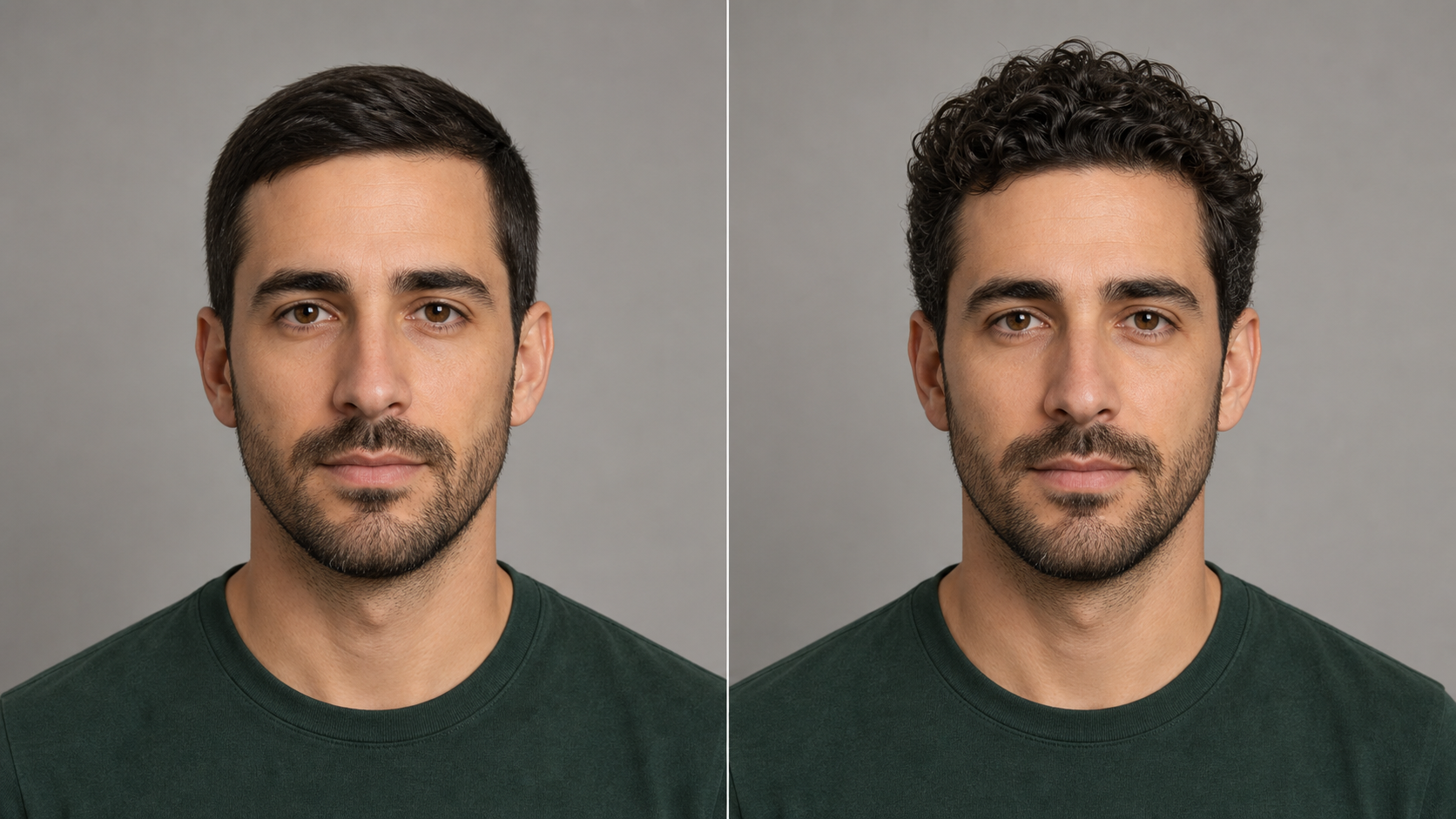
AI Curly Hair Filter That Fits the Face
- AI Curly Hair Filter treats curls as part of the whole portrait, not as a fixed template.
- Curly Hair AI Filter should frame the forehead, cheeks, jawline, neck, and shoulders in a way that fits the original camera angle.
- AI Curly Hair Effect keeps the person recognizable while helping you compare softer waves, defined ringlets, or fuller texture as visual directions.
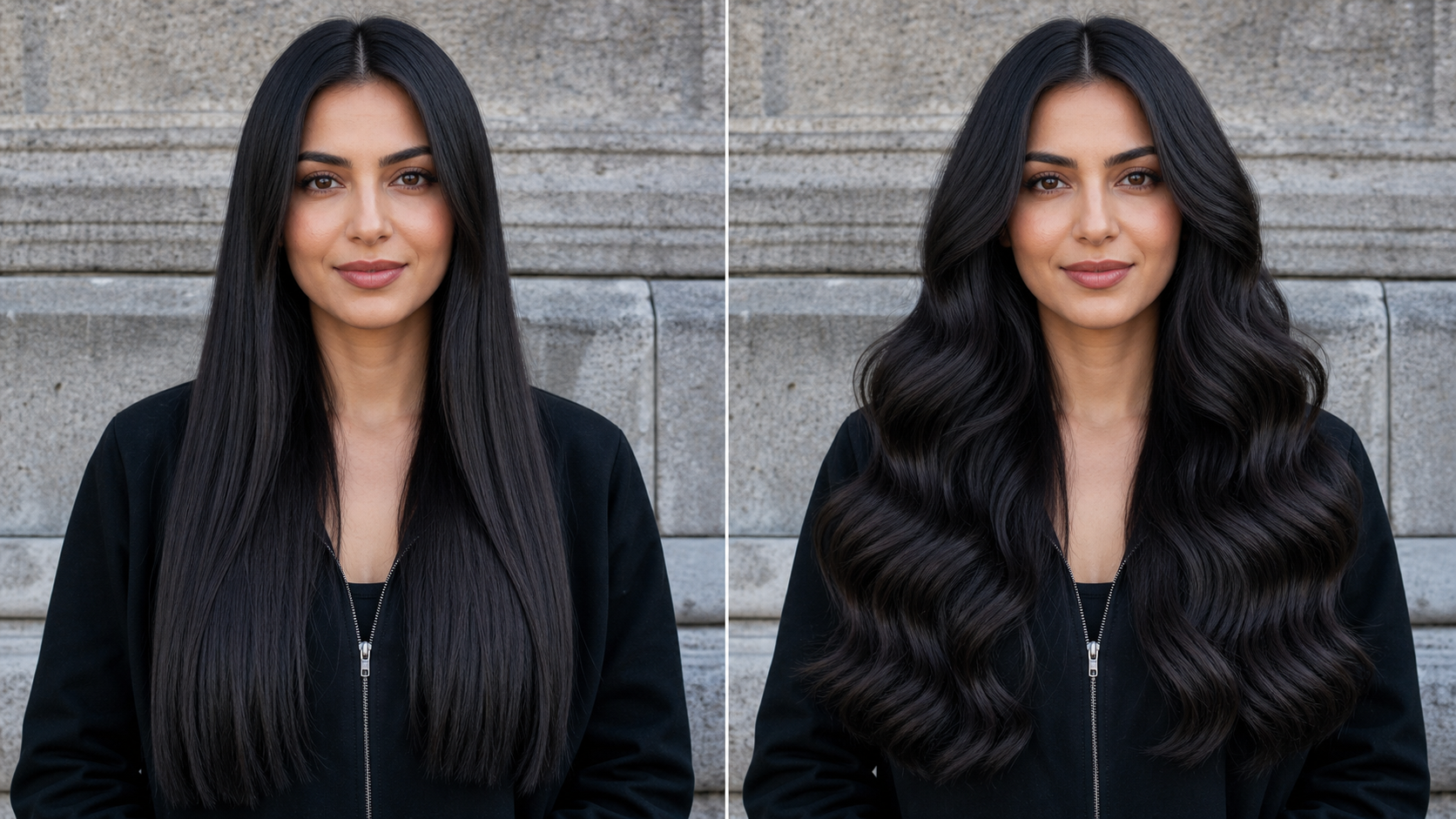
AI Curly Hair Filter for Short and Long Looks
- AI Curly Hair Filter can interpret visible length differently across cropped cuts, shoulder-length styles, and longer hair.
- AI Curly Hair Generator keeps the chosen direction proportionate to the person instead of forcing the same volume everywhere.
- A useful AI Curly Hair Effect preserves the source hair color and styling context while creating a curl silhouette that feels physically plausible.
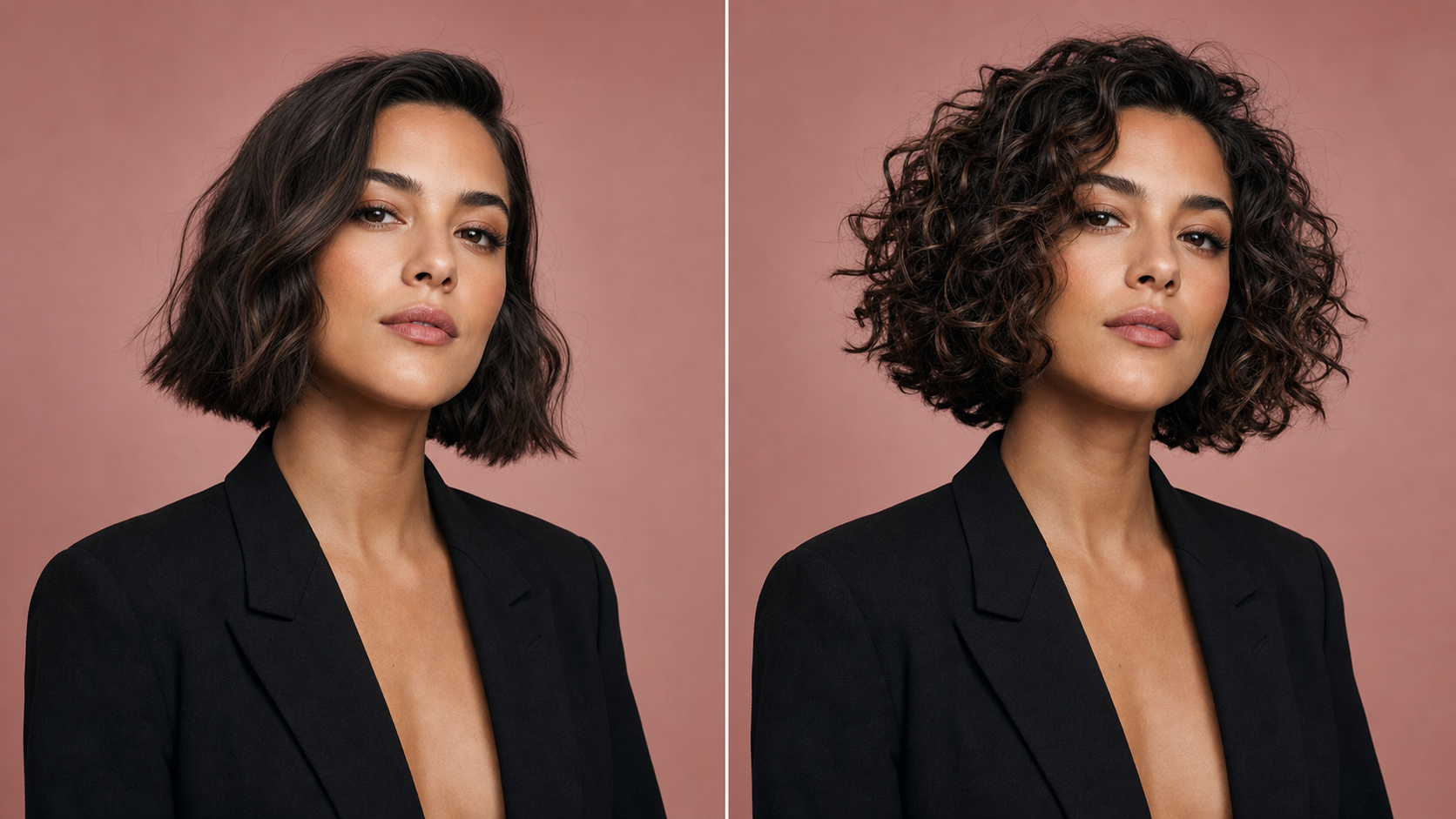
AI Curly Hair Filter for Portrait Concepts
- AI Curly Hair Filter helps turn an existing portrait into a focused style concept for personal, editorial, or character work.
- The Curly Hair Filter AI output can support salon conversations, mood boards, profile-image planning, and visual storytelling.
- Because AI Curly Hair Generator starts from your photo, expression, wardrobe, background, and lighting can remain familiar while the hairstyle changes.
Why Use AI Curly Hair Filter
AI Curly Hair Filter turns hairstyle uncertainty into something you can see and compare. AI Curly Hair Filter supports personal style planning, portrait variation, creative direction, and character exploration without altering the source photo manually.

Preview Curls Before a Salon Conversation
Describing curls with words alone can leave room for very different interpretations. AI Curly Hair Filter gives you a personal visual reference to discuss with a stylist. AI Curly Hair Generator can help you think through tighter definition, softer waves, added volume, or changes to face framing. Treat the result as inspiration rather than a guarantee of how real hair will respond to cutting, styling, or treatment.
Compare Curl Scale and Volume
Small curls, broad waves, and fuller coils create different proportions around the face. AI Curly Hair Filter lets you evaluate that relationship on a familiar portrait. An AI Curly Hair Effect can make the jawline feel sharper, soften the cheek area, or change the balance near the shoulders. Comparing those visual differences can clarify which general direction feels most like your style.

Refresh a Profile or Social Portrait
A good portrait may already have the expression, outfit, and lighting you want. AI Curly Hair Filter can create an alternate hairstyle version without rebuilding the entire scene. The Curly Hair AI Filter is useful for exploring a new avatar mood, a playful profile image, or a transformation post. Keep the result that feels natural and still looks connected to the original person.
Plan Beauty and Editorial Mood Boards
Hair texture strongly affects makeup, wardrobe, lighting, and framing decisions. AI Curly Hair Filter helps creative teams test a curly direction on a chosen portrait before a shoot. AI Curly Hair Generator can show whether defined ringlets, loose movement, or greater crown volume supports the visual concept. It provides a concrete reference for discussion without pretending to replace final styling or production work.
Develop Characters and Visual References
A new hair silhouette can change how a character reads at first glance. AI Curly Hair Filter gives illustrators, role-players, and costume planners a way to explore that shift from an existing portrait. The Curly Hair Filter AI result can guide sketches, styling notes, or reference boards while preserving the starting expression and pose. It is especially useful when identity consistency matters across early concepts.

Explore Curly Styles Across Different Portraits
The same hairstyle can look different under studio light, outdoor light, close framing, or a three-quarter pose. AI Curly Hair Filter lets you explore how curly texture reads across your available portraits. An AI Curly Hair Effect that looks balanced in one image may need different volume in another. Comparing several source photos helps you separate a hairstyle preference from the limits of a single picture.
What People Create with AI Curly Hair Filter
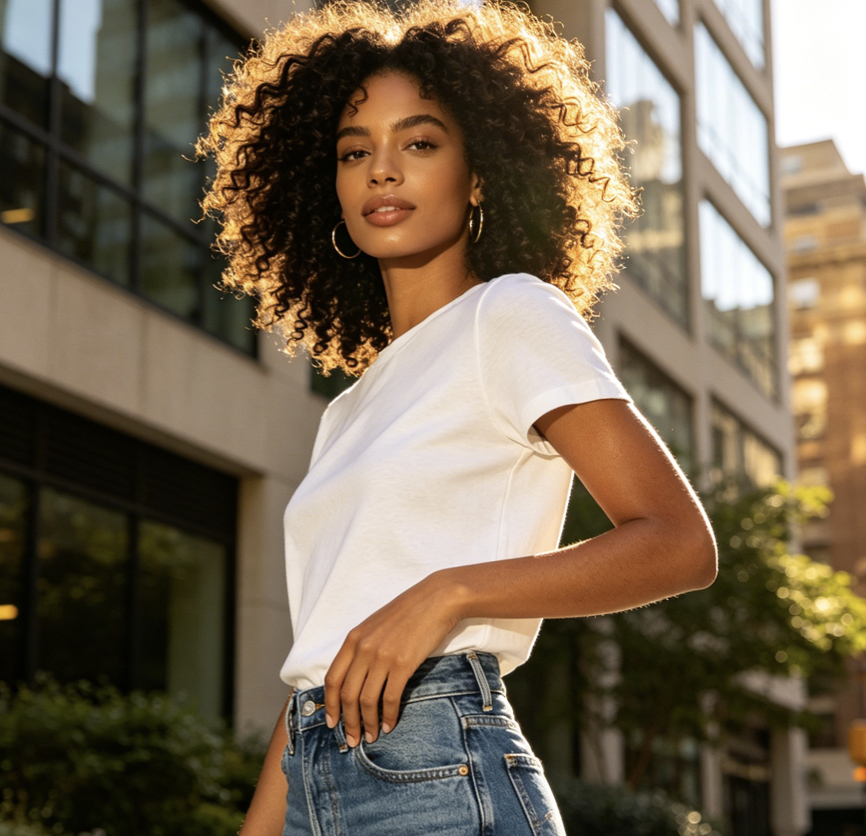
People use AI Curly Hair Filter to prepare salon references, refresh portraits, plan campaigns, and shape character ideas. AI Curly Hair Filter gives each conversation a consistent image rather than an abstract hairstyle description.
I used AI Curly Hair Filter before talking with my stylist about a perm. The preview helped me explain that I wanted loose, face-framing movement rather than very tight curls. It was not a promise of the salon result, but it gave us a much clearer starting point than the reference photos I had saved.
AI Curly Hair Filter made a male grooming concept easier to review. With AI Curly Hair Filter, I could compare a short curly top with the original straight style while the face angle and jacket stayed consistent. AI Curly Hair Generator result gave our photographer and stylist one shared visual direction before the shoot.
I liked my profile photo but wanted to see a softer hairstyle. AI Curly Hair Filter kept the expression and lighting I already liked, then added a curl shape that felt believable. The AI Curly Hair Effect helped me decide which portrait to use without turning the result into an obviously different person.
For a character mood board, AI Curly Hair Filter gave me a useful alternative silhouette from the same source portrait. AI Curly Hair Filter let me focus on how the curls changed the character’s energy rather than comparing two unrelated faces. The Curly Hair AI Filter output became a practical sketch reference, not just a novelty image.
AI Curly Hair Filter helped during an early beauty campaign review. We tested fuller curls against the planned neckline and makeup direction before committing to one styling reference. The Curly Hair Filter AI preview made the conversation specific, especially around volume near the cheeks and how much hair should sit over the shoulders.
I wanted a new avatar direction but did not want the tool to change my whole face. AI Curly Hair Filter kept the portrait recognizable and gave the hair more movement. AI Curly Hair Generator result felt useful because the background, glasses, and expression still matched the image I had uploaded.
FAQs About AI Curly Hair Filter
These answers explain what AI Curly Hair Filter changes, which photos provide better visual cues, and how to interpret an AI Curly Hair Filter result for personal style planning or creative reference work.
AI Curly Hair Filter is an image-editing tool that transforms the visible hairstyle in an uploaded portrait into a curly version. It reads cues such as the hairline, head angle, existing length, face framing, and photo lighting, then creates new texture around them. The goal is to show the same person with a coherent curly hairstyle while preserving the expression, pose, clothing, background, and overall composition.
AI Curly Hair Generator starts from a source portrait rather than inventing an unrelated person. It interprets the visible hair region, then builds curl shape, direction, volume, and strand detail to match the photo. A strong AI Curly Hair Effect also follows the original lighting and keeps boundaries around the face, ears, neck, and clothing believable. Results depend on how clearly the uploaded image shows those areas.
AI Curly Hair Filter can work with portraits that begin with straight, wavy, or lightly textured hair, provided the hairline and general shape are visible. The edit should reinterpret the hairstyle while keeping the person recognizable. If the source hair is hidden, tightly cropped, heavily blurred, or covered by accessories, the Curly Hair AI Filter has fewer reliable cues and may produce a less coherent result.
Use a clear portrait with balanced light, a readable face, and enough space around the head and shoulders. AI Curly Hair Filter benefits when the hair is not blocked by hands, hats, or strong motion blur. Front-facing and three-quarter views can both work if the outline remains visible. For a cleaner AI Curly Hair Effect, avoid extreme beauty filters that erase hair texture or facial boundaries.
AI Curly Hair Generator can create visual directions for short cuts, medium lengths, and longer silhouettes when the source photo provides enough context. It should scale curl size and volume to the visible length rather than simply extending the hair. AI Curly Hair Filter is useful for comparing broad style ideas, but a generated preview cannot predict exactly how a particular haircut, perm, or daily routine will behave.
AI Curly Hair Filter preview can make a salon conversation more concrete because it shows a possible direction on your own portrait. You can point to volume, face framing, part placement, or curl scale instead of relying only on verbal descriptions. AI Curly Hair Filter should be treated as inspiration, however. Real results depend on your hair type, condition, cut, products, technique, and the stylist’s professional assessment.
AI Curly Hair Filter should preserve the subject’s identity, facial structure, expression, skin tone, pose, clothing, accessories, background, camera angle, and lighting. The AI Curly Hair Effect should concentrate on the visible hairstyle: curl pattern, direction, volume, ends, and face framing. Minor changes may be needed where new curls overlap the shoulders, but the finished image should still read as the original portrait in the same scene.
Yes. AI Curly Hair Filter can support profile-photo concepts, beauty mood boards, character references, costume planning, and editorial exploration. The Curly Hair Filter AI result is most useful when you need a consistent portrait with one meaningful hairstyle change. It does not replace professional retouching or real-world styling, but it can help collaborators compare directions and identify which curl silhouette best supports the intended image or character.
See Your Portrait with Natural Curls
Upload a clear portrait and let AI Curly Hair Filter create a natural curly-hair version. Use AI Curly Hair Filter to compare texture, volume, and face framing while keeping the original person and scene recognizable.
