
More AI Image Generators
Explore our collection of specialized AI image generators designed for different creative needs and styles










Make This Picture a Full Body Picture with AI
Turn a cropped portrait into a natural full-body image in seconds
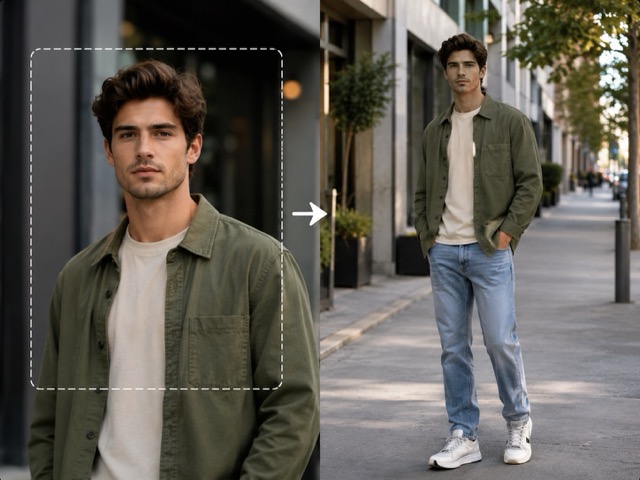
Want to make this picture a full body picture without taking another photo? Upload a headshot, upper-body portrait, or cropped person image and let the AI full body generator naturally complete the missing body, outfit, legs, shoes, and surrounding scene. The original face, hairstyle, expression, lighting, and visual style remain the reference throughout the process. Whether you need a professional portrait, fashion image, social post, character design, or creative concept, you can make this picture a full body picture with one simple AI-powered workflow.
How to Make This Picture a Full Body Picture
You do not need manual editing to make this picture a full-body image. The AI generator simplifies this into three actions: upload, generate, and download. It analyzes the visible subject, clothing, lighting, and environment before creating missing areas, seamlessly turning your portrait into a complete composition.

Upload Your Photo
Upload your photo to extend, whether it is a headshot, chest-up, or waist-up portrait. For optimal results, use an image with a clear face, visible clothing, good lighting, and a distinct pose. The AI generator relies on these details to accurately complete the missing areas.

Click Generate
Click Generate to let AI automatically complete the image. It analyzes the original subject and seamlessly creates the missing lower body, clothing, and background. You avoid manual drawing or masking—simply let the AI build a visually consistent extension from your source photo.

Download Your Full Body Picture
Preview the generated result and download your favorite full-body image. Verify the clothing continuity, body proportions, and background. Use your completed picture for social content, presentations, or creative projects without needing to rebuild the original photo from scratch.
Best AI Image Tools for Creative Projects
Explore creative tools for image, learn tips and tricks, and see how AI can be your assistant in turning concepts into finished projects.

















Turn Cropped Portraits Into Complete Full Body Images
A useful extension needs more than an empty canvas. The generated body, clothing, pose, and environment must connect seamlessly to the original image. The AI full body generator uses your existing visual context to ensure all newly created areas follow the same cohesive direction.
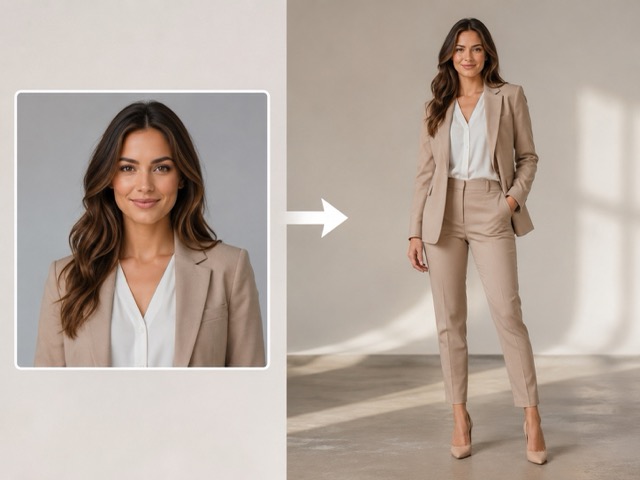
Complete the Missing Body with Natural Proportions
Many portraits are cropped at the chest or waist, making them hard to use when a full standing figure is needed. Instead of reshooting, the AI generator analyzes body direction, posture, and camera perspective to create natural missing areas. It generates a complete lower body and standing composition while preserving your original upper body, face, and expression as the visual anchor.
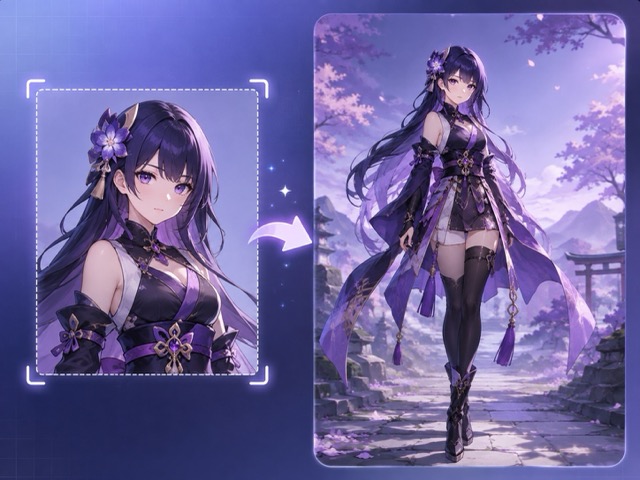
Continue Clothes and Outfits Consistently
A believable extension must look unified. The AI reads visible colors, materials, patterns, and style to consistently extend clothing into the missing lower section. A blazer flows naturally into trousers, and casual wear into jeans and sneakers. While highly useful for fashion concepts and lifestyle visuals, always review generated logos, patterns, or specific uniform details before commercial use.
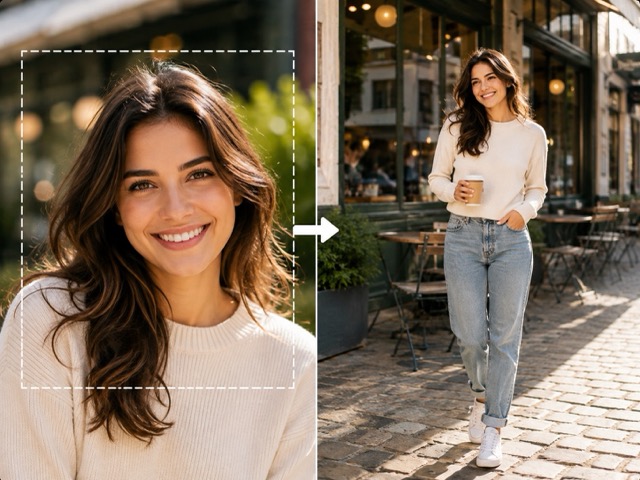
Extend the Background with the Person
Adding legs is not enough if the surrounding environment abruptly stops. The AI full body generator extends the background alongside the missing person, analyzing perspective, lighting direction, shadows, and depth of field. This ensures the final image feels like a cohesive photograph rather than a cutout, perfectly expanding your canvas for vertical social posts or website banners.
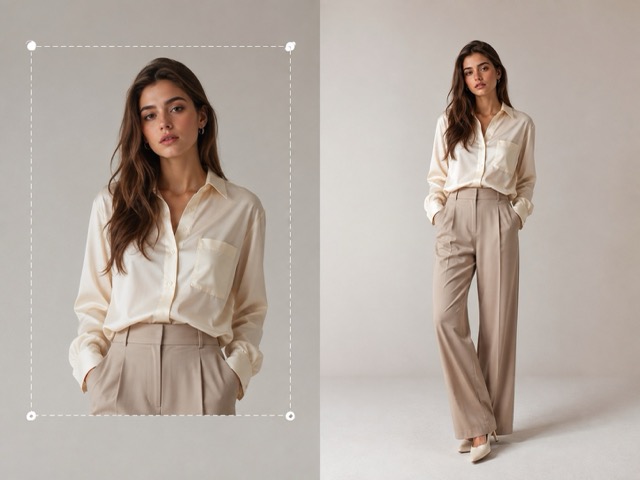
Keep the Original Person as the Visual Reference
Starting with a completely new AI image means losing the perfect expression, lighting, or camera angle from your existing portrait. This tool uses your original image to guide the extension, continuing the composition rather than replacing the subject. Strong source images provide better context, allowing you to review the generated anatomy and background while keeping the original portrait you love.
Create Full Body Pictures for Different Needs
There is no single reason to make this picture a full body picture. Some users need a professional standing portrait, while others want a complete fashion look, social image, or character design. The AI full body generator makes cropped images more flexible across different creative situations.

Headshot to Full Body Portrait
A headshot may work perfectly for an avatar but leave too little space for a speaker page, portfolio, team profile, presentation, or personal website. Instead of replacing the original photo, make this picture a full body picture and create a more complete portrait from the face you already like. The AI full body generator can extend the visible clothing and create a natural standing composition around the existing image. This gives designers more flexibility when adapting one portrait to different layouts and aspect ratios.

Half Body to Full Body Photo
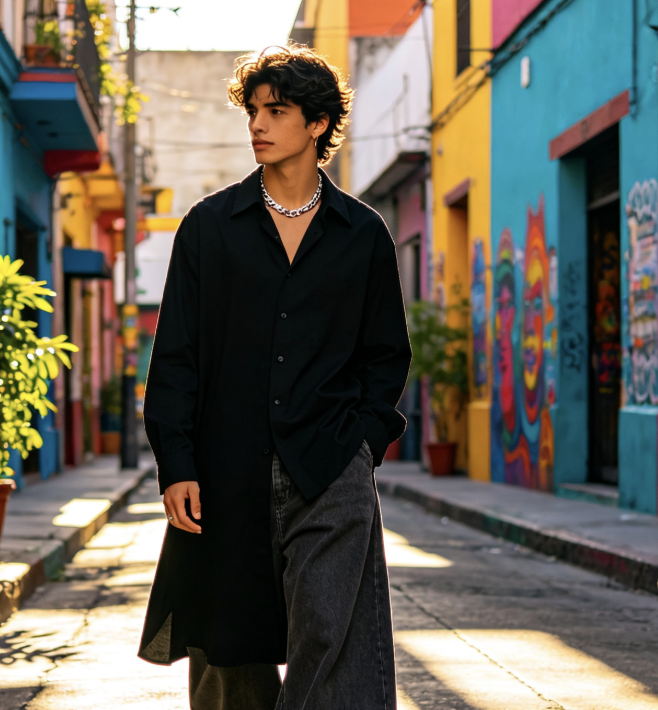
Waist-up and chest-up photos are common because they focus attention on the face, but they can become restrictive when a project needs a complete person. Make this picture a full body picture to extend the original composition downward and reveal a complete standing figure. The AI full body generator creates missing clothing, legs, footwear, floor space, and background based on the visible photo. It is useful for posters, profile cards, website sections, presentations, social posts, and other designs that need more vertical space.

Fashion and Outfit Concepts
A fashion portrait may capture the perfect hairstyle, jacket, shirt, makeup, or expression while cutting off the rest of the outfit. You can make this picture a full body picture to explore how the complete styling could look. The AI full body generator can continue visible fashion cues into trousers, skirts, dresses, shoes, and complementary accessories. This can help with mood boards, outfit concepts, visual exploration, and creative planning. Generated details should still be checked before they are presented as an accurate representation of a real product.

Characters and Creative Portraits
Illustrations, avatars, anime portraits, and AI-generated characters are often created only from the waist or chest upward. Make this picture a full body picture when you need a complete character for concept art, storytelling, thumbnails, social content, or visual references. The AI full body generator can continue clothing, body proportions, accessories, footwear, and the surrounding environment while following the visible art direction. Starting from an existing character also makes it easier to keep the same face, hairstyle, colors, and overall design language.
A Simpler Way to Complete Cropped Portraits
The AI full body generator is designed for situations where the original portrait already has the right face or visual direction but needs a more complete composition. The examples below illustrate typical ways people may use the workflow. Replace these placeholders with verified customer feedback before publishing them as real testimonials.
I often receive portraits that look great but are cropped too tightly for the layout I am building. Being able to make this picture a full body picture gives me another option before changing the entire page design. The three-step workflow is especially useful when I only need a quick visual concept.
I had a waist-up portrait with the right expression and lighting, so I did not want to replace it with a completely different photo. The AI full body generator helped me explore a complete standing version while keeping the original portrait as the starting point.
For fashion mood boards, I sometimes only have an upper-body reference. I can make this picture a full body picture and quickly test how a complete outfit might fit the concept before spending more time on detailed design work.
The workflow is easy to understand. I upload the portrait, click generate, and download the result. I like that I can make this picture a full body picture without manually masking the person or trying to paint the missing background myself.
My character references are often cropped at the waist. The AI full body generator gives me a fast way to explore the remaining costume, silhouette, and proportions. I use the result as a concept reference and refine the details afterward.


Frequently Asked Questions About Full Body Generation
Before you make this picture a full body picture, it helps to understand what AI is actually doing. Invisible body, clothing, and background details do not exist in the source photo, so the AI full body generator creates new visual content based on the information it can see.
Yes. An AI full body generator can extend a cropped portrait and create the missing body, outfit, legs, shoes, and surrounding background. When you make this picture a full body picture, AI studies visible information such as the person's face, pose, clothing, perspective, lighting, and environment. It then generates new areas that follow those visual cues. Because hidden details must be invented, the result is an AI-generated interpretation rather than a recovery of information that existed outside the original frame.
The process only requires three steps. First, upload your half-body photo. Second, click Generate and allow the AI full body generator to complete the missing areas. Third, preview and download the result. You do not need to manually draw the lower body, create a mask, or extend the canvas yourself. To make this picture a full body picture more naturally, use a clear source image with good lighting, readable clothing, and an easy-to-understand pose.
Yes. You can make this picture a full body picture even when the source is a headshot. However, a face-only image provides less information about the person's original body position and clothing than a waist-up portrait. The AI full body generator therefore has more details to interpret. A clear face, visible shoulders, recognizable clothing, and consistent background can help provide stronger context for the generated full-body composition.
The original image is used as the main visual reference when you make this picture a full body picture. The goal is to extend the missing areas rather than create an unrelated person. However, AI generation can still introduce changes, particularly around difficult details. Always compare the result with the original face, hairstyle, expression, clothing, and important identifying visual features before using the generated image in a professional project.
The AI full body generator can use visible clothing as context and create a matching continuation. For example, it may extend a jacket into coordinated trousers or complete a casual outfit with jeans and sneakers. When you make this picture a full body picture, these invisible areas are generated based on visual inference rather than recovered from the original photo. If exact clothing, branding, uniforms, or product details matter, review the generated result carefully before publishing.
Clear portraits generally give the AI full body generator more useful information. Choose an image with a visible face, recognizable clothing, consistent lighting, and a pose that is easy to understand. Waist-up photos usually provide more body and outfit context than very tight face crops. Avoid severe blur, heavy obstructions, extreme distortion, or images where most of the person is hidden. A stronger source makes it easier to make this picture a full body picture with a coherent pose, outfit, and background.
Make This Picture a Full Body Picture Now
Already have a portrait you like? There is no need to start from zero. Upload your photo, click Generate, and let the AI full body generator complete the missing person and surrounding scene. Then preview and download your result. Make this picture a full body picture for profiles, fashion concepts, social posts, characters, presentations, and creative projects in three simple steps.
