
More AI Image Generators
Explore our collection of specialized AI image generators designed for different creative needs and styles



Image Color Inverter: Create Negative Images Online
Invert Photo Colors With One Click
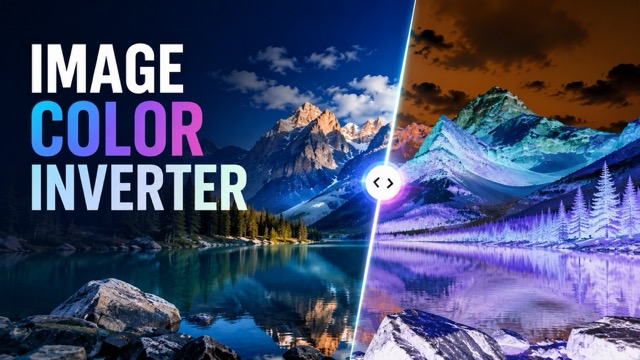
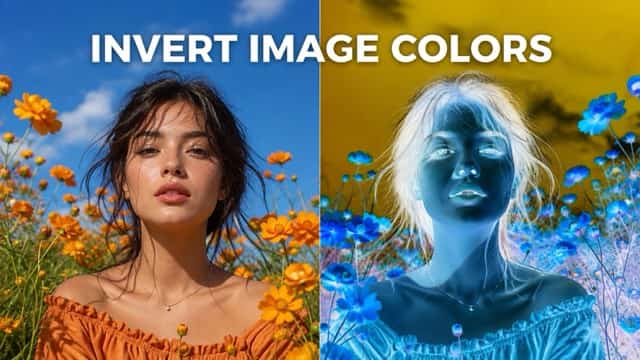
Use SuperMaker AI as an image color inverter to reverse the colors of any uploaded photo in seconds. Upload a portrait, product shot, landscape, pet photo, poster, illustration, or social image, then create clean color inverted images without manual editing. The image color inverter changes bright areas into dark tones and transforms every color into its complementary opposite while preserving the original subject, composition, and details. This negative image converter is ideal for experimental artwork, retro photo effects, visual design, creative posts, and eye-catching image transformations.
How To Use The Image Color Inverter
The image color inverter workflow is simple: upload an image, generate the reversed-color effect, preview the result, and download it. SuperMaker AI creates color inverted images while keeping faces, objects, framing, and fine details recognizable. You can use the image color inverter for quick photo experiments, design references, social content, or a classic photographic negative look.

Upload Your Image
Start by uploading the picture you want to transform with the image color inverter. You can choose a portrait, selfie, product image, pet photo, landscape, artwork, poster, or AI-generated picture. Clear, high-resolution files usually produce more accurate color inverted images. The image color inverter analyzes the original colors, brightness, edges, textures, and visual structure before creating the reversed result.

Generate And Preview
Click generate to let the image color inverter reverse the full color range of your upload. Light areas become dark, dark areas become light, and hues shift toward their complementary opposites. Preview the color inverted images and check the face, background, objects, contrast, and edges. The image color inverter applies the effect across the complete image without requiring masks, layers, or complex settings.

Download And Share
Download the finished result from the image color inverter and use it in social posts, graphic design, mood boards, posters, album visuals, classroom materials, or creative photo projects. Your color inverted images are ready to save and share after generation. The image color inverter gives you a fast way to turn an ordinary picture into a bold reversed-color visual.
Best AI Image Tools for Creative Projects
Explore creative tools for image, learn tips and tricks, and see how AI can be your assistant in turning concepts into finished projects.





Create Color Inverted Images From Any Picture
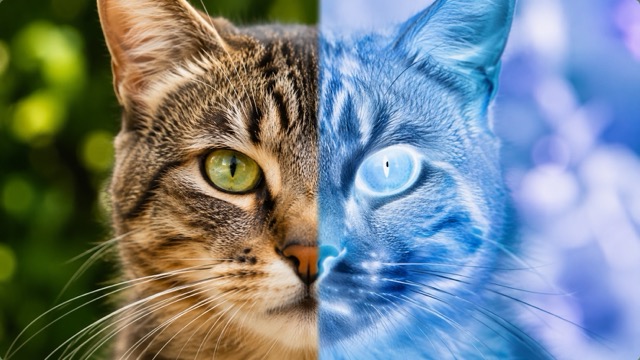
SuperMaker AI is an image color inverter built for quick, consistent color reversal. Instead of adjusting curves, channels, layers, or blend modes by hand, you can upload one file and generate color inverted images automatically. The image color inverter preserves the original layout while producing a dramatic complementary-color transformation suitable for photography, branding, education, and digital art.
Invert Portrait And Selfie Colors
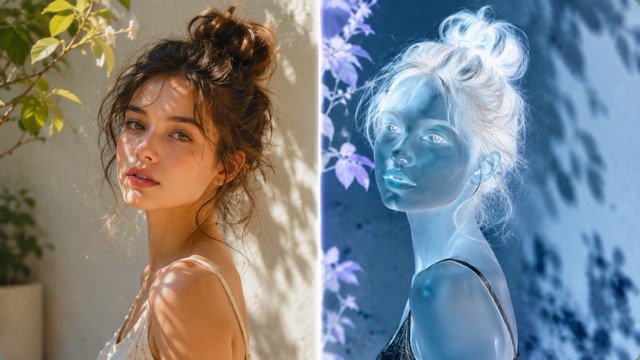
Upload a portrait or selfie and use the image color inverter to create a striking alternative version of the same person. The tool keeps the facial structure, pose, hairstyle, clothing, and framing connected to the source while reversing the visible color relationships. These color inverted images can work as profile artwork, music graphics, poster concepts, experimental photography, or social media edits. The image color inverter helps you achieve a polished negative-style portrait without manually editing skin tones, shadows, highlights, and background colors.
Reverse Colors In Products And Posters
Use the image color inverter on product photos, packaging, flyers, logos, posters, and promotional graphics. Complementary color shifts can reveal new visual directions and help you test stronger contrast before final design production. Color inverted images are useful for campaign concepts, creative comparisons, packaging studies, and attention-grabbing online content. The image color inverter retains the original product shape and layout while giving the full design a dramatically different palette.
Transform Landscapes And Artwork
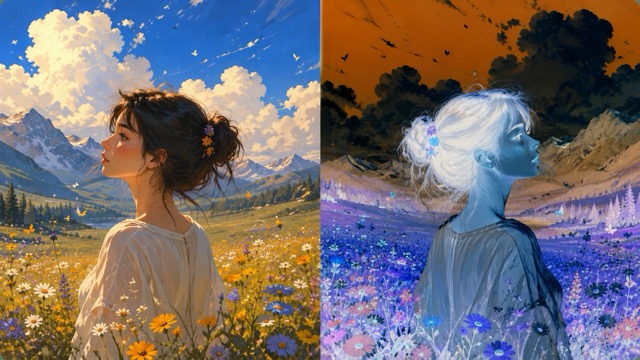
Apply the image color inverter to city scenes, nature photos, paintings, illustrations, and fantasy artwork. Blue skies may become warm orange tones, green plants can shift toward magenta, and bright clouds can turn into deep dramatic forms. These color inverted images create surreal atmosphere while preserving the original scene. The image color inverter is useful for album art, editorial graphics, cinematic references, classroom demonstrations, and experimental visual storytelling.
Popular Image Color Inverter Use Cases
Use SuperMaker AI when you need an image color inverter for creative editing, design exploration, educational demonstrations, marketing visuals, or negative-style photography. It produces color inverted images from one upload, and the image color inverter makes the transformation accessible without specialist software.

Experimental Photo Art
Turn everyday pictures into unconventional artwork with the image color inverter. Color inverted images can create surreal portraits, unusual landscapes, and high-impact compositions. The image color inverter gives photographers a quick way to explore new color relationships.

Social Media Visuals
Use the image color inverter to make thumbnails, profile posts, story graphics, and campaign teasers stand out. Color inverted images offer immediate contrast in a busy feed, while the negative image converter helps creators build a recognizable visual style.

Design Color Exploration
Test complementary palettes with the image color inverter before refining a poster, package, or brand graphic. Color inverted images can expose contrast, balance, and hierarchy issues. The negative image converter works as a practical source of fast visual alternatives.
Learning And Demonstration
Teachers and students can use the image color inverter to study complementary colors, light and dark relationships, and photographic negatives. Color inverted images make color theory easier to observe, and the negative image converter provides an immediate before-and-after example.
What Users Say About The Image Color Inverter
Designers, photographers, marketers, educators, and creators use SuperMaker AI to make color inverted images quickly. The image color inverter removes repetitive editing steps, while the negative image converter gives users a simple way to produce bold visual variations.
The image color inverter gives me quick references for poster concepts. I can upload a finished layout and compare several color inverted images without rebuilding the design. The negative image converter is especially useful when I need a more experimental direction.
I use the image color inverter for music and nightlife content. The color inverted images look bold and work well as teaser graphics. This negative image converter saves me from opening a full editing project for a simple effect.
The image color inverter is useful for showing color theory in class. Students can immediately see how complementary tones change across color inverted images. The negative image converter makes each demonstration fast and easy to understand.
I tested the image color inverter on portraits, street photos, and architecture shots. The color inverted images preserved the composition while creating a completely different mood. The negative image converter has become part of my concept development process.
For social campaigns, the image color inverter helps me create fast visual variations from approved assets. The color inverted images are distinctive without changing the message or layout. The negative image converter is simple enough for daily content work.
I like using the image color inverter for packaging experiments. The color inverted images reveal contrast problems and unexpected palette ideas. This negative image converter is a practical way to review alternate directions before presenting concepts.
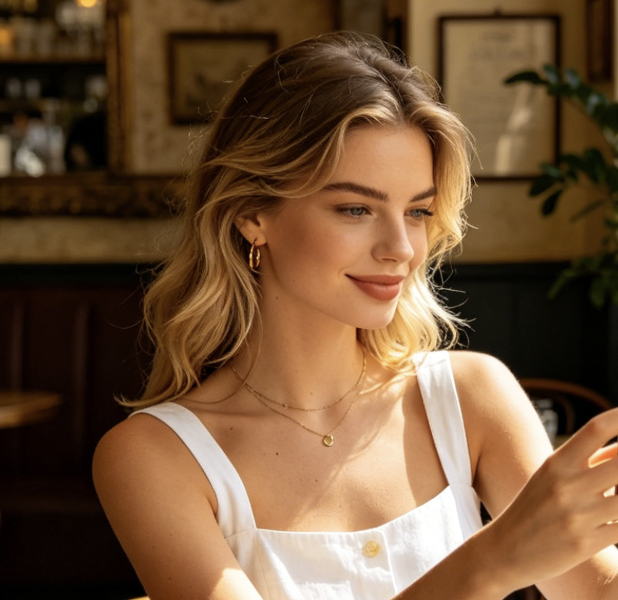


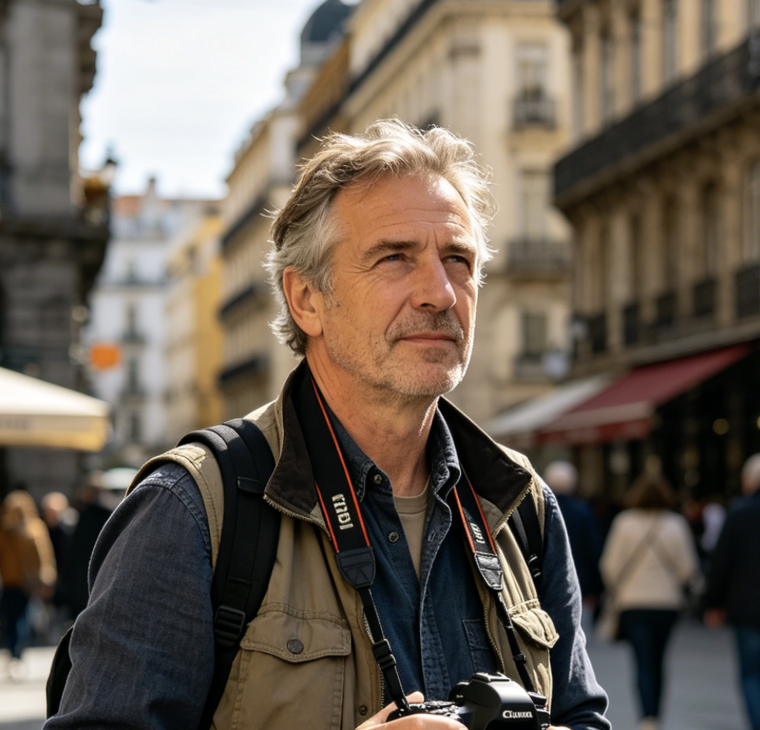

Image Color Inverter FAQ
Learn how the image color inverter creates color inverted images and how to get cleaner results from the negative image converter.
An image color inverter is an online photo tool that reverses the color values in an uploaded picture. Bright areas become dark, dark areas become bright, and colors move toward their complementary opposites. SuperMaker AI uses this process to create color inverted images from portraits, products, landscapes, posters, illustrations, and other visual files.
Upload your picture, start generation, preview the result, and download it. The image color inverter analyzes the visible colors and applies a full-image reversal while preserving the original subject and composition. The resulting color inverted images resemble photographic negatives or complementary-color artwork. The negative image converter does not require manual selections, masks, channels, or layer adjustments.
The terms often describe the same core effect. An image color inverter emphasizes reversing digital color values, while a negative image converter often refers to the familiar photographic negative appearance. Both can produce color inverted images in which light, dark, and hue relationships are reversed across the picture.
You can use the image color inverter with portraits, selfies, pet photos, product shots, landscapes, artwork, posters, logos, social graphics, and AI-generated images. Clear source files generally create sharper color inverted images. For the best negative image converter result, avoid images that are extremely blurry, heavily compressed, or almost completely dark.
The image color inverter is designed to change the visible colors rather than replace the subject. It aims to preserve faces, poses, object shapes, framing, background structure, and fine details while generating color inverted images. The negative image converter should make the result look like a transformed version of the same source picture.
Color inverted images can be used for posters, album covers, social posts, thumbnails, campaign concepts, teaching materials, mood boards, packaging tests, and experimental photography. The image color inverter makes these variations quickly, and the negative image converter gives you an easy starting point for further creative editing.
Create Color Inverted Images Now
Upload a picture and let SuperMaker AI work as your image color inverter. Generate color inverted images for portraits, products, landscapes, posters, social content, artwork, and design experiments. Start with one photo, preview the reversed palette, and use the negative image converter to produce a bold new visual in seconds.
